CodeRabbit vs Qodo: AI Code Review Tools Compared (2026)
CodeRabbit vs Qodo - we compare pricing, features, test generation, and review quality so you can pick the right AI reviewer for your team.
Published:
Last Updated:
Quick verdict
CodeRabbit is the stronger pure code reviewer - faster feedback, lower noise, better cross-file understanding, and a generous free tier. Qodo (formerly CodiumAI) is the better pick if AI-generated test coverage is your top priority. If you only buy one tool, CodeRabbit delivers more day-to-day value for the average engineering team. If you already have solid test infrastructure and need review automation, CodeRabbit wins outright. If your test coverage is thin and you want AI to close that gap, Qodo fills a niche nobody else does well.
The ideal setup for teams that can afford both? Use CodeRabbit for PR review and Qodo Cover for test generation. They complement each other and operate at different stages of the workflow. But if you are choosing one, CodeRabbit delivers more value per dollar for most engineering teams.
This comparison covers everything you need to decide: review quality, test generation capabilities, pricing at every team size, platform support, configuration options, developer experience, and specific use cases where each tool excels.
At-a-glance comparison
| Feature | CodeRabbit | Qodo |
|---|---|---|
| Primary focus | AI code review | AI testing + code review |
| PR review | Yes - line-by-line with cross-file context | Yes - via Qodo Merge |
| Test generation | No | Yes - via Qodo Cover |
| Review latency | ~90 seconds | ~2-4 minutes |
| False positive rate | ~15% | ~25% |
| Free tier | Yes - unlimited public repos, full features | Limited free plan |
| Pro pricing | $24/user/month | $19/user/month |
| Enterprise pricing | $30/user/month | Custom |
| GitHub support | Full | Full |
| GitLab support | Full | Full |
| Bitbucket support | Full | Full |
| Azure DevOps support | Full | No |
| IDE extension | VS Code, Cursor, Windsurf integration | VS Code, JetBrains |
| Natural language config | Yes - .coderabbit.yaml | No - TOML/settings-based |
| Auto-fix suggestions | Yes - one-click commit | Limited |
| Self-hosted option | Yes (Enterprise) | Yes (Enterprise) |
| SOC 2 compliance | Yes | Yes |
| Language coverage | All major languages | All major languages |
| Learning from feedback | Yes - calibrates over time | Limited |
| Project management integration | Jira, Linear | Limited |
| API access | Yes | Yes |
What is CodeRabbit?

CodeRabbit is a dedicated AI code review tool built to analyze pull requests with deep contextual awareness. When a PR opens, CodeRabbit reads the changed files, then pulls in related files - callers, callees, shared types, configuration files, and test files - to understand the full impact of the change. It posts line-by-line review comments with specific fix suggestions that developers can commit with a single click.
CodeRabbit’s design philosophy is deliberate focus. It does one thing - AI code review - and does it better than tools that try to cover multiple concerns. This specialization shows up in the benchmark numbers: CodeRabbit consistently achieves higher bug detection rates and lower false positive rates than multi-purpose AI development tools.
Key strengths include:
- High review accuracy. Lower false positive rates (~15%) mean developers trust the feedback and actually act on it instead of dismissing AI comments reflexively.
- Fast feedback loops. Median review latency of ~90 seconds means reviews arrive before developers context-switch to other tasks.
- Natural language configuration. Teams write review instructions in plain English in a
.coderabbit.yamlfile, making custom rules accessible to engineers of all experience levels. - One-click fix suggestions. When CodeRabbit identifies a problem and knows how to fix it, the fix can be committed directly from the PR interface.
- Broad platform support. GitHub, GitLab, Bitbucket, and Azure DevOps are all first-class integrations with full feature parity.
- Generous free tier. Unlimited access on public repositories with full features, making it the default choice for open source projects.
- Learning from interactions. When developers dismiss comments or ask for adjustments, CodeRabbit calibrates to the team’s preferences over time.
Limitations to be aware of:
- No test generation. CodeRabbit does not generate unit tests, integration tests, or any other form of test code. This is the primary gap that Qodo fills.
- PR-stage focused. CodeRabbit’s core value proposition is at the pull request stage, not during code writing in the IDE (though it does integrate with VS Code, Cursor, and Windsurf).
- No IDE-based code completion. If you want AI assistance while writing code, CodeRabbit is not designed for that use case.
What is Qodo?
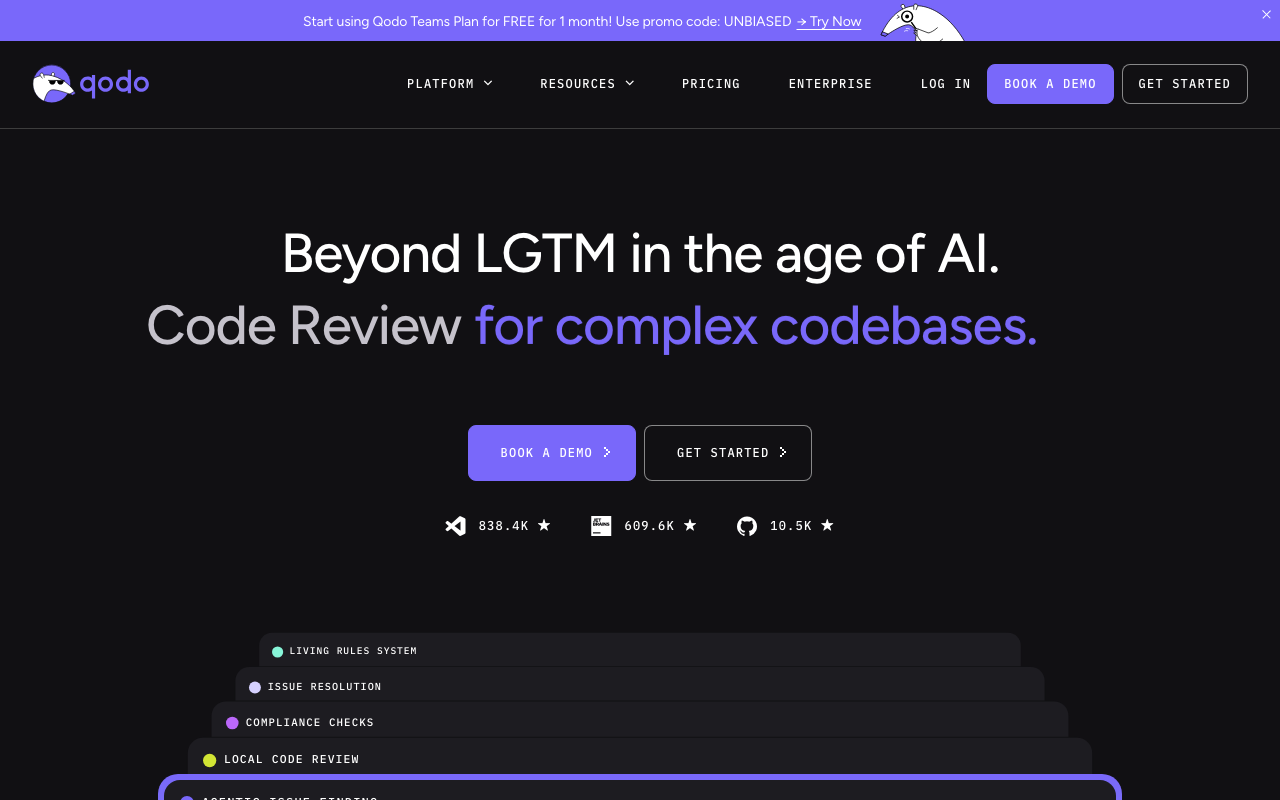
Qodo is an AI testing and review platform that combines PR review with automated test generation. Formerly known as CodiumAI, Qodo rebranded in 2024 and expanded beyond its original test generation roots. The platform now includes two main products: Qodo Merge for PR review and Qodo Cover for test generation.
Qodo’s defining capability is AI-generated test coverage. No other tool in the code review space generates meaningful unit tests at the quality level Qodo Cover achieves. When you modify code, Qodo Cover analyzes the changes, understands the business logic, and produces tests with edge cases, boundary conditions, and error scenarios. For teams with low test coverage, this is a genuine differentiator that addresses a problem most AI code review tools ignore entirely.
Key strengths include:
- AI test generation. Qodo Cover produces meaningful unit tests with edge cases, boundary conditions, and error scenarios. This is a capability no competitor matches.
- IDE integration. The Qodo IDE extension for VS Code and JetBrains provides in-editor test generation and code suggestions, meeting developers where they work.
- Dual-purpose platform. Teams get both review and test generation under one subscription, which simplifies vendor management.
- Multi-platform support. GitHub, GitLab, and Bitbucket are all supported.
- SOC 2 compliance. Enterprise security requirements are met with compliant data handling practices.
Limitations to be aware of:
- Higher false positive rate. At ~25%, roughly one in four PR review comments flags something that is not actually a problem.
- Slower review latency. Median review time of ~2-4 minutes is noticeably slower than CodeRabbit’s ~90 seconds.
- No Azure DevOps support. Teams on Azure DevOps cannot use Qodo for PR review or test generation.
- Less customizable review rules. TOML/settings-based configuration is more rigid than CodeRabbit’s natural language approach.
- Limited learning from feedback. The tool does not calibrate to team preferences as effectively as CodeRabbit’s interaction-based learning.
- Surface-level PR comments. Qodo Merge’s review feedback tends to focus on obvious issues rather than deep cross-file analysis.
Feature-by-feature deep dive
Review depth and accuracy
This is CodeRabbit’s strongest advantage over Qodo. In testing across production repositories, CodeRabbit consistently identifies issues that Qodo Merge misses entirely: cross-file dependency bugs, race conditions, missing error handling for edge cases, and logic errors that only become visible when you trace call chains across multiple files.
The difference comes down to contextual analysis depth. CodeRabbit finds every file that calls a modified function, every implementation of the interface it belongs to, and every configuration that affects its behavior. This cross-file awareness enables it to flag issues like “this refactor removes retry logic that was protecting against transient database failures three call levels up.”
Qodo Merge focuses primarily on the diff itself. It catches obvious problems - null pointer risks, unused variables, basic security issues - but struggles with context spanning multiple files. Suggestions tend toward surface-level improvements: rename this variable, add a type annotation, consider extracting this function.
The false positive comparison illustrates the quality gap. CodeRabbit generates roughly 15% false positives versus Qodo Merge’s 25%. When one in four AI comments is a non-issue, developers start ignoring all AI comments. Long-term adoption depends on trust, and trust is built through accuracy.
Here is how the review quality differs in practice:
| Review dimension | CodeRabbit | Qodo Merge |
|---|---|---|
| Cross-file dependency analysis | Strong - traces callers, callees, shared types | Limited - primarily diff-focused |
| Race condition detection | Good - identifies concurrency patterns | Weak - misses most race conditions |
| Missing error handling | Strong - checks for unhandled edge cases | Moderate - catches obvious cases |
| Security vulnerability detection | Strong - traces data flow across files | Moderate - catches common patterns |
| Logic error detection | Strong - understands business intent from context | Moderate - catches obvious contradictions |
| Code style suggestions | Configurable via natural language rules | Default patterns, less configurable |
| False positive rate | ~15% | ~25% |
| Actionable fix suggestions | Most comments include specific fixes | Many comments are observational |
Test generation: Qodo’s unique strength
This is where Qodo has no real competition, and it deserves a thorough examination. CodeRabbit does not generate tests. Qodo Cover does, and it does it well. For teams where test coverage is a critical bottleneck, this single capability may be worth the entire subscription cost.
Qodo Cover does not just generate boilerplate test stubs. It reads the function signature, understands the business logic, analyzes the input types and return values, and produces tests with meaningful edge cases. For a function that processes user input, Qodo Cover typically generates tests for:
- Valid input with expected output
- Empty strings and null values
- Boundary values (minimum/maximum, zero, negative numbers)
- SQL injection and XSS attempts
- Type mismatches
- Unicode and special characters
- Large inputs that might cause performance issues
Are the generated tests perfect? No. They usually need some manual adjustment - tweaking expected values, adding missing mocks, or removing edge cases that do not apply to the specific context. But they provide a strong starting point that saves 20-30 minutes per function compared to writing tests from scratch.
The practical value depends on your current test coverage. If your team already has 80%+ test coverage and strong testing practices, Qodo Cover’s generated tests add incremental value. But if you are staring at 30-40% coverage and your backlog includes “write tests for the payment module” tickets that never get prioritized, Qodo Cover can meaningfully accelerate your path to better coverage.
There is an important distinction between Qodo’s two products. Qodo Merge handles PR review. Qodo Cover handles test generation. Both are included in the paid plan, but the free tier is limited for both. When evaluating Qodo, it is important to understand that the competitive strength is primarily in Cover (test generation), not Merge (PR review). A team that subscribes to Qodo solely for PR review quality will likely be disappointed compared to CodeRabbit. A team that subscribes for test generation will find genuine value that no competitor offers.
Language and framework support
Both tools support all major programming languages, including JavaScript/TypeScript, Python, Java, Go, Rust, C/C++, Ruby, PHP, C#, Swift, and Kotlin. Neither tool has meaningful language coverage gaps for mainstream development.
CodeRabbit’s review engine includes awareness of common frameworks like React, Next.js, Django, Spring Boot, and Rails. When reviewing a React component, CodeRabbit understands hook rules, component lifecycle patterns, and common performance anti-patterns. When reviewing a Django view, it knows to check for unvalidated query parameters and missing CSRF protection.
Qodo’s language support extends across its two products. Qodo Merge reviews code in all supported languages, and Qodo Cover generates tests for most of them. Test generation quality can vary by language - Python and JavaScript/TypeScript test generation tends to be more polished than test generation for languages with more complex testing frameworks like Java (JUnit, Mockito) or Go (table-driven tests).
For polyglot teams, both tools handle multi-language repositories without issue. The language coverage is broadly comparable, with CodeRabbit having an edge in framework-specific review depth and Qodo having an edge in test generation breadth.
Platform support
CodeRabbit supports one more major platform than Qodo, and it is a significant one. Both tools work with GitHub, GitLab, and Bitbucket. CodeRabbit also supports Azure DevOps, which Qodo does not.
| Platform | CodeRabbit | Qodo |
|---|---|---|
| GitHub | Full support | Full support |
| GitLab | Full support | Full support |
| Bitbucket | Full support | Full support |
| Azure DevOps | Full support | Not supported |
Azure DevOps support matters for enterprise teams. Organizations heavily invested in the Microsoft ecosystem - using Azure cloud, Visual Studio, and Azure Boards - often use Azure DevOps for source control and CI/CD. For these teams, Qodo is not an option for PR review, making CodeRabbit the default choice.
For teams on GitHub, GitLab, or Bitbucket, platform support is not a differentiator between these two tools. Both provide full-featured integrations on all three platforms.
CI/CD integration
CodeRabbit integrates deeply with pull request workflows and project management tools. It posts review comments directly on PRs and can be configured as a required reviewer, effectively blocking merges when critical issues are found. This integrates naturally with branch protection rules on any supported platform.
CodeRabbit also integrates with project management tools like Jira and Linear. When a PR references a ticket, CodeRabbit reads the ticket description and validates the implementation against the stated requirements. A PR that claims to “add rate limiting to the user API” will be checked for whether rate limiting logic is actually present in the changed files. This cross-tool context enriches the review beyond just code analysis.
Qodo’s CI/CD integration centers on its test generation capabilities. Qodo Cover can be configured to run automatically on PRs, generating and suggesting tests for new or modified code. This integrates into the PR workflow as suggested test files that developers can review and commit. Qodo Merge also posts review comments on PRs, but the integration is less deep than CodeRabbit’s - no project management tool integration, no ticket validation.
For teams that want review quality gates integrated into their merge workflow, CodeRabbit’s platform-native integration with branch protection rules provides a cleaner setup. For teams that want automated test suggestions as part of their PR workflow, Qodo Cover’s automated test generation fills a unique niche.
Security analysis
Both tools detect security vulnerabilities, but they differ in approach and depth. CodeRabbit’s cross-file contextual analysis is particularly strong for detecting injection vulnerabilities (SQL, XSS, command injection) where the input source and the vulnerable operation may be in different files. Qodo Merge catches common security patterns - hardcoded credentials, basic injection risks, insecure defaults - but its diff-focused approach limits its ability to trace data flows across file boundaries.
Neither tool replaces a dedicated security scanner like Snyk Code or SonarQube. Both should be viewed as an additional layer of security awareness, not a primary SAST solution.
Pricing comparison
CodeRabbit costs less per user and provides a more generous free tier. At $24/user/month versus Qodo’s $30/month flat for up to 30 users, CodeRabbit is the more affordable option while also providing a more generous free tier.
| Plan | CodeRabbit | Qodo |
|---|---|---|
| Free tier | Unlimited public repos, full features | Limited features, restricted usage |
| Pro/Teams plan | $24/user/month | $30/user/month |
| Enterprise plan | $30/user/month | Custom pricing |
| Self-hosted | Enterprise tier | Enterprise tier |
| Annual billing | Discount available | Discount available |
Cost comparison by team size:
| Team size | CodeRabbit monthly | CodeRabbit annual | Qodo monthly | Qodo annual | Annual difference |
|---|---|---|---|---|---|
| 5 engineers | $120 | $1,440 | $150 | $1,800 | CodeRabbit saves $360 |
| 10 engineers | $240 | $2,880 | $300 | $3,600 | CodeRabbit saves $720 |
| 25 engineers | $600 | $7,200 | $750 | $9,000 | CodeRabbit saves $1,800 |
| 50 engineers | $1,200 | $14,400 | $1,500 | $18,000 | CodeRabbit saves $3,600 |
| 100 engineers | $2,400 | $28,800 | $3,000 | $36,000 | CodeRabbit saves $7,200 |
The pricing math favors CodeRabbit. At $24/user/month versus Qodo’s $30/month flat for up to 30 users, CodeRabbit is the more affordable option. Here are the key considerations:
- Free tier quality. CodeRabbit’s free tier on public repositories includes full features with no restrictions. Qodo’s free tier is more limited. For open source projects, CodeRabbit is free while Qodo is not (at full feature access).
- Value per dollar. CodeRabbit’s higher review accuracy (lower false positive rate, better cross-file analysis) means the $24/user/month buys more actual bug prevention. Qodo’s $30/month flat for up to 30 users buys review plus test generation, but the review component alone does not match CodeRabbit’s depth.
- Complementary cost. If you want both best-in-class review and best-in-class test generation, running both tools costs $54/user/month ($24 for CodeRabbit + $30 for Qodo). This is a significant investment but provides capabilities that no single tool matches.
For teams that value test generation alongside review, Qodo’s bundling of Qodo Cover with Qodo Merge provides unique capability that CodeRabbit does not offer, even at the higher $30/month flat for up to 30 users price. For teams where review accuracy is the primary concern, CodeRabbit delivers better review quality at a lower price.
Developer experience
CodeRabbit is designed for minimal friction. Setup takes about five minutes: install the app on your platform, optionally create a .coderabbit.yaml configuration file, and open a PR. Reviews appear within ~90 seconds on the next PR. There is no indexing step, no account configuration required for individual developers, and no IDE plugin that needs to be installed across the team.
The review comments appear inline on the PR, exactly where a human reviewer would leave them. Developers interact with CodeRabbit through natural language replies - asking for clarification, requesting a different approach, or explaining why a pattern is acceptable. CodeRabbit learns from these interactions, calibrating its future reviews to the team’s preferences.
One-click fix suggestions reduce friction between identifying and resolving issues. When CodeRabbit knows how to fix a problem, the fix appears as a commit suggestion directly in the PR interface. Click “commit suggestion” and the fix is applied. No copy-pasting, no manual editing, no switching to an IDE.
Qodo’s developer experience spans two touchpoints: the PR and the IDE. Qodo Merge posts review comments on PRs, similar to CodeRabbit but with longer latency (2-4 minutes versus ~90 seconds). Qodo Cover integrates into the IDE through VS Code and JetBrains extensions, allowing developers to generate tests while writing code.
The IDE integration is a genuine experience advantage for Qodo. Developers can select a function in their editor, invoke Qodo Cover, and see generated tests appear alongside their code. This meets developers in their natural workflow - while they are actively writing code, not after they have opened a PR. For teams that want AI assistance during the code writing phase, this in-editor experience is valuable.
However, Qodo’s PR-stage experience is less polished than CodeRabbit’s. Review comments take longer to appear, the suggestions are less specific, and the interaction model does not include the same feedback-driven learning loop. Developers cannot reply to Qodo Merge comments in natural language and have those interactions shape future reviews the way they can with CodeRabbit.
Customization and review rules
CodeRabbit’s natural language configuration is the most accessible customization system in the AI code review category. Teams write review instructions in plain English in a version-controlled .coderabbit.yaml file:
# .coderabbit.yaml
reviews:
  instructions:
    - "Flag any API endpoint without rate limiting"
    - "Warn when database queries happen inside loops"
    - "Require error boundaries around async operations"
    - "Check that all user-facing strings are internationalized"
    - "Flag any direct DOM manipulation in React components"
    - "Ensure all environment variables have fallback defaults"
These instructions are self-documenting. A new team member reads the .coderabbit.yaml file and immediately understands the team’s coding standards. Non-senior engineers can contribute new rules without learning a DSL or regex syntax. The instructions are version-controlled, so changes to review standards go through the same PR process as code changes.
CodeRabbit also learns from developer interactions over time. When a developer dismisses a comment, asks for a different framing, or marks a pattern as acceptable, CodeRabbit remembers. Over weeks of use, the tool calibrates to the team’s preferences without requiring manual configuration updates. This learning loop is one of CodeRabbit’s most underappreciated features - it means the tool gets better the longer you use it.
Qodo’s configuration is functional but more rigid. Settings are toggle-based: enable or disable specific check categories, set sensitivity levels, configure which file types to analyze. This works for broad-strokes customization (skip test files, focus on security issues) but does not support team-specific conventions or domain-specific requirements.
For teams with standard coding practices and no unusual conventions, Qodo’s toggle-based configuration is adequate. For teams with domain-specific rules (“all financial calculations must use the Decimal type, never float”), detailed style preferences, or evolving coding standards, CodeRabbit’s natural language approach is materially more flexible.
Test generation deep dive: Qodo Cover in practice
Since test generation is Qodo’s primary differentiator, it warrants a detailed examination. Qodo Cover works by analyzing code changes and generating unit tests that exercise new or modified code paths. Here is what the experience looks like in practice.
When you modify a function or add new code, Qodo Cover:
- Reads the function signature, parameter types, and return types
- Analyzes the function body to understand control flow and business logic
- Identifies edge cases based on input types (null, empty, boundary values, malicious inputs)
- Generates test cases that cover the happy path, error paths, and edge cases
- Presents the generated tests for review and optional commit
Here is a realistic assessment of Qodo Cover’s test generation quality by code complexity:
| Code complexity | Test quality | Typical editing needed |
|---|---|---|
| Simple utility functions | High - usable as-is or with minimal changes | 5-10 minutes |
| Data transformation logic | Good - correct structure, may need expected value tweaks | 10-15 minutes |
| Business logic with branching | Moderate - covers most paths, may miss domain nuances | 15-20 minutes |
| Code with external dependencies | Fair - mocking may need significant adjustment | 20-30 minutes |
| Complex async/concurrent code | Variable - may miss timing-related edge cases | 30+ minutes |
The time savings are real even when tests need editing. Writing a unit test from scratch for a moderately complex function typically takes 30-45 minutes. Editing a Qodo Cover generated test takes 10-20 minutes. Over a sprint, this adds up to hours saved, especially for teams working on codebases with significant test debt.
The limitation is that test generation does not replace test strategy. Qodo Cover generates individual test cases, but it does not design your testing architecture. It will not tell you which integration tests to write, how to structure your test suite, or when end-to-end tests are more appropriate than unit tests. Teams still need testing expertise to make good decisions about what to test and how.
Security and compliance
Both tools take security and data privacy seriously, with similar compliance postures. CodeRabbit is SOC 2 Type II compliant, does not store code after analysis, and offers self-hosted deployment for enterprise customers. Qodo is also SOC 2 compliant and provides comparable data handling guarantees.
| Security feature | CodeRabbit | Qodo |
|---|---|---|
| SOC 2 compliance | Type II | Yes |
| Code storage | Not stored after analysis | Not stored after analysis |
| Self-hosted deployment | Enterprise tier | Enterprise tier |
| SSO/SAML | Enterprise tier | Enterprise tier |
| Data processing agreements | Available | Available |
| On-premises option | Yes | Yes |
| Training on customer code | No - opt-out by default | No - opt-out by default |
For regulated industries, both tools offer on-premises deployment where code never leaves the customer’s network. Both use commercial LLM APIs with enterprise data processing agreements that prohibit training on customer data. The key difference for security-conscious teams is Azure DevOps support - many enterprises in regulated industries use Azure DevOps, and these teams cannot use Qodo, making CodeRabbit the only option.
When to choose CodeRabbit
Choose CodeRabbit if:
- Review quality and accuracy are your top priority. CodeRabbit’s cross-file contextual analysis catches issues that Qodo Merge misses, and the ~15% false positive rate (versus ~25%) means developers trust the feedback.
- Fast feedback loops matter. At ~90 seconds, CodeRabbit reviews arrive before developers context-switch. Qodo Merge’s 2-4 minutes may seem small, but the difference affects developer flow.
- You need Azure DevOps support. Qodo does not support Azure DevOps. CodeRabbit does.
- Natural language configuration fits your team. Writing review rules in plain English is more accessible and more expressive than toggle-based settings.
- You want a generous free tier. CodeRabbit’s unlimited access on public repositories is unmatched for open source projects and evaluation.
- Your team already has solid test coverage. If testing is not your bottleneck, you do not need Qodo Cover, and CodeRabbit delivers better review value.
- You want a tool that learns. CodeRabbit calibrates to your team’s preferences through developer interactions over time.
When to choose Qodo
Choose Qodo if:
- AI-generated test coverage is your top priority. Qodo Cover fills a niche that CodeRabbit and most other review tools do not even attempt. If you have significant test debt, this capability alone may justify the subscription.
- Your team has low test coverage. If you are below 50% coverage and the backlog keeps getting deprioritized, Qodo Cover can meaningfully accelerate your path to better coverage.
- You want AI assistance in the IDE during code writing. Qodo’s VS Code and JetBrains extensions provide in-editor test generation and code suggestions that CodeRabbit does not offer.
- Lower per-user cost matters. At $19/user/month versus $24/user/month, Qodo’s Pro plan costs less, especially for larger teams where the per-user savings compound.
- You want review and testing in one subscription. Having Qodo Merge and Qodo Cover under one vendor simplifies procurement and billing.
When to use both together
The combination of CodeRabbit for review and Qodo Cover for test generation is the strongest setup available for teams that can afford it. The workflow is straightforward: developers use Qodo’s IDE extension to generate tests while writing code, then open a PR where CodeRabbit reviews within 90 seconds. The tools operate at different stages and do not conflict.
The combined cost is $43/user/month ($24 for CodeRabbit Essentials + $19 for Qodo). For a 10-person team, that is $430/month or $5,160/year. This dual-tool setup makes the most sense for well-funded teams with low test coverage that want best-in-class review and test generation simultaneously. For smaller teams or budget-constrained organizations, choosing one tool is more practical based on whether your bottleneck is review quality (CodeRabbit) or test coverage (Qodo).
Use case comparison matrix
| Use case | Better tool | Why |
|---|---|---|
| Catching bugs in PRs | CodeRabbit | Deeper cross-file analysis, lower false positive rate |
| Generating unit tests | Qodo | Qodo Cover is unmatched for AI test generation |
| Open source projects | CodeRabbit | Free tier with full features on public repos |
| Fast PR feedback | CodeRabbit | ~90 seconds vs ~2-4 minutes |
| Low test coverage teams | Qodo | Test generation directly addresses the coverage gap |
| Enterprise/Azure DevOps | CodeRabbit | Only option with Azure DevOps support |
| Custom review standards | CodeRabbit | Natural language config vs toggle-based settings |
| IDE-based AI assistance | Qodo | VS Code and JetBrains extensions |
| Budget-conscious teams | CodeRabbit | $24/user/month vs Qodo’s $30/month flat for up to 30 users |
| Teams with good test coverage | CodeRabbit | No need for test generation, better review quality |
| Regulated industries | Both | Both are SOC 2 compliant with self-hosted options |
| Quick evaluation/POC | CodeRabbit | Free tier, instant setup, no restrictions on public repos |
Bottom line
For most teams, CodeRabbit is the better investment for AI code review. It does one thing - PR review - and does it at a depth that Qodo Merge does not match. The natural language configuration, cross-file context understanding, low false positive rate, learning from developer feedback, and broad platform support (including Azure DevOps) make it the default recommendation for teams that prioritize review quality.
Qodo earns its place on teams where test generation is a critical need. If your team is staring at 30% test coverage and does not have the bandwidth to write tests manually, Qodo Cover addresses that problem directly. No other tool in the AI code review space generates tests at the quality level Qodo Cover achieves. The IDE extensions add value during the code writing phase that CodeRabbit does not attempt to cover.
The complementary approach is the strongest option for teams that can afford it. CodeRabbit for review quality, Qodo Cover for test generation. They operate at different stages of the workflow, do not conflict, and together provide capabilities that no single tool matches. At $43/user/month combined, it is an investment - but for teams that value both review thoroughness and test coverage, the return is measurable in bugs caught and coverage improved.
If you are choosing one tool, the question is simple: is your bottleneck review quality or test coverage? CodeRabbit for the former. Qodo for the latter. For most teams, the answer is review quality, which makes CodeRabbit the default choice.
Further Reading
 Gitar
GitarComments are not enough
Gitar applies the fix, validates it in CI, and clears the queue.
See it on your repo Read our independent Gitar reviewFrequently Asked Questions
Is CodeRabbit better than Qodo for code review?
For pure PR code review, CodeRabbit is the stronger tool. It catches more nuanced issues including cross-file dependency bugs, race conditions, and missing error handling. CodeRabbit produces roughly 15% false positives versus Qodo Merge's 25%, posts reviews in about 90 seconds versus 2-4 minutes, and offers natural language configuration that lets teams encode specific review standards. Where Qodo has an advantage is AI-generated test coverage through Qodo Cover, which is a capability CodeRabbit does not attempt.
Can I use CodeRabbit and Qodo together?
Yes, and this is actually the recommended setup for well-funded teams. CodeRabbit handles PR review with line-by-line comments and fix suggestions, while Qodo Cover generates unit tests for new or modified code. The tools operate at different stages of the workflow and do not conflict. The combined cost is $54/user/month ($24 for CodeRabbit Essentials plus $30 for Qodo Teams). Teams that want both best-in-class review and AI test generation can get genuinely complementary value from running both.
Which is better for large teams, CodeRabbit or Qodo?
CodeRabbit is generally better for large teams focused on review quality. It supports GitHub, GitLab, Bitbucket, and Azure DevOps (Qodo lacks Azure DevOps), and its natural language configuration via .coderabbit.yaml scales well for encoding team-wide coding standards. CodeRabbit costs $24/user/month versus Qodo's $30/month flat for up to 30 users, so the per-user price is actually lower, but the review quality and platform coverage justify the difference for many large teams. However, if the large team has significant test coverage gaps, Qodo Cover's test generation may justify choosing Qodo for the specific purpose of closing that gap.
Does Qodo generate tests automatically?
Yes, Qodo Cover analyzes your code changes and generates unit tests that exercise new or modified code paths. It reads function signatures, understands business logic, and produces tests with meaningful edge cases - empty strings, boundary values, type mismatches, and injection attempts. The generated tests are not perfect but provide a strong starting point that typically saves 20-30 minutes per function. Test generation is included in the paid plan at $30/month flat for up to 30 users. CodeRabbit does not offer test generation.
What is the difference between Qodo Merge and Qodo Cover?
Qodo Merge is the PR review product that analyzes pull requests and posts review comments, similar to what CodeRabbit does. Qodo Cover is the test generation product that creates unit tests for your code changes. They are separate products within the Qodo platform, though both are included in the paid subscription. The distinction matters because Qodo's competitive strength is primarily in test generation (Cover), while its review capabilities (Merge) are less thorough than CodeRabbit's.
Does CodeRabbit have an IDE extension?
CodeRabbit is intentionally PR-focused and does not have a traditional IDE extension for code completion or chat during the writing stage. However, CodeRabbit does integrate with VS Code, Cursor, and Windsurf for reviewing code. Qodo offers IDE extensions for VS Code and JetBrains that provide in-editor test generation and code suggestions. If you need AI assistance while writing code in your editor, Qodo's IDE integration is a meaningful advantage. If your focus is on review quality at the PR stage, CodeRabbit's PR-first approach delivers stronger results.
How much does CodeRabbit cost?
CodeRabbit is free for unlimited public and private repositories with rate limits of 200 files per hour and 4 PR reviews per hour. The Pro plan costs $24/user/month and includes full AI reviews, auto-fix suggestions, 40+ linters, and natural language configuration. The Enterprise plan is $30/user/month with self-hosted deployment and SAML SSO. A 14-day Pro trial is available with no credit card required.
How much does Qodo cost?
Qodo offers a limited free plan with restricted features. The paid Teams plan costs $30/month flat for up to 30 users and includes both Qodo Merge (PR review) and Qodo Cover (test generation). Enterprise pricing is custom and includes self-hosted deployment options. Qodo is $6/user/month more expensive than CodeRabbit Essentials, and the review quality gap means CodeRabbit delivers more value per dollar for teams focused on catching bugs in PRs.
What is the best AI tool for generating unit tests?
Qodo Cover is the best dedicated AI tool for generating unit tests in 2026. It analyzes function signatures, understands business logic, and produces tests with meaningful edge cases including boundary values, null handling, and injection attempts. Other options include GitHub Copilot (which generates tests inline via chat), Codium (Qodo's former name), and Diffblue Cover for Java-specific test generation. CodeRabbit does not generate tests but can suggest testing approaches in its review comments.
Is CodeRabbit free for open source?
Yes, CodeRabbit provides full-featured AI code review on unlimited public repositories at no cost. There are no restrictions on team size, and the free tier includes AI-powered PR summaries, line-by-line review comments, and fix suggestions. This makes CodeRabbit the go-to choice for open-source maintainers who want automated review on every incoming contribution without paying anything.
Does Qodo support Azure DevOps?
No, Qodo does not support Azure DevOps. It works with GitHub, GitLab, and Bitbucket only. CodeRabbit supports all four major Git platforms including Azure DevOps, making it the only option between these two tools for teams in the Microsoft ecosystem. This is a common dealbreaker for enterprise organizations that have standardized on Azure DevOps for source control and CI/CD.
What is the false positive rate for CodeRabbit vs Qodo?
CodeRabbit has a false positive rate of approximately 15%, while Qodo Merge has a rate of approximately 25%. This means roughly one in four Qodo review comments flags something that is not actually a problem, compared to roughly one in seven for CodeRabbit. Lower false positive rates lead to higher developer trust and better long-term adoption, as developers are less likely to dismiss AI comments reflexively.
Explore More
Tool Reviews
 CodeRabbit Review
 Qodo Review
Free Newsletter
Stay ahead with AI dev tools
Weekly insights on AI code review, static analysis, and developer productivity. No spam, unsubscribe anytime.
Join developers getting weekly AI tool insights.
Related Articles
What Happened to CodiumAI? The Rebrand to Qodo Explained
CodiumAI rebranded to Qodo in 2024. Here's what changed, what stayed the same, and what it means for existing users and new buyers.
February 22, 2026
comparisonGitar vs Qodo: Workflow Automation or Test Generation?
Gitar vs Qodo compared on review architecture, test generation, self-hosting, migrations, CI ownership, and pricing. Which AI code quality platform fits your team.
August 12, 2026
comparisonQodo vs Cody (Sourcegraph): AI Code Review Compared (2026)
Qodo vs Cody compared on code review, codebase context, test generation, pricing, and enterprise fit. Which AI coding tool wins in 2026?
March 5, 2026