CodeRabbit Review 2026: Is It Worth It for Your Team?
In-depth CodeRabbit review covering features, pricing, pros and cons, real-world usage, and whether it is worth it for your dev team in 2026.
Published:
Last Updated:
Direct answer
CodeRabbit is worth it for most teams with 5 or more PR-opening developers, at $24/dev/mo on Essentials (annual) or $48 on Team if you run more than one repository - Essentials links exactly 1. Evaluate on the 14-day trial, not the free tier, which covers public repos only. Its best neutral score is 51.2% F1 and 49.2% precision on Martian’s Code Review Bench across roughly 300,000 PRs. Verified 2026-10-19.
Quick Verdict
CodeRabbit is the most widely adopted AI code review tool in 2026, and for good reason. With over 2 million repositories connected, more than 13 million pull requests reviewed, and a user base exceeding 500,000 developers, it has proven itself at a scale that no competitor matches. The tool installs in under five minutes, begins reviewing every pull request automatically, and delivers contextual, actionable feedback within 2 to 4 minutes of a PR being opened.
Updated 2026-10-18. Three facts in this review changed and are corrected throughout: CodeRabbit renamed Pro to Essentials and Pro Plus to Team in September 2026 and added an Advanced tier at $72; it retired Lite and Pro Legacy on 8 June 2026, so the $12 plan no longer exists; and its free tier no longer covers private repositories.
For teams evaluating whether CodeRabbit is worth adopting, the short answer is yes for most development teams - with a caveat on the free tier. The free tier is genuinely useful if your code is public, where it is effectively unlimited and open-source projects get Team-level features at no cost. On private repositories a free account gets 1 summary-only review per hour, so private-code teams should price Essentials at $24/dev/month billed annually from the start (verified 2026-10-18). Essentials adds auto-fix suggestions, 40+ built-in linters, and custom review instructions. The ROI math works out clearly: if CodeRabbit saves each developer even 30 minutes per month, the tool pays for itself many times over.
That said, CodeRabbit is not without limitations, and the benchmark numbers usually quoted against it do not hold up. The widely-repeated “44% bug catch rate versus Greptile’s 82%” is not an independent comparison: the 82% is Greptile’s own internal 50-PR evaluation, and Augment’s re-run on the same repositories scored Greptile at 45% - though Augment also rebuilt the answer key, so part of that gap is methodology (verified 2026-10-18). The closest thing to a neutral measurement is Martian’s Code Review Bench, published by a company that sells model routing rather than a reviewer, which put CodeRabbit at 51.2% F1 and 49.2% precision across roughly 300k PRs on 3 March 2026. No party without a commercial stake has published a false-positive rate for CodeRabbit or any competing shipping product. The real limitations are more mundane and more actionable: Essentials covers only 1 linked repository, the hourly review limits degrade to 1/hour under fair-usage enforcement, it can be verbose on large pull requests, and self-hosted deployment requires 500+ seats.
What Is CodeRabbit?
Direct answer: CodeRabbit is an AI pull request reviewer that posts inline comments, summaries and one-click fixes on GitHub, GitLab, Azure DevOps and Bitbucket - the widest platform coverage in the market (verified 2026-10-19). It is configured through .coderabbit.yaml, labels findings Critical, Major, Minor or Trivial, and raised a $143M Series C at a $1.5B valuation on 12 August 2026.
CodeRabbit is an AI-powered code review tool that automatically analyzes pull requests and posts inline review comments, suggestions, and summaries directly in your version control workflow. Unlike traditional static analysis tools that rely on pattern-matching rules, CodeRabbit uses large language models to understand the semantic intent behind code changes. It can identify logic errors, flag security vulnerabilities, detect performance anti-patterns, and suggest architectural improvements that rule-based tools would miss entirely.
The platform integrates with GitHub, GitLab, Azure DevOps, and Bitbucket - making it one of the few AI review tools that supports all four major Git platforms. Installation is straightforward: authorize the CodeRabbit app on your Git platform, select your repositories, and the tool begins reviewing every new pull request automatically. There is no CI/CD pipeline configuration, no build system changes, and no YAML files required for basic operation.
CodeRabbit currently serves over 9,000 organizations, more than 100,000 open-source contributors, and has processed over 13 million pull requests. It holds a 4.8 out of 5 rating on G2 and has earned recognition on Gartner Peer Insights. The company has also distributed over $600,000 in sponsorships to open-source maintainers, demonstrating a genuine commitment to the developer community.
How It Works
When a developer opens or updates a pull request, CodeRabbit receives a webhook notification. It fetches the diff, analyzes it against the full repository context using its AI engine, runs any configured linters, and posts its review as inline comments on the PR. The entire process completes in under four minutes. Developers can reply to CodeRabbit’s comments using @coderabbitai to ask follow-up questions, request explanations, or ask it to generate unit tests for the changed code.
Beyond the PR workflow, CodeRabbit also offers a free IDE extension for VS Code, Cursor, and Windsurf that provides real-time inline review comments on staged and unstaged changes before you even open a pull request. This catches issues at the earliest possible point in the development cycle.
Key Features
Context-Aware AI Review Engine
CodeRabbit does not just analyze the diff in isolation. It considers your entire repository structure, the PR description, linked issues from Jira or Linear, and any prior review conversations. This full-context awareness enables it to catch issues like missing error handling in API endpoints, unused imports that break tree-shaking, or logic that contradicts the stated ticket requirements. The context-awareness is what separates CodeRabbit from simpler linting tools and makes its feedback feel closer to a human reviewer.
40+ Built-In Linters
Beyond AI-driven analysis, CodeRabbit runs a suite of over 40 linters covering ESLint, Pylint, Golint, RuboCop, and many more. These linters provide deterministic, zero-false-positive checks for style consistency, naming conventions, and known anti-patterns. The combination of probabilistic AI analysis and deterministic linting creates a layered review system that catches both subtle logic issues and concrete rule violations. This dual approach is a significant differentiator - most AI code review tools provide only AI-generated comments without deterministic linting.
One-Click Auto-Fix Suggestions
When CodeRabbit identifies an issue, it frequently provides a ready-to-apply code fix directly in the PR comment. Developers can accept these fixes with a single click, eliminating the back-and-forth of traditional code review. This feature is especially valuable for straightforward improvements like null-check additions, type narrowing, or import cleanup. Auto-fix requires Essentials (the tier formerly called Pro) or above, and is one of the most compelling reasons to upgrade from the free tier (verified 2026-10-18).
Natural Language Review Instructions
Direct answer: Review rules go in .coderabbit.yaml as plain English, on Essentials and above (verified 2026-10-19). One under-reported default: knowledge_base.code_guidelines.filePatterns reads competitors’ rule files out of the box, including CLAUDE.md, AGENTS.md, .cursorrules, .github/copilot-instructions.md, GEMINI.md, .windsurfrules and REVIEW.md. It also accepts cross-repo references as owner/repo:path with globs.
That default is genuinely useful and worth knowing about before you migrate from another tool: if you already wrote house rules for Cursor or Claude Code, CodeRabbit picks them up without a conversion step. It is also the only tool in our matrix that reads rival config files by default.
Teams can customize CodeRabbit’s review behavior by writing plain-English instructions in a .coderabbit.yaml configuration file or through the web dashboard. For example, you can tell it to “always check that database queries use parameterized inputs” or “flag any function exceeding 40 lines.” This removes the need to write complex rule configurations or learn a domain-specific language, lowering the barrier to customization significantly. If you want a deeper dive into configuration, check out our complete setup guide.
Learnable Review Preferences
CodeRabbit adapts over time based on how your team interacts with its suggestions. When developers consistently dismiss a certain type of comment, the system learns to deprioritize it. When they accept suggestions, it reinforces that pattern. This creates a feedback loop that makes the tool more useful the longer you use it. After a few weeks, the noise-to-signal ratio decreases noticeably compared to the initial installation period.
Multi-Platform Support
CodeRabbit works with GitHub, GitLab, Azure DevOps, and Bitbucket. This four-platform support is unmatched among AI code review tools. GitHub Copilot only works on GitHub. Greptile supports GitHub and GitLab. Sourcery covers GitHub and GitLab. For teams that use Azure DevOps or Bitbucket - or that work across multiple platforms - CodeRabbit is one of very few options.
PR Summaries and Release Notes
For every pull request, CodeRabbit generates a structured walkthrough summary that describes what changed and why. This is valuable for reviewers who need to quickly understand the scope of a PR, and the generated summaries can serve as draft release notes. The walkthrough includes a file-by-file breakdown, making it easy to navigate large PRs.
Security and Performance Analysis
CodeRabbit scans for common security vulnerabilities including SQL injection, XSS, insecure deserialization, and hardcoded secrets. It also flags performance concerns like N+1 queries, unnecessary re-renders in React components, and memory leaks in long-running processes. While it is not a replacement for dedicated SAST tools, it catches a meaningful number of security issues during the normal review flow.
Jira, Linear, and Slack Integrations
On Essentials (renamed from Pro in September 2026) and above, CodeRabbit integrates with Jira, Linear, and Slack. When reviewing a PR, it can pull context from linked tickets to understand the intent behind changes. Slack integration delivers review notifications to your team channels. These integrations help CodeRabbit produce more contextually accurate reviews and keep your team informed without requiring developers to check the PR interface manually.
Pros and Cons
After extensive testing and analysis of user feedback across G2, Gartner, and developer communities, here is an honest breakdown of CodeRabbit’s strengths and weaknesses.
| Category | Details |
|---|---|
| Pros | |
| Fast reviews | Average review time of approximately 206 seconds - feedback arrives before you context-switch |
| Free tier on public repos | Free reviews forever on public repositories, no card, no expiration. Private repos get 1 summary-only review per hour (verified 2026-10-19) |
| Platform breadth | GitHub, GitLab, Azure DevOps, and Bitbucket - unmatched among AI review tools |
| Natural language customization | Express review rules in plain English instead of complex DSLs |
| 40+ built-in linters | Deterministic checks alongside AI analysis for comprehensive coverage |
| Auto-fix suggestions | One-click fixes eliminate back-and-forth on straightforward issues |
| Learnable preferences | Gets smarter over time based on your team’s feedback patterns |
| Open-source support | Full Team-level features free forever on public repositories |
| Cons | |
| Bug detection completeness | Scored 1/5 on completeness in one evaluation; 51.2% F1 / 49.2% precision on Martian’s independent leaderboard. The “44% vs Greptile 82%” pairing is vendor-sourced, not independent (verified 2026-10-18) |
| No free tier for private repos | Free accounts get 1 summary-only PR review per hour on private repositories (verified 2026-10-18) |
| Essentials covers 1 repository | Linked-repo caps are 1 / 5 / 10 / 20 by tier - the most consequential limit and the least reported |
| Lite tier removed | The $12/user/month entry plan was retired 8 June 2026, doubling the step up from free |
| Hourly limits degrade | 5 / 8 / 10 / 12 per hour by tier, dropping to 1/hour under fair usage |
| Verbose on large PRs | Can generate excessive comments on PRs with hundreds of changed files |
| Enterprise-only self-hosting | Self-hosted deployment requires 500+ seats per CodeRabbit’s docs |
| Customer support concerns | Multiple G2 users report difficulty reaching human support on non-Enterprise plans |
| Limited IDE integration | IDE extension is newer and less mature than the PR review experience |
| No SAST/SCA bundled | Review-only tool - does not include static analysis, SCA, or secrets detection as standalone features |
Pricing Breakdown
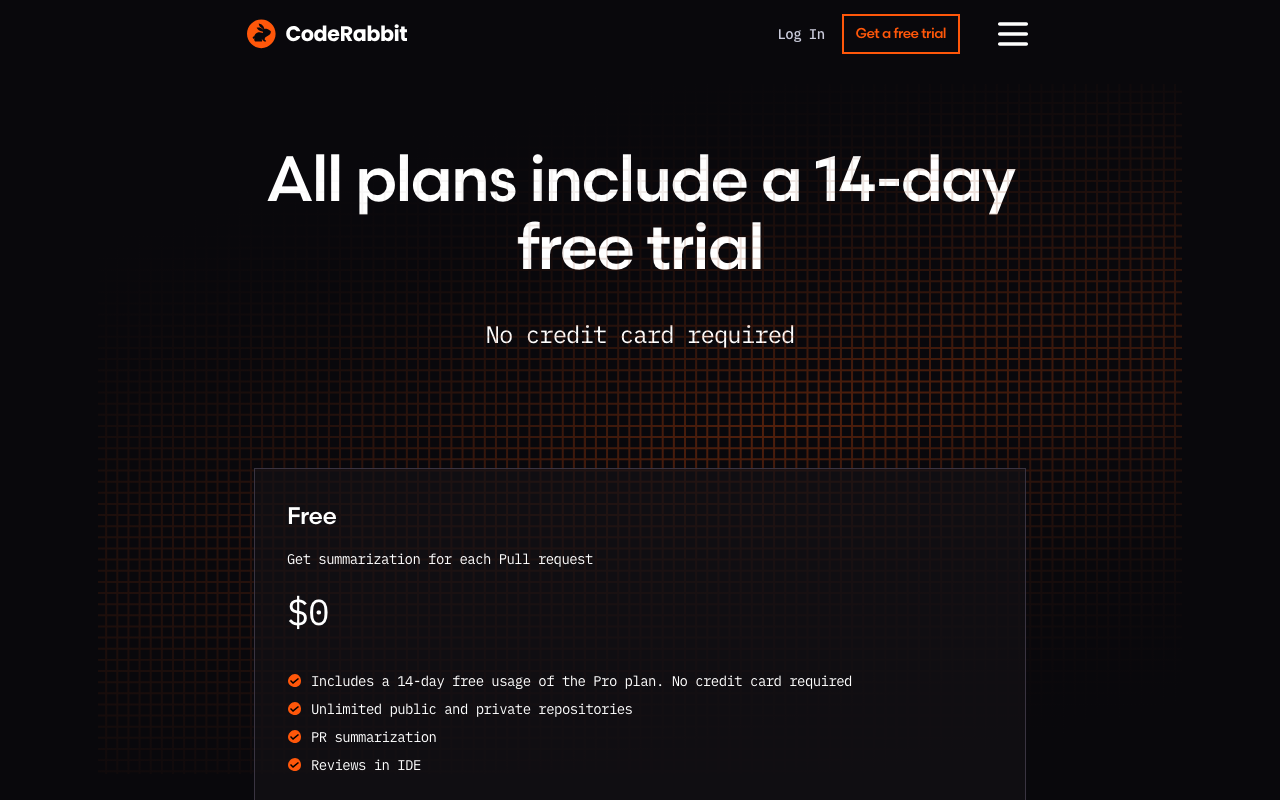
CodeRabbit uses a per-user subscription model where you are only charged for developers who create pull requests. Reviewers, managers, and other team members who do not open PRs are not counted toward your seat total. For a complete analysis, see our CodeRabbit pricing deep-dive.
Plan names changed in September 2026 and two tiers were retired. All figures below were checked against CodeRabbit’s pricing page and docs on 2026-10-18.
| Old name | Current name | Annual | Monthly |
|---|---|---|---|
| Pro | Essentials | $24/dev/mo | $30/dev/mo |
| Pro Plus | Team | $48/dev/mo | $60/dev/mo |
| (new) | Advanced | $72/dev/mo | - |
| Enterprise | Enterprise | Custom | Custom |
| Lite | retired 8 June 2026 | n/a | n/a |
| Pro Legacy | retired 8 June 2026 | n/a | n/a |
Free Plan - public repositories only
The free tier no longer covers private repositories (verified 2026-10-18). CodeRabbit’s pricing page now offers “free reviews forever for public repositories,” and private repos are not included. A free account on a private repository gets 1 PR review per hour, summary only, plus 3 IDE reviews and 3 CLI reviews per hour. Open-source projects still get Team-level features at no cost, with the hourly allowance scaling by repository star count.
An earlier version of this review described the free tier as covering unlimited public and private repositories at 4 reviews per hour. That is no longer accurate, and if your code is private you should treat CodeRabbit as a paid tool from day one.
Lite Plan - RETIRED 8 June 2026
CodeRabbit retired Lite and Pro Legacy on 8 June 2026. The $12/user/month Lite plan is not purchasable at any price (verified 2026-10-18). An earlier version of this review recommended it as an affordable stepping stone above the free tier. That rung on the ladder no longer exists: the step up from free is now Essentials at $24/dev/month, which doubles the old entry cost.
Essentials - $24/user/month (annual) or $30/user/month (monthly)
Renamed from Pro in September 2026 at the same price. Covers the core AI review experience: auto-fix suggestions, all 40+ built-in linters, custom review instructions, learnable preferences, and Jira/Linear/Slack integrations. The 20% annual discount means a 50-developer team saves $3,600 per year over monthly billing. 14-day free trial, no credit card required.
The constraint to check before you buy: Essentials covers exactly 1 linked repository. This is the most consequential limit in CodeRabbit’s pricing and it is absent from almost every comparison table, including earlier versions of this one.
Team - $48/user/month (annual) or $60/user/month (monthly)
Renamed from Pro Plus in September 2026. Adds upstream and downstream workflow actions, higher limits, 5 linked repositories, and a 300-file-per-review cap instead of 150.
Advanced - $72/user/month (annual)
New tier added September 2026. Adds continuous pull request security review, 10 reviews per hour, and 10 linked repositories.
Enterprise Plan - Custom Pricing
Everything in Advanced plus self-hosted deployment, SSO/SAML authentication, custom AI models, multi-organization support, a dedicated customer success manager, SLA-backed support, compliance and audit logs, and VPN connectivity. Self-hosting requires 500+ seats per CodeRabbit’s docs. 20 linked repositories. Contracts are available through AWS and GCP Marketplace.
The limits that actually bite
- Linked repositories: 1 / 5 / 10 / 20 on Essentials / Team / Advanced / Enterprise.
- Files per review: 150 on Free and Essentials, 300 on Team and above. Usage-priced on-demand reviews hard-stop above 300 files.
- Hourly reviews: 5 / 8 / 10 / 12 by tier, degrading to 1 per hour under fair usage - Essentials drops at 30 and then 60 reviews per rolling 7 days.
- Overage: $0.25 per reviewed file.
- Cloud Coding Agent: $0.40 per agent minute, billed separately.
Cost at Different Team Sizes
| Team Size (PR Creators) | Essentials (annual, 1 repo) | Team (annual, 5 repos) |
|---|---|---|
| 5 developers | $1,440/yr | $2,880/yr |
| 10 developers | $2,880/yr | $5,760/yr |
| 25 developers | $7,200/yr | $14,400/yr |
| 50 developers | $14,400/yr | $28,800/yr |
| 100 developers | $28,800/yr | $57,600/yr |
These numbers reflect only developers who actively create pull requests. If your engineering organization has 50 people total but only 35 actively open PRs, your Essentials cost is $10,080/year rather than $14,400. Pick the column that matches your repository count, not the cheaper one - most teams with more than one active repo belong in the Team column (verified 2026-10-18).
Real-World Usage
Setup Experience
Getting started with CodeRabbit is genuinely painless. The entire process takes under five minutes: install the CodeRabbit app on your Git platform, authorize access to your repositories, and the tool begins reviewing every new pull request automatically. There is no CI/CD pipeline to configure, no YAML files to write for basic operation, and no build system changes required. Our step-by-step setup guide covers the full process, but most teams will not need a guide - it is that straightforward.
For Essentials users and above who want to configure custom review instructions, you create a .coderabbit.yaml file in your repository root or use the web dashboard. This takes an additional 15 to 30 minutes to write out your team’s specific standards and preferences.
Review Quality
CodeRabbit’s review quality is its primary selling point, and it mostly delivers. The AI engine catches real issues - null pointer risks, missing error handling, race conditions, security vulnerabilities, and style inconsistencies. The feedback is contextual and reads like comments from a knowledgeable team member rather than generic warnings from a lint tool.
That said, review quality has documented limitations - and the numbers usually cited against CodeRabbit need careful attribution. In a 2026 evaluation of 309 pull requests, CodeRabbit scored 1 out of 5 on completeness and 2 out of 5 on depth. It reliably catches surface-level and moderate issues - syntax errors, security vulnerabilities, and style violations - but frequently misses deeper concerns like intent mismatches, performance implications, and cross-service dependencies.
The comparison you will see everywhere, that Greptile caught 82% of bugs versus CodeRabbit’s 44%, is not from an independent benchmark. The 82% figure is Greptile’s own internal evaluation on 50 PRs across 5 repositories. When Augment re-ran it on the same repositories, Greptile scored 45% precision / 45% recall / 45% F - and that is an F-score, not a catch rate. Augment also did not reuse Greptile’s answer key, stating it had “expanded and corrected the golden comments by reviewing each PR manually,” so the 82-versus-45 gap is partly a different answer key rather than purely self-dealing (verified 2026-10-18).
For a measurement from a party with no reviewer to sell, use Martian’s Code Review Bench: CodeRabbit at 51.2% F1 and 49.2% precision across roughly 300k PRs, published 3 March 2026. Even there, note that Qodo subsequently claimed the #1 spot at 64.3% and Baz claimed #1 on a 790-PR sample, giving one leaderboard four self-declared winners. No party without a commercial stake has published a false-positive rate for any shipping commercial AI code reviewer, CodeRabbit included.
For most teams, the issues CodeRabbit catches are the ones that consume the most review time - the straightforward problems that a human reviewer should not need to spend time on. By handling these, CodeRabbit frees human reviewers to focus on architecture, design, and business logic - the areas where human judgment is irreplaceable.
False Positives
Direct answer: CodeRabbit’s low-noise reputation rests on a vendor figure, not a measurement anyone neutral made. The often-quoted 2 false positives per PR for CodeRabbit versus 11 for Greptile comes from Panto, which sells a competing reviewer; the methodology is 17 PRs scored by an o3-mini classifier, and we could not open a primary Panto page carrying that exact pair (verified 2026-10-19). Label it reported, not confirmed.
That matters because it is the claim most buyers act on. The correct statement of the evidence is this: no party without a commercial stake has published a false-positive rate, precision figure or noise measurement for any shipping commercial AI code reviewer. SWE-PRBench and CR-Bench do publish false-positive data, but they measure bare models inside fixed harnesses rather than products you can buy. SWE-PRBench puts Claude Sonnet 4.6 lowest at 0.227 and Llama 3.3 70B highest at 0.417, which tells you something about models and nothing about CodeRabbit’s shipping pipeline.
Anecdotally CodeRabbit does read as low-noise in day-to-day use, and that matches its reputation on G2. We are not going to dress an impression up as a number. Our method for cases like this is on our standards page and in our noise index methodology.
However, verbosity on large PRs is a recurring complaint. When reviewing pull requests with hundreds of changed files, CodeRabbit can generate an overwhelming number of comments, some of which are low-value. Teams working with large monorepos or frequent refactoring PRs should invest time configuring review instructions to manage this noise. The learnable preferences feature (Essentials and above, verified 2026-10-19) helps reduce noise over time, but the initial period can be noisy.
Developer Experience
Developers interact with CodeRabbit through inline PR comments, which feels natural and fits into existing code review workflows. The @coderabbitai mention system lets developers ask follow-up questions, request explanations, or ask for test generation directly in the PR thread. The PR walkthrough summaries are consistently praised as one of the most useful features, especially for reviewers who need to quickly understand the scope of a large PR.
The VS Code extension provides a complementary pre-PR review experience, catching issues before code is pushed. However, the extension is newer (launched May 2025) and less mature than the PR review experience. Some developers report it feeling less polished compared to the core PR workflow.
Who Should Use CodeRabbit?
Small Teams and Startups (1-10 Developers)
Direct answer: If your repositories are public, start free - free reviews forever, no card. If they are private, start the 14-day trial and budget Essentials at $24/dev/mo annual, because a free account on a private repo gets 1 summary-only review per hour plus 3 IDE and 3 CLI reviews per hour (verified 2026-10-19). At 5 developers that is $120/mo, and Essentials links 1 repository.
The old advice on this page was to run free until you hit 4 PRs per hour. Those limits no longer describe the plan. For a private-repo startup the real decision is Essentials versus Team, and it turns on repository count rather than headcount: split your frontend and backend and you are already past the single linked repo Essentials allows.
Mid-Size Engineering Teams (10-100 Developers)
This is the sweet spot for CodeRabbit Essentials and Team. At this scale, the $24/user/month Essentials cost (or $48 on Team if you run more than one repository) is easily justified by the reduction in review cycle time. Users report 50% or greater reduction in manual review effort and up to 80% faster review cycles. The natural language review instructions and learnable preferences become increasingly valuable as team conventions solidify. A 25-developer team pays $7,200/year and likely saves tens of thousands in developer time.
Open-Source Maintainers
CodeRabbit is an excellent choice for open-source projects, and this is the one audience the 2026 free-tier change did not hurt. Public repositories get free reviews forever and open-source projects get Team-level features at no cost, including auto-fix, linting, and custom instructions, with the hourly allowance scaling by repository star count (verified 2026-10-18). Every incoming contribution gets an AI review, which is invaluable for projects with limited reviewer bandwidth.
Enterprise Organizations (100+ Developers)
Evaluate carefully, and discount the benchmark numbers you are shown. CodeRabbit excels at line-level and function-level review quality, and the best available neutral measurement puts it at 51.2% F1 / 49.2% precision on Martian’s leaderboard - which means it should supplement, not replace, human review on mission-critical systems. The same is true of every competitor, since no independent false-positive rate exists for any of them (verified 2026-10-18). For organizations that require self-hosted deployment, CodeRabbit’s 500+ seat requirement is a significant commitment; teams below that threshold should look at PR-Agent under MIT or Kodus under AGPLv3. Consider whether Essentials or Team meets your needs before escalating to Enterprise - and check the linked-repository cap, since Essentials covers 1 repo and Advanced covers 10.
Teams NOT Well Served by CodeRabbit
If your primary need is deep security scanning, consider dedicated SAST tools like SonarQube or Snyk Code instead. If you need an all-in-one platform covering review plus SAST, SCA, and secrets detection, a platform like Codacy bundles more functionality. If self-hosted deployment is a hard requirement and you do not meet the 500+ seat Enterprise threshold, PR-Agent is a free alternative - relicensed to MIT on 23 April 2026 and now under independent community governance, with Qodo remaining a sponsor (verified 2026-10-18). For a full comparison, read our CodeRabbit alternatives guide.
CodeRabbit vs. Key Alternatives
Understanding where CodeRabbit stands relative to competitors helps clarify whether it is the right tool for your situation. We have published detailed head-to-head comparisons for each of these matchups, but here is a summary.
CodeRabbit vs. GitHub Copilot
GitHub Copilot offers zero-setup native GitHub integration and bundles code review with its broader AI platform (code completion, chat, agents). CodeRabbit provides deeper, more configurable reviews with 40+ linters and support for GitLab, Azure DevOps, and Bitbucket - not just GitHub. CodeRabbit Essentials costs $24/dev/mo annual versus Copilot Business at $19/user/mo, which is monthly-only since GitHub retired annual billing entirely on 1 June 2026 (verified 2026-10-19). Copilot code review is included from Pro at $10, not just Business and Enterprise - only Copilot Free lacks it. Premium requests were replaced by AI Credits at $0.01, included allowances were cut on 1 September 2026 to 1,900 Business and 3,900 Enterprise, and private-repo reviews also consume GitHub Actions minutes with no published per-review figure, so that cost cannot be modelled. See our full CodeRabbit vs. GitHub Copilot comparison.
CodeRabbit vs. SonarQube
SonarQube is a rule-based static analysis platform with 6,500+ deterministic rules, quality gate enforcement, and compliance reporting. It excels at things CodeRabbit does not - deterministic checks, technical debt tracking, and merge gating. Many teams run both tools together: SonarQube for quality gates and CodeRabbit for contextual AI review. They are complementary rather than competitive. Read our CodeRabbit vs. SonarQube analysis.
CodeRabbit vs. Codacy
Codacy bundles SAST, SCA, DAST, secrets detection, AI review, and code coverage, with its Team tier from $18/dev/month billed yearly ($21 monthly) for up to 30 devs and a free-forever Developer tier - more features for less money than CodeRabbit Essentials (verified 2026-10-18). One caveat: Codacy’s AI Reviewer is cloud-and-GitHub-only, while GitHub Enterprise Server requires Codacy Self-hosted, so GHES customers structurally cannot get the AI Reviewer. However, CodeRabbit’s AI review engine is deeper and more mature than Codacy’s. If you need review-only, CodeRabbit wins on quality. If you need an all-in-one platform, Codacy offers better value. See our CodeRabbit vs. Codacy comparison.
CodeRabbit vs. Sourcery
Sourcery at $12/user/month focuses on code readability and refactoring - especially for Python teams. CodeRabbit provides broader contextual review across more languages and platforms. Sourcery is the better choice for Python-centric teams on a budget; CodeRabbit wins for polyglot codebases. Full details in our CodeRabbit vs. Sourcery breakdown.
CodeRabbit vs. Qodo Merge
Qodo Merge (formerly CodiumAI) offers a fully open-source self-hosted option through PR-Agent, which is its biggest advantage for security-conscious teams. The hosted version is a flat team fee of roughly $30/month for up to 30 users plus pooled credits at $0.012 each with no rollover, which for teams of any real size undercuts CodeRabbit Essentials at $24/dev/month (verified 2026-10-18). CodeRabbit has broader platform support and a larger user base. Choose Qodo if self-hosted deployment without Enterprise pricing is a requirement. See our CodeRabbit vs. Qodo comparison.
CodeRabbit vs. Greptile
Greptile indexes your entire repository and reviews each pull request against that full-codebase context, which is the architectural reason to expect better cross-file detection. Be precise about the evidence, though: Greptile’s 82% is Greptile scoring Greptile on 50 PRs across 5 repos, and Augment’s re-run on the same repos scored 45% as an F-score on a rebuilt answer key (verified 2026-10-19). Greptile Pro is $30/seat/mo with 50 credits included, $1 per extra credit, credits per author with no pooling, and Apex-depth reviews costing 10 credits each. The trade-off is narrower coverage: Greptile supports GitHub and GitLab only, has no equivalent to CodeRabbit’s 40+ built-in linters, and offers nothing like CodeRabbit’s free tier. Pick Greptile when catching subtle cross-file defects justifies the narrower fit; pick CodeRabbit when you need broad platform support and want most of your team on it from day one.
For a comprehensive overview of all options, see our best AI code review tools guide.
Real-World ROI: Is CodeRabbit Worth $24/User/Month?
The ROI calculation for CodeRabbit Essentials is straightforward. A senior developer’s fully loaded cost in the US market is roughly $75 to $100 per hour. Developers spend an average of 4 to 8 hours per week on code review activities. If CodeRabbit reduces that time by even 10% - a conservative estimate when users report 50% or greater reductions - the math works out clearly.
At a conservative 10% reduction in review time for a developer spending 6 hours per week on review:
- Time saved per developer per month: 2.4 hours
- Value of time saved (at $87/hour midpoint): $209
- CodeRabbit Essentials cost per developer per month: $24
- Net monthly savings per developer: $185
- ROI multiple: approximately 8.7x
For a 25-developer team on annual billing, that translates to approximately $55,000 in annual savings against a $7,200 annual cost. Even if the actual time savings are lower than the conservative estimate, CodeRabbit pays for itself many times over.
Beyond direct time savings, CodeRabbit reduces bug escape rates (bugs caught during review are 10x to 100x cheaper to fix than production bugs), accelerates onboarding for new developers, and provides consistent review quality regardless of reviewer workload or time of day.
Final Verdict
Direct answer: CodeRabbit is worth it for most private-repo teams at Essentials $24/dev/mo annual or Team $48 if you run more than one repository (verified 2026-10-19). Evaluate on the 14-day trial, not the free tier, which is public-repo-only. Its best neutral score is 51.2% F1 / 49.2% precision on Martian’s leaderboard. Treat it as a supplement to human review, not a replacement.
CodeRabbit has earned its position as the default AI code review tool for a reason: fast contextual reviews, the built-in linter suite, natural-language customization, and the broadest platform support in the market - GitHub, GitLab, Azure DevOps and Bitbucket. The free tier is no longer part of that case for private code.
Start here if: You want the most battle-tested AI code review tool with the broadest platform support, a strong free tier, and a clear upgrade path as your team grows.
Look elsewhere if: You need the deepest possible bug detection (consider Greptile/), an all-in-one platform with SAST and SCA (consider Codacy), self-hosted deployment without Enterprise pricing (consider PR-Agent/), or the tightest possible integration with GitHub specifically (consider GitHub Copilot/).
For the majority of development teams, CodeRabbit Essentials at $24/user/month billed annually is a sound investment. The 14-day free trial with no credit card required means there is no risk in evaluating it. The old advice - start free, upgrade when you hit limits - now only works if your code is public: on private repositories the free tier allows 1 summary-only review per hour, so the trial, not the free tier, is your real evaluation path (verified 2026-10-18). Two things to settle before you sign: count your active repositories, because Essentials covers 1 and Team covers 5, and check whether your PRs routinely exceed 150 changed files, because that is the Essentials file cap.
How we verified this
Checked on 2026-10-19, against CodeRabbit’s published pricing and documentation plus our own fact table. This review already carried a 2026-10-18 correction pass; this pass fixed four things that survived it.
Corrected on this pass:
- The pros table still described the free tier as unlimited public and private repos. It is public-repo-only; private repos get 1 summary-only review per hour plus 3 IDE and 3 CLI reviews per hour.
- The small-teams recommendation still cited 4 PRs and 200 files per hour. Those are pre-2026 limits. Current hourly review limits are 5 on Essentials, 8 on Team, 10 on Advanced and 12 on Enterprise, degrading to 1 per hour under fair usage.
- The false-positive section asserted CodeRabbit’s low noise as fact. The 2-versus-11 pairing is Panto’s, from 17 PRs scored by an o3-mini classifier, and we could not open a primary page carrying that exact pair. It is now labelled reported, not confirmed.
- The Copilot comparison still referenced premium requests. Those were replaced by AI Credits at $0.01; code review is included from Copilot Pro at $10; annual billing was retired entirely on 1 June 2026.
What we could NOT verify:
- Any false-positive rate for CodeRabbit. None exists from a party without a commercial stake. The precise claim we stand behind: no party without a commercial stake has published a false-positive rate, precision figure or noise measurement for any shipping commercial AI code reviewer.
- The 1-out-of-5 completeness and 2-out-of-5 depth scores from the 309-PR evaluation. We carry the figures but could not confirm the evaluator’s independence or re-derive the scoring rubric, so treat them as directional.
- The 44% catch rate. It originates in Greptile’s own 50-PR evaluation, which also produced the 82% figure for Greptile. It is not an independent measurement of CodeRabbit.
- CodeRabbit’s Enterprise price. Quote-only. No published figure exists.
- Cost per Copilot code review on private repos. Reviews consume GitHub Actions minutes, but GitHub publishes no per-review figure, so the comparison cannot be completed honestly.
- Per-language accuracy. No vendor publishes per-language precision or recall for its own product, and SWE-PRBench, CR-Bench, CRBugBench and c-CRAB have no language breakouts. What CodeRabbit does publish is a full language-to-linter map, with notable gaps: no Python type checker, and no Error Prone or SpotBugs for Java (verified 2026-10-19).
Carried from the prior pass (2026-10-18), not re-checked today: the September 2026 rename of Pro to Essentials and Pro Plus to Team plus the new Advanced tier; the retirement of Lite and Pro Legacy on 8 June 2026; the 500-seat self-hosting threshold; the Martian Code Review Bench figures of 51.2% F1 / 49.2% precision dated 3 March 2026; and Augment’s Greptile re-run at 45% F on a rebuilt answer key.
On benchmark provenance. Greptile’s 82% is Greptile scoring Greptile. DeepSource’s 84.51% F1 is DeepSource scoring DeepSource, and DeepSource also published an article about vendors benchmarking themselves that omitted its own number. Entelligence wins its own benchmark. Martian is the most neutral leaderboard because Martian sells model routing rather than a reviewer - and four vendors have each declared themselves #1 on it, which is the clearest signal available about how much any single benchmark claim is worth. Our method is documented on our standards page.
Further Reading
 Gitar
GitarComments are not enough
Gitar applies the fix, validates it in CI, and clears the queue.
See it on your repo Read our independent Gitar reviewFrequently Asked Questions
Is CodeRabbit worth it in 2026?
For most teams with 5 or more active developers, yes. CodeRabbit Essentials at $24/user/month pays for itself if it saves each developer even 30 minutes per month in review time. Teams consistently report 50% or greater reductions in manual review effort and up to 80% faster review cycles. Two 2026 caveats before you budget $24 (both verified 2026-10-18): Essentials covers exactly 1 linked repository, so a multi-repo team pays $48 on Team, and the free tier no longer covers private repositories, so use the 14-day trial rather than the free tier to evaluate on private code.
How accurate is CodeRabbit at catching bugs?
Honestly, nobody independent has measured it precisely, and the numbers in circulation are mostly vendor-funded. On Martian's Code Review Bench - the only leaderboard published by a company that sells model routing rather than a reviewer - CodeRabbit scored 51.2% F1 and 49.2% precision across roughly 300k PRs on 3 March 2026. A separate 2026 evaluation of 309 pull requests scored it 1 out of 5 on completeness and 2 out of 5 on depth, with a commonly-quoted ~44% catch rate. The widely-repeated pairing of that 44% against Greptile's 82% is not an independent comparison: 82% is Greptile's own internal 50-PR figure, and Augment's re-run scored Greptile at 45% F. No party without a commercial stake has published a false-positive rate for CodeRabbit or any competing shipping product, so the low-false-positive claim is unverified (verified 2026-10-18).
What languages does CodeRabbit support?
CodeRabbit supports over 30 programming languages including JavaScript, TypeScript, Python, Java, Go, Rust, C++, Ruby, PHP, C#, Kotlin, and Swift. Its 40+ built-in linters cover ESLint, Pylint, Golint, RuboCop, and many more, providing deterministic checks alongside AI-powered analysis across your full stack.
Does CodeRabbit work with GitLab and Azure DevOps?
Yes. CodeRabbit supports GitHub, GitLab, Azure DevOps, and Bitbucket. This four-platform support is one of its strongest differentiators compared to competitors like GitHub Copilot (GitHub only) or Greptile (GitHub and GitLab only). The free tier works across all four platforms.
Is CodeRabbit free to use?
Only for public repositories, and this changed in 2026. CodeRabbit's pricing page now offers free reviews forever for PUBLIC repositories, and private repositories are not included. On a private repo a free account gets 1 PR review per hour, summary only, plus 3 IDE reviews and 3 CLI reviews per hour (verified 2026-10-18). Open-source projects on public repos still get Team-level features free, with the hourly allowance scaling by repository star count, which makes it an excellent deal for maintainers. If your code is private, budget Essentials at $24/dev/month billed annually from the start. Any source claiming CodeRabbit's free tier covers unlimited private repositories at 4 reviews per hour is describing the pre-2026 plan and is out of date.
What is the difference between CodeRabbit Free and Essentials?
Note the rename first: the tier formerly called Pro is now called Essentials, as of September 2026, at the same price. The free tier covers PUBLIC repositories only - free reviews forever there, with open-source projects getting Team-level features at no cost. On a private repository a free account gets just 1 PR review per hour, summary only, plus 3 IDE and 3 CLI reviews per hour. Essentials at $24/dev/month billed annually ($30 monthly) adds auto-fix suggestions, 40+ built-in linters, custom review instructions in natural language, learnable review preferences, Jira/Linear/Slack integrations, and priority support, with 5 PR reviews per hour, 1 linked repository and a 150-file-per-review cap. The old description of the free tier as unlimited repos at 4 reviews per hour is out of date (verified 2026-10-18).
How long does CodeRabbit take to review a pull request?
CodeRabbit typically delivers its review within 2 to 4 minutes of a pull request being opened or updated. The average review time is approximately 206 seconds. This fast turnaround means developers get feedback before they context-switch to another task, maintaining their flow state.
Can I customize what CodeRabbit reviews?
Yes, on Essentials (the tier formerly called Pro) and above. Teams can write plain-English review instructions in a .coderabbit.yaml configuration file or through the web dashboard. For example, you can instruct it to always check that database queries use parameterized inputs or flag any function exceeding 40 lines. CodeRabbit also learns from how your team interacts with its suggestions over time.
How does CodeRabbit compare to GitHub Copilot code review?
CodeRabbit provides deeper, more configurable reviews with 40+ built-in linters and support for four Git platforms. GitHub Copilot offers zero-setup native GitHub integration and bundles code review with its broader AI platform. CodeRabbit Essentials costs $24/dev/month billed annually while Copilot Business is $19/user/month monthly-only, since Copilot retired annual billing entirely on 1 June 2026. Note that Copilot code review is available from Copilot Pro at $10/month upward, not just on Business and Enterprise - only Copilot Free lacks it. Copilot's premium requests were replaced by AI Credits at $0.01 each, GitHub estimates $0.05 to $1 of credits per review on Lite effort and $0.25 to $5 on Balanced, and since 1 June 2026 reviews on private repositories also consume GitHub Actions minutes. CodeRabbit's free tier is more generous than Copilot's only on public repositories (all verified 2026-10-18).
What are the main drawbacks of CodeRabbit?
Four drawbacks matter, and two of them are 2026 changes most reviews have not caught up with (all verified 2026-10-18). First, the free tier no longer covers private repositories - a free account gets 1 summary-only PR review per hour there. Second, Essentials at $24/dev/month covers exactly 1 linked repository, with caps of 1 / 5 / 10 / 20 across Essentials / Team / Advanced / Enterprise, so multi-repo teams really pay $48. Third, the $12 Lite tier was retired on 8 June 2026, doubling the step up from free. Fourth, the hourly review limits of 5 / 8 / 10 / 12 degrade to 1 per hour under fair-usage enforcement. Beyond those: it can be verbose on large PRs, self-hosted deployment requires 500+ seats, bug detection completeness scored 1 out of 5 in one evaluation, and customer support on non-Enterprise plans has drawn criticism on G2.
Does CodeRabbit have an IDE extension?
Yes. CodeRabbit launched a free IDE extension in May 2025 that works in VS Code, Cursor, and Windsurf. It provides real-time inline review comments on staged and unstaged changes before you open a pull request, catching issues at the earliest possible point. The extension is free for all users regardless of plan.
How does CodeRabbit compare to Greptile?
Greptile indexes your whole repository and builds a codebase graph, which makes it stronger at catching cross-file bugs and architectural problems. CodeRabbit reviews faster, supports four Git platforms to Greptile's two, ships 40+ built-in linters, and has a more generous free tier on public repositories - though neither is generous on private code now, since CodeRabbit's free tier covers public repos only and Greptile's Starter tier is limited to 1 active developer with 50 credits a month (verified 2026-10-18). Be careful with Greptile's quality claims: its 82% catch rate is its own internal 50-PR figure, and Augment's re-run scored it 45% F. Choose Greptile when depth of bug detection is the priority and you are on GitHub or GitLab; choose CodeRabbit for breadth, speed, and lower cost of entry.
Explore More
Tool Reviews
 CodeRabbit Review
 Greptile Review
Free Newsletter
Stay ahead with AI dev tools
Weekly insights on AI code review, static analysis, and developer productivity. No spam, unsubscribe anytime.
Join developers getting weekly AI tool insights.
Related Articles
CodeRabbit Pricing: Free, Pro, and Enterprise Plans
CodeRabbit pricing verified 2026-10-19 - Essentials $24, Team $48, Advanced $72 per dev, what the free tier no longer covers, and real cost at 5 to 200 devs.
February 19, 2026
reviewGitar Review 2026: The AI Code Review Platform Sonar Just Bought
In-depth Gitar review covering features, the Sonar acquisition, code migration automation, real production results from Uber, pricing, and how it compares to CodeRabbit and Qodo Merge in 2026.
June 20, 2026
reviewQodo AI Review 2026: Is It the Best AI Testing Tool?
In-depth Qodo AI review covering test generation, PR review, pricing, pros and cons, and how it compares to top alternatives in 2026.
March 4, 2026