GitHub Copilot Pricing in 2026: Free, Pro, Business, and Enterprise Plans Explained
GitHub Copilot pricing in 2026 - free, Pro at $10/month, Business at $19/user/month, Enterprise at $39/user/month, with Cursor and Tabnine comparison.
Published:
Last Updated:
Understanding GitHub Copilot Pricing in 2026
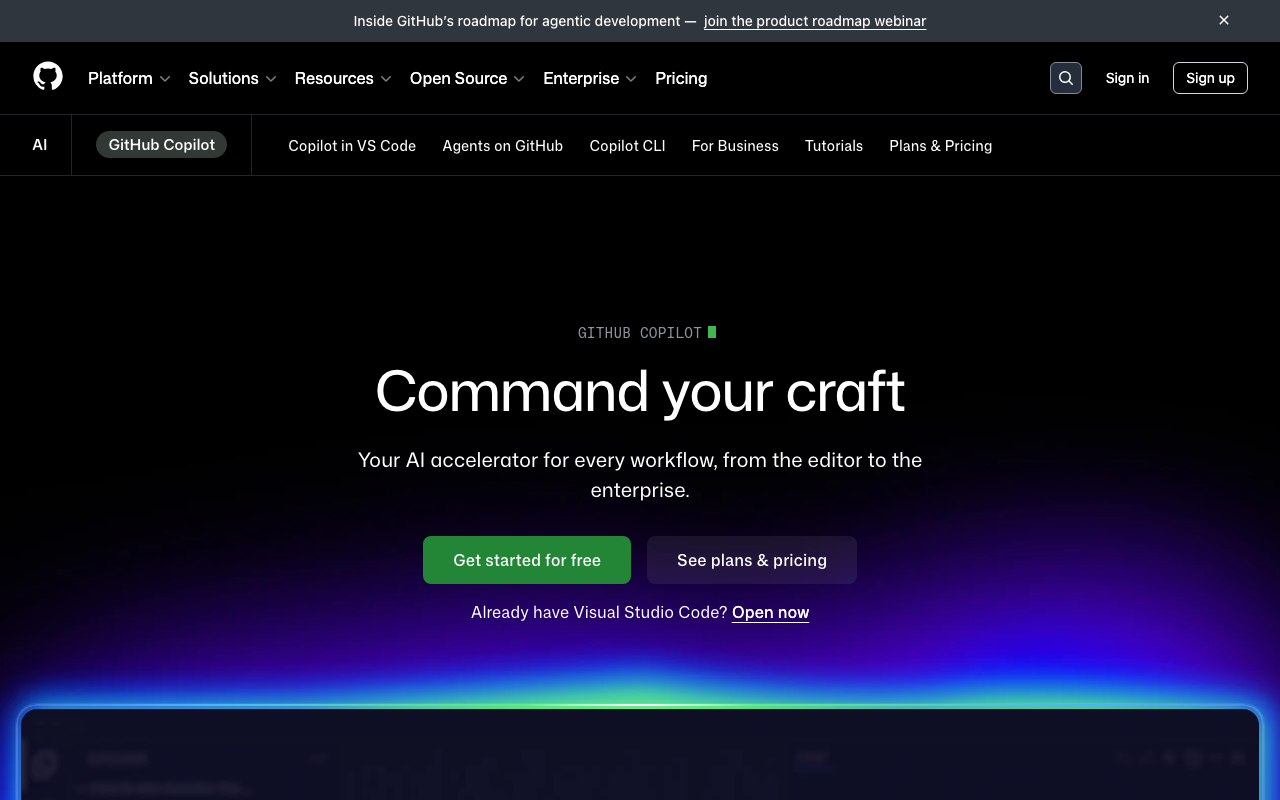
GitHub Copilot has become the most widely adopted AI coding assistant in the world, with over 15 million developers using it and more than 150 million lines of code generated daily. A large part of that adoption story is pricing - GitHub has aggressively structured its plans to capture every segment of the developer market, from students who pay nothing to enterprises spending $39 per user per month for custom models and knowledge bases.
But GitHub Copilot’s pricing is more nuanced than a simple tier list suggests. The introduction of premium requests as a usage currency, overage charges at $0.04 per request, and the gap between what Free includes versus what Pro unlocks create real cost considerations that are not obvious from a quick glance at the pricing page. Whether you are an individual developer weighing the $10/month Pro subscription, a team lead evaluating Business at $19/user/month, or an engineering VP considering Enterprise at $39/user/month, you need to understand exactly what each tier delivers - and what it does not.
This guide breaks down every GitHub Copilot pricing tier in detail, explains the premium request system that drives real-world costs, compares Copilot against Cursor, Codeium, and Tabnine, calculates ROI for teams of different sizes, and identifies the hidden costs and limitations that GitHub does not emphasize on its marketing pages.
GitHub Copilot Free Tier: What 2,000 Completions Actually Gets You
GitHub launched the Copilot Free tier in late 2024, making AI code assistance available to every GitHub user at zero cost. This was a strategic move to capture the massive long tail of developers who were not willing to pay $10/month but would use a free product - and potentially convert to paid plans later.
What the Free Tier Includes
2,000 code completions per month. This is the core feature - inline code suggestions that appear as you type in your IDE. Each time Copilot generates a suggestion and you either accept or dismiss it, that counts toward your 2,000 monthly completions. For context, an active developer writing code for several hours daily typically generates 50-150 completion requests per hour, which means the 2,000-completion limit can be reached in roughly 15-40 hours of active coding per month.
50 premium chat requests per month. Premium requests cover all advanced AI interactions beyond basic completions - chat conversations, code explanations, test generation, and AI code review on pull requests. At 50 per month, this works out to roughly 2-3 chat interactions per working day. For a developer who uses AI chat heavily for debugging, documentation, or code exploration, this limit feels restrictive quickly.
Code completion in VS Code and JetBrains. The free tier supports the two most popular IDE families, covering the vast majority of professional developers. Extensions for Neovim, Visual Studio, Eclipse, and Xcode are also available. The completion quality on the free tier is identical to paid plans - GitHub does not throttle the AI model or degrade suggestion quality for free users.
Chat in IDE and on GitHub.com. Free users can interact with Copilot through a chat interface in their IDE and on the GitHub website. Chat supports natural language questions about code, explanations of complex functions, and generation of boilerplate code. The limitation is the 50 premium request cap, not the chat interface itself.
Limited model access. Free users get access to a subset of AI models. More advanced models - like Claude Opus 4, GPT-4o, and Google’s Gemini models - require a Pro or higher plan. The default model on the free tier is capable but not the most powerful option available.
When the Free Tier Is Enough
Hobby developers and side projects. If you code a few hours per week on personal projects, 2,000 completions per month is likely sufficient. The free tier provides genuine productivity improvements without any financial commitment. You get the same core autocomplete experience as paid users, just with a usage cap.
Learning and experimentation. Students who have not yet verified their academic status, bootcamp attendees, and developers exploring AI coding tools for the first time can use the free tier to evaluate whether Copilot fits their workflow before spending money.
Occasional coding. Managers, designers, or other professionals who write code infrequently - perhaps a few times per week for scripts, configuration files, or quick fixes - will rarely hit the 2,000-completion limit.
When the Free Tier Falls Short
Daily professional development. A developer writing code for 4-6 hours daily will likely exhaust 2,000 completions within the first two weeks of the month. Once the limit is reached, Copilot stops generating inline suggestions entirely until the next billing cycle. This creates a disruptive experience where the tool works perfectly for half the month and then disappears.
Heavy chat usage. Fifty premium requests per month is roughly 2 per working day. Developers who rely on AI chat for debugging, code review, test generation, or documentation will burn through this allocation quickly. Each chat message - even a brief follow-up question - consumes one premium request.
Access to advanced models. The free tier restricts which AI models you can use. If you want to leverage Claude Opus 4, GPT-4o, or other cutting-edge models for more sophisticated code generation, you need to upgrade.
Copilot Pro: The $10/Month Sweet Spot for Individual Developers
Copilot Pro at $10/month (or $100/year with annual billing) is the plan most individual professional developers end up on. It removes the restrictions that make the free tier feel cramped while keeping the price accessible.
What Pro Adds Over Free
Unlimited code completions. The single most important upgrade. Pro removes the 2,000-completion monthly cap entirely. You get as many inline suggestions as you need, all month long, with no interruption. For developers who found the free tier’s limit frustrating, this alone justifies the $10/month cost.
300 premium requests per month. A 6x increase over the free tier’s 50 requests. At 300 per month, you get roughly 15 chat interactions per working day - enough for regular AI-assisted debugging, code explanation, and generation tasks without constant anxiety about hitting the limit.
AI code review on pull requests. Pro users can request AI-powered code review directly on their GitHub pull requests. Copilot analyzes the diff, identifies potential bugs, security issues, and style violations, and posts inline comments. This feature is not available on the free tier and represents a significant addition for developers who want automated feedback on their PRs.
Copilot coding agent. The coding agent can autonomously complete multi-step development tasks - implementing features, fixing bugs, writing tests - by making changes across multiple files and creating pull requests. This is one of Copilot’s most advanced capabilities and is exclusive to Pro and above.
Multi-model selection. Pro users can choose from multiple AI models including Claude Opus 4, GPT-4o, Google Gemini, and others. Different models have different strengths - some excel at explaining code, others at generating complex algorithms - and the ability to switch between them gives Pro users flexibility that free users lack.
Pro Pricing Details
| Billing Option | Price | Annual Cost | Savings vs. Monthly |
|---|---|---|---|
| Monthly | $10/month | $120/year | - |
| Annual | $100/year | $100/year | $20/year (17%) |
The annual discount is modest but meaningful. Paying $100/year instead of $10/month saves $20 annually - a 17% discount. For a tool you will likely use every day, annual billing is the obvious choice if you have used the free tier and confirmed that Copilot improves your workflow.
Pro vs. Free: Is $10/Month Worth It?
The upgrade from Free to Pro is one of the easiest pricing decisions in developer tools. At $10/month, Pro costs roughly what a developer earns in 5-10 minutes of work. If Copilot’s unlimited completions save you more than 10 minutes per month - which they almost certainly do - the investment pays for itself immediately.
The real trigger for upgrading is hitting the free tier’s limits. If you have used the free tier for a month and found yourself running out of completions mid-month or rationing chat requests, Pro is the natural next step. The quality of the AI assistance does not change - Pro just removes the barriers that make the free tier feel constrained.
Copilot Pro+: Maximum Power at $39/Month
Copilot Pro+ is the premium individual plan, designed for power users who want the absolute maximum from Copilot.
What Pro+ Adds Over Pro
1,500 premium requests per month. A 5x increase over Pro’s 300 requests. At 1,500 per month, you get roughly 75 premium requests per working day - enough for even the most intensive AI-assisted workflows. Developers who use chat constantly throughout their coding sessions, run the coding agent frequently, or review multiple PRs daily will appreciate this generous allocation.
Access to all AI models. Pro+ unlocks every available model, including the most advanced options like Claude Opus 4 and o3. Some of these models are not available even to Pro users when demand is high. Pro+ users get priority access to new models as they are released.
Priority access to new features. When GitHub ships new Copilot capabilities, Pro+ users often get early access before features roll out to Pro and Business tiers.
Who Pro+ Is For
Pro+ targets a specific niche. The $39/month price point is steep for an individual subscription - nearly 4x the cost of Pro. It makes sense for developers who genuinely exhaust Pro’s 300 premium request allocation regularly and need access to the most powerful AI models for demanding tasks. If you rarely use chat or the coding agent, Pro provides identical code completion capabilities at a quarter of the price.
Freelancers and consultants with high-value work. A freelance developer charging $150/hour who uses Copilot chat and the coding agent intensively throughout the day may find that Pro’s 300 requests are limiting. At $39/month, Pro+ is still cheap relative to their hourly rate, and the additional requests can directly accelerate billable work.
| Feature | Free | Pro ($10/mo) | Pro+ ($39/mo) |
|---|---|---|---|
| Code completions | 2,000/month | Unlimited | Unlimited |
| Premium requests | 50/month | 300/month | 1,500/month |
| AI code review | No | Yes | Yes |
| Coding agent | No | Yes | Yes |
| Multi-model selection | Limited | Yes | All models |
| Priority new features | No | No | Yes |
| Annual billing option | N/A | $100/year | No |
Copilot Business: Team Pricing at $19/User/Month
Copilot Business is where GitHub Copilot transitions from an individual productivity tool to an organizational platform. At $19 per user per month, it adds the management, governance, and compliance features that engineering leaders require before rolling out AI tools across their teams.
What Business Adds Over Pro
Organization-wide policy management. Administrators can set policies that govern how Copilot behaves across the entire organization. This includes controlling which features are enabled, which models can be used, and how Copilot interacts with your codebase. For organizations with security or compliance requirements around AI tool usage, centralized policy management is a non-negotiable requirement.
Audit logs. Business provides detailed logging of Copilot activity across the organization - who used it, when, and how. Audit logs are essential for compliance-conscious organizations in regulated industries like finance, healthcare, and government. They also help engineering leaders understand adoption patterns and identify teams that are not using the tool effectively.
IP indemnity. GitHub provides intellectual property indemnity protection to Business customers. This means GitHub assumes liability if Copilot’s suggestions infringe on third-party intellectual property. For organizations concerned about the legal risks of AI-generated code - a legitimate concern given ongoing litigation around AI training data - IP indemnity provides meaningful legal protection.
Exclude specified files. Administrators can configure Copilot to exclude specific files, directories, or repositories from being used as context for suggestions. This is critical for organizations with sensitive code - proprietary algorithms, security-critical components, or code subject to export controls - that should not be processed by external AI services.
Centralized billing and seat management. Business provides a single invoice for the entire organization with the ability to add and remove seats as team size changes. This eliminates the administrative burden of reimbursing individual Pro subscriptions and provides clear cost visibility for finance teams.
Business Pricing Breakdown
| Team Size | Monthly Cost | Annual Cost |
|---|---|---|
| 5 users | $95 | $1,140 |
| 10 users | $190 | $2,280 |
| 25 users | $475 | $5,700 |
| 50 users | $950 | $11,400 |
| 100 users | $1,900 | $22,800 |
| 200 users | $3,800 | $45,600 |
| 500 users | $9,500 | $114,000 |
No annual billing discount. Unlike Copilot Pro’s $100/year option, Business is billed at a flat $19/user/month with no annual discount. This is worth noting because competitors like CodeRabbit offer 20% discounts on annual billing. For a 50-user team, the inability to save through annual commitment means you pay $11,400/year regardless of billing term.
When Business Makes Sense Over Individual Pro Subscriptions
The governance premium is $9/user/month. Business costs $19/user/month versus Pro at $10/month - a $9/user/month premium. For that premium, you get policy management, audit logs, IP indemnity, and file exclusion. The question is whether these capabilities are worth $108 per user per year.
For most organizations with 10 or more developers, the answer is yes. The alternative - having each developer manage their own Pro subscription - creates several problems:
- No centralized control over how Copilot is used
- No audit trail for compliance
- No IP indemnity protection
- No ability to exclude sensitive files
- Administrative overhead of reimbursing individual subscriptions
- No visibility into organizational adoption
The break-even for administrative overhead alone is small. If managing individual reimbursements and tracking adoption costs your team even 30 minutes per month of administrative time, the centralized billing and management of Business pays for the premium at modest team sizes.
Copilot Enterprise: The $39/User/Month Premium Tier
Copilot Enterprise at $39 per user per month is GitHub’s top-tier offering, designed for large organizations that want Copilot to deeply understand their proprietary codebase and enforce organization-specific patterns.
What Enterprise Adds Over Business
1,000 premium requests per user per month. Enterprise users get a significantly larger allocation of premium requests compared to the standard Pro allocation. For organizations where developers use AI chat, code review, and the coding agent extensively, this higher allocation reduces the likelihood of hitting limits or incurring overage charges.
Knowledge bases powered by repository indexing. This is Enterprise’s flagship feature. Copilot indexes your organization’s repositories and uses that knowledge to provide codebase-aware responses. When a developer asks “how do we handle authentication in this project?” Copilot can answer with references to your actual authentication implementation rather than generic best practices. Knowledge bases transform Copilot from a general-purpose AI assistant into one that understands your specific architecture, patterns, and conventions.
Custom models fine-tuned on your codebase. Enterprise organizations can train custom AI models on their code, resulting in suggestions that reflect their coding style, naming conventions, and architectural patterns. Fine-tuned models produce more relevant suggestions than generic models because they have learned from your organization’s actual codebase rather than public training data alone.
Advanced admin controls and security. Enterprise includes enhanced security features, more granular admin controls, and deeper integration with GitHub’s enterprise security stack. For organizations with strict security requirements, these capabilities complement the audit logs and policy management available on Business.
Enterprise Pricing Breakdown
| Team Size | Monthly Cost | Annual Cost | Premium per User vs. Business |
|---|---|---|---|
| 50 users | $1,950 | $23,400 | $20/user/month |
| 100 users | $3,900 | $46,800 | $20/user/month |
| 200 users | $7,800 | $93,600 | $20/user/month |
| 500 users | $19,500 | $234,000 | $20/user/month |
| 1,000 users | $39,000 | $468,000 | $20/user/month |
The Enterprise premium is substantial. At $39/user/month versus Business at $19/user/month, Enterprise costs exactly double. For a 200-person engineering organization, that is an additional $48,000 per year. The question is whether knowledge bases, fine-tuned models, and expanded premium requests justify that cost.
Is Enterprise Worth the Premium?
Knowledge bases deliver measurable value for large codebases. Organizations with hundreds of repositories and millions of lines of code see the clearest benefit from knowledge bases. When new developers can ask Copilot about internal systems and receive accurate, codebase-specific answers, onboarding time decreases significantly. Engineering leaders at Enterprise customers report that knowledge bases reduce the time new hires need to become productive by 20-40%.
Fine-tuned models improve suggestion relevance. Generic models produce suggestions that may not match your organization’s patterns. Fine-tuned models generate code that looks like it was written by someone familiar with your codebase - correct naming conventions, proper use of internal libraries, and adherence to architectural patterns. For organizations where consistency matters, fine-tuned models reduce the editing needed after accepting suggestions.
The ROI calculation for Enterprise depends on team size. At 50 users, the $23,400/year Enterprise cost needs to save each developer roughly 3 additional hours per year compared to Business - a low bar. At 500 users, the $234,000/year investment needs to save each developer roughly the same 3 hours per year. The per-user ROI math remains consistent, but the absolute dollar commitment becomes significant enough to warrant careful evaluation.
Enterprise is not worth it if your codebase is small or well-documented. Organizations with fewer than 50 active developers, small codebases (under 500,000 lines of code), or comprehensive internal documentation may not see enough incremental value from knowledge bases and fine-tuned models to justify doubling their Copilot spend.
Free for Students, Teachers, and Open-Source Maintainers
GitHub’s education and open-source programs make Copilot Pro available at no cost to qualifying individuals. These programs are significant because they provide the full Pro experience - not a limited free tier - to millions of developers worldwide.
GitHub Education Program
Verified students get Copilot Pro for free. Students enrolled in degree-granting educational institutions can access Copilot Pro at no cost by verifying their academic status through the GitHub Education program. Verification requires proof of enrollment such as a school-issued email address, student ID, or enrollment letter.
What students receive:
- Unlimited code completions (no 2,000/month cap)
- 300 premium requests per month
- AI code review on pull requests
- Copilot coding agent
- Multi-model selection
- All features identical to the $10/month Pro plan
Teachers and educators qualify as well. Faculty members at accredited educational institutions can verify their status and receive the same Copilot Pro benefits as students. This allows educators to use Copilot in their curriculum and demonstrate AI-assisted development to their students.
The benefit duration. Student access lasts as long as your academic enrollment is verified. GitHub re-verifies status periodically, so you need to maintain your student credentials. After graduation, you would need to switch to the free tier or subscribe to a paid plan.
Open-Source Maintainers
Qualified open-source maintainers get Copilot Pro for free. GitHub evaluates eligibility based on your contribution history, the popularity and impact of projects you maintain, and your overall role in the open-source ecosystem. This is not an automatic benefit - you need to apply, and GitHub reviews applications on a case-by-case basis.
The qualification criteria are not precisely defined. GitHub does not publish a specific threshold for what constitutes a “qualified” open-source maintainer. Generally, maintainers of popular projects with meaningful contribution histories are approved. Contributors to smaller or newer projects may need to reach a certain level of activity or impact before qualifying.
How to apply. Navigate to your GitHub Copilot settings and look for the option to request free access as an open-source maintainer. Provide information about the projects you maintain, and GitHub will review your application. Approval timelines vary, but most applicants receive a decision within a few weeks.
Cost Impact of Education and OSS Programs
These free programs have a significant impact on GitHub Copilot’s effective market reach:
- Over 100 million students worldwide are potentially eligible
- Millions of active open-source contributors could qualify
- Free access during formative learning years creates long-term user loyalty
- Students who learn with Copilot are likely to advocate for it in their future workplaces
From a pricing perspective, these programs function as a customer acquisition strategy. A student who uses Copilot Pro for free during four years of university is highly likely to continue using it after graduation - either as a paid Pro subscriber or by advocating for Business or Enterprise adoption at their employer. GitHub is investing current revenue in long-term market capture.
The Premium Request System: Understanding Your Real Costs
The single most important pricing concept to understand with GitHub Copilot in 2026 is premium requests. This system determines your actual costs beyond the base subscription price and creates a variable cost component that can meaningfully increase your bill.
What Consumes Premium Requests
Chat interactions. Every message you send to Copilot Chat - whether in your IDE or on GitHub.com - consumes one premium request. Follow-up messages in the same conversation each count separately. A 10-message debugging conversation consumes 10 premium requests.
AI code review. Requesting Copilot to review a pull request consumes premium requests. The number consumed depends on the size of the PR and the depth of analysis. A small PR might consume 1-2 requests, while a large PR with multiple files could consume 5-10.
Coding agent operations. When you instruct the Copilot coding agent to implement a feature, fix a bug, or write tests, each step in the agent’s workflow consumes premium requests. A complex multi-step task might consume 20-50 premium requests.
Advanced model requests. Using more powerful models like Claude Opus 4 or o3 may consume multiple premium requests per interaction rather than a single request. The multiplier depends on the model and the complexity of the request.
Premium Request Allocations by Plan
| Plan | Monthly Allocation | Effective Daily Budget (20 workdays) |
|---|---|---|
| Free | 50 | 2.5 requests/day |
| Pro | 300 | 15 requests/day |
| Pro+ | 1,500 | 75 requests/day |
| Business | Matches Pro (300) | 15 requests/day |
| Enterprise | 1,000/user | 50 requests/day |
Overage Costs
When you exceed your allocation, overages cost $0.04 per request. This seems small per request, but it compounds quickly for heavy users and large teams.
Individual overage scenarios:
| Scenario | Monthly Overages | Overage Cost | Total Monthly Cost (Pro) |
|---|---|---|---|
| Light over (50 extra requests) | 50 | $2.00 | $12.00 |
| Moderate over (200 extra) | 200 | $8.00 | $18.00 |
| Heavy over (500 extra) | 500 | $20.00 | $30.00 |
| Power user (1,000 extra) | 1,000 | $40.00 | $50.00 |
Team overage scenarios (50 users on Business):
| Per-User Overages | Total Monthly Overages | Overage Cost | Total Monthly Cost |
|---|---|---|---|
| 20 extra/user | 1,000 | $40 | $990 |
| 50 extra/user | 2,500 | $100 | $1,050 |
| 100 extra/user | 5,000 | $200 | $1,150 |
| 200 extra/user | 10,000 | $400 | $1,350 |
Controlling overage costs. GitHub allows administrators to set spending limits on overages. You can set a monthly cap - including $0 to prevent any overages - that stops premium request processing once reached. Basic code completions continue working regardless of your premium request balance. This gives organizations a hard ceiling on costs but means developers may lose access to chat, code review, and the coding agent partway through the month.
The Strategic Implication of Premium Requests
Premium requests create a per-usage pricing layer on top of per-seat pricing. GitHub Copilot is not purely per-seat like most developer tools. The base subscription gets you the platform, but intensive usage of advanced features generates additional costs. This is similar to cloud infrastructure pricing - you pay for a baseline allocation and then pay extra for what you consume beyond that.
For budget planning, model the worst case. Assume that your most active developers will exceed their premium request allocation every month. For a Business team, if 20% of developers generate $10/month in overages, that adds 10% to your baseline cost. Factor this into your annual budget rather than being surprised by variable charges.
Cost Comparison: GitHub Copilot vs. Cursor vs. Codeium vs. Tabnine
Understanding GitHub Copilot’s pricing in isolation is useful, but the real decision often involves comparing it against the leading alternatives. Each competitor has a different pricing philosophy, and the cheapest option is not always the best value.
Quick Pricing Comparison Table
| Feature | GitHub Copilot | Cursor | Codeium (Windsurf) | Tabnine |
|---|---|---|---|---|
| Free tier | 2,000 completions + 50 chat | 2,000 completions + 50 chat | Unlimited basic completions | Limited completions |
| Individual plan | $10/mo (Pro) | $20/mo (Pro) | $10/mo (Pro) | $12/mo (Dev) |
| Team plan | $19/user/mo (Business) | $40/user/mo (Business) | $25/user/mo (Team) | $39/user/mo (Enterprise) |
| Enterprise plan | $39/user/mo | Custom | Custom | Custom |
| Annual billing discount | 17% (Pro only) | 17% (Pro only) | Varies | Varies |
| Premium requests (Pro) | 300/month | 500 fast requests/month | Varies | N/A |
GitHub Copilot vs. Cursor: Detailed Comparison
Cursor costs $20/month for Pro - double Copilot Pro’s $10/month. This makes Copilot the clear budget winner for individual developers. However, Cursor’s higher price buys a fundamentally different experience. Cursor is a complete AI-native code editor built from the ground up around AI interactions, while Copilot is an extension that integrates into existing editors.
Cursor’s advantages at the higher price:
- Built-in AI-native editor experience with chat, inline editing, and multi-file operations
- 500 fast premium requests per month (versus Copilot’s 300)
- Codebase-wide context awareness without requiring Enterprise-tier knowledge bases
- Multi-file editing and refactoring in a single AI interaction
- Integrated terminal with AI assistance
- Agent mode that operates across your entire project
Copilot’s advantages at the lower price:
- Works in VS Code, JetBrains, Neovim, Visual Studio, Eclipse, and Xcode - not a separate editor
- Deeper GitHub integration for code review and pull request workflows
- The Copilot coding agent for autonomous task completion
- IP indemnity on Business plan
- Larger ecosystem and community support
- More stable and mature product with years of iteration
For teams, the gap is larger. Cursor Business at $40/user/month is more than double Copilot Business at $19/user/month. For a 50-developer team:
| Plan | Copilot Business | Cursor Business |
|---|---|---|
| Monthly cost | $950 | $2,000 |
| Annual cost | $11,400 | $24,000 |
| Difference | - | $12,600/year more |
The cost difference for teams is substantial. At $12,600/year more for a 50-developer team, Cursor Business needs to deliver significantly more productivity improvement than Copilot Business to justify the premium. Teams that are heavily invested in VS Code or JetBrains IDEs and do not want to switch editors find Copilot Business to be the more practical and affordable choice.
When Cursor wins despite the higher price: Teams that want the most advanced AI coding experience and are willing to adopt a new editor. Cursor’s tighter integration between AI and editing - where AI understands your entire project, can modify multiple files at once, and provides a more fluid coding experience - resonates with developers who prioritize the quality of AI interaction over ecosystem flexibility. If your team is starting fresh or willing to standardize on one editor, Cursor’s premium can deliver enough productivity gain to offset the cost difference.
GitHub Copilot vs. Codeium (Windsurf): Detailed Comparison
Codeium Pro matches Copilot Pro at $10/month. Both offer essentially the same core value proposition - AI code completion and chat - at the same price. The decision between them comes down to features and ecosystem.
Codeium’s advantages:
- More generous free tier with unlimited basic completions (versus Copilot’s 2,000/month cap)
- Windsurf editor option provides an AI-native experience similar to Cursor
- Competitive code completion quality, especially for web development languages
- Works across VS Code, JetBrains, Neovim, and the Windsurf editor
Copilot’s advantages at the same price:
- Deep GitHub integration for code review, PRs, and the coding agent
- Larger trained model with more data and longer iteration history
- IP indemnity on Business plan (Codeium does not offer this)
- More comprehensive language and framework support
- Stronger enterprise features with audit logs and policy management
- More extensive documentation and community resources
For teams, Copilot is more affordable. Codeium Team at $25/user/month versus Copilot Business at $19/user/month - a $6/user/month difference. For a 50-developer team, that is $3,600/year more for Codeium.
Bottom line on Codeium: If you are not deeply integrated into the GitHub ecosystem and want a more generous free tier, Codeium is a solid alternative. If you use GitHub for your repositories and want code review, the coding agent, and organizational controls, Copilot Business delivers more value at a lower team price.
GitHub Copilot vs. Tabnine: Detailed Comparison
Tabnine Dev at $12/month is slightly more expensive than Copilot Pro at $10/month. Tabnine has carved a niche as the privacy-focused AI coding assistant, which makes it particularly attractive to organizations that cannot send code to external AI services.
Tabnine’s advantages:
- Privacy-first architecture with on-premise deployment options
- Code trained only on permissive open-source licenses (reduced IP risk)
- Local model options that run entirely on your machine
- Self-hosted deployment for air-gapped environments
- Strong focus on enterprise security and compliance
Copilot’s advantages at the lower price:
- More powerful AI models producing higher-quality suggestions
- Deeper GitHub integration with code review and the coding agent
- Larger community and broader IDE support
- More frequent updates and feature additions
- IP indemnity on Business plan
For teams, Tabnine Enterprise at $39/user/month matches Copilot Enterprise at $39/user/month. The decision at the enterprise level comes down to deployment model - Tabnine offers genuine on-premise deployment where code never leaves your network, while Copilot Enterprise remains a cloud service (albeit with knowledge bases and fine-tuned models).
Team cost comparison:
| Team Size | Copilot Business | Tabnine Enterprise | Copilot Enterprise |
|---|---|---|---|
| 25 users | $475/mo ($5,700/yr) | $975/mo ($11,700/yr) | $975/mo ($11,700/yr) |
| 50 users | $950/mo ($11,400/yr) | $1,950/mo ($23,400/yr) | $1,950/mo ($23,400/yr) |
| 100 users | $1,900/mo ($22,800/yr) | $3,900/mo ($46,800/yr) | $3,900/mo ($46,800/yr) |
Bottom line on Tabnine: Choose Tabnine if privacy, self-hosted deployment, or IP compliance is your primary concern and you are willing to pay a premium for it. Choose Copilot if you want the most capable AI assistant with the deepest GitHub ecosystem integration at a lower team price.
Comprehensive Annual Cost Comparison (50-Developer Team)
| Tool | Plan | Annual Cost (50 devs) | What You Get |
|---|---|---|---|
| GitHub Copilot | Business | $11,400 | Completions, chat, code review, agent, policies |
| Codeium | Team | $15,000 | Completions, chat, Windsurf editor |
| Cursor | Business | $24,000 | AI-native editor, completions, chat, multi-file editing |
| Tabnine | Enterprise | $23,400 | Privacy-first completions, on-premise option |
| GitHub Copilot | Enterprise | $23,400 | Business + knowledge bases, fine-tuned models |
Copilot Business is the most affordable team option at $11,400/year for 50 developers, delivering a comprehensive feature set that includes code review and the coding agent alongside completions and chat. The next closest competitor is Codeium Team at $15,000/year.
Per-Seat vs. Per-Usage Pricing: Understanding the Models
The AI coding assistant market is split between two fundamental pricing approaches. Understanding which model each tool uses - and the implications for your budget - is critical for making an informed decision.
Per-Seat Pricing (Fixed Cost)
Per-seat pricing charges a fixed monthly fee for each developer who has access to the tool. Costs are predictable - multiply the per-seat price by the number of users to get your monthly bill. There are no usage-based surprises.
Tools using pure per-seat pricing:
- Cursor: $20/user/month (Pro) or $40/user/month (Business)
- Tabnine: $12/user/month (Dev) or $39/user/month (Enterprise)
Advantages: Budget certainty. You know exactly what you will pay regardless of how heavily your team uses the tool. Finance teams prefer this model for annual budget planning.
Disadvantages: You pay the same whether a developer uses the tool 40 hours per week or 2 hours per month. Heavy users subsidize light users, and there is no cost incentive for individuals to be efficient with their usage.
Hybrid Per-Seat + Per-Usage Pricing
GitHub Copilot uses a hybrid model. You pay a fixed per-seat fee ($19/user/month for Business) plus potential overage charges when users exceed their premium request allocation ($0.04 per additional request). This creates a mostly-predictable base cost with a variable component.
Advantages: The base cost is predictable, and the usage-based overage component ensures that heavy users pay proportionally more. Organizations can set spending limits to cap the variable component.
Disadvantages: Budget unpredictability. A month where multiple developers run intensive agent tasks or review large PRs can generate unexpected overage charges. Finance teams need to account for a range of possible costs rather than a single number.
Cost Predictability Analysis
For a 50-developer team on Copilot Business:
| Scenario | Base Cost | Overage Estimate | Total Monthly Cost | Annual Cost |
|---|---|---|---|---|
| Low usage | $950 | $0 | $950 | $11,400 |
| Average usage | $950 | $100-200 | $1,050-1,150 | $12,600-13,800 |
| Heavy usage | $950 | $300-500 | $1,250-1,450 | $15,000-17,400 |
| Intensive agent + review | $950 | $800-1,500 | $1,750-2,450 | $21,000-29,400 |
The variance is significant. In the worst case, a 50-developer team’s annual cost could more than double from $11,400 to over $29,000 due to overage charges. Setting a spending limit of $200-500/month provides a ceiling while still giving developers headroom beyond their base allocation.
Enterprise Features Worth the Premium
For organizations considering Copilot Enterprise at $39/user/month versus Business at $19/user/month, the decision hinges on whether four key features justify doubling your cost.
Knowledge Bases
What they do. Knowledge bases index your organization’s repositories and allow Copilot to reference your actual codebase when answering questions and generating suggestions. Instead of generic responses, developers get answers grounded in your architecture, patterns, libraries, and conventions.
Real-world impact. A developer asking “how do we handle authentication?” gets a response that references your actual auth middleware, your specific JWT implementation, and your session management patterns. Without knowledge bases, Copilot would provide generic authentication advice that may not match your stack.
Value calculation. If knowledge bases save each developer 30 minutes per month in searching for internal code examples, that is 2.5 hours per year per developer. At $87/hour (midpoint senior developer cost), that is $217.50 per developer per year in time savings. The Enterprise premium over Business is $240/user/year ($20/user/month x 12). The feature nearly breaks even on time savings alone, before accounting for the quality improvement in generated code.
Fine-Tuned Custom Models
What they do. Custom models are trained on your organization’s code to produce suggestions that match your specific coding style, naming conventions, and architectural patterns. The result is higher-quality initial suggestions that require less editing.
Real-world impact. Instead of suggesting generic variable names like data or result, a fine-tuned model might suggest names that follow your team’s conventions - userPayload, authResponse, or orderQueryResult. Instead of generic error handling, it suggests patterns that match your error handling framework.
Value calculation. If fine-tuned models reduce the editing needed after accepting suggestions by 20% - saving each developer 10 minutes per day - that is roughly 40 hours per year per developer. At $87/hour, that is $3,480 per developer per year. This far exceeds the $240/year Enterprise premium, making fine-tuned models the highest-ROI Enterprise feature.
Advanced Admin Controls
What they do. Enterprise provides more granular control over how Copilot operates across the organization - which models can be used, which repositories are included in knowledge bases, how data is handled, and what security policies are enforced.
Real-world impact. Security and compliance teams get the controls they need to approve Copilot for use in regulated environments. Without these controls, many organizations cannot deploy Copilot at all, regardless of the productivity benefits.
Value calculation. The value is binary - either your organization requires these controls to deploy Copilot (making the feature infinitely valuable) or it does not need them (making the feature worthless). There is no middle ground.
Expanded Premium Requests
What they do. Enterprise provides 1,000 premium requests per user per month versus the standard allocation. This higher ceiling means fewer developers hit limits and generate overages.
Real-world impact. At 1,000 requests per user per month (50 per working day), most developers will never hit the limit. This eliminates overage charges and ensures uninterrupted access to chat, code review, and the coding agent throughout the month.
Value calculation. If the average Business user generates $5/month in overages, Enterprise’s higher allocation saves $5/user/month. Combined with the $20/user/month premium, this reduces the net Enterprise premium to $15/user/month - making the other features cheaper on a net basis.
ROI Analysis for Teams
The fundamental question for any team evaluating GitHub Copilot is whether the cost generates positive return on investment. Here is a framework for calculating ROI at different team sizes and usage levels.
The Core ROI Equation
ROI = (Value of developer time saved - Copilot cost) / Copilot cost
Key assumptions:
- Average fully loaded developer cost: $150,000 - $200,000/year ($75 - $100/hour)
- Midpoint hourly rate for calculations: $87/hour
- Reported productivity improvement with Copilot: 30-55% on routine coding tasks
- Conservative estimate for overall time savings: 5-10% of total developer time (accounting for tasks where Copilot provides no benefit)
ROI at Different Team Sizes (Copilot Business)
| Team Size | Annual Copilot Cost | Hours Saved/Dev/Year (conservative) | Value of Time Saved | Net Annual Savings | ROI |
|---|---|---|---|---|---|
| 5 devs | $1,140 | 52 hours (1 hr/week) | $22,620 | $21,480 | 1,884% |
| 10 devs | $2,280 | 52 hours (1 hr/week) | $45,240 | $42,960 | 1,884% |
| 25 devs | $5,700 | 52 hours (1 hr/week) | $113,100 | $107,400 | 1,884% |
| 50 devs | $11,400 | 52 hours (1 hr/week) | $226,200 | $214,800 | 1,884% |
| 100 devs | $22,800 | 52 hours (1 hr/week) | $452,400 | $429,600 | 1,884% |
Even at extremely conservative estimates, the ROI is overwhelming. If Copilot saves each developer just 1 hour per week - far below the 30-55% improvement reported in studies - the tool generates nearly 19x return on investment. The $19/user/month cost is so low relative to developer salaries that the tool needs to save only about 13 minutes per month to break even.
Break-Even Analysis
| Plan | Monthly Cost Per User | Break-Even Time Savings Per Month |
|---|---|---|
| Pro ($10/mo) | $10 | 7 minutes |
| Business ($19/mo) | $19 | 13 minutes |
| Enterprise ($39/mo) | $39 | 27 minutes |
At $87/hour, Copilot Business breaks even if it saves each developer 13 minutes per month. That is roughly one single code completion that saves a developer from looking up documentation. The bar is exceptionally low, which is why the ROI calculation overwhelmingly favors adoption for virtually any professional development team.
Beyond Direct Time Savings
The ROI calculation above only accounts for time savings from faster code generation. Copilot also delivers value through:
Reduced context-switching. When developers can get AI-generated code without leaving their editor to search documentation, Stack Overflow, or internal wikis, they stay in flow state longer. Research suggests that each context switch costs 15-25 minutes of productive time. If Copilot prevents even 2 context switches per day per developer, that saves 30-50 minutes daily - far exceeding the break-even threshold.
Faster onboarding. New developers can use Copilot chat to understand unfamiliar codebases, ask about conventions, and generate boilerplate code. This accelerates ramp-up time and reduces the burden on senior developers who traditionally serve as the primary knowledge source. On Enterprise, knowledge bases amplify this benefit by providing codebase-specific answers.
Improved code quality. Copilot’s AI code review catches bugs, security issues, and style violations before they reach human reviewers. Bugs caught during review cost 10-100x less to fix than bugs discovered in production. Even catching one significant bug per developer per quarter can save thousands of dollars in incident response and production fixes.
Reduced review cycle time. When Copilot handles the initial pass of code review, human reviewers can focus on architectural and design-level feedback. This makes the review process faster and more focused, reducing the time PRs spend waiting for review.
Hidden Costs and Considerations
Beyond the sticker price, several factors affect the total cost of ownership for GitHub Copilot that are not immediately obvious from the pricing page.
Premium Request Overages
The most significant hidden cost. As detailed in the premium request section, heavy usage of chat, code review, and the coding agent can generate overage charges of $0.04 per request. For teams that use these features intensively, overages can add 10-50% to the base subscription cost. Mitigate this by setting spending limits at the organizational level.
Opportunity Cost of GitHub Lock-In
Copilot is tightly integrated with GitHub. The AI code review, coding agent, and knowledge bases all work exclusively within the GitHub ecosystem. If your organization uses GitLab, Azure DevOps, or Bitbucket, you cannot use these features. You are limited to code completion and chat through IDE extensions. This is not a direct monetary cost, but it constrains your future flexibility and may influence your Git platform choice.
Competitors like CodeRabbit support multiple platforms. If multi-platform support is important, consider whether Copilot’s GitHub-only advanced features create unacceptable vendor lock-in. Organizations running GitLab or Bitbucket alongside GitHub may find they are paying for Copilot features they cannot use across their entire portfolio.
Configuration and Rollout Time
Copilot Business and Enterprise require setup. While the individual plans are self-service, organizational deployments involve configuring policies, setting up audit log integrations, establishing spending limits, and rolling out to teams. Budget 4-8 hours of administrator time for initial setup and 1-2 hours per month for ongoing management. For Enterprise with knowledge bases and custom models, initial setup can take 2-4 weeks.
Developer Adoption
Not all developers adopt AI tools at the same rate. In most organizations, 60-80% of developers become regular Copilot users within the first month, while 20-40% use it sporadically or not at all. If you are paying $19/user/month for Business seats, unused seats are wasted budget. Monitor adoption through audit logs and consider reducing seat count to match actual usage.
The “Good Enough” Problem with Business vs. Enterprise
Many organizations default to Enterprise when Business would suffice. The knowledge bases and fine-tuned models sound appealing, but Business at $19/user/month provides the same core AI capabilities - code completion, chat, code review, coding agent - at half the price. Before committing to Enterprise, run a Business pilot to determine whether the core capabilities alone generate sufficient value. Only upgrade if developers consistently report that generic model responses are inadequate for your specific codebase.
No Annual Billing Discount on Team Plans
Business and Enterprise are monthly-only. Unlike competitors that offer 15-20% discounts for annual commitments, GitHub Copilot Business and Enterprise offer no annual billing option. For a 100-developer team on Business, this means you pay $22,800/year with no way to reduce the per-user cost through commitment. Competitors like CodeRabbit ($24/user/month annually versus $30 monthly) reward annual commitment with meaningful savings.
When Each Tier Is the Right Choice
Choose Free If…
You are a hobby developer or occasional coder. The free tier provides genuine AI coding assistance at zero cost. If you code fewer than 10-15 hours per month, the 2,000-completion limit is sufficient, and the 50 chat requests cover occasional AI assistance needs.
You are evaluating Copilot before buying. Use the free tier for a week or two to experience the core functionality. Pay attention to how often you hit the completion limit and whether you want more chat requests. If you regularly exhaust both limits, Pro is the clear upgrade.
You are a student who has not yet verified. While working through the GitHub Education verification process, the free tier provides immediate access to Copilot’s basic capabilities.
Choose Pro ($10/month) If…
You are a professional developer working daily. The unlimited completions and 300 monthly chat requests match the needs of most full-time developers. Pro is the default choice for individual professional use, and the $10/month cost is negligible relative to developer salaries.
You want AI code review on your PRs. Pro unlocks Copilot’s ability to review your pull requests, providing automated feedback before human reviewers look at your code. This feature alone can justify the upgrade for developers who want to improve their code quality.
You use multiple AI models. Pro’s multi-model selection lets you choose the best model for each task - stronger reasoning models for complex algorithms, faster models for simple completions. Free tier users are limited to a single default model.
Choose Pro+ ($39/month) If…
You consistently exhaust Pro’s 300 premium requests. If you regularly hit the limit before the month ends, Pro+‘s 1,500 allocation eliminates the constraint. Track your usage for a month before upgrading to confirm this is a real problem rather than a perceived one.
You need access to every AI model. Pro+ unlocks models that may not be available to Pro users during high-demand periods. If using cutting-edge models like Claude Opus 4 or o3 is important for your work, Pro+ guarantees access.
You are a high-earning freelancer or consultant. At $39/month, Pro+ is still inexpensive relative to hourly consulting rates. If the expanded capabilities directly accelerate billable work, the ROI is clear.
Choose Business ($19/user/month) If…
You manage a development team of 5 or more. Business provides the governance, security, and administrative features that organizations need. Policy management, audit logs, IP indemnity, and centralized billing are requirements for most corporate environments.
IP indemnity matters to your organization. If your legal or compliance team requires indemnity protection against AI-generated code IP claims, Business is the minimum tier that provides it.
You need centralized control. If you need to enforce organization-wide policies about how AI tools interact with your code - file exclusions, model restrictions, usage limits - Business provides the administrative controls to do so.
Choose Enterprise ($39/user/month) If…
Your codebase is large and developers frequently need internal context. Knowledge bases deliver the most value when your codebase is complex enough that developers regularly struggle to find relevant code examples, understand internal patterns, or navigate unfamiliar areas. If your codebase is small or well-documented, the value of knowledge bases diminishes.
Suggestion quality on Business is insufficient. If developers consistently report that Copilot’s generic suggestions do not match your coding style or architectural patterns, fine-tuned custom models on Enterprise can significantly improve relevance.
You have 100+ developers and want to maximize productivity. At scale, even small per-developer productivity improvements generate large aggregate returns. Enterprise’s higher premium request allocation and codebase-aware capabilities compound across hundreds of developers.
Practical Budget Planning Guide
Individual Developer Annual Budget
| Plan | Monthly | Annual | Notes |
|---|---|---|---|
| Free | $0 | $0 | Good for evaluation and light use |
| Pro (monthly) | $10 | $120 | Standard for most individual developers |
| Pro (annual) | $8.33 | $100 | Save $20/year with annual billing |
| Pro+ | $39 | $468 | Only if exhausting Pro’s 300 requests |
Team Annual Budget (Including Estimated Overages)
| Team Size | Business Base | Est. Overages (15%) | Total Estimated Annual Cost |
|---|---|---|---|
| 10 devs | $2,280 | $342 | $2,622 |
| 25 devs | $5,700 | $855 | $6,555 |
| 50 devs | $11,400 | $1,710 | $13,110 |
| 100 devs | $22,800 | $3,420 | $26,220 |
| 200 devs | $45,600 | $6,840 | $52,440 |
Enterprise Annual Budget (Including Estimated Overages)
| Team Size | Enterprise Base | Est. Overages (5%) | Total Estimated Annual Cost |
|---|---|---|---|
| 50 devs | $23,400 | $1,170 | $24,570 |
| 100 devs | $46,800 | $2,340 | $49,140 |
| 200 devs | $93,600 | $4,680 | $98,280 |
| 500 devs | $234,000 | $11,700 | $245,700 |
Enterprise’s higher premium request allocation (1,000/user/month vs. 300) means lower overage rates. The 5% overage estimate for Enterprise versus 15% for Business reflects this difference. Over a year, the reduced overages partially offset the Enterprise premium.
Conclusion
GitHub Copilot’s pricing in 2026 is structured to capture every segment of the developer market. The free tier with 2,000 completions and 50 chat requests brings millions of developers into the ecosystem. Pro at $10/month removes the caps that make the free tier feel restrictive for professional daily use. Business at $19/user/month adds the governance layer that organizations require. Enterprise at $39/user/month delivers the codebase-aware intelligence that large organizations need to maximize productivity.
The most important pricing concept to understand is premium requests. The base subscription price is only part of the cost - intensive use of chat, code review, and the coding agent generates overage charges at $0.04 per request. Set spending limits to prevent surprise costs and budget for 5-15% above the base subscription for a realistic annual projection.
Compared to alternatives, Copilot Business is the most affordable team-tier option. At $19/user/month, it undercuts Codeium Team ($25/user/month), Tabnine Enterprise ($39/user/month), and Cursor Business ($40/user/month). The tradeoff is GitHub lock-in - Copilot’s advanced features work only within the GitHub ecosystem, while competitors offer broader platform support.
For students, teachers, and open-source maintainers, the pricing decision is simple. You get Copilot Pro for free. Verify your status through GitHub Education or apply as an open-source maintainer, and start using unlimited completions and 300 premium requests at zero cost.
The ROI math strongly favors adoption at every tier. At $19/user/month for Business, the tool breaks even if it saves each developer 13 minutes per month. Given consistent reports of 30-55% productivity improvements on routine coding tasks, the actual return is orders of magnitude higher than the cost. The decision for most teams is not whether to adopt Copilot, but which tier provides the right balance of features and cost for their specific needs.
Start with the free tier to confirm that Copilot improves your workflow, upgrade to Pro when the limits feel constraining, and move to Business when your team needs organizational controls. Only escalate to Enterprise when Business-tier users consistently report that generic model responses are inadequate for your codebase. That incremental adoption path minimizes risk while maximizing the chance of long-term value.
Frequently Asked Questions
How much does GitHub Copilot cost per month?
GitHub Copilot offers four paid tiers in 2026. Copilot Pro costs $10/month or $100/year for individual developers. Copilot Pro+ costs $39/month for power users who want maximum premium requests and access to every AI model. Copilot Business costs $19 per user per month for organizations. Copilot Enterprise costs $39 per user per month and adds knowledge bases, fine-tuned models, and advanced admin controls. There is also a free tier that includes 2,000 code completions and 50 chat messages per month at no cost.
Is GitHub Copilot free?
Yes, GitHub Copilot has a free tier available to all GitHub users. The free plan includes 2,000 code completions per month, 50 premium chat requests per month, code completion in VS Code and JetBrains IDEs, and access to chat on GitHub.com and in your IDE. The free tier is sufficient for hobbyists and developers who want to try Copilot before committing to a paid plan. Students, teachers, and qualified open-source maintainers also get Copilot Pro for free.
Is GitHub Copilot free for students?
Yes, GitHub Copilot Pro is completely free for verified students and teachers through the GitHub Education program. Students need to verify their academic status through GitHub Education to access the benefit. Once verified, students get the full Copilot Pro plan - including unlimited code completions, 300 premium requests per month, AI code review on pull requests, and multi-model selection - at no cost for the duration of their academic enrollment.
What is the difference between GitHub Copilot Pro and Business?
Copilot Pro at $10/month is designed for individual developers and includes unlimited completions, 300 premium requests, AI code review, and multi-model selection. Copilot Business at $19/user/month is designed for organizations and adds organization-wide policy management, audit logs, IP indemnity protection, the ability to exclude specified files from Copilot suggestions, and centralized billing and seat management. Business is billed per user and requires a GitHub organization. The core AI capabilities are the same across both plans.
What is the difference between GitHub Copilot Business and Enterprise?
Copilot Business at $19/user/month provides organization-wide policies, audit logs, and IP indemnity. Copilot Enterprise at $39/user/month adds 1,000 premium requests per user per month (versus the standard allocation), codebase-aware chat powered by knowledge bases that index your repositories, custom models fine-tuned on your organization's code, and advanced security features. Enterprise is designed for large organizations that need Copilot to understand their proprietary codebase and enforce organization-specific coding patterns.
What are GitHub Copilot premium requests?
Premium requests are GitHub Copilot's usage currency for advanced AI features beyond basic code completion. Activities that consume premium requests include chat interactions, AI code review on pull requests, agent mode operations, and requests to more powerful AI models like Claude Opus 4 or GPT-4o. Each Copilot tier includes a monthly allocation - 50 on Free, 300 on Pro, 1,500 on Pro+, and 1,000 per user on Enterprise. When you exceed your allocation, additional premium requests cost $0.04 each, or you can set a spending limit to cap overage costs.
How does GitHub Copilot pricing compare to Cursor?
GitHub Copilot Pro costs $10/month while Cursor Pro costs $20/month - making Copilot half the price at the individual level. Copilot Business at $19/user/month is also cheaper than Cursor Business at $40/user/month. However, Cursor includes 500 fast premium requests per month (versus Copilot Pro's 300), offers a built-in AI-native editor experience, and provides features like multi-file editing and codebase-wide context that some developers find superior to Copilot's IDE extension approach. The right choice depends on whether you value deep IDE integration (Cursor) or broad ecosystem compatibility (Copilot).
How does GitHub Copilot pricing compare to Codeium?
Codeium (now Windsurf) offers a free tier with unlimited basic completions and a Pro plan at $10/month - matching Copilot Pro's price point. Codeium's free tier is more generous for code completion since it does not impose a 2,000-completion monthly cap like Copilot Free. However, Copilot's deeper GitHub integration, code review capabilities on pull requests, and the Copilot coding agent give it advantages that Codeium does not match at the same price. For teams, Copilot Business at $19/user/month competes with Windsurf Team at $25/user/month.
Is GitHub Copilot worth it for individual developers?
For most professional developers, Copilot Pro at $10/month delivers strong value. Independent studies suggest Copilot saves developers 30-55% of coding time on routine tasks, which translates to multiple hours per week. At $10/month - roughly the cost of 5-10 minutes of a developer's hourly rate - the tool pays for itself if it saves even 15 minutes per month. The free tier is a good starting point, but the 2,000-completion and 50-chat-request limits feel restrictive for daily professional use. Most developers who try the free tier upgrade to Pro within a few weeks.
Is GitHub Copilot worth it for teams and businesses?
Copilot Business at $19/user/month is worth it for most engineering teams with 5 or more developers. The organizational policy controls, audit logs, and IP indemnity address the governance concerns that prevent individual Copilot Pro subscriptions from being viable in corporate settings. For a 20-developer team paying $380/month ($4,560/year), the tool needs to save each developer roughly 2 hours per month to break even - a threshold that is easily met given reported productivity gains of 30-55%. The centralized billing and seat management also eliminates the administrative overhead of reimbursing individual subscriptions.
Can I use GitHub Copilot with any IDE?
GitHub Copilot supports VS Code, all JetBrains IDEs (IntelliJ, PyCharm, WebStorm, etc.), Neovim, Visual Studio, Eclipse, and Xcode. It also works directly on GitHub.com for code review and chat. The VS Code and JetBrains integrations offer the most complete feature set, including inline completions, chat, and agent mode. Some features like the Copilot coding agent are available only through specific IDEs or the GitHub web interface. All supported IDEs work across Free, Pro, Business, and Enterprise plans.
What happens when I exceed my GitHub Copilot premium request limit?
When you exhaust your monthly premium request allocation, you have two options. If you have overage billing enabled, additional requests are charged at $0.04 each with no interruption to service. If you have set a spending limit (including $0 to prevent any overages), Copilot will stop processing premium requests until your allocation resets at the start of the next billing cycle. Basic code completions continue working regardless of your premium request balance. Organization administrators on Business and Enterprise plans can set spending limits to control overage costs across their team.
Does GitHub Copilot offer annual billing?
Yes, but only for the individual Copilot Pro plan. Copilot Pro can be billed at $10/month or $100/year, saving $20 annually (a 17% discount). Copilot Pro+ at $39/month is monthly-only with no annual option. Copilot Business and Enterprise are billed monthly per user with no annual discount available - organizations pay $19/user/month or $39/user/month respectively, billed on a monthly cycle. This is different from competitors like Cursor and CodeRabbit that offer meaningful annual billing discounts on their team plans.
How do I get GitHub Copilot for free as an open-source maintainer?
Qualified open-source maintainers can get GitHub Copilot Pro for free. To qualify, you need to be a significant contributor to popular open-source projects hosted on GitHub. GitHub evaluates eligibility based on your contribution history and the projects you maintain. Apply through the GitHub Copilot settings page - if you meet the criteria, your Copilot Pro subscription will be activated at no cost. This benefit is separate from the student program and is evaluated on a case-by-case basis.
Explore More
Tool Reviews
 GitHub Copilot Code Review Review
 Tabnine Review
Related Articles
- Cursor Pricing in 2026: Hobby, Pro, Pro+, Ultra, Teams, and Enterprise Plans Explained
- GitHub Copilot vs Codeium (Windsurf): Which AI Coding Tool Wins in 2026?
- GitHub Copilot vs Cursor: The Definitive Comparison (2026)
- GitHub Copilot vs Tabnine: The Complete Comparison (2026)
- Best AI Test Generation Tools in 2026: Complete Guide
Free Newsletter
Stay ahead with AI dev tools
Weekly insights on AI code review, static analysis, and developer productivity. No spam, unsubscribe anytime.
Join developers getting weekly AI tool insights.
Related Articles
Checkmarx Pricing in 2026: Plans, Per-Developer Costs, and Enterprise Quotes
Checkmarx pricing decoded - per-developer costs ($40-70+/dev/year), SAST/DAST/SCA bundle pricing, total cost of ownership, and enterprise negotiation tips.
March 13, 2026
reviewCodacy Pricing in 2026: Free, Team, and Business Plans Compared
Codacy pricing in 2026 - free Developer plan, Team at $18/dev/month, Business custom pricing, ROI calculation, and competitor comparisons.
March 13, 2026
reviewCodacy Review 2026: Is It Worth It for Your Team?
In-depth Codacy review covering features, pricing, pros and cons, and real-world performance. Find out if Codacy is worth it for your team.
March 13, 2026