GitHub Copilot vs Codeium: Which AI Tool Wins?
GitHub Copilot vs Codeium - code completion, chat, free tiers, enterprise pricing, IDE support, and whether Windsurf is the best free Copilot alternative.
Published:
Quick verdict
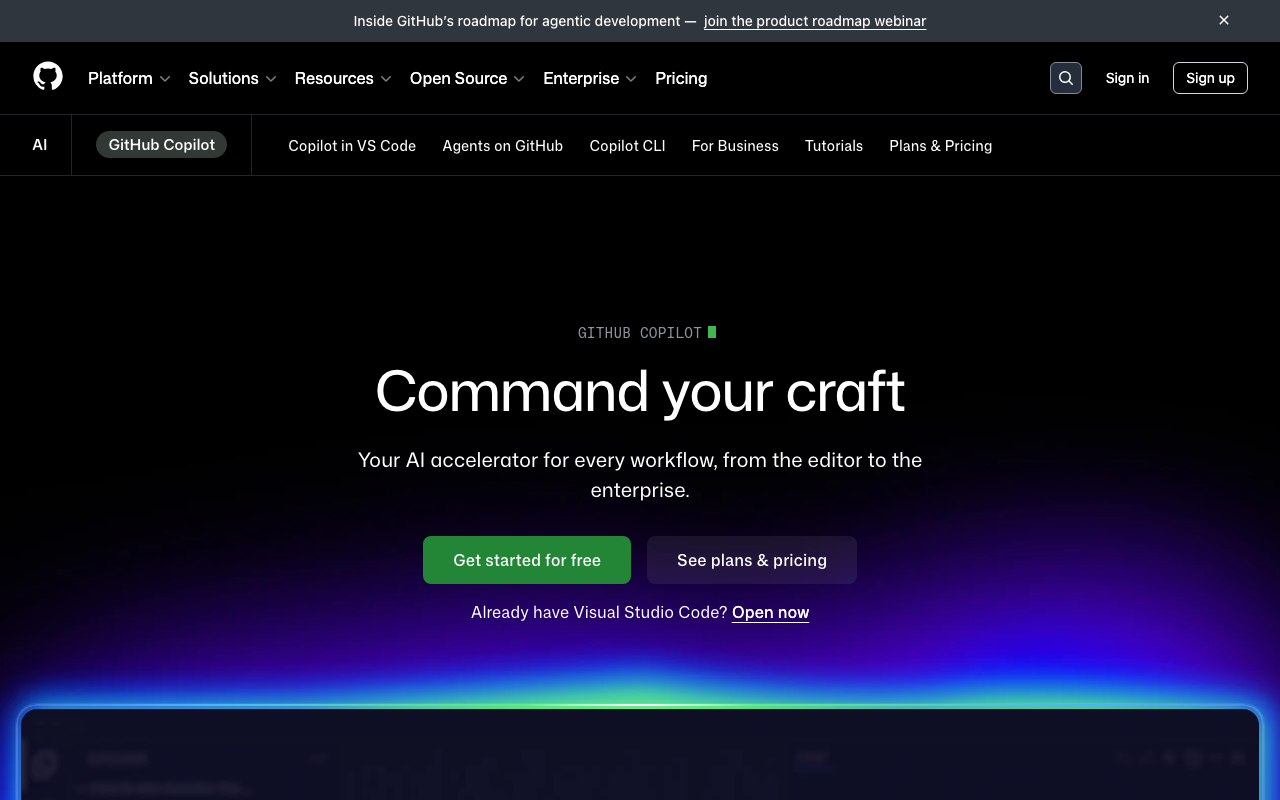

GitHub Copilot is the market leader in AI-assisted coding - polished, deeply integrated with GitHub, and now offering multi-model selection across GPT-4o, Claude Opus 4, and Gemini. Codeium (and its standalone IDE, Windsurf) is the strongest free alternative, offering unlimited basic code completions at no cost and a competitive AI-native editor that undercuts both Copilot and Cursor on price.
If you want the best free AI coding experience, choose Codeium. Its free tier is the most generous in the market - unlimited basic autocomplete, chat, and support for 70+ languages across every major IDE. Copilot’s free tier caps you at 2,000 completions and 50 premium requests per month.
If you want the most polished all-in-one AI coding platform, choose GitHub Copilot. Multi-model selection, native GitHub integration, an async coding agent that works from Issues, built-in PR review, and support for VS Code, JetBrains, Neovim, and Xcode make Copilot the most complete package.
If you want a Cursor-like AI-native IDE at a lower price, choose Windsurf. Its Cascade agentic flow handles multi-file editing and autonomous coding tasks at $15/month - cheaper than Cursor Pro ($20/month) and competitive with Copilot Pro ($10/month) while offering deeper IDE integration.
If your team needs enterprise-grade compliance, choose Copilot Enterprise. IP indemnity, SAML SSO, audit logs, and content exclusion policies give it the edge for regulated industries.
Why this comparison matters
GitHub Copilot and Codeium represent two ends of the AI coding tool spectrum in 2026. Copilot is a premium, platform-integrated tool backed by Microsoft and GitHub. Codeium is the accessibility-first challenger that has built its reputation on offering powerful AI coding assistance for free.
The stakes are real. GitHub reports over 15 million developers use Copilot. Codeium claims over 800,000 individual users and growing enterprise adoption. Together, these two tools - along with Cursor and Tabnine - account for the vast majority of AI coding assistant usage worldwide. Choosing between them affects your daily workflow, your budget, and - for teams - your security and compliance posture.
The landscape has shifted significantly since 2024. Codeium launched Windsurf as a standalone IDE, directly competing with Cursor. Copilot introduced a free tier, multi-model selection, and an autonomous coding agent. Both tools have evolved far beyond simple autocomplete, making a fresh comparison essential for developers evaluating their options in 2026.
At-a-glance comparison
| Dimension | GitHub Copilot | Codeium / Windsurf |
|---|---|---|
| Approach | Extension for existing IDEs | Extension + standalone AI-native IDE (Windsurf) |
| Code completion | Inline suggestions, multi-line, multi-model | Inline suggestions, multi-line, proprietary models |
| Chat assistant | Copilot Chat (sidebar, multi-model) | Codeium Chat (sidebar) + Windsurf Cascade |
| Multi-file editing | Copilot Edits (VS Code) | Cascade flows (Windsurf IDE) |
| Agent mode | Async coding agent (GitHub Issues) | Cascade agentic flows (Windsurf) |
| Codebase awareness | Knowledge bases (Enterprise only) | Local codebase indexing (Windsurf, all plans) |
| IDE support | VS Code, JetBrains, Neovim, Xcode, Eclipse | VS Code, JetBrains, Neovim, Vim, Emacs, Sublime, Eclipse + Windsurf |
| Free tier | 2,000 completions + 50 premium requests/month | Unlimited basic completions + chat |
| Pro price | $10/month | $15/month (Windsurf Pro) |
| Team price | $19/user/month (Business) | $35/user/month (Teams) |
| Enterprise price | $39/user/month | Custom pricing (self-hosted available) |
| Model selection | GPT-4o, Claude Opus 4, Gemini | Proprietary models (no user-facing model switching) |
| Bring your own API key | No | No |
| Code review | Built-in PR review on GitHub | No native PR review |
| Privacy mode | Content exclusion on Business+ | Zero data retention, self-hosted on Enterprise |
| Languages | Broad (most major languages) | 70+ languages |
| IP indemnity | Yes (Enterprise) | No |
Code completion quality
Both tools deliver competent inline code completions, but they differ in architecture and feel. GitHub Copilot leverages frontier models from OpenAI, Anthropic, and Google - the same models powering ChatGPT, Claude, and Gemini. Copilot has refined its completion pipeline over four years and processes billions of suggestions daily. The result is fast, reliable, and contextually aware autocomplete that handles boilerplate, function signatures, and common patterns confidently.
Codeium uses proprietary, purpose-built models optimized specifically for code completion. Rather than routing through large general-purpose LLMs, Codeium trains smaller, faster models tailored for autocomplete latency and accuracy. This architectural choice means Codeium’s completions arrive quickly - often noticeably faster than Copilot’s - because the models are smaller and optimized for the specific task of predicting the next code tokens.
In head-to-head benchmarks, the gap is narrower than you might expect. For standard coding tasks - completing function bodies, writing boilerplate, generating test scaffolding, and filling in predictable patterns - both tools produce similar quality suggestions. Codeium occasionally edges ahead on speed, while Copilot occasionally produces more sophisticated multi-line completions that reflect the deeper reasoning capabilities of frontier models.
Where Copilot pulls ahead is on complex reasoning tasks. When the completion requires understanding nuanced logic, inferring intent from sparse context, or generating algorithmically complex code, Copilot’s access to GPT-4o and Claude Opus 4 gives it an advantage. Codeium’s proprietary models are fast but do not match frontier models on tasks requiring deep reasoning.
Where Codeium pulls ahead is on completion speed and consistency. The purpose-built models are measurably faster to respond, which creates a smoother typing flow. For developers who write code quickly and rely on autocomplete to keep pace, the latency difference matters more than marginal quality improvements on complex suggestions.
The Windsurf IDE adds another dimension. When using Codeium through the Windsurf editor rather than the extension, completions benefit from deeper codebase indexing. Windsurf indexes your entire project locally, similar to Cursor, which means suggestions are more aware of your project’s conventions, naming patterns, and architectural choices. This context-aware completion is not available in the Codeium VS Code extension to the same degree.
Chat and AI assistant capabilities
Copilot Chat
GitHub Copilot Chat is a mature, multi-model conversational assistant embedded in your IDE sidebar. You can ask questions about code, request explanations, generate tests, debug issues, and get architectural advice. The standout feature in 2026 is multi-model selection - you can switch between GPT-4o, Claude Opus 4, and Gemini models depending on the task, getting different reasoning styles without leaving your editor.
Copilot Chat includes slash commands (/explain, /tests, /fix, /doc) that streamline common workflows. The @workspace agent provides some project-level awareness on all plans, though full codebase-aware chat with knowledge bases requires the Enterprise tier at $39/user/month.
The multi-model flexibility is genuinely useful. Claude Opus 4 tends to produce more thorough explanations and catches subtle bugs, while GPT-4o is faster for straightforward questions. Being able to switch models mid-conversation without leaving your editor is a capability Codeium does not match.
Codeium Chat and Windsurf Cascade
Codeium Chat is a capable but less flexible assistant available in both the extension and Windsurf IDE. It handles code explanations, generation, and debugging competently, but you cannot choose which model powers your conversation. Codeium routes requests through its proprietary models, which are optimized for speed but lack the reasoning depth of frontier models like Claude Opus 4 or GPT-4o.
Windsurf Cascade is the differentiator. Available exclusively in the Windsurf IDE, Cascade is a multi-step agentic flow that goes beyond chat. You describe a task, and Cascade plans a sequence of steps, executes them across files, runs terminal commands, and iterates based on results. It functions more like Cursor’s Agent mode than a traditional chat interface - planning, acting, and adjusting rather than just answering questions.
Cascade’s flow-based approach is distinctive. Rather than a back-and-forth conversation, Cascade presents a plan with discrete steps, executes each one, and shows you the results at each stage. You can approve, modify, or reject individual steps. For multi-file coding tasks - implementing features, refactoring modules, adding test suites - this structured approach is more productive than copying code from a chat window.
Verdict on chat
Copilot Chat wins on model quality and flexibility. Multi-model selection with frontier models gives Copilot objectively better reasoning capabilities for complex questions. If you frequently ask the AI to debug tricky issues, explain complex algorithms, or reason about architectural trade-offs, Copilot Chat delivers higher-quality responses.
Windsurf Cascade wins on agentic execution. If you need the AI to do things rather than just answer questions - editing files, running commands, implementing features - Cascade’s flow-based approach is more practical than any chat interface. However, this requires using the Windsurf IDE rather than the Codeium extension.
Free tier comparison
This is where the GitHub Copilot vs Codeium comparison gets most interesting for budget-conscious developers.
GitHub Copilot Free
GitHub Copilot’s free tier, introduced in late 2024, includes:
- 2,000 code completions per month
- 50 premium requests per month (covers chat, Edits, and agent features)
- Multi-model support (GPT-4o, Claude Opus 4, Gemini)
- VS Code and JetBrains support
- Native GitHub integration
The 2,000 completion limit is the catch. For full-time developers who accept dozens of completions per hour, 2,000 runs out within the first week or two of the month. The 50 premium requests are similarly restrictive - a few substantial chat sessions can exhaust the quota. Once limits are hit, the tool stops working entirely until the next billing cycle.
The free tier is best understood as a trial rather than a permanent free option. It gives you enough usage to evaluate whether Copilot is worth $10/month, but not enough for sustained daily use.
Codeium Free
Codeium’s free tier includes:
- Unlimited basic code completions
- AI chat assistant access
- Support for 70+ languages
- All major IDE extensions (VS Code, JetBrains, Neovim, Vim, Emacs, Sublime, Eclipse)
- No monthly caps on autocomplete
The key word is “unlimited.” Codeium’s free plan does not impose a hard cap on basic autocomplete suggestions, making it viable as a permanent free tool for developers who primarily need completion assistance. Chat usage has some rate limits on the free plan, and advanced features like Cascade flows in Windsurf require a paid subscription, but the core autocomplete experience is fully functional without paying.
There are trade-offs. Free-tier Codeium uses the company’s standard proprietary models without access to premium model tiers. Completions are good but not as sophisticated as what Copilot offers with GPT-4o or Claude Opus 4. The chat is functional but lacks the multi-model flexibility and depth of Copilot Chat. And there is no access to Cascade’s agentic flows.
Verdict on free tiers
Codeium’s free tier is better for sustained daily use. If you want a free AI coding assistant that works reliably every day without worrying about hitting a monthly cap, Codeium is the clear choice. The unlimited completions alone make it the most generous free offering in the market.
Copilot’s free tier is better for experiencing premium AI quality. The 50 premium requests give you access to frontier models that produce genuinely higher-quality responses. If you want to evaluate the best AI coding has to offer before deciding to pay, Copilot Free gives you a taste of GPT-4o and Claude Opus 4. But it runs out fast.
For students and open-source contributors, GitHub Copilot is available for free through the GitHub Education program and for maintainers of popular open-source projects. If you qualify, Copilot Free with education benefits is the best deal in AI coding tools.
Enterprise pricing and team features
The pricing gap widens significantly at the team and enterprise level.
GitHub Copilot pricing
| Plan | Price | Key features |
|---|---|---|
| Free | $0 | 2,000 completions, 50 premium requests/month |
| Pro | $10/month | Unlimited completions, 300 premium requests |
| Pro+ | $39/month | 1,500 premium requests, Copilot coding agent |
| Business | $19/user/month | Admin controls, policy management, audit logs |
| Enterprise | $39/user/month | Knowledge bases, IP indemnity, SAML SSO, content exclusion |
Codeium / Windsurf pricing
| Plan | Price | Key features |
|---|---|---|
| Free | $0 | Unlimited basic completions, chat |
| Pro (Windsurf) | $15/month | Cascade flows, premium completions, priority support |
| Teams | $35/user/month | Admin controls, centralized billing, team management |
| Enterprise | Custom | Self-hosted deployment, SSO, compliance controls |
Copilot is cheaper at every team tier. Copilot Business at $19/user/month versus Codeium Teams at $35/user/month is a significant difference for organizations with hundreds of developers. The gap is even more pronounced considering Copilot Business includes features like admin controls, audit logs, and policy management that Codeium reserves for its more expensive Enterprise tier.
Copilot Enterprise has stronger compliance features. IP indemnity is a dealbreaker for many legal departments - if an AI-generated code snippet infringes on someone’s copyright, Microsoft assumes the legal liability. Codeium does not offer IP indemnity at any tier. SAML SSO, audit logs, and content exclusion policies are also more mature in Copilot’s Enterprise offering.
Codeium Enterprise’s differentiator is self-hosted deployment. For organizations that cannot send any code to external servers - defense contractors, healthcare systems, financial institutions with strict data residency requirements - Codeium’s self-hosted option is compelling. Copilot does not offer self-hosted deployment. All Copilot usage routes through Microsoft’s cloud infrastructure.
IDE support and developer experience
Both tools support a wide range of editors, but the coverage differs in important ways.
GitHub Copilot IDE support
Copilot officially supports VS Code, the full JetBrains IDE family (IntelliJ IDEA, PyCharm, WebStorm, GoLand, Rider, and others), Neovim, Xcode, and Eclipse. The VS Code experience is the most polished, with Copilot Chat, Edits, and agent features all fully available. JetBrains support is strong and improving. Neovim and Xcode integrations are functional but limited to completions and basic chat.
Copilot’s IDE coverage matters for diverse teams. If your organization has developers using IntelliJ, PyCharm, and VS Code across different projects, everyone gets a consistent AI experience under one subscription. Cursor and Windsurf cannot match this because they are standalone IDEs, not extensions.
Codeium IDE support
Codeium supports even more editors than Copilot - VS Code, JetBrains, Neovim, Vim, Emacs, Sublime Text, Eclipse, and more. This breadth is a genuine advantage. Developers who use Vim or Emacs as their primary editor have fewer AI coding options, and Codeium is one of the few tools that supports these editors with a maintained extension.
The Windsurf IDE adds a second dimension. Beyond the extension, developers can use Windsurf for a deeper AI-integrated experience. Like Cursor, Windsurf is a VS Code fork that imports your extensions, settings, and keybindings. Cascade’s agentic flows are exclusive to Windsurf and unavailable in the Codeium VS Code extension.
The trade-off mirrors the Copilot-versus-Cursor dynamic. Codeium as an extension is lightweight and unobtrusive. Windsurf as a standalone IDE is more powerful but requires switching editors. Most developers will choose one approach or the other - the flexibility to use both is nice in theory but redundant in practice.
Verdict on IDE support
Codeium has broader raw coverage with support for Vim, Emacs, and Sublime Text alongside the standard VS Code and JetBrains. If you use a niche editor, Codeium is more likely to have an extension for it.
Copilot has deeper integration in its supported IDEs, particularly in VS Code where the full feature set - Chat, Edits, agent mode, model selection - is available. The JetBrains integration is also stronger than Codeium’s JetBrains plugin.
If IDE flexibility is your priority - supporting a team where some developers use IntelliJ, others use VS Code, and a few use Neovim - Copilot’s consistent cross-IDE experience under one subscription is hard to beat.
Privacy and data handling
Privacy is a critical concern for developers and organizations evaluating AI coding tools.
GitHub Copilot privacy
Copilot’s privacy protections scale with the plan tier:
- Free and Pro: Code snippets are sent to Microsoft’s servers for processing. Microsoft states that code is not used to train models on individual plans, but the data handling policy has been a source of controversy.
- Business: Adds content exclusion policies, organizational consent controls, and a stronger commitment not to retain code after processing.
- Enterprise: Full audit logs, SAML SSO, content exclusion, and IP indemnity. Code is processed but not retained or used for training.
No self-hosted option exists. All Copilot processing happens on Microsoft/GitHub infrastructure, which is a blocker for organizations with strict data sovereignty requirements.
Codeium privacy
Codeium positions privacy as a core differentiator:
- Free: Code is sent to Codeium’s servers for inference. The company states it does not train on user code and does not retain code after processing. SOC 2 Type II certified.
- Teams: Enhanced privacy controls, team-level data management.
- Enterprise: Self-hosted deployment option where the entire system runs on your infrastructure. No code ever leaves your network.
The self-hosted option is Codeium’s strongest privacy argument. For organizations in regulated industries - healthcare, finance, defense, government - the ability to run the AI entirely on-premise eliminates cloud data handling concerns entirely. This is something neither Copilot nor Cursor offers.
Verdict on privacy
Codeium wins on privacy for enterprise teams that need self-hosted deployment. The ability to keep all code on your own infrastructure is a capability Copilot simply does not offer.
Copilot wins on legal protection through IP indemnity. Even though code is processed on Microsoft’s servers, the legal guarantee that Microsoft assumes liability for IP infringement claims is valuable for risk-averse enterprises.
For individual developers, both tools handle privacy adequately. Neither trains on your code (on paid plans), and both process code in transit for inference. The practical privacy difference for individuals is minimal.
Multi-file editing and agentic capabilities
This is where the comparison extends beyond Copilot and Codeium to include Windsurf and Cursor.
Copilot Edits and agent mode
GitHub Copilot Edits lets you describe changes across multiple files in VS Code and see diffs applied to your working set. The feature is functional for straightforward multi-file changes but is less capable than Cursor Composer or Windsurf Cascade for large, complex refactoring tasks. Copilot’s async coding agent - assignable from GitHub Issues - handles well-defined tasks autonomously, creating branches, writing code, and opening PRs without developer supervision.
Windsurf Cascade
Cascade is Windsurf’s answer to Cursor Composer. It provides a structured, flow-based approach to multi-step coding tasks. You describe what you want, Cascade creates a plan with discrete steps, and executes each step sequentially - editing files, running terminal commands, reading output, and adjusting its approach. The plan is visible before execution, giving you the opportunity to modify or redirect the AI.
Cascade is competitive with Cursor Composer for typical tasks - implementing features, refactoring modules, adding tests, and migrating between patterns. Cursor’s Composer remains more battle-tested with a larger community, but Cascade has improved significantly and costs less ($15/month for Windsurf Pro versus $20/month for Cursor Pro).
Codeium extension limitations
The Codeium VS Code extension does not include Cascade or any agentic capabilities. Multi-file editing and agentic flows are exclusive to the Windsurf IDE. If you use Codeium purely as an extension, you get completions and chat - not the agentic features that compete with Cursor and Copilot’s advanced modes. This is an important distinction. Many developers evaluate “Codeium vs Copilot” without realizing that Codeium’s most powerful features require switching to Windsurf.
How they compare to Cursor and Tabnine
The AI coding tools landscape in 2026 extends beyond just Copilot and Codeium. Cursor and Tabnine occupy different positions in the market.
Cursor is the AI-native IDE leader. Its Composer and Agent mode set the standard for multi-file editing and agentic coding. At $20/month for Pro, it costs more than both Windsurf Pro ($15/month) and Copilot Pro ($10/month), but delivers the most mature agentic experience. Cursor supports bringing your own API key, which Copilot and Codeium do not.
Tabnine focuses on privacy and enterprise control. It offers on-premise deployment, personalized models trained on your codebase (with your permission), and a privacy-first architecture. Tabnine’s completions are not as sophisticated as Copilot’s or Codeium’s on frontier tasks, but for enterprise teams that need full data control with AI coding assistance, Tabnine fills a specific niche.
If price is your main concern: Codeium Free > Copilot Free > Tabnine Free > Cursor Free (all have limitations, but Codeium’s free tier is the most generous for daily use).
If agentic coding is your priority: Cursor > Windsurf > Copilot > Tabnine (Cursor’s Composer and Agent mode are the most mature, followed by Windsurf’s Cascade).
If enterprise compliance matters most: Copilot Enterprise > Tabnine Enterprise > Codeium Enterprise > Cursor Business (Copilot’s IP indemnity and compliance depth lead, Tabnine’s on-premise deployment is strong, Codeium offers self-hosted).
Who should choose GitHub Copilot
Choose GitHub Copilot if:
- You want the most polished, broadly supported AI coding extension that works in VS Code, JetBrains, Neovim, and Xcode without switching editors
- Multi-model selection matters to you - switching between GPT-4o, Claude Opus 4, and Gemini for different tasks is a meaningful productivity advantage
- Your team lives on GitHub and wants native integration - coding agents assigned from Issues, built-in PR review, and seamless workflow integration
- Enterprise compliance is non-negotiable - IP indemnity, SAML SSO, audit logs, and content exclusion are requirements, not nice-to-haves
- You want a proven, stable tool backed by Microsoft with the largest user base and the most resources behind its development
Who should choose Codeium (or Windsurf)
Choose Codeium / Windsurf if:
- Budget is a primary constraint and you want the best free AI coding experience available - Codeium’s free tier is unmatched for unlimited daily autocomplete
- You use a niche editor like Vim, Emacs, or Sublime Text that Copilot does not support
- You want a Cursor-like AI-native IDE experience at a lower price - Windsurf Pro at $15/month undercuts Cursor Pro at $20/month
- Self-hosted deployment is a requirement for your organization - Codeium is one of the few AI coding tools offering full on-premise deployment
- You prefer a company that positions itself as privacy-first and does not have ties to the same company (Microsoft) that hosts your source code on GitHub
Final verdict
GitHub Copilot is the better all-around AI coding tool in 2026. It leads in model quality (frontier multi-model access), platform integration (native GitHub workflows), IDE breadth (polished support across five IDE families), and enterprise readiness (IP indemnity, compliance depth). For teams willing to pay $10-39/user/month, Copilot delivers the most complete package.
Codeium is the best free alternative to Copilot - and it is not close. No other free AI coding tool offers unlimited basic completions, broad IDE support, and a capable chat assistant at zero cost. For individual developers, students, and hobbyists who want daily AI coding assistance without a subscription, Codeium is the obvious choice.
Windsurf is the sleeper pick. At $15/month, it offers Cascade’s agentic multi-file editing in a polished AI-native IDE - competing directly with Cursor ($20/month) and delivering capabilities that Copilot’s extension-based approach struggles to match. Developers who want a Cursor alternative at a lower price should give Windsurf serious consideration.
The practical recommendation for most developers: Start with Codeium’s free plan to get AI-assisted completions and chat at no cost. If you find yourself needing multi-model chat, GitHub integration, or a more polished extension experience, upgrade to Copilot Pro at $10/month. If you want agentic multi-file editing and are willing to switch IDEs, try Windsurf Pro at $15/month or Cursor Pro at $20/month. The tools are complementary at different price points - there is no single “best” choice for everyone.
Further Reading
- GitHub Copilot vs Cursor: The Definitive Comparison (2026)
- GitHub Copilot vs Tabnine: The Complete Comparison (2026)
- Cursor Pricing in 2026: Hobby, Pro, Pro+, Ultra, Teams, and Enterprise Plans Explained
- GitHub Copilot Pricing in 2026: Free, Pro, Business, and Enterprise Plans Explained
- Best AI Test Generation Tools in 2026: Complete Guide
 Gitar
GitarComments are not enough
Gitar applies the fix, validates it in CI, and clears the queue.
See it on your repo Read our independent Gitar reviewFrequently Asked Questions
Is Codeium really free?
Yes, Codeium offers a genuinely free tier for individual developers. The free plan includes unlimited basic code completions, access to Codeium's AI chat assistant, and support for over 70 programming languages across all major IDEs. Unlike GitHub Copilot's free tier, which caps usage at 2,000 completions and 50 premium requests per month, Codeium's free plan has no hard monthly cap on basic autocomplete suggestions. However, advanced features like Windsurf's Cascade agentic flows, premium model access, and team management require a paid Pro or Teams plan.
Is Codeium as good as GitHub Copilot?
Codeium is competitive with GitHub Copilot for standard code completions and in many benchmarks performs comparably on single-line and multi-line suggestions. For developers who want a free tool, Codeium's free tier is significantly more generous than Copilot's. However, GitHub Copilot has advantages in multi-model selection (GPT-4o, Claude Opus 4, Gemini), native GitHub integration, an async coding agent, and a more mature enterprise offering. Codeium's Windsurf IDE adds agentic capabilities through Cascade that rival Cursor, but the extension-only experience is a step behind Copilot's. The right choice depends on budget and workflow.
What is the difference between Codeium and Windsurf?
Codeium is the company and the AI engine that powers code completions and chat in IDE extensions for VS Code, JetBrains, Neovim, and others. Windsurf is Codeium's standalone AI-native IDE - a VS Code fork built around AI, similar to how Cursor is a VS Code fork. Windsurf includes all Codeium features plus exclusive capabilities like Cascade (an agentic multi-step coding flow) and deeper context awareness. Think of Codeium as the extension and Windsurf as the full IDE experience. Both are made by the same company, and a Codeium Pro subscription works across both.
Should I switch from GitHub Copilot to Codeium?
Switch to Codeium if you want a free alternative that covers basic code completion and chat without paying $10/month for Copilot Pro. Codeium's free tier is more generous for autocomplete. Also consider switching if you want to try the Windsurf IDE, which offers Cascade agentic workflows similar to Cursor. Stay with Copilot if you rely on native GitHub integration, need multi-model selection (Claude, GPT-4o, Gemini), use JetBrains or Neovim heavily (Copilot's support is more polished), or your team needs enterprise compliance features like IP indemnity, SAML SSO, and audit logs.
Is Windsurf better than GitHub Copilot?
Windsurf and GitHub Copilot take different approaches. Windsurf is an AI-native IDE with Cascade, a multi-step agentic flow that plans and executes changes across files autonomously. This gives Windsurf an edge for complex, multi-file coding tasks. Copilot is an extension that works inside your existing IDE and excels at inline completions, chat, and seamless GitHub integration. Windsurf is better for developers who want a Cursor-like AI-first editor at a lower price point. Copilot is better for teams that need broad IDE support and native GitHub workflows.
Can I use Codeium in VS Code?
Yes, Codeium offers a well-maintained VS Code extension that provides AI-powered code completion, chat, and search functionality. Installation takes less than a minute from the VS Code marketplace. The extension works alongside other extensions and does not require switching to the Windsurf IDE. Codeium also supports JetBrains IDEs, Neovim, Vim, Emacs, Eclipse, and Sublime Text - offering broader IDE support than GitHub Copilot.
Does Codeium support the same languages as GitHub Copilot?
Codeium supports over 70 programming languages, which covers virtually all mainstream and many niche languages. GitHub Copilot also supports a broad range of languages. In practice, both tools handle Python, JavaScript, TypeScript, Java, Go, Rust, C++, C#, Ruby, PHP, Swift, and Kotlin extremely well. For less common languages, both rely on general-purpose LLM capabilities and the results are similar. Neither tool has a meaningful language coverage advantage over the other.
What is the best free AI coding tool in 2026?
Codeium is the best free AI coding tool for developers who want unlimited basic code completions without paying anything. Its free tier covers autocomplete, chat, and support for 70+ languages across all major IDEs. GitHub Copilot's free tier is also strong, offering 2,000 completions and 50 premium requests per month, which is enough for light use. Other notable free options include Amazon Q Developer (free tier for individuals with AWS integration), Tabnine's free plan (basic completions with local models), and Sourcegraph Cody (free tier with codebase context). For most developers, Codeium or Copilot Free will be the best starting point.
Does Codeium store or train on my code?
Codeium does not train models on your code and does not store your code after processing completions. On the free plan, code snippets are sent to Codeium's cloud servers for inference but are not retained for training. The Teams and Enterprise plans offer additional privacy controls, including the option for self-hosted deployment where code never leaves your infrastructure. Codeium is SOC 2 Type II compliant. GitHub Copilot Individual also does not train on your code, and Copilot Business and Enterprise plans include content exclusion controls and stronger privacy guarantees.
How does Codeium's Cascade compare to Cursor's Composer?
Cascade and Composer serve the same purpose - multi-file, agentic code editing - but take slightly different approaches. Cursor's Composer is more mature and widely tested, with a larger user base and more documented workflows. Cascade differentiates itself with a flow-based approach where the AI plans a multi-step sequence and executes each step sequentially, showing you the plan before acting. Both tools can create, edit, and delete files across a project. Cursor has the edge in reliability and community support, while Cascade offers a competitive alternative at a lower price point ($15/month for Windsurf Pro versus $20/month for Cursor Pro).
Is GitHub Copilot worth the money over Codeium's free plan?
GitHub Copilot Pro at $10/month is worth the money if you value multi-model selection (switching between GPT-4o, Claude Opus 4, and Gemini for different tasks), native GitHub integration (assigning coding agents to issues, built-in PR review), and the polished extension experience in JetBrains and Neovim. If you only need basic code completion and occasional chat in VS Code, Codeium's free plan genuinely covers that use case without paying anything. The decision comes down to whether you use Copilot's premium features enough to justify $120/year.
Can I use Codeium and GitHub Copilot together?
Technically yes, but it is not recommended. Running both extensions simultaneously in VS Code creates conflicting inline suggestions, duplicate ghost text, and confusion about which AI generated which completion. Most developers disable one when using the other. If you want to compare them, try each tool exclusively for a week rather than running both at once. In Windsurf, you can install the Copilot extension since it is a VS Code fork, but the same conflict issues apply.
Which is better for enterprise teams - GitHub Copilot or Codeium?
GitHub Copilot has the stronger enterprise offering in 2026. Copilot Enterprise at $39/user/month includes IP indemnity, SAML SSO, audit logs, content exclusion policies, knowledge bases for codebase-aware chat, and deep GitHub integration. Codeium's Enterprise plan offers self-hosted deployment, SOC 2 compliance, SSO, and admin controls, but lacks IP indemnity and the depth of compliance certifications that large enterprises require. For organizations with strict legal, security, and compliance requirements, Copilot Enterprise is the safer choice. Codeium Enterprise is better for teams that prioritize self-hosted deployment and want to keep all code on their own infrastructure.
What happened to Codeium's name - is it still called Codeium?
Codeium is still the name of the company and the AI engine powering the code completion extensions. In 2024, the company launched Windsurf as its standalone AI-native IDE, creating some naming confusion. The Codeium extension is the plugin you install in VS Code, JetBrains, Neovim, and other editors. Windsurf is the dedicated IDE product. Both are developed by the same company (Codeium, Inc.) and share the same underlying AI models. Marketing increasingly emphasizes the Windsurf brand for the IDE while Codeium remains the name for the extension and the company.
Explore More
Tool Reviews
 GitHub Copilot Code Review Review
 Tabnine Review
Free Newsletter
Stay ahead with AI dev tools
Weekly insights on AI code review, static analysis, and developer productivity. No spam, unsubscribe anytime.
Join developers getting weekly AI tool insights.
Related Articles
CodeRabbit vs Qodo: AI Code Review Tools Compared (2026)
CodeRabbit vs Qodo - we compare pricing, features, test generation, and review quality so you can pick the right AI reviewer for your team.
February 21, 2026
comparisonWhat Happened to CodiumAI? The Rebrand to Qodo Explained
CodiumAI rebranded to Qodo in 2024. Here's what changed, what stayed the same, and what it means for existing users and new buyers.
February 22, 2026
comparisonGitar vs Qodo: Workflow Automation or Test Generation?
Gitar vs Qodo compared on review architecture, test generation, self-hosting, migrations, CI ownership, and pricing. Which AI code quality platform fits your team.
August 12, 2026