Reduce Code Review Time by 50% - Proven Strategies
Proven strategies to cut code review time in half. Covers PR sizing, automation, async workflows, stacked PRs, and AI tools with real engineering metrics.
Published:
Last Updated:
The code review bottleneck is costing you more than you think
Code review is one of the most important practices in software engineering - and one of the most expensive. When done well, it catches bugs, spreads knowledge, and maintains code quality. When done poorly, it becomes a bottleneck that slows down shipping, frustrates developers, and drags team velocity to a crawl.
The numbers are staggering. Research from Google’s engineering productivity team shows that developers spend an average of 6.4 hours per week on code review activities. A study published by Microsoft Research found that the median time from PR creation to first reviewer comment is 15 hours, and the median time to merge is 24 hours. For larger organizations, these numbers are even worse - enterprise engineering teams report average cycle times of 3-5 days per pull request.
LinearB’s 2025 benchmarks, drawn from data across thousands of engineering teams, paint a similar picture. The median time-to-first-review sits at 7-12 hours. The median review cycle time (from PR opened to merged) is 24-48 hours. Only the top 10% of teams consistently achieve sub-4-hour first reviews and sub-12-hour merge times.
What does this actually cost? Consider a team of 10 engineers, each opening 3-4 PRs per week. If each PR spends an average of 36 hours in the review pipeline, that team has 100-140 PRs worth of work-in-progress sitting idle at any given time. That is not just developer time wasted waiting. It is merge conflicts accumulating, context being lost as authors move on to other tasks, and deployment batches growing larger and riskier.
The compounding effects are what really hurt. Long review cycles create a vicious cycle: developers batch more changes into fewer PRs to avoid the overhead of multiple slow reviews, which makes each PR larger and harder to review, which makes reviews take even longer. Teams stuck in this pattern often see PR sizes creep from 200 lines to 800 or even 1,500 lines - at which point review quality drops dramatically and the review becomes little more than a rubber stamp.
The good news is that this is a solvable problem. The strategies in this guide are not theoretical. They are drawn from published data by Google, Microsoft, Shopify, and Uber, combined with real metrics from teams that have cut their review cycle times by 40-60% using specific process changes and tools. Each strategy includes concrete implementation steps and expected impact so you can prioritize what to tackle first.
Strategy 1: Keep PRs small - under 400 lines changed
This is the single highest-impact change most teams can make. The relationship between PR size and review quality has been studied extensively, and the data is unambiguous: smaller PRs get reviewed faster, reviewed more thoroughly, and merged with fewer defects.
The data on PR size and review quality
A landmark study by SmartBear Software analyzed 10 developers reviewing 10 different code bases. They found that review effectiveness - the percentage of defects caught - dropped below 70% once the review exceeded 400 lines of code. At 200 lines, effectiveness was 80-90%. At 1,000 lines, it fell below 50%.
Google’s internal data tells a similar story. Their analysis of millions of code reviews found that change lists (Google’s term for PRs) under 100 lines had a median review turnaround of less than 1 hour. Change lists of 100-500 lines took a median of 4 hours. Change lists exceeding 1,000 lines took a median of 24+ hours - and received significantly fewer substantive review comments, suggesting reviewers were skimming rather than reading carefully.
Microsoft Research confirmed these findings in a study of review practices across Microsoft, finding that reviewers spend an average of 6 minutes per file for small PRs (under 5 files) but only 1.5 minutes per file for large PRs (over 20 files). The review time per line of code drops by 4x when PRs get large, meaning reviewers are inevitably missing things.
How to enforce PR size limits
Setting a team norm of “PRs should be under 400 lines of changed code” is the starting point, but you need mechanisms to enforce it. Here are practical approaches:
Use CI checks to flag large PRs. A simple GitHub Action can post a warning comment when a PR exceeds your size threshold. Here is a minimal example:
name: PR Size Check
on:
  pull_request:
    types: [opened, synchronize]

jobs:
  check-size:
    runs-on: ubuntu-latest
    steps:
      - uses: actions/checkout@v4
        with:
          fetch-depth: 0
      - name: Check PR size
        run: |
          LINES_CHANGED=$(git diff --shortstat origin/${{ github.base_ref }}...HEAD | awk '{print $4 + $6}')
          if [ "$LINES_CHANGED" -gt 400 ]; then
            echo "::warning::This PR changes $LINES_CHANGED lines. Consider breaking it into smaller PRs for faster review."
          fi
Exclude generated files from the count. Lock files, migration files, generated API clients, and snapshot tests should not count toward your 400-line limit. Configure your size check to exclude patterns like *.lock, *.snap, **/migrations/**, and **/generated/**. Most teams find that subtracting generated code cuts their apparent PR size by 20-30%.
Break features into vertical slices. The most common objection to small PRs is “but my feature requires touching 15 files.” The solution is to decompose features into vertical slices rather than horizontal layers. Instead of one PR that adds a database migration, an API endpoint, a service layer, and a frontend component, break it into: PR 1 adds the migration and model, PR 2 adds the API endpoint with tests, PR 3 adds the frontend component. Each PR is independently reviewable and often independently deployable.
Use feature flags to merge incomplete features safely. When vertical slicing is not feasible because the feature genuinely needs all pieces to work, feature flags let you merge each piece behind a toggle. This keeps individual PRs small while ensuring incomplete code does not affect production users. Tools like LaunchDarkly, Unleash, and even simple environment variable checks make this straightforward.
Expected impact
Teams that consistently keep PRs under 400 lines typically see a 30-50% reduction in time-to-first-review and a 40-60% reduction in total review cycle time. The effect is immediate and does not require any tooling changes - just a team agreement and a CI check.
Strategy 2: Use stacked PRs to decompose large changes
Small PRs are the goal, but some changes are inherently large. A major refactor, a new feature spanning multiple services, or a database schema change with cascading updates can easily exceed 1,000 lines even when done carefully. Stacked PRs solve this problem by breaking large changes into a chain of small, dependent PRs that are reviewed incrementally.
How stacked PRs work
A stacked PR workflow looks like this:
- You create a branch
feature/step-1offmainwith the first 200 lines of your change - You create a second branch
feature/step-2offfeature/step-1with the next 200 lines - You create a third branch
feature/step-3offfeature/step-2with the final 200 lines - You open three PRs: step-1 targets main, step-2 targets step-1, step-3 targets step-2
Each reviewer sees only the incremental diff for their PR, not the entire 600-line change. They review step-1 first, then step-2 (which only shows the 200 lines added on top of step-1), then step-3. The cognitive load per review is dramatically lower than reviewing 600 lines at once.
The challenge with stacked PRs is the operational complexity. When step-1 needs changes based on review feedback, you have to rebase step-2 and step-3 on top of the updated step-1. With native Git, this is tedious and error-prone. This is exactly the problem that Graphite was built to solve.
Graphite: purpose-built for stacked PRs
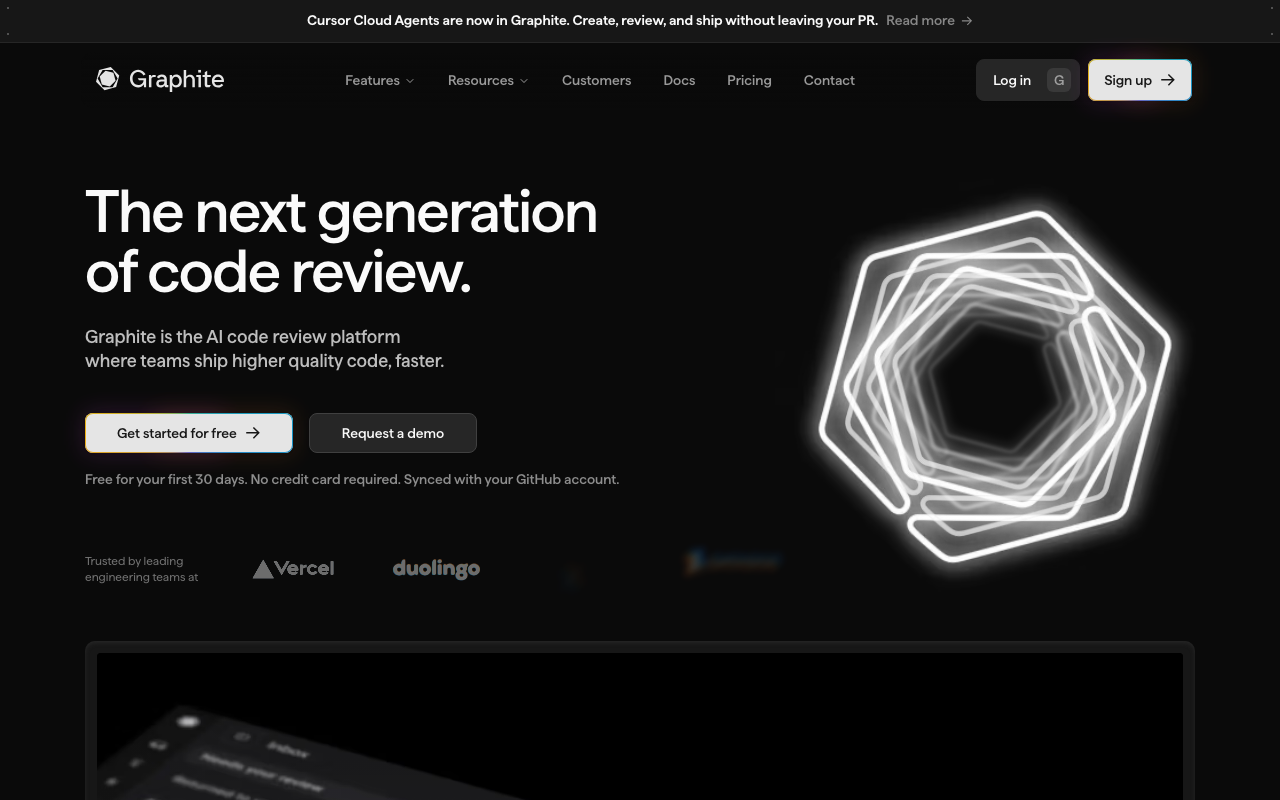
Graphite is a developer tool built entirely around the stacked PR workflow. It provides a CLI that manages the creation, rebasing, and submission of stacked PRs, plus a web dashboard that visualizes your stack and provides a review interface designed for incremental review.
The Graphite CLI replaces the manual branch management described above. Instead of creating branches and rebasing manually, you use commands like gt create to start a new PR in the stack and gt submit to push the entire stack to GitHub. When you need to amend an earlier PR in the stack, Graphite automatically rebases all downstream PRs - the operation that makes manual stacking painful.
The key commands look like this:
# Create the first PR in the stack
gt create -m "Add user model and migration"

# Make more changes and create the next PR
gt create -m "Add user API endpoints"

# Make more changes and create the third PR
gt create -m "Add user profile frontend"

# Submit the entire stack to GitHub
gt submit
Graphite’s web UI shows the entire stack as a visual chain, making it easy for reviewers to see where each PR fits in the larger change. Reviewers can approve individual PRs in the stack, and Graphite handles merging them in order.
Teams at companies like Airbnb, Robinhood, and Coinbase have adopted stacked PR workflows using Graphite. Reported results include 40-60% reductions in review cycle time and 50-70% reductions in merge conflict frequency. The improvement comes from two factors: smaller individual PRs review faster (per Strategy 1), and the chain structure means reviewers can start reviewing the first PR while the author is still writing the later ones, enabling parallel work.
When to use stacked PRs
Stacked PRs are most valuable for changes that are inherently large but can be logically decomposed. Good candidates include:
- Major refactors - Break into “move code to new structure” (PR 1), “update callers” (PR 2), “clean up old structure” (PR 3)
- New features spanning multiple layers - Database layer (PR 1), API layer (PR 2), frontend (PR 3)
- Migration work - Add new code path (PR 1), migrate existing callers (PR 2), remove old code path (PR 3)
Stacked PRs are less useful for small, self-contained changes that already fit in a single PR under 400 lines. The overhead of managing a stack is not worth it for a two-file bug fix.
Strategy 3: Write better PR descriptions
A poorly documented PR forces the reviewer to reverse-engineer the intent of every change from the diff alone. This dramatically increases review time because the reviewer has to answer questions the author already knows: What problem does this solve? Why this approach? What alternatives were considered? Are there any risks?
What a good PR description includes
Research from Microsoft’s Developer Division found that PRs with structured descriptions received their first review 40% faster than PRs with minimal or no descriptions. The reviewers surveyed reported that a good description reduces their effective review time because they spend less time trying to understand context and more time evaluating the actual code.
A good PR description contains five elements:
1. What this PR does (1-2 sentences). A concise summary of the change. Not the commit messages repeated - a human-readable explanation of the purpose.
2. Why this change is needed. Link to the issue, ticket, or context that motivated this work. If there is no ticket, explain the problem being solved.
3. How it works (for non-trivial changes). A brief explanation of the approach. This is especially important for architectural changes, algorithm changes, or anything that modifies core abstractions.
4. How to test it. Steps for the reviewer to verify the change works. This might be “run the existing test suite” for a refactor, or specific manual testing steps for a UI change.
5. Screenshots or recordings (for UI changes). A before/after screenshot or a short Loom recording. Reviewers should not have to check out the branch and run the app to verify a visual change.
A PR description template
Here is a template that codifies the five elements above. You can add this to your repository as .github/pull_request_template.md:
## What

<!-- 1-2 sentence summary of the change -->

## Why

<!-- Link to issue/ticket and brief explanation of the motivation -->

Closes #

## How

<!-- Brief explanation of the approach, especially for non-trivial changes -->

## Testing

<!-- How to verify this change works -->

- [ ] Existing tests pass
- [ ] New tests added for:

## Screenshots (if applicable)

<!-- Before/after screenshots for UI changes -->
Leveraging AI to generate PR descriptions
One of the most practical uses of AI review tools is automated PR description generation. Tools like CodeRabbit and PR-Agent can analyze a diff and produce a structured summary including what changed, which files were affected, and a walkthrough of the changes. This does not replace a human-written “why” section, but it handles the “what” section automatically, saving the author time and giving the reviewer a starting point.
GitHub Copilot’s pull request summary feature works similarly, generating a description from the diff when you create a PR. The quality of AI-generated descriptions has improved significantly - most teams find they need only minor edits to the generated summary before submitting.
Expected impact
Adding structured PR descriptions typically reduces time-to-first-review by 20-30%. The improvement comes from two sources: reviewers start the review sooner because the PR looks approachable (not a wall of code with no context), and reviewers finish the review faster because they understand the intent before reading the code.
Strategy 4: Automate mechanical checks with CI
Every minute a human reviewer spends on formatting, style, import ordering, or type errors is a minute wasted. These are mechanical checks that machines handle perfectly - faster, more consistently, and without the interpersonal friction of a human telling a colleague to fix their indentation.
What to automate
Linting and formatting. Run your linter (ESLint, Pylint, Clippy, golangci-lint) and formatter (Prettier, Black, gofmt, rustfmt) in CI, and block merges on failures. This eliminates an entire category of review comments. Configure your formatter to run automatically on save in your IDE, and add a pre-commit hook as a safety net. The goal is that no PR ever reaches a human reviewer with formatting issues.
Type checking. For TypeScript, run tsc --noEmit in CI. For Python, run mypy or pyright. For Go, the compiler handles this. Type errors should never reach a human reviewer.
Test execution. Run your test suite in CI and require it to pass before review. Reviewers should not have to wonder “did you test this?” - the green check answers that question.
Security scanning. Run a SAST tool to catch common security issues - hardcoded secrets, SQL injection patterns, insecure cryptographic usage. This is where tools like SonarQube and Codacy fit into the review pipeline.

SonarQube runs static analysis as part of your CI pipeline and posts results directly on pull requests. It checks for bugs, vulnerabilities, code smells, and duplication across 30+ languages. Its quality gate feature lets you define thresholds - for example, “no new critical bugs, coverage on new code must exceed 80%” - and block merges that fail the gate. This means reviewers can trust that baseline quality checks have already passed and focus their attention on logic, architecture, and design.
Codacy provides a similar automated quality layer with slightly different strengths. It aggregates results from multiple analysis engines (including its own and third-party tools like ESLint, PMD, and Bandit) into a single dashboard and PR comment. Codacy’s pattern management lets you customize which rules are active, and its grade system (A through F) gives authors a quick signal about the overall health of their PR before requesting review.
Dependency checking. Run npm audit, pip-audit, or cargo audit to catch known vulnerabilities in dependencies. This is especially important for PRs that update lock files.
The key principle: make CI the first reviewer
The goal is to create a CI pipeline where the machine catches everything it can before a human reviewer ever looks at the code. When this works well, human reviewers receive PRs that are already formatted correctly, type-safe, passing all tests, and free of known security issues. The human reviewer can then focus exclusively on what machines cannot evaluate: correctness of business logic, quality of abstractions, appropriateness of the approach, and maintainability.
A practical CI pipeline for code review looks like this:
name: PR Quality Checks
on:
  pull_request:
    types: [opened, synchronize]

jobs:
  lint-and-format:
    runs-on: ubuntu-latest
    steps:
      - uses: actions/checkout@v4
      - run: npm ci
      - run: npm run lint
      - run: npx prettier --check .

  typecheck:
    runs-on: ubuntu-latest
    steps:
      - uses: actions/checkout@v4
      - run: npm ci
      - run: npx tsc --noEmit

  test:
    runs-on: ubuntu-latest
    steps:
      - uses: actions/checkout@v4
      - run: npm ci
      - run: npm test -- --coverage
      - name: Check coverage threshold
        run: |
          COVERAGE=$(cat coverage/coverage-summary.json | jq '.total.lines.pct')
          if (( $(echo "$COVERAGE < 80" | bc -l) )); then
            echo "::error::Line coverage is $COVERAGE%, minimum is 80%"
            exit 1
          fi

  security:
    runs-on: ubuntu-latest
    steps:
      - uses: actions/checkout@v4
      - run: npm audit --audit-level=high
Expected impact
Teams that implement comprehensive CI checks report 20-40% fewer review comments per PR (because the machine already caught the mechanical issues) and 15-25% shorter review sessions (because reviewers are not distracted by formatting and style). The secondary benefit is reduced interpersonal friction - a CI failure is impersonal, while a reviewer comment saying “fix your indentation” can feel adversarial.
Strategy 5: Add AI review as first pass
AI code review tools have matured significantly since their initial introduction in 2023. The current generation of tools - built on advanced language models with code-specific fine-tuning - can catch real bugs, identify security vulnerabilities, flag performance issues, and suggest concrete fixes within minutes of a PR being opened. Used correctly, they dramatically reduce the workload on human reviewers and compress the feedback loop.
How AI review fits into the workflow
The most effective pattern is to position AI review as the first pass in your review pipeline, before human reviewers. The workflow looks like this:
- Developer opens a PR
- CI runs mechanical checks (linting, tests, type checking)
- AI review tool analyzes the diff and posts comments (1-5 minutes)
- Developer reads AI feedback and fixes any valid issues
- Developer pushes updates
- Human reviewer reviews the updated PR
This workflow means the human reviewer sees a PR that has already been through two rounds of automated scrutiny. Formatting is clean (CI), tests pass (CI), and common code issues have been flagged and fixed (AI). The human reviewer can focus on high-level concerns: does the approach make sense, is the abstraction right, does this handle edge cases the tests did not cover?
CodeRabbit: the most comprehensive AI reviewer

CodeRabbit provides AI-powered pull request review that goes far beyond what traditional linters can catch. When a PR is opened, CodeRabbit analyzes the entire diff and posts two types of output: a walkthrough comment summarizing what changed across all files, and inline comments on specific lines where it identifies issues.
The inline comments cover a wide range of issues - null safety violations, error handling gaps, race conditions, performance regressions, security vulnerabilities, and logic errors. Each comment includes a concrete code fix that can be applied with a single click, which dramatically reduces the friction of addressing feedback. Instead of interpreting a vague suggestion and writing the fix yourself, you review the proposed fix and commit it directly.
What makes CodeRabbit particularly effective for reducing review time is its instruction system. You can create a .coderabbit.yaml file that tells the AI what to focus on and what to ignore. For example, you might tell it to never comment on import ordering (because Prettier handles that) but to always flag unhandled promise rejections. This customization reduces noise, which is critical - a tool that produces too many false positives will be ignored by developers.
CodeRabbit also learns from your feedback. When you dismiss a comment as unhelpful or resolve it, the tool adjusts its behavior over time. Teams that actively tune their CodeRabbit configuration for the first 2-3 weeks report that false positive rates drop below 15% and stay there.
Teams using CodeRabbit report 30-50% reductions in total review cycle time and 60-80% fewer review rounds. The biggest time saving comes from the fact that common issues are caught and fixed before the human reviewer even sees the PR.
PR-Agent: the open-source alternative
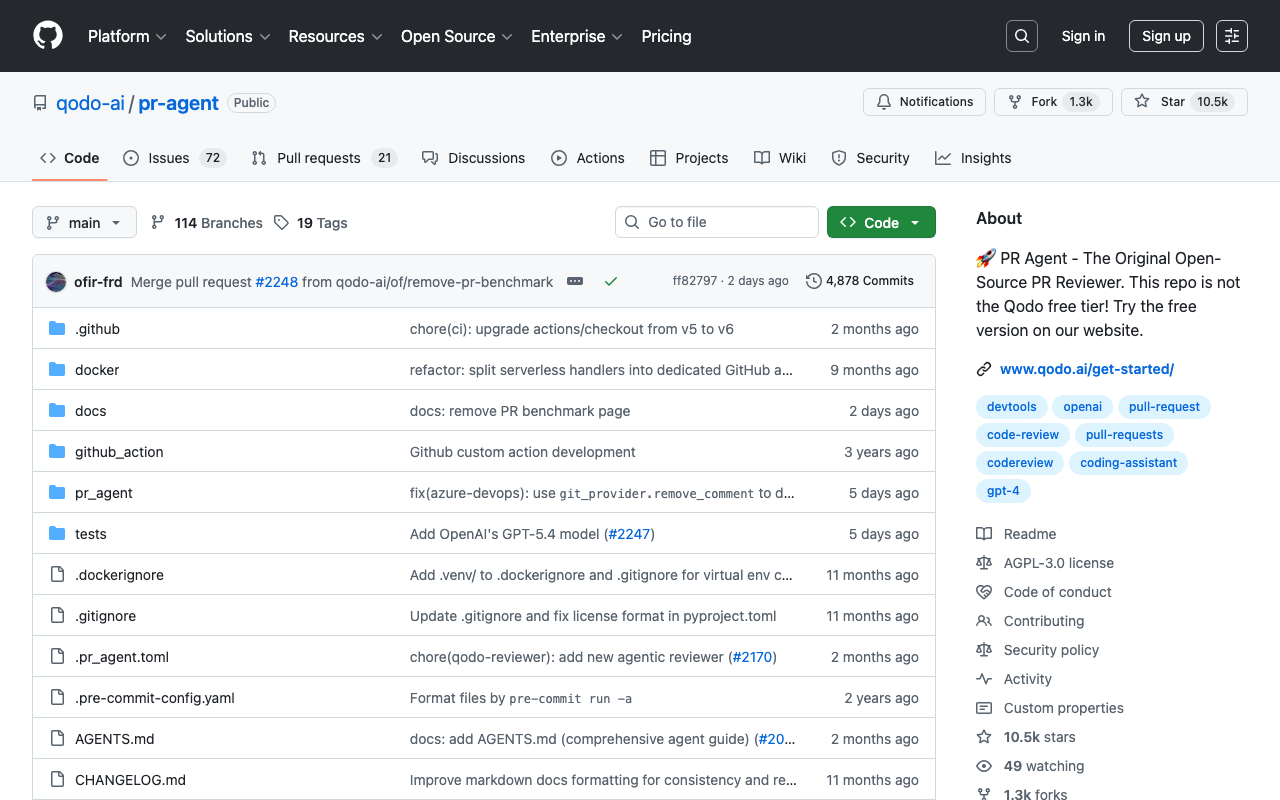
PR-Agent (by Qodo, formerly CodiumAI) is an open-source AI review tool that can be self-hosted, giving teams full control over their data and model choice. PR-Agent provides several commands that can be triggered via PR comments or automated on PR creation:
/review- Full code review with inline comments/describe- Automatic PR description generation/improve- Code improvement suggestions/ask- Ask questions about the PR
For teams that cannot send code to external services due to compliance requirements, PR-Agent’s self-hosted option is invaluable. You deploy it on your own infrastructure with your own LLM API keys (OpenAI, Anthropic, or any compatible provider), and no code ever leaves your network.
The trade-off compared to hosted solutions like CodeRabbit is setup and maintenance overhead. You need to provision infrastructure, manage API keys and costs, and handle updates. But for enterprises with strict data residency requirements, this trade-off is often worth it.
GitHub Copilot code review
GitHub Copilot now includes a code review feature that provides AI-powered feedback directly within the GitHub pull request interface. When you request a review from Copilot, it analyzes the diff and leaves inline comments similar to a human reviewer. The advantage is zero setup for teams already using GitHub - Copilot code review is built into the platform and uses the same Copilot license.
The current implementation is more focused than dedicated review tools like CodeRabbit. Copilot code review tends to catch common patterns - unused variables, potential null dereferences, missing error handling - but does not provide the structured walkthrough or comprehensive analysis that purpose-built tools offer. It works well as a lightweight first pass for teams that want AI review without adding another tool to their stack.
Expected impact
Teams that add AI review as a first pass consistently report the following improvements:
- 30-50% reduction in total review cycle time - Issues are caught and fixed before the human reviewer sees the PR
- 60-80% fewer review rounds - The back-and-forth between author and reviewer drops significantly because common issues are already resolved
- 50-70% fewer nitpick comments from human reviewers - The AI handles mechanical feedback so humans focus on substance
- 1-5 minute feedback loop vs. hours - Authors get immediate feedback instead of waiting for a human to become available
The most important metric is review rounds. Each round of “reviewer requests changes, author makes changes, reviewer looks again” adds hours or days to the cycle. When AI eliminates 2-3 rounds of this back-and-forth, the total cycle time compression is dramatic.
Strategy 6: Use async review workflows with Slack integration
One of the hidden costs of code review is the notification and context-switching overhead. A reviewer gets a GitHub email notification, opens the PR, reads through it, leaves comments, then goes back to their work. Hours later they get another email that the author responded. They open the PR again, re-read the context, and continue the conversation. Each context switch costs 15-25 minutes of productive time according to research on developer productivity.
Async review workflows tackle this by bringing the review conversation into the communication tool your team already uses - Slack. Instead of bouncing between GitHub and Slack, the entire review conversation happens in one place with real-time notifications.
Axolo: purpose-built Slack integration for code review
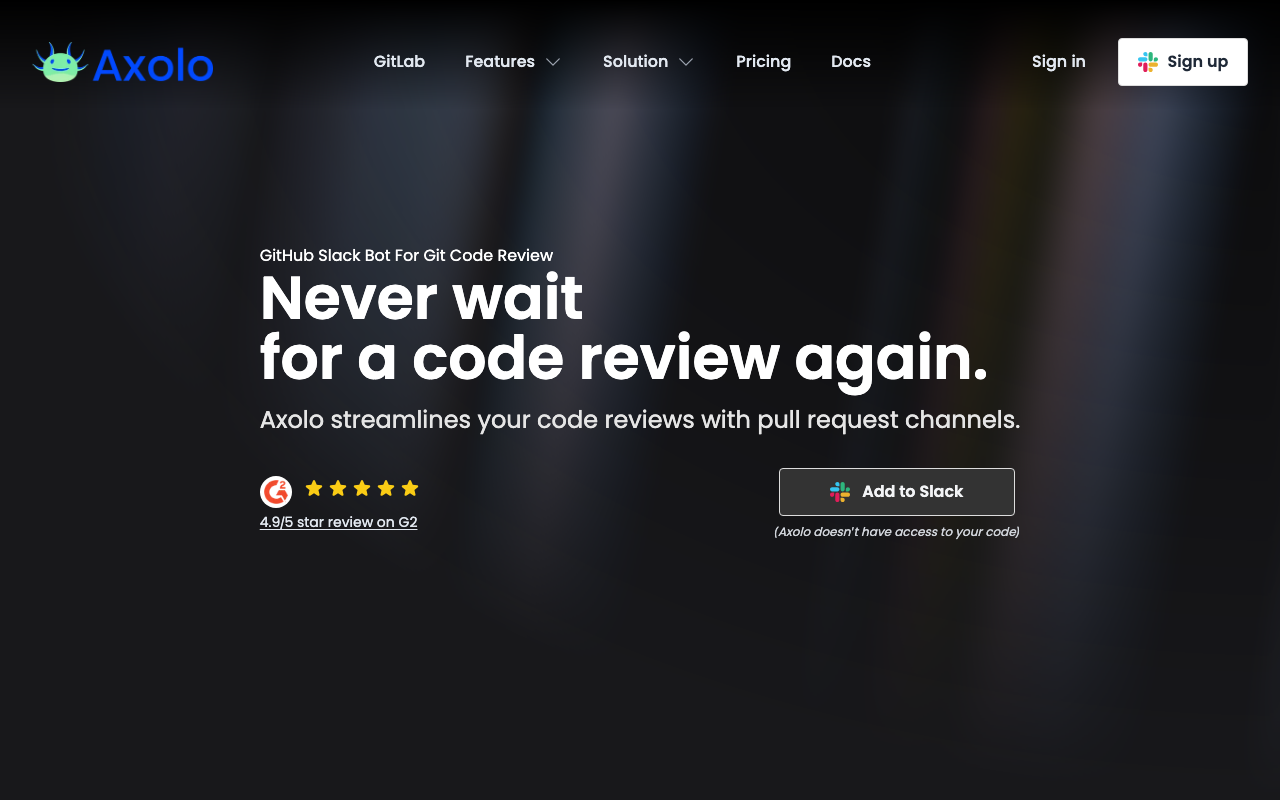
Axolo creates a dedicated Slack channel for every pull request. When a PR is opened, Axolo automatically creates a temporary Slack channel, invites the author and assigned reviewers, and posts the PR details. Every comment, review, CI status update, and merge event is mirrored into the channel in real time.
This seemingly simple change has a significant impact on review velocity. Instead of periodic email notifications that are easy to miss or defer, reviewers see PR activity in their Slack feed alongside their team’s regular communication. The barrier to starting a review drops because the PR context is right there in the channel - no need to open a new browser tab, find the PR, and load the diff.
The temporary channel model also improves review discussions. Instead of threaded GitHub comments that are hard to follow for complex conversations, team members can discuss design decisions, ask clarifying questions, and share context in a natural chat format. When the PR is merged, Axolo archives the channel, keeping Slack clean.
Axolo also surfaces bottleneck data - which PRs have been waiting the longest, which reviewers have the most pending reviews, and how your team’s review metrics trend over time. This visibility helps team leads identify and address review bottlenecks before they become chronic.
Other Slack integration approaches
If a dedicated tool like Axolo is more than your team needs, lighter-weight alternatives include:
GitHub’s native Slack integration. GitHub offers a Slack app that can post PR notifications to specific channels. It is less sophisticated than Axolo - no dedicated channels per PR, limited notification customization - but it covers the basics of getting PR activity into Slack.
Custom Slack bots. Some teams build lightweight bots using GitHub webhooks and the Slack API to post notifications. This gives you full control over what gets posted and when, but requires maintenance.
CODEOWNERS-based routing. Combine Slack integrations with GitHub CODEOWNERS to route notifications to the right team channel. When a PR touches files owned by the payments team, the notification goes to #payments-eng rather than a generic #pull-requests channel.
Expected impact
Teams that adopt Slack-based review workflows report 25-40% reductions in time-to-first-review. The improvement comes primarily from faster notification response - reviewers see the PR notification in their active communication tool rather than in email or a GitHub notification inbox they check periodically. Axolo’s published case studies cite customers achieving 50%+ reductions in review turnaround after adoption.
Strategy 7: Distribute review load evenly
Uneven review distribution is one of the most common and least addressed causes of slow code reviews. In most teams, 1-2 senior engineers end up reviewing 60-80% of all PRs. These engineers become bottlenecks - not because they are slow, but because they are overloaded. When one person has 15 PRs in their review queue, even fast individual review times result in long wait times.
Diagnosing uneven distribution
Before you fix the problem, measure it. Pull the data on how many reviews each team member completes per week. Most teams are surprised by the skew. A typical 8-person team might show a distribution like:
- Engineer A: 22 reviews/week
- Engineer B: 18 reviews/week
- Engineer C: 8 reviews/week
- Engineer D: 6 reviews/week
- Engineer E: 5 reviews/week
- Engineer F: 3 reviews/week
- Engineer G: 2 reviews/week
- Engineer H: 1 review/week
In this scenario, Engineers A and B are handling 62% of all reviews. They are the bottleneck. When they are in meetings, on vacation, or focused on their own work, the team’s review pipeline stalls.
This data is available through GitHub’s contributor stats, or through dedicated tools like LinearB and CodeScene that provide review load dashboards.
Strategies for balancing review load
Round-robin assignment. GitHub supports automated reviewer assignment through team settings. You can configure a team to use round-robin assignment, which rotates through team members for each new PR. This mechanically distributes reviews and prevents the default behavior of authors always picking the same senior reviewer.
To set this up, go to your GitHub organization settings, select the team, navigate to “Code review,” and enable “Auto assignment.” Choose “Round robin” as the algorithm and select how many reviewers should be assigned per PR (typically 1-2).
CODEOWNERS with multiple owners per path. GitHub’s CODEOWNERS file lets you require specific reviewers for specific parts of the codebase. The key to using CODEOWNERS for load distribution is to assign team names (not individuals) as owners:
# Instead of this (creates bottlenecks):
/src/payments/ @alice
/src/auth/ @bob

# Do this (distributes across teams):
/src/payments/ @payments-team
/src/auth/ @platform-team
When a team is specified as owner, GitHub uses the team’s auto-assignment settings to pick the actual reviewer, enabling round-robin distribution within the team.
Review capacity budgets. Some teams set explicit review capacity budgets - each engineer allocates 2 hours per day to reviews, and the review queue is managed so no one exceeds their budget. When the budget is reached, new PRs queue for the next day or overflow to other team members. This prevents review-heavy periods from derailing individual contributors’ development work.
Junior reviewer paired with senior reviewer. A common objection to even distribution is that junior engineers cannot review senior engineers’ code effectively. The solution is pairing: assign both a junior and senior reviewer to complex PRs. The junior reviewer learns from the review process, gradually building the skills and context to review independently. Over 3-6 months, this expands the pool of capable reviewers and reduces concentration on the senior engineers.
Expected impact
Distributing review load more evenly typically reduces the maximum wait time for any PR by 30-50%. The improvement is especially pronounced during high-activity periods (sprint ends, release weeks) when the most active reviewers would otherwise be overwhelmed. Teams that implement round-robin assignment consistently report more predictable review turnaround times - the variance in review wait time drops even more than the average.
Strategy 8: Set review SLAs and measure them
What gets measured gets improved. Many teams have an informal expectation that code reviews should be fast, but without explicit SLAs and visible metrics, “fast” means different things to different people. Setting concrete SLAs and tracking them transparently is one of the most effective organizational changes for reducing review time.
Defining review SLAs
A practical set of review SLAs for most teams:
| Metric | Target | Stretch Goal |
|---|---|---|
| Time to first review comment | Under 4 business hours | Under 2 business hours |
| Total review cycle time (open to approved) | Under 24 hours | Under 8 hours |
| Review rounds (request-changes cycles) | Under 3 | 1 |
| Time to merge after approval | Under 2 hours | Under 30 minutes |
These targets are achievable for most teams that implement the other strategies in this guide. Google’s engineering teams target 24-hour review turnaround as a hard SLA, with most reviews completing well under that threshold. Shopify publishes internal targets of under 4 hours for first review on small PRs.
The important nuance is that SLAs should be measured in business hours, not wall-clock hours. A PR opened at 5 PM should not show up as a 16-hour SLA breach when it gets reviewed at 9 AM the next morning.
Tools for measuring review metrics
You cannot manage what you cannot see. Several tools provide review metrics dashboards that make SLA compliance visible to the team.
LinearB is a developer workflow intelligence platform that automatically tracks review metrics from your Git provider. It measures cycle time broken down into stages - time to first review, time in review, time to merge - and identifies bottlenecks. LinearB’s “WorkerB” feature posts Slack reminders when PRs are approaching SLA thresholds, nudging reviewers before a breach occurs.
LinearB’s benchmarks feature lets you compare your team’s metrics against industry data, which is useful for calibrating whether your SLAs are reasonable. If your team’s median time-to-first-review is 18 hours and the industry median is 7-12 hours, you know there is room for improvement.
CodeScene takes a different approach, combining review metrics with behavioral code analysis. It identifies which parts of your codebase are most prone to defects (based on historical patterns of changes and bugs), and uses this to prioritize reviews. PRs that touch high-risk code get flagged for more thorough review, while PRs that touch stable, well-tested code can be fast-tracked. This risk-based approach ensures that review time is spent where it has the most impact.
CodeScene also measures developer “coordination costs” - how much time is spent on review and rework for different code areas. High coordination costs in a specific directory or module suggest that the code is too complex, the ownership is unclear, or the team needs to invest in documentation or refactoring.
Making metrics visible
The most important step is making review metrics visible to the team without creating a surveillance culture. Good approaches include:
Weekly team dashboard. Post a weekly summary of review metrics to your team’s Slack channel. Include team-level averages (not individual call-outs) - average time to first review, average cycle time, PR throughput, and SLA compliance rate.
Retrospective discussion. Include review metrics in your sprint retrospectives. If SLA compliance dropped, discuss what happened. Was it a particularly complex set of PRs? Was the team short-staffed? Were there systemic issues like unclear PR descriptions or missing test coverage?
Trend over time. A single week’s metrics are noisy. Track the 4-week rolling average so the team can see whether changes to process are having the desired effect.
Expected impact
Teams that implement explicit SLAs and visible metrics typically see 20-30% improvement in review cycle time within the first month, even before making process changes. The improvement comes from awareness alone - when people can see that the team is averaging 18 hours to first review, the motivation to improve is intrinsic. Adding the process changes from other strategies in this guide compounds the effect.
Strategy 9: Review in priority order - security first, then correctness, then style
Not all review feedback is equally important. A security vulnerability is more urgent than a missing null check, which is more urgent than a suboptimal variable name. When reviewers mix all feedback types into a single pass, they often spend excessive time on low-priority style comments while missing high-priority correctness or security issues.
A priority framework for review feedback
Structuring review feedback into explicit priority tiers helps both the reviewer (focus time on what matters most) and the author (know which feedback is blocking and which is optional):
Tier 1 - Blocking: Security and data integrity. These must be fixed before merge, no exceptions. Examples include SQL injection vulnerabilities, authentication bypasses, unvalidated user input used in sensitive operations, race conditions that could corrupt data, and missing authorization checks. If your CI pipeline includes a SAST tool like SonarQube or Codacy, many Tier 1 issues are caught automatically.
Tier 2 - Blocking: Correctness and reliability. These should be fixed before merge in most cases. Examples include logic errors, unhandled error cases, missing null checks on external data, incorrect API contracts, and inadequate test coverage for critical paths.
Tier 3 - Non-blocking: Design and maintainability. These are important but can be addressed in follow-up PRs. Examples include suboptimal abstractions, duplicated code that should be extracted, missing documentation for public APIs, and performance optimizations for non-critical paths.
Tier 4 - Non-blocking: Style and preferences. These should be handled by automated tools, not human reviewers. Examples include formatting, naming conventions, import ordering, and personal preferences about code organization.
Implementing priority-based review
Prefix review comments with priority. A simple convention is to prefix comments with the tier: [blocking], [suggestion], or [nit]. This tells the author immediately which comments require action and which are optional. Many teams adopt this convention and find it significantly reduces the back-and-forth about whether a comment needs to be addressed.
[blocking] This SQL query interpolates user input directly. Use parameterized queries.

[suggestion] Consider extracting this logic into a separate function for reuse.

[nit] I would name this variable `userCount` instead of `cnt`, but not important.
Automate Tier 4 entirely. If your reviewers are spending time on formatting and style comments, your automation is incomplete. Go back to Strategy 4 and ensure your CI pipeline catches all style issues before human review.
Use AI review for Tier 2. AI review tools like CodeRabbit are particularly effective at catching Tier 2 issues - null dereferences, unhandled errors, logic bugs. When these are caught by the AI, human reviewers can focus more time on Tier 1 (security, which requires domain context) and Tier 3 (design, which requires architectural understanding).
Security-first review for critical paths. For PRs that touch authentication, authorization, payment processing, or personal data handling, explicitly structure the review as security-first. The reviewer should make one pass focused exclusively on security concerns before looking at anything else. This prevents the common failure mode where a reviewer gets absorbed in code quality feedback and does not allocate enough attention to security.
Expected impact
Priority-based review does not necessarily reduce total review time (the same issues need to be addressed), but it reduces time-to-merge for the changes that matter most. More importantly, it improves the quality of review by ensuring that high-priority issues are caught consistently. Teams that adopt priority-based review report 30-40% fewer post-merge defects in security-sensitive code paths, which translates to less time spent on production incidents and hotfixes.
Combining strategies: a complete review pipeline
Each strategy above works independently, but the real gains come from combining them into a coherent pipeline. Here is what a fully optimized review workflow looks like:
Before the PR is opened
-
Feature decomposition. The author breaks the work into small vertical slices, each targeting under 400 lines of changed code. For large changes, the author uses stacked PRs via Graphite to create a chain of incremental reviews.
-
Local quality checks. Pre-commit hooks run the formatter, linter, and type checker. Issues are fixed before the code is even pushed.
When the PR is opened
-
Automated PR description. If the author has not written a detailed description, AI tools generate one automatically. The author reviews and supplements it with the “why” and “how to test” sections.
-
CI pipeline runs. Linting, formatting, type checking, tests, security scanning, and dependency auditing all run in parallel. If anything fails, the PR is not ready for review.
-
AI review runs. CodeRabbit, PR-Agent, or GitHub Copilot analyzes the diff and posts feedback within 1-5 minutes.
-
Author addresses AI feedback. The author reviews AI comments, applies valid fixes, and dismisses false positives. This typically takes 5-15 minutes.
-
Author pushes updates and requests human review.
During human review
-
Slack notification. Axolo creates a dedicated channel and notifies the assigned reviewer. The reviewer sees the PR in their Slack feed, not buried in email.
-
Reviewer is assigned via round-robin. GitHub’s auto-assignment distributes the review to an available team member, preventing bottleneck on senior engineers.
-
Reviewer uses priority framework. Security first, then correctness, then design. Style issues are already handled by automation.
-
Reviewer approves or requests changes. If changes are needed, the conversation happens in the Axolo Slack channel for quick back-and-forth.
After approval
-
Merge within 2 hours. The team has an SLA to merge approved PRs within 2 hours. No approved PRs should sit unmerged overnight.
-
Metrics tracked automatically. LinearB or CodeScene records the cycle time, review rounds, and throughput. Weekly dashboard posted to the team Slack channel.
What this pipeline achieves
Teams that implement this full pipeline consistently achieve:
- Time to first review: 2-4 hours (down from 12-24 hours)
- Total review cycle time: 6-12 hours (down from 24-72 hours)
- Review rounds: 1-2 (down from 3-5)
- PR throughput: 4-6 merged PRs per developer per week (up from 2-3)
- Post-merge defect rate: 40-60% lower (due to more thorough automated and human review)
Measuring improvement: the metrics that matter
You cannot improve what you do not measure. Before implementing any of the strategies above, establish baselines for these metrics. Then track them weekly as you make changes.
Primary metrics
Time to first review (TTFR). Hours from PR opened to first reviewer comment. This measures how quickly your team responds to review requests. Target: under 4 hours.
Review cycle time. Hours from PR opened to approved. This measures end-to-end review efficiency. Target: under 24 hours.
Review rounds. Number of request-changes cycles before approval. High round counts indicate either poor PR quality, unclear requirements, or overly nitpicky reviews. Target: under 3 rounds, ideally 1.
PR throughput. Merged PRs per developer per week. This measures overall development velocity. A healthy range for most teams is 3-5 merged PRs per developer per week.
Secondary metrics
PR size (lines changed). Track the distribution of PR sizes to verify that your team is keeping PRs small. If the median PR size starts creeping up, investigate why. Target: median under 300 lines, 90th percentile under 600 lines.
Review load distribution. Measure the Gini coefficient or simply the ratio between the highest and lowest reviewer activity. If one person is doing 10x the reviews of another, you have a distribution problem. Target: no single reviewer handles more than 25% of all reviews.
Rework rate. Percentage of merged PRs that require follow-up fixes within 7 days. High rework rates suggest that reviews are not catching issues effectively. Track this to ensure that faster reviews are not coming at the cost of quality.
Review comment density. Comments per 100 lines of changed code. A sudden drop in comment density combined with constant defect rates suggests reviewers are rubber-stamping. A sudden increase might indicate overly detailed reviews or new quality standards.
Tools for tracking metrics
| Tool | Key Metrics | Integration | Pricing |
|---|---|---|---|
| LinearB | Cycle time, TTFR, review rounds, throughput | GitHub, GitLab, Bitbucket, Jira, Slack | Free tier available |
| CodeScene | Hotspots, coordination costs, review load | GitHub, GitLab, Azure DevOps, Bitbucket | Free for OSS |
| GitHub Insights | Basic PR metrics, contributor stats | Native GitHub | Included with GitHub |
| Sleuth | DORA metrics, deploy frequency, lead time | GitHub, GitLab, Jira, Slack | Free tier available |
Running a before/after comparison
Here is a practical approach to measuring the impact of process changes:
Week 1-2: Baseline. Measure all primary metrics without changing anything. This is your starting point.
Week 3-4: Implement 2-3 strategies. Start with the highest-impact, lowest-effort strategies: enforce PR size limits (Strategy 1), automate mechanical checks (Strategy 4), and add AI review (Strategy 5). These three can be implemented in a single sprint.
Week 5-6: Measure improvement. Compare the primary metrics to your baseline. Most teams see 30-40% improvement from these three strategies alone.
Week 7-8: Implement remaining strategies. Add stacked PRs (Strategy 2), async review workflows (Strategy 6), review load distribution (Strategy 7), and review SLAs (Strategy 8). These require more organizational change and take longer to show results.
Week 9-12: Measure full impact. Compare against the original baseline. Teams implementing all strategies typically see 40-60% improvement in review cycle time and 50-70% improvement in time-to-first-review.
Avoiding Goodhart’s Law
A word of caution: when you optimize for metrics, be careful not to game them at the expense of quality. A team could achieve excellent review cycle time by approving every PR without reading it. Watch for these red flags:
- Review comment density drops to near zero. If reviewers are not leaving comments, they might not be reading the code.
- Rework rate increases. If more bugs are escaping to production, faster reviews might mean shallower reviews.
- PR sizes increase. If authors start making large PRs to hit throughput targets, the strategy is backfiring.
Always measure rework rate alongside cycle time. Faster reviews are only an improvement if quality is maintained or improved.
Common objections and how to address them
”Small PRs create more overhead because there are more PRs to review”
This objection sounds logical but does not hold up empirically. Ten small PRs of 100 lines each take less total reviewer time than one 1,000-line PR, because the reviewer processes each small PR faster per line (higher focus and comprehension) and catches more issues (higher detection rate). The per-PR overhead of opening the review, reading the description, and writing the approval comment adds maybe 5 minutes per PR. That is 50 minutes of overhead for 10 PRs, compared to 30+ minutes of overhead for a single large PR where the reviewer has to reread sections multiple times - and still misses things.
Google’s data specifically addresses this: their engineering productivity team found that the total reviewer time across a stack of small CLs was 15-20% less than the reviewer time for an equivalent single large CL.
”We do not have time to set up all these tools”
You do not need to implement everything at once. Start with the three highest-impact strategies that require the least setup:
- PR size limits - One CI check, 15 minutes to set up
- AI review - CodeRabbit installs in under 5 minutes with no configuration required
- Structured PR descriptions - One template file committed to the repo
These three changes alone typically deliver 30-40% improvement. Add the other strategies incrementally as the team sees the benefits.
”AI review tools generate too much noise”
Early AI review tools did have high false positive rates, which gave the category a bad reputation. Modern tools are significantly better, especially when configured with project-specific instructions. If you tried an AI review tool in 2023 and found it noisy, the current generation deserves a fresh evaluation. Start with a tool like CodeRabbit that lets you customize review focus through a configuration file, and tune it over the first two weeks. Most teams reach an acceptable signal-to-noise ratio within that period.
”Our team is too small for this to matter”
Small teams often benefit the most from review process improvements because they have fewer reviewers. On a 3-person team, if one person is out sick or on vacation, the remaining 2 people are handling all reviews. Automated checks, AI review, and async workflows reduce the dependency on any single person being available, which is even more critical when the team is small.
”Senior engineers should review everything for quality”
This is a common belief that creates the exact bottleneck described in Strategy 7. Senior engineers should review architecturally significant changes, security-sensitive code, and public API changes. For most day-to-day PRs - bug fixes, feature additions within established patterns, test additions - any competent team member can provide an effective review. The paired review approach (junior plus senior for complex PRs) builds review skills across the team while preventing the senior engineer from becoming a single point of failure.
Conclusion
Reducing code review time by 50% is not a single silver bullet - it is the compound effect of multiple targeted improvements. Keep PRs small (under 400 lines). Use stacked PRs for inherently large changes. Write clear PR descriptions. Automate everything machines can check. Add AI review as a first pass. Bring review notifications into Slack. Distribute review load evenly. Set SLAs and measure them. Review in priority order.
The common thread across all nine strategies is the same principle: human reviewer time is the scarcest resource in your development pipeline, so eliminate everything that wastes it. Machines should handle formatting, style, type errors, known vulnerability patterns, and common code issues. Organizational processes should ensure reviewers are not overloaded, not context-switching unnecessarily, and not waiting on information the author could have provided upfront. What remains for the human reviewer is the irreplaceable work: evaluating whether the approach is sound, the abstractions are right, the edge cases are covered, and the code will be maintainable six months from now.
Start with the three lowest-effort strategies - PR size limits, AI review, and structured descriptions - and measure the impact. Most teams see meaningful improvement within two weeks. Then layer on the remaining strategies over the following 4-6 weeks. By the end, you will have a review pipeline that is not just faster, but produces better outcomes: fewer defects reaching production, more knowledge shared across the team, and engineers who see code review as a useful practice rather than a bottleneck they endure.
Further Reading
- Code Review Best Practices - The Complete Guide for Engineering Teams (2026)
- 13 Best Code Quality Tools in 2026 - Platforms, Linters, and Metrics
- How to Set Up AI Code Review in GitHub Actions - Complete Guide
- How to Automate Code Reviews in 2026 - Complete Setup Guide
- Will AI Replace Code Reviewers? What the Data Actually Shows
- How to Use ChatGPT for Code Review (with Prompts)
- DORA Metrics Explained - The 4 Keys and How Code Review Drives Them (2026)
 Gitar
GitarComments are not enough
Gitar applies the fix, validates it in CI, and clears the queue.
See it on your repo Read our independent Gitar reviewFrequently Asked Questions
How long should a code review take?
Individual review sessions should take 30-60 minutes. Total turnaround from PR opened to approval should be under 24 hours. Google's internal research shows that teams with sub-24-hour review turnaround ship 2x faster than teams averaging 48+ hours. The first response (not necessarily approval) should happen within 4 hours during business hours.
Why do code reviews take so long?
The most common reasons are PRs that are too large (over 400 lines), unclear PR descriptions that require reviewers to reverse-engineer intent, context switching costs for reviewers juggling multiple tasks, lack of automated checks (forcing reviewers to manually verify style and basic correctness), and organizational bottlenecks like too few designated reviewers.
What is the average code review time?
Industry data from LinearB and Sleuth shows the median time-to-first-review is 7-12 hours, and median time-to-merge is 24-48 hours. Top-performing engineering teams achieve under 4 hours to first review and under 12 hours to merge. Teams using AI review tools report 30-60% reductions in these metrics.
How do stacked PRs reduce review time?
Stacked PRs break large changes into a chain of small, incremental PRs that build on each other. Each PR in the stack is small enough to review in 15-30 minutes, rather than one massive PR that takes hours. Tools like Graphite manage the complexity of rebasing and merging stacked PRs. Teams using stacked PRs report 40-60% faster review cycles.
Does AI code review speed up the review process?
Yes. AI review tools like CodeRabbit provide feedback within 1-5 minutes of PR creation, compared to hours or days for human review. This immediate feedback lets developers fix issues before the human reviewer even looks at the code, reducing review rounds. Teams using AI review report 30-50% reduction in total review cycle time and 60-80% reduction in review rounds.
How do I measure code review efficiency?
Track these metrics: time-to-first-review (hours from PR opened to first comment), review cycle time (hours from PR opened to approval), review rounds (number of request-changes cycles), PR throughput (PRs merged per developer per week), and review load distribution (are reviews spread evenly or concentrated on a few people). Tools like LinearB, CodeScene, and Macroscope track these automatically.
What are the best tools to speed up code review?
CodeRabbit provides AI-powered instant feedback within 1-5 minutes of PR creation, reducing review rounds by 60-80%. Graphite enables stacked PRs that break large changes into small, fast-to-review increments. Axolo brings PR discussions into Slack to eliminate context-switching delays. LinearB and CodeScene provide metrics dashboards to identify and fix bottlenecks in your review pipeline.
How do I reduce code review bottlenecks caused by senior engineers?
Distribute reviews evenly using GitHub's round-robin auto-assignment instead of letting authors always pick the same senior reviewer. Assign teams rather than individuals as CODEOWNERS so reviews rotate within the team. Pair junior reviewers with senior engineers on complex PRs to build review skills across the team. Set explicit review capacity budgets so no single person handles more than 25% of all reviews.
What is the ideal code review turnaround time?
The first review response should happen within 4 business hours, with a hard SLA of 24 hours maximum. Total review cycle time from PR opened to approved should be under 24 hours. Google and Shopify both target sub-4-hour first reviews internally. Teams that consistently achieve these targets ship 2x faster than teams averaging 48+ hour turnaround times.
How do small PRs reduce code review time?
PRs under 400 lines receive 30-50% faster first reviews and 40-60% shorter total cycle times compared to large PRs. Google's data shows that change lists under 100 lines have a median review turnaround of less than 1 hour, while those over 1,000 lines take 24+ hours. Smaller PRs also receive more thorough reviews because reviewers can hold the full context in working memory.
Does Slack integration help speed up code reviews?
Yes. Tools like Axolo that bring PR notifications into Slack reduce time-to-first-review by 25-40% because reviewers see PR activity in their active communication channel rather than buried in email. Axolo creates a dedicated Slack channel for each PR, enabling natural discussion flow and eliminating the context-switching cost of jumping between Slack and GitHub.
How do I set up automated code review on GitHub?
Install an AI review tool like CodeRabbit with a one-click GitHub App install for instant AI feedback. Add GitHub Actions workflows for linting, type checking, and static analysis. Configure branch protection rules to require status checks to pass before merging. This three-layer setup takes under an hour and ensures human reviewers only see PRs that have already passed mechanical checks.
What is the cost of slow code reviews?
Slow code reviews create compounding costs across the team. Each PR waiting 36+ hours in the review pipeline represents stalled work, accumulating merge conflicts, and lost context as authors move on to other tasks. For a team of 10 engineers, this translates to 100-140 PRs worth of idle work-in-progress at any time. Microsoft Research found developers spend 6-12 hours per week on review activities alone.
Explore More
Tool Reviews
 CodeRabbit Review
 GitHub Copilot Code Review Review
 Graphite Review
 Axolo Review
 PR-Agent Review
 SonarQube Review
 Codacy Review
 LinearB Review
 CodeScene Review
Free Newsletter
Stay ahead with AI dev tools
Weekly insights on AI code review, static analysis, and developer productivity. No spam, unsubscribe anytime.
Join developers getting weekly AI tool insights.
Related Articles
CodeRabbit Azure DevOps: Setting Up AI Code Review
Set up CodeRabbit on Azure DevOps step by step. Covers Marketplace install, pipeline config, branch policies, and PR review setup.
February 18, 2026
how-toCodeRabbit GitLab Integration: Configuration Guide
Set up CodeRabbit GitLab integration for AI code review on merge requests. Covers OAuth, project config, MR analysis, and CI/CD pipeline setup.
February 18, 2026
how-toHow to Automate Code Reviews - Complete Setup Guide
Automate code reviews with AI tools, linters, and CI/CD pipelines. Covers GitHub Actions, GitLab CI, and tool configuration for every team size.
February 27, 2026