Semgrep Pricing in 2026: Open Source vs Team vs Enterprise Costs
Semgrep pricing in 2026 - free CLI to Team at $35/contributor/month and Enterprise. Covers Community vs Pro rules, Supply Chain costs, and ROI analysis.
Published:
Last Updated:
Understanding Semgrep pricing in 2026
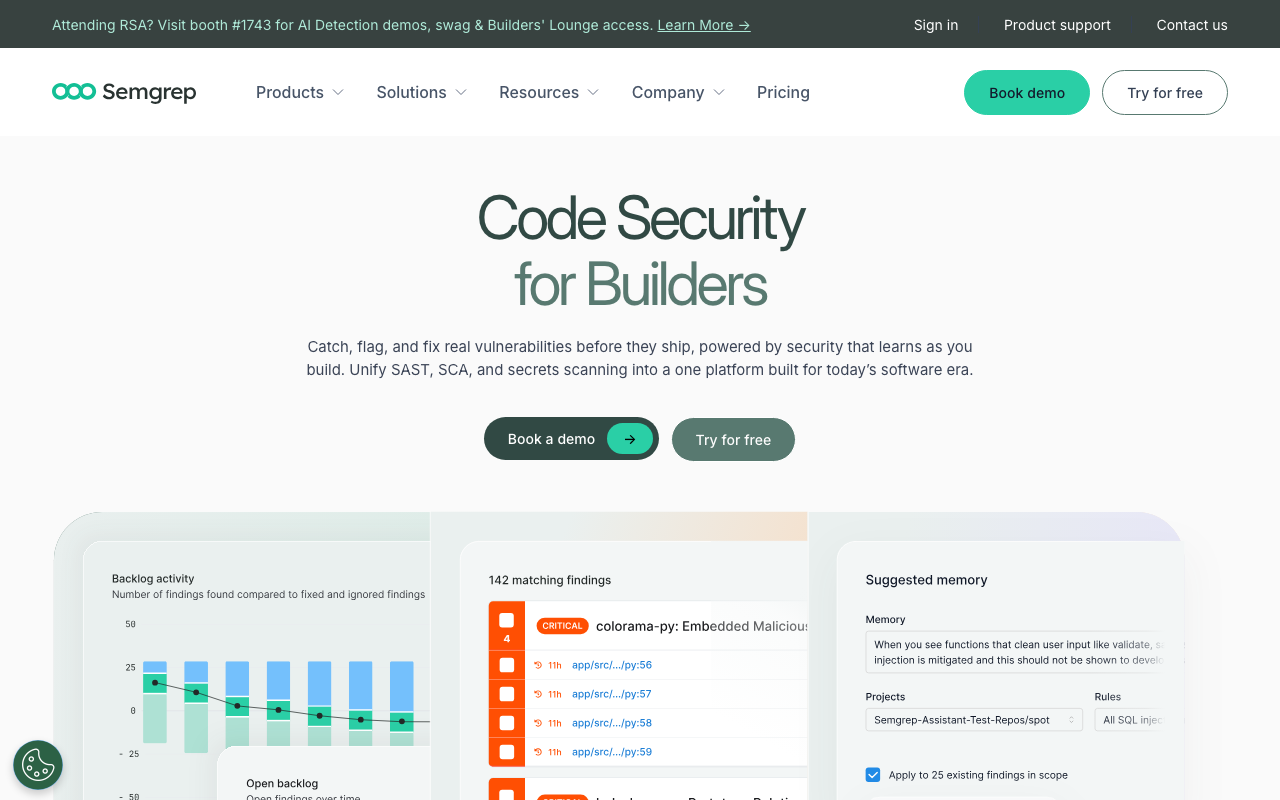
Semgrep has become one of the most widely adopted static analysis security testing (SAST) tools in the software industry. Originally developed at Facebook and now maintained by Semgrep, Inc. (formerly r2c), it built its reputation on a genuinely developer-friendly approach to security scanning - rules that look like the code they match, scans that complete in seconds, and an open-source core that teams could adopt without procurement approval or budget allocation.
But Semgrep pricing has changed significantly since those early days. What started as a fully open-source project has evolved into a commercial platform with a free community tier, a paid Team plan at $35 per contributor per month, and a custom-priced Enterprise tier. The transition has been gradual but meaningful, and understanding exactly what you get at each tier - and what you lose without paying - is essential for making an informed decision about your security tooling budget.
This guide breaks down every aspect of Semgrep pricing in 2026. We will cover what the open-source CLI still provides for free, what the Team and Enterprise plans add, how the pricing compares to competitors like SonarQube, Snyk Code, and Checkmarx, and when paying for Semgrep delivers genuine return on investment versus when the free tier or an alternative tool makes more financial sense.
Semgrep’s three pricing tiers explained
Semgrep’s pricing structure in 2026 consists of three distinct tiers, each targeting different team sizes and security maturity levels. The boundaries between these tiers determine not just feature access but fundamental scanning capabilities that affect vulnerability detection rates.
Community Edition - the free open-source tier
The Semgrep Community Edition (CE) is the open-source CLI engine licensed under LGPL-2.1. It is completely free, requires no login or account creation, and can be installed via pip, brew, or Docker in under a minute. This is the Semgrep that earned the project its reputation - fast, flexible, and developer-owned.
What you get for free:
- The full Semgrep CLI scanning engine
- 2,800+ community-contributed rules from the Semgrep Registry
- Single-file and single-function pattern matching analysis
- Support for 30+ programming languages including Python, JavaScript, TypeScript, Java, Go, Ruby, C, C++, C#, PHP, Kotlin, Rust, Swift, Scala, Terraform, and Dockerfile
- YAML-based custom rule authoring with metavariables and pattern combinators
- CI/CD integration via CLI (runs in any pipeline that supports command-line tools)
- Multiple output formats including SARIF, JSON, and human-readable text
- No usage limits, no telemetry requirements, no vendor lock-in
What you do not get:
- Cross-file and cross-function dataflow analysis
- The 20,000+ Pro rules maintained by Semgrep’s security research team
- Semgrep Supply Chain (SCA with reachability analysis)
- Semgrep Secrets (semantic credential detection with validation)
- Semgrep Assistant (AI-powered triage and false positive filtering)
- The centralized AppSec Platform dashboard
- Managed PR comments and finding management
- Any form of reporting, trending, or remediation tracking
The most significant limitation is the restriction to single-file analysis. In independent testing, the Community Edition detected only 44-48% of vulnerabilities in test suites compared to 72-75% for the Pro engine that powers the paid tiers. This gap exists because many real-world vulnerabilities involve data flowing across file boundaries - user input enters through a controller, passes through a service layer, and reaches a dangerous sink in a data access layer. Single-file analysis cannot trace these cross-file flows, which means the free tier misses a substantial portion of taint-tracking vulnerabilities.
For teams that use Semgrep primarily for targeted pattern matching - checking for specific insecure API calls, enforcing coding standards, or detecting known anti-patterns within individual files - the Community Edition remains a powerful tool at zero cost. The custom rule authoring system, which is Semgrep’s defining feature, works identically in the free tier. You can write rules that match complex code patterns in minutes, and those rules execute with the same speed and accuracy as they do on the paid platform.
Team plan - $35 per contributor per month
The Team plan is where Semgrep becomes a full application security platform rather than just a scanning engine. At $35 per contributor per month, it bundles three modular products - Semgrep Code (SAST), Semgrep Supply Chain (SCA), and Semgrep Secrets - along with the AI-powered Semgrep Assistant and the centralized AppSec Platform dashboard.
Critical detail: free for up to 10 contributors. Before the $35/month pricing kicks in, the Team plan is available at no cost for teams with up to 10 contributors and 10 private repositories. This means small teams and startups get the full Semgrep platform - including cross-file analysis, Pro rules, Supply Chain, Secrets, and the AI Assistant - completely free. This is one of the most generous free tiers in the enterprise security tool market and makes Semgrep an easy default choice for teams under 10 people.
What the Team plan adds over Community Edition:
- Cross-file and cross-function dataflow analysis. The Pro engine traces tainted data across file boundaries, function calls, and module imports. This is the single most impactful upgrade - it catches the 25-30% of vulnerabilities that single-file analysis misses.
- 20,000+ Pro rules. These proprietary rules are written and maintained by Semgrep’s in-house security research team. They leverage cross-file analysis capabilities and are designed for high accuracy with minimal noise. Pro rules cover framework-specific patterns, complex vulnerability classes, and deep taint tracking scenarios that community rules cannot address.
- Semgrep Supply Chain (SCA). Goes beyond basic dependency scanning by incorporating reachability analysis. Instead of flagging every dependency with a known CVE, it determines whether the vulnerable code path in the dependency is actually called by your application. This dramatically reduces the noise that makes traditional SCA tools frustrating.
- Semgrep Secrets. Detects hardcoded credentials, API keys, tokens, and passwords using semantic analysis rather than simple regex matching. Includes validation against live services to confirm whether detected secrets are still active, helping teams prioritize remediation for credentials that pose an immediate risk.
- Semgrep Assistant (AI-powered triage). Uses machine learning to classify each finding as a true or false positive, providing confidence scores and natural-language explanations. Semgrep reports that Assistant handles approximately 60% of all triage work for customers, with a 95% agreement rate on auto-triage decisions. This directly addresses the biggest pain point in security scanning - alert fatigue.
- Assistant Memories. Allows Semgrep to continuously learn organization-specific context without requiring custom rule creation. The system suggests and scopes memories based on triage activity and developer feedback, improving false positive detection over time.
- AppSec Platform dashboard. Centralized web-based interface for managing findings across all repositories, tracking remediation progress, viewing trending data and MTTR metrics, and managing triage workflows.
- Managed PR integration. Automated PR comments with findings, configurable merge blocking, and finding management directly within the development workflow.
- Diff-aware scanning. Analyzes only changed code in pull requests for fast feedback, while full scans can be scheduled on the main branch with broader rule sets.
How contributor counting works:
The $35/month price is per contributor, and understanding how Semgrep defines “contributor” is important for budget planning. A contributor is typically anyone who has committed code to a monitored repository within a recent period (usually the last 30 days). This means:
- Active developers who commit code are counted
- Contractors and part-time contributors who commit code are counted
- CI bots and automated committers may be counted depending on configuration
- Developers who only review PRs but do not commit are generally not counted
- People with repository access who do not commit are not counted
For a team where 25 developers actively commit code, the monthly cost is $875 (25 x $35), or $10,500 per year. If your contributor count fluctuates - seasonal contractors, interns who rotate through, or developers who only occasionally commit to monitored repos - your actual cost may vary from month to month.
Enterprise plan - custom pricing
The Enterprise plan adds organizational controls, compliance features, and deployment flexibility on top of everything in the Team plan. Pricing is custom and negotiated with Semgrep’s sales team based on organization size, deployment requirements, and support needs.
What the Enterprise plan adds over Team:
- SSO/SAML integration. Single sign-on through your identity provider (Okta, Azure AD, Google Workspace, etc.) for centralized access management.
- Custom deployment options. Includes the ability to run Semgrep in air-gapped environments or on private cloud infrastructure for organizations with strict data residency requirements.
- Advanced reporting and compliance. Enhanced reporting capabilities for regulatory compliance, security posture trending, and executive-level dashboards.
- Role-based access control. Granular permission management for security teams, development leads, and individual developers.
- Dedicated support. Direct access to Semgrep’s engineering and security teams with guaranteed response times.
- SLA guarantees. Uptime and performance commitments backed by contractual SLAs.
- Priority feature requests. Ability to influence the product roadmap based on organizational needs.
Who actually needs Enterprise pricing? The Enterprise plan is primarily for organizations with one or more of these requirements: mandatory SSO for all developer tools (common in finance, healthcare, and government), data residency restrictions that prevent using Semgrep’s default cloud infrastructure, large-scale deployments across hundreds of repositories that need dedicated support, or compliance frameworks (SOC 2, PCI DSS, HIPAA) that require specific vendor attestations and reporting.
For most development teams - even those with 50-100 developers - the Team plan provides sufficient capabilities. The Enterprise plan is typically justified when organizational security policies or regulatory requirements demand the additional controls it provides, not when teams need more scanning capabilities.
What changed when Semgrep went commercial
Understanding Semgrep’s commercial evolution helps contextualize the current pricing and explains why some teams feel the pricing shift more than others.
Semgrep started as a fully open-source project. The core scanning engine, the rule syntax, and the community rule registry were all available at no cost with no restrictions. Teams could deploy Semgrep across their entire organization, scan every repository, use every feature, and write unlimited custom rules without paying anything. This is how Semgrep built its user base - the frictionless adoption of a genuinely free, genuinely capable security tool.
The commercialization happened in phases:
Phase 1 - Platform introduction. Semgrep, Inc. introduced the commercial Semgrep platform (initially called Semgrep App) as an optional layer on top of the open-source engine. The platform provided centralized management, dashboards, and finding management. The open-source engine remained unchanged and fully capable.
Phase 2 - Cross-file analysis gating. Cross-file and cross-function dataflow analysis - the capability that makes Semgrep significantly more effective at detecting real-world vulnerabilities - moved behind the commercial platform. The open-source engine retained single-file analysis, but teams that needed to trace data flows across file boundaries now needed a paid subscription. This was the most impactful change because it directly affected vulnerability detection rates.
Phase 3 - Product expansion. Semgrep introduced Supply Chain (SCA) and Secrets as paid products, expanding from a SAST tool to a broader application security platform. These were new capabilities that never existed in the open-source version, so there was no “removal” of free features - but the comprehensive security platform that teams wanted now required payment.
Phase 4 - Pro rules and AI. The Pro rule library grew to 20,000+ rules (versus 2,800+ community rules), and the AI-powered Semgrep Assistant was introduced as a paid feature. These additions widened the capability gap between free and paid Semgrep, making the commercial platform increasingly compelling and the free tier increasingly limited for production security programs.
Phase 5 - Generous free threshold. To counterbalance the commercial shift, Semgrep made the full Team plan free for up to 10 contributors and 10 private repositories. This preserved frictionless adoption for small teams while establishing a clear upgrade path when teams grow beyond the free threshold.
The net result in 2026 is a clear divide. The free open-source engine is still a fast, flexible pattern-matching tool that is excellent for targeted security checks and custom rule enforcement. But a production security program that needs comprehensive vulnerability detection - cross-file taint analysis, SCA, secrets detection, AI-powered triage, and centralized management - requires the paid platform. The question for each team is where they fall on this spectrum.
Community rules vs Pro rules - what you actually get
The difference between Semgrep’s community rules and Pro rules is one of the most misunderstood aspects of the pricing model. Understanding what each set provides helps you assess whether the free rule set is sufficient for your needs or whether the Pro rules justify the subscription cost.
Community rules (free)
The community rule registry contains approximately 2,800 rules contributed by the open-source community, security researchers, and Semgrep’s own team. These rules are freely available, openly documented, and can be used with both the free CLI and the paid platform.
Strengths of community rules:
- Cover the most common vulnerability patterns across major languages (especially Python, JavaScript, Java, and Go)
- OWASP Top 10 patterns are well-represented for popular frameworks
- Rules are transparent - you can read the YAML to understand exactly what is being detected
- Community contribution means niche frameworks and patterns are sometimes covered
- Regularly updated, though update frequency varies by rule
Limitations of community rules:
- Quality varies significantly. Some rules are battle-tested and highly accurate. Others produce excessive false positives or are too narrow to catch real-world variants of vulnerabilities.
- Maintenance is inconsistent. When frameworks release new versions or change APIs, community rules may take weeks or months to update - or may never be updated.
- Single-file scope only. Community rules work within the constraints of the engine that runs them. On the free CLI, they only match patterns within individual files.
- Coverage gaps for less popular languages and frameworks. If you use Elixir, Crystal, or niche Java frameworks, community rule coverage may be sparse.
- No curation or quality guarantee. You need to evaluate each rule’s effectiveness for your codebase, which is an ongoing operational cost.
Pro rules (paid)
The Pro rule library contains over 20,000 rules written and maintained by Semgrep’s in-house security research team. These rules are only available on the Team and Enterprise plans.
What makes Pro rules different:
- Cross-file awareness. Pro rules are designed to leverage the Pro engine’s cross-file dataflow analysis. They trace tainted data across files, functions, and modules - something community rules running on the free engine cannot do.
- Higher accuracy. Because they are maintained by a dedicated team with consistent quality standards, Pro rules have lower false positive rates than community rules on average. Semgrep reports that their security researchers target high-precision detection to minimize noise.
- Framework-specific depth. Pro rules include deep coverage for popular frameworks like Django, Flask, Spring Boot, Express, React, and others. These rules understand framework-specific patterns - for example, how Django ORM queries can be vulnerable to SQL injection even when using the ORM abstraction layer.
- Broader vulnerability classes. Pro rules cover advanced vulnerability patterns including complex injection variants, deserialization attacks, SSRF through indirect routes, and authentication/authorization flaws that require cross-file context to detect.
- Consistent maintenance. Pro rules are updated on a regular cadence by Semgrep’s security team, with new rules added as new vulnerability patterns emerge and existing rules refined based on customer feedback.
The practical gap
The difference between 2,800 community rules and 20,000+ Pro rules is not just quantity - it is detection effectiveness. Independent testing consistently shows that the Pro engine with Pro rules detects approximately 72-75% of vulnerabilities in standard test suites, while the Community Edition with community rules detects 44-48%. That 25-30 percentage point gap represents real vulnerabilities that the free tier misses entirely.
For teams that use Semgrep as their primary SAST tool, this gap is significant. Missing a quarter to a third of detectable vulnerabilities means your security coverage has a substantial blind spot. For teams that use Semgrep as a supplement alongside other security tools (like SonarQube for code quality and security or Snyk Code for AI-powered detection), the gap is less concerning because the other tools may cover what the free Semgrep tier misses.
Semgrep Supply Chain and Secrets pricing
Two of Semgrep’s commercial products - Supply Chain (SCA) and Secrets - are bundled into the Team plan at no additional per-product cost. Understanding their value proposition helps assess whether the Team plan subscription delivers sufficient security coverage to justify eliminating separate SCA and secrets scanning tools.
Semgrep Supply Chain
Software Composition Analysis (SCA) scans your project dependencies for known vulnerabilities. Most development projects rely on hundreds or thousands of open-source packages, and those packages regularly have CVEs disclosed against them. Traditional SCA tools like Snyk Open Source, Dependabot, or OWASP Dependency Check flag every dependency with a known CVE, which creates enormous noise - many flagged vulnerabilities exist in dependency code paths that your application never calls.
Semgrep Supply Chain differentiates itself through reachability analysis. Instead of simply matching dependency versions against CVE databases, it analyzes whether the vulnerable function or code path in the dependency is actually reachable from your application code. If your application imports a library but never calls the vulnerable function, Supply Chain marks the finding as “unreachable” rather than flagging it as a critical alert. This dramatically reduces the volume of SCA findings that require developer attention.
Pricing context: If you were paying for Semgrep Team at $35/contributor/month anyway (for SAST), Supply Chain comes at no additional cost. If you were previously using a separate SCA tool, the combined SAST + SCA value of the Semgrep Team plan may justify the subscription by eliminating a separate SCA license. For example, Snyk Open Source is included in Snyk’s platform pricing ($25/developer/month for Team), and standalone SCA tools like WhiteSource (now Mend) or Black Duck can cost $10,000-50,000+ per year. Getting SCA bundled with SAST at $10,500/year for 25 developers is competitive.
Semgrep Secrets
Secrets detection identifies hardcoded credentials, API keys, tokens, passwords, and other sensitive values in your codebase. Semgrep Secrets uses semantic analysis rather than simple regex pattern matching, which means it understands the context around potential secrets - distinguishing between a real AWS access key and a test placeholder that matches the same format.
The validation feature is particularly valuable. When Semgrep Secrets detects a potential credential, it can check whether the credential is still active by making controlled API calls. This means your security team can prioritize leaked credentials that are currently exploitable rather than spending time on revoked or expired keys.
Pricing context: Semgrep Secrets is included in the Team plan with no additional charge. Standalone secrets detection tools include GitGuardian (free tier available, paid plans from $30/developer/month for Business), TruffleHog (open source for basic detection, paid Enterprise for advanced features), and GitHub’s built-in secret scanning (free for public repos, requires GitHub Advanced Security at $49/committer/month for private repos). Having secrets detection bundled into the Semgrep Team plan at $35/contributor/month total means you are effectively getting SAST, SCA, and secrets detection for less than what some tools charge for secrets detection alone.
Cost comparison with competitors
Understanding Semgrep pricing in isolation is less useful than understanding how it compares to the alternatives your team would realistically consider. This section provides detailed cost comparisons across different team sizes and deployment scenarios.
Semgrep vs SonarQube pricing
SonarQube is Semgrep’s most common comparison point because both tools offer free tiers and serve overlapping but different use cases. SonarQube covers code quality plus security; Semgrep focuses on security with deeper custom rule capabilities.
| Aspect | Semgrep | SonarQube |
|---|---|---|
| Free tier | CLI + 2,800 community rules + single-file analysis | Community Edition - 6,000+ rules, 35+ languages, quality gates |
| Free platform tier | Full platform free for up to 10 contributors | SonarCloud free for public repos |
| Paid starting price | $35/contributor/month (Team) | ~$30/month (SonarCloud), ~$170/month (Developer self-hosted) |
| 10-dev team annual cost | $0 (within free threshold) | $360-2,040/year (SonarCloud/Developer) |
| 25-dev team annual cost | ~$10,500 | ~$6,000-10,000 |
| 50-dev team annual cost | ~$21,000 | ~$10,000-20,000 |
| 100-dev team annual cost | ~$42,000 | ~$20,000-50,000 |
| Includes SCA | Yes (Supply Chain) | Partial (Community plugins) |
| Includes secrets detection | Yes (Semgrep Secrets) | No |
| Code quality analysis | No | Yes (primary strength) |
| Custom rule authoring | Yes (YAML, developer-friendly) | Yes (Java-based, requires expertise) |
The cost calculation depends on what you need. For pure security scanning, Semgrep is more expensive than SonarQube at every paid tier but provides deeper security-specific capabilities - custom rule flexibility, AI-powered triage, SCA with reachability, and secrets detection. For combined code quality and security analysis, SonarQube provides more breadth at a lower price point but lacks Semgrep’s custom rule accessibility and AI triage.
Many teams run both tools - SonarQube for code quality enforcement and Semgrep for security scanning. The combined cost for a 25-developer team would be roughly $16,500-20,500 per year, which is still less than enterprise SAST platforms like Checkmarx.
Semgrep vs Snyk Code pricing
Snyk Code is Semgrep’s closest competitor in the developer-first SAST space, though their approaches differ - Semgrep uses pattern-based rules while Snyk Code uses AI/ML-powered detection.
| Aspect | Semgrep | Snyk Code |
|---|---|---|
| Free tier | CLI + community rules + single-file analysis | 1 org, limited scans |
| Free platform tier | Full platform for up to 10 contributors | Limited scans and features |
| Per-user paid price | $35/contributor/month | $25/developer/month |
| 25-dev team annual cost | ~$10,500 | ~$7,500 (SAST only) |
| 50-dev team annual cost | ~$21,000 | ~$15,000 (SAST only) |
| SCA included in base price | Yes | Separate product |
| Secrets detection | Yes (included) | Separate add-on |
| Full platform (SAST + SCA + secrets) for 25 devs | ~$10,500 | ~$15,000-20,000+ (estimated with all modules) |
| Custom rules | Yes | No |
| AI-powered detection | AI for triage | AI for detection |
| IDE real-time scanning | VS Code extension (on save) | Real-time as you type |
The pricing comparison is nuanced. Snyk Code’s per-user rate ($25/developer/month) is lower than Semgrep’s ($35/contributor/month), but Semgrep bundles SAST, SCA, and secrets detection in one price. Snyk’s full platform - including Snyk Open Source (SCA), Snyk Container, and Snyk IaC - costs more when you add all modules. If you only need SAST, Snyk Code is cheaper. If you need SAST + SCA + secrets detection, Semgrep’s bundled pricing is often more cost-effective.
The bigger trade-off is approach rather than price. Semgrep gives you transparent, customizable rules that you control. Snyk Code gives you AI-powered detection that requires no rule management but offers no customization. For teams with unique security requirements or proprietary frameworks, Semgrep’s custom rules may be worth the premium. For teams that want maximum detection with minimal configuration, Snyk Code’s AI approach delivers strong results at a lower per-user price.
Semgrep vs Checkmarx pricing
Checkmarx operates in an entirely different pricing tier. It is the enterprise SAST platform that compliance-driven organizations adopt when regulatory requirements demand deep analysis, certified reporting, and vendor attestations.
| Aspect | Semgrep | Checkmarx |
|---|---|---|
| Free tier | Yes (CLI + community rules) | No |
| Entry-level pricing | $35/contributor/month | ~$40,000/year minimum |
| 25-dev team annual cost | ~$10,500 | ~$60,000-100,000 |
| 50-dev team annual cost | ~$21,000 | ~$80,000-150,000 |
| 100-dev team annual cost | ~$42,000 | ~$100,000-200,000+ |
| SAST | Yes | Yes (deeper taint analysis) |
| SCA | Yes (Supply Chain) | Yes |
| DAST | No | Yes |
| API security | No | Yes |
| IaC scanning | Limited | Yes |
| Container scanning | No | Yes |
| Compliance reporting | Basic | Comprehensive (PCI DSS, HIPAA, SOC 2) |
| Implementation time | Hours | Weeks |
| Custom rules | YAML (developer-friendly) | CxQL (proprietary, specialized) |
Checkmarx costs 4-10x more than Semgrep at every team size. The question is whether that premium delivers proportional value. For most development teams building modern web applications and APIs, the answer is no - Semgrep catches 85-95% of the same vulnerabilities at a fraction of the cost with a dramatically better developer experience. For organizations in regulated industries (finance, healthcare, government) with large legacy codebases, strict compliance requirements, and dedicated AppSec teams, Checkmarx’s deeper analysis and compliance reporting may justify the premium.
The practical guidance is straightforward: if you are evaluating Semgrep and Checkmarx, you are probably one of two audiences. Either you are a modern development team that does not need Checkmarx’s depth (choose Semgrep and save $30,000-160,000 per year), or you are a compliance-driven enterprise that genuinely needs certified deep analysis (budget for Checkmarx and use Semgrep OSS as a fast complementary scanner for per-commit feedback).
Full competitor cost comparison table
| Tool | Free Tier | 10-Dev Team/Year | 25-Dev Team/Year | 50-Dev Team/Year | 100-Dev Team/Year |
|---|---|---|---|---|---|
| Semgrep Team | Full platform for 10 contributors | $0 | ~$10,500 | ~$21,000 | ~$42,000 |
| SonarQube Developer | Community Edition (free, self-hosted) | ~$1,500-2,000 | ~$6,000-10,000 | ~$10,000-20,000 | ~$20,000-50,000 |
| Snyk Code Team | 1 org, limited scans | ~$3,000 | ~$7,500 | ~$15,000 | Custom |
| Checkmarx One | None | ~$40,000+ | ~$60,000-100,000 | ~$80,000-150,000 | ~$100,000-200,000+ |
| CodeRabbit Pro | Unlimited OSS repos | ~$2,880 | ~$7,200 | ~$14,400 | Custom |
| DeepSource Business | Limited free tier | ~$3,600 | ~$9,000 | ~$18,000 | Custom |
Self-hosted vs cloud - the real cost equation
Semgrep’s pricing model has different cost implications depending on whether you run the open-source CLI on your own infrastructure, use the cloud-hosted Team plan, or deploy via the Enterprise plan with custom infrastructure options.
Self-hosted open-source CLI
Running the Semgrep Community Edition CLI on your own infrastructure has zero software licensing cost, but it is not zero cost.
Infrastructure costs:
- CI/CD compute time for running scans on every PR and branch push. For a medium-sized codebase (100,000-500,000 lines), each Semgrep scan takes approximately 5-30 seconds. At 50-100 PRs per day across 25 developers, you are looking at minutes of additional CI compute daily - negligible on most CI platforms.
- Storage for rule configurations, scan results, and any custom dashboards you build to visualize findings. Minimal - measured in megabytes, not gigabytes.
- Maintenance time for updating the Semgrep CLI, managing rule configurations, and troubleshooting CI integration issues. Budget 1-2 hours per month for a well-configured setup.
Operational costs:
- No centralized dashboard means findings must be tracked through CI output, SARIF files uploaded to GitHub Security tabs, or custom tooling. Building and maintaining a custom findings dashboard costs engineering time.
- No managed triage workflow means security teams must track findings manually - through spreadsheets, Jira tickets, or custom integrations. This operational overhead is the hidden cost that pushes many teams toward the paid platform.
- No AI-powered triage means every finding requires manual evaluation. For teams with hundreds of findings per week, the human cost of triage can easily exceed the subscription cost of the Team plan.
- Custom rule maintenance is entirely your responsibility. New framework versions, new vulnerability patterns, and new languages require ongoing rule development and testing.
Realistic total cost of ownership for self-hosted OSS (25 developers):
- Software licensing: $0
- Additional CI compute: ~$50-200/year (negligible)
- Engineering time for setup, maintenance, and custom tooling: 2-4 hours/month at $75-150/hour = ~$1,800-7,200/year
- Manual triage time without AI assistance: 5-10 hours/week at $75-150/hour = ~$19,500-78,000/year (highly variable based on codebase size and finding volume)
- Estimated total: $21,000-85,000/year in fully loaded costs
This is an important counterpoint to “Semgrep OSS is free.” The software is free, but the operational cost of running a security program on free tooling - without centralized management, AI triage, or managed rules - is often higher than the subscription cost. The math depends entirely on your finding volume and how much manual triage your team performs.
Cloud-hosted Team plan
The Team plan at $35/contributor/month includes the hosted platform, managed infrastructure, Pro rules, AI triage, and all the operational tooling that the self-hosted OSS approach lacks.
What the subscription covers:
- All scanning infrastructure and analysis compute
- The AppSec Platform dashboard with centralized finding management
- AI-powered triage that eliminates ~60% of manual triage effort
- Managed PR integration with automated comments and finding status
- Pro rule updates and maintenance
- Supply Chain and Secrets scanning
- All reporting and trending capabilities
What you still pay for beyond the subscription:
- Developer time to review and remediate findings (this cost exists regardless of tooling)
- Custom rule development and maintenance (if you write custom rules)
- Integration setup time for CI/CD, ticketing systems, and notification channels
- Training time for developers and security teams to adopt the platform
Realistic total cost of ownership for cloud Team plan (25 developers):
- Subscription: $10,500/year
- Integration and setup: ~$2,000-5,000 one-time (engineering time for initial configuration)
- Custom rule development: ~$1,000-5,000/year (if applicable)
- Ongoing administration: ~$1,200-3,600/year (1-3 hours/month)
- Estimated total: ~$12,700-19,100/year in the first year, ~$11,700-14,100/year ongoing
For most teams, the cloud Team plan is less expensive in fully loaded costs than running the free CLI, because the AI-powered triage, managed rules, and centralized dashboard eliminate operational overhead that costs more in engineering time than the subscription costs in dollars.
Enterprise self-hosted deployment
For organizations with data residency requirements, air-gapped environments, or strict compliance mandates that prevent using Semgrep’s cloud infrastructure, the Enterprise plan offers custom deployment options.
Additional costs beyond the Team plan:
- Custom infrastructure provisioning and maintenance
- Higher base subscription (Enterprise pricing is negotiated but typically 30-50%+ more than Team per-contributor pricing)
- Internal IT resources for hosting, updating, and monitoring the Semgrep deployment
- Compliance documentation and audit support
Enterprise self-hosted deployments are typically justified only when organizational policy prohibits sending code or findings data to third-party cloud services. The cost premium is significant, and the operational overhead of self-hosting a commercial security platform should not be underestimated.
ROI analysis for security teams
The return on investment for Semgrep depends on what alternative you are comparing against and what value you assign to security scanning. Here are three common scenarios with realistic ROI calculations.
Scenario 1 - replacing manual code review for security
Before Semgrep: A 25-developer team relies on manual code review to catch security issues. Senior developers spend approximately 2 hours per week each reviewing PRs for security concerns. With 5 senior developers doing security-focused reviews, the cost is roughly 10 hours per week at $100/hour average fully loaded rate = $52,000/year in security review time. Manual review catches some security issues but misses many patterns that automated scanning would catch consistently.
After Semgrep Team: The same team deploys Semgrep Team at $10,500/year. Automated scanning catches the majority of common vulnerability patterns (OWASP Top 10, injection, XSS, SSRF, hardcoded secrets) before code reaches human review. Senior developers still review PRs but can focus on architectural and business logic concerns rather than checking for basic security patterns. Security review time drops from 10 hours/week to 4 hours/week (40% reduction), saving $31,200/year in senior developer time.
ROI: $31,200 saved - $10,500 subscription = $20,700 net annual savings, plus more consistent and comprehensive security coverage.
Scenario 2 - replacing a legacy enterprise SAST tool
Before Semgrep: A 50-developer organization uses Checkmarx at $100,000/year. Scans take 30-60 minutes, so security scanning runs nightly rather than on every PR. The high false positive rate requires a dedicated AppSec engineer (0.5 FTE) to triage findings at ~$75,000/year cost. Total cost: ~$175,000/year.
After Semgrep Team: The team switches to Semgrep Team at $21,000/year. Scans complete in seconds, enabling per-PR scanning that catches issues before merge rather than overnight. The AI Assistant handles 60% of triage, reducing the AppSec engineer’s triage time to 0.1 FTE ($15,000/year equivalent). Total cost: ~$36,000/year.
ROI: $175,000 previous cost - $36,000 new cost = $139,000 annual savings, plus faster feedback loops and earlier vulnerability detection.
Note: this scenario assumes the team does not need Checkmarx’s deeper taint analysis or compliance reporting. For regulated organizations, the compliance capabilities may justify Checkmarx’s premium even when Semgrep’s raw scanning capabilities are sufficient.
Scenario 3 - upgrading from Semgrep free to Team
Before Semgrep Team: A 15-developer team uses the free Semgrep CLI with community rules. They detect 44-48% of vulnerabilities in their codebase. A developer spends 3 hours per week maintaining custom rules and triaging findings manually. Annual cost: ~$15,600 in developer time + $0 in licensing.
After Semgrep Team: The team upgrades to Semgrep Team at $6,300/year (15 x $35 x 12). Detection rate improves to 72-75% of vulnerabilities with Pro rules and cross-file analysis. The AI Assistant reduces triage time from 3 hours/week to 1 hour/week. Supply Chain and Secrets detection eliminate the need for separate tools. Annual cost: $6,300 subscription + ~$5,200 in developer time.
ROI: $15,600 previous cost - $11,500 new total cost = $4,100 annual savings, plus 25-30% improvement in vulnerability detection rate and the addition of SCA and secrets scanning.
The ROI case is strongest when Semgrep Team replaces either manual security review or an expensive enterprise tool. The case is more nuanced when upgrading from the free tier, where the primary value is improved detection rates rather than cost savings.
When the open-source tier is enough
Not every team needs to pay for Semgrep. The free Community Edition is genuinely powerful for specific use cases, and understanding when free is sufficient prevents unnecessary spending.
The OSS tier is enough when:
Your team has 10 or fewer contributors. The full Semgrep Team platform is free for up to 10 contributors and 10 private repositories. If your team is below this threshold, there is no pricing decision to make - you get everything for free.
You use Semgrep as a supplementary scanner alongside other tools. If your primary SAST tool is SonarQube, Snyk Code, or another platform, and you use Semgrep specifically for custom rules that check patterns unique to your codebase, the free CLI is sufficient. The custom rule authoring system works identically in the free tier, and single-file analysis is adequate for targeted pattern matching.
Your primary need is coding standard enforcement rather than vulnerability detection. Semgrep is excellent at enforcing coding standards - banning deprecated APIs, requiring specific logging patterns, enforcing architectural boundaries. These rules typically operate within single files and do not need cross-file analysis. The free CLI handles this use case perfectly.
You have a small codebase with simple architecture. In a codebase where most functions are self-contained within files and data flows are straightforward, the gap between single-file and cross-file analysis is smaller. A simple Express.js API with route handlers that directly call database functions in the same file will have more vulnerabilities caught by single-file analysis than a complex Spring Boot application with deep service layering.
You have security expertise to write and maintain custom rules. Teams with experienced security engineers who can write targeted Semgrep rules achieve high detection rates even with the free engine. The limitation is not the engine’s capability - it is that community rules do not cover your specific stack. If your team can fill that gap with custom rules, the free tier is viable.
You are evaluating Semgrep before committing to a paid plan. The free tier is an excellent evaluation tool. Run it against your codebase, write a few custom rules, and assess the detection quality before deciding whether to invest in the Team plan.
The OSS tier is not enough when:
You need comprehensive vulnerability detection as your primary SAST coverage. The 44-48% detection rate of the free tier is not sufficient for teams that rely on Semgrep as their primary security scanner. Missing over half of detectable vulnerabilities is a significant coverage gap.
Your codebase has complex cross-file data flows. Enterprise applications with multiple service layers, dependency injection, complex inheritance hierarchies, and data transformation pipelines need cross-file analysis to detect vulnerabilities effectively. Single-file analysis will miss the majority of taint-tracking vulnerabilities in these architectures.
You need SCA or secrets detection from Semgrep. Supply Chain and Secrets are paid-only features. If you need these capabilities and want them integrated with your SAST workflow, the Team plan is necessary.
Your security team needs centralized management and triage. Without the AppSec Platform dashboard, managing findings across multiple repositories at scale is manual and time-consuming. Teams with more than a handful of repositories will benefit significantly from centralized finding management.
You want AI-powered triage to reduce noise. The Semgrep Assistant is available only on the paid platform. For teams with high finding volumes, the triage automation alone can justify the subscription cost.
When to upgrade to the paid Team plan
The decision to pay for Semgrep typically comes at a clear inflection point. Here are the most common triggers:
Your team grows beyond 10 contributors. This is the simplest trigger - you hit the free threshold limit and must decide whether to pay or accept reduced capabilities.
You discover vulnerabilities in production that Semgrep OSS would not have caught. When a security incident reveals a cross-file vulnerability that single-file analysis missed, the cost of the Team plan becomes trivially small compared to the cost of the incident.
Your triage backlog is growing faster than your team can process it. If your security team spends more time triaging false positives than remediating real issues, the AI Assistant’s 60% triage automation is immediately valuable.
You are consolidating security tools. If you are paying for separate SCA (Snyk Open Source, Mend), secrets detection (GitGuardian), and SAST tools, Semgrep Team’s bundled pricing at $35/contributor/month may be cheaper than the combined cost of individual tools.
Compliance requirements mandate SCA scanning. Many compliance frameworks require software composition analysis. If you need SCA and Semgrep is already your SAST tool, adding Supply Chain through the Team plan is more efficient than adopting a separate SCA product.
You want to reduce custom rule maintenance burden. The 20,000+ Pro rules cover patterns that teams otherwise maintain as custom rules. If your team spends significant time writing and updating rules that Pro rules already cover, the subscription can reduce that maintenance overhead.
When to consider the Enterprise plan
The Enterprise plan is justified by organizational requirements rather than scanning capabilities. The security analysis is identical to the Team plan - the Enterprise premium pays for operational and compliance features.
Mandatory SSO/SAML. If your organization’s security policy requires that all developer tools integrate with the corporate identity provider, the Enterprise plan is the only option. There is no workaround - the Team plan does not support SSO.
Data residency requirements. Organizations that cannot send source code or security findings to Semgrep’s cloud infrastructure need the Enterprise plan’s custom deployment options. This is common in government, defense, and certain financial services organizations.
SLA requirements. If your organization requires contractual uptime and response time guarantees from security tooling vendors, only the Enterprise plan provides these.
Large-scale deployments needing dedicated support. Organizations with hundreds of repositories and thousands of developers benefit from dedicated support engineers who understand their specific deployment and can provide faster issue resolution.
Audit and compliance reporting. If your compliance framework requires specific vendor attestations, security posture reports, or audit logs from your SAST tooling, the Enterprise plan’s advanced reporting capabilities are necessary.
Budget planning guide by team size
This section provides practical budget guidance for different team sizes, including both Semgrep-only and Semgrep-plus-complementary-tool scenarios.
Startup (5-10 developers)
Recommended approach: Use Semgrep Team for free (under the 10-contributor threshold).
- Semgrep Team cost: $0
- You get: Full SAST with cross-file analysis, 20,000+ Pro rules, Supply Chain, Secrets, AI Assistant
- Additional recommendation: Add CodeRabbit free tier for AI-powered PR review on open-source repos, or CodeRabbit Pro at $24/user/month ($1,440-2,880/year) for private repos
Total security tooling budget: $0-2,880/year
Growing team (15-25 developers)
Option A - Semgrep-centric:
- Semgrep Team: $6,300-10,500/year
- Covers: SAST, SCA, secrets detection
- Gap: No code quality analysis, no AI PR review
Option B - Semgrep + complementary tools:
- Semgrep Team: $6,300-10,500/year
- CodeRabbit Pro: $4,320-7,200/year
- Covers: SAST, SCA, secrets, AI PR review
- Gap: No code quality analysis (add SonarQube Community free if needed)
Option C - Cost-optimized alternative:
- Semgrep OSS (free CLI for custom rules)
- SonarQube Developer Edition: $6,000-10,000/year (code quality + security)
- CodeRabbit Pro: $4,320-7,200/year (AI PR review)
- Covers: Custom security patterns, code quality, security, AI review
- Gap: No SCA or secrets detection from Semgrep (SonarQube has partial SCA coverage)
Total security tooling budget: $6,300-17,700/year depending on approach
Mid-size team (50 developers)
Option A - Semgrep-centric:
- Semgrep Team: $21,000/year
- CodeRabbit Pro: $14,400/year
- SonarQube Community (free, for code quality gates)
- Total: ~$35,400/year
Option B - Enterprise security stack:
- Semgrep Team: $21,000/year
- Snyk Code for AI-powered IDE security: ~$15,000/year
- SonarQube Developer for code quality: ~$10,000-20,000/year
- Total: ~$46,000-56,000/year
Option C - Budget-optimized:
- Semgrep Team: $21,000/year (primary SAST + SCA + secrets)
- SonarQube Community (free, self-hosted for code quality)
- Total: ~$21,000/year
Large organization (100+ developers)
At this scale, Semgrep Team costs $42,000+ per year, and the Enterprise plan with custom pricing becomes relevant if SSO, data residency, or compliance reporting is needed. Budget $50,000-80,000 per year for Semgrep Enterprise including support and compliance features.
For comparison, Checkmarx at this scale costs $100,000-200,000+ per year, and Veracode ranges from $50,000-200,000+ per year. Semgrep remains significantly more cost-effective than these enterprise incumbents while providing comparable or superior developer experience.
Maximizing value from your Semgrep investment
Whether you are on the free tier or the Enterprise plan, these practices help you get the most security value per dollar spent.
Optimize your rule configuration
Do not run every available rule. The default “p/default” ruleset is a curated starting point, but blindly enabling all 20,000+ Pro rules will generate noise that degrades developer trust. Instead:
- Start with the default ruleset and the rulesets specific to your tech stack (p/python, p/javascript, p/java, etc.)
- Add framework-specific rulesets as needed (p/django, p/flask, p/react, etc.)
- Monitor false positive rates for each ruleset and disable rules that consistently produce noise in your codebase
- Write targeted custom rules for your organization’s specific security patterns rather than relying entirely on managed rules
Use diff-aware scanning strategically
Configure your CI/CD integration to use diff-aware scanning on pull requests (fast, focused on changed code) and full scans on the main branch (comprehensive, catches issues introduced by merges and rebases). This pattern provides fast developer feedback on PRs while maintaining comprehensive coverage on the primary branch.
Leverage the AI Assistant effectively
If you are on the Team plan, the AI Assistant is one of the most valuable features for reducing operational overhead. Configure it to auto-triage findings and use its confidence scores to prioritize human review. Invest time in creating Assistant Memories - organization-specific context that improves triage accuracy over time. One Fortune 500 customer reported a 2.8x improvement in false positive detection with just two added memories.
Consolidate tools where possible
Each additional security tool in your stack adds management overhead - another dashboard, another CI integration, another set of findings to reconcile. If you are paying for Semgrep Team, use the included Supply Chain and Secrets modules rather than maintaining separate SCA and secrets detection tools. The consolidated workflow saves more in operational efficiency than the marginal capability difference between specialized tools.
Track and report metrics
Use the AppSec Platform dashboard (paid tiers) to track mean time to remediate (MTTR), finding volume trends, and security coverage metrics. These metrics justify the tooling investment to engineering leadership and help identify areas where your security program needs improvement. Security tools that nobody measures are security tools that eventually get cut from the budget.
Common pricing questions and edge cases
Does Semgrep count CI bots as contributors?
Semgrep’s contributor counting is based on commits to monitored repositories. If a CI bot or automated system makes commits (e.g., automated dependency updates, code formatting, or generated code commits), it may be counted as a contributor. Discuss this with Semgrep’s sales team during onboarding to understand how your specific automation patterns will be counted and whether bot accounts can be excluded.
What happens if contributor count fluctuates?
Semgrep’s Team plan pricing adjusts based on active contributor count. If you have seasonal contractors or interns who commit code for a few months, they are counted during the months they are active and not counted when they stop committing. This means your monthly bill may fluctuate, which is worth factoring into budget planning.
Can I use Semgrep Team for some repos and the free CLI for others?
Yes. You can selectively onboard repositories to the Semgrep AppSec Platform (paid) while running the free CLI on other repositories. This is a common pattern for teams that want comprehensive analysis on high-risk production codebases while using free scanning for internal tools, prototypes, and low-risk projects.
Are there annual billing discounts?
Semgrep offers annual billing options that may include discounts compared to monthly billing. Contact Semgrep’s sales team for current annual pricing. Annual commitments are typical for organizations using the Enterprise plan.
How does pricing work for monorepos?
Semgrep’s pricing is based on contributor count, not repository count. A monorepo with 25 contributors costs the same as 25 separate repositories with 25 total unique contributors. This makes Semgrep’s pricing model monorepo-friendly compared to tools that charge per-repository or per-project.
Semgrep pricing versus the broader SAST market
To put Semgrep’s pricing in perspective, here is where it falls in the overall SAST market landscape.
Free tier (open source): Semgrep CE, SonarQube Community Edition, CodeQL (free on GitHub for public repos), ESLint with security plugins, Bandit (Python), SpotBugs (Java), Brakeman (Ruby). These tools are genuinely free and genuinely capable for specific use cases. The trade-off is manual operational overhead.
Low-cost tier ($5,000-15,000/year for 25 devs): Codacy Pro ($4,500/year), SonarQube Developer ($6,000-10,000/year), CodeRabbit Pro ($7,200/year), Snyk Code Team ($7,500/year). These tools provide managed platforms with centralized dashboards, PR integration, and curated rules at accessible price points.
Mid-market tier ($10,000-25,000/year for 25 devs): Semgrep Team ($10,500/year), DeepSource Business ($9,000/year), GitHub Advanced Security with CodeQL ($14,700/year at $49/committer/month). These tools offer more comprehensive capabilities - AI triage, cross-file analysis, and broader security coverage.
Enterprise tier ($40,000-200,000+/year): Checkmarx One, Veracode, Fortify, Coverity. These platforms provide the deepest analysis, broadest platform coverage (SAST + DAST + SCA + containers + API + IaC), compliance certifications, and enterprise support. The pricing reflects the depth and breadth of capabilities plus the vendor attestations that regulated industries require.
Semgrep sits in the mid-market tier - more expensive than basic SAST platforms but dramatically cheaper than enterprise incumbents. For the majority of development teams that need comprehensive security scanning without enterprise compliance requirements, Semgrep’s price-to-capability ratio is among the best in the market.
Making the decision - a practical framework
If you have read this far and are still unsure which Semgrep tier is right for your team, use this decision framework.
Step 1: Count your contributors. If your team has 10 or fewer active contributors, use Semgrep Team for free. There is no decision to make - you get the full platform at zero cost.
Step 2: Assess your cross-file analysis needs. Run the free CLI against your codebase and note the findings. Then, if possible, run a trial of the Team plan and compare. If the cross-file analysis catches vulnerabilities that matter to your security posture, the upgrade is justified. If your codebase is simple enough that single-file analysis catches most issues, the free tier may suffice.
Step 3: Calculate your triage cost. Count how many hours per week your team spends triaging Semgrep findings. If the AI Assistant can reduce that by 60% (as Semgrep reports for typical customers), calculate the dollar value of recovered time. If it exceeds the subscription cost, the upgrade pays for itself.
Step 4: Evaluate tool consolidation opportunities. List every security tool you currently pay for - SCA scanner, secrets detector, SAST platform, code quality tool. If Semgrep Team can replace one or more of these tools (particularly separate SCA and secrets detection), the net cost may be neutral or even negative.
Step 5: Compare against alternatives. Before committing to Semgrep Team, compare the total cost of ownership against SonarQube (if you need code quality + security), Snyk Code (if you want AI-powered detection), or Codacy (if you need the lowest per-user price with broad coverage). The right tool depends on your specific priorities, not just the per-user price.
Conclusion
Semgrep pricing in 2026 reflects a mature commercial product that has found its place between free open-source tools and enterprise security platforms. The free Community Edition remains a capable scanner for targeted pattern matching and custom rule enforcement. The Team plan at $35/contributor/month delivers genuine value through cross-file analysis, 20,000+ Pro rules, bundled SCA and secrets detection, and AI-powered triage that reduces operational overhead. The Enterprise plan serves organizations with compliance and deployment requirements that the Team plan cannot satisfy.
The most important insight from this analysis is that the true cost of any Semgrep tier extends beyond the subscription price. The free tier has zero licensing cost but significant operational cost in manual triage, custom rule maintenance, and reduced detection rates. The Team plan has a clear subscription cost but reduces operational overhead through automation, managed rules, and comprehensive analysis. The right choice depends on the total cost of ownership for your specific team, not just the line item on the invoice.
For teams under 10 contributors, Semgrep Team at zero cost is an unambiguous recommendation - you get enterprise-grade security scanning for free. For teams of 10-50 contributors, the $35/contributor/month Team plan competes favorably against alternatives when you factor in the bundled SCA and secrets detection. For larger organizations, Semgrep remains significantly more affordable than enterprise incumbents like Checkmarx while providing comparable or superior developer experience.
If you are currently evaluating Semgrep pricing, start with the free tier to validate detection quality against your codebase. Write a few custom rules, run scans in CI, and assess whether the findings are actionable. Then make a data-driven decision about upgrading based on the detection gap between free and paid, the triage time you would save with the AI Assistant, and the tool consolidation opportunities the bundled platform provides.
For teams exploring alternatives to Semgrep entirely, our Semgrep alternatives guide provides detailed comparisons with seven competing tools across different budgets and priorities.
Frequently Asked Questions
How much does Semgrep cost in 2026?
Semgrep offers three pricing tiers. The Community Edition (open-source CLI) is completely free with no login required. The Team plan costs $35 per contributor per month and includes cross-file analysis, 20,000+ Pro rules, Semgrep Supply Chain, Semgrep Secrets, and the AI-powered Assistant. It is also free for up to 10 contributors and 10 private repositories. The Enterprise plan has custom pricing and adds SSO/SAML, advanced compliance reporting, custom deployment options, dedicated support, and SLA guarantees.
Is Semgrep still free to use?
Yes, Semgrep's core CLI engine remains free and open source under the LGPL-2.1 license. You can run it locally or in CI/CD pipelines with 2,800+ community rules at zero cost, no login required. Additionally, the full Semgrep AppSec Platform (including Team tier features) is free for up to 10 contributors and 10 private repositories. However, cross-file analysis, Pro rules, Supply Chain scanning, Secrets detection, and the AI Assistant require a paid subscription beyond that free threshold.
What is the difference between Semgrep Community Edition and Semgrep Team?
Semgrep Community Edition is the free open-source CLI with single-file analysis, 2,800+ community rules, and basic CI/CD integration. The Team plan ($35/contributor/month) adds cross-file and cross-function dataflow analysis, 20,000+ Pro rules maintained by Semgrep's security team, Semgrep Supply Chain with reachability analysis, Semgrep Secrets with validation, the AI-powered Semgrep Assistant for triage, and the centralized AppSec Platform dashboard. Independent testing shows the Pro engine detects 72-75% of vulnerabilities compared to 44-48% for the Community Edition.
What are Semgrep Pro rules and how do they differ from community rules?
Semgrep Pro rules are 20,000+ proprietary rules written and maintained by Semgrep's in-house security research team. They leverage cross-file and cross-function analysis capabilities and are designed for high accuracy with minimal false positives. Community rules are 2,800+ crowd-sourced patterns contributed by the open-source community. While many community rules are excellent, they vary in quality, maintenance status, and false positive rates. Pro rules are only available on the paid Team and Enterprise plans.
How much does Semgrep cost for a team of 25 developers?
For a team of 25 developers on the Semgrep Team plan at $35/contributor/month, the annual cost is approximately $10,500 per year (25 x $35 x 12 = $10,500). This includes Semgrep Code (SAST), Supply Chain (SCA), and Secrets detection. The actual cost depends on how Semgrep counts contributors - it typically counts anyone who commits code to monitored repositories, which may be more or fewer than your total developer headcount.
How does Semgrep pricing compare to SonarQube?
Semgrep's open-source CLI is free but limited to single-file analysis. The Team plan costs $35/contributor/month. SonarQube Community Edition is free with 6,000+ rules and multi-language support but limited to single-branch analysis. SonarQube Developer Edition starts at approximately $170/month self-hosted, and SonarCloud starts at $30/month. For a 25-developer team, Semgrep Team costs roughly $10,500/year while SonarQube Developer Edition costs $6,000-10,000/year. SonarQube covers both code quality and security; Semgrep focuses on security with deeper custom rule capabilities.
How does Semgrep pricing compare to Snyk Code?
Semgrep Team costs $35/contributor/month while Snyk Code Team costs $25/developer/month. For a 25-developer team, that is roughly $10,500/year for Semgrep versus $7,500/year for Snyk Code. However, Semgrep includes SCA (Supply Chain) and Secrets detection in its Team plan, while Snyk charges separately for SCA, container, and IaC scanning. When comparing the full platform cost including SCA, Semgrep may be more cost-effective since its modular pricing bundles more capabilities at the base tier.
Is Semgrep cheaper than Checkmarx?
Yes, significantly. Semgrep Team for 25 developers costs approximately $10,500/year. Checkmarx enterprise deployments typically start at $40,000/year and can reach $150,000-200,000+/year for larger organizations. Even Semgrep's Enterprise tier with custom pricing is substantially less expensive than Checkmarx. The trade-off is that Checkmarx offers deeper cross-file taint analysis, broader platform coverage (SAST + DAST + SCA + API + IaC + containers), and mature compliance reporting that regulated industries may require.
What does Semgrep Supply Chain cost?
Semgrep Supply Chain (SCA with reachability analysis) is included in both the Team plan ($35/contributor/month) and Enterprise plan. It is not available in the free Community Edition. Supply Chain goes beyond basic dependency scanning by determining whether vulnerable code paths in dependencies are actually called by your application, reducing noise compared to traditional SCA tools. There is no separate per-product pricing - Semgrep's Team plan bundles SAST, SCA, and Secrets detection together.
Can I self-host Semgrep to reduce costs?
You can run the open-source Semgrep CLI engine on your own infrastructure at no software cost. This gives you single-file analysis with community rules in any CI/CD pipeline. However, the commercial features - cross-file analysis, Pro rules, Supply Chain, Secrets, and the AI Assistant - run through Semgrep's cloud platform. Self-hosting the full Semgrep platform is available only on the Enterprise plan with custom pricing and typically costs more than the cloud-hosted Team plan due to infrastructure, maintenance, and operational overhead.
When is Semgrep's free tier enough?
Semgrep's free tier is sufficient when your team has 10 or fewer contributors (since the full platform is free at that size), when you primarily need single-file pattern matching for security checks, when you have the expertise to write and maintain your own custom rules, when you do not need SCA or secrets detection from Semgrep specifically, or when you are using Semgrep as a supplement alongside other security tools. Teams that need cross-file vulnerability detection, managed Pro rules, or centralized dashboards will need the paid Team plan.
Does Semgrep offer discounts for startups or open-source projects?
Semgrep's free tier for up to 10 contributors effectively serves as a startup program - small teams get the full platform at no cost. For open-source projects, the Community Edition CLI is completely free with no restrictions. Semgrep has also historically offered startup-friendly pricing for teams growing beyond the free tier, though specific discount programs should be confirmed directly with Semgrep's sales team. Enterprise volume discounts are available for larger organizations.
What hidden costs should I consider with Semgrep?
Beyond the per-contributor subscription fee, consider these costs: contributor count may include CI bots, contractors, or occasional committers that inflate the count; custom rule development and maintenance requires ongoing engineering time; the open-source CLI needs self-managed infrastructure for CI/CD integration; training developers to write and maintain custom rules has a learning curve; and integrating Semgrep findings with ticketing systems, dashboards, or compliance workflows may require additional tooling. Teams switching from the free tier to paid should also budget for the operational overhead of managing the AppSec Platform dashboard and triage workflows.
Explore More
Tool Reviews
 Semgrep Review
 SonarQube Review
 Snyk Code Review
 Checkmarx Review
 CodeRabbit Review
 DeepSource Review
Related Articles
- AI Code Review for Enterprise Teams: Security, Compliance, and Scale in 2026
- AI Code Review for Security - Finding Vulnerabilities With AI in 2026
- 7 Best Semgrep Alternatives for Code Security Scanning in 2026
- 8 Best Snyk Alternatives for Developer Security in 2026
- 15 Best SonarQube Alternatives in 2026 (Free & Paid)
Free Newsletter
Stay ahead with AI dev tools
Weekly insights on AI code review, static analysis, and developer productivity. No spam, unsubscribe anytime.
Join developers getting weekly AI tool insights.
Related Articles
Checkmarx Pricing in 2026: Plans, Per-Developer Costs, and Enterprise Quotes
Checkmarx pricing decoded - per-developer costs ($40-70+/dev/year), SAST/DAST/SCA bundle pricing, total cost of ownership, and enterprise negotiation tips.
March 13, 2026
reviewCodacy Pricing in 2026: Free, Team, and Business Plans Compared
Codacy pricing in 2026 - free Developer plan, Team at $18/dev/month, Business custom pricing, ROI calculation, and competitor comparisons.
March 13, 2026
reviewCodacy Review 2026: Is It Worth It for Your Team?
In-depth Codacy review covering features, pricing, pros and cons, and real-world performance. Find out if Codacy is worth it for your team.
March 13, 2026