Best Code Review Tools for JavaScript and TypeScript in 2026
Best JavaScript and TypeScript code review tools - ESLint, Biome, and AI reviewers like CodeRabbit. Covers React, Node.js, Vue, security, and CI/CD.
Published:
Last Updated:
Why JavaScript and TypeScript need specialized code review
JavaScript is the most widely used programming language in the world - powering frontend interfaces, backend APIs, mobile apps, serverless functions, and everything in between. TypeScript has followed close behind, with over 60% of professional JavaScript developers now using it full-time according to the 2025 State of JS survey. But this dominance comes with a unique set of review challenges that general-purpose tools struggle to address.
Dynamic typing creates entire categories of bugs that statically typed languages avoid. Even with TypeScript, the any type, type assertions, and runtime JSON parsing mean that type safety is never fully guaranteed. A code review tool that does not understand JavaScript’s type coercion quirks - where [] == false evaluates to true and typeof null returns "object" - will miss bugs that experienced JS developers catch instinctively.
Framework diversity means no single rule set covers everything. A React project using hooks and JSX has completely different patterns and pitfalls than a Vue 3 project using the Composition API, an Angular project with dependency injection, or a plain Node.js Express server. The review tool you choose needs to understand the specific framework conventions your team follows - or at minimum, not generate noise by flagging framework-idiomatic code as problematic.
The npm ecosystem introduces supply chain risk at a scale no other language faces. The average JavaScript project pulls in hundreds of transitive dependencies, and a single compromised package can expose your application to credential theft, data exfiltration, or cryptomining. The npm registry has seen multiple high-profile supply chain attacks - event-stream, ua-parser-js, colors, and faker among them. Code review for JavaScript must extend beyond your own source files to the packages you depend on.
Browser versus Node.js execution environments create subtle bugs. Code that works perfectly in a Node.js test environment may fail in the browser due to missing APIs, CORS restrictions, or differences in the event loop model. Server-side code needs protection against request smuggling, path traversal, and prototype pollution - attack vectors that do not exist in browser-only applications.
Asynchronous code patterns are error-prone. Promises, async/await, callbacks, event emitters, and streams create opportunities for unhandled rejections, race conditions, memory leaks, and deadlocks. A study by Microsoft Research found that concurrency-related bugs account for approximately 30% of real-world JavaScript bugs in production, yet most linters only scratch the surface of async pattern analysis.
These challenges mean that a generic “best code review tools” recommendation falls short for JavaScript teams. You need tools that understand your language, your framework, your runtime, and your dependency chain. This guide covers every category - from linters and formatters to AI-powered reviewers and security scanners - with a specific focus on how each tool handles the JavaScript and TypeScript ecosystem.
Categories of JavaScript code review tools
Before diving into individual tools, it helps to understand the categories and how they complement each other. No single tool covers everything. The strongest JavaScript review stacks combine tools from multiple categories.
Linters
Linters perform static analysis on your source code to catch errors, enforce coding standards, and identify anti-patterns. For JavaScript, ESLint has been the dominant linter since 2013. Biome is the newer contender that combines linting with formatting at dramatically higher speed. Linters catch issues like unused variables, unreachable code, incorrect hook usage in React, and missing error handling in async functions.
Formatters
Formatters enforce consistent code style - indentation, semicolons, quote style, line length. Prettier has been the standard JavaScript formatter since 2017. Biome now includes a Prettier-compatible formatter. Formatters eliminate style debates in code review, letting reviewers focus on logic and architecture instead of whitespace.
Type checkers
The TypeScript compiler (tsc) is itself a powerful code review tool. In strict mode, it catches null reference errors, incorrect function signatures, missing return types, and dozens of other issues at compile time. Type checking is the single most impactful investment a JavaScript team can make for code quality - it catches bugs that no linter or AI reviewer can detect because they require full program type inference.
AI code reviewers
AI-powered tools use large language models to understand code semantics and leave contextual review comments on pull requests. They catch logic errors, suggest improvements, and generate PR summaries. For JavaScript, the best AI reviewers understand framework-specific patterns - like React hook dependency arrays, Vue reactivity caveats, and Express middleware ordering.
Security scanners (SAST and SCA)
Static Application Security Testing (SAST) tools scan your source code for vulnerabilities like XSS, SQL injection, prototype pollution, and insecure authentication patterns. Software Composition Analysis (SCA) tools scan your dependencies for known vulnerabilities. JavaScript projects need both - SAST for your code, SCA for the npm packages you depend on.
Full platforms
Some tools combine multiple categories into a single platform - code quality analysis, security scanning, coverage tracking, and sometimes AI review. These all-in-one platforms trade depth in any single area for convenience and unified reporting.
Quick comparison table
| Tool | Type | JS/TS Support | React | Node.js | Free Tier | Price |
|---|---|---|---|---|---|---|
| ESLint | Linter | Native | Via plugin | Via plugin | Yes (OSS) | Free |
| Biome | Linter + Formatter | Native | Built-in | Built-in | Yes (OSS) | Free |
| Prettier | Formatter | Native | N/A | N/A | Yes (OSS) | Free |
TypeScript (tsc) | Type Checker | Native | Via @types/react | Via @types/node | Yes (OSS) | Free |
| CodeRabbit | AI PR Review | 30+ languages | Yes | Yes | Unlimited | $24/user/mo |
| Greptile | AI PR Review | 12+ languages | Yes | Yes | No | $30/dev/mo |
| SonarQube | Static Analysis | 700+ JS/TS rules | Yes | Yes | Community | ~$13/mo |
| DeepSource | Code Quality + AI | JS/TS native | Yes | Yes | Individual free | $24/user/mo |
| Semgrep | Security Scanning | 1,000+ JS rules | Yes | Yes | 10 contributors | $35/contrib/mo |
| Snyk Code | Security SAST | JS/TS native | Yes | Yes | Limited free | $25/dev/mo |
| Codacy | Full Platform | 49 languages | Yes | Yes | Yes | $15/user/mo |
| Qlty | Code Quality | Multi-language | Yes | Yes | Free CLI | Custom |
| Qodana | Static Analysis | JS/TS via IntelliJ | Yes | Yes | Free (community) | $6/contrib/mo |
| GitHub Copilot | AI Assistant + Review | All languages | Yes | Yes | Free (OSS) | $19/user/mo |
| PR-Agent | AI PR Review (OSS) | 20+ languages | Yes | Yes | Self-hosted free | $30/user/mo |
| Ellipsis | AI PR Review | Multi-language | Yes | Yes | Free tier | $20/user/mo |
JavaScript-specific linters and formatters
These are the foundation of any JavaScript code review setup. They run locally, integrate into CI, and catch the majority of everyday issues before any other tool sees the code.
ESLint - the ecosystem standard
ESLint has been the default JavaScript linter for over a decade, and its plugin ecosystem is what keeps it dominant. The core ESLint engine provides roughly 300 built-in rules, but the real power comes from community plugins that extend it for every framework and use case.
Key plugins for JavaScript teams:
- @typescript-eslint - Adds TypeScript-specific rules like
no-explicit-any,no-non-null-assertion,strict-boolean-expressions, andno-floating-promises. This plugin is essential for any TypeScript project - it catches type safety issues that the TypeScript compiler alone does not flag. - eslint-plugin-react and eslint-plugin-react-hooks - Enforces React best practices including the rules of hooks, JSX formatting, prop types validation, and component naming conventions. The hooks plugin is particularly important because violating the rules of hooks causes bugs that are extremely difficult to debug at runtime.
- eslint-plugin-vue - Provides Vue-specific rules for template syntax, Composition API patterns, and component structure.
- eslint-plugin-import - Validates import statements, catches circular dependencies, and enforces import ordering. Essential for large codebases where import hygiene directly impacts build performance and bundle size.
- eslint-plugin-security - Catches common security anti-patterns in Node.js code, including
eval()usage, non-literal RegExp, and timing-safe comparison issues. - eslint-plugin-n (formerly eslint-plugin-node) - Validates Node.js-specific patterns like correct
require()usage, unsupported ES features for your target Node version, and missing error handling in callbacks.
The ESLint flat config migration. ESLint 9 introduced a new flat configuration format (eslint.config.js) replacing the legacy .eslintrc files. The flat config is simpler and more explicit, but migration can be tedious for projects with complex configs. If you are starting a new project in 2026, use the flat config from day one. For existing projects, the legacy config format still works but will eventually be dropped.
// eslint.config.js - modern flat config example for React + TypeScript
import js from '@eslint/js';
import tseslint from 'typescript-eslint';
import react from 'eslint-plugin-react';
import reactHooks from 'eslint-plugin-react-hooks';

export default tseslint.config(
  js.configs.recommended,
  ...tseslint.configs.strictTypeChecked,
  {
    plugins: {
      react,
      'react-hooks': reactHooks,
    },
    rules: {
      'react-hooks/rules-of-hooks': 'error',
      'react-hooks/exhaustive-deps': 'warn',
      '@typescript-eslint/no-floating-promises': 'error',
      '@typescript-eslint/no-misused-promises': 'error',
      '@typescript-eslint/strict-boolean-expressions': 'error',
    },
    languageOptions: {
      parserOptions: {
        project: true,
        tsconfigRootDir: import.meta.dirname,
      },
    },
  }
);
Performance caveat: ESLint with @typescript-eslint type-checked rules is slow - often taking 30-60 seconds on medium-sized codebases because it needs to invoke the TypeScript compiler. This is the primary reason teams consider Biome.
Biome - the fast alternative
Biome (formerly Rome) is a Rust-based toolchain that combines linting, formatting, and import sorting into a single binary. It is 20-100x faster than ESLint for linting and significantly faster than Prettier for formatting. For a 50,000-line TypeScript project, ESLint might take 45 seconds while Biome finishes in under a second.
What Biome gets right for JavaScript teams:
- Zero configuration to start. Run
biome check .and get instant feedback on both lint issues and formatting problems. No.eslintrc, no.prettierrc, no dependency installation. - Built-in TypeScript, JSX, and TSX support. No plugins needed. Biome parses TypeScript and JSX natively.
- Prettier-compatible formatting. Biome’s formatter produces output that matches Prettier for 97%+ of cases, making migration straightforward.
- Import sorting built in. No need for
eslint-plugin-importor@trivago/prettier-plugin-sort-imports.
What Biome still lacks:
- No equivalent to
@typescript-eslint’s type-checked rules. Biome does not invoke the TypeScript compiler, so it cannot catch issues likeno-floating-promisesorstrict-boolean-expressionsthat require type information. - Fewer framework-specific rules. Biome has some React rules built in, but the coverage does not yet match
eslint-plugin-react-hooksoreslint-plugin-vue. - Smaller plugin ecosystem. ESLint has thousands of community plugins. Biome’s plugin system is still maturing.
// biome.json - example configuration
{
  "linter": {
    "enabled": true,
    "rules": {
      "recommended": true,
      "correctness": {
        "useExhaustiveDependencies": "warn",
        "noUnusedImports": "error"
      },
      "suspicious": {
        "noExplicitAny": "warn",
        "noDoubleEquals": "error"
      },
      "complexity": {
        "noForEach": "warn"
      }
    }
  },
  "formatter": {
    "indentStyle": "space",
    "indentWidth": 2,
    "lineWidth": 100
  },
  "javascript": {
    "formatter": {
      "semicolons": "always",
      "quoteStyle": "single"
    }
  }
}
The pragmatic approach for 2026: Many teams run both Biome and ESLint. Use Biome for formatting and basic linting (it handles 80% of rules at 50x the speed), and keep ESLint with @typescript-eslint only for the type-checked rules that Biome cannot replicate. This gives you the speed of Biome for the common cases and the depth of ESLint where it matters.
Prettier - the formatting standard
Prettier remains the most widely used JavaScript formatter. It supports JavaScript, TypeScript, JSX, CSS, JSON, Markdown, GraphQL, and more. Its opinionated approach eliminates style debates - there are very few configuration options by design.
If you adopt Biome, you likely do not need Prettier since Biome includes a Prettier-compatible formatter. But if you stay on ESLint without Biome, Prettier is the standard choice for formatting. The key integration point is eslint-config-prettier, which disables ESLint rules that conflict with Prettier’s formatting decisions.
TypeScript compiler as a code review tool
The TypeScript compiler (tsc) deserves its own section because it is arguably the most valuable code review tool in the JavaScript ecosystem - and it is free. TypeScript in strict mode catches entire categories of bugs at compile time.
Strict mode flags that matter most:
// tsconfig.json - strict mode configuration
{
  "compilerOptions": {
    "strict": true,
    "noUncheckedIndexedAccess": true,
    "exactOptionalPropertyTypes": true,
    "noImplicitOverride": true,
    "forceConsistentCasingInFileNames": true,
    "noFallthroughCasesInSwitch": true,
    "noPropertyAccessFromIndexSignature": true
  }
}strictNullChecks(included instrict) - Forces you to handlenullandundefinedexplicitly. This single flag prevents the most common category of JavaScript runtime errors.noUncheckedIndexedAccess- Addsundefinedto any index signature access. Without this,const item = array[0]is typed asTeven though it could beundefinedif the array is empty.exactOptionalPropertyTypes- Differentiates between a property beingundefinedand a property being missing entirely. Catches subtle bugs in API payloads and configuration objects.noImplicitAny(included instrict) - Prevents TypeScript from silently falling back toanywhen it cannot infer a type. Forces explicit typing at boundaries.
Using tsc in CI as a review gate:
# GitHub Actions - TypeScript check
- name: Type check
  run: npx tsc --noEmit
Running tsc --noEmit in CI takes seconds and catches bugs that no linter, AI reviewer, or static analysis platform can find - because only tsc has access to the full type graph of your project. Every JavaScript team using TypeScript should run this check on every pull request before any other tool.
AI-powered code review tools for JavaScript
AI code reviewers analyze your pull requests using large language models and leave contextual comments. The best ones understand JavaScript-specific patterns - React component lifecycle, Node.js error handling, async/await pitfalls - and provide suggestions tailored to your framework.
CodeRabbit - best overall AI review for JavaScript

CodeRabbit is the most installed AI code review app on GitHub, and its JavaScript/TypeScript support is particularly strong. It understands React hooks dependency arrays, catches unhandled promise rejections, identifies potential XSS in JSX expressions, and recognizes common Node.js anti-patterns.
JavaScript-specific capabilities:
CodeRabbit’s review engine is aware of the JavaScript ecosystem in ways that generic AI tools are not. When reviewing a React component, it checks whether useEffect dependency arrays are complete, whether useMemo and useCallback are used appropriately (and flags unnecessary memoization), and whether component props are properly typed in TypeScript. For Node.js code, it flags callback-style error handling that should be converted to async/await, catches missing await keywords on async function calls, and identifies Express middleware that does not call next() on error paths.
The natural language instruction system lets you configure JavaScript-specific review rules without learning a DSL:
# .coderabbit.yaml - JavaScript-specific instructions
reviews:
  instructions:
    - "Ensure all React useEffect hooks have correct dependency arrays"
    - "Flag any API route handler that does not validate request body with Zod or Joi"
    - "Warn about direct DOM manipulation in React components"
    - "Check that all async functions have proper error handling"
    - "Flag any usage of 'any' type in TypeScript files"
    - "Ensure Next.js API routes return appropriate status codes"
CodeRabbit also integrates 40+ built-in linters that cover JavaScript and TypeScript. This means it can combine deterministic lint results with AI-generated semantic analysis in a single review pass - catching both the no-unused-vars style issues and the “this function silently swallows errors” logic problems.
Pricing: Free tier with unlimited public and private repos. Pro at $24/user/month.
Best for: Any JavaScript or TypeScript team that wants comprehensive AI review with minimal setup. The free tier is genuinely useful for small teams, and the JavaScript-specific awareness is the deepest among AI reviewers.
Greptile - best for large JavaScript monorepos

Greptile indexes your entire codebase before reviewing pull requests, building a semantic map of how all files and modules relate to each other. This makes it exceptionally strong for large JavaScript monorepos - the kind of setup with shared component libraries, multiple apps, and packages that depend on each other through internal workspace references.
Why monorepo awareness matters for JavaScript:
JavaScript monorepos using tools like Turborepo, Nx, or pnpm workspaces create complex dependency graphs between packages. When a developer changes a shared utility function in packages/utils, that change might break consumers in apps/web, apps/mobile, and packages/ui-library. Most review tools analyze the changed files in isolation and miss these cross-package impacts.
Greptile catches these issues because it understands the full dependency graph. In testing, it identified a breaking change in a shared TypeScript interface that would have caused type errors in three downstream packages - none of which were included in the pull request’s changed files. No per-file analysis tool could have caught that.
Greptile also learns your team’s naming conventions, folder structure patterns, and architectural decisions. If your team always co-locates tests with source files and a new PR puts tests in a separate __tests__ directory, Greptile will flag the convention violation.
Pricing: No free tier. Starts at $30/dev/month.
Best for: Teams with JavaScript or TypeScript monorepos containing 50,000+ lines of code where cross-package bugs are a real and recurring problem.
GitHub Copilot - AI assistant with code review capabilities
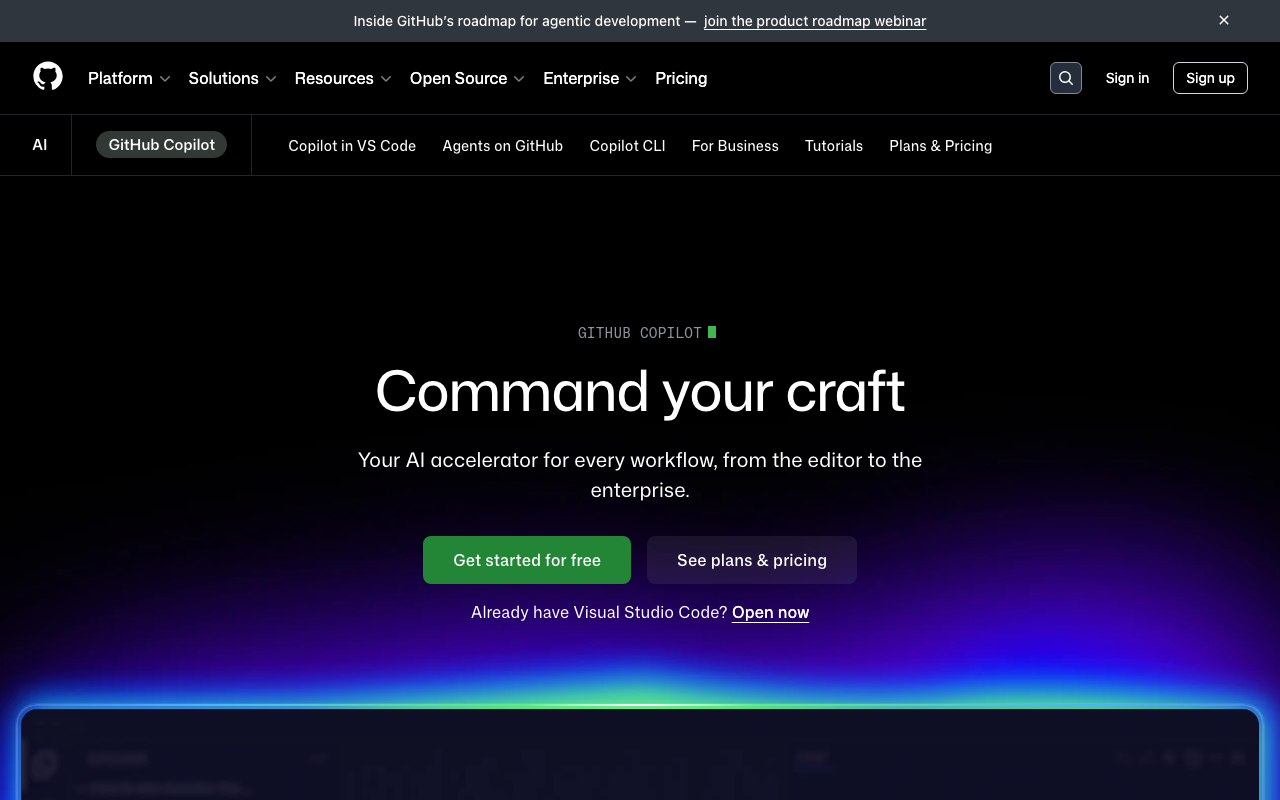
GitHub Copilot is primarily known as an AI code completion tool, but its code review capabilities have expanded significantly. Copilot can now review pull requests on GitHub, leaving inline comments and suggestions similar to dedicated AI review tools.
JavaScript-specific strengths:
Copilot’s code review benefits from the same training data that powers its code completion - meaning it has deep exposure to JavaScript, TypeScript, React, Vue, Angular, Express, Next.js, and essentially every popular JS framework and library. When reviewing a React component, it draws on patterns from millions of React codebases to identify anti-patterns.
Copilot’s review integrates natively into GitHub’s pull request interface with no additional app installation required (for teams already using Copilot). It generates PR summaries, leaves inline suggestions with one-click apply, and can answer questions about the code in a conversational chat interface within the PR.
However, Copilot’s review is less configurable than dedicated tools like CodeRabbit. You cannot provide custom review instructions in a YAML file, define project-specific rules, or fine-tune its behavior for your team’s conventions. It is a general-purpose AI reviewer rather than a specialized code review tool.
Pricing: Free for open-source maintainers and verified students. Individual at $10/month. Business at $19/user/month. Enterprise at $39/user/month.
Best for: Teams already using GitHub Copilot for code completion who want AI review without adding another tool to their stack.
PR-Agent - best self-hosted option for JavaScript teams
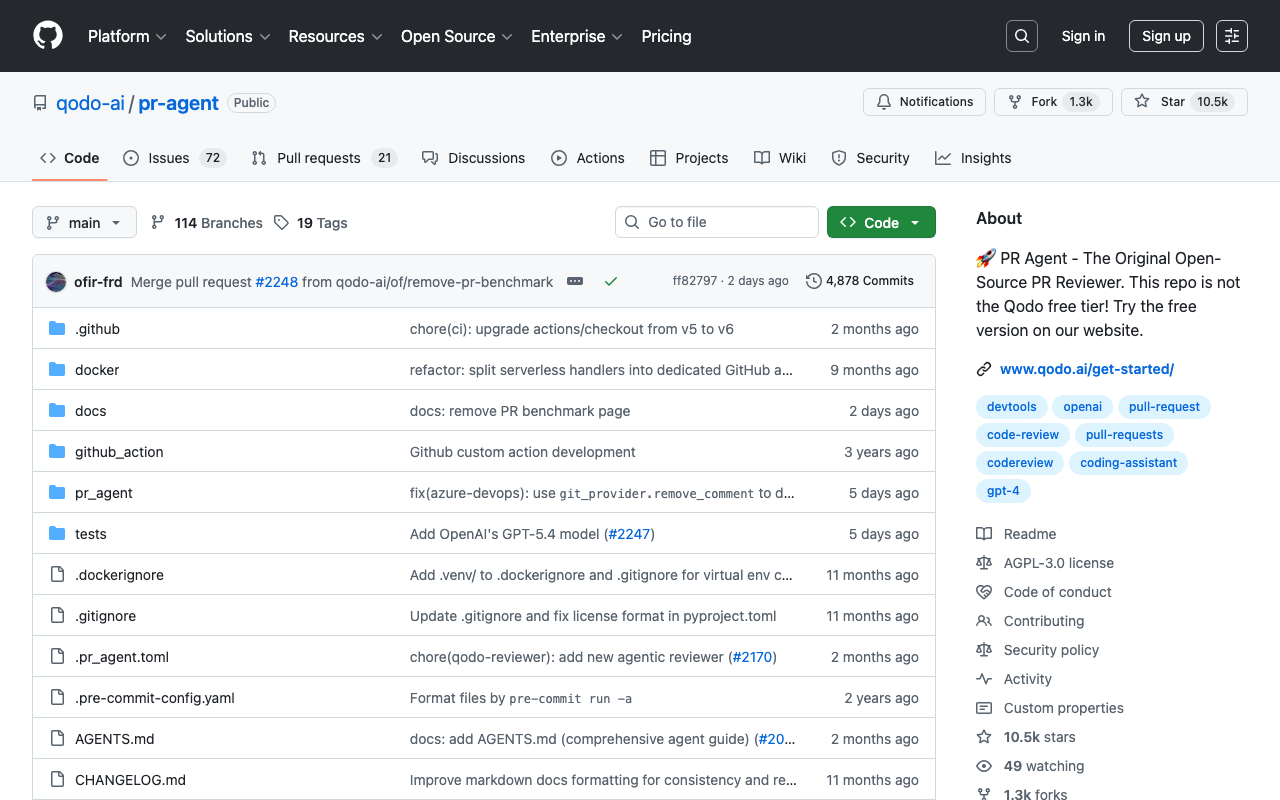
PR-Agent is an open-source AI code review tool by Qodo that you can self-host with your own LLM API keys. For JavaScript teams at companies with strict data governance policies - where sending source code to a third-party service is not allowed - PR-Agent is the best available option.
JavaScript-specific setup:
PR-Agent can be configured to understand your JavaScript project structure through custom prompts. You can instruct it to focus on React-specific patterns, Node.js security issues, or TypeScript strictness depending on your project type:
# .pr_agent.toml
[pr_reviewer]
extra_instructions = """
Focus on:
- React hooks rules and dependency array correctness
- Unhandled promise rejections and missing await keywords
- TypeScript 'any' usage and type assertion abuse
- Node.js security: input validation, SQL injection, path traversal
- npm package imports that could be replaced with native APIs
"""
Because PR-Agent is open source, you have full control over which LLM it uses. Teams can choose between OpenAI GPT-4o, Anthropic Claude, or even self-hosted open-source models for complete data isolation.
Pricing: Free (self-hosted, you pay LLM API costs). Hosted version (Qodo Merge) at $30/user/month.
Best for: JavaScript teams at organizations that cannot send code to third-party review services. Also good for teams that want to customize AI review behavior at the prompt level.
Ellipsis - lightweight AI review with strong JS defaults
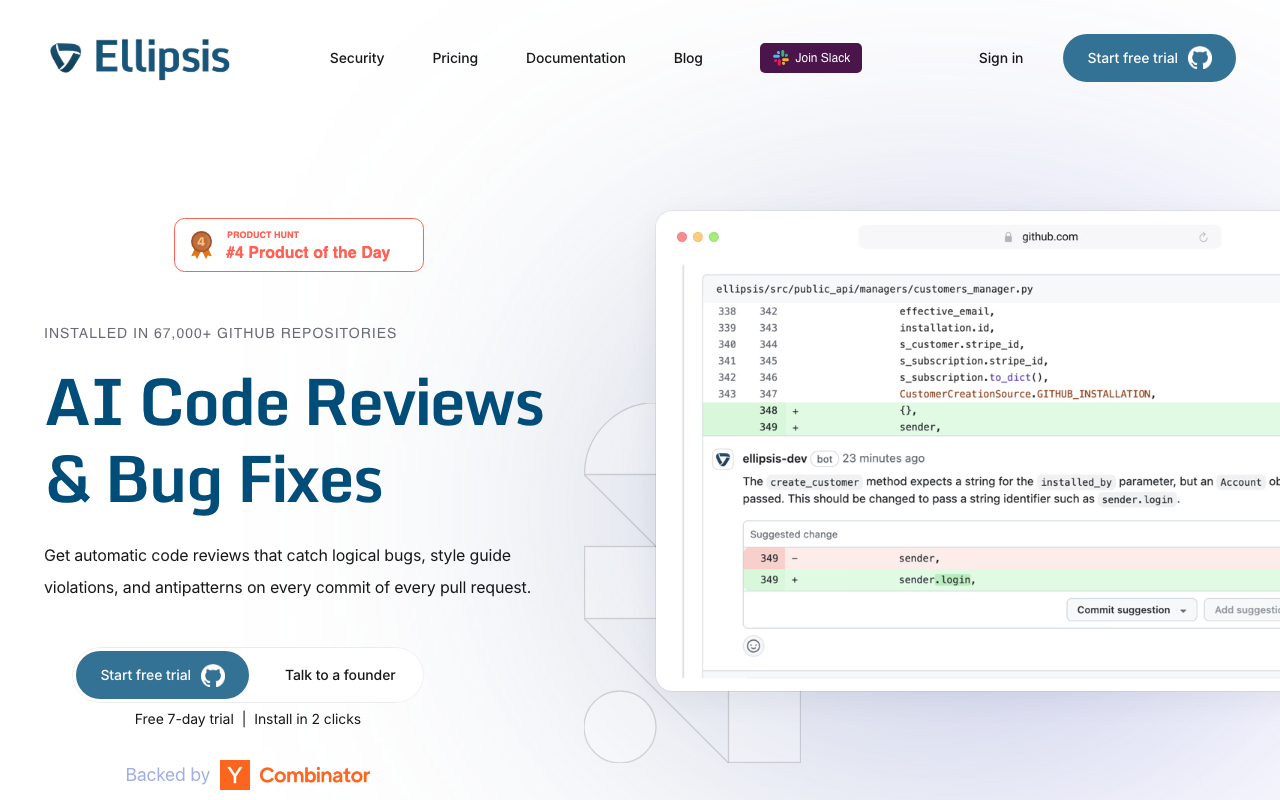
Ellipsis provides AI-powered code review that aims for low noise and high relevance. It generates PR summaries, leaves inline review comments, and can enforce custom review rules - all with a focus on developer experience and minimal false positives.
JavaScript-specific behavior:
Ellipsis has built-in understanding of JavaScript and TypeScript patterns. It identifies common issues like missing error boundaries in React component trees, incorrect useEffect cleanup functions, and Express route handlers that do not properly sanitize user input. The tool supports custom review rules defined in a configuration file, letting you codify your team’s JavaScript conventions.
Ellipsis is designed to be less noisy than some competitors. Rather than commenting on every possible improvement, it focuses on issues that are likely to cause bugs or security vulnerabilities. For JavaScript teams that have been burned by overly chatty AI reviewers, this restraint is valuable.
Pricing: Free tier available. Pro at $20/user/month.
Best for: Small JavaScript teams that want AI review without the noise. Good for teams evaluating AI review for the first time who want a gentle introduction.
Static analysis and code quality platforms
These tools go beyond linting to provide deeper analysis - tracking technical debt, enforcing quality gates, measuring code coverage, and detecting complex bug patterns across files.
SonarQube - deepest rule-based JavaScript analysis

SonarQube provides the most comprehensive rule-based static analysis for JavaScript and TypeScript. With over 700 JavaScript/TypeScript-specific rules, it covers code quality, reliability, security, and maintainability in depth that no other tool matches.
JavaScript-specific rules worth knowing:
SonarQube’s JavaScript analyzer understands framework patterns. It has rules for React (S6478 - no JSX in class component render methods, S6481 - no unstable nested components), Vue (template syntax validation), and Node.js (proper stream handling, correct event emitter usage). The security rules cover OWASP Top 10 for JavaScript - XSS prevention, SQL injection detection, insecure cookie configuration, and more.
The quality gate feature is particularly useful for JavaScript projects where code quality tends to degrade over time due to rapid iteration. You can require that every PR maintains a minimum coverage threshold, introduces no new security vulnerabilities, and keeps code duplication below a defined percentage:
# sonar-project.properties
sonar.projectKey=my-js-project
sonar.sources=src
sonar.tests=tests
sonar.javascript.lcov.reportPaths=coverage/lcov.info
sonar.typescript.tsconfigPaths=tsconfig.json
sonar.qualitygate.wait=true
Trade-off for JavaScript teams: SonarQube’s self-hosted model requires DevOps overhead (JVM, PostgreSQL, Elasticsearch). For JavaScript teams that are used to zero-config tools like Biome, this setup feels heavy. SonarQube Cloud eliminates the hosting burden but uses LOC-based pricing. For many JavaScript projects - which tend to be smaller than enterprise Java codebases - the Cloud pricing is reasonable.
Pricing: Free Community Build (limited). Cloud from ~$13/month. Self-hosted Developer Edition from ~$2,500/year.
Best for: JavaScript teams with compliance requirements, teams that need quality gate enforcement, and organizations that track code quality metrics over time.
DeepSource - lowest false positive rate for JavaScript
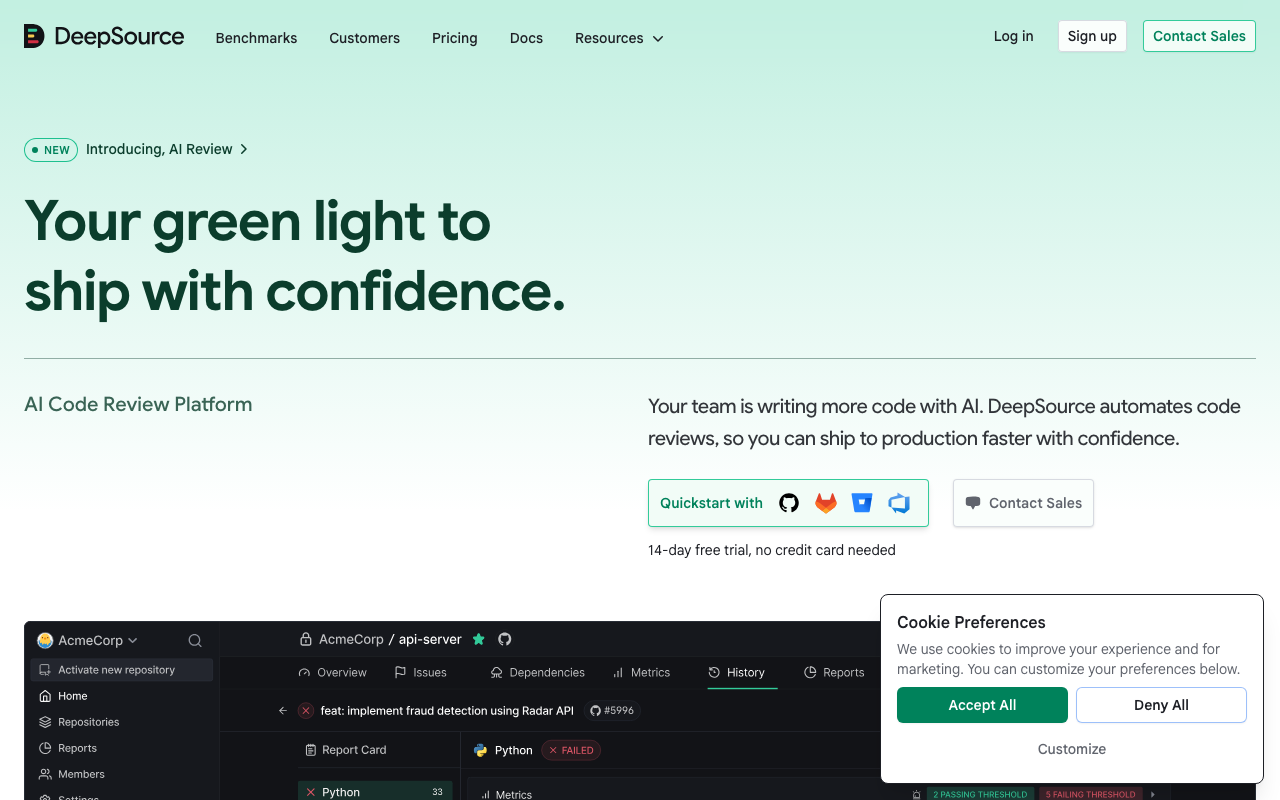
DeepSource has built its reputation on signal quality - its sub-5% false positive rate means that when it flags something in your JavaScript or TypeScript code, it is almost certainly a real issue. For teams that have been burned by noisy tools generating dozens of irrelevant comments per PR, this precision is the primary selling point.
JavaScript and TypeScript analysis:
DeepSource’s JavaScript analyzer covers both vanilla JS and TypeScript with native support for .js, .jsx, .ts, and .tsx files. Its analysis rules span security vulnerabilities (XSS, injection, prototype pollution), reliability issues (null dereferences, race conditions, resource leaks), and code quality concerns (complexity, dead code, improper error handling).
The five-dimension PR report card - Security, Reliability, Complexity, Hygiene, and Coverage - provides a structured view of every pull request. For JavaScript teams, the Complexity dimension is especially useful because JavaScript codebases tend to accumulate deeply nested callback chains and overly complex conditional logic that other tools do not flag explicitly.
DeepSource’s Autofix AI generates one-click fixes for the majority of detected issues. For JavaScript, these fixes are context-aware - they respect your project’s import style, semicolon preference, and module system (CommonJS vs ESModules).
Pricing: Free for individual developers. Team plan at $30/user/month.
Best for: JavaScript teams that prioritize signal quality over rule quantity. Particularly strong for TypeScript projects where the combination of type checking and DeepSource analysis catches a very high percentage of real bugs.
Codacy - all-in-one platform for JavaScript teams
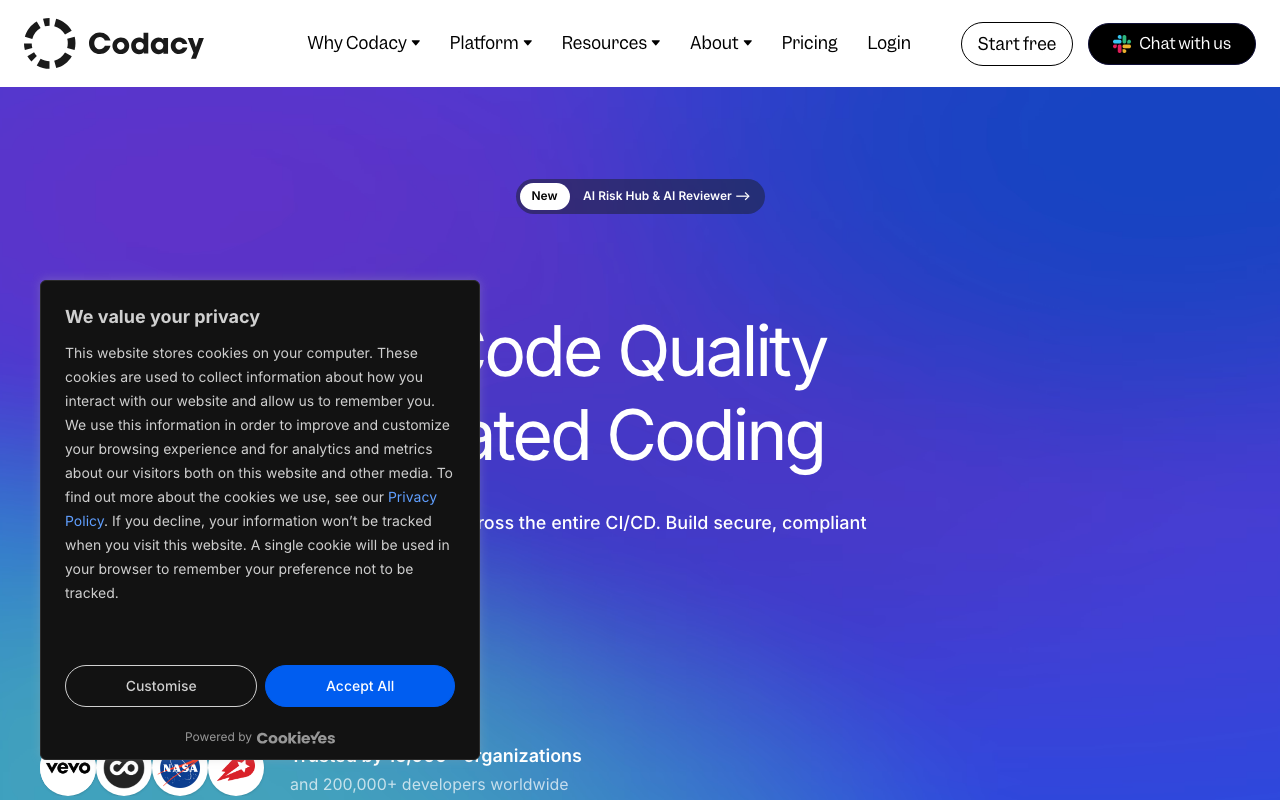
Codacy combines code quality analysis, security scanning (SAST, SCA, secrets detection), and coverage tracking into a single platform that supports 49 languages - including comprehensive JavaScript and TypeScript coverage.
JavaScript-specific features:
Codacy runs multiple analysis engines on your JavaScript code simultaneously. It integrates ESLint, PMD, and its own custom analyzers to provide broad issue detection. For security, it includes SAST scanning that catches XSS, injection, and authentication flaws, plus SCA scanning that checks your package.json and package-lock.json for dependencies with known vulnerabilities.
The AI Guardrails IDE extension is particularly relevant for JavaScript teams in 2026. As more developers use AI coding assistants to generate JavaScript code, Guardrails scans that AI-generated code in real time within VS Code, Cursor, and Windsurf - catching security issues and code quality problems before they enter a pull request.
Codacy’s coverage integration works with Istanbul/nyc (the standard JavaScript coverage tool), Jest, Vitest, and other JS test frameworks. You can set minimum coverage thresholds per PR and track coverage trends over time.
Pricing: Free tier (limited repos). Pro at $15/user/month.
Best for: Small to mid-size JavaScript teams that want code quality, security scanning, and coverage tracking in a single subscription at a reasonable price point.
Qlty - fast polyglot analysis with JavaScript support
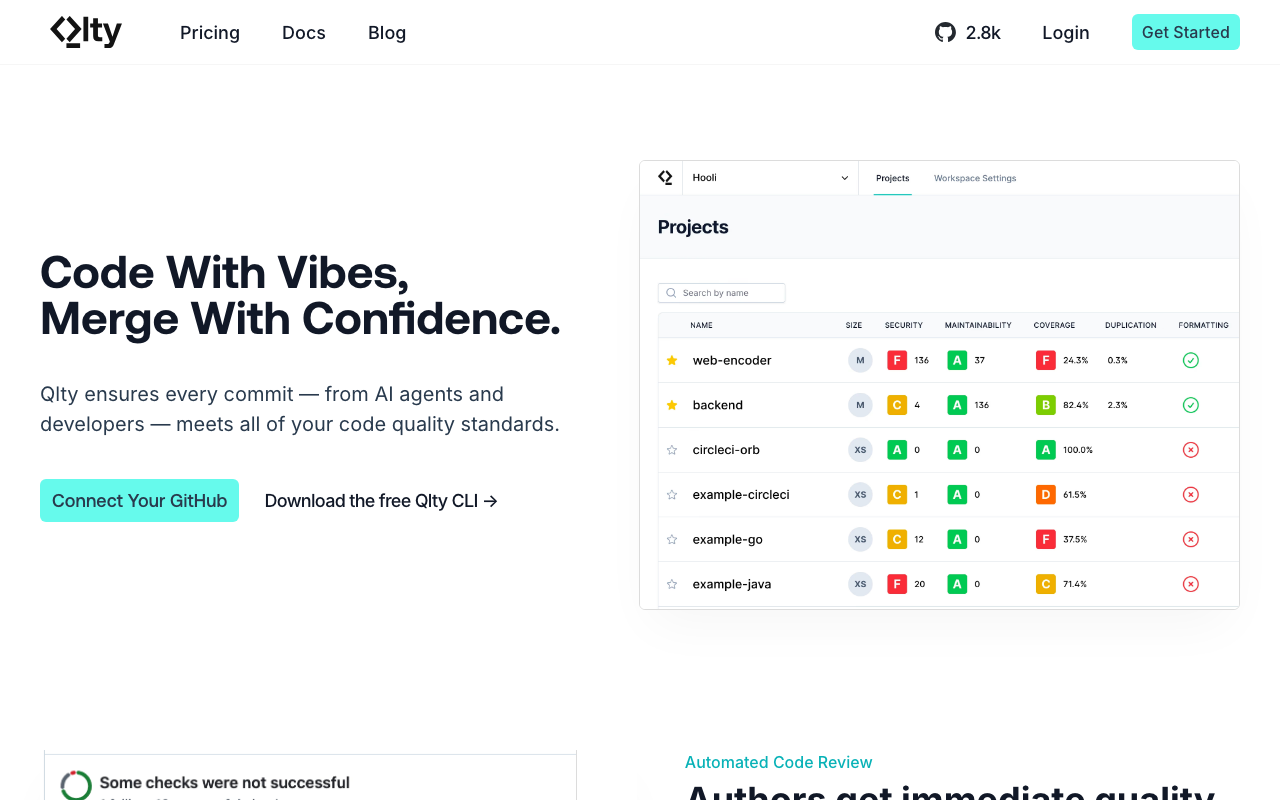
Qlty (pronounced “quality”) is a code quality platform that aggregates results from multiple analysis engines into a unified interface. For JavaScript teams, it runs ESLint, Biome, and other analyzers under the hood, normalizing their output into consistent findings.
JavaScript-specific behavior:
Qlty’s approach is to orchestrate best-of-breed tools rather than build its own analysis engine. For a JavaScript project, it might run Biome for formatting checks, ESLint with TypeScript rules for lint analysis, and Semgrep for security scanning - all in a single pass with unified reporting. This means you get the depth of each specialized tool without managing multiple configurations and CI steps yourself.
The Qlty CLI is free for commercial use and runs locally or in CI. The cloud platform adds PR decoration, trend tracking, and team dashboards.
Pricing: Free CLI. Cloud pricing is custom.
Best for: JavaScript teams that want to run multiple analysis tools without the overhead of managing each one individually. Particularly useful for polyglot teams where JavaScript is one of several languages in the codebase.
Qodana - JetBrains-powered JavaScript analysis
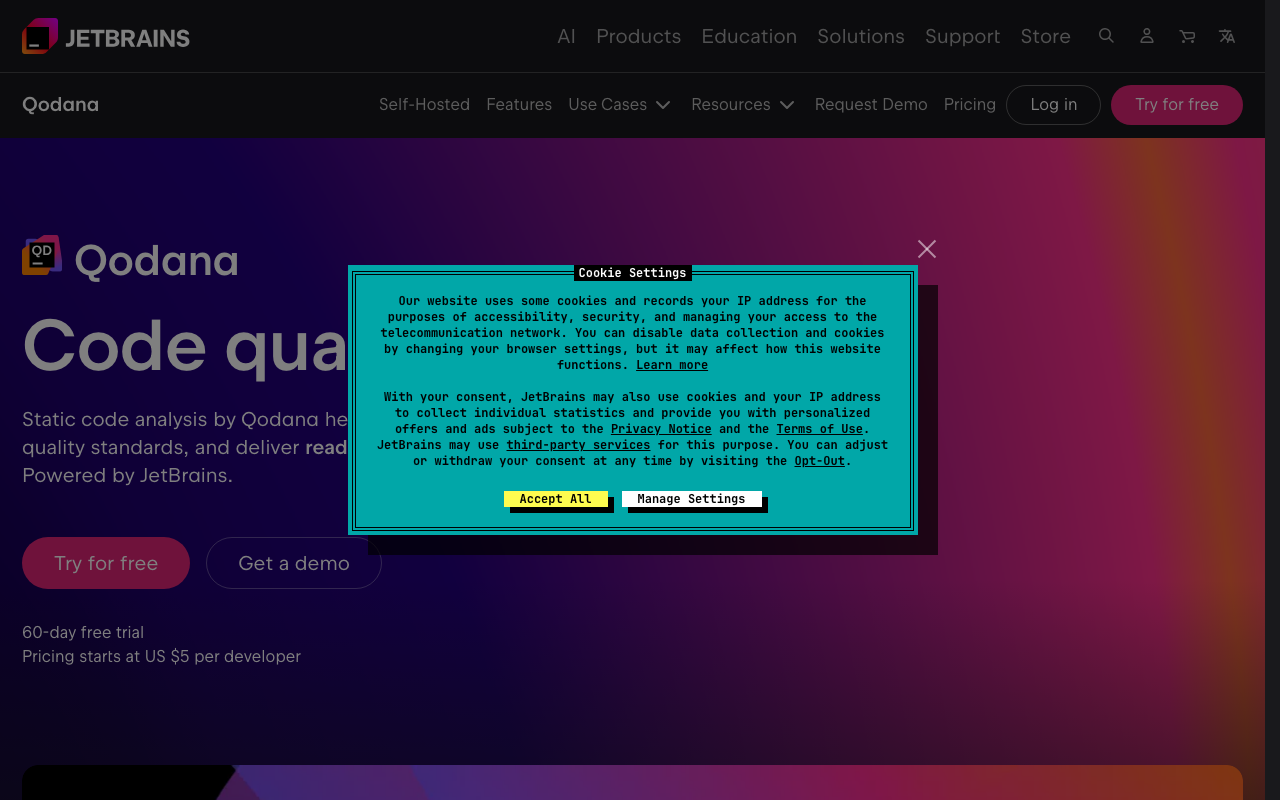
Qodana brings JetBrains’ code inspection engine - the same one that powers WebStorm’s real-time analysis - into a CI/CD pipeline tool. If you have ever used WebStorm and appreciated its deep JavaScript understanding, Qodana gives you that same analysis on every pull request.
JavaScript-specific inspections:
Qodana inherits WebStorm’s 2,500+ JavaScript and TypeScript inspections. These go beyond typical lint rules - WebStorm’s analyzer understands control flow, data flow, and type narrowing at a level that standalone linters cannot match. It catches issues like:
- Variables that are always null at a specific usage point
- Redundant conditional checks based on type narrowing
- Unreachable code paths after type guards
- Incorrect TypeScript generic constraints
- React component prop type mismatches across file boundaries
Qodana also supports JetBrains’ qodana.yaml configuration for customizing which inspections run and setting baseline thresholds.
Pricing: Free Community tier. Ultimate at $6/contributor/month.
Best for: Teams that already use JetBrains IDEs (WebStorm, IntelliJ) and want to enforce the same inspection rules in CI. The $6/contributor/month price point makes it one of the cheapest paid options.
Security scanning for JavaScript and Node.js
JavaScript applications face unique security threats. Browser-side code is vulnerable to XSS, CSRF, and client-side injection. Node.js servers face the same threats as any backend - plus JavaScript-specific issues like prototype pollution, regex denial of service (ReDoS), and npm supply chain attacks. This section covers tools purpose-built for JavaScript security.
Semgrep - best custom security rules for JavaScript
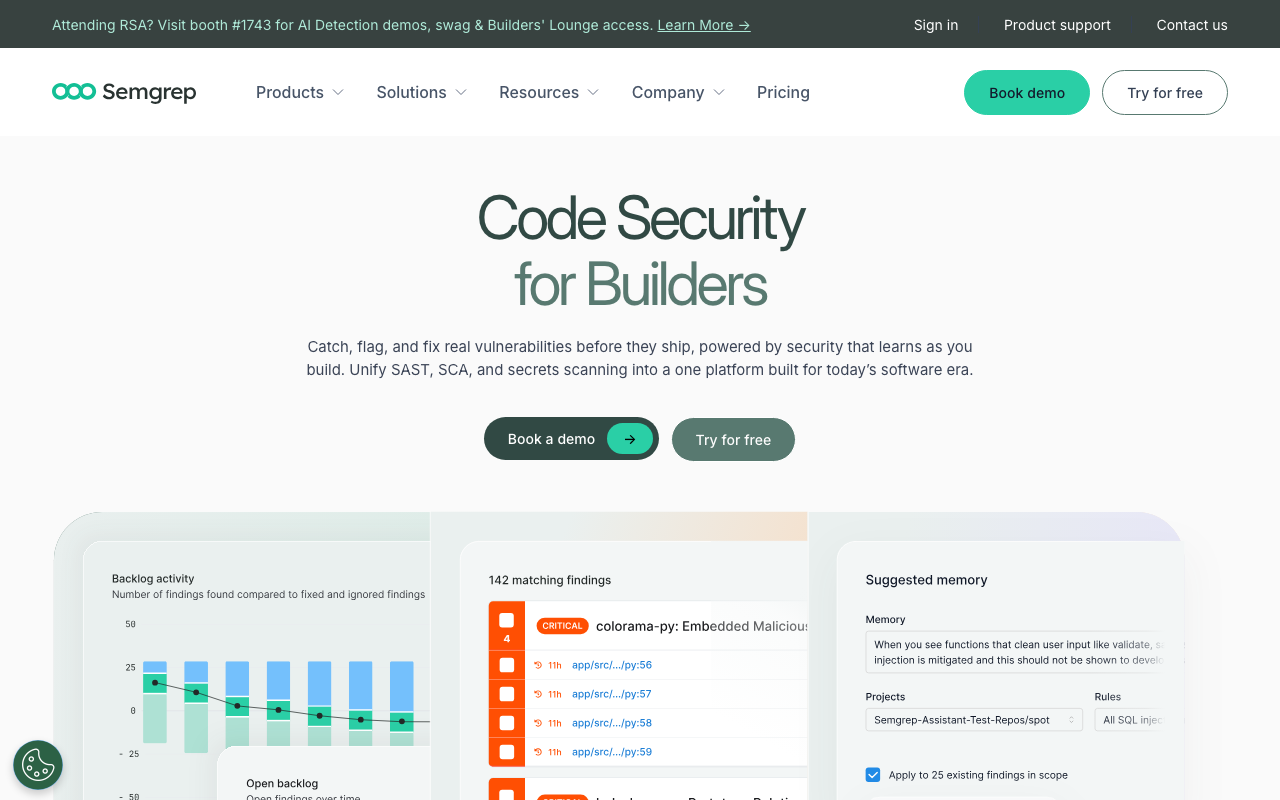
Semgrep provides over 1,000 JavaScript and TypeScript-specific security rules covering OWASP Top 10 vulnerabilities, common Node.js security issues, and framework-specific patterns for React, Express, and Next.js.
JavaScript-specific security rules:
Semgrep’s rule syntax is particularly intuitive for JavaScript developers because rules are written in a pattern that resembles the code being analyzed. Here is an example of a custom Semgrep rule that catches unvalidated Express route parameters:
rules:
  - id: express-unvalidated-param
    pattern: |
      app.$METHOD($PATH, (req, res) => {
        ...
        $DB_CALL(..., req.params.$PARAM, ...)
        ...
      })
    message: "Route parameter used in database query without validation"
    severity: ERROR
    languages: [javascript, typescript]
    metadata:
      category: security
      owasp: "A03:2021 - Injection"
The Pro engine adds cross-file taint analysis for JavaScript. It traces user input from Express req.body, req.params, and req.query through intermediate function calls to dangerous sinks like database queries, file system operations, and HTML rendering. This catches injection vulnerabilities that span multiple files - the kind that single-file linters always miss.
Semgrep also provides rules for React security issues:
- Detecting
dangerouslySetInnerHTMLwith unsanitized input - Catching
eval()andFunction()constructor usage - Identifying insecure
postMessagehandlers without origin validation - Flagging
window.locationmanipulation based on user input
Pricing: Free for up to 10 contributors. Team at $35/contributor/month.
Best for: JavaScript teams that need custom security rules tailored to their application. DevSecOps teams that want fast CI scanning (median 10 seconds) without slowing down developer workflows.
Snyk Code - deepest cross-file security analysis for Node.js
Snyk Code provides cross-file dataflow analysis that is specifically tuned for JavaScript and Node.js applications. Its DeepCode AI engine traces vulnerability paths across multiple function calls and files - catching security issues that per-file tools cannot detect.
JavaScript and Node.js specific capabilities:
Snyk Code’s analysis goes deep on the vulnerability types that matter most for Node.js applications:
- Prototype pollution - Traces object property assignment chains to detect prototype pollution attacks, which are unique to JavaScript and can lead to remote code execution
- Path traversal - Follows user input through file system operations to detect directory traversal vulnerabilities in file upload and download handlers
- Server-side request forgery (SSRF) - Identifies cases where user input controls outbound HTTP request URLs, common in Node.js API gateway patterns
- SQL injection - Traces user input through ORM calls (Prisma, Sequelize, TypeORM, Knex) to detect injection even when queries are built dynamically across helper functions
- XSS in server-rendered HTML - Detects cases where user input flows into server-rendered templates (EJS, Pug, Handlebars) without proper escaping
Beyond SAST, Snyk’s platform includes SCA scanning that checks your package.json dependencies against Snyk’s vulnerability database - one of the most comprehensive and timely databases of npm package vulnerabilities available. The reachability analysis feature is particularly valuable for JavaScript: it analyzes whether your code actually calls the vulnerable function in a dependency, filtering out the majority of SCA findings that are technically present but not exploitable.
Pricing: Free for 1 user (limited scans). Team at $25/dev/month.
Best for: Node.js backend teams and full-stack JavaScript teams where security is a primary concern. The combination of SAST and SCA in one platform covers both first-party code vulnerabilities and third-party dependency risks.
npm audit and dependency scanning
Beyond SAST tools, JavaScript teams need dedicated dependency vulnerability scanning. The npm ecosystem’s depth (a typical project pulls in 500-1,500 transitive dependencies) creates a large attack surface.
Built-in options:
npm audit- Built into npm since version 6. Checks your dependency tree against the GitHub Advisory Database. Free and zero-configuration. Runnpm auditlocally ornpm audit --audit-level=highin CI to fail builds on high-severity vulnerabilities.pnpm auditandyarn audit- Equivalent commands for pnpm and Yarn package managers.
Limitations of npm audit: The advisory database has coverage gaps, severity ratings are sometimes inaccurate, and the tool generates significant noise from vulnerabilities in development-only dependencies that never reach production. Many teams end up ignoring npm audit because it cries wolf too often.
Better alternatives:
- Snyk SCA (part of Snyk Code) - More accurate severity ratings, reachability analysis to filter non-exploitable vulnerabilities, and automatic fix PRs that bump vulnerable dependencies to patched versions.
- Socket - Focuses specifically on npm supply chain attacks: typosquatting, dependency confusion, install scripts that exfiltrate data, and packages that suddenly add suspicious behavior. Socket catches the kind of attacks that vulnerability databases miss because they are not CVE-based.
- Renovate and Dependabot - Automated dependency update tools that keep your packages current. Not security-specific, but keeping dependencies up to date is the single most effective defense against known vulnerabilities.
Recommended CI setup for npm security:
# GitHub Actions - dependency security check
- name: npm audit
  run: npm audit --audit-level=high --omit=dev

- name: Check for known vulnerable packages
  run: npx is-website-vulnerable || true  # optional, for frontend builds
Framework-specific code review considerations
Different JavaScript frameworks have different pitfalls. The review tools you choose and the rules you configure should reflect your specific framework.
React
React is the most popular JavaScript framework, and its component model, hooks system, and JSX syntax create unique review concerns.
Common React bugs that review tools should catch:
- Stale closures in useEffect - When a
useEffectcallback references a state variable but does not include it in the dependency array, the callback sees stale values. This is the most common React bug and the hardest to debug.
// Bug: count is stale inside the interval
useEffect(() => {
  const id = setInterval(() => {
    setCount(count + 1); // Always uses initial count value
  }, 1000);
  return () => clearInterval(id);
}, []); // Missing 'count' in dependency array-
Missing cleanup in useEffect - Effects that create subscriptions, timers, or event listeners without returning a cleanup function cause memory leaks. This is especially problematic in single-page applications where components mount and unmount frequently.
-
Unnecessary re-renders - Passing new object or array references as props on every render causes child components to re-render even when the data has not changed. Tools like
eslint-plugin-react-hookscatch some cases, but AI reviewers are better at identifying complex re-render chains. -
Server/client mismatches in Next.js - Next.js App Router introduces server components and client components with strict boundaries. Using
useStateoruseEffectin a server component, or importing a server-only module in a client component, causes build-time or hydration errors that are confusing to debug.
Recommended React review tools:
- ESLint with
eslint-plugin-react-hooks(or Biome’s built-in hooks rules) for deterministic hook rule enforcement - TypeScript strict mode to catch prop type mismatches
- CodeRabbit or Greptile for AI review that understands React patterns
- Semgrep for React-specific security rules (XSS via
dangerouslySetInnerHTML, insecurepostMessage)
Vue
Vue 3 with the Composition API has its own set of review concerns that differ from React.
Common Vue bugs:
-
Reactivity loss - Destructuring reactive objects breaks reactivity in Vue.
const { count } = reactive({ count: 0 })creates a non-reactivecountvariable. This is the Vue equivalent of React’s stale closure problem. -
Missing
ref()unwrapping in templates - Vue automatically unwraps refs in templates, but not in JavaScript. Forgetting.valuein<script setup>blocks causes subtle bugs. -
Incorrect
v-forkey usage - Using array index as a key inv-forcauses incorrect DOM updates when list items are reordered or deleted.
Recommended Vue review tools:
- ESLint with
eslint-plugin-vuefor template and Composition API rules - TypeScript with Vue’s type-checking (vue-tsc) for component prop validation
- CodeRabbit for AI review with Vue-aware analysis
- SonarQube has Vue template analysis rules
Angular
Angular’s TypeScript-first approach and dependency injection system create different concerns.
Common Angular bugs:
-
Memory leaks from unsubscribed Observables - Angular’s heavy use of RxJS means developers must manually unsubscribe from Observables in
ngOnDestroyor use patterns liketakeUntilDestroyed()or theasyncpipe. -
Circular dependency injection - Angular’s DI system can create circular dependencies that cause runtime errors. These are hard to catch without cross-file analysis.
-
Change detection issues - Using
OnPushchange detection incorrectly causes components to not update when data changes. Mutating objects instead of creating new references is the typical cause.
Recommended Angular review tools:
- ESLint with
@angular-eslint/eslint-pluginfor Angular-specific rules - TypeScript strict mode (Angular requires TypeScript by default)
- Greptile for cross-file analysis that catches circular DI issues
- SonarQube or DeepSource for broad code quality analysis
Node.js (Express, Fastify, NestJS)
Backend JavaScript has a different threat model than frontend code.
Common Node.js security and reliability issues:
-
Unhandled promise rejections - Node.js terminates the process on unhandled promise rejections (as of Node 15+). Every async code path needs error handling.
-
Event loop blocking - Synchronous file operations, CPU-intensive computation, or large JSON parsing on the main thread blocks the event loop and makes the server unresponsive.
-
Insecure deserialization - Parsing user-provided JSON without validation (especially with
eval,new Function, orJSON.parseon untrusted input used to construct objects) can lead to prototype pollution or code injection. -
Missing rate limiting and input validation - Express does not provide built-in rate limiting or input validation. Every route handler needs explicit validation (Zod, Joi, or class-validator) and rate limiting middleware.
-
Path traversal in file operations - Using user input to construct file paths without sanitization allows directory traversal attacks:
fs.readFile('/uploads/' + req.params.filename)is vulnerable iffilenameis../../etc/passwd.
Recommended Node.js review tools:
- ESLint with
eslint-plugin-securityandeslint-plugin-nfor Node.js-specific rules - Semgrep with Node.js security rulesets for deep taint analysis
- Snyk Code for cross-file dataflow security analysis
- CodeRabbit with custom instructions focused on error handling and input validation
Next.js
Next.js deserves separate mention because it bridges frontend and backend JavaScript in a single framework, creating unique review challenges.
Next.js-specific review concerns:
-
Server Actions security - Next.js Server Actions execute on the server but are callable from the client. Every Server Action must validate its arguments as if it were an API endpoint - because it is one. Review tools should catch Server Actions that trust client-provided data without validation.
-
Data exposure in Server Components - Server Components can directly access databases and environment variables. But if a Server Component passes sensitive data to a Client Component via props, that data is serialized into the HTML payload and visible in the browser. Review should catch database records or API keys being passed to client boundaries.
-
Middleware security - Next.js middleware runs on the Edge Runtime with limited Node.js APIs. Security logic in middleware that accidentally uses unavailable APIs fails silently, potentially bypassing authentication checks.
-
ISR and caching bugs - Incorrect
revalidateconfiguration or stale cache invalidation can serve outdated data to users. This is a logic error that only AI reviewers can realistically catch.
Recommended Next.js review tools:
- TypeScript strict mode (Next.js has excellent TypeScript integration)
- Biome or ESLint with React and import plugins
- CodeRabbit with Next.js-specific review instructions
- Semgrep for Server Action input validation rules
Recommended JavaScript/TypeScript code review stack
Based on our analysis, here are recommended tool combinations for different team sizes and priorities.
Small team (1-5 developers, budget-conscious)
| Layer | Tool | Cost |
|---|---|---|
| Linting + Formatting | Biome | Free |
| Type Checking | TypeScript strict mode | Free |
| AI Review | CodeRabbit (free tier) | Free |
| Dependency Scanning | npm audit | Free |
| Total | Free |
This stack costs nothing and catches the majority of JavaScript issues. Biome handles formatting and basic lint rules instantly. TypeScript catches type-level bugs. CodeRabbit’s free tier provides unlimited AI reviews on every PR. And npm audit covers dependency vulnerabilities.
Mid-size team (5-20 developers)
| Layer | Tool | Cost |
|---|---|---|
| Linting + Formatting | Biome + ESLint (type-checked rules only) | Free |
| Type Checking | TypeScript strict mode | Free |
| AI Review | CodeRabbit Pro | $24/user/mo |
| Code Quality | Codacy or DeepSource | $15-30/user/mo |
| Security | Semgrep (free for 10 contributors) | Free |
| Total (10 devs) | $390-$540/mo |
At this scale, adding a code quality platform gives you coverage tracking, quality gates, and trend reporting that free tools do not provide. Semgrep’s free tier covers security scanning for up to 10 contributors. CodeRabbit Pro adds advanced AI review features.
Large team (20-50+ developers)
| Layer | Tool | Cost |
|---|---|---|
| Linting + Formatting | Biome + ESLint (type-checked rules only) | Free |
| Type Checking | TypeScript strict mode | Free |
| AI Review | CodeRabbit Pro or Greptile | $24-30/user/mo |
| Static Analysis | SonarQube Cloud or Qodana | $6-13/user/mo |
| Security SAST | Snyk Code or Semgrep | $25-35/user/mo |
| Dependency SCA | Snyk SCA or Socket | Included with Snyk / custom |
| Total (30 devs) | $1,650-$2,340/mo |
Larger teams benefit from layered tools - each catching different issue types. SonarQube or Qodana provides deterministic rule enforcement and quality gates. Snyk or Semgrep covers security at depth. CodeRabbit or Greptile adds AI-powered semantic review. The total cost is substantial but pays for itself if it prevents even one production incident per quarter.
CI/CD integration example
Here is a complete GitHub Actions workflow that runs the recommended JavaScript review stack:
name: Code Review Pipeline
on:
  pull_request:
    branches: [main, develop]

jobs:
  lint-and-type-check:
    runs-on: ubuntu-latest
    steps:
      - uses: actions/checkout@v4
      - uses: actions/setup-node@v4
        with:
          node-version: '22'
          cache: 'npm'
      - run: npm ci

      - name: Biome check
        run: npx @biomejs/biome check .

      - name: TypeScript type check
        run: npx tsc --noEmit

      - name: ESLint (type-checked rules only)
        run: npx eslint . --max-warnings 0

  security:
    runs-on: ubuntu-latest
    steps:
      - uses: actions/checkout@v4
      - uses: actions/setup-node@v4
        with:
          node-version: '22'
          cache: 'npm'
      - run: npm ci

      - name: npm audit
        run: npm audit --audit-level=high --omit=dev

      - name: Semgrep scan
        uses: semgrep/semgrep-action@v1
        with:
          config: >-
            p/javascript
            p/typescript
            p/react
            p/nodejs

  test-and-coverage:
    runs-on: ubuntu-latest
    steps:
      - uses: actions/checkout@v4
      - uses: actions/setup-node@v4
        with:
          node-version: '22'
          cache: 'npm'
      - run: npm ci

      - name: Run tests with coverage
        run: npx vitest run --coverage

      - name: Upload coverage
        uses: actions/upload-artifact@v4
        with:
          name: coverage
          path: coverage/

  # AI review (CodeRabbit) runs automatically via GitHub App
  # SonarQube/Codacy run automatically via their GitHub integrations
This pipeline runs lint, type checking, security scanning, and tests in parallel. AI review from CodeRabbit (or whichever tool you choose) runs automatically via its GitHub App integration - no workflow step required. Quality platforms like SonarQube and Codacy similarly integrate via their own GitHub Apps with PR decoration.
Common mistakes in JavaScript code review setups
Running ESLint and Biome on the same rules. If you use both tools, configure them to handle different concerns. Let Biome handle formatting and basic lint rules (it is faster). Keep ESLint only for type-checked rules and framework-specific plugins that Biome does not support. Running both tools on overlapping rules wastes CI time and creates conflicting error messages.
Ignoring TypeScript strict mode. Many teams adopt TypeScript but leave strict mode disabled, getting the worst of both worlds - the overhead of type annotations without the safety guarantees. Enable strict: true in tsconfig.json and add noUncheckedIndexedAccess for the most impactful safety improvement you can make.
Not configuring framework-specific rules. Default ESLint or Biome configurations do not include React hooks rules, Vue template rules, or Angular-specific checks. You must explicitly add the relevant plugins and enable the rules. The default setup catches generic JavaScript issues but misses the framework-specific bugs that cause the most real-world problems.
Treating npm audit failures as blocking without filtering. A naive npm audit check in CI will fail constantly because of vulnerabilities in dev-only dependencies that never reach production. Use --omit=dev to focus on production dependencies, and consider tools like Snyk or Socket that provide better signal-to-noise than raw npm audit.
Not scanning AI-generated code. In 2026, a significant percentage of JavaScript code is AI-generated via Copilot, Cursor, Claude, and similar tools. AI code generation is fast but not infallible - it produces code with security vulnerabilities, uses deprecated APIs, and introduces patterns that are plausible but incorrect. Every AI-generated line should pass the same review pipeline as human-written code. Tools like Codacy’s AI Guardrails specifically address this.
Over-relying on a single tool category. Linters catch syntax and pattern issues. Type checkers catch type mismatches. AI reviewers catch logic errors. Security scanners catch vulnerabilities. No single tool covers all four categories well. The strongest review setups layer tools from different categories rather than expecting one tool to do everything.
Skipping the evaluation period for AI tools. AI code review quality varies significantly by project type, framework, and coding style. A tool that produces excellent results on a React SPA might generate noise on a Node.js microservice. Install any AI tool on a trial basis, run it for two weeks on real PRs, and measure whether developers actually find the comments useful before committing to a paid plan.
How JavaScript code review will evolve
The JavaScript code review landscape is moving fast. Several trends are worth watching:
Biome’s plugin ecosystem will challenge ESLint’s dominance. As Biome adds more framework-specific rules and its plugin system matures, the performance gap between Biome and ESLint will become increasingly hard to justify. Teams that have not started evaluating Biome should do so now.
AI review tools will become framework-aware by default. Current AI reviewers treat JavaScript as a generic language and sometimes catch framework patterns. Within the next year, expect tools to detect your framework automatically and adjust their review behavior - understanding React Server Components, Vue reactivity, Angular signals, and Svelte runes natively.
Security scanning will shift left further. Tools like Snyk Code and Semgrep are already fast enough to run in IDEs. The trend is toward catching security issues as developers type rather than after they push - reducing the feedback loop from hours (CI) to seconds (IDE).
Supply chain security will become non-negotiable. The frequency and sophistication of npm supply chain attacks continues to increase. Dependency scanning that was once optional is becoming a hard requirement for any professional JavaScript project.
Conclusion
JavaScript and TypeScript projects need a layered code review approach that no single tool provides. The foundation is a fast linter (Biome or ESLint), strict TypeScript configuration, and basic dependency scanning. On top of that, AI reviewers like CodeRabbit or Greptile catch semantic issues that rules cannot express. Security scanners like Semgrep and Snyk Code detect vulnerabilities across file boundaries. And quality platforms like SonarQube, DeepSource, or Codacy provide the trend tracking and quality gates that keep codebases healthy over time.
The most important step is starting. A free stack of Biome, TypeScript strict mode, CodeRabbit free tier, and npm audit catches more bugs than most teams currently detect - and costs nothing. From there, add tools as your team grows and your review needs become clearer.
Every tool in this guide supports JavaScript and TypeScript. The differences are in depth, speed, noise level, and price. Choose based on your specific framework, team size, and primary concern - whether that is code quality, security, developer velocity, or compliance. And whatever you choose, give it two weeks of honest evaluation on real pull requests before making a commitment.
Frequently Asked Questions
What is the best JavaScript linter in 2026?
ESLint remains the standard with the richest plugin ecosystem. Biome is the fastest alternative, combining linting and formatting at 20-100x ESLint speed. For new projects, Biome is increasingly the default. For existing projects with complex ESLint configs, migration may not be worth it yet.
What is the best AI code review tool for JavaScript?
CodeRabbit provides the deepest AI review for JS/TS projects with React, Vue, and Node.js awareness. Greptile offers full-codebase understanding that excels in large JS monorepos. For simpler needs, Ellipsis and PR-Agent provide solid free-tier JS review.
Should I use ESLint or Biome?
Use Biome for new projects - it is dramatically faster and handles both linting and formatting. Use ESLint if you need specific plugins (eslint-plugin-react, @typescript-eslint) that Biome does not yet replicate. Many teams are gradually migrating as Biome's rule coverage expands.
How do I scan JavaScript code for security vulnerabilities?
Semgrep has extensive JavaScript/TypeScript security rules covering XSS, injection, and authentication issues. Snyk Code provides cross-file dataflow analysis specifically tuned for Node.js and React. SonarQube covers OWASP Top 10 for JavaScript. For npm dependency vulnerabilities, use npm audit, Snyk, or Socket.
Do code review tools work with TypeScript?
Yes. All major tools support TypeScript. SonarQube, DeepSource, and Codacy analyze .ts and .tsx files natively. ESLint works with TypeScript via @typescript-eslint. Biome has built-in TypeScript support. AI tools like CodeRabbit understand TypeScript types and interfaces in their review context.
What is the best code review setup for a React project?
Biome or ESLint with eslint-plugin-react-hooks for linting. TypeScript strict mode for type safety. CodeRabbit or Greptile for AI PR review. Semgrep or Snyk for security scanning. All integrated into GitHub Actions running on every PR.
How much do JavaScript code review tools cost?
A fully functional JavaScript review stack can be built for free using Biome (linting), TypeScript strict mode, CodeRabbit free tier (AI review), and npm audit (dependency scanning). Paid tools range from $6/contributor/month (Qodana) to $35/contributor/month (Semgrep). Most teams spend $15-30 per developer per month for comprehensive coverage.
What is the best tool for finding security vulnerabilities in Node.js?
Snyk Code provides the deepest cross-file security analysis for Node.js, tracing data flows across functions and files to detect injection, prototype pollution, and path traversal. Semgrep offers 1,000+ JavaScript-specific security rules with a fast 10-second median scan time. For dependency vulnerabilities, npm audit is free and built-in, while Snyk SCA provides reachability analysis.
Is Biome ready to replace ESLint in 2026?
Biome is ready for most projects. It handles linting and formatting at 20-100x ESLint speed with built-in TypeScript and JSX support. However, it lacks ESLint's type-checked rules (like no-floating-promises) and has a smaller plugin ecosystem. Many teams run both - Biome for fast formatting and basic linting, and ESLint only for type-checked rules that Biome cannot replicate.
Do JavaScript code review tools support TypeScript?
Yes, all major JavaScript code review tools support TypeScript natively. ESLint works with TypeScript via @typescript-eslint. Biome has built-in TypeScript support. SonarQube has 700+ JS/TS-specific rules. CodeRabbit, Greptile, and DeepSource all analyze .ts and .tsx files. The TypeScript compiler itself (tsc --noEmit) is one of the most valuable review tools available.
What is the best code review tool for Next.js projects?
CodeRabbit with custom Next.js instructions is the strongest option - it can check Server Component boundaries, Server Action input validation, and data exposure between server and client components. Semgrep has rules for Next.js security patterns. Biome or ESLint with React plugins handles linting, and TypeScript strict mode catches type errors across the framework.
How do I prevent npm supply chain attacks?
Use npm audit with --omit=dev to scan production dependencies. Add Snyk SCA for reachability analysis that filters non-exploitable vulnerabilities. Consider Socket for detecting typosquatting and malicious packages. Run Renovate or Dependabot to keep dependencies updated. Lock dependency versions with package-lock.json and review changes to lock files in code review.
What are the best free code review tools for JavaScript?
Biome (linting and formatting), ESLint (linting with plugins), TypeScript compiler (type checking), CodeRabbit free tier (unlimited AI PR review), npm audit (dependency scanning), and Semgrep open-source CLI (security scanning) are all free. Combined, they provide comprehensive coverage for JavaScript and TypeScript projects at zero cost.
Explore More
Tool Reviews
 CodeRabbit Review
 SonarQube Review
 DeepSource Review
 Semgrep Review
 Codacy Review
 Snyk Code Review
 PR-Agent Review
 Qlty Review
 JetBrains Qodana Review
 Greptile Review
 GitHub Copilot Code Review Review
 Ellipsis Review
Related Articles
- Best AI Code Review Tools in 2026 - Expert Picks
- 13 Best Code Quality Tools in 2026 - Platforms, Linters, and Metrics
- Best Code Review Tools for Python in 2026 - Linters, SAST, and AI
- 12 Best Free Code Review Tools in 2026 - Open Source and Free Tiers
- AI Code Review for Enterprise Teams: Security, Compliance, and Scale in 2026
Free Newsletter
Stay ahead with AI dev tools
Weekly insights on AI code review, static analysis, and developer productivity. No spam, unsubscribe anytime.
Join developers getting weekly AI tool insights.
Related Articles
Best AI Code Review Tools for Pull Requests in 2026
10 best AI PR review tools compared. Features, pricing, and real-world performance for CodeRabbit, Qodo, GitHub Copilot, and more.
March 13, 2026
best-ofBest AI Test Generation Tools in 2026: Complete Guide
Compare 9 AI test generation tools for unit, integration, and E2E testing. Features, pricing, language support, and IDE integrations reviewed.
March 13, 2026
best-ofI Reviewed 32 SAST Tools - Here Are the Ones Actually Worth Using (2026)
Tested 32 SAST tools across enterprise, open-source, and AI-native options - ranked by real vulnerability detection and false positive rates.
March 13, 2026