Codacy vs CodeFactor: Code Quality Tools Compared (2026)
Codacy vs CodeFactor - pricing, language support, security scanning, quality gates, and PR integration. Which code quality tool fits your team in 2026?
Published:
Last Updated:
Quick Verdict
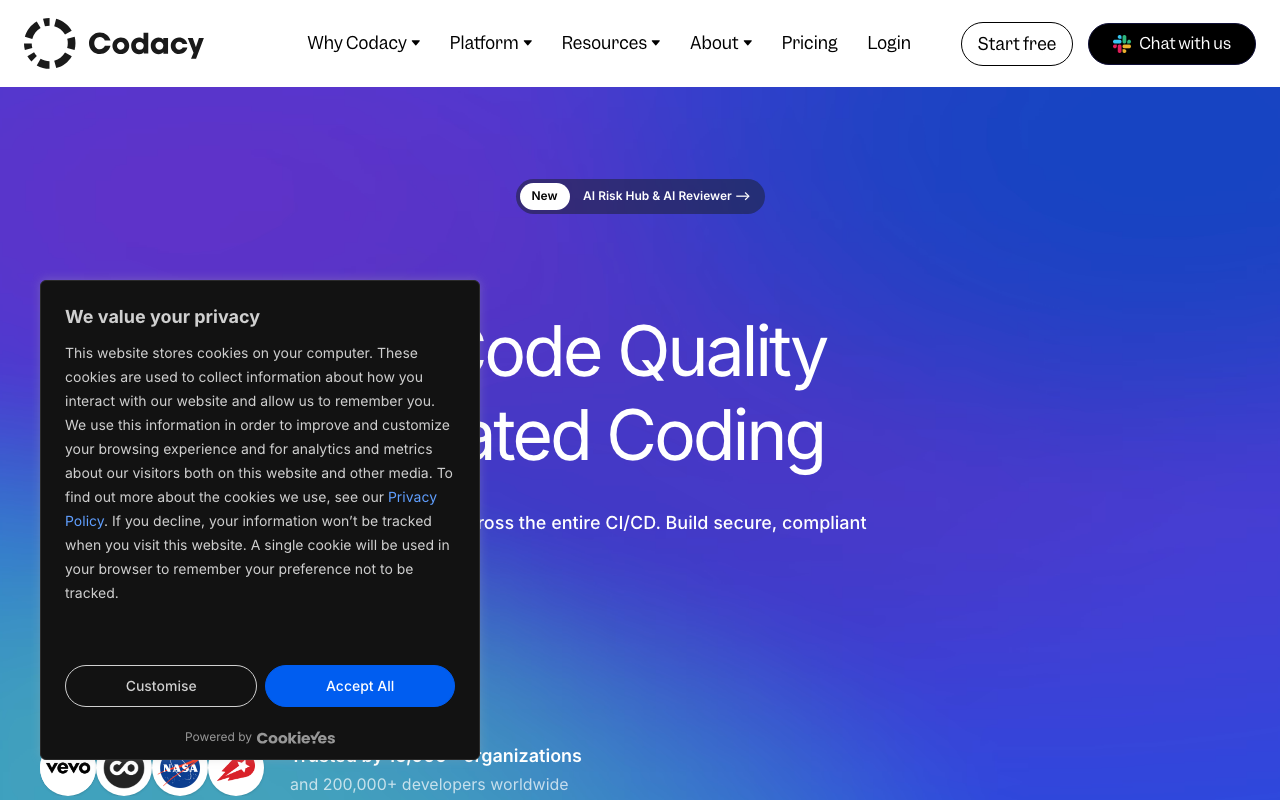
Codacy and CodeFactor are both cloud-based code quality tools that connect to your Git repositories, analyze pull requests, and give your codebase a grade. On the surface, they look like close competitors. Dig deeper and they occupy quite different positions in the market - different feature breadths, different pricing philosophies, and different ideal users.
CodeFactor is a lean, straightforward tool. Connect your GitHub or Bitbucket repository and it starts grading your code within minutes. No configuration files, no CI/CD changes, no pipeline setup. The dashboard shows a letter grade, highlights the worst offenders by complexity and duplication, and decorates PRs with before-and-after grades. For solo developers and small teams that want a zero-friction quality indicator, CodeFactor delivers real value, especially given its genuinely free tier for public repositories.
Codacy is a considerably larger platform. Beyond code quality grading, it provides SAST, SCA, DAST (on the Business plan), secrets detection, code coverage tracking, AI-powered PR review, AI Guardrails for scanning AI-generated code in the IDE, and configurable quality gates that can block non-compliant PRs from merging. It covers 49 languages against CodeFactor’s roughly 15. It costs $15/user/month for the Pro plan versus CodeFactor’s flat-rate tiers.
Choose CodeFactor if: you want the fastest possible setup, you need a free quality badge for an open-source project, your team is small (1-5 people), you do not need security scanning or coverage tracking, and you are comfortable with a narrower but simpler tool.
Choose Codacy if: your team has grown past a handful of developers, you need security scanning (SAST, SCA, secrets detection) alongside code quality, you want quality gates that enforce merge standards automatically, you work across more than 15 languages, or you want AI-powered PR review that goes beyond a letter grade change.
The bottom line: CodeFactor wins on simplicity and price for small teams. Codacy wins on capability for teams that have grown beyond basic quality grading and need a platform rather than a dashboard.
At-a-Glance Comparison
| Category | Codacy | CodeFactor |
|---|---|---|
| Type | Cloud code quality and security platform | Cloud code quality grading tool |
| Languages | 49 | ~15 |
| SAST security scanning | Yes (Pro plan) | No |
| SCA dependency scanning | Yes (Pro plan) | No |
| DAST | Yes (Business plan, ZAP-powered) | No |
| Secrets detection | Yes (Pro plan) | No |
| Code coverage tracking | Yes | No |
| Duplication detection | Yes | Yes |
| Complexity analysis | Yes | Yes |
| Quality gates | Yes - configurable, PR-blocking | No |
| AI code review | AI Reviewer (hybrid rule + AI) | No |
| AI IDE extension | AI Guardrails (free, VS Code/Cursor/Windsurf) | No |
| PR inline comments | Yes - severity-rated with AI feedback | Yes - grade change + new issues |
| Dashboard | Organization-wide trends, multi-repo | Per-repo grade and history |
| Git platforms | GitHub, GitLab, Bitbucket | GitHub, Bitbucket (GitLab limited) |
| Azure DevOps | No | No |
| Free tier | AI Guardrails IDE extension only | Unlimited public repos, 1 private |
| Paid pricing | $15/user/month (Pro) | From $19/month flat (Starter) |
| Self-hosted | Business plan only | No |
| Setup time | Under 10 minutes, no config required | Under 5 minutes, no config required |
| G2 rating | 4.6/5 (G2 Leader, Static Analysis Spring 2025) | Limited reviews |
What Is Codacy?
Codacy is a cloud-native code quality and security platform founded in 2012 and now trusted by over 15,000 organizations and 200,000+ developers. Named a G2 Leader for Static Code Analysis in Spring 2025, Codacy has evolved from its origins as a straightforward static analysis tool into a comprehensive platform that covers code quality, security scanning, and AI code governance in a single subscription.
The platform’s architecture is built around embedded analysis engines. For each supported language, Codacy selects and embeds appropriate open-source analysis tools - ESLint for JavaScript, Pylint and Bandit for Python, PMD and SpotBugs for Java, Gosec for Go - and wraps their output in a unified dashboard with trend tracking, quality gates, and PR integration. This gives Codacy broad coverage across 49 languages without building proprietary analyzers for each one.
What makes Codacy’s 2025-2026 positioning distinctive is its aggressive investment in AI code governance. Three interconnected features define this strategy. AI Guardrails is a free IDE extension for VS Code, Cursor, and Windsurf that scans code in real time - including AI-generated code from GitHub Copilot, Cursor, and Claude - and auto-fixes issues before they reach a PR. AI Reviewer combines deterministic rule-based analysis with contextual AI reasoning that considers PR descriptions, changed files, and linked Jira tickets to provide higher-level feedback on logic errors, missing test coverage, and code complexity. AI Risk Hub (Business plan) provides organizational-level dashboards for tracking AI code risk across teams. These features are designed specifically for development teams that generate substantial code through AI assistants - a reality for the majority of development teams in 2026.
Security is the other major differentiator. Codacy’s Pro plan at $15/user/month includes SAST across all 49 supported languages, SCA for dependency vulnerability scanning, and secrets detection for accidentally committed credentials. The Business plan adds DAST powered by ZAP. This security coverage is entirely absent from CodeFactor, making Codacy the only practical choice for teams that need code quality and security in one platform.
Setup is pipeline-less by default. Connect your GitHub, GitLab, or Bitbucket account, select repositories, and analysis begins on the next pull request. No CI/CD configuration is required for core scanning. For detailed Codacy pricing and plan breakdowns, see our Codacy pricing guide. For a broader view of what Codacy offers, see our Codacy review.
What Is CodeFactor?
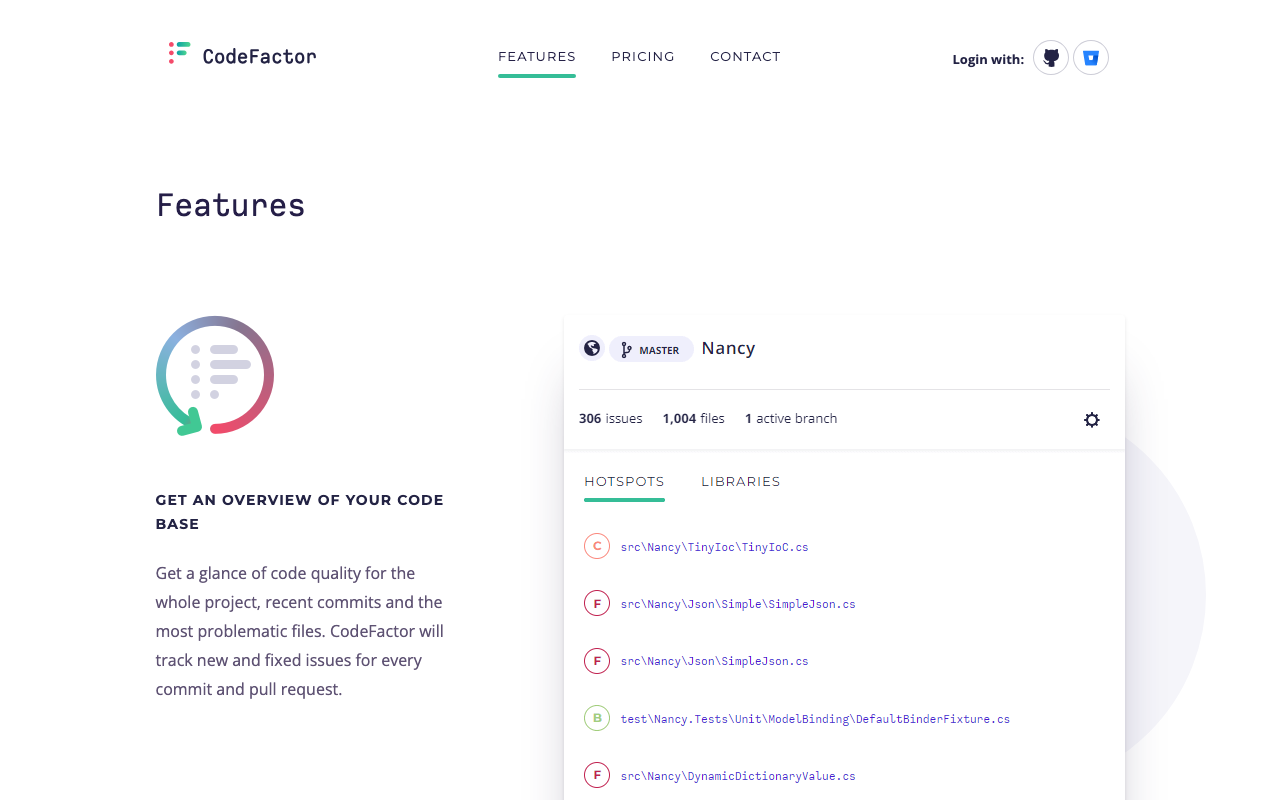
CodeFactor is a lightweight, cloud-based code quality service that connects to GitHub and Bitbucket repositories and provides automated code analysis without any configuration. Founded in 2016, CodeFactor targets developers who want a code quality grade attached to their repositories with minimal setup friction. The product does what it says on the tin: connect your repo, get a grade, see which files are worst.
The core value proposition is simplicity. CodeFactor analyzes code for cyclomatic complexity, cognitive complexity, code duplication, style violations, and common anti-patterns for each supported language. Results are summarized as a letter grade - A through F - for individual files, directories, and the overall repository. The dashboard shows grade history so you can see whether quality is trending up or down over time. Pull requests receive before-and-after grade decorations showing whether the changes improved or degraded the codebase.
CodeFactor’s analysis engine supports approximately 15 languages: C, C++, C#, Java, JavaScript, TypeScript, Python, PHP, Ruby, Go, Kotlin, R, Dart, Groovy, and a handful of others. Coverage depth varies significantly by language. JavaScript and Python receive reasonable coverage. Some languages in the list get only basic style and complexity checks. Languages like Rust, Elixir, Swift, Scala, Terraform, Dockerfile, and most IaC formats are not supported.
The free tier is genuinely useful for open-source projects - unlimited public repositories, no feature restrictions, no credit card required. This makes CodeFactor a popular choice for open-source maintainers who want a quality badge in their README. The paid tiers use flat-rate pricing: Starter at approximately $19/month for small teams with additional private repositories, scaling through Team and Pro tiers to Enterprise for larger organizations.
What CodeFactor does not do is worth noting explicitly: no SAST, no SCA, no DAST, no secrets detection, no code coverage tracking, no AI-powered review, no configurable quality gates that block PR merges, and no IDE integration. These are not limitations that get added in a higher plan - they are simply outside CodeFactor’s scope as a product. CodeFactor is a code quality grader, not a code quality platform.
Feature-by-Feature Breakdown
Language Support
This is where the gap between the two tools is most immediately apparent.
Codacy supports 49 programming languages. This includes every mainstream language - JavaScript, TypeScript, Python, Java, C, C++, C#, Go, PHP, Ruby, Scala, Kotlin, Swift, Rust, Dart, Elixir, Shell - plus infrastructure-as-code formats like Terraform, Dockerfile, and CloudFormation. For each language, Codacy embeds one or more established open-source analysis engines that provide thorough, language-specific coverage. A team working across a Node.js backend, Python ML service, Java microservices, and Terraform infrastructure sees consistent analysis across all four in a single Codacy dashboard.
CodeFactor supports approximately 15 languages. The coverage is adequate for standard web development stacks (JavaScript, TypeScript, Python, Java, Go, Ruby, PHP), but teams working in Rust, Swift, Elixir, Scala, or any IaC tooling are out of scope. Teams building primarily in the languages CodeFactor supports will not feel this limitation. Teams with polyglot stacks or infrastructure-as-code in their repositories will hit it quickly.
For JavaScript-only or Python-only teams, the language gap is irrelevant in practice. For teams with three or more languages in their stack, Codacy’s 49-language coverage is a genuine operational advantage - one platform, one dashboard, one quality gate that applies across the entire codebase regardless of language.
Security Scanning
This is the most significant functional difference between the two tools. It is not a matter of depth or accuracy - it is a matter of CodeFactor having no security scanning capabilities at all versus Codacy having a four-pillar security suite.
Codacy’s security coverage on the Pro plan ($15/user/month) includes:
- SAST (Static Application Security Testing): Detects injection vulnerabilities, authentication issues, cryptographic weaknesses, insecure data handling, and other vulnerability patterns across all 49 supported languages. Analysis runs on every pull request, with results appearing as inline comments in the PR with severity ratings and remediation guidance.
- SCA (Software Composition Analysis): Scans dependency manifests - package.json, requirements.txt, pom.xml, Cargo.toml, and others - to identify known CVEs in open-source packages. When a critical vulnerability is disclosed in a package you depend on, Codacy surfaces it in your dashboard and on affected PRs.
- Secrets Detection: Scans for accidentally committed API keys, database passwords, authentication tokens, and other credentials. This catches one of the most common and damaging security mistakes in modern development, particularly prevalent when developers paste working credentials into configuration files during development.
- DAST (Business plan only): Dynamic Application Security Testing powered by ZAP, testing running applications for runtime vulnerabilities that static analysis cannot detect.
CodeFactor has no security scanning. It does not detect dependency vulnerabilities, committed secrets, injection patterns, cryptographic issues, or any other security vulnerability class. A team relying solely on CodeFactor for code analysis would have zero automated security coverage - no alerts when a critical CVE hits their npm packages, no detection of a committed AWS access key, no SAST findings on their Express.js routes.
For applications that handle user data, process payments, manage authentication, or are publicly accessible, this gap is not acceptable. The security dimension alone makes Codacy the only viable option between these two tools for teams with any meaningful security requirements.
For teams that want deeper security scanning than Codacy provides, dedicated tools like Semgrep (free for up to 10 contributors, excellent custom rules) or Snyk Code ($25/dev/month, deepest SAST with reachability analysis) are worth evaluating alongside Codacy.
Code Quality Analysis
On pure code quality - the dimension where both tools compete directly - the comparison is closer but Codacy still covers more ground.
Both tools analyze:
- Cyclomatic and cognitive complexity per function and file
- Code duplication across the repository
- Style violations and naming convention adherence
- Common anti-patterns and potential bugs for supported languages
- Overall repository grade (letter grade on both platforms)
- Historical trends showing quality improving or degrading over time
Codacy additionally provides:
- Technical debt estimation with remediation time projections
- Duplication detection at the organizational level across repositories
- More granular rule configuration through its code patterns dashboard
- Integration with a wider range of embedded analysis engines per language, giving deeper per-language coverage for the 49 supported languages
- Issue categorization by severity (critical, major, minor, info) that CodeFactor does not provide at the same granularity
CodeFactor’s code quality analysis is cleaner to read. The letter grade system (A through F per file and overall) is immediately understandable. There is no configuration, no rule tuning, no noise from dozens of minor issues. For developers who want a quick, honest assessment of where their codebase’s biggest quality problems are, CodeFactor’s simplicity is a genuine strength. The analysis surfaces the worst files by complexity and duplication with no setup.
Codacy’s code quality analysis is more comprehensive but requires more tuning. When applied to legacy codebases, Codacy commonly generates hundreds of findings, many of which users on G2 and Capterra report as false positives or low-priority noise. Teams need to invest time configuring which rules to enable, which severity thresholds matter, and which patterns to ignore. This initial tuning effort is a real cost that CodeFactor avoids by having a narrower, more opinionated rule set.
For teams starting fresh on new codebases, Codacy’s comprehensive analysis is straightforward to manage. For teams importing large legacy projects, expect a tuning period before the signal-to-noise ratio becomes useful.
Pull Request Integration
Both tools integrate with pull requests, but the depth and usefulness of that integration differ substantially.
CodeFactor’s PR integration posts a grade badge on each PR showing the grade before and after the change (for example, “Grade changed from B to A” or “Grade degraded from A to C”). It lists new issues introduced by the PR by file. This is clean and easy to read. It tells the developer whether their changes improved or worsened the codebase quality at a glance. What it does not do is block the merge, enforce specific thresholds, or provide contextual AI feedback on why the changes are problematic.
Codacy’s PR integration goes considerably further:
- Inline comments appear on specific lines of code, identifying the exact issue with severity rating, description, and remediation guidance. Developers see the precise problem without hunting through the analysis output.
- AI Reviewer comments layer on top of the deterministic findings, providing context-aware feedback that considers the PR’s full scope - changed files, PR description, linked Jira tickets - and identifies logic errors, missing test coverage, and functions that have grown too complex.
- Quality gate status check appears as a named status check on the PR. Engineering leads configure the quality gate conditions (no new security vulnerabilities, minimum coverage on new code, maximum issue density threshold), and when those conditions are not met, the check fails and - combined with branch protection rules on GitHub or GitLab - the PR cannot be merged.
- Summary comment provides a breakdown of new issues by category (bugs, security vulnerabilities, code smells, duplication) and the coverage change introduced by the PR.
Quality gates deserve specific attention. The ability to define merge conditions and enforce them automatically is one of the most practically important capabilities in code quality tooling. Teams that have experienced gradual quality degradation despite having analysis tools in place typically attribute it to the lack of enforcement - the tools report issues, but reviewers approve PRs anyway because they are busy, because the issues seem minor, or because no one has defined a clear policy. Quality gates eliminate this gap by making the quality standard part of the merge process rather than a suggestion in a comment.
CodeFactor has no equivalent to quality gates. PRs get a grade and a list of new issues, but nothing stops a degraded PR from being merged. For teams where code review discipline is strong and the team is small enough for consistent enforcement, this may be fine. For larger teams or teams that have experienced quality drift, the lack of quality gate enforcement is a real limitation.
Code Coverage Tracking
Codacy integrates with code coverage reporting tools and displays coverage metrics in its dashboard alongside static analysis results. Teams can upload coverage reports from their CI/CD pipeline (from Jest, pytest, JaCoCo, or other test frameworks), and Codacy tracks coverage trends over time. Quality gates can include coverage thresholds - for example, requiring that new code introduced in each PR has at least 80% test coverage.
CodeFactor does not track code coverage. Coverage data, test results, and testing trends are outside its scope entirely.
For teams where test coverage is a meaningful metric - teams building production APIs, libraries, or systems where test confidence matters - Codacy’s coverage integration provides visibility that CodeFactor cannot offer.
AI Features
Codacy has invested heavily in AI capabilities as a core strategic differentiator. The AI Guardrails IDE extension (completely free for all developers) scans code in real time in VS Code, Cursor, and Windsurf, catching security and quality issues in both human-written and AI-generated code. The MCP integration allows AI assistants to read scan results and fix flagged issues in bulk directly from the chat interface. The AI Reviewer on the Pro plan combines deterministic static analysis with LLM-powered contextual reasoning to provide PR feedback that goes beyond pattern matching. The AI Risk Hub (Business plan) tracks organizational AI code risk across teams.
These AI features are specifically designed for teams using AI coding assistants - GitHub Copilot, Cursor, Claude, or similar tools. The premise is that AI-generated code contains security and quality issues that developers accept without scrutiny, and that governance around AI-generated code requires automated tooling. For teams where 20-50% of code comes from AI assistants, Codacy’s AI governance features address a real problem.
CodeFactor has no AI features. No AI-powered review, no IDE extension for AI code scanning, no contextual PR feedback. The analysis is entirely rule-based and deterministic. This is not necessarily a criticism - deterministic analysis is predictable, auditable, and does not hallucinate - but it means CodeFactor has no response to the AI-assisted development workflows that now characterize most professional teams.
Dashboard and Reporting
Codacy’s dashboard provides organization-level visibility across all connected repositories. The overview shows each repository’s quality grade, issue count, coverage percentage, and security vulnerability summary. Clicking into a repository shows historical trends for quality metrics over weeks or months. Engineering leads can see which repositories are in the best and worst shape, track whether quality is improving or degrading across the organization, and generate reports for management or compliance purposes. The dashboard is particularly valuable for organizations with multiple repositories and teams - a single view of code health across all of them.
CodeFactor’s dashboard is repository-focused. Each repository has its own dashboard showing the grade history, worst files, recent PR analysis, and issue breakdown. There is no organization-level aggregation showing quality trends across multiple repositories simultaneously. For individual project health tracking, the CodeFactor dashboard is clean and easy to navigate. For engineering managers responsible for multiple teams and repositories, the lack of organizational aggregation is a noticeable gap.
Pricing Comparison
CodeFactor Pricing
CodeFactor uses tiered flat-rate pricing based on team size and the number of private repositories:
| Plan | Price | Private Repos | Team Members |
|---|---|---|---|
| Free | $0/month | 1 | Any |
| Starter | ~$19/month | 10 | 5 |
| Team | ~$49/month | 30 | 15 |
| Pro | ~$99/month | 100 | 50 |
| Enterprise | Custom | Unlimited | Unlimited |
All public repositories are free and unlimited on all plans. The free tier is genuinely useful for open-source projects and individual developers. For teams with one or two private repositories and a small headcount, CodeFactor’s flat-rate pricing is straightforward and inexpensive.
Codacy Pricing
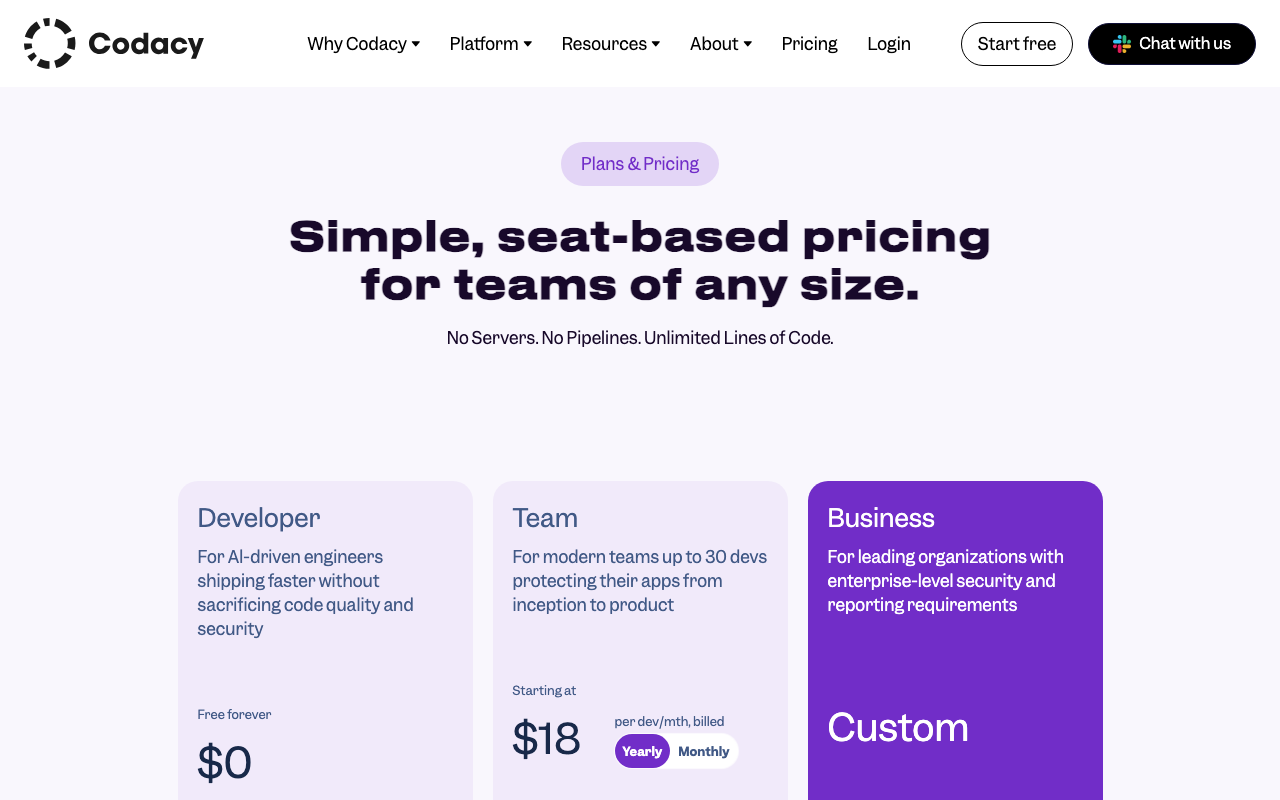
Codacy charges per user at a flat monthly rate, with unlimited repositories and lines of code at every paid tier:
| Plan | Price | What You Get |
|---|---|---|
| Developer (Free) | $0 | AI Guardrails IDE extension for VS Code, Cursor, Windsurf |
| Pro | $15/user/month | Unlimited repos and LOC. AI Guardrails + AI Reviewer. SAST, SCA, secrets detection. Coverage tracking, duplication detection, quality gates. GitHub, GitLab, Bitbucket integration |
| Business | Custom | Everything in Pro + DAST (ZAP), AI Risk Hub, self-hosted option, SSO/SAML, audit logs, dedicated support |
Cost at Scale
| Team Size | CodeFactor (Pro plan) | Codacy Pro | Notes |
|---|---|---|---|
| 3 devs, 2 repos | $19/month ($228/year) | $45/month ($540/year) | CodeFactor cheaper at very small team scale |
| 5 devs, 5 repos | $49/month ($588/year) | $75/month ($900/year) | CodeFactor still cheaper |
| 10 devs, 10 repos | $99/month ($1,188/year) | $150/month ($1,800/year) | CodeFactor cheaper by ~$600/year |
| 20 devs, 20 repos | Custom/Enterprise | $300/month ($3,600/year) | Comparable, but Codacy adds security suite |
| 50 devs, any repos | Custom/Enterprise | $750/month ($9,000/year) | Codacy’s per-user pricing is predictable |
The pricing comparison is not straightforward because the two tools provide fundamentally different feature sets. Comparing them purely on price ignores that Codacy’s Pro plan includes SAST, SCA, secrets detection, AI review, coverage tracking, and quality gates that CodeFactor does not offer at any price. The relevant question is whether those additional capabilities are worth the price premium for your team.
For teams that only need code quality grading and PR decoration, CodeFactor’s lower flat-rate pricing is appealing, especially for small teams. For teams that need security scanning, coverage tracking, or quality gate enforcement, Codacy’s $15/user/month is not being compared to CodeFactor’s pricing - it is being compared to the cost of assembling CodeFactor (for quality) plus a SAST tool plus a secrets scanner plus a coverage tracker plus an AI reviewer. By that measure, Codacy at $15/user/month is excellent value.
The free tier gap is also meaningful. CodeFactor’s free tier covers unlimited public repositories with full functionality - useful for open-source projects and individual developers. Codacy’s free tier is limited to the AI Guardrails IDE extension, with no centralized repository analysis. For developers evaluating both tools without a budget, CodeFactor is significantly easier to try in full.
Use Cases: When to Choose Each
When CodeFactor Is the Right Choice
Open-source projects and public repositories. CodeFactor’s unlimited free public repository support with no feature restrictions makes it the straightforward choice for open-source maintainers who want quality badges, automated PR decoration, and historical grade tracking at zero cost. The quality badge displayed in README files is a well-recognized signal to potential contributors.
Solo developers and very small teams (1-3 people). When the entire team can communicate in a single Slack channel and everyone reads and addresses every PR, complex quality gates and centralized dashboards solve problems that do not yet exist. CodeFactor provides honest, automated quality feedback at minimal cost with zero setup overhead.
Teams that want zero-friction setup. If the priority is getting started in five minutes and seeing a grade on the next PR without learning any configuration, CodeFactor delivers this experience better than almost any other tool. There is genuinely nothing to configure.
Teams working exclusively in CodeFactor’s supported languages on simple, non-sensitive codebases. If you are building a marketing site, an internal dashboard, a personal project, or a prototype that handles no user data and has minimal security requirements, CodeFactor’s quality analysis may be entirely sufficient.
Teams that want a simple quality indicator for management reporting. The letter grade system (A through F) communicates code quality status clearly to non-technical stakeholders without explanation. “Our codebase is at a B and trending toward A” requires no translation.
When Codacy Is the Right Choice
Teams with meaningful security requirements. Any application that handles user authentication, processes payments, stores personal data, accesses external APIs, or is publicly accessible needs security scanning. CodeFactor provides none. Codacy’s SAST, SCA, and secrets detection catch vulnerability categories that no code quality tool - no matter how sophisticated - can find without explicit security analysis.
Growing teams (5+ developers) where quality enforcement matters. As teams grow, code review quality becomes inconsistent - not because reviewers are negligent, but because they are busy, context differs across reviews, and standards are interpreted differently by different people. Quality gates automate enforcement consistently regardless of who is reviewing. CodeFactor cannot enforce quality standards; it can only report on them.
Multi-language stacks. Teams with JavaScript, Python, Java, Go, and Terraform all need analysis coverage across all four. Codacy covers all of them. CodeFactor covers most but not all, and has no IaC support.
Teams using AI coding assistants significantly. If GitHub Copilot, Cursor, or Claude generates 20%+ of your code, Codacy’s AI Guardrails provides IDE-level scanning of that code in real time. The AI Reviewer evaluates AI-generated code in PRs for logic errors and security issues that deterministic tools miss. CodeFactor has no response to AI-generated code governance.
Teams that need coverage tracking. If test coverage is a meaningful metric for your team - and for most production systems it should be - Codacy’s coverage integration and coverage-based quality gates provide the enforcement mechanism. CodeFactor does not track coverage.
Organizations with multiple repositories and teams. Codacy’s organizational dashboard provides visibility across all repositories simultaneously. Engineering managers can see which teams and repositories need attention, track quality trends over time, and generate reports without manually aggregating data from multiple repositories. CodeFactor’s per-repository dashboard does not provide this organizational view.
What About JetBrains Qodana?
If you are evaluating tools beyond Codacy and CodeFactor, JetBrains Qodana is worth considering as a third option. It packages the IntelliJ inspection engine - 3,000+ inspections across 60+ languages - as a CI/CD-runnable analyzer. The Community tier is free with community-edition linters, Ultimate is $6/contributor/month, and Ultimate Plus is $15/contributor/month, which adds taint analysis for the OWASP Top 10, SSO/SAML, and API access.
Qodana’s distinctive advantages over both Codacy and CodeFactor include Azure DevOps support (which neither competitor offers), quality gates that plug into GitHub, GitLab, Bitbucket, and Azure DevOps pull requests, and inspection results that match exactly what your developers already see in their JetBrains IDE. For JetBrains shops, that consistency between local and CI findings removes a whole category of arguments about whose linter is right.
The trade-offs compared to Codacy: no free IDE extension equivalent to AI Guardrails, no AI PR reviewer, and a setup that expects you to be comfortable with CI configuration. Compared to CodeFactor, Qodana goes far deeper on inspections and adds quality gate enforcement, but it does not offer CodeFactor’s zero-configuration repository grading.
For teams on Azure DevOps, Qodana fills a gap that both Codacy and CodeFactor leave open. For GitHub or GitLab teams that are not already invested in JetBrains tooling, Codacy provides a more complete platform for most use cases, with security scanning and coverage tracking that Qodana handles less comprehensively.
Alternatives to Consider
If neither Codacy nor CodeFactor is the right fit, several alternatives are worth evaluating.
SonarQube is the most mature code quality platform on the market with 6,500+ rules across 35+ languages. The SonarQube Community Build is free for self-hosted deployment, and SonarQube Cloud Free supports up to 50K lines of code with PR analysis at no cost - making it a compelling alternative to both Codacy and CodeFactor for teams that want depth without platform cost. SonarQube’s quality gate enforcement is the benchmark in the industry. The trade-off is setup complexity: SonarQube requires more configuration than either CodeFactor or Codacy.
DeepSource provides 5,000+ rules across 16 GA-supported languages with a sub-5% false positive rate - the lowest in the market. If CodeFactor’s simplicity appeals but you want more depth, and Codacy’s noise on legacy codebases is a concern, DeepSource is the precision-focused middle option. It costs $30/user/month and includes AI-powered autofix. For a detailed comparison, see our DeepSource vs Codacy analysis.
CodeRabbit is the best option if AI-powered PR review is your primary need. It provides deeply contextual code review feedback using LLMs, understands repository history and coding conventions, and offers a free tier with unlimited repositories. CodeRabbit does not replace code quality analysis or security scanning - it is a review tool, not a platform - but it pairs well with any static analysis tool including Codacy. See our CodeRabbit vs Codacy comparison.
Semgrep is the tool to evaluate if security scanning depth is your priority. Free for up to 10 contributors, Semgrep’s custom rule engine and cross-file dataflow analysis go significantly deeper than Codacy’s SAST. Teams that need maximum security coverage typically pair Semgrep with a code quality tool (Codacy, SonarQube, or Qlty) rather than using Semgrep alone.
For a broader view of the market, see our best code quality tools roundup and our Codacy alternatives guide, which covers 10 alternatives in depth.
Migration Considerations
Moving from CodeFactor to Codacy
If your team has outgrown CodeFactor and is considering Codacy, the migration is straightforward because CodeFactor requires no configuration files. There is nothing to port - Codacy also works without configuration files by default, using its built-in code patterns for each language.
The main migration steps are:
- Sign up for Codacy and connect your GitHub, GitLab, or Bitbucket account.
- Add your repositories - Codacy’s pipeline-less setup begins analyzing pull requests immediately after you connect a repository.
- Configure quality gates - define the conditions you want to enforce on PRs. This is the key capability CodeFactor lacks, and configuring it well takes some thought about your team’s quality standards.
- Set up coverage reporting - if you want coverage tracking, add the coverage upload step to your CI/CD configuration. This is the one step that requires CI/CD changes.
- Tune rules - after the first few PRs, review the findings and disable rules that are generating noise for your specific codebase. The initial tuning takes 1-2 hours for most projects.
- Cancel CodeFactor once Codacy is established and your team is comfortable with the new tool.
One important note: expect more findings from Codacy than from CodeFactor, at least initially. Codacy’s broader rule set will surface issues that CodeFactor’s more conservative analysis did not flag. This is not a deficiency - it is the cost of more comprehensive coverage - but teams should be prepared for a noisier initial experience before rule tuning reduces the signal-to-noise ratio.
Moving from Codacy to CodeFactor
If your team is moving from Codacy to CodeFactor - perhaps because you are simplifying your toolchain, reducing costs, or found that your team was not actually using Codacy’s advanced features - the main consideration is feature gap management.
Before switching, audit what Codacy features your team actively uses. If SAST findings are being regularly reviewed and remediated, you need a replacement for that security coverage (Semgrep free tier or SonarQube Community Build). If quality gates are blocking PRs, you need to establish an alternative enforcement mechanism. If coverage tracking is integrated into your review process, you need a standalone coverage tool (Codecov, Coveralls). If AI Reviewer comments are part of your review workflow, you need an alternative review tool (CodeRabbit free tier).
The transition from Codacy to CodeFactor only makes sense if your team is genuinely not using the features CodeFactor lacks. If you are paying for Codacy’s Pro plan and not reviewing security findings, not enforcing quality gates, and not looking at coverage trends, the simplification to CodeFactor might make sense. If you are using those features, the apparent cost saving will be offset by either the reduced security coverage or the cost of separate tools to replace what Codacy provides.
Final Verdict
Codacy vs CodeFactor is ultimately a comparison between a platform and a gauge. Both tell you something meaningful about your code quality. One tells you much more.
CodeFactor is the right tool when your needs are simple. For open-source maintainers, solo developers, and very small teams that want a quality badge and honest grade feedback on their PRs with zero setup effort, CodeFactor delivers exactly what it promises at low or no cost. It does not overpromise. The free tier for public repositories is one of the most genuinely useful free offerings in the code quality space.
Codacy is the right tool when your needs exceed a grade. For teams that need security scanning to protect user data and catch dependency vulnerabilities, for teams that need quality gates to enforce standards at scale, for teams working across more than 15 languages, for teams using AI coding assistants and needing governance over AI-generated code, and for engineering organizations that need visibility across multiple repositories - Codacy’s $15/user/month Pro plan provides a platform that CodeFactor was never designed to compete with.
The upgrade path is clear. Most teams that use CodeFactor outgrow it when they cross one of these thresholds: the team grows to 5+ developers and needs quality gate enforcement, a security incident or compliance requirement introduces the need for SAST and secrets scanning, or leadership needs organizational quality dashboards that aggregate across multiple repositories. At any of those thresholds, Codacy is the natural next step. The transition is smooth because both tools require minimal configuration.
Specific recommendations:
- Open-source project maintainers: CodeFactor free tier. There is no reason to pay for code quality analysis on public repositories when CodeFactor covers it at zero cost.
- Solo developers: CodeFactor free tier or Codacy’s free AI Guardrails extension. The choice depends on whether you want IDE-level AI scanning (Codacy Guardrails) or repository-level grade tracking (CodeFactor free).
- Small startups (3-8 developers) with no sensitive user data: CodeFactor Starter or Team plan. If you later need security scanning, switch to Codacy Pro or add Semgrep free tier.
- Teams of 5+ developers with production applications: Codacy Pro at $15/user/month. The quality gate enforcement, security scanning, and coverage tracking justify the cost. CodeFactor cannot provide the enforcement mechanisms that teams at this stage need.
- Teams on Azure DevOps: Neither Codacy nor CodeFactor support Azure DevOps fully. Consider JetBrains Qodana ($6-15/contributor/month) which provides Azure DevOps pull request support alongside deep inspections and quality gates.
- Teams that need both better AI review and code quality platform features: Codacy Pro for quality gates, security, and coverage. Add CodeRabbit (free tier or $24/user/month Pro) for deeper AI-powered PR review. The combination covers everything CodeFactor provides and substantially more.
The comparison is not really about which tool is better - it is about which tool is appropriately sized for your team’s current needs. Start with CodeFactor if simplicity is the priority. Graduate to Codacy when complexity demands it.
Further Reading
- Codacy Free vs Pro: Which Plan Do You Need in 2026?
- Codacy vs Checkmarx: Developer Code Quality vs Enterprise AppSec in 2026
- Codacy vs Code Climate: Code Quality Platforms Compared (2026)
- Codacy vs Coverity: Cloud Code Quality vs Enterprise SAST Compared (2026)
- Codacy vs ESLint: Code Quality Platform vs JavaScript Linter (2026)
 Gitar
GitarComments are not enough
Gitar applies the fix, validates it in CI, and clears the queue.
See it on your repo Read our independent Gitar reviewFrequently Asked Questions
Is CodeFactor better than Codacy?
For simple, low-overhead code quality analysis on smaller codebases, CodeFactor can be the better choice because its free tier is genuinely generous (unlimited public repositories, one private repository), it takes minutes to set up with zero configuration, and its clean dashboard is easy to read at a glance. However, Codacy is the better tool for teams that need SAST, SCA, DAST, secrets detection, quality gates, code coverage tracking, AI-powered PR review, or language support beyond the 15 or so that CodeFactor covers. For serious team-level code quality and security enforcement, Codacy's $15/user/month Pro plan delivers substantially more capability than CodeFactor at any tier.
Is CodeFactor free?
CodeFactor has a free tier that includes unlimited public repositories and one private repository for teams. Individual plans are also available. Paid plans start at $19/month for small teams with more private repositories, scaling up to $299/month for larger organizations. CodeFactor does not offer per-user pricing - it charges by the number of private repositories and team size on flat monthly plans. By contrast, Codacy's free tier is limited to the AI Guardrails IDE extension, with the full platform requiring the Pro plan at $15/user/month.
What languages does CodeFactor support?
CodeFactor supports approximately 15 programming languages including C, C++, C#, Java, JavaScript, TypeScript, Go, Python, PHP, Ruby, Kotlin, R, Dart, Groovy, and a few others depending on the version. This is considerably narrower than Codacy's 49-language support. Notably, CodeFactor's per-language analysis depth varies - JavaScript and Python get reasonable coverage, but some supported languages receive only basic linting rules. Teams working in Rust, Elixir, Swift, Scala, or most infrastructure-as-code formats will not find CodeFactor useful.
Does CodeFactor do security scanning?
CodeFactor does not offer dedicated SAST (Static Application Security Testing), SCA (Software Composition Analysis), DAST, or secrets detection. Its analysis is focused on code quality - complexity, duplication, style violations, and common bug patterns. It will not detect dependency vulnerabilities, committed API keys, SQL injection patterns through data flow analysis, or any of the security categories that Codacy's Pro plan covers with its four-pillar security suite. For teams that need security scanning alongside code quality, CodeFactor is not sufficient on its own.
How does CodeFactor pricing compare to Codacy?
The two tools use fundamentally different pricing models. CodeFactor charges by plan tier (Starter at $19/month, Team at $49/month, Pro at $99/month, and custom Enterprise) with limits on private repositories and team size at each tier. Codacy charges per user at $15/user/month for the Pro plan with unlimited repositories and lines of code. For small teams (under 5 people) with few private repositories, CodeFactor's flat-rate pricing can be cheaper. For teams over 5 developers with multiple repositories, Codacy's per-user pricing typically delivers better value per feature, especially considering that Codacy includes SAST, SCA, secrets detection, and AI review that CodeFactor does not offer at any price.
Can CodeFactor replace Codacy?
CodeFactor can replace Codacy's basic code quality analysis capabilities - issue detection, code grading, PR decoration, and trend tracking for teams primarily focused on maintainability. However, CodeFactor cannot replace Codacy's security suite (SAST, SCA, DAST, secrets detection), AI-powered PR review, code coverage tracking, quality gate enforcement, or its AI Guardrails IDE extension. For teams that only need code quality grading and are not concerned with security scanning, coverage tracking, or advanced PR integration, CodeFactor is a reasonable replacement. For teams that use Codacy's full platform, CodeFactor leaves significant gaps.
Does CodeFactor integrate with GitHub, GitLab, and Bitbucket?
CodeFactor integrates with GitHub and Bitbucket. GitLab support is available but has been described as less polished than the GitHub integration in user reviews. CodeFactor does not support Azure DevOps. Codacy integrates with GitHub, GitLab, and Bitbucket with similar quality across all three platforms. Neither tool supports Azure DevOps natively. For teams on Azure DevOps, alternatives like JetBrains Qodana or SonarQube offer better platform coverage.
Which tool is better for open-source projects?
For open-source projects, CodeFactor's free tier is more generous than Codacy's. CodeFactor provides unlimited public repository analysis at no cost with no feature restrictions on the free plan. Codacy's open-source support varies by version but the core platform access for public repositories is less straightforward than CodeFactor's always-free public repo offering. Open-source maintainers who need a zero-cost quality dashboard and PR grade display in README badges will find CodeFactor simpler and more accessible.
What does CodeFactor check for?
CodeFactor analyzes code for complexity (cyclomatic complexity, cognitive complexity), style violations (formatting, naming conventions), duplication, potential bugs (null pointer risks, unreachable code, uninitialized variables), and common anti-patterns for each supported language. It assigns a letter grade (A through F) to files, modules, and the overall repository. It does not perform security scanning, dependency analysis, secrets detection, or dynamic testing. The breadth of checks is narrower than Codacy but the setup friction is also much lower.
What is the best alternative to CodeFactor?
The best CodeFactor alternative depends on what you need. For code quality with better depth and quality gates, Codacy at $15/user/month is the most direct upgrade - it adds security scanning, AI review, and more languages. For the best free alternative with more features, SonarQube Cloud Free supports up to 50K lines of code with branch analysis at no cost. For AI-powered PR review without a code quality focus, CodeRabbit's free tier is unmatched. For teams wanting a free CLI tool that covers 40+ languages, Qlty CLI is completely free for commercial use.
Is CodeFactor good for large teams?
CodeFactor is primarily designed for small to mid-size teams. Its flat-rate pricing tiers top out at the Enterprise level for large organizations, but the platform's feature set - lacking security scanning, advanced quality gates, coverage tracking, and AI review - does not scale well to the governance requirements of large engineering organizations. Large teams typically need a platform with centralized quality dashboards across dozens or hundreds of repositories, configurable quality gates that enforce organizational standards, and security scanning that satisfies compliance requirements. Codacy, SonarQube, or DeepSource are more appropriate for organizations with 50+ developers.
How accurate is CodeFactor's analysis?
CodeFactor produces reasonably accurate findings for the patterns it checks. User reviews on G2 note that findings are generally actionable and the false positive rate is low, partly because CodeFactor's rule set is conservative and narrower than more comprehensive tools. The trade-off is that CodeFactor will miss vulnerability classes and complex bug patterns that tools with broader rule sets catch. For basic code quality enforcement - keeping complexity low, eliminating duplication, enforcing style - CodeFactor is accurate and useful. For comprehensive analysis, its accuracy is adequate but its coverage is limited.
Does Codacy have a better PR review experience than CodeFactor?
Yes, significantly. Codacy's PR integration includes inline comments with severity ratings, AI Reviewer feedback that considers PR context and Jira tickets, quality gate status checks that can block merges, and a summary comment showing issue breakdown by category. CodeFactor decorates PRs with a grade change (improved or degraded) and lists new issues introduced, but does not provide the depth of contextual AI feedback, severity-ranked inline comments, or configurable quality gate enforcement that Codacy offers. For teams where the PR review experience is central to their quality workflow, Codacy's integration is meaningfully better.
Explore More
Tool Reviews
 Codacy Review
 JetBrains Qodana Review
Free Newsletter
Stay ahead with AI dev tools
Weekly insights on AI code review, static analysis, and developer productivity. No spam, unsubscribe anytime.
Join developers getting weekly AI tool insights.
Related Articles
CodeRabbit vs Qodo: AI Code Review Tools Compared (2026)
CodeRabbit vs Qodo - we compare pricing, features, test generation, and review quality so you can pick the right AI reviewer for your team.
February 21, 2026
comparisonWhat Happened to CodiumAI? The Rebrand to Qodo Explained
CodiumAI rebranded to Qodo in 2024. Here's what changed, what stayed the same, and what it means for existing users and new buyers.
February 22, 2026
comparisonGitar vs Qodo: Workflow Automation or Test Generation?
Gitar vs Qodo compared on review architecture, test generation, self-hosting, migrations, CI ownership, and pricing. Which AI code quality platform fits your team.
August 12, 2026