Codacy vs ESLint: Code Quality Platform vs JavaScript Linter (2026)
Codacy vs ESLint - multi-language platform vs JS/TS linter, cloud dashboard vs CLI, security scanning, custom rules, and whether you need both.
Published:
Last Updated:
Quick Verdict
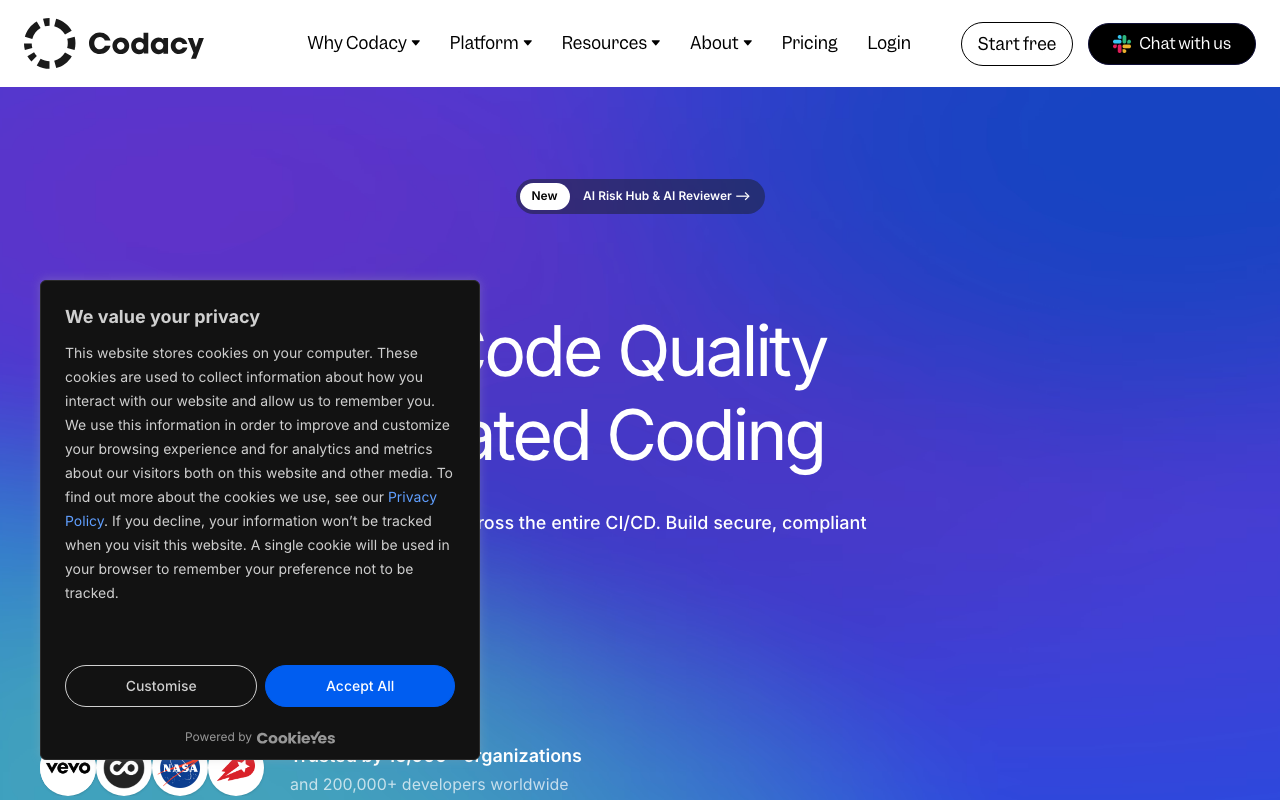
Codacy and ESLint are not direct competitors - they operate at fundamentally different levels of the development workflow. Comparing them is like comparing a project management platform to a to-do list app. Both help you track work, but the scope, depth, and intended audience are entirely different. ESLint is a free, open-source JavaScript and TypeScript linter that runs in your editor, catches bugs and style violations in real time, and enforces team coding conventions through the largest plugin ecosystem in the JavaScript world. Codacy is a paid, cloud-hosted code quality and security platform that analyzes repositories across 49 languages, enforces quality gates on pull requests, provides SAST, SCA, secrets detection, code coverage tracking, and AI-powered code review - and it happens to run ESLint under the hood as one of its many embedded analysis engines.
The fact that Codacy embeds ESLint is the critical detail in this comparison. When you connect a JavaScript repository to Codacy, it automatically runs ESLint rules against your code alongside its other analyzers. You get ESLint coverage without configuring ESLint separately. But Codacy adds layers that ESLint cannot provide on its own - centralized dashboards, quality gate enforcement, security scanning across multiple dimensions, dependency vulnerability detection, and AI-augmented PR feedback.
Choose ESLint alone if: you are a solo developer or small team (1-5 people) working exclusively in JavaScript/TypeScript, you want zero cost, you do not need centralized quality dashboards or security scanning, and the real-time editor feedback loop is all you need for code quality enforcement.
Choose Codacy (which includes ESLint) if: you work in a team of 5 or more developers, you need multi-language analysis across your stack, you want quality gates that block non-compliant PRs, you need security scanning (SAST, SCA, secrets detection) without adding separate tools, and you want AI-powered PR review and organizational code health dashboards.
The most common setup: Run ESLint locally in your editor for instant feedback as you type, and run Codacy in CI/CD for comprehensive PR analysis, quality gate enforcement, and security scanning. This gives you the fastest possible feedback (ESLint in the editor) and the deepest possible analysis (Codacy on every PR). The two tools complement each other rather than compete.
At-a-Glance Comparison
| Category | Codacy | ESLint |
|---|---|---|
| Type | Cloud code quality and security platform | JavaScript/TypeScript linter |
| Languages | 49 (JavaScript, Python, Java, C#, Go, PHP, Ruby, Kotlin, Swift, Rust, and 39 more) | JavaScript, TypeScript (via plugins: JSX, Vue, Svelte) |
| Uses ESLint internally | Yes - embeds ESLint as one of its JS/TS analysis engines | N/A - is ESLint |
| Analysis engines | Multiple embedded engines per language (ESLint, Pylint, PMD, SpotBugs, Bandit, etc.) | Single engine with pluggable rules |
| Total rules | Thousands across 49 languages via embedded engines | ~300 core + thousands via community plugins |
| Runs in | Cloud (CI/CD, PR analysis, scheduled scans) | Editor (real-time), CLI, pre-commit hooks, CI |
| Real-time editor feedback | Via AI Guardrails (VS Code, Cursor, Windsurf) | Native - runs as you type with zero delay |
| Quality gates | Yes - configurable, PR-blocking | No built-in quality gates |
| SAST (security scanning) | Yes - built-in across all supported languages | Limited - basic patterns via eslint-plugin-security |
| SCA (dependency scanning) | Yes - scans for known CVEs in dependencies | No |
| Secrets detection | Yes - detects committed credentials | No |
| Code coverage tracking | Yes - integrates with test coverage reports | No |
| Duplication detection | Yes | No |
| AI code review | AI Reviewer (hybrid rule + AI analysis) | No |
| AI code governance | AI Guardrails (free IDE extension for AI-generated code) | No |
| Custom rules | Configure embedded engine rules via dashboard | Fully programmable (write custom rules in JavaScript) |
| Plugin ecosystem | Curated embedded engines | Massive open-source ecosystem (2,900+ npm packages) |
| Configuration | Web dashboard (code patterns) | Config files (eslint.config.js) |
| Git platforms | GitHub, GitLab, Bitbucket | Not tied to any platform - runs anywhere |
| Pricing | Free (Guardrails only); Pro $15/user/month | Completely free and open source |
| Self-hosted | Business plan only (custom pricing) | N/A - runs locally by design |
What Is Codacy?
Codacy is a cloud-native code quality and security platform that provides automated static analysis, security scanning, coverage tracking, and AI-powered code review across 49 programming languages. Founded in 2012, Codacy serves over 15,000 organizations and 200,000 developers. The platform’s core value proposition is consolidation - instead of assembling separate tools for linting (ESLint), security scanning (Semgrep or Snyk), coverage tracking (Codecov), and code review (manual or AI-assisted), Codacy packages all of these capabilities into a single platform with a unified dashboard and predictable per-user pricing.
For JavaScript and TypeScript projects specifically, Codacy embeds ESLint as its primary analysis engine. When you connect a JavaScript repository, Codacy automatically runs ESLint rules against your code on every pull request. But ESLint is just one of many engines Codacy runs. For Python, it runs Pylint and Bandit. For Java, it runs PMD and SpotBugs. For Go, it runs Gosec. For each language, Codacy selects and embeds the most appropriate community analysis tools, wraps their output in a unified interface, and adds platform-level features on top.
The platform-level features are what differentiate Codacy from running ESLint directly. Quality gates allow teams to define conditions that code must meet before it can be merged - minimum coverage on new code, zero new security vulnerabilities, maximum complexity thresholds. When a PR fails the quality gate, Codacy posts the failure as a status check on GitHub, GitLab, or Bitbucket, and teams can configure branch protection to block the merge. SAST provides security vulnerability detection across all supported languages. SCA scans dependency manifests for known CVEs. Secrets detection catches accidentally committed API keys and credentials. AI Guardrails is a free IDE extension that scans code - including AI-generated code - in real time in VS Code, Cursor, and Windsurf. AI Reviewer combines deterministic analysis with context-aware AI to provide higher-level PR feedback on logic, complexity, and missing test coverage.
Codacy’s setup is pipeline-less by default. Connect your Git platform account, select repositories, and analysis begins on the next pull request. There is no CI/CD configuration required, no scanner to install, and no infrastructure to manage. Total time from signup to first PR analysis: under 10 minutes. For advanced features like code coverage tracking, a CI step is needed to upload coverage reports, but the core scanning experience requires zero pipeline configuration.
For a detailed breakdown of Codacy’s capabilities, see our Codacy review. For pricing details, see our Codacy pricing guide.
What Is ESLint?
ESLint is a pluggable linting tool for JavaScript and TypeScript, originally created by Nicholas Zakas in 2013. It is maintained by the OpenJS Foundation and is the de facto standard linter for the JavaScript ecosystem. ESLint analyzes source code to find problematic patterns, enforce coding conventions, and catch potential bugs before runtime.
ESLint runs locally - in the developer’s editor as a real-time extension, as a CLI command during development, in pre-commit hooks via tools like Husky and lint-staged, and optionally in CI/CD pipelines. The key distinction is that ESLint provides immediate, in-editor feedback. When a developer writes if (x = 5) instead of if (x === 5), ESLint highlights the issue instantly with a red underline and an explanation. This tight feedback loop is ESLint’s core value proposition - catching issues at the moment they are written, not minutes or hours later in a CI pipeline or PR review.
ESLint’s rule system is infinitely extensible. The core package includes approximately 300 rules covering potential errors, best practices, variable handling, and stylistic conventions. The ecosystem expands this dramatically through community plugins. Popular plugins include @typescript-eslint (TypeScript-specific rules and parser), eslint-plugin-react and eslint-plugin-react-hooks (React best practices), eslint-plugin-vue (Vue.js rules), eslint-plugin-import (module import/export conventions), eslint-plugin-jsx-a11y (accessibility rules), eslint-plugin-security (basic security patterns), and eslint-plugin-prettier (Prettier integration). Teams can also write entirely custom rules in JavaScript by traversing the AST, making ESLint adaptable to any coding standard or convention.
In 2024, ESLint completed its migration to the “flat config” system (eslint.config.js), replacing the legacy .eslintrc format. ESLint 9.x dropped support for the legacy format entirely. The flat config simplifies configuration, makes rule resolution more predictable, and is now the default for all new projects.
ESLint is completely free under the MIT license. There is no paid edition, no premium tier, and no usage limits. The total cost of ESLint is zero dollars, forever, regardless of team size, codebase size, or commercial usage. This zero-cost model is one of ESLint’s strongest advantages and a critical factor in this comparison - every dollar spent on Codacy is a dollar more than ESLint costs.
Feature-by-Feature Breakdown
Multi-Language Support vs JavaScript/TypeScript Focus
This is the most fundamental structural difference between the two tools.
ESLint analyzes JavaScript and TypeScript exclusively. Through plugins, it extends to JSX, TSX, Vue single-file components, Svelte components, and Astro files. ESLint does not analyze Python, Java, Go, Ruby, PHP, or any other language. This focus is a strength for JavaScript teams - ESLint’s JavaScript analysis is unmatched in depth and ecosystem breadth. But it means that a team building a Node.js backend with a Python ML service and Go microservices would need ESLint for the Node.js code, Ruff or Pylint for Python, and golangci-lint for Go - three separate tools with three separate configurations, three separate CI steps, and no unified dashboard.
Codacy analyzes 49 languages through a single platform. JavaScript, TypeScript, Python, Java, C#, Go, PHP, Ruby, Kotlin, Swift, Scala, Rust, Dart, Elixir, Shell, Terraform, Dockerfile, and dozens more. Each language is analyzed by one or more embedded engines appropriate for that language. The results from all engines across all languages appear in a single dashboard with unified quality metrics, trend tracking, and quality gate enforcement. A team working across a polyglot stack sees all of their code quality data in one place.
The practical impact for JavaScript-only teams: If your entire codebase is JavaScript and TypeScript, Codacy’s multi-language support is not a differentiator. You are paying for a platform that supports 49 languages when you use one or two of them. ESLint covers your language needs perfectly and for free. The case for Codacy in a JavaScript-only environment rests entirely on the platform features (quality gates, security scanning, coverage tracking, AI review) rather than language breadth.
The practical impact for polyglot teams: If your stack includes languages beyond JavaScript, Codacy’s multi-language support becomes a genuine advantage. Instead of configuring and maintaining separate linters for each language, Codacy provides consistent analysis across the entire codebase. The unified dashboard shows quality trends for JavaScript, Python, Java, and every other language side by side. Quality gates apply across the entire PR regardless of which languages the changes touch. For teams managing 5+ languages, this consolidation has real operational value.
Cloud Dashboard vs CLI Workflow
ESLint is a command-line tool with editor integration. You configure it through a config file, run it in the terminal or editor, and read the output as text. There is no web dashboard, no trend tracking, no historical analysis. ESLint tells you what is wrong with your code right now. If you want to track how your code quality changes over time, you need to build your own reporting on top of ESLint’s output or use a platform like Codacy or SonarQube that provides dashboards.
Codacy is a web platform with a centralized dashboard. When you log into Codacy, you see your organization’s repositories, each with a quality grade, issue count, coverage percentage, and security vulnerability summary. Clicking into a repository shows historical trends - how your issue density, coverage, and duplication have changed over the past weeks and months. Pull request views show the specific issues introduced in each PR, which quality gate conditions passed or failed, and inline code annotations pointing to exact problem locations.
For solo developers and small teams, ESLint’s CLI output is perfectly adequate. You know your codebase, you can grep the terminal output, and you fix issues as they appear. For teams of 10 or more, especially distributed teams where engineering leads need visibility into code health across multiple repositories, Codacy’s dashboard provides organizational awareness that ESLint cannot offer. The ability to answer “which of our 20 repositories has the worst code coverage?” or “has our security vulnerability count been trending up or down?” requires a platform, not a CLI tool.
The dashboard is also where Codacy’s quality gate configuration lives. Engineering leads can define organization-wide quality standards - minimum coverage on new code, maximum complexity per function, zero critical security issues - and apply them across all repositories. This centralized management is valuable for organizations that need consistent standards without relying on individual teams to configure their own ESLint rules correctly.
Security Scanning
This is the dimension where the gap between Codacy and ESLint is widest, and the primary technical reason to consider Codacy alongside or instead of standalone ESLint.
ESLint’s security coverage is minimal and pattern-based. Plugins like eslint-plugin-security detect approximately 15 common anti-patterns - use of eval(), innerHTML assignments, child_process.exec() with unsanitized input, SQL string concatenation, non-literal require() calls, and similar surface-level patterns. These rules catch the most obvious security mistakes within a single file. They do not perform data flow analysis. If a developer passes user input through a helper function that calls another function that eventually reaches a dangerous sink like a database query, eslint-plugin-security cannot trace that flow. This is a fundamental limitation of single-file, AST-based analysis - not a criticism of ESLint, which was never designed to be a security scanner.
Codacy provides multi-dimensional security scanning. The Pro plan ($15/user/month) includes:
- SAST (Static Application Security Testing): Detects injection vulnerabilities, authentication issues, cryptographic weaknesses, insecure data handling, and other vulnerability patterns across all 49 supported languages. The security analysis goes beyond single-file pattern matching, though it does not match the taint analysis depth of dedicated SAST tools like Semgrep or SonarQube’s Developer Edition.
- SCA (Software Composition Analysis): Scans dependency manifests (package.json, requirements.txt, pom.xml, and others) to identify known CVEs in open-source packages. This catches vulnerabilities in your npm dependencies that ESLint has no awareness of. When a critical CVE is disclosed in a package your application uses, Codacy alerts you.
- Secrets Detection: Scans for accidentally committed API keys, database passwords, authentication tokens, and other credentials. ESLint does not detect committed secrets.
The Business plan adds DAST (Dynamic Application Security Testing) powered by ZAP, which tests running applications for runtime vulnerabilities that static analysis cannot detect.
The practical gap is significant. Consider a typical Express.js application. ESLint with eslint-plugin-security might catch a direct eval() call. It will not catch a SQL injection vulnerability where user input from req.body flows through a service layer to an unsanitized database query. It will not detect that your jsonwebtoken dependency has a critical CVE. It will not flag an AWS access key accidentally committed in a configuration file. Codacy catches all three categories of issues. For applications that handle user data, process payments, store credentials, or are accessible from the internet, the security gap between ESLint alone and Codacy is meaningful.
For teams that want security scanning without Codacy’s full platform, dedicated security tools like Semgrep (free open-source CLI with taint tracking) or Snyk Code (developer-first SAST with SCA) are alternatives. See our Semgrep vs ESLint comparison for a detailed breakdown of ESLint plus security scanning options.
Pull Request Integration and Quality Gates
ESLint has no built-in PR integration or quality gates. You can run ESLint in CI and fail the build if errors are found, but this is a binary pass/fail based on whether any ESLint rule violations exist. ESLint does not post inline comments on pull requests, does not provide quality metrics beyond pass/fail, and does not track trends. You can achieve basic PR integration by configuring your CI to run npx eslint . and using the exit code as a GitHub status check, but the developer experience is limited - you see “ESLint failed” with no inline annotation of where the problems are (unless you add a third-party action).
Codacy provides comprehensive PR integration and quality gate enforcement. When a pull request is opened, Codacy automatically analyzes the changes and posts results directly to the PR:
- Inline comments appear on specific lines of code highlighting issues with severity ratings, descriptions, and suggested fixes.
- Quality gate status appears as a status check on the PR. If the quality gate fails (new issues found, coverage dropped, security vulnerability detected), the check fails and teams can configure branch protection to block the merge.
- AI Reviewer feedback provides context-aware comments that consider the entire PR - changed files, PR description, linked Jira tickets - and flags logic errors, missing test coverage, and overly complex functions.
- Summary comments show a breakdown of new issues by category (bugs, code smells, security vulnerabilities, duplication) and the coverage change introduced by the PR.
Quality gates are arguably the most important platform feature that ESLint cannot replicate. A quality gate allows engineering leads to define conditions like “new code must have at least 80% coverage,” “no new security vulnerabilities,” and “code complexity must not exceed a threshold.” These conditions are enforced automatically on every PR, preventing code quality from degrading over time regardless of who is writing or reviewing the code. ESLint can enforce coding conventions but cannot enforce coverage, security, or complexity thresholds because those metrics are outside its scope.
For teams that have experienced the slow degradation of code quality despite having ESLint configured - coverage dropping, complexity increasing, security issues accumulating - quality gates are the missing enforcement mechanism. ESLint prevents individual bad patterns. Quality gates prevent systemic quality degradation.
Custom Rules and Configuration
ESLint’s custom rule system is the most flexible in the JavaScript ecosystem. Developers write rules in JavaScript by defining AST visitor functions. The learning curve is moderate - most experienced JavaScript developers can write basic custom rules within a few hours. The plugin system allows packaging rules into shareable npm packages, and the ecosystem contains over 2,900 ESLint-related packages. Shared configurations like eslint-config-airbnb, @antfu/eslint-config, and eslint-config-standard let teams adopt comprehensive rule sets with a single install.
Configuration lives in the repository as code (eslint.config.js), which means it is version-controlled, reviewed in pull requests, and deployed alongside the application. Developers have direct control over every rule - enabling, disabling, changing severity, and configuring rule-specific options. This developer-centric configuration model gives individual teams maximum flexibility to customize their linting experience.
Codacy’s rule configuration is centrally managed through the web dashboard. Codacy calls its rule configuration “code patterns.” Administrators navigate to the code patterns settings for a repository, select which embedded engine rules to enable or disable, and configure severity levels. The configuration is managed through the web UI rather than through config files in the repository. This centralized approach is valuable for organizations that want consistent standards across all repositories without relying on individual teams to maintain config files, but it removes the direct, version-controlled configuration that developers are accustomed to with ESLint.
Codacy does not support writing custom analysis rules from scratch. You can enable or disable the rules provided by the embedded engines (ESLint rules, Pylint rules, PMD rules, etc.), but you cannot add rules that do not exist in any of Codacy’s embedded engines. If your team has custom ESLint rules - perhaps enforcing internal API conventions, company-specific naming patterns, or framework-specific best practices - those custom rules will not be available in Codacy unless they are part of a publicly available ESLint plugin that Codacy includes.
The trade-off is flexibility vs simplicity. ESLint gives developers full control over every aspect of linting configuration, including the ability to write arbitrary custom rules. Codacy gives organizations centralized management of pre-existing rules across multiple languages, but restricts customization to what the embedded engines support. For teams with complex, project-specific linting requirements, ESLint’s flexibility is essential. For teams that want standard best-practice rules applied consistently across all repositories, Codacy’s centralized management reduces configuration drift.
IDE Support and Developer Experience
ESLint’s IDE integration is the gold standard for JavaScript development. The ESLint VS Code extension is installed on over 30 million VS Code instances. It runs ESLint in the background as you type, highlighting issues with red and yellow underlines, providing fix suggestions through the quick-fix menu, and optionally auto-fixing issues on save. The experience is instantaneous - there is zero delay between writing code and seeing feedback. Extensions are also available for JetBrains IDEs (WebStorm, IntelliJ), Vim/Neovim, Sublime Text, and virtually every other editor. For most JavaScript developers, ESLint’s editor integration is the primary way they interact with the tool.
Codacy’s IDE presence is through AI Guardrails. Guardrails is a free extension for VS Code, Cursor, and Windsurf that scans code in real time - including AI-generated code from tools like GitHub Copilot. Using MCP (Model Context Protocol) integration, Guardrails detects security and quality issues and can auto-remediate them before code is even printed to the editor. The auto-fix capability is especially valuable in AI-assisted development workflows where code is generated rather than typed.
The critical distinction is scope. ESLint in the editor catches everything its configured rules cover - code style, potential bugs, import conventions, React hook violations, accessibility issues, and dozens of other categories through its plugin ecosystem. Guardrails focuses specifically on security and quality issues, particularly in AI-generated code. Guardrails is not a general-purpose linter - it does not flag unused variables, inconsistent naming, or incorrect import ordering the way ESLint does.
The recommended setup is both. Run ESLint in your editor for comprehensive real-time linting. Run Codacy Guardrails for security-focused scanning of AI-generated code. Run Codacy in CI/CD for PR analysis and quality gate enforcement. Each tool provides feedback at a different scope and stage, and none of them conflicts with the others.
Pricing Comparison
ESLint Pricing
ESLint is completely free. There is no paid tier, no enterprise edition, no per-user or per-repo licensing. The core package, all official plugins, the VS Code extension, and the flat config system are free and open source under the MIT license. The total cost of ESLint is zero dollars, forever.
This zero-cost model means every dollar spent on Codacy represents additional cost on top of what ESLint provides for free. The question is whether Codacy’s platform features justify that additional cost.
Codacy Pricing
| Plan | Price | What You Get |
|---|---|---|
| Developer (Free) | $0 | AI Guardrails IDE extension for VS Code, Cursor, Windsurf |
| Pro | $15/user/month | Unlimited scans, repos, LOC. AI Guardrails + AI Reviewer. SAST, SCA, secrets detection. Coverage tracking, duplication detection, quality gates. GitHub, GitLab, Bitbucket integration |
| Business | Custom | Everything in Pro + DAST (ZAP-powered), AI Risk Hub, self-hosted option, SSO/SAML, audit logs, dedicated support |
For a detailed pricing breakdown with cost scenarios, see our Codacy pricing guide.
Side-by-Side Cost at Scale
| Team Size | ESLint Cost (Annual) | Codacy Pro Cost (Annual) | What Codacy Adds Over ESLint |
|---|---|---|---|
| 1 dev (solo) | $0 | $180 | Quality gates, SAST, SCA, secrets, coverage, AI review |
| 5 devs (startup) | $0 | $900 | Same as above, plus centralized dashboard for team visibility |
| 10 devs | $0 | $1,800 | Same, plus organizational consistency across repositories |
| 20 devs | $0 | $3,600 | Same, plus enforcement that scales beyond what code review alone can achieve |
| 50 devs | $0 | $9,000 | Same, plus the alternative is assembling 3-4 separate tools (linter + SAST + SCA + coverage) |
| 100 devs | $0 | $18,000 | Same, plus centralized governance that manual enforcement cannot achieve at this scale |
Key Pricing Observations
ESLint’s cost advantage is absolute for pure linting. If your only requirement is JavaScript/TypeScript code quality enforcement through configurable rules with real-time editor feedback, ESLint provides this at zero cost. No alternative - not Codacy, not SonarQube, not any other platform - beats free.
Codacy’s value proposition is consolidation, not replacement. The $15/user/month is not paying for “better ESLint.” It is paying for quality gates, SAST, SCA, secrets detection, coverage tracking, AI-powered review, and centralized dashboards - features that ESLint does not provide at any price. The relevant comparison is $15/user/month for Codacy vs the cost of assembling equivalent capabilities from separate tools (SonarQube or Semgrep for SAST, Snyk for SCA, Codecov for coverage, CodeRabbit for AI review). By that measure, Codacy’s pricing is competitive.
For teams under 5 developers, ESLint alone is often sufficient. The operational overhead of adding a paid platform, configuring quality gates, and managing dashboard permissions may not be justified when the same 3-5 people are writing, reviewing, and deploying all the code. Code review catches what ESLint misses. At 5+ developers, the need for automated enforcement becomes real - code review quality varies, standards drift across repositories, and security issues slip through manual review.
The free tier gap matters. ESLint’s free tier is the full product - every feature, every plugin, unlimited use. Codacy’s free tier is limited to the AI Guardrails IDE extension. There is no free tier for centralized repository analysis, PR scanning, or quality gates. Teams evaluating Codacy cannot try the full platform without a paid subscription or trial. By contrast, SonarQube offers a free self-hosted Community Build and a free Cloud tier for up to 50K lines of code, making it easier to evaluate before committing budget. See our Codacy vs SonarQube comparison for details.
Use Cases - When to Choose Each
When ESLint Alone Is Enough
Solo developers and very small teams (1-3 people). When the entire team can communicate across a desk (or a short Slack thread), centralized quality dashboards and automated quality gates are solving a problem that does not exist yet. Everyone knows the codebase, everyone reviews each other’s code, and ESLint in the editor catches the mechanical issues. Adding Codacy at this stage is premature optimization of process.
Open-source libraries and packages. Most open-source JavaScript packages use ESLint (and often Prettier) as their entire quality toolchain. The scope is narrow (one package, one language), the contributors are experienced, and the code undergoes thorough public review. Quality gates and SAST scanning add less value when the code is reviewed by dozens of open-source contributors. The community’s GitHub Actions workflows typically include ESLint as a CI check, which is sufficient.
Simple JavaScript/TypeScript projects without sensitive data. If you are building a marketing site, a component library, an internal dashboard that sits behind a VPN, or a prototype that will never handle user credentials or financial data - ESLint with a solid configuration catches the code quality issues that matter, and the security scanning gap is not a meaningful risk.
Budget-constrained teams. ESLint is free. If $15/user/month for Codacy is outside your budget, ESLint with a good configuration file, Prettier for formatting, and Husky for pre-commit hooks provides a solid quality baseline at zero cost. You can add free security scanning through the Semgrep open-source CLI or SonarQube Community Build if needed.
When Codacy Makes Sense
Growing teams (5+ developers) where code quality consistency matters. As teams grow beyond the point where everyone reviews everyone else’s code, quality standards start to drift. Different developers configure ESLint differently (or forget to configure it at all). PRs get approved with insufficient test coverage because reviewers are busy. Security issues slip through because no one checks for them systematically. Codacy’s quality gates create an automated enforcement layer that maintains standards regardless of who is writing or reviewing the code.
Multi-language projects. If your stack includes Python, Java, Go, Ruby, or other languages alongside JavaScript, Codacy provides consistent analysis across the entire codebase through a single platform. The alternative is configuring and maintaining separate linters for each language with no unified dashboard, no cross-language quality gates, and no centralized trend tracking. For polyglot teams, Codacy’s 49-language support is a genuine operational advantage over ESLint’s JavaScript-only scope.
Applications that need security scanning. If your application handles user authentication, processes payments, stores personal data, or is accessible from the internet, you need security scanning beyond what eslint-plugin-security provides. Codacy’s SAST, SCA, and secrets detection catch vulnerability categories that ESLint fundamentally cannot detect. The alternative is assembling separate tools - Semgrep for SAST, Snyk for SCA, a secrets scanner - which provides deeper coverage in each dimension but adds operational complexity and cost.
Teams heavily using AI coding assistants. If your developers generate substantial code through GitHub Copilot, Cursor, or Claude, Codacy’s AI Guardrails scans AI-generated code in real time in the IDE. The AI Reviewer provides context-aware PR feedback that evaluates AI-generated code for logic errors, security issues, and missing test coverage. No ESLint configuration catches the category of issues that arise specifically from AI-generated code - overly confident but subtly incorrect implementations, missing edge case handling, and security anti-patterns that AI models learn from training data.
Organizations that need quality governance and reporting. Engineering managers who need to answer questions like “what is our average code coverage across all repositories?” or “how many security vulnerabilities did we introduce this quarter?” or “which teams are consistently failing quality gates?” need a platform with dashboards and historical trend data. ESLint produces point-in-time output with no organizational aggregation or historical tracking.
Can You Use Both Together?
Yes, and this is the recommended approach for most teams that adopt Codacy. The two tools are not redundant because they operate at different stages of the development workflow and provide different types of feedback.
The Complementary Workflow
-
Developer writes code. ESLint runs in the editor (VS Code extension) and highlights issues in real time - unused variables, missing return types, incorrect hook usage, import ordering violations, and hundreds of other rules from configured plugins. Developer fixes issues as they type. Codacy Guardrails runs simultaneously in the same editor, scanning for security issues and AI-generated code problems.
-
Developer commits code. Pre-commit hook runs ESLint (via lint-staged and Husky) and blocks the commit if there are errors. This catches anything the developer missed or ignored in the editor.
-
Developer opens a pull request. Codacy automatically analyzes the PR - running ESLint alongside its other analysis engines, checking security rules, scanning dependencies for CVEs, detecting secrets, and evaluating coverage impact.
-
Codacy posts results to the PR. Inline comments appear on specific lines with issue descriptions. The AI Reviewer adds context-aware feedback. The quality gate status check indicates pass or fail. If the gate fails, the PR is blocked from merging.
-
Developer addresses feedback, pushes again. Codacy re-analyzes. Gate passes. PR is merged.
Why Not Just Use Codacy Alone?
The main reason to keep ESLint in the editor is speed of feedback. ESLint highlights issues as you type - instantaneously. Codacy analysis runs when a PR is opened or updated, which means there is a delay between writing code and seeing Codacy’s feedback. If you rely solely on Codacy, you might write an entire feature with style violations, unused variables, and convention deviations, push it as a PR, wait for Codacy analysis, then fix dozens of issues that ESLint would have caught in real time. The round-trip time is frustrating and wasteful.
Additionally, ESLint’s plugin ecosystem provides framework-specific linting that Codacy’s embedded ESLint may not fully replicate. If your project uses eslint-plugin-react-hooks to enforce the Rules of Hooks, eslint-plugin-jsx-a11y for accessibility checks, or a company-specific plugin with internal coding standards, your local ESLint configuration likely includes plugins and rules that Codacy’s embedded ESLint does not run. Running ESLint locally ensures your team’s full rule set is applied.
Configuration Alignment
One practical consideration when running both tools is rule alignment. Your local ESLint configuration (eslint.config.js) and Codacy’s code patterns settings are independent. If you enable a rule locally that is disabled in Codacy (or vice versa), developers will see inconsistent feedback - ESLint flags an issue in the editor that Codacy does not flag in the PR, or Codacy flags something in the PR that the developer never saw locally. This is not a catastrophic problem, but it can be confusing.
To minimize inconsistency, audit the ESLint rules enabled in Codacy’s code patterns settings and align them with your local configuration. Focus on the rules that matter most - potential bugs, security anti-patterns, and complexity thresholds - and accept that perfect alignment across every stylistic rule is not worth the maintenance effort.
Alternatives to Consider
If neither Codacy’s platform approach nor ESLint’s standalone linting fits your needs perfectly, several alternatives are worth evaluating.
SonarQube is the most direct alternative to Codacy as a code quality platform. SonarQube provides 6,500+ deterministic rules across 35+ languages, the most mature quality gate enforcement in the market, technical debt tracking with remediation time estimates, and self-hosted deployment options. The Community Build is free for self-hosted deployment (20+ languages, basic quality gates). SonarQube Cloud Free supports up to 50K lines of code with branch and PR analysis at no cost. For JavaScript, SonarQube runs its own proprietary analyzer (not ESLint), and SonarLint provides synchronized IDE feedback. SonarQube’s analysis depth per language exceeds Codacy’s because it uses purpose-built rules rather than embedded third-party engines. However, SonarQube lacks Codacy’s SCA (except in Enterprise), has no DAST, and its AI features are less mature. See our SonarQube vs ESLint comparison and Codacy vs SonarQube comparison for detailed breakdowns.
Semgrep is the leading alternative for security scanning specifically. If your primary gap is security - not code quality dashboards or coverage tracking - Semgrep’s open-source CLI provides SAST with taint tracking and cross-file analysis at no cost. The Semgrep AppSec Platform (free for up to 10 contributors) adds SCA with reachability analysis, secrets detection with validation, and AI-powered triage. Semgrep is purpose-built for security and provides deeper vulnerability detection than Codacy’s SAST. However, Semgrep does not provide code quality metrics, quality gates, coverage tracking, or duplication detection. The typical pairing is ESLint for code quality plus Semgrep for security. See our Semgrep vs ESLint comparison for details.
DeepSource is a modern code quality platform with 5,000+ analysis rules and an emphasis on low false positive rates. DeepSource’s AI-powered Autofix automatically generates fixes for detected issues. At $12/user/month for the Team plan, it is priced below Codacy. DeepSource supports JavaScript, TypeScript, Python, Go, Java, Ruby, and other languages. Its five-dimension PR report cards (bugs, anti-patterns, performance, security, style) provide more granular quality assessment than Codacy’s unified quality grade. However, DeepSource supports fewer languages than Codacy (16 vs 49) and does not offer SCA or DAST.
Snyk Code is the best option if security scanning across code, dependencies, containers, and infrastructure is your primary requirement. Snyk’s DeepCode AI engine provides SAST with interfile data flow analysis, and Snyk Open Source provides SCA with reachability analysis - determining whether vulnerable code paths in your dependencies are actually called by your application. For JavaScript teams that need the deepest possible security coverage, Snyk Code plus ESLint is a strong combination. See our Codacy vs Snyk comparison for details.
Biome is worth considering as an ESLint replacement (not a Codacy replacement) for teams that want a faster, all-in-one linter and formatter. Built in Rust, Biome runs 10-100x faster than ESLint and combines linting with formatting (replacing both ESLint and Prettier). Its rule set is growing but does not yet match ESLint’s plugin ecosystem breadth. Biome is not a platform and does not provide quality gates, security scanning, or dashboards.
For a broader view of code quality tools, see our best code quality tools roundup and our Codacy alternatives guide.
Final Recommendation
The Codacy vs ESLint comparison is not a choice between two competing tools - it is a decision about how much tooling your team needs beyond the linting baseline.
ESLint is the foundation. Every JavaScript and TypeScript project should use ESLint. It is free, universal, instantaneously integrated into every editor, and catches the vast majority of code quality issues at the earliest possible point - while you are writing the code. ESLint plus Prettier plus a good shared configuration gives you a solid baseline that costs nothing and takes minutes to set up. This is not debatable. ESLint is the minimum viable code quality setup for JavaScript development.
Codacy is the platform layer on top of the foundation. For teams that need more than linting - quality gate enforcement, security scanning (SAST, SCA, secrets), code coverage tracking, AI-powered PR review, and organizational quality dashboards - Codacy packages these capabilities into a single cloud platform at $15/user/month. The fact that Codacy embeds ESLint internally means you get ESLint coverage as part of the package, but Codacy adds dimensions of analysis that ESLint cannot provide at any price.
For solo developers and very small teams (1-3): ESLint + Prettier. Add Codacy’s free AI Guardrails IDE extension for security scanning of AI-generated code. This setup costs $0 and provides excellent code quality coverage.
For small teams (5-10 developers) in JavaScript/TypeScript: ESLint + Prettier in the editor. Evaluate Codacy Pro ($15/user/month) when you need quality gates, security scanning, and centralized dashboards. The alternative is assembling free tools - ESLint + SonarQube Community Build + Semgrep OSS - which provides similar coverage at zero cost but with more operational overhead.
For growing teams (10-50 developers) across multiple languages: ESLint + Prettier for JavaScript/TypeScript. Codacy Pro for platform-level quality and security analysis across all languages. The $15/user/month cost is justified by the consolidation of quality gates, SAST, SCA, secrets detection, and coverage tracking into a single tool. The alternative - SonarQube for quality gates plus Snyk Code for security plus Codecov for coverage - provides deeper analysis in each dimension but costs more and requires managing multiple vendor relationships.
For enterprise organizations (50+ developers): ESLint + Prettier for JavaScript/TypeScript. Either Codacy Business or SonarQube Enterprise for platform-level governance, depending on whether you prioritize breadth and simplicity (Codacy) or depth and self-hosted deployment (SonarQube). Add CodeRabbit for AI-powered PR review if Codacy’s AI Reviewer does not meet your requirements. Add Semgrep for deeper SAST if Codacy’s built-in security scanning is insufficient for your compliance needs.
The bottom line is straightforward. ESLint is free and essential - use it always. Codacy is a paid platform that adds security, governance, and AI capabilities on top - use it when your team outgrows what a standalone linter can enforce. The two tools work together rather than against each other, and most teams that adopt Codacy continue running ESLint in the editor for the fast feedback loop that no platform can replace.
Frequently Asked Questions
Does Codacy use ESLint?
Yes. Codacy embeds ESLint as one of its analysis engines for JavaScript and TypeScript code. When you connect a JavaScript repository to Codacy, it runs ESLint rules alongside other analyzers automatically. This means you get ESLint coverage without configuring ESLint separately. Codacy wraps ESLint's output into its unified dashboard, adding severity ratings, trend tracking, and quality gate enforcement on top of ESLint's raw findings. You can also configure which ESLint rules are active through Codacy's code patterns settings.
Do I need both Codacy and ESLint?
It depends on your workflow. If you use Codacy, you technically get ESLint analysis included because Codacy runs ESLint under the hood for JavaScript and TypeScript. However, Codacy runs in CI/CD and on pull requests - it does not provide real-time editor feedback as you type. Most developers still benefit from running ESLint locally in their editor (via the VS Code extension) for instant feedback, while Codacy handles centralized analysis, quality gates, and security scanning at the PR level. The combination gives you fast editor feedback (ESLint) plus deep platform analysis (Codacy).
Is ESLint free?
Yes, ESLint is completely free and open source under the MIT license. There is no paid edition, no premium tier, and no usage limits. The entire ecosystem - ESLint core, the flat config system, community plugins like eslint-plugin-react and @typescript-eslint, and shared configurations like eslint-config-airbnb - is free to use in any project, commercial or otherwise. ESLint is maintained by the OpenJS Foundation and funded through sponsorships and donations. This is one of ESLint's strongest advantages - there is zero cost regardless of team size, codebase size, or usage volume.
How much does Codacy cost?
Codacy offers a free tier that includes the AI Guardrails IDE extension for VS Code, Cursor, and Windsurf. The Pro plan costs $15/user/month and includes unlimited scans, unlimited lines of code, unlimited repositories, AI Guardrails, AI Reviewer, SAST, SCA, secrets detection, code coverage tracking, duplication detection, and quality gates. The Business plan has custom pricing and adds DAST scanning, self-hosted deployment, SSO/SAML, audit logs, and the AI Risk Hub. All paid plans use per-user pricing with no line-of-code caps.
Can Codacy replace ESLint entirely?
For CI/CD and PR-level analysis, yes - Codacy can replace a standalone ESLint CI step because it runs ESLint internally and applies the results to pull requests. However, Codacy cannot replace ESLint's real-time editor integration. ESLint's VS Code extension runs as you type, highlighting issues instantly with red underlines and providing auto-fix suggestions on save. Codacy's IDE presence is through AI Guardrails, which focuses on security and AI-generated code issues rather than general linting. For the fastest possible feedback loop during development, you still want ESLint in your editor even when using Codacy in CI.
What languages does Codacy support besides JavaScript?
Codacy supports 49 programming languages through its embedded analysis engines. Beyond JavaScript and TypeScript, this includes Python, Java, C#, Go, PHP, Ruby, Kotlin, Swift, Scala, Rust, Dart, Elixir, Shell, and many others. Codacy also analyzes infrastructure-as-code formats like Terraform, Dockerfile, and CloudFormation. Each language is analyzed by one or more embedded engines - for example, Python is analyzed by Pylint and Bandit, Java by PMD and SpotBugs, and JavaScript by ESLint. This multi-language coverage is one of Codacy's primary advantages over ESLint, which only supports JavaScript and TypeScript.
Is Codacy better than ESLint for security scanning?
Yes, significantly. ESLint's security coverage is limited to plugins like eslint-plugin-security, which catch surface-level patterns (eval usage, innerHTML assignments) within single files. Codacy includes full SAST (Static Application Security Testing), SCA (Software Composition Analysis for dependency vulnerabilities), and secrets detection in its Pro plan. Codacy can detect injection vulnerabilities, authentication issues, cryptographic weaknesses, insecure data handling, and known CVEs in your npm dependencies. For teams that need security scanning beyond basic pattern matching, Codacy provides a substantial upgrade over ESLint alone.
Can I use Codacy's free tier for JavaScript projects?
Codacy's free tier is limited to the AI Guardrails IDE extension for VS Code, Cursor, and Windsurf. This extension scans code in real time in the editor for security and quality issues, including AI-generated code. However, the free tier does not include centralized repository analysis, pull request scanning, quality gates, dashboards, or any of the platform features that differentiate Codacy from ESLint. For those capabilities, you need the Pro plan at $15/user/month. If you want free centralized analysis, ESLint in CI (completely free) or SonarQube Community Build (free, self-hosted) are better options.
What is the best alternative to both Codacy and ESLint?
The closest alternative that combines linting and platform-level analysis is SonarQube. SonarQube provides 6,500+ deterministic rules across 35+ languages, quality gate enforcement, coverage tracking, and security scanning. The Community Build is free for self-hosted deployment, and SonarQube Cloud Free supports up to 50K lines of code. For JavaScript specifically, SonarQube has its own JS/TS analyzer with 500+ rules, and SonarLint provides synchronized IDE feedback similar to ESLint. DeepSource is another alternative with 5,000+ rules and AI-powered auto-fix at $12/user/month. For pure JavaScript linting, Biome is emerging as a faster alternative to ESLint.
Does Codacy work with GitHub, GitLab, and Bitbucket?
Yes. Codacy integrates with GitHub, GitLab, and Bitbucket. You connect your Git platform account, select repositories, and Codacy begins analyzing pull requests automatically. The integration includes PR decoration (inline comments on code issues), quality gate status checks, and repository-level dashboards. Codacy does not support Azure DevOps. ESLint, by contrast, is not tied to any Git platform - it runs locally or in any CI/CD system. If you use Azure DevOps, Codacy is not an option and you should consider SonarQube or running ESLint directly in your Azure Pipelines.
How does Codacy's AI Reviewer compare to ESLint?
They are fundamentally different. ESLint is a deterministic rule engine - it applies configured rules to your code and reports violations. Every run produces the same results for the same code. Codacy's AI Reviewer is a hybrid system that combines deterministic rule-based analysis with context-aware AI reasoning. The AI component considers the full pull request context - changed files, PR description, linked Jira tickets - and provides feedback on logic errors, missing test coverage, overly complex functions, and discrepancies between the PR description and actual code changes. ESLint cannot do any of this. The AI Reviewer is an additional layer on top of the deterministic analysis, not a replacement for it.
Should solo developers use Codacy or just ESLint?
For most solo developers, ESLint with a good shared configuration (like @antfu/eslint-config or eslint-config-airbnb) plus Prettier for formatting is sufficient. The operational overhead and cost of Codacy ($15/month) may not be justified when you are the only person writing and reviewing code. ESLint catches code quality issues for free. If you need security scanning, the free Codacy AI Guardrails IDE extension or the free Semgrep Community Edition provides SAST at no cost. Codacy's platform features - quality gates, team dashboards, PR analysis - deliver the most value for teams of 5 or more where consistent code quality across multiple contributors matters.
Explore More
Tool Reviews
 Codacy Review
Related Articles
- Codacy Free vs Pro: Which Plan Do You Need in 2026?
- Codacy vs Checkmarx: Developer Code Quality vs Enterprise AppSec in 2026
- Codacy vs Code Climate: Code Quality Platforms Compared (2026)
- Codacy vs CodeFactor: Code Quality Tools Compared (2026)
- Codacy vs Coverity: Cloud Code Quality vs Enterprise SAST Compared (2026)
Free Newsletter
Stay ahead with AI dev tools
Weekly insights on AI code review, static analysis, and developer productivity. No spam, unsubscribe anytime.
Join developers getting weekly AI tool insights.
Related Articles
Checkmarx vs Veracode: Enterprise SAST Platforms Compared in 2026
Checkmarx vs Veracode - enterprise SAST, DAST, SCA, Gartner positioning, pricing ($40K-250K+), compliance, and when to choose each AppSec platform.
March 13, 2026
comparisonCodacy Free vs Pro: Which Plan Do You Need in 2026?
Codacy Free vs Pro compared - features, limits, pricing, and when to upgrade. Find the right Codacy plan for your team size and workflow.
March 13, 2026
comparisonCodacy vs Checkmarx: Developer Code Quality vs Enterprise AppSec in 2026
Codacy vs Checkmarx - developer code quality vs enterprise AppSec, pricing ($15/user vs $40K+), SAST, DAST, SCA, compliance, and when to choose each.
March 13, 2026