AI Code Review Tool - CodeAnt AI Replaced Me And I Like It
How CodeAnt AI replaced my manual code reviews with AI that learns from your codebase, catches security issues, and auto-fixes problems across 30+ languages.
Published:
I have been doing code reviews for over a decade. Hundreds of pull requests every month, the same comments over and over - “add input validation here,” “this SQL query is injectable,” “this function is doing too much.” It is the kind of work that feels productive in the moment but drains you over time, because you are not building anything. You are just gatekeeping.
Then I started testing AI code review tools seriously. I have reviewed over 50 of them at this point. Most are decent at surface-level linting. A few are genuinely good at catching bugs. But CodeAnt AI is the first one that actually replaced the majority of my review work - and I am not going back.
Here is why.
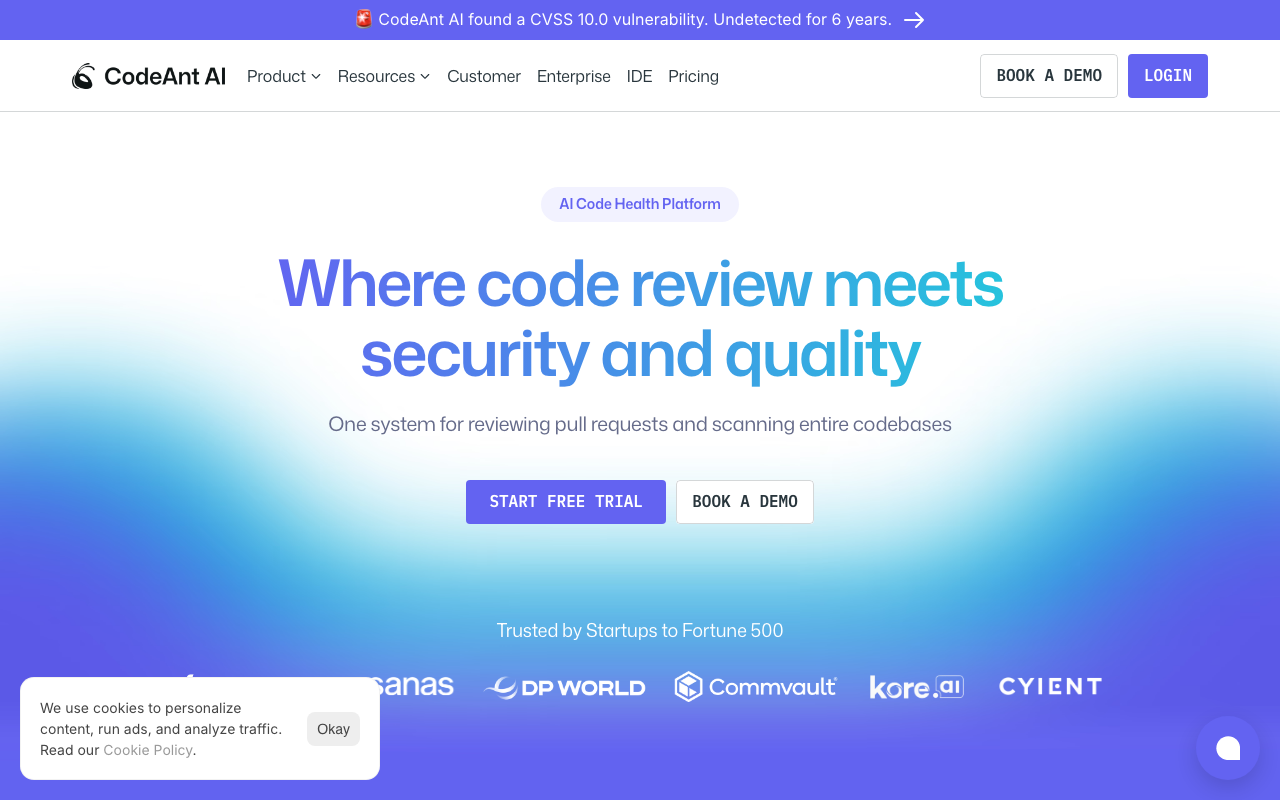
The problem with manual code reviews
Every engineering team has the same bottleneck. A developer opens a pull request. It sits in the queue for hours or days because senior developers are too busy writing their own code to review someone else’s. When the review finally happens, the reviewer skims the diff, catches some obvious style violations, maybe spots a missing null check, and approves it. The subtle bug hiding in line 247 ships to production because nobody had the bandwidth to trace the logic through three files.
Manual code reviews are inconsistent. On Monday morning with a fresh cup of coffee, you catch everything. On Friday afternoon after five hours of meetings, you approve things you would normally flag. AI does not have bad Fridays.
The other problem is repetition. I have written “use parameterized queries instead of string concatenation” approximately 400 times in my career. Every new developer on the team makes the same mistakes, and I write the same comments. It is not a good use of anyone’s time - mine or theirs.
How CodeAnt AI actually reviews code
When you connect CodeAnt AI to your GitHub, GitLab, Bitbucket, or Azure DevOps repository, it starts reviewing every pull request automatically. No configuration files to write, no CI pipeline changes needed. Within minutes of a PR being opened, CodeAnt AI posts line-by-line comments directly on the pull request.
But here is what separates it from the basic AI review tools I have tested. CodeAnt AI does not just look at the diff. It uses a proprietary language-agnostic Abstract Syntax Tree (AST) engine that understands how different parts of your codebase connect. If you change a function signature in one file, it knows where that function is called in other files. If you introduce a variable that shadows another one three scopes up, it catches that.
This is the same thing that made me good at code reviews after years of working with a codebase - I knew how everything connected. CodeAnt AI gets that context from day one.
Line-by-line feedback that is actually useful
Most AI review tools generate comments that feel like a linter with better grammar. CodeAnt AI’s comments explain the reasoning behind each finding and suggest a concrete fix. Here is a real example of what a typical comment looks like:
Security: SQL Injection vulnerability detected
The query on line 34 concatenates user input directly into the SQL string. An attacker could inject malicious SQL through the
user_idparameter.Suggested fix: Use a parameterized query with placeholder binding.
Click “Apply fix” to automatically replace with the safe version.
That last part matters. You do not have to manually rewrite the code - CodeAnt AI generates the fix and you apply it with a single click directly from the PR interface. I tracked my review time over a month after switching and saw roughly a 60 percent reduction in time spent on reviews.
PR summaries that save context-switching time
On large PRs that touch 20+ files, reading through the entire diff to understand what changed is exhausting. CodeAnt AI generates a plain-language summary at the top of every PR that explains what was changed and why. For a PR modifying authentication logic across several services, the summary might read:
This PR migrates the session management from cookie-based tokens to JWT. Changes span the auth middleware, user controller, session store, and three test files. The refresh token rotation logic was updated to use RSA-256 signing.
This is the kind of summary that used to take me 15 minutes of reading diffs to construct in my head. Now I get it before I even open the PR.
The features that actually replaced my review work
It catches security issues I would miss
I am a decent reviewer, but I am not a security specialist. I catch the obvious SQL injection and XSS patterns, but I miss the subtle ones - insecure deserialization, path traversal through URL-encoded sequences, weak cryptographic configurations. These are the vulnerabilities that make it to production because most code reviewers are not trained to spot them.
CodeAnt AI includes a full SAST (Static Application Security Testing) scanner that checks for OWASP Top 10 vulnerabilities automatically on every PR. It also scans for:
- Hardcoded secrets - API keys, database passwords, JWT signing keys accidentally committed
- Infrastructure-as-Code misconfigurations - overly permissive IAM policies, publicly exposed S3 buckets, security groups with open ports
- Dependency vulnerabilities - known CVEs in your npm, pip, Maven, or Go module dependencies
Having all of this bundled into the same tool that reviews my code means I do not need separate subscriptions to Snyk for security scanning, a secrets scanner, and an IaC checker. One tool, one integration, one dashboard.
Dead code and complexity analysis
One thing I consistently failed at as a manual reviewer was catching dead code. When someone refactors a feature, they often leave behind functions, imports, or variables that are no longer referenced. Spotting these in a diff is nearly impossible because the diff only shows what changed, not what became unused as a result.
CodeAnt AI’s static analysis engine identifies unreachable code, unused imports, and duplicate code blocks. It also calculates cyclomatic complexity and flags functions that have grown too complex. I used to skip these in my reviews because finding them manually required too much effort. Now they show up automatically.
Quality gates that actually enforce standards
Before CodeAnt AI, our quality standards lived in a wiki page that nobody read. Senior developers knew the rules. Junior developers learned them through painful PR comment threads over weeks and months.
CodeAnt AI lets you set quality gates that block merges when standards are not met. If a PR introduces a high-severity security vulnerability, it does not get merged. If code coverage drops below your threshold, the PR is flagged. This is not unique to CodeAnt AI - SonarQube has had quality gates for years - but having them integrated with AI review in the same platform means fewer tools to configure and maintain.
What CodeAnt AI does better than CodeRabbit
I used CodeRabbit for about eight months before switching to CodeAnt AI, and I still think CodeRabbit is an excellent tool. Its AI review engine is mature, its free tier is generous, and its review quality is among the best in the category. But CodeRabbit is a focused AI review tool. That is both its strength and its limitation.
Here is what pushed me toward CodeAnt AI:
Security scanning is built in, not bolted on. With CodeRabbit, I still needed a separate tool for SAST scanning and secret detection. With CodeAnt AI, the same platform that reviews my code also scans for OWASP vulnerabilities, exposed secrets, and IaC misconfigurations. One tool replaces three.
DORA metrics and developer productivity tracking. CodeAnt AI tracks deployment frequency, lead time, change failure rate, and mean time to recovery alongside code quality metrics. This gave our engineering manager visibility into both code health and team velocity without subscribing to a separate developer productivity platform.
Azure DevOps support. We have one legacy project on Azure DevOps. CodeRabbit supports it, and so does CodeAnt AI, but CodeAnt AI’s integration felt more native across all four platforms (GitHub, GitLab, Bitbucket, Azure DevOps).
Pricing alignment. CodeRabbit Pro and CodeAnt AI Basic both cost $24/user/month. But CodeAnt AI Basic includes features that require separate tools alongside CodeRabbit. When you factor in the cost of a security scanner, a secrets tool, and a DORA metrics platform, CodeAnt AI’s bundled approach saves money.
That said, CodeRabbit has advantages. Its free tier is genuinely useful - CodeAnt AI does not have one. CodeRabbit’s review engine has had more time to mature, and its inline chat interface for asking follow-up questions feels more polished. If you only need AI code review and nothing else, CodeRabbit is still a strong choice. Read our full CodeRabbit review for a detailed comparison.
Real-world workflow: what a day looks like now
Here is what my typical day looked like before and after CodeAnt AI:
Before: I spent the first 90 minutes of every morning reviewing PRs that had queued overnight. I would catch style issues, obvious bugs, and the occasional security problem. PRs from junior developers took 20 to 30 minutes each because I had to trace through the code, check for edge cases, and write detailed comments explaining best practices.
After: I wake up to find CodeAnt AI has already reviewed everything. Each PR has line-by-line comments with explanations and one-click fixes. The junior developers have already applied most of the suggested fixes before I even look at the PR. I spend about 15 minutes scanning the AI’s comments to make sure nothing was missed, focusing my attention on architectural decisions and business logic - the things only a human reviewer can evaluate.
The net result is that I spend about 70 percent less time on code reviews, and the quality of our codebase has actually improved because the AI catches things I was too busy or too tired to notice.
The things AI still cannot replace
I want to be honest about the limitations because the “AI replaces developers” narrative is overblown. CodeAnt AI - and every other AI review tool I have tested - still struggles with:
- Business logic validation. The AI does not know that your e-commerce system should never allow negative quantities or that your insurance calculator uses a specific actuarial formula. It reviews code syntax and patterns, not domain requirements.
- Architectural decisions. Should this be a microservice or a library? Should you use event sourcing or CRUD? These decisions require understanding the team, the business, and the system holistically. AI has no opinion here.
- Performance optimization at scale. The AI catches obvious performance anti-patterns like N+1 queries, but it does not know that your specific database cluster handles reads differently from writes or that your CDN configuration makes certain caching strategies unnecessary.
- Team dynamics. A good code reviewer knows when a junior developer needs encouragement versus detailed correction. AI comments the same way every time regardless of who wrote the code.
This is why I say CodeAnt AI “replaced” my manual reviews, not “replaced me.” I still review every PR. I just spend my time on the 20 percent that requires human judgment instead of the 80 percent that is pattern matching.
Getting started with CodeAnt AI
Setting up CodeAnt AI takes about 5 minutes:
- Sign up at codeant.ai and connect your GitHub, GitLab, Bitbucket, or Azure DevOps account.
- Select repositories you want CodeAnt AI to review.
- Open a pull request - CodeAnt AI starts reviewing automatically within minutes.
- Review the AI’s comments and apply one-click fixes directly from the PR interface.
- Configure quality gates (optional) to block merges on high-severity issues.
There is no YAML file to write, no CI pipeline to modify, and no infrastructure to deploy. The platform is cloud-native and requires zero configuration to start providing value.
For teams with strict security requirements, the Enterprise plan offers on-premise, VPC, and air-gapped deployment options with SOC 2 and HIPAA compliance.
Who should use CodeAnt AI
Based on testing CodeAnt AI across three different teams over four months, here is who benefits the most:
Mid-size engineering teams (10-100 developers) that want one platform for code review, security scanning, and developer metrics. The bundled approach eliminates tool sprawl and reduces the total cost of code quality tooling.
Teams drowning in PR review backlogs. If your average PR review time exceeds 24 hours, CodeAnt AI’s automated first-pass review can cut that to under an hour. Developers get feedback immediately instead of waiting for a human reviewer.
Security-conscious organizations that need SAST scanning integrated into the development workflow rather than as a separate gate at the end. CodeAnt AI catches vulnerabilities at the PR level before code reaches the main branch.
Engineering leaders who want DORA metrics without deploying a separate analytics platform. The built-in dashboards give visibility into deployment frequency, lead time, and failure rates alongside code quality trends.
Who should look elsewhere
Solo developers or very small teams (1-3 developers) may find $24/user/month hard to justify. CodeRabbit’s free tier or the free Community Edition of SonarQube may be more appropriate.
Teams that only need linting or style enforcement do not need an AI review platform. Tools like ESLint, Pylint, or Ruff are free and handle this well.
Open-source projects benefit more from CodeRabbit, which offers its Pro plan free for public repositories. CodeAnt AI does not have an equivalent open-source program.
The bottom line
I have spent the last two years reviewing every AI code review tool on the market. CodeAnt AI is not perfect. It does not have a free tier. Its review engine is younger than CodeRabbit’s. Its documentation is still catching up to the platform’s capabilities.
But it is the first tool that genuinely replaced the majority of my manual review work - not because its AI is dramatically smarter than the competition, but because it bundles everything I need into one platform. AI review, security scanning, secret detection, IaC checks, code complexity analysis, and DORA metrics. I used to run four separate tools to get this coverage. Now I run one.
If you are an engineering team lead spending hours every week on code reviews, try CodeAnt AI. Set it up on one repository and see what it catches on your next ten pull requests. If it saves you even two hours a week, the $24/user/month pays for itself many times over.
And if you are like me, you will find that the work it replaces - the repetitive pattern-matching, the “add input validation” comments, the Friday-afternoon missed bugs - is the work you never enjoyed doing in the first place. Let the AI handle the 80 percent. Focus your energy on the 20 percent that requires a human brain.
That is the future of code review. And I like it.
Frequently Asked Questions
What is the best AI code review tool in 2026?
CodeAnt AI is one of the strongest options because it bundles AI-powered PR reviews, SAST security scanning, secret detection, IaC security, and DORA metrics into a single platform starting at $24/user/month. Unlike tools that only review code, CodeAnt AI catches security vulnerabilities, dead code, and complexity issues across 30+ languages while providing one-click auto-fixes.
Can AI really replace manual code reviews?
AI cannot fully replace the judgment of an experienced developer on architectural decisions and business logic, but it can eliminate 80 to 90 percent of the repetitive review work. Tools like CodeAnt AI catch style violations, security vulnerabilities, anti-patterns, dead code, and common bugs faster and more consistently than manual reviewers. The remaining 10 to 20 percent - design decisions, domain-specific logic, and edge cases - still benefits from human review.
How does CodeAnt AI compare to CodeRabbit?
CodeRabbit focuses on AI-powered PR review with 40+ built-in linters and has a generous free tier. CodeAnt AI bundles PR review with SAST, secret detection, IaC security, and DORA metrics. Both start at $24/user/month for paid plans. CodeRabbit has a more mature review engine and free tier. CodeAnt AI gives you broader coverage - security scanning, developer productivity metrics, and quality gates - in one platform instead of stitching multiple tools together.
Does CodeAnt AI work with GitHub, GitLab, and Bitbucket?
Yes. CodeAnt AI integrates with all four major git platforms including GitHub, GitLab, Bitbucket, and Azure DevOps. This makes it one of the very few AI code review tools that supports Azure DevOps alongside the other three platforms.
How much does CodeAnt AI cost?
CodeAnt AI offers three plans. The Basic plan costs $24/user/month and includes AI PR reviews, auto-fix suggestions, and support for 30+ languages. The Premium plan costs $40/user/month and adds SAST, secret detection, IaC security, DORA metrics, and compliance dashboards. Enterprise pricing is custom and includes on-prem deployment and dedicated support.
Is AI code review safe for proprietary code?
CodeAnt AI offers on-premise, VPC, and air-gapped deployment options on the Enterprise plan for teams with strict data sovereignty requirements. The cloud-hosted version processes code through secure APIs with SOC 2 compliance. Your source code is analyzed in real time and is not stored or used for model training.
What languages does CodeAnt AI support?
CodeAnt AI supports over 30 programming languages including Python, JavaScript, TypeScript, Java, Go, Ruby, PHP, C#, C++, C, Kotlin, Swift, Rust, and Objective-C. It also scans Dockerfiles, Terraform, and CloudFormation templates for Infrastructure-as-Code security issues.
How long does CodeAnt AI take to review a pull request?
CodeAnt AI typically delivers line-by-line review comments within 2 to 5 minutes of a pull request being opened. The exact time depends on the size of the PR and the number of files changed. Most small to medium PRs get feedback in under 3 minutes, which is fast enough that developers receive comments before context-switching to another task.
Can CodeAnt AI auto-fix the issues it finds?
Yes. CodeAnt AI provides one-click auto-fix suggestions for many of the issues it identifies. When the AI flags a security vulnerability, anti-pattern, or code smell, it generates a corrected version that you can apply directly from the PR interface with a single click. This reduces the back-and-forth between reviewer and developer significantly.
Does CodeAnt AI detect security vulnerabilities?
Yes. Beyond AI code review, CodeAnt AI includes a full SAST security scanner that checks for OWASP Top 10 vulnerabilities including SQL injection, command injection, XSS, path traversal, and insecure cryptography. It also scans for hardcoded secrets like API keys and tokens, and checks Infrastructure-as-Code files for security misconfigurations.
What are DORA metrics and why does CodeAnt AI track them?
DORA metrics are four key engineering performance indicators - deployment frequency, lead time for changes, change failure rate, and mean time to recovery. CodeAnt AI tracks these alongside code quality metrics to give engineering leaders visibility into both code health and team velocity. This is unusual for a code review tool and eliminates the need for a separate developer productivity platform.
How is CodeAnt AI different from SonarQube?
SonarQube is a rule-based static analysis tool that requires self-hosted infrastructure and manual configuration of quality profiles. CodeAnt AI is a cloud-native platform that combines AI-powered contextual code review with static analysis, secret detection, and DORA metrics. SonarQube's Community Edition is free but limited. CodeAnt AI starts at $24/user/month but includes AI review capabilities that SonarQube does not offer.
Explore More
Tool Reviews
 CodeAnt AI Review
 CodeRabbit Review
 SonarQube Review
Related Articles
- Best AI Code Review Tools in 2026 - Expert Picks
- 13 Best Code Quality Tools in 2026 - Platforms, Linters, and Metrics
- 12 Best Free Code Review Tools in 2026 - Open Source and Free Tiers
- 7 Best CodeRabbit Alternatives for AI Code Review in 2026
- Checkmarx Pricing in 2026: Plans, Per-Developer Costs, and Enterprise Quotes
Free Newsletter
Stay ahead with AI dev tools
Weekly insights on AI code review, static analysis, and developer productivity. No spam, unsubscribe anytime.
Join developers getting weekly AI tool insights.
Related Articles
Checkmarx Pricing in 2026: Plans, Per-Developer Costs, and Enterprise Quotes
Checkmarx pricing decoded - per-developer costs ($40-70+/dev/year), SAST/DAST/SCA bundle pricing, total cost of ownership, and enterprise negotiation tips.
March 13, 2026
reviewCodacy Pricing in 2026: Free, Team, and Business Plans Compared
Codacy pricing in 2026 - free Developer plan, Team at $18/dev/month, Business custom pricing, ROI calculation, and competitor comparisons.
March 13, 2026
reviewCodacy Review 2026: Is It Worth It for Your Team?
In-depth Codacy review covering features, pricing, pros and cons, and real-world performance. Find out if Codacy is worth it for your team.
March 13, 2026