7 Best CodeRabbit Alternatives for AI Code Review in 2026
Looking beyond CodeRabbit? Compare 7 top AI code review alternatives with real features, pricing, honest pros/cons, and team recommendations.
Published:
Last Updated:
Why Teams Look for CodeRabbit Alternatives

CodeRabbit has established itself as the most widely installed AI code review tool, with over 2 million repositories connected and more than 13 million pull requests reviewed. It delivers fast, contextual AI-powered reviews with 40+ built-in linters, natural language customization, and a generous free tier that covers unlimited public and private repos. For many teams, it is the default starting point for AI-assisted code review.
But no tool is perfect for every team, and several legitimate reasons drive developers to explore CodeRabbit alternatives.
Bug detection completeness has documented limits. In an independent 2026 benchmark of 309 pull requests, CodeRabbit scored 1 out of 5 on completeness and 2 out of 5 on depth. It reliably catches syntax errors, security vulnerabilities, and style violations, but frequently misses intent mismatches, performance implications, and cross-service dependencies. Competitor Greptile caught 82% of bugs in similar benchmarks versus CodeRabbit’s 44%. Teams building mission-critical systems where catching every possible bug matters may need something deeper.
Verbosity on large PRs creates noise. When reviewing pull requests with hundreds of changed files, CodeRabbit can generate an overwhelming number of comments, some of which are low-value. Teams working with large monorepos or frequent large refactoring PRs report needing to invest significant time tuning review instructions to manage noise levels. This verbosity can cause developers to start ignoring AI review comments altogether, defeating the purpose of automated review.
It is a review-only tool. CodeRabbit does not offer SAST, SCA, DAST, secrets detection, code coverage tracking, quality gate enforcement, or technical debt management. At $24/user/month for the Pro plan, teams are paying for review-only capabilities. Organizations that need a broader code quality and security platform will need to pair CodeRabbit with additional tools, increasing total cost and operational complexity.
Self-hosted deployment is enterprise-only. CodeRabbit’s self-hosted option requires the Enterprise plan with a 500-seat minimum and pricing starting around $15,000/month. Teams in regulated industries that need on-premises deployment but do not meet the Enterprise threshold are effectively locked out. This is a significant limitation for security-conscious organizations with strict data residency requirements.
GitHub is not the only platform. While CodeRabbit supports GitHub, GitLab, Azure DevOps, and Bitbucket, some alternatives offer deeper integration with specific platforms. GitHub Copilot, for instance, provides native GitHub integration that no third-party tool can match. Teams deeply invested in a particular ecosystem may prefer a tool built specifically for their platform.
Customer support has drawn criticism. Multiple users on G2 report difficulty reaching human support, with a chatbot-only first line that pre-fills an email form. For teams that need responsive support during critical workflow issues, the support experience on non-Enterprise plans can be frustrating.
The alternatives below cover dedicated AI review tools, open-source options, full code quality platforms, and static analysis engines. Each excels in an area where CodeRabbit has limitations. Pick based on your primary pain point.
Quick Comparison Table
| Tool | Type | Free Tier | Starting Price | Platforms | Best For |
|---|---|---|---|---|---|
| CodeAnt AI | AI review + security platform | Yes (Basic plan) | $24/user/month | GitHub, GitLab, Bitbucket, Azure DevOps | All-in-one review + SAST + DORA metrics |
| GitHub Copilot | AI dev platform with review | Yes | $10/month | GitHub only | Native GitHub integration |
| Greptile | AI code review | No (14-day trial) | $30/seat/month | GitHub, GitLab | Deepest bug detection accuracy |
| Sourcery | AI review + refactoring | Yes (OSS repos) | $10/user/month | GitHub, GitLab | Python teams + affordable pricing |
| PR-Agent / Qodo Merge | Open-source AI review | Yes (self-hosted) | $30/user/month (hosted) | GitHub, GitLab, Bitbucket, Azure DevOps | Self-hosted + open-source flexibility |
| DeepSource | Code quality + AI review | Yes (individual) | $24/user/month | GitHub, GitLab, Bitbucket | Low false positives + static analysis |
| Codacy | All-in-one quality + security | Yes (IDE extension) | $15/user/month | GitHub, GitLab, Bitbucket | Comprehensive SAST/SCA/DAST at low cost |
| SonarQube | Static analysis + quality gates | Yes (Community Build) | EUR 30/month (Cloud) | GitHub, GitLab, Bitbucket, Azure DevOps | Enterprise rule depth + compliance |
Detailed Reviews
1. CodeAnt AI - Best All-in-One Alternative with Built-in Security
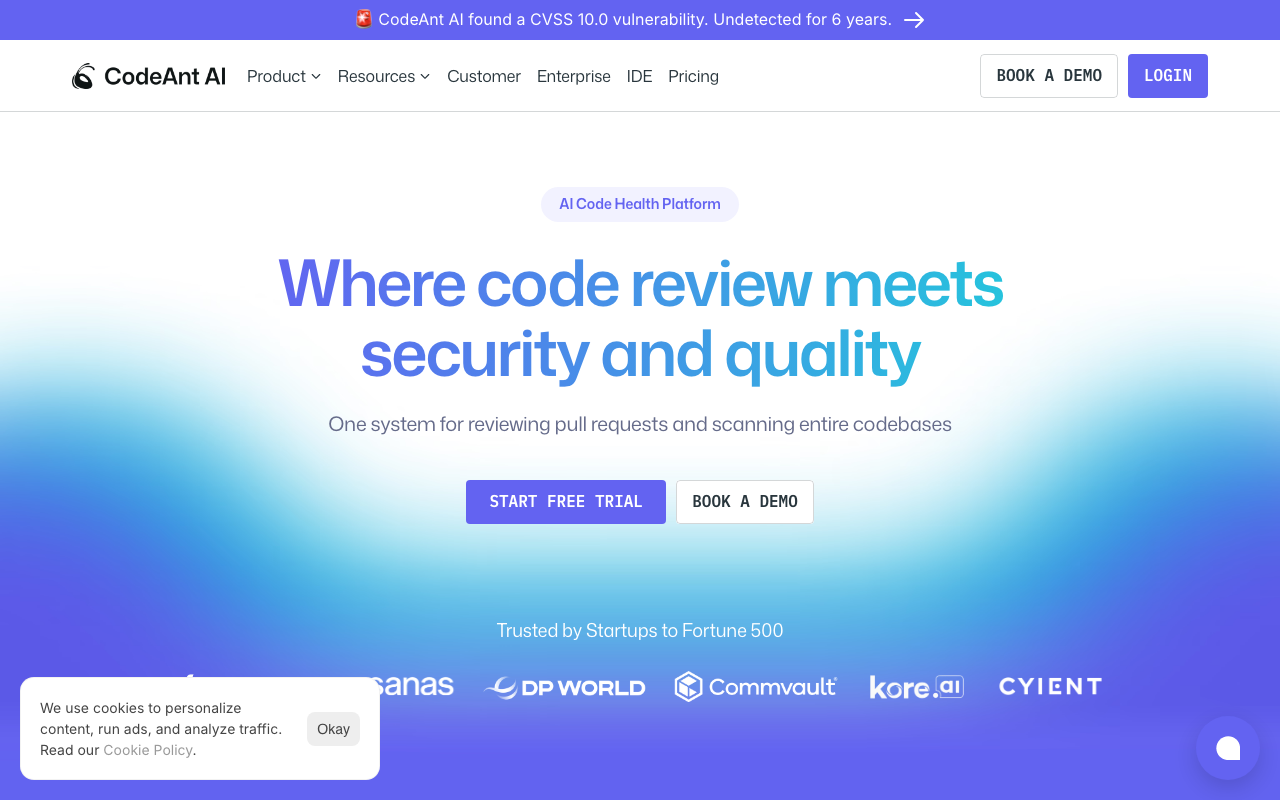
CodeAnt AI is the strongest CodeRabbit alternative for teams that want AI code review bundled with security scanning and engineering metrics in a single platform. While CodeRabbit focuses exclusively on PR-level review, CodeAnt AI adds SAST, secret detection, IaC security, DORA metrics, and quality gates on top of its AI review capabilities.
Key Features
CodeAnt AI provides line-by-line PR feedback with one-click auto-fix suggestions, PR summaries, and chat-style interactions - comparable to CodeRabbit’s core review functionality. What sets it apart is the bundled security layer: OWASP Top 10 SAST scanning, secret detection for accidentally committed API keys, and Infrastructure-as-Code scanning for Terraform and Kubernetes misconfigurations all run automatically on every PR.
The platform also includes code quality analysis (dead code detection, complexity metrics, duplication), quality gates that block merges, and DORA metrics with developer productivity dashboards. This makes CodeAnt AI more comparable to buying CodeRabbit + Semgrep + LinearB in a single tool.
Where it beats CodeRabbit
CodeAnt AI’s most significant advantage is platform breadth. CodeRabbit charges $24/user/month for review-only capabilities. CodeAnt AI’s Premium plan at $40/user/month includes review, SAST, secrets, IaC, and DORA metrics - more functionality for a comparable price. CodeAnt AI also matches CodeRabbit’s four-platform support (GitHub, GitLab, Bitbucket, Azure DevOps).
Where CodeRabbit wins
CodeRabbit has a generous free tier with unlimited repos. CodeAnt AI’s Basic plan at $24/month is affordable but not free. CodeRabbit also has a much larger user base (2M+ repos, 500K+ developers) and more mature community. For teams that only need review without security scanning, CodeRabbit’s focused approach may produce slightly more refined review comments.
Pricing: Basic at $24/user/month (AI review), Premium at $40/user/month (review + SAST + secrets + IaC + DORA), Enterprise custom pricing.
Best for: Teams that want to replace CodeRabbit AND their security scanner with a single, more affordable platform.
2. GitHub Copilot - Best for Native GitHub Integration
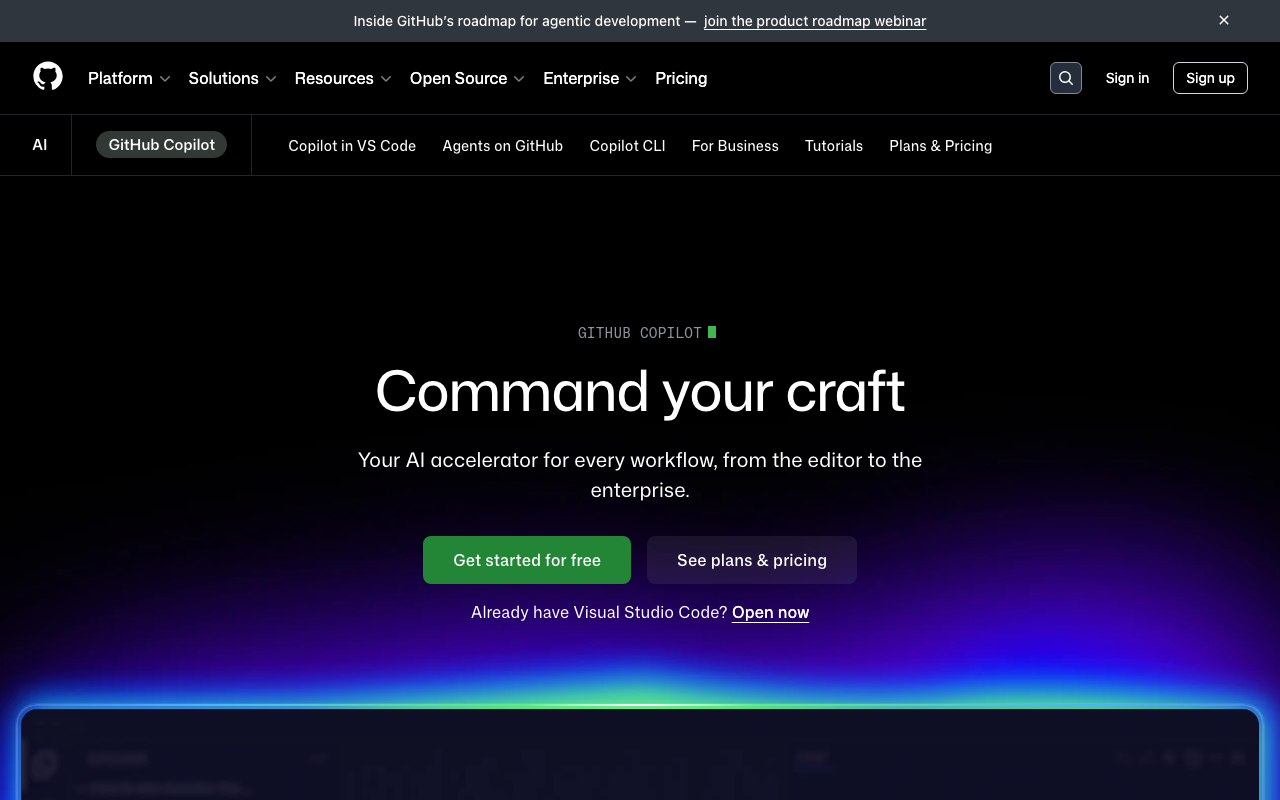
GitHub Copilot has evolved far beyond code completion into a full AI development platform that includes one of the most widely deployed AI code review systems in the world. With over 60 million code reviews processed, Copilot Code Review is built directly into GitHub’s pull request interface, offering the deepest possible platform integration of any tool on this list. For the estimated 20 million developers already using Copilot, code review is simply another capability available in the platform they work in every day.
Key Features
- Agentic code review architecture. As of March 2026, Copilot runs on a fully agentic architecture that uses tool-calling to read relevant files, examine directory structure, and trace references across the codebase. This delivers higher-quality findings that account for how changes fit into the larger architecture.
- Multi-model selection. Copilot supports GPT-5.4, Claude Opus 4, and Gemini 3 Pro, letting developers choose the model that best suits their analysis needs.
- Custom review instructions. Teams customize behavior using
copilot-instructions.mdfiles in their.githubdirectory with specific coding standards and review priorities. - Coding agent. Beyond review, Copilot includes an autonomous coding agent that can implement features, fix bugs, and open pull requests on its own, self-reviewing its changes before opening a PR.
- Built-in security scanning. The coding agent integrates code scanning, secret detection, and dependency vulnerability checks directly into its workflow.
Pricing
- Copilot Free: $0/month (2,000 completions, 50 premium requests)
- Copilot Pro: $10/month (unlimited completions, 300 premium requests, includes code review)
- Copilot Pro+: $39/month (1,500 premium requests, all AI models)
- Copilot Business: $19/user/month (organization policies, audit logs)
- Copilot Enterprise: $39/user/month (codebase-aware chat, custom models)
- Premium request overages: $0.04 each
Pros
- Deepest possible GitHub integration - it is GitHub
- No additional tool setup required for GitHub users
- Code review included with existing Copilot subscriptions at no extra cost
- Multi-model support lets teams choose between GPT, Claude, and Gemini
- Free tier available with basic code review capabilities
- 60M+ reviews processed demonstrates reliability at scale
Cons
- GitHub-only - no support for GitLab, Bitbucket, or Azure DevOps
- Premium request limits can be restrictive; overages cost $0.04 each
- Review depth is inconsistent compared to dedicated AI review tools
- Custom instructions limited to 4,000 characters per file
- Context window limitations mean it may only analyze a portion of large PRs
- Agent mode cold boot takes 90+ seconds per session
Best For: Teams fully committed to the GitHub ecosystem who want AI code review without adding another tool to their stack.
How It Compares to CodeRabbit
GitHub Copilot’s primary advantage is zero-friction integration for GitHub users. Since code review is bundled with Copilot subscriptions, teams already paying for code completion get review at no additional cost. However, CodeRabbit provides more detailed, configurable reviews with support for GitLab, Azure DevOps, and Bitbucket - not just GitHub. CodeRabbit’s natural language review instructions are more flexible than Copilot’s 4,000-character instruction files, and CodeRabbit’s 40+ built-in linters provide deterministic checks that Copilot lacks.
In benchmarks, Copilot caught 54% of bugs versus CodeRabbit’s 44%, but Copilot’s reviews tend to be shallower and less actionable on complex PRs. CodeRabbit’s free tier with unlimited repos is more generous than Copilot’s 50-premium-request free limit. The decision comes down to whether you value native platform integration (Copilot) or deeper, more customizable review quality across multiple platforms (CodeRabbit).
3. Greptile - Best for Bug Detection Accuracy
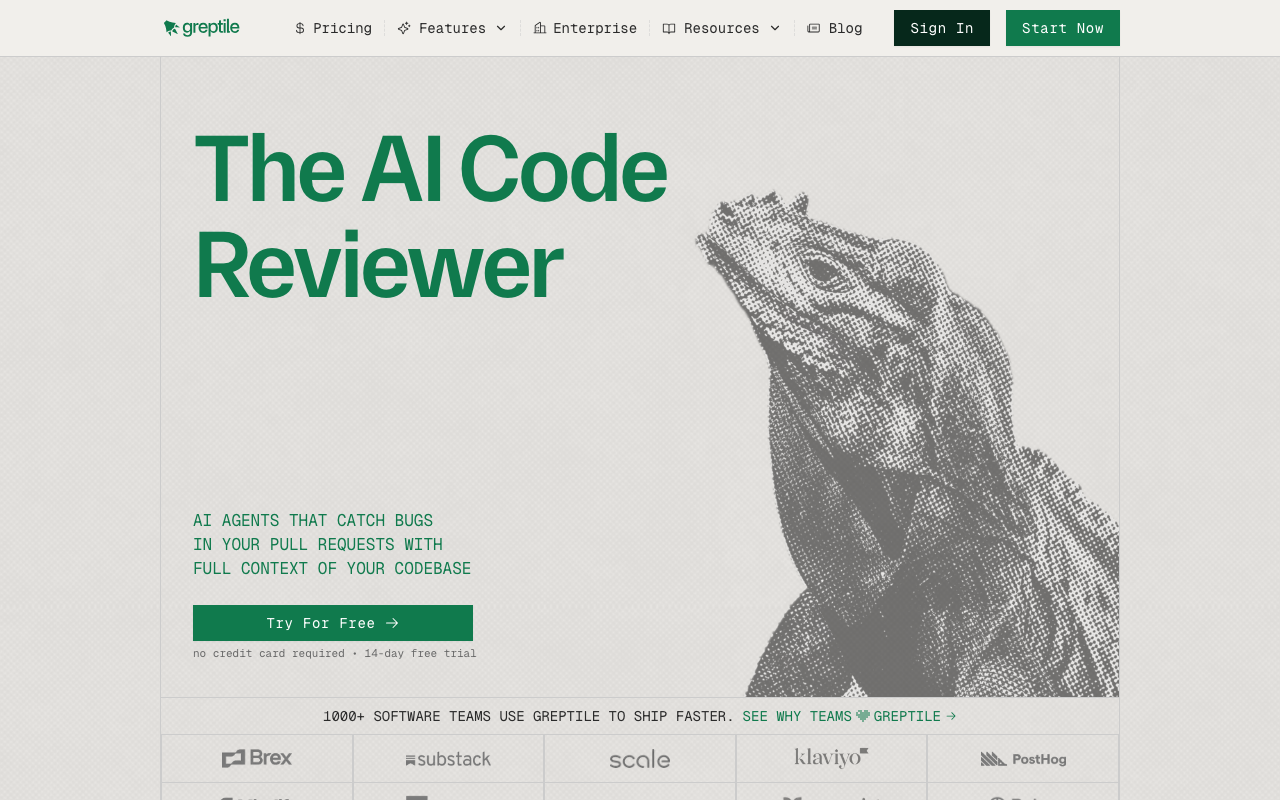
Greptile takes a fundamentally different approach to AI code review by indexing your entire codebase to build a deep semantic understanding of your code’s architecture, patterns, and dependencies. Rather than analyzing only the PR diff, Greptile reviews every change within the full context of your repository. This means it catches issues like cross-file dependency breaks, architectural drift, and convention violations that diff-only tools are fundamentally blind to.
Backed by Y Combinator with $30 million in total funding at a $180 million valuation, Greptile achieved an 82% bug catch rate in independent benchmarks - nearly double CodeRabbit’s 44% and well ahead of GitHub Copilot’s 54%.
Key Features
- Full codebase indexing and code graph construction. Greptile creates a semantic map of your code’s structure, relationships, and patterns that is continuously updated as code changes.
- Multi-hop investigation engine. Built on the Anthropic Claude Agent SDK, Greptile traces dependencies, checks git history, and follows leads across files - much like an experienced engineer reviewing complex changes.
- Confidence scores on every comment. Each review comment includes a confidence score that helps developers quickly triage feedback. High-confidence comments likely indicate real bugs; lower-confidence ones may be style suggestions.
- Natural language codebase queries. Beyond PR reviews, developers can ask questions like “How does authentication flow work in this service?” and get accurate answers with file references.
- Cross-repository and documentation integration. Integrates with Jira, Notion, Google Drive, and Sentry for pulling in context from tickets, documentation, and error tracking.
Pricing
- Cloud: $30/seat/month (50 reviews per seat included, $1 per additional review)
- Enterprise: Custom (self-hosted, SSO/SAML, dedicated support)
- 14-day free trial available
- 50% discount for pre-Series A startups
- Free access for qualified open-source projects
Pros
- Industry-leading 82% bug catch rate in independent benchmarks
- Full codebase indexing provides deeper context than diff-only tools
- Confidence scores help developers prioritize which comments to address
- Natural language queries turn it into a codebase knowledge base
- Strong product velocity with measurable improvements in each release
Cons
- No free tier - requires 14-day trial then $30/seat/month
- Higher false positive rate (11 versus CodeRabbit’s 2 in benchmark testing)
- GitHub and GitLab only - no Bitbucket or Azure DevOps support
- Reviews take several minutes versus CodeRabbit’s 2-4 minute turnaround
- Smaller team (20 employees) and community compared to larger competitors
Best For: Engineering teams with complex, interconnected codebases who need AI reviews that understand their full repository context and are willing to trade some noise for maximum bug detection.
How It Compares to CodeRabbit
The core tradeoff between Greptile and CodeRabbit is depth versus breadth. Greptile’s full codebase indexing catches nearly twice as many bugs (82% vs. 44%), but it also produces significantly more false positives (11 vs. 2 in benchmarks). Greptile’s multi-hop investigation takes longer per review, while CodeRabbit typically finishes in 2-4 minutes.
CodeRabbit supports four Git platforms (GitHub, GitLab, Azure DevOps, Bitbucket) versus Greptile’s two (GitHub, GitLab). CodeRabbit’s free tier makes it accessible to any team, while Greptile requires a $30/seat/month commitment after the trial. CodeRabbit’s 40+ built-in linters provide deterministic checks that Greptile does not include.
Choose Greptile if catching every possible bug is your top priority and you can tolerate some noise. Choose CodeRabbit if you want broader platform support, lower noise, a free starting point, and faster review turnaround.
4. Sourcery - Best for Python Teams and Refactoring
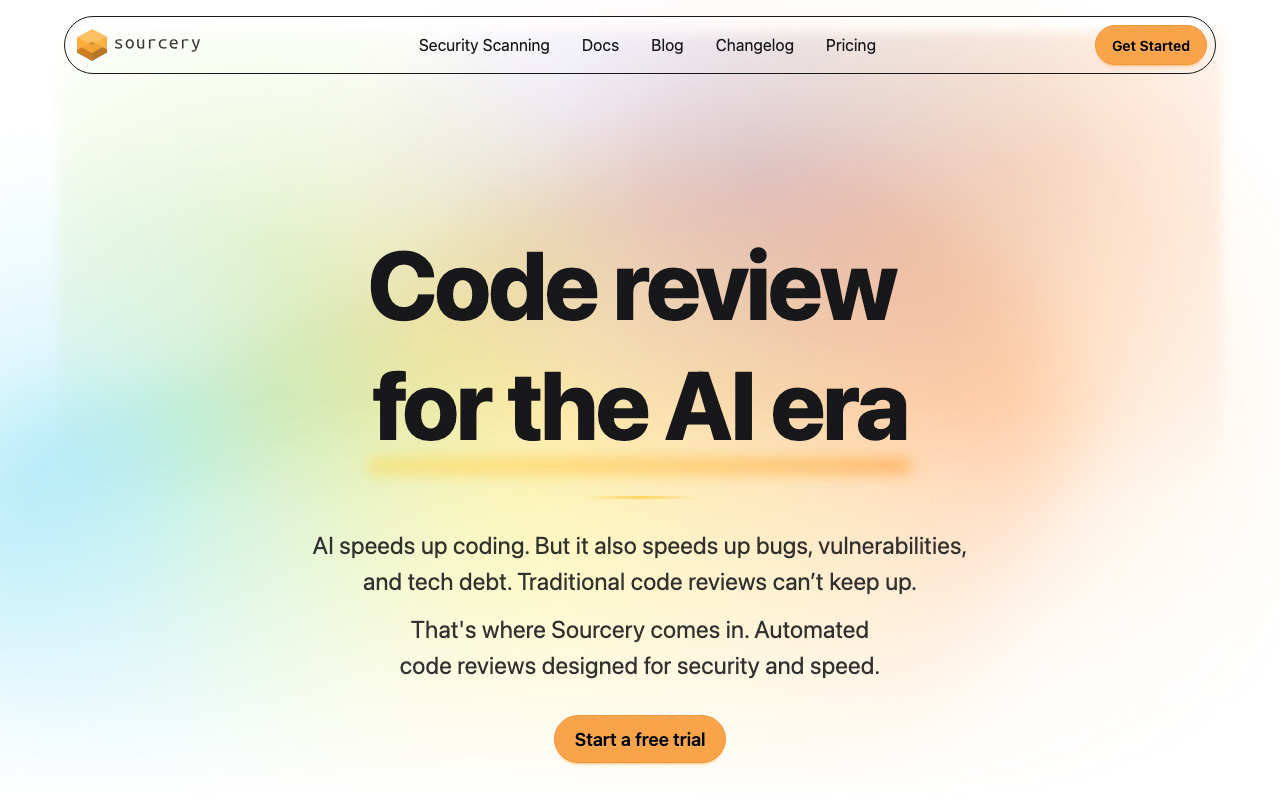
Sourcery has carved out a distinctive position in the AI code review market by focusing on what most tools overlook: making good code better. Originally built as a Python refactoring engine, Sourcery has expanded to support over 30 languages while retaining best-in-class Python expertise. Its AI reviews focus on code quality, readability, and idiomatic patterns rather than just bug detection, and its pricing at $10/user/month for private repos makes it one of the most affordable options in the market.
Key Features
- Deep Python refactoring engine. Sourcery understands idiomatic Python patterns including list comprehensions, context managers, dataclasses, and generator expressions. It suggests transformations that align with Pythonic best practices.
- Custom coding guidelines. Teams define their coding standards in a
.sourcery.yamlfile that lives in the repository, ensuring standards are version-controlled alongside code. - Interactive PR commands. Commands like
@sourcery-ai summary,@sourcery-ai guide, and@sourcery-ai resolvegive developers fine-grained control over the review process. - Learning capability. When developers dismiss specific types of suggestions, Sourcery adapts future reviews to focus on what the team finds valuable.
- Security vulnerability scanning. The Team plan includes daily security scans across 200+ repos with fix suggestions and unlimited security issue fixes.
- Repository analytics dashboard. Available on the Team plan, providing insights into code quality trends, review activity, and productivity metrics.
Pricing
- Free: Open-source repositories with full AI code review
- Pro: $12/user/month (private repos, custom guidelines, GitHub + GitLab)
- Team: $24/user/month (analytics, security scanning, 3x rate limits, BYOLLM)
- Enterprise: Custom (SSO/SAML, self-hosted, custom AI tuning)
Pros
- Excellent refactoring suggestions that genuinely improve readability
- Cheapest paid AI review option at $12/user/month for private repos
- Deep Python expertise unmatched by any competitor
- Free for open-source projects with no feature restrictions
- Learning capability reduces noise over time
- Self-hosted GitHub and GitLab support for enterprise environments
Cons
- Reviews files individually, which can miss cross-file dependency issues
- Limited to GitHub and GitLab - no Bitbucket or Azure DevOps support
- Independent benchmarks found approximately 50% of comments were noise
- Some refactoring suggestions can be overly aggressive or controversial
- IDE plugin functionality lags behind the PR review experience
- Smaller community compared to CodeRabbit or GitHub Copilot
Best For: Python-heavy development teams and budget-conscious organizations that prioritize code readability and refactoring over exhaustive bug detection.
How It Compares to CodeRabbit
Sourcery and CodeRabbit target different aspects of code quality. Sourcery excels at suggesting cleaner, more idiomatic code - especially in Python - while CodeRabbit focuses on catching bugs, security issues, and logic errors with broader contextual understanding. CodeRabbit’s 40+ built-in linters and cross-file analysis provide more comprehensive coverage, while Sourcery’s file-by-file analysis misses dependencies across modules.
On pricing, Sourcery’s Pro plan at $10/user/month is less than half the cost of CodeRabbit’s Pro at $24/user/month, making it significantly more affordable for teams on a budget. Sourcery’s Team plan at $24/user/month matches CodeRabbit’s price but adds security scanning and analytics that CodeRabbit does not include.
CodeRabbit supports four Git platforms versus Sourcery’s two (GitHub and GitLab). CodeRabbit’s free tier covers private repos; Sourcery’s free tier is limited to open-source projects. For Python-centric teams that value refactoring quality, Sourcery delivers more targeted value. For teams that need broader coverage and platform support, CodeRabbit is the better choice.
5. PR-Agent / Qodo Merge - Best Open-Source Alternative
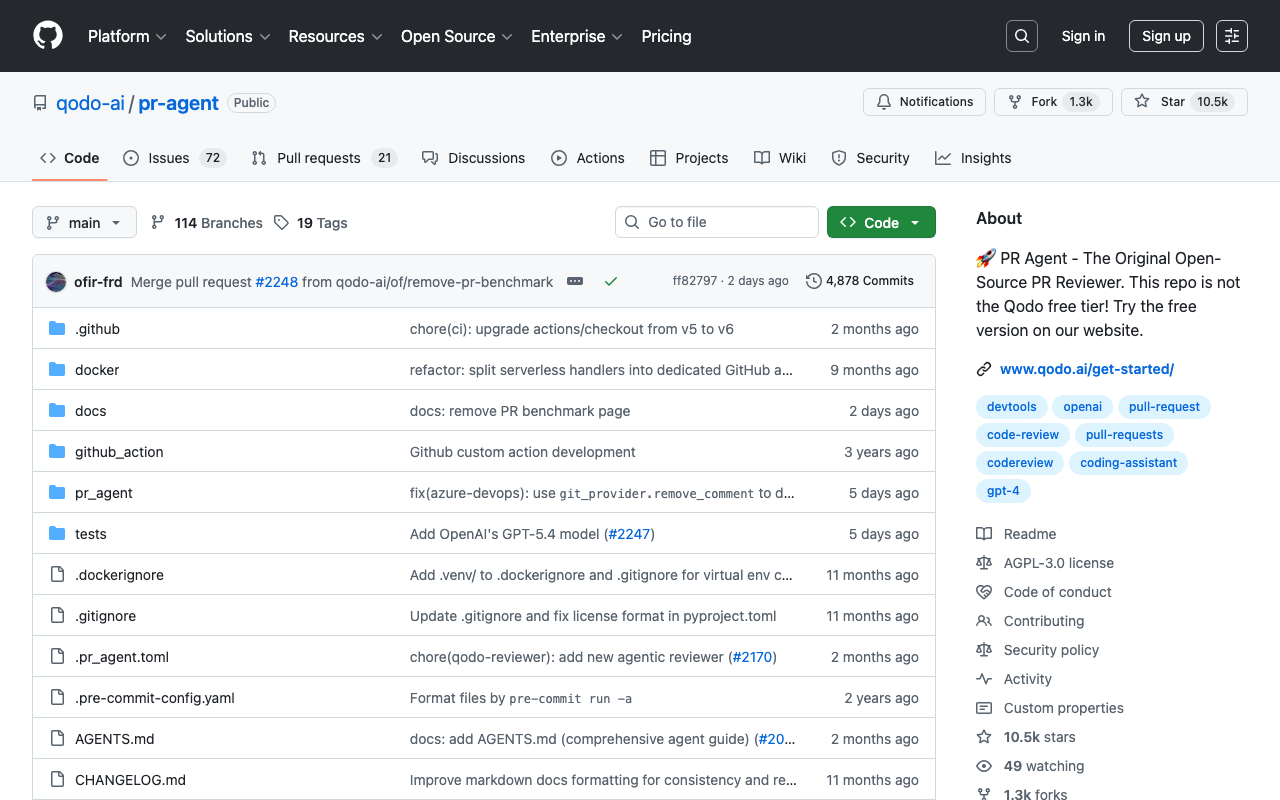
PR-Agent is the leading open-source AI code review tool, created by Qodo (formerly CodiumAI) and boasting nearly 10,000 GitHub stars. Unlike every other tool on this list, PR-Agent gives teams the option to self-host on their own infrastructure with complete control over data flow and LLM provider selection. The tool’s command-based architecture lets you trigger exactly the analysis you need - /review, /improve, /describe, /ask - rather than forcing a one-size-fits-all workflow. The hosted commercial version is called Qodo Merge.
Key Features
- Fully open-source and self-hostable. Deploy via Docker, GitHub Action, or CLI with your own LLM API keys. No vendor lock-in, complete data sovereignty.
- Multi-LLM support. Compatible with GPT-4o, Claude, Gemini, DeepSeek, and local models via Ollama. Your code never has to leave your network.
- Command-based architecture.
/describegenerates PR descriptions,/reviewperforms code review,/improvesuggests improvements,/askanswers questions,/changelogcreates release notes. - Broad platform support. Works with GitHub, GitLab, Bitbucket, and Azure DevOps - all four major platforms.
- Configurable via
.pr_agent.toml. Control which tools run automatically, set review focus areas, adjust severity thresholds, and define custom prompts. - PR Benchmark. Qodo published an open benchmark achieving a 60.1% F1 score across 580 real-world issues, providing transparent evaluation data.
Pricing
- Open Source (self-hosted): Free with your own LLM API keys
- Developer (Qodo hosted): Free (75 PR reviews/month per org, 250 LLM credits)
- Teams (Qodo hosted): $30/user/month (2,500 credits, bug detection, best practices learning)
- Enterprise: $45/user/month (on-premise, SSO/SAML, priority support)
Pros
- Fully open-source with nearly 10,000 GitHub stars and active community
- Self-hosted option for complete data sovereignty and compliance
- Supports all four major Git platforms (GitHub, GitLab, Bitbucket, Azure DevOps)
- Compatible with any LLM including local models via Ollama
- Comprehensive PR automation beyond just code review
- Recognized as Visionary in 2025 Gartner Magic Quadrant for AI Code Assistants
- Free hosted tier with 75 PRs/month is genuinely useful for small teams
Cons
- Self-hosted setup requires infrastructure management and LLM API key costs
- Teams plan at $30/user/month is more expensive than CodeRabbit Pro
- AI suggestions are sometimes illustrative rather than directly copy-pasteable
- Can produce notification fatigue in environments with multiple bots
- Free hosted tier limited to 75 PRs per month per organization
- Learning curve for Docker and GitHub Actions configuration
Best For: Security-conscious teams in regulated industries, multi-platform organizations, and cost-sensitive startups that want open-source flexibility with full control over their review infrastructure.
How It Compares to CodeRabbit
The defining difference between PR-Agent and CodeRabbit is deployment flexibility. PR-Agent can be fully self-hosted at no software cost (only LLM API charges), making it the only viable option for organizations that cannot send source code to third-party servers. CodeRabbit’s self-hosted deployment requires the Enterprise plan with a 500-seat minimum at around $15,000/month.
PR-Agent supports all four major Git platforms including Azure DevOps and Bitbucket, matching CodeRabbit’s platform breadth. Its multi-LLM support - including local models via Ollama - gives teams flexibility that CodeRabbit cannot match.
On review quality, CodeRabbit’s out-of-the-box experience is more polished with richer walkthrough summaries and learnable preferences. CodeRabbit’s 40+ built-in linters provide deterministic checks that PR-Agent does not include. CodeRabbit’s free tier with unlimited repos is more generous than PR-Agent’s 75-PR-per-month hosted free tier.
Choose PR-Agent if you need self-hosted deployment, multi-LLM flexibility, or open-source transparency. Choose CodeRabbit if you want the best out-of-the-box review experience with minimal setup and broader linting coverage.
6. DeepSource - Best for Low False Positives with AI Review
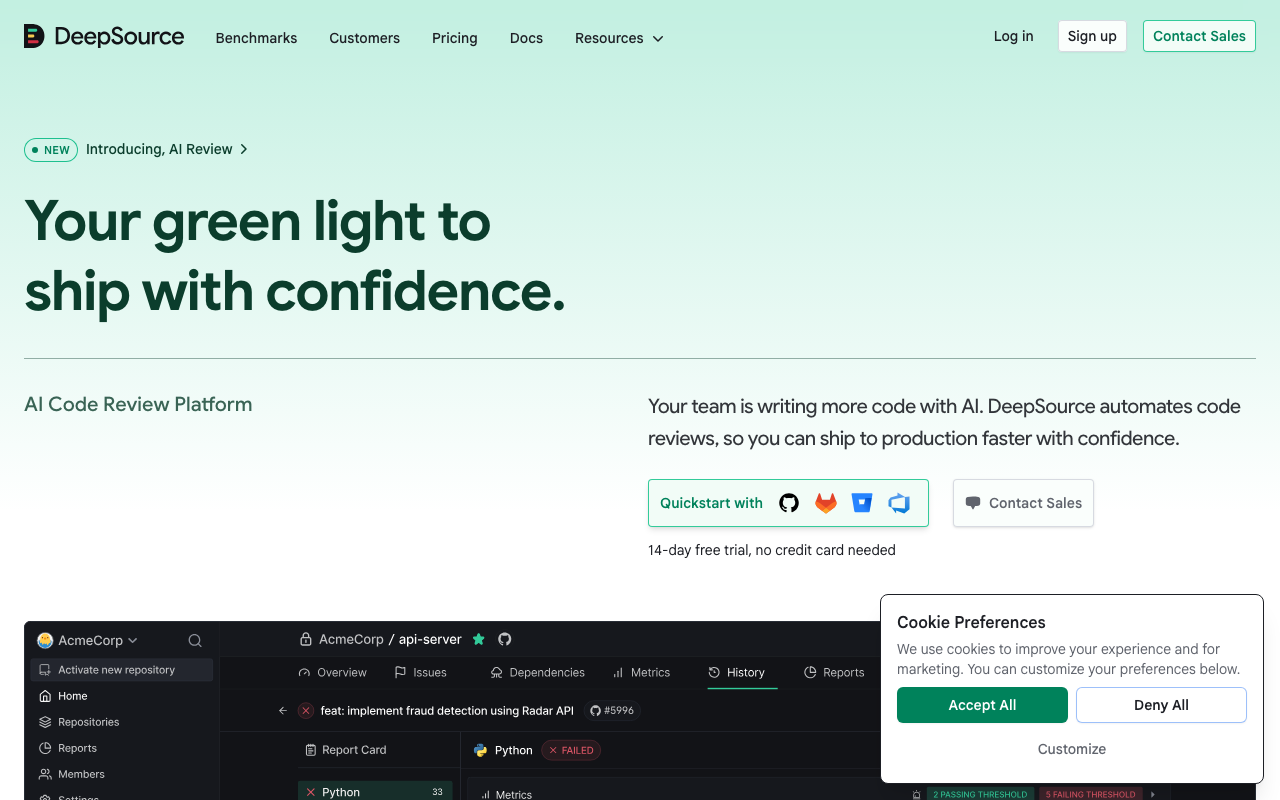
DeepSource is the strongest alternative for teams that want both static analysis and AI code review in a single platform without the noise that plagues most analysis tools. Its sub-5% false positive rate is the lowest in the industry, meaning nearly every finding is actionable. With 5,000+ analysis rules, AI code review with five-dimension PR report cards, and Autofix AI that generates context-aware fixes for nearly all detected issues, DeepSource bridges the gap between traditional code quality platforms and AI-native review tools.
Key Features
- Sub-5% false positive rate. DeepSource’s sophisticated post-processing framework filters irrelevant results before they reach developers, ensuring nearly every finding is worth investigating.
- AI code review with five-dimension report cards. Every PR gets scored across Security, Reliability, Complexity, Hygiene, and Coverage, giving developers and reviewers a structured snapshot of code quality.
- Autofix AI. Generates context-aware, idiomatic fixes for nearly all detected issues by analyzing imports, related functions, and project-specific patterns.
- 5,000+ static analysis rules. Covers bugs, security vulnerabilities, code smells, and best practice violations across 16 languages at GA level.
- DeepSource Agents. Autonomous agents that observe code changes, reason about context, and take proactive action to secure code - including creating pull requests and managing CVEs.
- Secrets detection. Scans for accidentally committed API keys, passwords, and tokens across 30+ services.
Pricing
- Free: Individual developers (public and private repos, basic analysis)
- Open Source: Free (public repos only, 1,000 analysis runs/month)
- Team: $30/user/month (all features, bundled AI credits, committer-based billing)
- Enterprise: Custom (self-hosted, SSO/SCIM, priority support)
Pros
- Industry-leading sub-5% false positive rate
- Combines static analysis and AI review in one platform
- Autofix AI generates ready-to-merge fixes for most detected issues
- Five-dimension report cards provide structured, actionable feedback
- Supports GitHub, GitLab, and Bitbucket
- Committer-based billing means you only pay for active contributors
- Fast setup with no infrastructure to manage
Cons
- Team plan at $30/user/month is higher than CodeRabbit’s $24/user/month
- 16 languages at GA versus CodeRabbit’s 30+ language support
- Some important languages (C/C++, Swift, Kotlin) still in beta
- Free plan deprecated for teams; Open Source plan limited to public repos
- Enterprise plan required for self-hosted deployment and SSO
- Autofix currently limited to single-file fixes
- Smaller ecosystem compared to SonarQube
Best For: Teams frustrated with noisy static analysis tools that want comprehensive code quality analysis and AI review in one platform with minimal false positives.
How It Compares to CodeRabbit
DeepSource and CodeRabbit serve overlapping but distinct needs. CodeRabbit is a dedicated AI review tool that excels at contextual, conversational feedback on PRs. DeepSource is a code quality platform that combines static analysis, security scanning, and AI review. Teams that only need AI-powered PR review will get a deeper review experience from CodeRabbit. Teams that want static analysis, security scanning, coverage tracking, and AI review in one tool will get more value from DeepSource.
On review quality specifically, CodeRabbit’s AI analysis is deeper and more conversational, with learnable preferences and natural language instructions. DeepSource’s AI review provides structured five-dimension report cards that are easier to scan at a glance but less detailed per finding. DeepSource’s sub-5% false positive rate on static analysis is a major advantage over CodeRabbit’s occasional verbosity on large PRs.
Both tools cost similar amounts: CodeRabbit Pro at $24/user/month for review-only, DeepSource Team at $30/user/month for analysis plus review. If you currently run a static analysis tool alongside CodeRabbit, DeepSource could replace both at a lower combined cost.
7. Codacy - Best All-in-One Platform on a Budget
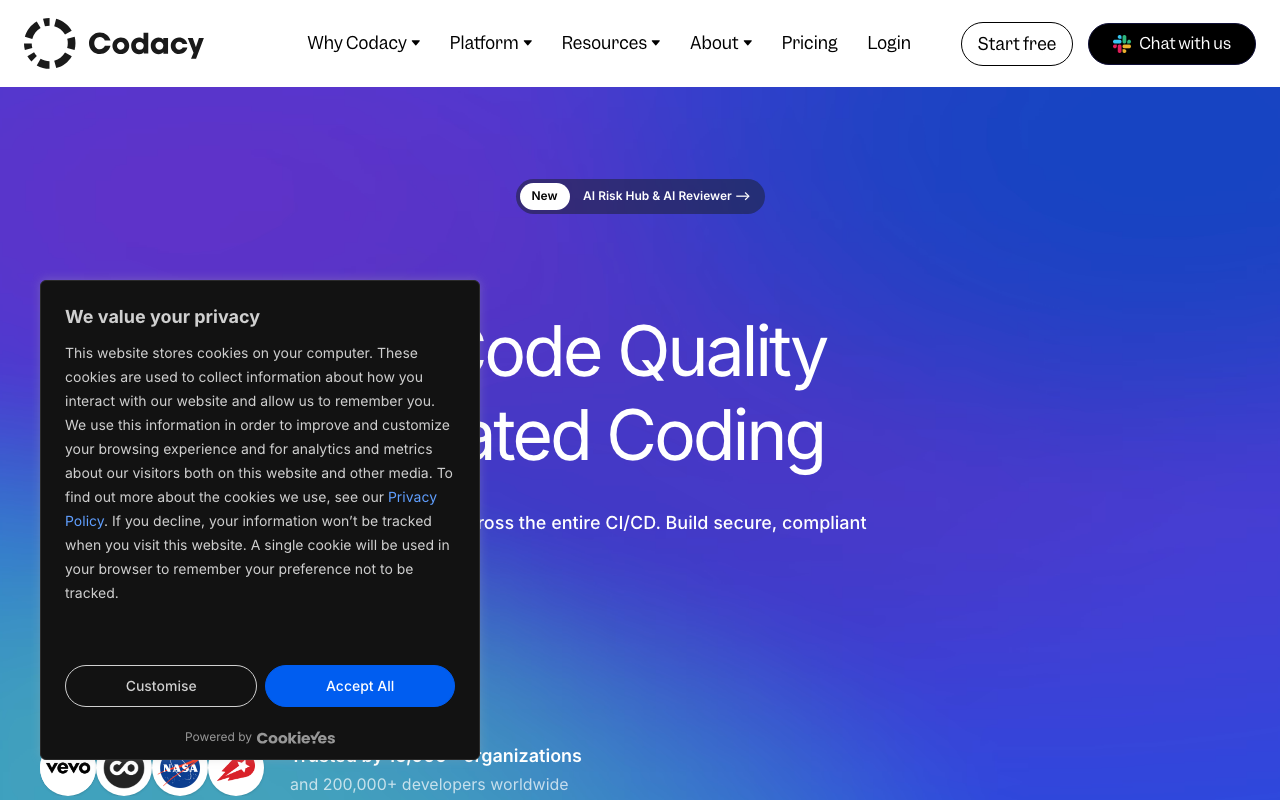
Codacy is a comprehensive code quality and security platform trusted by 15,000+ organizations that provides the broadest feature set at the lowest per-user price of any tool on this list. At $15/user/month, Codacy bundles SAST, SCA, DAST, secrets detection, AI code review, code coverage tracking, and duplication analysis across 49 languages. For teams that need more than just AI review and want to consolidate multiple tools into a single platform, Codacy delivers exceptional value.
Key Features
- AI Guardrails. A free IDE extension for VS Code, Cursor, and Windsurf that scans AI-generated code in real time, auto-fixing security and quality issues before code is committed.
- AI Reviewer. A hybrid review engine combining rule-based static analysis with context-aware AI reasoning, using PR metadata and Jira tickets for more accurate feedback.
- Comprehensive security suite. SAST, SCA, DAST (ZAP-powered), and secrets detection in one platform - something no dedicated AI review tool offers.
- 49 language support. Among the broadest in the market, covering virtually every mainstream and many niche languages.
- Pipeline-less setup. Connect your repository and get results in minutes without any CI/CD configuration changes.
- Quality gates. Customizable thresholds that block non-compliant PRs based on coverage, complexity, and issue counts.
Pricing
- Developer (Free): Codacy Guardrails IDE extension for individual developers
- Pro: $15/user/month (unlimited users, scans, and repos)
- Business: Custom (DAST, self-hosted, SSO/SAML, audit logs)
Pros
- Most affordable all-in-one platform at $15/user/month with unlimited scans
- 49-language support is among the broadest in the market
- SAST, SCA, DAST, and secrets detection - no dedicated review tool matches this breadth
- AI Guardrails free IDE extension scans AI-generated code in real time
- Pipeline-less setup gets you scanning in under 10 minutes
- Predictable per-user pricing with no LOC or scan limits
Cons
- AI review features less advanced than CodeRabbit’s dedicated AI engine
- Can generate noisy false positives on legacy codebases requiring tuning
- Self-hosted and DAST only available on Business plan
- Support response times can exceed 24 hours on non-Business plans
- SAST depth is adequate but not market-leading compared to dedicated security tools
- Self-hosted pricing at approximately 2.5x the hosted cost per seat
Best For: Small to mid-size teams wanting a single platform for code quality, security, and AI review at a predictable, affordable price.
How It Compares to CodeRabbit
Codacy and CodeRabbit solve different problems. CodeRabbit is the better AI code review tool - its LLM-powered analysis provides deeper, more contextual feedback with learnable preferences and natural language instructions. Codacy’s AI Reviewer supplements its static analysis with some contextual suggestions, but the review quality does not match CodeRabbit’s dedicated approach.
Where Codacy excels is breadth. At $15/user/month, you get everything CodeRabbit offers (AI review) plus SAST, SCA, DAST, secrets detection, coverage tracking, duplication analysis, and quality gates across 49 languages. CodeRabbit at $24/user/month provides review-only capabilities. If you are currently paying for CodeRabbit plus a separate static analysis tool, Codacy could replace both at a lower total cost - though with a tradeoff in AI review depth.
The most common setup among teams that want the best of both worlds is running Codacy for quality gates and security scanning alongside CodeRabbit for AI-powered review. This pairing provides comprehensive coverage, though it means paying for two tools.
8. SonarQube - Best for Enterprise Rule Depth and Compliance

SonarQube is the industry standard for static code analysis, used by over 7 million developers across 400,000+ organizations. It operates in a fundamentally different category from CodeRabbit - where CodeRabbit uses AI for contextual review, SonarQube applies 6,500+ deterministic rules across 35+ languages with the deepest quality gate enforcement in the market. When a SonarQube rule flags an issue, you can trace exactly which rule was triggered, read its documentation, and understand the fix with certainty. This level of auditability and determinism is essential for regulated industries and enterprise compliance.
Key Features
- 6,500+ static analysis rules. The deepest rule database available, covering bugs, vulnerabilities, code smells, and security hotspots across 35+ languages including legacy languages like COBOL and ABAP.
- Quality gate enforcement. The most robust merge-blocking mechanism in the market, defining conditions based on coverage, bugs, vulnerabilities, and duplication that prevent code quality from degrading.
- SonarLint IDE integration. Connected-mode analysis in JetBrains IDEs, VS Code, and Visual Studio that matches CI pipeline results, creating a true shift-left experience.
- AI Code Assurance. Detects and applies enhanced verification to AI-generated code, addressing the specific risks of AI-assisted development.
- Advanced Security. SCA with malicious package detection, SBOM generation, and taint analysis across third-party dependencies (Enterprise add-on).
- Technical debt quantification. Translates every issue into estimated remediation time, giving engineering leaders data to justify quality investments.
Pricing
- Community Build: Free (self-hosted, limited features, no branch analysis)
- Cloud Free: $0 (up to 50K LOC)
- Cloud Team: From EUR 30/month (up to 100K LOC)
- Developer Edition (Server): From ~$2,500/year
- Enterprise Edition (Server): From ~$20,000/year
- Data Center Edition: Custom
Pros
- Industry standard trusted by 7M+ developers across 400K+ organizations
- Deepest rule database with 6,500+ rules covering 35+ languages
- Quality gate enforcement is unmatched for preventing code degradation
- Free Community Build available for self-hosting
- SonarLint creates a genuine shift-left IDE experience
- Supports legacy languages (COBOL, ABAP) no other tool covers
- Strong security coverage aligned to OWASP, CWE, and SANS standards
Cons
- Self-hosted setup requires dedicated DevOps resources and a full day of effort
- Community Build lacks branch analysis and PR decoration
- Enterprise pricing at $20K+/year is steep for smaller organizations
- AI capabilities (AI CodeFix) are less mature than AI-native competitors
- False positives require initial tuning effort, especially security hotspots
- UI feels dated compared to modern developer tools
- LOC-based pricing can be unpredictable as codebases grow
Best For: Enterprise engineering teams that need the deepest deterministic analysis, quality gate enforcement, compliance reporting, and long-term technical debt tracking across large, multi-language codebases.
How It Compares to CodeRabbit
SonarQube and CodeRabbit are complementary tools, not competitors. SonarQube excels at deterministic, rule-based analysis with auditable results and quality gate enforcement. CodeRabbit excels at contextual, AI-powered review that catches semantic issues and provides conversational feedback. Many teams run both: SonarQube as a quality gate that blocks PRs failing to meet deterministic standards, and CodeRabbit for AI-powered review that catches issues rules cannot detect.
SonarQube’s AI CodeFix feature generates automated remediation suggestions, but these are less contextual than CodeRabbit’s AI-powered suggestions. CodeRabbit’s natural language review instructions and learnable preferences have no equivalent in SonarQube’s rule-based system.
SonarQube’s free Community Build provides meaningful static analysis at no cost, while CodeRabbit’s free tier provides AI review at no cost. Together, they form a powerful combination at minimal expense. SonarQube is the better choice when you need compliance reporting, quality gate enforcement, and deterministic analysis. CodeRabbit is the better choice when you need contextual AI review that understands intent and provides conversational feedback.
Feature Comparison Deep Dive
AI Review Quality
Not all AI code review is created equal, and the differences in how each tool approaches review directly impact the quality of feedback your team receives.
CodeRabbit reads your PR description, linked Jira or Linear tickets, repository conventions, and prior review conversations to generate contextual comments. It learns from your team’s review patterns over time, becoming more relevant the longer you use it. Reviews typically complete in 2-4 minutes with 40+ built-in linters providing deterministic checks alongside AI analysis.
GitHub Copilot runs on an agentic architecture that gathers context through tool-calling, reading relevant files and tracing cross-file references. Its multi-model support (GPT-5.4, Claude Opus 4, Gemini 3 Pro) gives teams flexibility, but review depth varies by model and context. Reviews are fast but can be shallow on complex PRs.
Greptile takes the deepest approach, indexing your entire codebase and performing multi-hop investigation that traces dependencies across files. The result is an 82% bug catch rate, but at the cost of longer review times and more false positives.
PR-Agent is the most customizable, letting teams choose their LLM, configure review focus areas, and run self-hosted. Review quality depends heavily on which model you use and how you configure prompts.
Sourcery focuses on refactoring quality, particularly in Python, rather than bug detection. Its learning capability adapts to team preferences, reducing noise over time.
DeepSource provides structured five-dimension report cards (Security, Reliability, Complexity, Hygiene, Coverage) alongside its static analysis, offering a different lens than purely conversational AI review.
Platform and Integration Support
Platform compatibility is often the deciding factor for teams that do not use GitHub exclusively.
| Tool | GitHub | GitLab | Bitbucket | Azure DevOps |
|---|---|---|---|---|
| CodeRabbit | Yes | Yes | Yes | Yes |
| GitHub Copilot | Yes | No | No | No |
| Greptile | Yes | Yes | No | No |
| Sourcery | Yes | Yes | No | No |
| PR-Agent / Qodo | Yes | Yes | Yes | Yes |
| DeepSource | Yes | Yes | Yes | No |
| Codacy | Yes | Yes | Yes | No |
| SonarQube | Yes | Yes | Yes | Yes |
Teams using Azure DevOps have the fewest options: only CodeRabbit, PR-Agent/Qodo, and SonarQube support it. Teams on Bitbucket can choose CodeRabbit, PR-Agent/Qodo, DeepSource, Codacy, or SonarQube.
Self-Hosted Deployment
For organizations with strict data residency requirements, self-hosted deployment is a critical consideration.
PR-Agent is the clear leader here. The fully open-source tool can be deployed via Docker or GitHub Actions at no software cost, with support for local LLMs through Ollama. Your code never has to leave your network.
SonarQube Community Build is free to self-host but lacks branch analysis and PR decoration. The Developer Edition and above provide full self-hosted capabilities but require significant DevOps investment.
CodeRabbit only offers self-hosted deployment on its Enterprise plan with a 500-seat minimum at approximately $15,000/month. This prices out most organizations that need on-premises deployment.
Greptile, DeepSource, and Codacy offer self-hosted deployment on their Enterprise tiers at custom pricing. Sourcery supports self-hosted GitHub and GitLab instances but runs its analysis in the cloud. GitHub Copilot has no self-hosted option.
Pricing Comparison
Understanding the true cost of each tool requires looking beyond headline prices to consider usage limits, overage charges, and what is included at each tier.
| Tool | Free Tier | Paid Starting Price | Billing Model | Hidden Costs |
|---|---|---|---|---|
| CodeRabbit | Unlimited repos (rate-limited) | $24/user/month | Per user | Enterprise self-hosted starts at ~$15K/month |
| GitHub Copilot | 50 premium requests | $10/month | Per user + overages | $0.04 per premium request overage |
| Greptile | None (14-day trial) | $30/seat/month | Per seat + overages | $1 per review after 50/seat included |
| Sourcery | OSS repos only | $10/user/month | Per user | Security scanning only on $24 Team tier |
| PR-Agent | Self-hosted (unlimited) | $30/user/month (hosted) | Per user + credits | LLM API costs for self-hosted deployment |
| DeepSource | Individual devs only | $30/user/month | Per committer | AI features require credits on free tier |
| Codacy | IDE extension only | $15/user/month | Per user | Self-hosted at ~2.5x hosted cost |
| SonarQube | Community Build / 50K LOC cloud | EUR 30/month | LOC-based (cloud) / LOC-based (server) | Enterprise jump to $20K+/year |
For budget-conscious teams: Sourcery Pro at $10/user/month is the cheapest dedicated review tool. Codacy at $15/user/month is the cheapest all-in-one platform. GitHub Copilot Pro at $10/month is the cheapest entry point if you only need one seat. PR-Agent self-hosted is free (minus LLM API costs).
For a 50-developer team on annual billing:
- CodeRabbit Pro: ~$14,400/year
- GitHub Copilot Business: ~$11,400/year
- Greptile Cloud: ~$18,000/year (before overages)
- Sourcery Pro: ~$7,200/year
- PR-Agent/Qodo Teams: ~$18,000/year
- DeepSource Team: ~$18,000/year
- Codacy Pro: ~$9,000/year
- SonarQube Cloud Team: Variable (LOC-based)
Migration Guide: Switching from CodeRabbit
Migrating from CodeRabbit to a new tool requires planning to avoid disrupting your team’s review workflow. Here is a practical approach that minimizes risk.
Step 1: Audit Your Current CodeRabbit Usage
Before selecting a replacement, document what your team actually relies on in CodeRabbit:
- Custom review instructions. If you have invested time writing instructions in
.coderabbit.yamlor the web dashboard, you will need to replicate these in the new tool’s configuration format. Export or copy these instructions before starting migration. - Learnable preferences. CodeRabbit builds up learned preferences over time based on which suggestions your team accepts or dismisses. This learning cannot be exported, so expect the new tool to be noisier initially as it has not been trained on your team’s patterns.
- Integration touchpoints. Document which repos are connected, what Jira/Linear/Slack integrations are configured, and how CodeRabbit interacts with your merge workflow (advisory vs. blocking).
- Usage patterns. Check how many PRs per month your team submits and how often developers interact with CodeRabbit comments. This data helps you evaluate whether a new tool’s rate limits or pricing tiers will work for your volume.
Step 2: Run the New Tool in Parallel
Install the new tool alongside CodeRabbit and run both simultaneously for 2-4 weeks. This parallel evaluation period lets you:
- Compare review quality side-by-side on the same PRs
- Assess false positive rates and noise levels
- Verify that critical issues CodeRabbit catches are also caught by the new tool
- Get developer feedback on which tool produces more actionable comments
- Confirm that CI/CD integration, merge gating, and notification workflows function correctly
Step 3: Configure the Replacement
Translate your CodeRabbit configuration into the new tool’s format:
- GitHub Copilot uses
copilot-instructions.mdfiles (limited to 4,000 characters) - Greptile uses custom review rules via the dashboard
- Sourcery uses
.sourcery.yamlconfiguration files - PR-Agent uses
.pr_agent.tomlconfiguration files - DeepSource uses
.deepsource.tomlconfiguration files - Codacy uses dashboard configuration or repository settings
- SonarQube uses quality profiles and quality gates
Step 4: Communicate and Transition
Announce the change to your team with specific reasoning about which CodeRabbit limitations you are addressing. Provide documentation or training for the new tool. Once developers are comfortable and the parallel period confirms the new tool meets your needs, remove the CodeRabbit GitHub/GitLab app from your repositories.
Decision Framework: Which Alternative Is Right for You?
If your problem is CodeRabbit’s GitHub-only limitation…
Wait - CodeRabbit actually supports GitHub, GitLab, Azure DevOps, and Bitbucket. If you need multi-platform support, CodeRabbit already covers it. Among alternatives, PR-Agent/Qodo Merge matches this breadth, and SonarQube supports all four platforms as well.
If your problem is shallow bug detection…
Go with Greptile. Its full codebase indexing and multi-hop investigation catch 82% of bugs versus CodeRabbit’s 44%. The $30/seat/month price and higher false positive rate are the tradeoffs, but for teams where catching every bug matters more than minimizing noise, Greptile is the clear leader.
If your problem is cost…
Go with Sourcery at $10/user/month for the cheapest dedicated AI review. Go with Codacy at $15/user/month for the cheapest all-in-one platform. Go with PR-Agent self-hosted for free AI review (minus LLM API costs). Go with GitHub Copilot Pro at $10/month if you are a solo developer or small team on GitHub.
If your problem is needing self-hosted deployment…
Go with PR-Agent. It is the only fully open-source, self-hostable AI code review tool with production-quality capabilities. It supports local LLMs through Ollama, meaning your code never leaves your network. SonarQube Community Build is also free to self-host for deterministic static analysis. Both are free options that give you complete data sovereignty.
If your problem is needing more than just review…
Go with Codacy for the broadest feature set at $15/user/month (SAST, SCA, DAST, secrets, coverage, AI review). Go with DeepSource for static analysis plus AI review with the lowest false positive rate. Go with SonarQube for the deepest rule-based analysis with quality gate enforcement and compliance reporting.
If your problem is native platform integration…
Go with GitHub Copilot if your team lives in GitHub. The zero-setup experience and bundled pricing (review included with Copilot subscriptions) make it the path of least resistance for GitHub-native teams.
If your problem is Python-specific code quality…
Go with Sourcery. Its deep understanding of Pythonic patterns, list comprehensions, context managers, and idiomatic Python makes it the best AI review tool for Python-heavy teams. No other tool on this list matches Sourcery’s Python refactoring depth.
Recommendations by Use Case
For startups and small teams (1-10 developers) on a tight budget: Start with CodeRabbit’s free tier for AI review and add SonarQube Cloud Free for basic static analysis. This combination costs nothing and provides both AI-powered review and deterministic quality checks. If you need security scanning, Codacy at $15/user/month replaces both with an all-in-one platform.
For mid-size teams (10-50 developers) wanting the best AI review: Stay with CodeRabbit Pro at $24/user/month. For teams that want deeper bug detection, evaluate Greptile at $30/seat/month. Pair either with a static analysis tool for comprehensive coverage.
For enterprise teams in regulated industries: SonarQube Enterprise for deterministic analysis, quality gate enforcement, and compliance reporting, paired with CodeRabbit or Greptile for AI-powered review. If self-hosted AI review is required, use PR-Agent with local LLMs.
For security-conscious teams that cannot use third-party SaaS: PR-Agent self-hosted with Ollama for AI review plus SonarQube Server for static analysis. Both are free to self-host, giving you complete data sovereignty with no code leaving your network.
For Python-heavy development teams: Sourcery at $10/user/month for Python-specific refactoring and review quality. Pair with CodeRabbit or Greptile if you need broader review coverage across other languages.
For teams wanting to consolidate tools and reduce vendor count: Codacy at $15/user/month provides code quality, security scanning (SAST, SCA, DAST), AI review, coverage tracking, and secrets detection in one platform. DeepSource at $30/user/month provides static analysis, AI review, and autofix with the lowest false positive rate. Both reduce the need for multiple separate tools.
For open-source maintainers: CodeRabbit’s free tier with unlimited repos is the most generous offering. Sourcery provides free full-featured AI review for public repos. PR-Agent is fully open-source and free to self-host. SonarQube Cloud offers a free OSS plan with unlimited branch and PR analysis.
Conclusion
CodeRabbit has earned its position as the most widely adopted AI code review tool through a combination of strong AI analysis, broad platform support, 40+ built-in linters, and a genuinely useful free tier. For many teams, it remains the right choice for AI-powered PR review, and the reasons to switch are specific rather than universal.
But if CodeRabbit’s bug detection depth feels insufficient, Greptile catches nearly twice as many bugs through full codebase indexing. If you need native GitHub integration without adding another tool, GitHub Copilot includes code review in your existing subscription. If self-hosted deployment and open-source transparency are requirements, PR-Agent is the only serious option. If Python refactoring quality matters most, Sourcery delivers deeper Python expertise at half the price.
For teams that need more than review alone, the calculation changes entirely. Codacy at $15/user/month bundles SAST, SCA, DAST, secrets detection, and AI review into one platform. DeepSource combines static analysis and AI review with the industry’s lowest false positive rate. SonarQube provides the deepest deterministic analysis with quality gate enforcement trusted by 7 million developers.
The most effective approach is identifying your specific pain point with CodeRabbit and choosing the tool that addresses it directly. Many teams find that the best setup is not replacing CodeRabbit entirely but pairing it with a complementary tool - CodeRabbit for AI review alongside SonarQube for quality gates, or CodeRabbit for contextual feedback alongside DeepSource for low-noise static analysis. The right choice depends on whether your primary need is deeper review, broader analysis, lower cost, or self-hosted deployment.
Frequently Asked Questions
What is the best alternative to CodeRabbit?
The best CodeRabbit alternative depends on your primary need. GitHub Copilot is best for teams already in the GitHub ecosystem who want zero-setup AI review. Greptile leads in bug detection accuracy with an 82% catch rate versus CodeRabbit's 44%. PR-Agent/Qodo Merge is the top choice for teams that need a self-hosted, open-source solution. DeepSource is ideal for teams wanting both static analysis and AI review in one platform with a sub-5% false positive rate.
Is CodeRabbit free?
Yes, CodeRabbit offers a free plan that covers unlimited public and private repositories with AI-powered PR summaries, review comments, and basic analysis. Free-tier users are subject to rate limits of 200 files per hour and 4 PR reviews per hour. There is no cap on the number of repositories or team members on the free plan. The Pro plan at $24/user/month removes rate limits and unlocks advanced features like auto-fix suggestions, 40+ built-in linters, and custom review instructions.
What is the difference between CodeRabbit and GitHub Copilot code review?
CodeRabbit is a dedicated AI code review tool that supports GitHub, GitLab, Azure DevOps, and Bitbucket with deep customization via natural language instructions. GitHub Copilot code review is built natively into GitHub with zero setup but only works on GitHub. CodeRabbit provides more detailed, configurable reviews with 40+ built-in linters at $24/user/month. Copilot includes code review as part of its broader AI platform starting at $10/month but uses a premium request system that can increase costs for heavy users.
What is the difference between CodeRabbit and Greptile?
CodeRabbit analyzes PR diffs with repository context and delivers reviews in 2-4 minutes with low false positives. Greptile indexes your entire codebase to build a semantic code graph and performs multi-hop investigation, catching 82% of bugs versus CodeRabbit's 44% in independent benchmarks. However, Greptile produces more false positives (11 vs. 2 in testing) and has no free tier, starting at $30/seat/month. CodeRabbit supports four Git platforms while Greptile supports only GitHub and GitLab.
Is there a free open-source alternative to CodeRabbit?
Yes, PR-Agent by Qodo is the leading open-source alternative to CodeRabbit with nearly 10,000 GitHub stars. It can be fully self-hosted via Docker or GitHub Actions with your own LLM API keys, making the tool itself free. PR-Agent supports GitHub, GitLab, Bitbucket, and Azure DevOps and works with any LLM including local models through Ollama. The hosted version (Qodo Merge) offers a free tier with 75 PR reviews per month per organization.
Can CodeRabbit alternatives detect security vulnerabilities?
Yes, several CodeRabbit alternatives include security scanning. SonarQube provides 6,500+ rules covering OWASP Top 10, CWE, and SANS security standards. DeepSource includes security vulnerability detection aligned with OWASP Top 10 and SANS Top 25. Codacy bundles SAST, SCA, DAST, and secrets detection at $15/user/month. CodeRabbit itself catches common security issues during AI review, but dedicated security tools like SonarQube and DeepSource provide deeper, more systematic coverage.
What is the cheapest CodeRabbit alternative?
GitHub Copilot Pro at $10/month is the cheapest paid option that includes AI code review, though it uses a premium request system with potential overage charges. Sourcery Pro at $10/user/month is the cheapest dedicated AI review tool for private repos. For free options, PR-Agent is fully open-source and self-hostable, SonarQube Community Build provides free self-hosted static analysis, and Codacy offers a free IDE extension for individual developers. Sourcery also provides a free tier for open-source projects.
How does CodeRabbit compare to SonarQube?
CodeRabbit and SonarQube serve fundamentally different purposes. CodeRabbit is an AI-powered PR review tool that provides contextual, conversational feedback on code changes using LLMs. SonarQube is a deterministic static analysis platform with 6,500+ rules focused on code quality gates, technical debt tracking, and security compliance. Many teams run both: SonarQube for quality gate enforcement and rule-based analysis, and CodeRabbit for AI-powered contextual review. SonarQube has a free self-hosted Community Build; CodeRabbit has a free tier with unlimited repos.
Which CodeRabbit alternative is best for self-hosted deployment?
PR-Agent by Qodo is the best self-hosted alternative to CodeRabbit. It is fully open-source, deployable via Docker or GitHub Actions, and works with any LLM including local models through Ollama. SonarQube Community Build is another strong self-hosted option for deterministic static analysis. Both are free to self-host. CodeRabbit only offers self-hosted deployment on its Enterprise plan with a 500-seat minimum and pricing starting around $15,000/month.
What is the most accurate AI code review tool in 2026?
In independent benchmarks conducted across real-world pull requests from open-source projects, Greptile achieved the highest bug catch rate at 82%, followed by GitHub Copilot at 54% and CodeRabbit at 44%. However, accuracy comes with tradeoffs - Greptile also produced more false positives (11 per benchmark run versus CodeRabbit's 2). For teams that prioritize catching every possible bug over minimizing noise, Greptile leads the market. For teams that prefer low-noise, actionable feedback, CodeRabbit offers a better signal-to-noise ratio.
Can I use CodeRabbit alternatives with GitLab or Bitbucket?
Yes, several CodeRabbit alternatives support GitLab and Bitbucket. PR-Agent/Qodo Merge supports GitHub, GitLab, Bitbucket, and Azure DevOps. Sourcery supports GitHub and GitLab including self-hosted instances. DeepSource supports GitHub, GitLab, and Bitbucket. Codacy supports GitHub, GitLab, and Bitbucket. SonarQube Cloud supports GitHub, GitLab, Bitbucket, and Azure DevOps. GitHub Copilot is the notable exception, supporting only GitHub.
How do I migrate from CodeRabbit to another AI code review tool?
Most CodeRabbit alternatives can be installed alongside CodeRabbit for a parallel evaluation period. Tools like GitHub Copilot, Sourcery, and Greptile install as GitHub or GitLab apps in under 10 minutes. For PR-Agent self-hosted, plan 30-60 minutes for Docker or GitHub Actions setup. Run both tools simultaneously for 2-4 weeks to compare review quality, false positive rates, and developer satisfaction. Export any custom review instructions from your .coderabbit.yaml file and replicate them in the new tool's configuration format.
Does CodeRabbit work with Azure DevOps?
Yes, CodeRabbit supports Azure DevOps along with GitHub, GitLab, and Bitbucket. This broad platform support is one of CodeRabbit's key advantages. Among the alternatives covered in this guide, only PR-Agent/Qodo Merge and SonarQube also support Azure DevOps. GitHub Copilot is limited to GitHub only. Greptile supports GitHub and GitLab. Sourcery supports GitHub and GitLab. DeepSource supports GitHub, GitLab, and Bitbucket. Codacy supports GitHub, GitLab, and Bitbucket.
Explore More
Tool Reviews
 CodeRabbit Review
 CodeAnt AI Review
 GitHub Copilot Code Review Review
 Greptile Review
 Sourcery Review
 PR-Agent Review
 DeepSource Review
 Codacy Review
 SonarQube Review
Related Articles
Free Newsletter
Stay ahead with AI dev tools
Weekly insights on AI code review, static analysis, and developer productivity. No spam, unsubscribe anytime.
Join developers getting weekly AI tool insights.
Related Articles
CodiumAI Alternatives: Best AI Tools for Automated Testing in 2026
Explore the best CodiumAI (now Qodo) alternatives for AI test generation, code review, and quality analysis with pricing and honest comparisons.
March 13, 2026
alternativesBest Free Snyk Alternatives for Vulnerability Scanning in 2026
Discover the best free Snyk alternatives for vulnerability scanning. Compare Trivy, Grype, Semgrep, CodeQL, and more open source security tools.
March 13, 2026
alternativesFree SonarQube Alternatives: Best Open Source Code Quality Tools in 2026
Discover the best free SonarQube alternatives for code quality and security. Open source tools, free tiers, and budget options compared.
March 13, 2026