CodeRabbit vs Bito: AI Code Review Comparison for 2026
CodeRabbit vs Bito compared - review depth, IDE integration, pricing, PR chat, and accuracy. Find the right AI code review tool for your team.
Published:
Last Updated:
Quick verdict
CodeRabbit and Bito are both AI-powered code review tools, but they occupy different positions in the market and target different team priorities. CodeRabbit is the category leader in dedicated PR review with 500,000+ developers, 13 million+ PRs reviewed, a generous free tier, and 40+ built-in linters. Bito is a more affordable option at $15/user/month that differentiates through interactive PR chat, broader IDE integration, and Jira ticket validation.
If review depth and accuracy are your top priority, CodeRabbit is the stronger choice. It catches approximately 82% of bugs in third-party benchmarks, offers one-click auto-fix suggestions, supports four major Git platforms including Azure DevOps, and provides a free tier that Bito cannot match. CodeRabbit’s natural language configuration and learnable review preferences make it increasingly accurate over time.
If budget is your primary concern and you value interactive chat in PRs and the IDE, Bito deserves serious consideration. At $15/user/month versus CodeRabbit’s $24/user/month, Bito saves meaningful money at scale. Its conversational PR chat - where developers can ask follow-up questions, challenge suggestions, and request code examples - is more mature than any competitor’s. And its pre-PR review in VS Code, JetBrains, Cursor, and Windsurf catches issues before they ever reach a pull request.
This comparison breaks down exactly how these two tools differ across review quality, pricing, IDE integration, platform support, developer experience, and specific use cases so you can make an informed decision for your team.
At-a-glance comparison
| Feature | CodeRabbit | Bito |
|---|---|---|
| Primary focus | Deep PR-level AI review | Affordable interactive AI review + IDE assistant |
| Bug catch rate | ~82% (third-party benchmarks) | Lower on complex architectural issues |
| Free tier | Yes - unlimited public and private repos | No - 14-day free trial only |
| Team plan pricing | $24/user/month (Pro) | $15/user/month (Team) |
| Advanced plan pricing | Custom (Enterprise) | $25/user/month (Professional) |
| Built-in linters | 40+ | None |
| Interactive PR chat | Yes - @coderabbitai | Yes - @bitoagent, @askbito (more mature) |
| One-click auto-fix | Yes | Limited |
| IDE extension | VS Code, Cursor, Windsurf | VS Code, JetBrains, Cursor, Windsurf |
| Pre-PR local review | Yes (IDE extension) | Yes (IDE extension) |
| GitHub support | Full | Full |
| GitLab support | Full | Full |
| Bitbucket support | Full | Full |
| Azure DevOps support | Full | No |
| Jira integration | Yes (Pro) | Yes (Professional - $25/user/month) |
| Custom review rules | Yes - natural language .coderabbit.yaml | Yes (Professional - $25/user/month) |
| Learnable preferences | Yes - adapts from interactions | No |
| Review modes | Single comprehensive mode | Essential and Comprehensive modes |
| PR Analytics | No | Yes (Professional) |
| Self-hosted option | Yes (Enterprise) | Yes (Enterprise) |
| SOC 2 compliance | Yes | Yes - Type II certified |
| Languages supported | 12+ mainstream languages | 50+ languages |
| Setup time | ~5 minutes | ~2 minutes |
| Users/community | 500K+ developers, 13M+ PRs reviewed | 100K+ developers |
What is CodeRabbit?

CodeRabbit is the most widely installed AI-powered code review application on GitHub and GitLab, with over 500,000 developers, 2 million connected repositories, and more than 13 million pull requests reviewed. It uses large language models to analyze pull request diffs within the full context of your codebase, delivering human-like review comments, auto-fix suggestions, and PR summaries directly in your version control workflow.
CodeRabbit’s architecture is built around targeted contextual analysis. When a PR opens, CodeRabbit reads the changed files and pulls in related files - callers, callees, shared types, configuration files, and test files - to understand the full impact of the change. It then posts line-by-line review comments with specific fix suggestions that developers can commit with a single click. This surgical approach is what drives its high bug catch rate: rather than trying to understand the entire codebase upfront, CodeRabbit identifies and deeply analyzes the files most relevant to the current change.
Beyond AI analysis, CodeRabbit runs 40+ built-in linters covering ESLint, Pylint, Golint, RuboCop, and more. This creates a layered review system where probabilistic AI catches subtle logic issues and deterministic linting catches concrete rule violations. No other AI code review tool offers this combination of AI and traditional static analysis in a single platform.
Key strengths of CodeRabbit include:
- Industry-leading review accuracy. The ~82% bug detection rate in third-party benchmarks places it at or near the top of the AI code review category. Security vulnerability detection sits at approximately 79%.
- Generous free tier. Unlimited access on public and private repositories with no time limit. Over 100,000 open-source contributors use it.
- 40+ built-in linters. Deterministic checks for style, naming conventions, and known anti-patterns complement the AI analysis.
- One-click auto-fix suggestions. When CodeRabbit identifies a problem, it provides a specific code fix that can be committed directly from the PR interface.
- Natural language configuration. Teams write review instructions in plain English in a
.coderabbit.yamlfile, making customization accessible to engineers of all experience levels. - Learnable review preferences. CodeRabbit adapts over time based on how your team interacts with its suggestions, getting more accurate the longer you use it.
- Broad platform support. GitHub, GitLab, Bitbucket, and Azure DevOps are all fully supported with feature parity.
- Fast feedback loop. Reviews typically complete within two to four minutes, with a median latency around 90 seconds.
Limitations to be aware of:
- Pro tier pricing. At $24/user/month, CodeRabbit Pro costs more than Bito’s Team plan, though it includes more features.
- No JetBrains IDE support. The IDE extension covers VS Code, Cursor, and Windsurf but not JetBrains products like IntelliJ IDEA, PyCharm, or WebStorm.
- Can be verbose on large PRs. Reviewing PRs with hundreds of changed files can generate an overwhelming number of comments, requiring careful tuning of review instructions.
- Self-hosted requires Enterprise. On-premises deployment is only available on the Enterprise plan with a 500-seat minimum.
What is Bito?
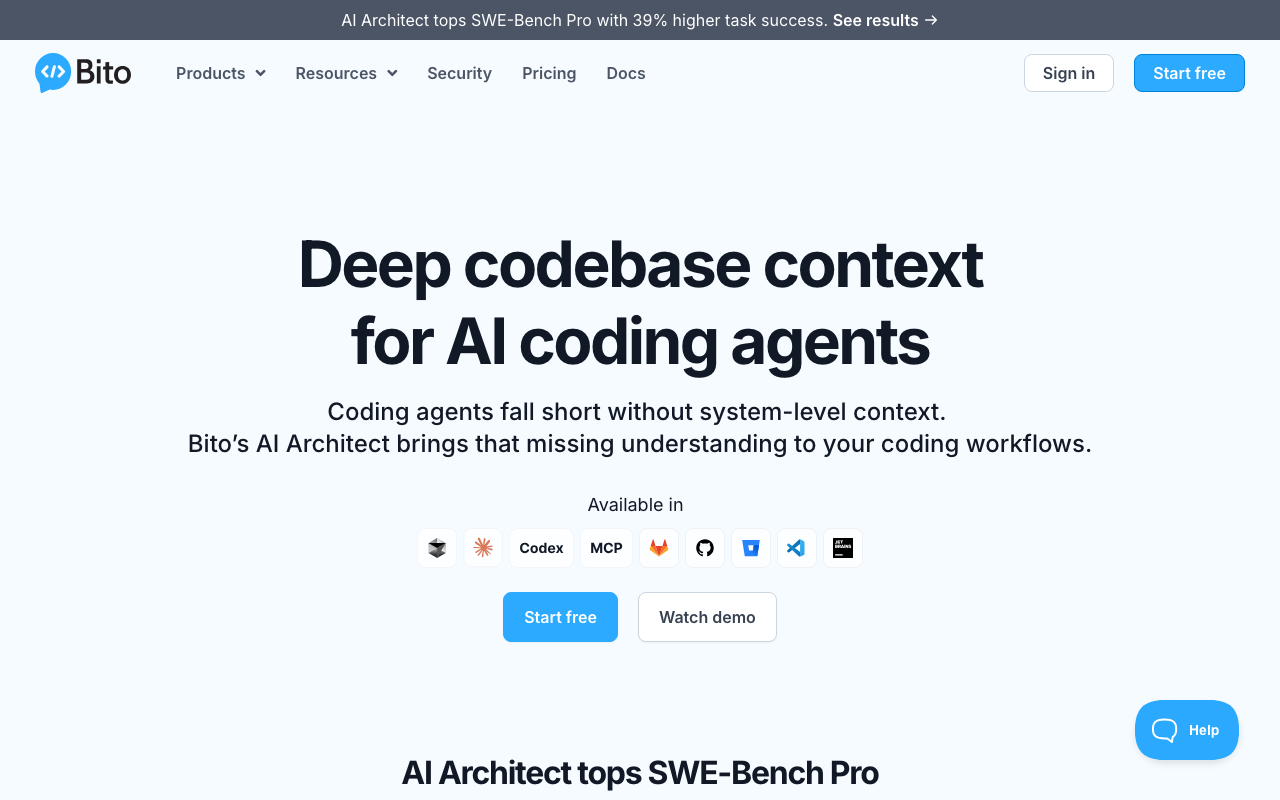
Bito is an AI code review agent used by over 100,000 developers that emphasizes interactive, conversational review and broad IDE integration. Rather than posting one-shot review comments and moving on, Bito enables genuine back-and-forth dialogue between developers and the AI directly on pull requests. It also extends into the IDE with plugins for VS Code, JetBrains, Cursor, and Windsurf, providing pre-PR review on local file changes.
Bito’s code review agent is codebase-aware. It does not just analyze the PR diff in isolation - it pulls information from related files, follows logic across services, and checks connected parts of the project before posting suggestions. When developers receive Bito’s review, they can reply to any comment or mention @bitoagent to ask follow-up questions, request alternative approaches, challenge the AI’s reasoning, or get code examples. This conversational approach transforms code review from a passive experience into an active collaboration.
The company has earned strong developer trust through its SOC 2 Type II certification, zero code storage policy, and commitment to never training models on customer data. Bito was recognized as the highest-rated AI chat application in the Visual Studio Code Marketplace, and it received investment from Maxitech to accelerate its code review capabilities.
Key strengths of Bito include:
- Interactive PR chat. The @bitoagent and @askbito mentions enable genuine multi-turn conversations on pull requests. Developers can dig deeper into suggestions, ask for clarification, and request alternative solutions.
- Affordable pricing. At $15/user/month for the Team plan, Bito costs less than every major competitor except self-hosted open-source options.
- Broad IDE integration. Plugins for VS Code, JetBrains, Cursor, and Windsurf provide pre-PR review, code explanations, and AI chat within the editor.
- Jira ticket validation. The Professional plan at $25/user/month validates that PR code changes satisfy the requirements specified in linked Jira tickets.
- 50+ language support. Covers mainstream languages plus niche options like Lua, R, Perl, and Haskell.
- Two review modes. Essential mode focuses on bugs and security; Comprehensive mode adds style, consistency, and documentation suggestions.
- PR Analytics dashboard. Available on the Professional plan, this tracks review patterns, issue categories, and code quality trends over time.
- SOC 2 Type II certified. Code is never stored, and no models are trained on customer data.
Limitations to be aware of:
- No permanent free tier. The 14-day trial is the only free access. After that, a paid subscription is required.
- Weaker review depth on complex issues. Independent evaluations suggest Bito focuses more effectively on straightforward bugs and style issues than on subtle architectural concerns, cross-service dependencies, or complex logic errors.
- No built-in linters. Bito relies entirely on its AI analysis without the deterministic linting layer that CodeRabbit provides.
- No Azure DevOps support. Teams on Azure DevOps cannot use Bito for PR review.
- Advanced features require Professional plan. Jira validation, PR Analytics, and custom review rules need the $25/user/month tier, which narrows the pricing advantage.
- Smaller community. With 100K+ developers versus CodeRabbit’s 500K+, Bito has fewer community resources, tutorials, and third-party integrations.
Feature-by-feature deep dive
Review depth and accuracy
Review quality is where CodeRabbit holds its most significant advantage. Independent benchmarks using repositories with intentionally planted bugs, security vulnerabilities, and architectural issues show CodeRabbit catching roughly 82% of issues. Bito’s review depth, according to independent evaluations and user reports, is notably weaker on complex architectural issues, cross-service dependencies, and subtle logic errors - areas where CodeRabbit excels.
The difference in review quality becomes more apparent when examining what each tool catches. CodeRabbit’s contextual analysis engine identifies related files - callers of modified functions, implementations of changed interfaces, configuration files that affect the behavior of modified code - and analyzes them together. This produces findings like broken call chains, mismatched types across file boundaries, and missing error handling for edge cases that only become visible when viewing the broader picture. Bito’s codebase-aware agent similarly reads related files and follows logic across services, but the resulting review comments tend to focus more on straightforward bugs, security concerns, and best-practice violations rather than deep architectural insights.
CodeRabbit’s 40+ built-in linters add a significant layer of detection that Bito lacks entirely. These linters run deterministic checks for ESLint, Pylint, Golint, RuboCop, and dozens of other analyzers. The combination means CodeRabbit catches issues through two independent mechanisms: probabilistic AI analysis for semantic and logic issues, and deterministic linting for concrete rule violations. Bito relies solely on its AI analysis, which means it misses the class of issues that linters catch with zero false positives.
When it comes to the quality of individual review comments, CodeRabbit’s auto-fix suggestions stand out. When CodeRabbit identifies a problem, it frequently provides a ready-to-apply code fix that developers can commit with a single click. This reduces the friction between identifying an issue and resolving it. Bito also offers suggestions, but the fix specificity and one-click commit capability are areas where CodeRabbit is more polished.
CodeRabbit’s learnable review preferences give it an accuracy advantage that compounds over time. When developers consistently dismiss certain types of comments, CodeRabbit learns to deprioritize them. When they accept suggestions, the system reinforces that pattern. After weeks of use, CodeRabbit calibrates to the team’s actual coding standards and preferences - producing fewer false positives and more relevant findings. Bito does not offer an equivalent learning mechanism, which means its signal-to-noise ratio remains relatively constant regardless of how long a team uses it.
Interactive PR chat
This is where Bito has a genuine edge. Bito’s conversational model is one of its most distinctive capabilities. When the AI posts a review comment, developers can reply directly to start a multi-turn conversation. They can ask “Why did you flag this line?”, request “Show me an alternative approach”, challenge with “This is intentional because of X”, or ask “Generate a unit test for this function.” The AI maintains context throughout the conversation, making each response more relevant than a standalone comment.
CodeRabbit also supports interactive replies through @coderabbitai mentions. Developers can ask follow-up questions, request explanations, or ask CodeRabbit to generate tests. However, Bito’s interactive chat model has been in development longer and generally feels more natural for extended back-and-forth discussions. The @bitoagent and @askbito system supports a wider range of conversational patterns, and the AI’s responses tend to be more dialogue-oriented rather than report-oriented.
For teams with junior developers or mixed experience levels, interactive chat has real practical value. A junior engineer who does not understand why a piece of code was flagged can ask follow-up questions and receive explanations in context, directly on the PR. This transforms the review from a list of corrections into a learning experience. Both tools support this workflow, but Bito’s conversational design makes it feel more natural.
For teams where review efficiency is the priority over dialogue, CodeRabbit’s approach of providing specific, actionable fix suggestions with one-click commit may actually be more efficient. Rather than having a conversation about the problem, the developer can simply accept the fix and move on. The “right” approach depends on whether your team values learning and exploration (favoring Bito) or speed and automation (favoring CodeRabbit).
IDE integration
Bito currently offers broader IDE coverage than CodeRabbit. Bito provides plugins for VS Code, JetBrains IDEs (IntelliJ IDEA, PyCharm, WebStorm, and others), Cursor, and Windsurf. These plugins enable pre-PR local file review, AI chat within the editor, code explanations, and documentation generation. The Bito IDE experience is a significant part of its value proposition - it brings AI-assisted review to the earliest point in the development workflow, before code is even pushed.
CodeRabbit launched its free VS Code extension in May 2025, covering VS Code, Cursor, and Windsurf. The extension provides real-time inline review comments on staged and unstaged changes, bringing CodeRabbit’s review capabilities into the editor. However, CodeRabbit does not yet support JetBrains IDEs.
For teams that standardize on JetBrains products, this is a meaningful gap. IntelliJ IDEA, PyCharm, and WebStorm have significant market share, particularly among Java, Python, and JavaScript teams in enterprise environments. If your team relies on JetBrains IDEs and wants pre-PR review capabilities, Bito is the only option between these two.
For teams using VS Code or its forks (Cursor, Windsurf), both tools provide IDE integration. CodeRabbit’s extension brings the same deep review engine to the IDE, while Bito’s plugin adds conversational AI chat alongside review. The choice between them in the IDE depends on the same factors as the PR review choice: review depth (CodeRabbit) versus interactivity and affordability (Bito).
It is worth noting that both tools’ IDE extensions are complementary to their PR review, not replacements. The IDE catches issues early, but the PR review remains the primary quality gate. Teams that value a “shift left” philosophy - catching issues as early as possible in the development cycle - benefit from either tool’s IDE integration.
AI chat and code generation
Bito was built with conversational AI at its core, and this shows in its chat capabilities. Beyond PR review comments, Bito’s IDE plugins and PR chat support general-purpose AI conversations about code. Developers can ask Bito to explain a complex function, generate documentation, suggest refactoring approaches, or discuss trade-offs of different implementation strategies. The AI maintains context from the current file, the broader codebase, and the conversation history.
CodeRabbit’s conversational capabilities are more focused. The @coderabbitai interaction model on PRs supports asking questions about the review findings, requesting explanations, and generating test code. In the IDE extension, CodeRabbit provides inline review and suggestions. But CodeRabbit does not position itself as a general-purpose AI coding assistant - its interactions are anchored to code review.
If you need a tool that doubles as both a code reviewer and a general AI assistant, Bito provides more breadth. If you want a tool that goes deepest on the specific task of finding and fixing bugs in pull requests, CodeRabbit’s focused approach delivers better results on that particular dimension.
This distinction matters for teams deciding between these two tools. Some teams want a single AI tool that does many things acceptably well. Others prefer best-in-class tools for specific tasks. CodeRabbit is the best-in-class PR reviewer; Bito is a capable reviewer that also serves as a broader AI coding companion.
Security scanning
CodeRabbit detects security vulnerabilities at a meaningfully higher rate. In benchmark testing, CodeRabbit identified approximately 79% of planted security vulnerabilities. These include common categories like SQL injection, cross-site scripting (XSS), authentication bypasses, insecure deserialization, and hardcoded credentials. CodeRabbit’s contextual analysis traces data flow across files, identifies inputs that reach sensitive operations without validation, and flags authentication patterns that deviate from established conventions.
Bito scans for security concerns as part of its review, but its detection depth on security issues has not matched the benchmark performance of purpose-built security reviewers or CodeRabbit’s focused analysis. Bito catches common security anti-patterns - obvious injection risks, hardcoded secrets, and known vulnerable API usage - but is less effective at tracing complex data flows or identifying subtle authorization logic flaws.
Both tools’ 40+ built-in linters give CodeRabbit an additional security advantage. Several of the included linters have security-specific rules that catch vulnerability patterns deterministically, with zero false positives. Bito does not have an equivalent static analysis layer.
Neither tool replaces a dedicated security scanner. For teams with serious security requirements, tools like Snyk Code, SonarQube, or Checkmarx should be part of the pipeline in addition to AI code review. But between CodeRabbit and Bito, CodeRabbit provides substantially stronger security coverage as a secondary defense layer.
Custom review rules and configuration
CodeRabbit’s natural language configuration system is a significant differentiator. Teams write review instructions in plain English in a .coderabbit.yaml file that lives alongside their code:
# .coderabbit.yaml
reviews:
  instructions:
    - "Flag any function longer than 50 lines"
    - "Require error handling around all external API calls"
    - "Warn when sensitive data is logged"
    - "Enforce that all public API endpoints validate input"
    - "Check that database queries use parameterized statements"
    - "Flag any TODO or FIXME comments that lack a tracking ticket"
These instructions are version-controlled, self-documenting, and accessible to engineers of all experience levels. A junior developer can read the .coderabbit.yaml file and immediately understand the team’s coding standards. Non-senior engineers can contribute new rules without learning a DSL or regex syntax.
Combined with learnable preferences - where CodeRabbit adapts based on how developers interact with its suggestions - the configuration system means CodeRabbit becomes more aligned with a team’s standards the longer it is used. The .coderabbit.yaml defines the baseline, and the learning loop refines it.
Bito offers custom review prompts and rules on the Professional plan at $25/user/month. Teams can customize what Bito focuses on during reviews and how it frames its feedback. However, Bito does not use a .coderabbit.yaml-style file-based configuration. And the custom rules feature is not available on the lower-cost Team plan at $15/user/month - teams that want customization must pay the higher tier.
For teams with specific coding standards, internal conventions, or domain-specific requirements, CodeRabbit’s configuration system is more powerful and more accessible. The combination of plain-English rules, version-controlled configuration, and adaptive learning creates a customization depth that Bito does not match.
Jira and project management integration
Both tools integrate with Jira, but the implementations differ. Bito’s Jira ticket validation on the Professional plan reads linked Jira tickets and validates that PR code changes satisfy the specified requirements. When the code does not fully address a requirement, Bito flags the gap and suggests what additional changes might be needed. This creates a direct link between project management and code review that reduces manual verification effort.
CodeRabbit integrates with both Jira and Linear. When a PR references a ticket, CodeRabbit reads the ticket description and validates the implementation against the stated requirements. This cross-tool context enriches the review beyond just code analysis. CodeRabbit’s Jira integration is available on the Pro plan at $24/user/month.
The practical difference is subtle. Both tools read Jira tickets and check code against requirements. Bito’s implementation is slightly more focused on requirement-by-requirement validation, while CodeRabbit uses ticket context to enrich the overall review quality. Bito also adds the PR Analytics dashboard on the Professional plan, which tracks review patterns and code quality trends - a capability CodeRabbit does not offer.
For teams that heavily use Jira and want explicit requirement validation, both tools deliver meaningful value. CodeRabbit includes Jira integration at a lower price point ($24/user/month versus $25/user/month for Bito’s Professional plan). Bito’s Analytics dashboard provides additional visibility into code quality trends, which some engineering leaders find valuable for team-level decision-making.
Pricing comparison
Pricing is one of the clearest differences between these two tools, and it favors different teams depending on their situation. Bito is cheaper per seat, but CodeRabbit’s free tier changes the math for many teams.
Plan-by-plan breakdown
| Plan tier | CodeRabbit | Bito |
|---|---|---|
| Free/trial | Free tier - unlimited repos, no time limit | 14-day free trial only |
| Entry paid plan | Pro: $24/user/month | Team: $15/user/month |
| Advanced plan | Enterprise: custom pricing | Professional: $25/user/month |
| Enterprise | Self-hosted, SSO, custom models | Self-hosted, SSO, custom models |
Cost at different team sizes
| Team size | CodeRabbit Pro (monthly) | CodeRabbit Pro (annual) | Bito Team (monthly) | Bito Team (annual) | Monthly savings with Bito |
|---|---|---|---|---|---|
| 5 engineers | $120 | $1,440 | $75 | $900 | $45/month |
| 10 engineers | $240 | $2,880 | $150 | $1,800 | $90/month |
| 25 engineers | $600 | $7,200 | $375 | $4,500 | $225/month |
| 50 engineers | $1,200 | $14,400 | $750 | $9,000 | $450/month |
| 100 engineers | $2,400 | $28,800 | $1,500 | $18,000 | $900/month |
At the Team plan level, Bito saves $9/user/month compared to CodeRabbit Pro - a 37.5% discount. For a 50-person engineering team, that amounts to $5,400 saved per year. This is a meaningful cost advantage, especially for startups and budget-conscious organizations.
However, the free tier comparison inverts the value equation for many teams. CodeRabbit’s free plan provides unlimited access on public and private repositories with AI-powered PR summaries, review comments, and basic analysis. The rate limits (200 files per hour, 4 PR reviews per hour) are sufficient for most small teams. A 5-person team that submits fewer than 4 PRs per hour can use CodeRabbit indefinitely at zero cost, while the same team would pay $75/month for Bito after the trial ends.
When comparing advanced features, the price gap narrows. Teams that need Jira validation, PR Analytics, and custom review rules from Bito must upgrade to the Professional plan at $25/user/month. At that price point, Bito costs $1/user/month more than CodeRabbit Pro while offering less review depth and no built-in linters. The pricing advantage of Bito is most compelling at the Team tier ($15/user/month) where teams accept fewer features in exchange for a lower price.
Total cost of ownership considerations
Price per seat does not tell the full story. Consider these factors:
- Review depth and accuracy. If Bito misses bugs that CodeRabbit would catch, the cost of those escaped defects may exceed the per-seat savings. A single production bug can cost orders of magnitude more than a year of AI code review tooling.
- Built-in linters. CodeRabbit’s 40+ linters replace separate linting tools, potentially saving teams from maintaining independent linting infrastructure.
- Free tier for evaluation. CodeRabbit’s free tier lets teams evaluate indefinitely with zero risk. Bito’s 14-day trial creates pressure to decide quickly.
- IDE coverage. If your team uses JetBrains IDEs and wants IDE-level AI review, Bito provides that without needing a separate tool.
Platform and language support
Git platform support
| Platform | CodeRabbit | Bito |
|---|---|---|
| GitHub | Full support | Full support |
| GitLab | Full support | Full support |
| Bitbucket | Full support | Full support |
| Azure DevOps | Full support | Not supported |
Azure DevOps support is the key platform differentiator. CodeRabbit is the only option between these two for teams on Azure DevOps, which is common in organizations heavily invested in the Microsoft ecosystem. For teams exclusively on GitHub, GitLab, or Bitbucket, both tools provide full PR review capabilities.
CodeRabbit offers feature parity across all four platforms - the same line-by-line comments, fix suggestions, natural language configuration, and review capabilities work identically regardless of the hosting platform. Bito similarly provides consistent capabilities across its three supported platforms.
IDE platform support
| IDE | CodeRabbit | Bito |
|---|---|---|
| VS Code | Yes (free extension) | Yes |
| Cursor | Yes (free extension) | Yes |
| Windsurf | Yes (free extension) | Yes |
| JetBrains IDEs | Not supported | Yes |
| Chrome Extension | No | Yes |
Bito’s broader IDE coverage matters for teams using JetBrains products. IntelliJ IDEA, PyCharm, WebStorm, GoLand, and other JetBrains IDEs have significant market share, particularly in Java, Python, and enterprise development. Bito’s JetBrains plugin provides pre-PR review, AI chat, and code assistance directly in these editors. CodeRabbit does not support JetBrains IDEs at this time.
Bito also offers a Chrome extension, providing AI assistance through the browser. CodeRabbit does not have a browser extension.
Language support
Bito supports 50+ programming languages, giving it significantly broader language coverage. While CodeRabbit supports all mainstream languages - JavaScript, TypeScript, Python, Java, Go, Rust, C++, Ruby, PHP, C#, Kotlin, and Swift - Bito extends to niche languages including Lua, R, Perl, Haskell, Scala, and Dart.
For teams working exclusively with mainstream languages, this difference is irrelevant. For polyglot teams or teams that use niche languages, Bito’s broader coverage provides value that CodeRabbit cannot match. A data science team using R and Python, or a game development team using Lua, would find Bito’s language support more accommodating.
In practice, both tools handle the top 10 programming languages well. The language support difference is a tiebreaker for specific teams rather than a universal advantage.
Setup and onboarding experience
Getting started with CodeRabbit
CodeRabbit’s setup is designed for instant productivity:
- Install the CodeRabbit app on your platform (GitHub, GitLab, Bitbucket, or Azure DevOps)
- Authorize access to the repositories you want reviewed
- Optionally create a
.coderabbit.yamlfile with your review preferences - Open a PR - reviews begin immediately
Total time from signup to first review: approximately five minutes. No indexing step, no build system changes, no CI/CD pipeline modifications. The free tier means no credit card is required to start.
Getting started with Bito
Bito’s setup is similarly streamlined:
- Install the Bito app on GitHub, GitLab, or Bitbucket
- Authorize access to your repositories
- Reviews begin automatically on new PRs
Total time from signup to first review: approximately two minutes. Bito emphasizes its “one-click install with no configuration” approach. There is no YAML configuration file to create, no build system changes, and no indexing step. The setup process is genuinely faster than CodeRabbit’s, though both are measured in minutes rather than hours.
For IDE setup, both tools require installing an extension from the relevant marketplace. Bito covers more marketplaces (VS Code, JetBrains, Cursor, Windsurf), while CodeRabbit is limited to VS Code and its forks.
Onboarding new team members
When a new engineer joins a team using either tool, the experience is seamless for PR review - open a PR and reviews appear automatically. No additional personal setup is required beyond having access to the repository.
For IDE integration, new team members need to install the relevant extension. Bito’s broader IDE support means fewer new hires will encounter a situation where their preferred editor is unsupported.
CodeRabbit has an onboarding advantage through its .coderabbit.yaml file. New team members can read the configuration to immediately understand the team’s coding standards and review expectations. This self-documenting configuration serves as a lightweight onboarding guide for code quality expectations. Bito does not have an equivalent artifact that new team members can reference.
Performance and accuracy
Review speed
Both tools deliver reviews fast enough that developers receive feedback before context-switching to other tasks:
- CodeRabbit: Typically completes reviews within two to four minutes, with a median latency around 90 seconds. The targeted approach of analyzing specific related files rather than a broad codebase index contributes to speed.
- Bito: Generally posts initial review comments within a few minutes. The codebase-aware agent takes time to pull context from related files, but the overall latency is competitive.
Neither tool introduces a meaningful bottleneck in the PR workflow. Both are fast enough for practical use, and the speed difference between them is unlikely to be a decisive factor for most teams.
Accuracy and false positives
CodeRabbit’s accuracy advantage is well-documented. In third-party benchmarks, CodeRabbit catches approximately 82% of planted bugs with a ~15% false positive rate. This means about 85% of CodeRabbit’s comments flag genuine issues worth addressing.
Bito’s accuracy has been evaluated as weaker on complex architectural issues, with independent reviewers noting that its suggestions focus more effectively on straightforward bugs, style issues, and best practices. The false positive rate is less formally benchmarked, but user reports suggest it is manageable for most teams.
Over time, CodeRabbit’s learnable preferences reduce false positives further. As the tool adapts to a team’s conventions and preferences, comments that the team repeatedly dismisses are deprioritized. This creates a positive feedback loop where accuracy improves with usage. Bito does not have this adaptive mechanism, so its accuracy remains relatively static.
The practical impact of the accuracy difference depends on team size and review volume. For a team that reviews 50 PRs per week, the difference between catching 82% of bugs and a lower percentage could mean several escaped defects per month. At production scale, those escaped defects have real costs - debugging time, incident response, customer impact, and developer context-switching.
Review modes
Bito offers two distinct review modes, which is a unique feature. Essential mode focuses on important issues: bugs, security concerns, and logic errors. It keeps the review concise and high-signal. Comprehensive mode adds suggestions for code cleanup, consistency improvements, naming conventions, and documentation. Teams can switch between modes based on the criticality of the code being reviewed.
This is a thoughtful design choice. Not every PR needs the same depth of review. A hotfix for a production bug should be reviewed for correctness and security, not nitpicked for naming conventions. A feature PR that will live in the codebase for years deserves comprehensive feedback. Bito’s mode system lets teams make this choice explicitly.
CodeRabbit does not offer distinct review modes. Instead, it delivers a comprehensive review every time, and teams manage scope through natural language instructions in .coderabbit.yaml. You can achieve a similar effect by configuring CodeRabbit to focus only on bugs and security issues, but it requires explicit configuration rather than a simple mode toggle.
Use case recommendations
When to choose CodeRabbit
Choose CodeRabbit if:
- Review accuracy is your top priority. The ~82% bug catch rate and ~79% security detection rate are best-in-class for AI code review. If catching the maximum number of issues before production is your primary goal, CodeRabbit delivers the strongest results.
- You want a free tier for evaluation or open source. CodeRabbit’s unlimited free plan on public and private repositories is unmatched. Open source projects, startups evaluating tools, and teams with limited budgets can use CodeRabbit at zero cost within the rate limits.
- You need Azure DevOps support. CodeRabbit is the only option between these two for teams on Azure DevOps.
- Custom review standards matter to your team. The natural language
.coderabbit.yamlconfiguration and learnable preferences create a customization system that improves over time. - You want built-in linting. CodeRabbit’s 40+ linters provide deterministic checks that complement the AI analysis. No other AI code review tool offers this combination.
- One-click auto-fix is valuable to your workflow. CodeRabbit’s ready-to-apply code suggestions reduce the friction between finding and fixing issues.
- Your team is large and you want the tool to adapt. Learnable preferences mean CodeRabbit gets better with every interaction, which compounds over months of use on a large team.
When to choose Bito
Choose Bito if:
- Budget is your primary concern and you need a paid plan. At $15/user/month, Bito’s Team plan is $9/user/month cheaper than CodeRabbit Pro. For a 50-person team, that is $5,400/year in savings.
- Interactive PR chat is important to your workflow. If your team values back-and-forth dialogue with the AI on pull requests - asking follow-up questions, requesting explanations, challenging suggestions - Bito’s conversational model is more mature.
- You need JetBrains IDE integration. Bito’s plugins for IntelliJ IDEA, PyCharm, WebStorm, and other JetBrains products provide pre-PR review and AI chat that CodeRabbit does not yet support.
- Your team uses niche programming languages. Bito’s 50+ language support covers Lua, R, Perl, Haskell, and other languages that CodeRabbit does not explicitly list.
- You want PR Analytics. Bito’s Professional plan includes a dashboard that tracks review patterns, issue categories, and code quality trends over time.
- Review mode flexibility matters. Bito’s Essential and Comprehensive modes let teams adjust review depth on a per-PR basis without configuration changes.
- You value conversational AI beyond code review. Bito’s IDE plugins include general-purpose AI chat and code explanation capabilities that extend beyond pure review.
When neither tool is sufficient
For some teams, neither CodeRabbit nor Bito alone covers all requirements:
- Teams needing dedicated security scanning should use tools like Snyk Code or SonarQube in addition to either AI reviewer.
- Teams needing full codebase Q&A should consider tools with codebase indexing capabilities alongside their PR reviewer.
- Teams needing strict merge-gating policies may need to configure branch protection rules on their Git platform in conjunction with either tool, as both are advisory by default.
Can you use both together?
Yes, running CodeRabbit and Bito together is a viable strategy, and it addresses complementary needs. Here is how the combined workflow looks:
- CodeRabbit handles deep PR review. It posts line-by-line comments, provides auto-fix suggestions, runs 40+ linters, and applies learnable preferences. CodeRabbit serves as the primary quality gate on pull requests, catching the maximum number of bugs and security issues.
- Bito handles interactive chat and IDE review. Developers use Bito in their IDE for pre-PR feedback, AI chat, and code explanations. On PRs, they use @bitoagent for back-and-forth dialogue when they want to explore an issue deeper or discuss alternative approaches. Bito also provides PR Analytics for engineering leadership visibility.
The combined cost would be $39/user/month ($24 for CodeRabbit Pro plus $15 for Bito Team). For a 25-person team, that is $975/month or $11,700/year.
This combined approach makes sense when:
- The team is large enough (25+ engineers) that the investment is justified by the productivity gains
- JetBrains IDE integration is required alongside deep PR review
- Engineering leadership wants PR Analytics alongside high-accuracy code review
- The team has junior developers who benefit from Bito’s conversational explanations and senior developers who benefit from CodeRabbit’s targeted fix suggestions
For most small to mid-size teams, one tool is sufficient. If review accuracy is the priority, start with CodeRabbit. If affordability and interactive chat are the priority, start with Bito. Add the second tool only if specific needs justify the additional cost.
Review comment quality compared
To illustrate the difference in review style, consider a simplified example. Imagine a PR that adds a new API endpoint with a database query that does not use parameterized inputs:
A typical CodeRabbit comment might look like:
Security: SQL Injection Risk (line 47)
The query string is constructed using string concatenation with user input. This is vulnerable to SQL injection.
Suggestion:
cursor.execute("SELECT * FROM users WHERE id = %s", (user_id,))Click to commit this suggestion
CodeRabbit identifies the exact issue, explains why it matters, and provides a specific fix that can be committed directly from the PR interface.
A typical Bito comment might look like:
This database query concatenates user input directly into the SQL string, which could lead to SQL injection attacks. Consider using parameterized queries to prevent this vulnerability.
Bito correctly identifies the same issue and suggests the right approach, but does not provide a ready-to-commit fix. The developer would then need to write the fix themselves or reply to Bito to request a specific code example.
Both comments are helpful. But CodeRabbit’s approach reduces the resolution time from “read comment, understand issue, write fix, commit” to “read comment, click commit.” At scale, across dozens of PRs per week, this efficiency difference adds up.
With Bito, the developer can reply “Show me how to fix this” and get a follow-up response with the specific code. The fix still requires manual implementation, but the conversational approach means the developer can explore the issue deeper if needed.
Migration considerations
Moving from Bito to CodeRabbit
If your team is currently on Bito and considering CodeRabbit, the migration is straightforward:
- Install CodeRabbit on your Git platform (it takes five minutes)
- Run both tools in parallel for one to two weeks to compare results on the same PRs
- Configure a
.coderabbit.yamlfile to encode your team’s review standards - Once satisfied with CodeRabbit’s output, disable Bito
There is no data migration required. CodeRabbit begins learning from your team’s interactions immediately. Within a few weeks, its learnable preferences will calibrate to your team’s standards.
Key adjustment to expect: CodeRabbit’s reviews may initially feel more verbose than Bito’s Essential mode. Use the .coderabbit.yaml configuration to focus reviews on the categories that matter most to your team.
Moving from CodeRabbit to Bito
If your team is on CodeRabbit and considering Bito:
- Sign up for Bito’s 14-day trial
- Install Bito alongside CodeRabbit for the trial period
- Compare review quality, chat experience, and IDE integration on real PRs
- If switching, note that Bito does not have an equivalent to
.coderabbit.yaml- your custom review rules will need to be recreated as custom prompts on Bito’s Professional plan
Key adjustment to expect: You may notice fewer auto-fix suggestions and less architectural-level feedback. Bito’s interactive chat model compensates in some areas - developers can ask for specific fixes rather than receiving them automatically.
Starting from scratch
For teams new to AI code review, here is the recommended evaluation approach:
- Start with CodeRabbit’s free tier. It costs nothing, takes five minutes to set up, and you can evaluate it on real PRs indefinitely.
- Simultaneously start Bito’s 14-day trial. Install it alongside CodeRabbit and compare both tools’ output on the same PRs.
- After two weeks, decide. You will have concrete data from both tools reviewing the same code. CodeRabbit continues to work for free; Bito requires a paid subscription.
This approach gives you direct comparison data with zero financial commitment. Let the review quality, developer experience, and team feedback guide your decision rather than marketing materials.
Enterprise considerations
Security and compliance
Both tools take security seriously:
- CodeRabbit: SOC 2 compliant with self-hosted deployment available on the Enterprise plan. Supports SSO/SAML, compliance and audit logs, and VPN connectivity. Enterprise contracts are available through AWS and GCP Marketplace.
- Bito: SOC 2 Type II certified with zero code storage and no model training on customer data. Self-hosted deployment, SSO/SAML, and custom AI model selection are available on the Enterprise plan.
For organizations with strict data residency or compliance requirements, both tools offer self-hosted Enterprise deployments. Bito’s explicit “no code storage, no model training” policy is well-documented and independently audited. CodeRabbit’s Enterprise plan provides similar guarantees with additional infrastructure flexibility through marketplace procurement.
Scale considerations
For large engineering organizations (100+ developers), several factors differentiate the tools:
- CodeRabbit’s learnable preferences become more valuable at scale. With more developers interacting with the tool, it accumulates more training signal and calibrates more accurately to the organization’s standards.
- Bito’s PR Analytics become more valuable at scale. Tracking code quality trends across 100+ engineers provides insights that are less visible in smaller teams.
- CodeRabbit’s
.coderabbit.yamlserves as living documentation of coding standards, which is increasingly important as the team grows and institutional knowledge becomes harder to maintain. - Bito’s lower per-seat cost compounds at scale. A 100-person team saves $10,800/year with Bito Team versus CodeRabbit Pro.
Multi-platform environments
Large enterprises often use multiple Git platforms across different teams or divisions. CodeRabbit’s support for GitHub, GitLab, Bitbucket, and Azure DevOps makes it the safer choice for organizations with heterogeneous platform environments. Bito’s lack of Azure DevOps support could be a constraint if any part of the organization uses that platform.
Use case comparison matrix
| Use case | Better tool | Why |
|---|---|---|
| Maximum bug detection | CodeRabbit | ~82% catch rate, 40+ linters |
| Security vulnerability detection | CodeRabbit | ~79% detection rate, data flow analysis |
| Budget-sensitive teams (paid plans) | Bito | $15/user/month vs $24/user/month |
| Teams wanting a free tier | CodeRabbit | Unlimited free plan vs 14-day trial |
| Open source projects | CodeRabbit | Free tier with full features on all repos |
| Interactive PR chat | Bito | More mature conversational model |
| JetBrains IDE users | Bito | Plugin available; CodeRabbit does not support JetBrains |
| Azure DevOps teams | CodeRabbit | Only option with Azure DevOps support |
| Custom coding standards | CodeRabbit | Natural language .coderabbit.yaml + learning |
| Jira ticket validation | Tie | Both offer Jira integration at similar price points |
| PR Analytics | Bito | Dashboard tracking review patterns and trends |
| Polyglot teams (50+ languages) | Bito | Broader language support including niche languages |
| One-click auto-fix | CodeRabbit | More polished fix suggestion and commit experience |
| Quick evaluation/POC | CodeRabbit | Free tier, no trial expiration, instant setup |
| Large monorepos | CodeRabbit | No indexing overhead, fast per-review latency |
| Enterprise compliance | Tie | Both offer SOC 2, self-hosted, SSO |
| Pre-PR local file review | Tie | Both offer IDE extensions for local review |
| Junior developer onboarding | Bito | Interactive chat supports learning through dialogue |
| Fast feedback loops | CodeRabbit | ~90 second median review latency |
| Code explanations in IDE | Bito | Broader AI assistant capabilities in the editor |
Bottom line
CodeRabbit and Bito are both legitimate AI code review tools, but they serve different priorities and deliver different strengths. The choice between them depends on what matters most to your team.
Choose CodeRabbit if review accuracy is your primary concern. With an ~82% bug catch rate, ~79% security detection rate, 40+ built-in linters, one-click auto-fix suggestions, and a generous free tier, CodeRabbit is the strongest pure code reviewer in the market. Its natural language configuration and learnable preferences mean the tool gets better the longer you use it. And support for GitHub, GitLab, Bitbucket, and Azure DevOps means it works regardless of your platform. For teams that view code review primarily as a quality gate - catching bugs and security issues before they reach production - CodeRabbit delivers the best results.
Choose Bito if affordability and interactive AI are your priorities. At $15/user/month, Bito offers capable AI code review at a price point that undercuts every major competitor. Its interactive PR chat - where developers can have real conversations with the AI about code changes - creates a more engaging and educational review experience. Broader IDE integration including JetBrains support, 50+ language coverage, and Essential/Comprehensive review modes add practical flexibility. For budget-conscious teams that want a solid code reviewer paired with a conversational AI assistant, Bito delivers strong value.
For teams that want the best of both worlds, running CodeRabbit for deep PR review and Bito for interactive chat and IDE assistance covers both use cases at a combined cost of $39/user/month. This makes the most sense for larger teams where the investment is justified by the productivity gains.
For teams evaluating both tools today, the lowest-risk approach is to start with CodeRabbit’s free tier and Bito’s 14-day trial simultaneously. Review the same PRs with both tools, gather your team’s feedback, and let the data drive your decision. CodeRabbit’s free tier has no expiration, so you can continue evaluating it indefinitely while making a final choice.
Frequently Asked Questions
Is CodeRabbit better than Bito for AI code review?
For review depth and accuracy, CodeRabbit is the stronger tool. Independent benchmarks show CodeRabbit catching approximately 82% of bugs compared to Bito's lower detection rate on complex architectural issues. CodeRabbit also offers a generous free tier with unlimited public and private repositories, 40+ built-in linters, and support for four major Git platforms including Azure DevOps. Bito's advantages are lower pricing at $15/user/month versus $24/user/month, a more mature interactive PR chat experience, Jira ticket validation, and broader IDE integration across VS Code, JetBrains, Cursor, and Windsurf.
Can I use CodeRabbit and Bito together?
Yes, running both tools in parallel is a viable strategy. CodeRabbit handles deep PR-level review with line-by-line analysis, auto-fix suggestions, and 40+ built-in linters, while Bito adds interactive PR chat for back-and-forth dialogue and pre-PR review in the IDE. The combined cost would be $39/user/month ($24 for CodeRabbit Pro plus $15 for Bito Team). This makes sense for larger teams that want both deep automated review and conversational AI assistance throughout the development workflow.
How much does CodeRabbit cost compared to Bito?
CodeRabbit offers a free tier with unlimited public and private repositories, and its Pro plan costs $24/user/month. Bito offers a 14-day free trial but no permanent free tier, with its Team plan at $15/user/month and Professional plan at $25/user/month. For a 25-person team, CodeRabbit Pro costs $600/month while Bito Team costs $375/month. However, CodeRabbit's free tier means teams can evaluate it indefinitely without financial commitment, whereas Bito requires a paid subscription after 14 days.
Does Bito have a free tier?
Bito does not have a permanent free tier. It offers a 14-day free trial that provides access to AI code review capabilities, but teams must subscribe to a paid plan after the trial expires. The Team plan starts at $15/user/month. CodeRabbit, by contrast, offers a permanent free plan with unlimited public and private repositories, AI-powered PR summaries, and review comments with no time limit, making it significantly easier to evaluate long-term.
Which tool has better IDE integration, CodeRabbit or Bito?
Bito has broader IDE integration with mature plugins for VS Code, JetBrains IDEs, Cursor, and Windsurf that provide pre-PR code review, AI chat, and code explanations directly in the editor. CodeRabbit launched its free VS Code extension in May 2025 covering VS Code, Cursor, and Windsurf with inline review on staged and unstaged changes, but it does not yet support JetBrains IDEs. For teams that rely heavily on JetBrains products like IntelliJ IDEA, PyCharm, or WebStorm, Bito currently offers better IDE coverage.
What platforms does Bito support compared to CodeRabbit?
Bito supports GitHub, GitLab, and Bitbucket for PR review, along with IDE plugins for VS Code, JetBrains, Cursor, and Windsurf. CodeRabbit supports GitHub, GitLab, Bitbucket, and Azure DevOps for PR review, with an IDE extension for VS Code, Cursor, and Windsurf. The key difference is Azure DevOps support - CodeRabbit is the only option between the two for teams on Azure DevOps, while Bito has broader JetBrains IDE support.
Does Bito support interactive chat on pull requests?
Yes, interactive PR chat is one of Bito's strongest features. Developers can reply to Bito's review comments or mention @bitoagent and @askbito on pull requests to start a conversation. The AI maintains context throughout the dialogue, allowing developers to ask follow-up questions, request alternative solutions, challenge suggestions, and get code examples. CodeRabbit also supports interactive replies through @coderabbitai mentions, but Bito's conversational model is generally considered more mature and natural for extended back-and-forth discussions.
Which AI code review tool catches more bugs, CodeRabbit or Bito?
CodeRabbit catches more bugs in independent evaluations. Third-party benchmarks show CodeRabbit detecting approximately 82% of planted bugs and 79% of security vulnerabilities. Bito's review depth has been noted as weaker on complex architectural issues, with independent evaluations suggesting it focuses more effectively on straightforward bugs, style issues, and best practices rather than subtle cross-service dependencies or logic errors. CodeRabbit's 40+ built-in linters add an additional layer of deterministic detection that Bito does not match.
Is Bito good for small teams on a budget?
Bito is an excellent choice for budget-conscious teams. At $15/user/month for the Team plan, it is one of the most affordable AI code review tools available. A 10-person team pays just $150/month for unlimited AI code reviews, interactive PR chat, and codebase-aware analysis. However, teams should also evaluate CodeRabbit's free tier, which provides unlimited access on public and private repositories at zero cost. For teams whose usage fits within CodeRabbit's free-tier rate limits (200 files per hour, 4 PR reviews per hour), CodeRabbit may be the cheaper option at no cost.
Does Bito validate Jira ticket requirements?
Yes, but only on the Professional plan at $25/user/month. Bito's Jira ticket validation connects to your Jira instance and automatically checks that PR code changes satisfy the requirements specified in linked Jira tickets. When a PR references a Jira issue, the AI reads the ticket, extracts the requirements, and validates the implementation against each point. This catches requirement gaps before they reach manual review. CodeRabbit integrates with Jira and Linear to read ticket descriptions and validate implementations, and this capability is available on its Pro plan at $24/user/month.
How fast are CodeRabbit and Bito at reviewing pull requests?
CodeRabbit typically completes reviews within two to four minutes of a PR being opened, with a median latency around 90 seconds. Bito's review speed varies but generally posts initial review comments within a few minutes. Both tools are fast enough that developers receive feedback before context-switching to other tasks. CodeRabbit's slight speed advantage is attributed to its targeted diff analysis approach, while Bito's codebase-aware agent takes time to pull context from related files across the project.
Which tool is better for open source projects, CodeRabbit or Bito?
CodeRabbit is the clear winner for open source projects. Its free tier provides unlimited access on public and private repositories with the same AI model and review depth as paid plans. Over 100,000 open-source contributors use CodeRabbit, and major open source projects rely on it for initial AI review on contributor pull requests. Bito does not offer a permanent free tier, so open source projects without a budget cannot use it beyond the 14-day trial period.
Explore More
Tool Reviews
 CodeRabbit Review
 Bito AI Review
Related Articles
Free Newsletter
Stay ahead with AI dev tools
Weekly insights on AI code review, static analysis, and developer productivity. No spam, unsubscribe anytime.
Join developers getting weekly AI tool insights.
Related Articles
Checkmarx vs Veracode: Enterprise SAST Platforms Compared in 2026
Checkmarx vs Veracode - enterprise SAST, DAST, SCA, Gartner positioning, pricing ($40K-250K+), compliance, and when to choose each AppSec platform.
March 13, 2026
comparisonCodacy Free vs Pro: Which Plan Do You Need in 2026?
Codacy Free vs Pro compared - features, limits, pricing, and when to upgrade. Find the right Codacy plan for your team size and workflow.
March 13, 2026
comparisonCodacy vs Checkmarx: Developer Code Quality vs Enterprise AppSec in 2026
Codacy vs Checkmarx - developer code quality vs enterprise AppSec, pricing ($15/user vs $40K+), SAST, DAST, SCA, compliance, and when to choose each.
March 13, 2026