DeepSource Pricing in 2026: Free, Team, and Enterprise Plans Explained
DeepSource pricing in 2026 - Open Source free, Team at $24/user/month, Enterprise custom pricing, Autofix AI costs, and competitor comparisons.
Published:
Last Updated:
Understanding DeepSource Pricing in 2026
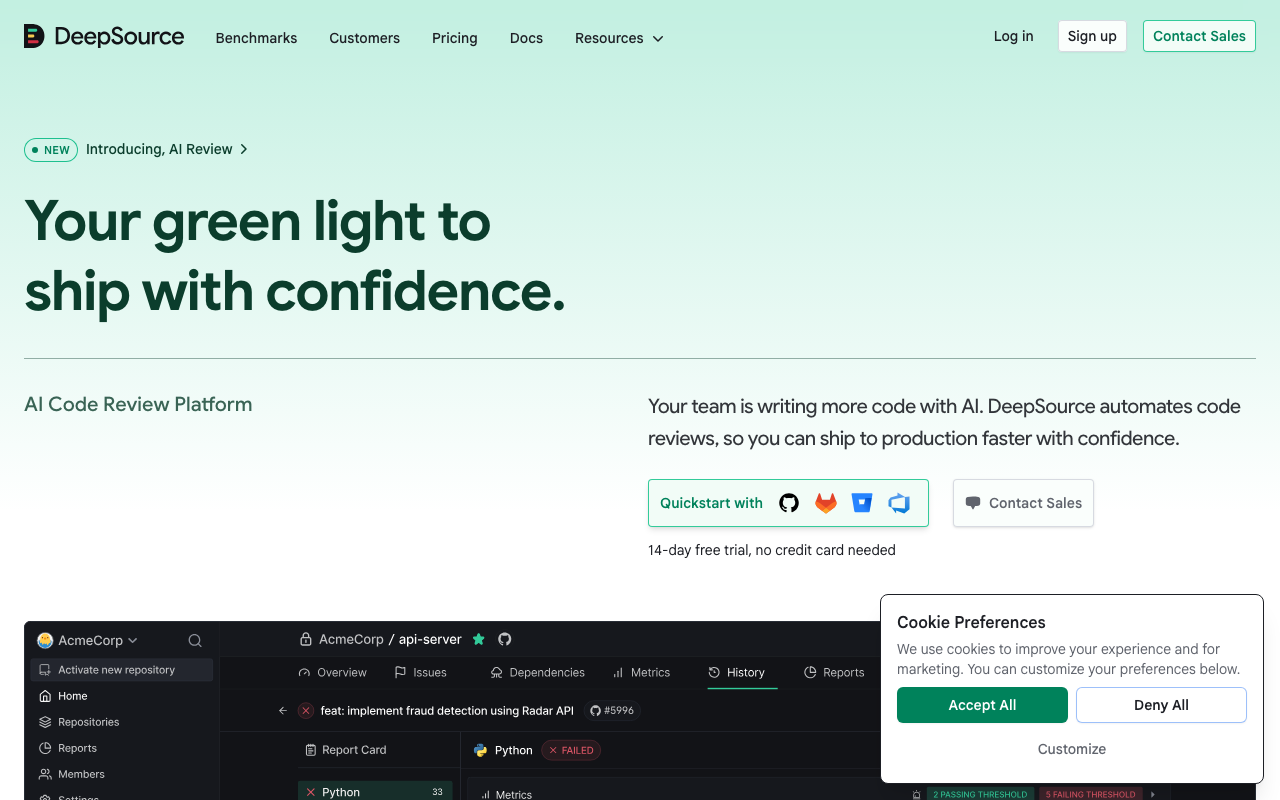
DeepSource has established itself as a premium code quality and security platform, known for its sub-5% false positive rate, 5,000+ static analysis rules, and Autofix AI that automatically generates fixes for detected issues. For engineering teams evaluating the platform, the central question is straightforward - how much does DeepSource actually cost, and is the investment justified compared to alternatives like Codacy, SonarQube, and Code Climate?
DeepSource’s pricing structure underwent significant changes in early 2026. The company deprecated both the Free plan and the Starter plan, consolidating its offerings into three tiers: a free Open Source plan for public repositories, a Team plan at $24/user/month (annual billing), and a custom-priced Enterprise plan. The former Business plan was migrated to the new Team plan, and existing Starter customers were grandfathered but the plan is no longer available to new users.
This guide breaks down every DeepSource pricing tier in detail, explains the Autofix and AI Review credit system, calculates costs at real team sizes, compares pricing against Codacy, SonarQube, and Code Climate, identifies hidden costs, and provides an ROI framework so you can determine whether DeepSource makes financial sense for your team.
DeepSource’s Current Pricing Tiers
DeepSource offers three distinct plans as of March 2026. Understanding the boundaries between them is critical because the feature gaps are significant - and the recent plan restructuring means some information circulating online refers to deprecated tiers.
Open Source Plan - Free
The Open Source plan replaced the former Free plan in February 2026. It is designed exclusively for open-source organizations with public repositories. If you need private repository analysis, this plan will not work - you must subscribe to the Team plan.
What you get for free:
- Unlimited public repositories
- Unlimited team members
- 1,000 pull request reviews per month
- 1,000 automated code formatting runs per month
- Static analysis with 5,000+ rules
- AI Review and Autofix on a pay-as-you-go basis (not bundled)
What you do not get:
- Private repository support (this is the most significant limitation)
- Bundled AI Review credits ($120/year per user on Team)
- Unlimited Autofix runs (limited to pay-as-you-go)
- OSS vulnerability scanning and license compliance
- Monorepo support
- Audit logs
- API and webhook access
- Integrations beyond basic Git platform connections
- Priority support
The critical change from the old Free plan. The previous Free plan supported up to 3 private repositories and 3 team members with 500 analysis runs and 50 Autofix runs per month. The new Open Source plan drops private repository support entirely. If your team was using DeepSource’s Free plan for private repos, you were migrated on March 23, 2026, and must now pay for the Team plan to continue analyzing private code.
Who should use the Open Source plan. Open-source maintainers and organizations whose repositories are entirely public. The 1,000 monthly PR review limit is generous for most open-source projects - even active projects with daily contributions rarely exceed this threshold. The plan provides genuine value for open-source work at zero cost.
Who will need to upgrade immediately. Any team with private repositories. There is no workaround - the Open Source plan simply does not analyze private code. Even a solo developer with a single private side project needs the Team plan.
Team Plan - $24/User/Month (Annual Billing)
The Team plan is DeepSource’s primary commercial offering and the plan that most organizations will use. It evolved from the former Business plan, with existing Business customers migrated at no additional cost.
Pricing details:
- $24 per user per month with annual billing
- Approximately $30 per user per month with monthly billing (20% more)
- Annual billing saves up to 20% compared to monthly
- 14-day free trial with up to $50 in AI Review credits, no credit card required
- Committer-based billing - only active code contributors are charged
Full feature set:
- Unlimited private and public repositories
- Unlimited pull request reviews
- 5,000+ static analysis rules across 12+ languages
- AI code review on every pull request
- Autofix AI with unlimited usage
- $120 in bundled AI Review credits per user per year ($10/month equivalent)
- Automated code formatting on every PR
- Security scanning (OWASP Top 10, SANS Top 25)
- Secrets detection for 30+ services
- OSS dependency scanning (3 targets included, $8/additional target/month)
- Code health dashboards and reporting
- PR report cards with five-dimension structured feedback
- Monorepo support
- Audit logs
- API and webhook access
- Priority support
Key aspects of committer-based billing. DeepSource counts unique committers across all analyzed repositories in your team. Only users with Administrator or Member roles count toward the billing total. Users with the Contributor role are explicitly excluded from the committer count. This means managers, QA engineers, and other non-committing team members do not add to your bill. Your actual DeepSource cost may be meaningfully lower than multiplying $24 by your total engineering headcount.
Enterprise Plan - Custom Pricing
The Enterprise plan exists in two variants - Enterprise Cloud and Enterprise Server (self-hosted). Both require contacting sales for pricing, and neither has publicly disclosed rates.
Everything in Team, plus:
- Enterprise Cloud with advanced security configurations
- Enterprise Server for self-hosted deployment
- SSO/SCIM authentication
- Airgapped deployment support
- IP restrictions
- Priority support with SLA guarantees
- Dedicated account manager
- Migration assistance from other tools
- Manual invoicing options
- Custom contract terms
When Enterprise becomes necessary. The most common triggers are self-hosted deployment requirements (regulated industries, data sovereignty mandates, air-gapped environments), SSO/SCIM for centralized identity management, and SLA-backed support commitments. If your organization can operate with cloud-hosted analysis and does not require SSO, the Team plan provides all the analysis features at a known, predictable cost.
Estimated Enterprise pricing. While DeepSource does not publish Enterprise rates, industry patterns for similar platforms suggest Enterprise Cloud pricing at 1.5-2x the Team plan rate ($36-$48/user/month), and Enterprise Server (self-hosted) at 2-3x the Team plan rate ($48-$72/user/month). These are estimates only - actual quotes depend on team size, contract length, and negotiation.
Understanding Autofix and AI Review Pricing
One of the most common sources of confusion in DeepSource’s pricing is the distinction between Autofix and AI Review, as they have different pricing models.
Autofix AI - Unlimited on Team Plan
Autofix is DeepSource’s automated remediation feature that generates context-aware, idiomatic code fixes for issues detected by static analysis. When DeepSource identifies a bug, security vulnerability, or code smell, Autofix produces a ready-to-apply fix that developers can merge with a single click.
On the Team plan, Autofix usage is unlimited. There are no caps on the number of fixes generated, no per-fix charges, and no credit system. Every issue detected by the 5,000+ static analysis rules can receive an Autofix suggestion at no additional cost beyond the base subscription.
The value proposition of unlimited Autofix is significant. Manual remediation of code quality findings is one of the largest time sinks in the development workflow. A developer who spends 5 minutes manually fixing each issue across 20 findings per week burns nearly 2 hours weekly on work that Autofix can eliminate. At scale, this translates to meaningful developer time savings.
On the Open Source plan, Autofix is available only on a pay-as-you-go basis. The per-usage pricing for open-source projects is the same as the AI Review overage rates described below.
AI Review - Credit-Based Pricing
AI Review is DeepSource’s AI-powered pull request analysis feature that provides structured feedback across five quality dimensions - bug risk, anti-patterns, performance, security, and documentation. Unlike static analysis (which is rule-based and deterministic), AI Review uses large language models to understand code context and provide nuanced feedback.
AI Review operates on a credit system:
- Team plan users: Each user receives $120 in bundled AI Review credits per year ($10/month equivalent)
- Overage pricing: $8 per 100,000 input tokens, $4 per 1,000 fixed lines (pay-as-you-go)
- Open Source plan: Pay-as-you-go only, no bundled credits
What $120 in annual credits buys. For most developers, $120/year covers AI Review on all their pull requests with credits to spare. A typical PR review consumes a small number of input tokens depending on the size of the diff. For an average developer opening 3-5 PRs per week with moderate-sized diffs, the bundled credits are usually sufficient for the full year. Heavy users who open large PRs frequently - or teams working on a monorepo with very large diffs - may exceed the bundled allocation.
Monitoring credit usage. DeepSource provides visibility into credit consumption through the team dashboard. If your team consistently approaches or exceeds the bundled allocation, you can either accept pay-as-you-go overages or adjust which repositories and PRs trigger AI Review.
The Starter Plan - Deprecated but Grandfathered
The Starter plan at $8/seat/month is no longer available to new customers. Existing Starter customers can continue using the plan indefinitely with no changes to pricing or features. However, the Starter plan has notable limitations:
- Limited Autofix and code formatter usage (not unlimited)
- No AI Review access
- No role-based access control
- No audit logs
- No API or webhook access
- Standard support only (no priority)
For teams currently on the Starter plan, the decision to upgrade to Team depends primarily on whether AI Review, unlimited Autofix, and audit logging justify the $16/seat/month price increase. If your team relies heavily on automated fixes and wants AI-powered PR feedback, the upgrade delivers tangible daily value.
Cost Breakdown by Team Size
Understanding DeepSource pricing at different team sizes helps with budgeting and comparison. The following calculations use the Team plan’s annual billing rate of $24/user/month and account for committer-based billing where appropriate.
5-Developer Team
| Billing Cycle | Monthly Cost | Annual Cost |
|---|---|---|
| Monthly (~$30/user) | $150/month | $1,800/year |
| Annual ($24/user) | $120/month | $1,440/year |
| Annual savings | $30/month | $360/year |
Bundled AI Review credits: $600/year ($120 per user x 5 users)
At five developers, DeepSource is a modest investment. The annual cost of $1,440 is less than a single day of the team’s combined salary in most markets. You get unlimited repositories, unlimited Autofix, AI Review on every PR, and security scanning. The committer-based billing model works in your favor here - if only 4 of your 5 team members actively push code, you pay for 4 seats.
10-Developer Team
| Billing Cycle | Monthly Cost | Annual Cost |
|---|---|---|
| Monthly (~$30/user) | $300/month | $3,600/year |
| Annual ($24/user) | $240/month | $2,880/year |
| Annual savings | $60/month | $720/year |
Bundled AI Review credits: $1,200/year ($120 per user x 10 users)
At ten developers, the annual savings from annual billing ($720) are significant enough to justify the upfront commitment if you plan to use DeepSource for at least 6-8 months. The bundled AI Review credits of $1,200/year provide substantial headroom for AI-powered PR analysis across the team.
25-Developer Team
| Billing Cycle | Monthly Cost | Annual Cost |
|---|---|---|
| Monthly (~$30/user) | $750/month | $9,000/year |
| Annual ($24/user) | $600/month | $7,200/year |
| Annual savings | $150/month | $1,800/year |
Bundled AI Review credits: $3,000/year ($120 per user x 25 users)
At 25 developers, DeepSource becomes a meaningful budget line item. The $7,200 annual cost requires approval from engineering leadership in most organizations. The committer-based billing model becomes increasingly valuable at this scale - if your 25-person engineering team includes 5 people who rarely commit (tech leads who primarily review, engineering managers, QA engineers), you effectively pay for 20 seats instead of 25, reducing the annual cost to $5,760.
50-Developer Team
| Billing Cycle | Monthly Cost | Annual Cost |
|---|---|---|
| Monthly (~$30/user) | $1,500/month | $18,000/year |
| Annual ($24/user) | $1,200/month | $14,400/year |
| Annual savings | $300/month | $3,600/year |
Bundled AI Review credits: $6,000/year ($120 per user x 50 users)
At 50 developers, the annual cost of $14,400 places DeepSource in the mid-range of enterprise code quality tools. The $3,600 savings from annual billing are substantial. At this team size, you should also evaluate whether Enterprise plan features (SSO, self-hosted deployment, SLA support) are necessary - if so, expect significantly higher per-seat costs.
100-Developer Team
| Billing Cycle | Monthly Cost | Annual Cost |
|---|---|---|
| Monthly (~$30/user) | $3,000/month | $36,000/year |
| Annual ($24/user) | $2,400/month | $28,800/year |
| Annual savings | $600/month | $7,200/year |
Bundled AI Review credits: $12,000/year ($120 per user x 100 users)
At 100 developers, negotiate directly with DeepSource for volume discounts. Organizations at this scale typically qualify for custom pricing that can reduce per-seat costs by 10-25%. The Enterprise plan may also offer better per-seat economics at this volume, especially if bundled with self-hosted deployment or SSO that you would need regardless.
DeepSource vs Codacy Pricing
Codacy is the most direct competitor to DeepSource in the all-in-one code quality and security category. Both platforms bundle static analysis, AI review, security scanning, and quality enforcement into a single subscription.
Price Comparison
| Team Size | DeepSource Team (Annual) | Codacy Team (Annual) | Annual Difference |
|---|---|---|---|
| 5 devs | $1,440/year | $1,080/year | DeepSource costs $360 more |
| 10 devs | $2,880/year | $2,160/year | DeepSource costs $720 more |
| 25 devs | $7,200/year | $5,400/year | DeepSource costs $1,800 more |
| 50 devs | $14,400/year | Codacy Business (est. $21,600) | DeepSource costs $7,200 less |
DeepSource is 33% more expensive than Codacy at the per-seat level - $24/user/month versus $18/dev/month on annual billing. For teams under 30 developers (Codacy’s Team plan cap), Codacy is consistently cheaper. However, once a team exceeds 30 developers, Codacy forces an upgrade to the custom-priced Business plan, which users report costs 1.5-2.5x the Team rate per seat. At that point, DeepSource’s flat $24/user/month pricing can become the cheaper option.
Feature Comparison
| Feature | DeepSource Team | Codacy Team |
|---|---|---|
| Price (annual) | $24/user/month | $18/dev/month |
| Static analysis rules | 5,000+ | Multi-engine (varies) |
| Languages | 12+ | 49 |
| AI code review | Yes (credit-based) | Yes (AI Reviewer) |
| Autofix | Yes (unlimited) | Yes (limited) |
| False positive rate | Sub-5% | Higher (varies by engine) |
| Security scanning | OWASP, SANS | SAST, SCA |
| Secrets detection | 30+ services | Yes |
| DAST | No | Business plan only |
| Coverage tracking | No | Yes |
| PR report cards | Yes (5 dimensions) | No |
| Max developers | Unlimited | 30 (Team), Unlimited (Business) |
| Max repositories | Unlimited | 100 (Team), Unlimited (Business) |
| Monorepo support | Yes | Yes |
| Audit logs | Yes | Business only |
Where DeepSource wins. The sub-5% false positive rate is the most significant advantage. Teams that have experienced high false positive noise from other tools - spending 30+ minutes per developer per week triaging irrelevant findings - will find DeepSource’s signal quality dramatically better. Unlimited Autofix on the Team plan is also a strong differentiator. DeepSource’s five-dimension PR report cards provide more structured feedback than Codacy’s AI Reviewer. And DeepSource has no developer or repository caps on the Team plan.
Where Codacy wins. Codacy supports 49 languages versus DeepSource’s 12+, making it the better choice for polyglot teams. Codacy includes code coverage tracking, which DeepSource does not offer. Codacy’s Team plan is cheaper at $18/dev/month. And Codacy’s Business plan adds DAST scanning, which DeepSource does not provide at any tier.
The bottom line. If false positive noise is your primary frustration and you work primarily in languages DeepSource supports, the premium is worth paying. If you need broad language coverage, coverage tracking, or DAST, Codacy covers more ground per dollar.
DeepSource vs SonarQube Pricing
SonarQube uses a fundamentally different pricing model than DeepSource. SonarQube Cloud charges based on lines of code (LOC), while SonarQube Server uses edition-based licensing. This makes direct comparison team-size dependent.
SonarQube Pricing Overview
SonarQube Cloud:
- Free: Up to 50,000 LOC
- Team: From EUR 30/month (LOC-based scaling up to 1.9M LOC)
- Enterprise: Custom pricing (unlimited LOC, annual plan)
SonarQube Server (self-hosted):
- Community Build: Free (limited features, no PR analysis)
- Developer Edition: From approximately $2,500/year
- Enterprise Edition: From approximately $20,000/year
- Data Center Edition: Custom pricing
Price Comparison at Different Scales
| Scenario | DeepSource Team (Annual) | SonarQube Cloud Team | SonarQube Developer Edition |
|---|---|---|---|
| 5 devs, 200K LOC | $1,440/year | ~$1,440/year | ~$2,500/year |
| 10 devs, 500K LOC | $2,880/year | ~$3,000/year | ~$2,500/year |
| 25 devs, 1M LOC | $7,200/year | ~$6,000/year | ~$5,000/year |
| 50 devs, 5M LOC | $14,400/year | ~$18,000/year | ~$12,000/year |
| 5 devs, 2M LOC | $1,440/year | ~$7,200/year | ~$5,000/year |
The key insight is that pricing dynamics shift based on your codebase-to-developer ratio. For teams with small codebases and many developers, SonarQube Cloud is often cheaper because LOC-based pricing stays low while DeepSource’s per-user costs add up. For teams with large codebases and relatively few developers, DeepSource can be dramatically cheaper because the per-user model ignores code volume entirely.
Feature Comparison
| Feature | DeepSource Team | SonarQube Cloud Team | SonarQube Community Build |
|---|---|---|---|
| Price model | Per user | Per LOC | Free |
| Static analysis rules | 5,000+ | 6,500+ | ~3,000 |
| Languages | 12+ | 35+ | Limited |
| AI code review | Yes | No | No |
| Autofix | Yes (unlimited) | No | No |
| False positive rate | Sub-5% | Higher (varies) | Higher (varies) |
| PR analysis | Yes | Yes (paid tiers) | No |
| Security scanning | OWASP, SANS | Yes (comprehensive) | Limited |
| Quality gates | Yes | Yes | Yes (limited) |
| Self-hosted option | Enterprise only | N/A (cloud only) | Free |
| Coverage tracking | No | Yes | Yes |
SonarQube’s free Community Build is its strongest competitive advantage. No other major code quality platform offers a self-hosted option at zero license cost. If your team has the DevOps capacity to manage a SonarQube server, the Community Build provides meaningful analysis for free - though it lacks PR analysis, branch analysis, and many advanced security rules that require paid editions.
DeepSource’s advantage is AI-powered remediation. SonarQube detects issues but does not fix them. DeepSource’s Autofix generates ready-to-apply fixes for most detected issues, and AI Review provides contextual PR feedback that SonarQube does not offer. For teams that want automated remediation rather than just detection, DeepSource is the clear choice.
Where SonarQube wins on pricing. Large teams with moderate-sized codebases get better value from SonarQube’s LOC-based cloud pricing. Self-hosted teams get free analysis with the Community Build. Enterprise teams with large codebases benefit from SonarQube’s Server editions at fixed annual rates rather than per-user scaling.
Where DeepSource wins on pricing. Small teams with very large codebases (SonarQube’s LOC pricing scales up rapidly). Teams that value Autofix and AI Review enough to justify the per-user premium. Teams that want predictable per-seat costs without worrying about LOC growth.
DeepSource vs Code Climate Pricing
Code Climate (now Qlty Software) has historically competed on maintainability metrics and engineering productivity analytics. The comparison with DeepSource is relevant because both serve code quality use cases, though with very different approaches.
Price Comparison
| Team Size | DeepSource Team (Annual) | Code Climate (~$15/user/month) |
|---|---|---|
| 5 devs | $1,440/year | ~$900/year |
| 10 devs | $2,880/year | ~$1,800/year |
| 25 devs | $7,200/year | ~$4,500/year |
| 50 devs | $14,400/year | ~$9,000/year |
Code Climate is approximately 38% cheaper than DeepSource at the per-seat level. However, the feature gap between the two platforms is substantial, making this a comparison of scope rather than just price.
Feature Comparison
| Feature | DeepSource Team | Code Climate Quality |
|---|---|---|
| Price (annual) | $24/user/month | ~$15/user/month |
| Static analysis rules | 5,000+ | ~1,000 |
| Languages | 12+ | ~15 |
| AI code review | Yes | No |
| Autofix AI | Yes (unlimited) | No |
| Security scanning (OWASP/SANS) | Yes | No |
| Secrets detection | Yes | No |
| Maintainability grades | Yes (code health) | Yes (GPA system) |
| PR report cards | Yes (5 dimensions) | Yes (basic) |
| Duplication detection | Yes | Yes |
| Test coverage tracking | No | Yes |
| Engineering velocity metrics | No | Yes (Velocity add-on) |
Code Climate is the better value if your primary need is maintainability tracking and test coverage with basic quality analysis. The platform excels at giving teams a simple, graded view of code health over time. The separate Velocity product adds engineering productivity metrics that DeepSource does not offer.
DeepSource is the better value if you need comprehensive code quality and security analysis with AI-powered remediation. The 5,000+ rules, security scanning, secrets detection, Autofix, and AI Review make DeepSource a significantly more capable platform for the $9/user/month premium. For teams that would otherwise need Code Climate plus a separate security scanner, DeepSource consolidates both into one tool at potentially lower total cost.
Comprehensive Pricing Comparison Table
Here is the full pricing landscape across all four competitors for quick reference.
| Tool | Free Tier | Starting Paid Price | 10-Dev Annual Cost | 25-Dev Annual Cost | 50-Dev Annual Cost | Pricing Model |
|---|---|---|---|---|---|---|
| DeepSource | Yes (public repos only) | $24/user/month | $2,880 | $7,200 | $14,400 | Per committer |
| Codacy | Yes (IDE only) | $18/dev/month | $2,160 | $5,400 | Business (est. $21,600) | Per developer |
| SonarQube Cloud | Yes (50K LOC) | EUR 30/month | ~$2,400 | ~$6,000 | ~$18,000 | Lines of code |
| Code Climate | Yes (basic) | ~$15/user/month | ~$1,800 | ~$4,500 | ~$9,000 | Per user |
DeepSource sits in the upper tier of this market. It is the most expensive option for teams under 30 developers when compared purely on sticker price. The premium is justified by the combination of sub-5% false positive rates, unlimited Autofix, AI Review, and comprehensive security scanning - features that no single competitor matches at any price point.
The ROI of Automated Code Fixes
DeepSource’s most distinctive pricing advantage is not the per-seat cost itself but what the subscription delivers in automated remediation. Autofix AI is the feature that most directly translates into measurable developer time savings.
Quantifying Autofix Value
The manual fix problem. When a static analysis tool detects an issue, a developer must:
- Read and understand the finding (2-5 minutes)
- Navigate to the relevant code (1-2 minutes)
- Determine the correct fix (2-10 minutes)
- Implement the fix (2-15 minutes)
- Verify the fix does not break anything (2-5 minutes)
Total time per manual fix: 9-37 minutes, averaging roughly 15 minutes.
With Autofix, the process becomes:
- Review the finding and auto-generated fix (1-3 minutes)
- Click to apply if the fix is correct (seconds)
Total time with Autofix: 1-3 minutes per fix.
ROI Calculation at Different Scales
Assumptions for the calculation below. Each developer encounters an average of 10 fixable issues per week. Manual fix time averages 15 minutes. Autofix reduces this to 2 minutes average. Developer loaded cost is $75/hour.
| Team Size | Weekly Fixes (Total) | Weekly Time Saved | Monthly Time Saved | Monthly Value Saved | DeepSource Monthly Cost | Monthly Net Savings |
|---|---|---|---|---|---|---|
| 5 devs | 50 | 10.8 hours | 43.3 hours | $3,250 | $120 | $3,130 |
| 10 devs | 100 | 21.7 hours | 86.7 hours | $6,500 | $240 | $6,260 |
| 25 devs | 250 | 54.2 hours | 216.7 hours | $16,250 | $600 | $15,650 |
| 50 devs | 500 | 108.3 hours | 433.3 hours | $32,500 | $1,200 | $31,300 |
Even at conservative estimates - say, 5 fixes per developer per week instead of 10, and only 10 minutes saved per fix instead of 13 - the ROI remains overwhelmingly positive. A 10-developer team would still save approximately $2,700/month in developer time against $240/month in DeepSource costs, an 11x return.
The False Positive Factor
Low false positive rates compound the ROI. Every false positive a developer encounters wastes time on investigation and triage without any productive outcome. With a 20% false positive rate (common in many static analysis tools), a developer reviewing 10 findings per week wastes approximately 20 minutes on 2 false positives. With DeepSource’s sub-5% rate, that same developer encounters fewer than 1 false positive per week - a significant time savings that compounds across the team and across weeks.
For a 25-developer team, the difference between a 20% and 5% false positive rate on 250 weekly findings means:
- At 20% false positive rate: 50 false positives x 10 minutes investigation = 8.3 hours wasted per week
- At 5% false positive rate: 12.5 false positives x 10 minutes investigation = 2.1 hours wasted per week
- Weekly time savings from lower false positives alone: 6.2 hours ($465/week or $24,180/year)
This false-positive savings is on top of the Autofix time savings calculated above. Combined, the two factors create a compelling financial case for DeepSource’s premium pricing.
When the Free Open Source Plan Is Enough
The Open Source plan provides genuine value for specific use cases, and there is no reason to pay for the Team plan if the free tier meets your needs.
Active open-source projects. If your team works exclusively on public repositories, the Open Source plan gives you access to DeepSource’s full static analysis engine with 5,000+ rules, 1,000 PR reviews per month, and 1,000 code formatting runs. For the vast majority of open-source projects, these limits are more than sufficient. A project would need to merge more than 33 PRs per day to hit the 1,000 monthly review limit.
Small open-source organizations with multiple repos. The Open Source plan supports unlimited public repositories and unlimited team members. An open-source foundation or organization maintaining dozens of public projects can connect them all at zero cost.
Evaluating DeepSource before buying. Use the Open Source plan on a public repository to experience DeepSource’s analysis quality and interface before committing budget for private repos. Alternatively, use the 14-day free trial of the Team plan for a more comprehensive evaluation that includes private repositories and AI Review.
Teams that do not need AI Review. If you only want rule-based static analysis on public repos and are comfortable paying for AI Review and Autofix on a per-use basis when needed, the Open Source plan lets you keep base costs at zero.
When to Upgrade to the Team Plan
The Team plan becomes necessary when any of the following conditions apply.
You have private repositories. This is the simplest trigger. The Open Source plan does not support private repos at all. Any team with proprietary code must subscribe to Team.
You need unlimited Autofix. On the Open Source plan, Autofix is pay-as-you-go only. If your team processes many PRs daily and relies on automated remediation, the unlimited Autofix on Team eliminates usage concerns and provides better cost predictability.
You want bundled AI Review credits. The $120/year per user in bundled credits makes AI Review effectively free for most developers’ normal PR volume. Without bundled credits, AI Review costs add up on a pay-as-you-go basis.
You need audit logs, API access, or integrations. These operational features are exclusively Team plan capabilities. Teams that need to integrate DeepSource into CI/CD pipelines, export data via API, or maintain audit trails for compliance must upgrade.
You need monorepo support. If your organization uses a monorepo architecture, the Open Source plan does not provide the monorepo configuration capabilities available on Team.
You need priority support. Open Source plan users receive standard support. If timely issue resolution matters for your workflow, Team’s priority support provides faster response times.
When to Move to Enterprise
Enterprise is the right choice when specific organizational requirements go beyond what the Team plan offers.
Self-hosted deployment is required. The Enterprise Server variant allows you to run DeepSource on your own infrastructure. This is mandatory for organizations in regulated industries (finance, healthcare, defense, government) where source code cannot leave the corporate network. There is no way to self-host on the Team plan.
SSO/SCIM is required by IT policy. Enterprise IT teams that mandate centralized identity management through Okta, Azure AD, or other SAML/SCIM providers need the Enterprise plan. This is frequently a hard procurement requirement rather than a nice-to-have.
You need airgapped deployment. Organizations operating in classified or air-gapped environments - where the analysis infrastructure has no internet connectivity - require Enterprise Server’s airgapped deployment option.
SLA-backed support is contractually required. Some organizations’ vendor management policies require guaranteed support response times. The Enterprise plan provides SLA-backed support that the Team plan’s priority support does not guarantee.
You have 100+ developers and want to negotiate. At large scale, Enterprise contracts may offer better per-seat economics than the standard Team plan pricing. Negotiate volume discounts, multi-year rates, and bundled services.
Hidden Costs and Considerations
The sticker price of $24/user/month does not capture the full cost picture. Several factors can increase or decrease your total cost of ownership.
AI Review Credit Overages
The $120/year per user in bundled credits is generous but not unlimited. Teams that review very large PRs, use monorepos with massive diffs, or have developers who open many PRs daily can exhaust their credits. At the overage rate of $8 per 100,000 input tokens, a heavy-usage team could see meaningful additional charges. Monitor credit consumption during your first few months to understand your team’s actual usage pattern.
OSS Dependency Scanning Costs
The Team plan includes 3 OSS dependency scanning targets. Additional targets cost $8 per target per month. If your organization maintains 20 services that each need dependency scanning, the additional cost is $136/month ($1,632/year) for 17 extra targets. This is a meaningful hidden cost for microservices architectures.
Configuration and Tuning Time
DeepSource works well out of the box due to its curated rule set and low false positive rate. Initial configuration time is typically 2-4 hours - significantly less than tools like SonarQube that require extensive rule profile customization. However, teams with specific coding standards still need to invest time in configuring rule severity, suppression patterns, and monorepo settings.
Language Coverage Gaps
DeepSource supports 12+ languages - Python, JavaScript, TypeScript, Go, Ruby, Java, Rust, C#, Kotlin, PHP, Scala, and Swift. If your team also works in C, C++, Dart, Elixir, R, or other unsupported languages, you need a second tool for those languages. The cost of maintaining a supplementary tool should be factored into the total cost comparison.
Annual Billing Lock-In
Choosing annual billing saves up to 20% but commits you to a 12-month subscription. If you discover DeepSource does not fit your workflow within the first few months, the remaining subscription is a sunk cost. Start with monthly billing during your evaluation period, then switch to annual once you are confident in the tool’s value.
No Coverage Tracking
DeepSource does not include test coverage tracking. If coverage enforcement is part of your quality strategy, you need a separate tool - Codecov, Coveralls, or a platform like Codacy or SonarQube that bundles coverage tracking. The cost of a separate coverage tool should be included in your total cost analysis.
Practical Recommendations by Team Profile
Solo Developer or Freelancer
Recommendation: Open Source plan for public repos; Team plan only if you need private repo analysis.
If your work is open source, the Open Source plan provides everything you need at zero cost. For private repositories, the Team plan at $24/month (single user) is a reasonable investment if you value Autofix and AI Review. If you only want basic static analysis for a private project and cannot justify $24/month, consider the free SonarQube Community Build as a self-hosted alternative.
Startup (3-10 Developers)
Recommendation: Start with the 14-day trial, then subscribe to Team on monthly billing. Switch to annual after 3 months.
The 14-day trial with $50 in AI Review credits lets you evaluate the full platform risk-free. At 5 developers with annual billing, the cost is $1,440/year - less than a single day of the team’s combined time. The committer-based billing model means you only pay for developers who actively push code, so your actual cost may be lower than the sticker price. Autofix alone should save more than the subscription cost in developer time within the first month.
Mid-Size Team (10-50 Developers)
Recommendation: Team plan on annual billing.
This is DeepSource’s sweet spot. At $24/user/month with annual billing, a 25-developer team pays $7,200/year and receives unlimited Autofix, AI Review credits, security scanning, and audit logging. The ROI calculation strongly favors the investment - even conservative estimates show 10x+ returns in developer time savings. Invest time in the first week to configure rule severity and monorepo settings for your specific codebase.
Large Engineering Organization (50-200 Developers)
Recommendation: Evaluate Team plan versus Enterprise based on SSO and self-hosting requirements.
At 50-200 developers, the Team plan costs $14,400-$57,600/year. Before accepting this pricing, negotiate directly with DeepSource for volume discounts. If you need SSO/SCIM or self-hosted deployment, the Enterprise plan is unavoidable - negotiate aggressively on per-seat rates, multi-year commitments, and bundled migration assistance.
Compare total cost against alternatives at this scale. For 100 developers, DeepSource Team costs $28,800/year. Codacy Business is estimated at $32,400-$54,000/year. SonarQube Server Developer Edition starts at $2,500/year regardless of developer count (LOC-based). The right choice depends on your specific feature requirements, language coverage needs, and infrastructure preferences.
Enterprise (200+ Developers)
Recommendation: Negotiate Enterprise pricing directly and compare against Codacy Business and SonarQube Enterprise.
At this scale, per-seat costs are highly negotiable. Request proposals from DeepSource, Codacy, and SonarQube simultaneously. Use competitive quotes as leverage. Evaluate self-hosted options if data sovereignty is a concern - SonarQube’s free Community Build may handle basic analysis while DeepSource Enterprise provides AI-powered analysis on the same infrastructure.
Open-Source Project
Recommendation: Open Source plan - it is free and covers most open-source needs.
Connect your public repositories and benefit from 5,000+ rules, 1,000 PR reviews per month, and 1,000 code formatting runs at zero cost. If your project is very active (more than 1,000 PRs per month), contact DeepSource about expanded limits for open-source projects - many vendors offer special accommodations for high-profile OSS projects.
Strategies to Reduce Your DeepSource Bill
If DeepSource’s pricing strains your budget, several strategies can reduce costs without sacrificing core value.
Audit Your Committer Count
DeepSource bills per active committer. Review who actually pushes code to analyzed repositories:
- Ensure users with read-only or review-only roles are set to the Contributor role (excluded from billing)
- Remove inactive developers from the team
- Disconnect repositories that do not need analysis (archived projects, experimental repos)
Optimize AI Review Credit Usage
If you are exceeding bundled AI Review credits:
- Configure AI Review to run only on PRs targeting specific branches (main, develop) rather than all PRs
- Exclude draft PRs from AI Review to avoid consuming credits on work-in-progress code
- Focus AI Review on repositories where the feedback is most valuable
Use Annual Billing
The 20% savings from annual billing is straightforward. For a 25-developer team, this saves $1,800/year. Commit to annual billing after completing your evaluation period.
Combine DeepSource with Free Tools
Supplement DeepSource with free tools to cover its gaps without paying for a second platform:
- Use Codecov or Coveralls for test coverage tracking (DeepSource does not include this)
- Use Semgrep’s open-source CLI for additional security rule customization
- Use SonarQube Community Build for languages DeepSource does not support
Negotiate for Larger Teams
If you have 50+ developers, contact DeepSource sales directly. Request:
- Volume discounts on per-seat pricing
- Multi-year contract discounts (typically 10-20% for 2-3 year commitments)
- Bundled migration assistance from your current tool
- Extended trial periods for large-scale evaluation
- Additional AI Review credits bundled at no extra cost
The DeepSource Pricing Evolution
Understanding where DeepSource’s pricing has been helps predict where it is going.
Timeline of Changes
2023-2024: Generous free tier. DeepSource offered a free plan with private repository support, making it one of the most accessible code quality tools for small teams.
2024-2025: Introduction of tiered plans. The Starter plan at $8/seat/month and Business plan at $24/seat/month created clear upgrade paths. AI features like Autofix were introduced as premium capabilities.
February 2026: Plan consolidation. Free plan deprecated in favor of Open Source (public repos only). Starter plan deprecated for new customers. Business plan migrated to Team plan. AI Review credits bundled with Team plan at $120/user/year.
What This Means for Future Pricing
The trend is toward consolidation and premium AI features. DeepSource is moving from a multi-tier model to a simpler two-tier structure (Open Source + Team) with Enterprise for large organizations. The bundling of AI Review credits signals that AI-powered analysis is becoming central to the value proposition, not an optional add-on.
Expect AI capabilities to drive future pricing increases. As AI Review and Autofix become more capable - and as LLM costs remain a real expense for DeepSource - the company will likely increase per-seat pricing or reduce bundled credit allocations over time. Locking in annual pricing now provides some protection against near-term increases.
The Open Source plan should remain free. Free open-source analysis is an industry standard across code quality tools, and removing it would be a significant competitive disadvantage. Expect this tier to remain stable.
Making the Decision
DeepSource’s pricing makes the most sense for teams that prioritize signal quality and automated remediation. The sub-5% false positive rate and unlimited Autofix are the two features that most directly translate into measurable developer productivity gains. If your team’s experience with other code quality tools has been plagued by false positives and manual fix overhead, DeepSource’s premium pricing delivers tangible returns.
The pricing is harder to justify for teams with broad language needs or tight budgets. At $24/user/month, DeepSource is more expensive than Codacy ($18/dev/month) and Code Climate (~$15/user/month), and it supports fewer languages than both. Teams working in C, C++, Dart, or other unsupported languages will need a supplementary tool, adding to total costs.
The committer-based billing model is a genuine advantage. Unlike tools that charge per seat or per repository, DeepSource only bills for developers who actively push code. For organizations where 20-30% of the engineering team does not commit regularly (managers, QA, tech leads who primarily review), the effective per-team-member cost is lower than the headline number suggests.
Start with the 14-day free trial. The no-credit-card trial with $50 in AI Review credits is the lowest-risk way to evaluate whether DeepSource’s analysis quality, Autofix, and AI Review justify the investment for your specific codebase and workflow. Connect your most active repositories, run it for two weeks, and measure the impact on review cycle time and fix velocity before committing budget.
For teams with 10 or more active developers working primarily in supported languages, the ROI math strongly favors DeepSource. The combination of automated fixes, AI-powered review, and industry-leading false positive rates creates a compound productivity improvement that easily exceeds the subscription cost. The key is to evaluate honestly whether your team will actually use Autofix and AI Review in their daily workflow - the tools only generate value when they are integrated into how your team ships code.
Frequently Asked Questions
How much does DeepSource cost per user?
DeepSource's Team plan costs $24 per user per month with annual billing, or approximately $30 per user per month with monthly billing. Annual billing saves up to 20%. Each Team plan user also receives $120 in bundled AI Review credits per year ($10/month equivalent). The Open Source plan is free for public repositories with up to 1,000 pull request reviews per month. Enterprise pricing is custom and requires contacting sales.
Is DeepSource free?
DeepSource offers a free Open Source plan for public repositories. This includes unlimited team members, unlimited public repos, 1,000 pull request reviews per month, and 1,000 automated code formatting runs per month. AI Review and Autofix are available on a pay-as-you-go basis. The previous Free plan that supported private repositories was deprecated in February 2026, with users migrated to the Open Source plan on March 23, 2026. Private repository analysis now requires the paid Team plan.
Is DeepSource free for open source projects?
Yes. DeepSource's Open Source plan provides free access to static analysis capabilities for open-source organizations with public repositories. This includes unlimited public repos, unlimited team members, 1,000 monthly pull request reviews, and 1,000 automated code formatting runs. AI Review and Autofix are available on a pay-as-you-go basis rather than being bundled. Open-source projects do not need to pay anything to use DeepSource's core static analysis features.
What happened to the DeepSource Free plan?
DeepSource deprecated the Free plan in February 2026 and replaced it with the Open Source plan. The previous Free plan supported up to 3 private repositories and 3 team members with 500 analysis runs per month. The new Open Source plan removes private repository support entirely and is designed exclusively for open-source organizations with public repos. Free plan users were automatically migrated on March 23, 2026. Users who need private repository analysis must upgrade to the Team plan at $24/user/month.
What happened to the DeepSource Starter plan?
The DeepSource Starter plan at $8/seat/month was deprecated and is no longer available to new customers. Existing Starter plan users can continue on the plan indefinitely with no changes to their pricing or features. However, Starter plan users do not have access to AI Review functionality. DeepSource recommends that new customers start with the Team plan, which includes all features, unlimited Autofix, and bundled AI Review credits.
What is the difference between DeepSource Team and Enterprise?
The DeepSource Team plan at $24/user/month includes all features, unlimited repositories, unlimited Autofix, bundled AI Review credits ($120/user/year), monorepo support, audit logs, API/webhooks, and priority support. The Enterprise plan adds self-hosted deployment (Enterprise Server), Enterprise Cloud with advanced security, SSO/SCIM authentication, airgapped deployment, IP restrictions, a dedicated account manager, migration assistance, manual invoicing, custom terms, and SLA-backed priority support. Enterprise pricing is custom and negotiated directly.
How does DeepSource Autofix pricing work?
Autofix - the automated code fix feature for static analysis issues - is included with unlimited usage on the Team plan. AI Review, which provides AI-powered pull request analysis, operates on a credit system. Each Team plan user receives $120 in annual AI Review credits (equivalent to $10/month per user). If you exceed the bundled credits, overage pricing is $8 per 100,000 input tokens and $4 per 1,000 fixed lines on a pay-as-you-go basis. On the Open Source plan, AI Review and Autofix are available only on a pay-as-you-go basis with no bundled credits.
How does DeepSource count users for billing?
DeepSource uses committer-based billing, meaning you are billed per active committer - users who push code to analyzed repositories. Only users with Administrator or Member roles count toward the billing total. Users with the Contributor role are excluded from the committer count. Read-only users, managers who only view dashboards, and other non-committing team members are not billed. This means your actual cost may be lower than your total engineering headcount.
Is DeepSource cheaper than Codacy?
No. DeepSource's Team plan at $24/user/month (annual) is more expensive than Codacy's Team plan at $18/dev/month (annual). For a 25-developer team, DeepSource costs $7,200/year versus Codacy's $5,400/year - a difference of $1,800 per year. However, DeepSource offers a sub-5% false positive rate, five-dimension PR report cards, and unlimited Autofix that Codacy does not match. The lower false positive rate can save significant developer time on triage, potentially offsetting the higher price.
Is DeepSource cheaper than SonarQube?
It depends on your codebase size. SonarQube Cloud's Team plan uses lines-of-code pricing starting at EUR 30/month for up to 100,000 LOC, while DeepSource charges $24/user/month regardless of codebase size. For small codebases with many developers, SonarQube Cloud is often cheaper. For large codebases with few developers, DeepSource can be more cost-effective. SonarQube also offers a free Community Build for self-hosting, which DeepSource has no equivalent for.
Is DeepSource worth the price?
For teams that value low false positive rates and automated code fixes, DeepSource delivers strong ROI. The sub-5% false positive rate means developers spend minimal time triaging irrelevant findings, and Autofix eliminates manual remediation for most detected issues. At $24/user/month, DeepSource needs to save each developer roughly 20 minutes per month to break even against a $75/hour loaded developer cost. Teams that process many PRs daily and have experienced high false positive rates with other tools will see the clearest benefit. The 14-day free trial lets you evaluate before committing.
Does DeepSource offer a free trial?
Yes. DeepSource offers a 14-day free trial of the Team plan with no credit card required. The trial includes up to $50 in AI Review credits so you can evaluate the full feature set including AI-powered pull request analysis. During the trial, you get access to all Team plan features including unlimited repositories, unlimited Autofix, monorepo support, audit logs, and priority support. After the trial, you can continue on the free Open Source plan for public repos or subscribe to the Team plan.
How does DeepSource pricing compare to Code Climate?
DeepSource's Team plan at $24/user/month is more expensive than Code Climate's quality analysis, which is estimated at approximately $15/user/month. However, DeepSource provides significantly more functionality - 5,000+ static analysis rules, AI-powered code review, Autofix AI, security scanning (OWASP, SANS), and secrets detection. Code Climate focuses primarily on maintainability metrics and technical debt tracking with fewer languages supported and no AI-powered remediation. For teams that need comprehensive code quality and security, DeepSource delivers more value per dollar.
Explore More
Tool Reviews
 DeepSource Review
 Codacy Review
 SonarQube Review
Related Articles
- Codacy Pricing in 2026: Free, Team, and Business Plans Compared
- SonarQube Pricing in 2026: Community, Developer, Enterprise, and Cloud Costs Explained
- I Reviewed 32 SAST Tools - Here Are the Ones Actually Worth Using (2026)
- AI Code Review for Enterprise Teams: Security, Compliance, and Scale in 2026
- How to Set Up AI Code Review in GitHub Actions - Complete Guide
Free Newsletter
Stay ahead with AI dev tools
Weekly insights on AI code review, static analysis, and developer productivity. No spam, unsubscribe anytime.
Join developers getting weekly AI tool insights.
Related Articles
Checkmarx Pricing in 2026: Plans, Per-Developer Costs, and Enterprise Quotes
Checkmarx pricing decoded - per-developer costs ($40-70+/dev/year), SAST/DAST/SCA bundle pricing, total cost of ownership, and enterprise negotiation tips.
March 13, 2026
reviewCodacy Pricing in 2026: Free, Team, and Business Plans Compared
Codacy pricing in 2026 - free Developer plan, Team at $18/dev/month, Business custom pricing, ROI calculation, and competitor comparisons.
March 13, 2026
reviewCodacy Review 2026: Is It Worth It for Your Team?
In-depth Codacy review covering features, pricing, pros and cons, and real-world performance. Find out if Codacy is worth it for your team.
March 13, 2026