What Is AI Code Review? How It Works, Benefits, and Limitations
A developer's guide to AI code review - how LLM-based and rule-based analysis work, what AI catches that humans miss, and when to use AI vs manual review.
Published:
Last Updated:
What is AI code review?
AI code review is the automated analysis of code changes using artificial intelligence to find bugs, security vulnerabilities, performance issues, and code quality problems before they reach production. Most AI code review tools integrate directly with your git platform - GitHub, GitLab, Azure DevOps, or Bitbucket - and post review comments on pull requests within minutes of opening them.
The concept is straightforward: instead of waiting 24-48 hours for a human reviewer to spot issues in your pull request, an AI system analyzes the diff immediately and flags problems with natural language explanations. The best tools go beyond flagging issues - they explain why something is a problem, suggest a concrete fix, and even apply the fix with a single click.
But AI code review is not a single technology. The term covers a broad spectrum of approaches, from rule-based static analysis tools like SonarQube that match code against thousands of predefined patterns, to LLM-powered systems like CodeRabbit that use large language models to understand code semantics and intent. Many modern tools combine both approaches for comprehensive coverage.
To understand what AI code review actually offers your team, you need to understand the different approaches, what each one catches and misses, and where AI fits into your existing review workflow. This guide covers all of that with real code examples, honest assessments of limitations, and practical recommendations for implementation.
How AI code review differs from traditional code review
Traditional code review is entirely manual. A developer opens a pull request, tags one or more teammates as reviewers, and waits. The reviewers read through the diff, leave comments, and eventually approve or request changes. This process has been the standard for decades, and it works - but it has well-documented bottlenecks.
Google’s engineering research found that developers spend 6-12 hours per week on code review. Microsoft’s studies show the average pull request waits 24-48 hours for its first review. That delay compounds - it creates context switching for both the author and reviewer, generates merge conflicts, and slows down the entire development pipeline.
AI code review does not eliminate the need for human review. What it does is handle the first pass automatically. When a PR is opened, the AI analyzes it instantly and flags the mechanical issues - null pointer dereferences, unvalidated inputs, missing error handling, race conditions, and style violations. By the time a human reviewer sits down to look at the code, the routine issues are already identified and often fixed. The human can focus on higher-level concerns: architecture decisions, business logic correctness, whether the approach is the right one, and whether the code will be maintainable six months from now.
This division of labor is the core value proposition of AI code review. It is not about replacing humans. It is about removing the tedious mechanical checks from the human’s plate so they can add value where AI cannot.
How AI code review differs from linting
If your immediate reaction is “we already have ESLint and Pylint in our CI pipeline,” you are right to wonder how AI code review is different. The short answer: linters check syntax and style, AI code review understands semantics and logic.
A linter can tell you that a variable is declared but never used. It can enforce consistent indentation, flag missing semicolons, and ensure imports are sorted. What a linter cannot do is understand what your code is trying to accomplish and whether it actually accomplishes it.
Consider this function:
def calculate_discount(price, user):
    if user.is_premium:
        discount = price * 0.20
    if user.order_count > 10:
        discount = price * 0.15
    return price - discount
A linter sees nothing wrong here. The syntax is valid, the style is correct, and all variables are used. But an AI code reviewer would flag two issues: first, if user.is_premium is False and user.order_count is 10 or less, the variable discount is never assigned, causing an UnboundLocalError. Second, a premium user with more than 10 orders gets a 15% discount instead of a 20% discount, because the second if statement overwrites the first. The logic likely intended to use elif or to apply the higher discount.
This is the difference in a nutshell. Linters enforce rules. AI understands intent.
How AI code review works
Under the hood, AI code review tools use one of three approaches - or a combination of them. Understanding the differences helps you choose the right tool and set realistic expectations about what each one can catch.
Approach 1: LLM-based analysis
LLM-based tools send your code diff to a large language model - typically GPT-4, Claude, or a fine-tuned model - and ask it to analyze the changes for issues. The model reads the code, understands its semantic meaning, and generates review comments in natural language.
The typical workflow looks like this:
- A developer opens a pull request
- The tool extracts the diff (changed files, added lines, removed lines)
- Contextual information is gathered - the PR description, linked issues, and sometimes the full repository structure
- The diff and context are sent to an LLM with a carefully crafted system prompt
- The model analyzes the code and generates findings
- The tool posts the findings as inline comments on the pull request
Here is a simplified version of what happens behind the scenes:
# Simplified pseudocode of an LLM-based code review pipeline
def review_pull_request(pr):
    diff = pr.get_diff()
    context = gather_context(pr)  # PR description, linked issues, repo structure

    prompt = f"""
    You are a senior code reviewer. Analyze the following code changes
    and identify bugs, security vulnerabilities, performance issues,
    and code quality problems.

    Context: {context}
    Diff: {diff}

    For each issue found, provide:
    - The file and line number
    - A description of the issue
    - The severity (critical, warning, suggestion)
    - A suggested fix
    """

    findings = llm.analyze(prompt)
    post_comments(pr, findings)
In practice, the actual implementations are far more sophisticated. Tools like CodeRabbit and Greptile do not just send the raw diff to a model. They parse the abstract syntax tree (AST), resolve cross-file dependencies, incorporate the full repository context, and use multi-step prompting strategies to reduce false positives and improve finding quality.
Strengths of LLM-based analysis:
- Understands code semantics and developer intent
- Catches logic errors that rule-based tools miss
- Provides natural language explanations
- Can reason about cross-file interactions
- Adapts to different coding styles and frameworks
Weaknesses of LLM-based analysis:
- Can hallucinate issues that do not exist (false positives)
- Non-deterministic - the same code might get different feedback on different runs
- Token limits constrain how much code context can be analyzed
- Higher latency compared to rule-based tools
- Requires sending code to external APIs (unless self-hosted)
Approach 2: Rule-based static analysis
Rule-based tools like SonarQube and Semgrep take a fundamentally different approach. Instead of asking an AI model to reason about code, they match code against thousands of predefined patterns - rules written by security researchers and language experts that describe known bug patterns, vulnerabilities, and code smells.
The process works like this:
- The tool parses your source code into an abstract syntax tree (AST) or intermediate representation
- Each rule defines a pattern to match against the AST
- When a match is found, the tool reports it with the rule’s predefined message, severity, and suggested fix
- Results are deterministic - the same code always produces the same findings
Here is an example of a Semgrep rule that detects SQL injection:
# Semgrep rule for detecting SQL injection in Python
rules:
  - id: python-sql-injection
    patterns:
      - pattern: |
          $QUERY = f"... {$VAR} ..."
          ...
          $DB.execute($QUERY)
    message: >
      Possible SQL injection. Use parameterized queries instead of
      f-string formatting.
    severity: ERROR
    languages: [python]
This rule would catch code like:
# This triggers the SQL injection rule
def get_user(username):
    query = f"SELECT * FROM users WHERE name = '{username}'"
    return db.execute(query)
And suggest replacing it with:
# Safe: parameterized query
def get_user(username):
    query = "SELECT * FROM users WHERE name = %s"
    return db.execute(query, (username,))
Strengths of rule-based analysis:
- Deterministic and reproducible results
- Near-zero false positive rates for well-written rules
- Very fast - scans complete in seconds
- No external API calls required
- Rules can be audited and customized
- Extensive coverage for known vulnerability patterns
Weaknesses of rule-based analysis:
- Cannot understand code intent or business logic
- Only catches patterns that someone has written a rule for
- Cannot reason about cross-file interactions (unless doing dataflow analysis)
- Rule maintenance requires ongoing effort
- Cannot provide natural language explanations beyond predefined messages
Approach 3: Hybrid analysis
The most effective AI code review tools combine both approaches. They run deterministic rules for known patterns and use LLM-based analysis for semantic understanding. This hybrid approach captures the strengths of both methods while mitigating their individual weaknesses.
CodeRabbit is a clear example of the hybrid approach. It runs 40+ built-in linters (ESLint, Pylint, Golint, RuboCop, Shellcheck, and more) for deterministic rule-based checks, then layers LLM-powered semantic analysis on top. The rule-based layer catches concrete style and security violations with near-zero false positives, while the LLM layer catches logic errors, suggests architectural improvements, and provides explanations in context.
DeepSource takes a similar approach, combining its proprietary static analysis engine with AI-powered analysis (Autofix and AI code reviews) for deeper semantic understanding. The static analysis engine provides deterministic detection with documented false positive rates, while the AI layer handles more nuanced issues.
The hybrid approach addresses the key limitation of pure LLM analysis - false positives - by grounding the AI’s findings with deterministic rule results. When the LLM and the rules agree on an issue, confidence is high. When only the LLM flags something, the tool can present it as a suggestion rather than a hard finding.
Types of AI code review tools
AI code review is not a single product category. Tools fall into distinct types based on where they operate in your workflow and what they focus on. Understanding these categories helps you choose the right combination for your team.
AI PR reviewers
These tools integrate directly with your git platform and automatically review every pull request. They post inline comments, generate PR summaries, and in some cases suggest one-click fixes. This is what most people mean when they say “AI code review.”
Examples: CodeRabbit, GitHub Copilot, Greptile, PR-Agent, Sourcery, Ellipsis, Cursor BugBot
How they work: When a PR is opened or updated, the tool is notified via webhook. It fetches the diff, analyzes it using LLM-based or hybrid analysis, and posts comments directly on the relevant lines of code. Most also generate a summary comment describing what the PR does, which helps reviewers get context quickly.
Best for: Teams that want immediate feedback on every PR without changing their existing workflow.
Static analysis platforms
These tools focus on rule-based detection of bugs, vulnerabilities, code smells, and technical debt. They run in CI/CD pipelines and provide dashboards for tracking code quality over time. Many now incorporate AI features alongside their traditional rule engines.
Examples: SonarQube, Semgrep, DeepSource, Codacy
How they work: The tool scans the full codebase (or the changed files in a PR) against a library of predefined rules. Results are presented in a dashboard with severity levels, trends over time, and quality gates that can block merging if thresholds are exceeded.
Best for: Teams that need comprehensive code quality tracking, compliance reporting, and enforceable quality gates.
IDE-integrated AI assistants
These tools provide real-time code review feedback as you write code in your editor, before you even open a pull request. They highlight issues inline, suggest improvements, and offer AI-powered refactoring.
Examples: GitHub Copilot (inline suggestions), Sourcery (VS Code extension), Qodo (VS Code and JetBrains)
How they work: An extension runs in your IDE and analyzes code as you type or save. Findings appear as inline annotations, similar to how linters highlight issues. Some tools also provide chat interfaces for asking questions about the code.
Best for: Individual developers who want feedback during development rather than waiting for the PR stage.
Security-focused scanners
A subset of code review tools that focus specifically on security vulnerabilities - SAST (Static Application Security Testing), secrets detection, dependency scanning, and sometimes infrastructure-as-code scanning.
Examples: Semgrep, Snyk Code, Checkmarx, Veracode
How they work: These tools maintain extensive libraries of vulnerability patterns and known-bad code constructs. They scan code for SQL injection, XSS, SSRF, hardcoded secrets, insecure cryptography, and hundreds of other security-specific issues. Some use dataflow analysis to trace tainted input through multiple files and function calls.
Best for: Teams with security compliance requirements (SOC 2, HIPAA, PCI-DSS) or those building applications that handle sensitive data.
What AI code review catches
The most useful way to understand AI code review is to see concrete examples of what it catches. Here are real categories of issues that AI code review tools routinely identify, with code examples for each.
Security vulnerabilities
Security is where AI code review delivers some of its highest-confidence findings. Common vulnerability patterns are well-understood and well-documented, making them detectable by both LLM-based and rule-based tools.
SQL injection:
# AI catches: SQL injection vulnerability
def search_products(category):
    query = f"SELECT * FROM products WHERE category = '{category}'"
    return db.execute(query)

# AI suggests: use parameterized queries
def search_products(category):
    query = "SELECT * FROM products WHERE category = %s"
    return db.execute(query, (category,))
Cross-site scripting (XSS):
// AI catches: XSS vulnerability - unsanitized user input in HTML
app.get('/profile', (req, res) => {
  const name = req.query.name;
  res.send(`<h1>Welcome, ${name}</h1>`);
});

// AI suggests: sanitize output
import escapeHtml from 'escape-html';

app.get('/profile', (req, res) => {
  const name = escapeHtml(req.query.name);
  res.send(`<h1>Welcome, ${name}</h1>`);
});
Hardcoded secrets:
# AI catches: hardcoded API key
AWS_SECRET_KEY = "wJalrXUtnFEMI/K7MDENG/bPxRfiCYEXAMPLEKEY"
client = boto3.client('s3', aws_secret_access_key=AWS_SECRET_KEY)

# AI suggests: use environment variables
import os
client = boto3.client('s3', aws_secret_access_key=os.environ['AWS_SECRET_KEY'])
Null safety and error handling
Missing null checks are one of the most common bugs in production code, and AI excels at catching them because the pattern is clear - a value that could be null or undefined is used without checking.
// AI catches: potential null pointer dereference
async function getOrderTotal(orderId: string) {
  const order = await db.orders.findOne({ id: orderId });
  // order could be null if not found
  const items = order.items;
  return items.reduce((sum, item) => sum + item.price * item.quantity, 0);
}

// AI suggests: add null check
async function getOrderTotal(orderId: string) {
  const order = await db.orders.findOne({ id: orderId });
  if (!order) {
    throw new Error(`Order not found: ${orderId}`);
  }
  const items = order.items;
  return items.reduce((sum, item) => sum + item.price * item.quantity, 0);
}
// AI catches: unchecked error return in Go
func readConfig(path string) Config {
data, _ := os.ReadFile(path) // error silently ignored
var config Config
json.Unmarshal(data, &config) // error silently ignored
return config
}
// AI suggests: handle errors properly
func readConfig(path string) (Config, error) {
data, err := os.ReadFile(path)
if err != nil {
return Config{}, fmt.Errorf("reading config file: %w", err)
}
var config Config
if err := json.Unmarshal(data, &config); err != nil {
return Config{}, fmt.Errorf("parsing config: %w", err)
}
return config, nil
}Race conditions and concurrency bugs
LLM-based tools are particularly good at spotting concurrency issues because they can reason about execution order and shared state - something rule-based tools struggle with.
# AI catches: race condition in shared counter
class RequestCounter:
    def __init__(self):
        self.count = 0

    def increment(self):
        current = self.count
        # Another thread could modify self.count here
        self.count = current + 1

# AI suggests: use thread-safe operations
import threading

class RequestCounter:
    def __init__(self):
        self.count = 0
        self._lock = threading.Lock()

    def increment(self):
        with self._lock:
            self.count += 1
// AI catches: race condition in async operations
async function transferFunds(fromId, toId, amount) {
const fromAccount = await db.accounts.findOne({ id: fromId });
const toAccount = await db.accounts.findOne({ id: toId });
// Race condition: balance could have changed between read and write
if (fromAccount.balance >= amount) {
await db.accounts.updateOne(
{ id: fromId },
{ $set: { balance: fromAccount.balance - amount } }
);
await db.accounts.updateOne(
{ id: toId },
{ $set: { balance: toAccount.balance + amount } }
);
}
}
// AI suggests: use atomic operations or transactions
async function transferFunds(fromId, toId, amount) {
const session = await db.startSession();
session.startTransaction();
try {
const result = await db.accounts.updateOne(
{ id: fromId, balance: { $gte: amount } },
{ $inc: { balance: -amount } },
{ session }
);
if (result.modifiedCount === 0) {
throw new Error('Insufficient funds');
}
await db.accounts.updateOne(
{ id: toId },
{ $inc: { balance: amount } },
{ session }
);
await session.commitTransaction();
} catch (error) {
await session.abortTransaction();
throw error;
} finally {
session.endSession();
}
}Performance issues
AI code review can identify common performance anti-patterns, especially around database queries, unnecessary computations, and algorithmic inefficiencies.
# AI catches: N+1 query problem
def get_users_with_orders():
    users = db.query("SELECT * FROM users")
    for user in users:
        # This runs a separate query for EACH user
        user.orders = db.query(
            f"SELECT * FROM orders WHERE user_id = {user.id}"
        )
    return users

# AI suggests: use a JOIN or batch query
def get_users_with_orders():
    return db.query("""
        SELECT u.*, o.*
        FROM users u
        LEFT JOIN orders o ON o.user_id = u.id
    """)
// AI catches: unnecessary re-renders in React
function UserList({ users }) {
// This creates a new function on every render
const handleClick = (userId) => {
console.log('clicked', userId);
};
return (
<div>
{users.map(user => (
// New object reference on every render forces re-render
<UserCard
key={user.id}
user={user}
style={{ margin: '10px' }}
onClick={() => handleClick(user.id)}
/>
))}
</div>
);
}
// AI suggests: memoize callbacks and stable references
import { useCallback, useMemo } from 'react';
function UserList({ users }) {
const handleClick = useCallback((userId) => {
console.log('clicked', userId);
}, []);
const cardStyle = useMemo(() => ({ margin: '10px' }), []);
return (
<div>
{users.map(user => (
<UserCard
key={user.id}
user={user}
style={cardStyle}
onClick={() => handleClick(user.id)}
/>
))}
</div>
);
}API contract violations
LLM-based tools that can read the full repository context are able to catch cases where changes break contracts established in other files.
// In types.ts (not changed in the PR)
interface UserResponse {
  id: string;
  name: string;
  email: string;
  createdAt: string;  // ISO 8601 format
}

// In api.ts (changed in the PR)
// AI catches: returning Date object instead of ISO string
// as specified by the UserResponse interface
app.get('/users/:id', async (req, res) => {
  const user = await db.users.findOne({ id: req.params.id });
  res.json({
    id: user.id,
    name: user.name,
    email: user.email,
    createdAt: user.createdAt,  // This is a Date object, not a string
  });
});
This is an issue that linters and rule-based tools would typically miss because it requires understanding the type contract across files and knowing that the database layer returns Date objects while the API contract expects strings.
What AI code review misses
Honesty about limitations is just as important as understanding capabilities. AI code review has real blind spots, and teams that rely on it without understanding those blind spots will be disappointed.
Business logic correctness
AI can analyze code structure and patterns, but it does not understand your business rules. Consider this example:
# AI sees nothing wrong here - but the business rule is wrong
def calculate_shipping(order):
    if order.total > 100:
        return 0  # Free shipping over $100
    elif order.destination_country != "US":
        return 25  # International shipping
    else:
        return 10  # Domestic shipping

# The actual business rule: international orders over $200
# get free shipping too. AI has no way to know this unless
# the rule is documented in code or a linked ticket.
The AI does not know your business rules. It does not know that the product team decided international orders over $200 should also qualify for free shipping. Unless that requirement is documented in the PR description, a linked Jira ticket, or a code comment, no AI tool will catch this.
Architecture and design decisions
AI code review operates at the code level, not the system design level. It can tell you that a function is poorly implemented, but it cannot tell you that the function should not exist in the first place.
// AI will not flag this as a problem, but a human reviewer might
// question why we're building a custom caching layer instead of
// using Redis, which is already in our infrastructure

public class InMemoryCache<K, V> {
    private final Map<K, CacheEntry<V>> cache = new ConcurrentHashMap<>();
    private final long ttlMillis;

    public InMemoryCache(long ttlMillis) {
        this.ttlMillis = ttlMillis;
    }

    public void put(K key, V value) {
        cache.put(key, new CacheEntry<>(value, System.currentTimeMillis()));
    }

    public Optional<V> get(K key) {
        CacheEntry<V> entry = cache.get(key);
        if (entry == null) return Optional.empty();
        if (System.currentTimeMillis() - entry.timestamp > ttlMillis) {
            cache.remove(key);
            return Optional.empty();
        }
        return Optional.of(entry.value);
    }
}
A human reviewer familiar with the project would ask: “Why are we building a custom in-memory cache? We already use Redis. This will not survive container restarts and will not be shared across instances.” AI sees a correctly implemented cache class and has no reason to question the design decision.
Subtle logic that requires domain knowledge
Some bugs are only visible if you understand the domain:
# AI sees correct Python code. A domain expert sees a critical bug.
def calculate_medication_dose(weight_kg, age_years):
    base_dose = weight_kg * 0.5  # mg per kg
    if age_years < 12:
        return base_dose * 0.75  # pediatric adjustment
    if age_years > 65:
        return base_dose * 0.80  # geriatric adjustment
    return base_dose

# The bug: the pediatric adjustment factor should be 0.50 for
# children under 6, not 0.75. This is a domain-specific rule
# that AI cannot verify without medical reference data.
Test coverage adequacy
AI can check whether tests exist, but it cannot determine whether the tests are actually testing the right things. It might not notice that your test for an edge case is using a mock that hides the actual bug, or that your integration tests do not cover the specific failure mode that matters for your deployment environment.
Team context and conventions
AI does not know that your team decided last sprint to stop using a particular library, that there is an ongoing migration from REST to GraphQL, or that a specific module is being deprecated. Human reviewers carry institutional knowledge that AI cannot access unless it is explicitly documented.
AI code review vs human code review
The most productive framing is not “which is better” but “what is each good at.” AI and human reviewers have complementary strengths, and the best outcomes come from using both.
| Dimension | AI Code Review | Human Code Review |
|---|---|---|
| Response time | 1-5 minutes | 24-48 hours (median) |
| Consistency | Reviews every PR with equal attention | Quality varies by reviewer, time of day, workload |
| Coverage | Every line of every PR | Humans skim large PRs, focus on familiar areas |
| Security patterns | Excellent - catches known vulnerability patterns | Depends on reviewer’s security expertise |
| Null safety | Excellent - systematic detection | Good, but humans miss edge cases under time pressure |
| Business logic | Poor - no understanding of domain rules | Excellent - reviewers know the product |
| Architecture | Poor - cannot evaluate system design | Excellent - reviewers understand the broader system |
| Style enforcement | Excellent - consistent and tireless | Inconsistent - varies by reviewer preference |
| Mentoring | Limited - can explain issues but cannot teach growth | Excellent - senior developers guide junior developers |
| Context switching | None | Significant - context switching between review and development tasks |
| Fatigue | None | Real - review quality degrades with large PRs and end-of-day reviews |
| Cost | $0-35/user/month | Engineering salary time |
| False positives | 5-30% depending on tool | Low - humans have high context |
The optimal workflow: AI first, humans second
The most effective pattern teams have adopted is a two-pass review process:
-
AI does the first pass. The moment a PR is opened, the AI tool analyzes it and posts findings. The author reviews the AI’s comments, fixes the legitimate issues, and dismisses the false positives. This typically takes 5-15 minutes.
-
Humans do the second pass. By the time a human reviewer looks at the PR, the mechanical issues are already resolved. The human can focus entirely on higher-level concerns - does the approach make sense, does the code match the requirements, is the design maintainable, are the tests sufficient.
This workflow reduces the total review cycle because the human’s review is faster (fewer trivial issues to comment on) and the author gets initial feedback immediately instead of waiting a day. Teams using this pattern typically report 30-60% reduction in overall review cycle time.
AI code review vs traditional static analysis
Static analysis tools like SonarQube and Semgrep have been around for decades. AI code review is relatively new. Here is how they compare:
| Dimension | AI Code Review (LLM-based) | Traditional Static Analysis |
|---|---|---|
| Detection approach | Semantic understanding via LLMs | Pattern matching against rules |
| Issue types | Logic errors, security, performance, style, architecture suggestions | Known bug patterns, vulnerabilities, code smells |
| False positive rate | 5-20% (varies by tool) | 1-5% (for mature rule sets) |
| Determinism | Non-deterministic - results can vary between runs | Fully deterministic - same code always produces same results |
| Coverage of unknown patterns | Good - can identify novel issues | None - only catches patterns with existing rules |
| Natural language explanations | Yes - explains why something is a problem | Limited - predefined messages per rule |
| Cross-file analysis | Good (for tools with full repo context) | Varies - some tools support dataflow analysis |
| Speed | 1-5 minutes | 10-30 seconds (Semgrep), 2-10 minutes (SonarQube) |
| Customization | Natural language instructions | Rule configuration files or custom rule authoring |
| Compliance reporting | Limited | Comprehensive - audit trails, quality gates |
| Cost | $0-35/user/month | Free (OSS) to $20,000+/year (enterprise) |
The key insight is that these are complementary approaches, not competing ones. Static analysis gives you deterministic, reliable detection of known patterns with minimal false positives. LLM-based review gives you semantic understanding and coverage of novel issues. Running both together provides the most comprehensive coverage.
Many modern tools already combine these approaches internally. CodeRabbit runs 40+ linters alongside its LLM analysis. DeepSource combines its static analysis engine with AI-powered reviews. Codacy integrates multiple static analysis engines and is adding AI capabilities. The trend in the industry is clearly toward hybrid tools that give you both.
Top AI code review tools
Here is an overview of the most notable AI code review tools available today. Each tool has a different approach, focus area, and price point. For detailed reviews, follow the links to our individual tool write-ups.
CodeRabbit

CodeRabbit is a dedicated AI code review platform that combines LLM-powered semantic analysis with 40+ built-in linters for hybrid coverage. It integrates with GitHub, GitLab, Azure DevOps, and Bitbucket. The standout feature is learnable preferences - CodeRabbit adapts to your team’s coding standards over time based on which suggestions reviewers accept or reject. It also supports natural language review instructions via .coderabbit.yaml, allowing you to configure review behavior in plain English with no character limit.
Pricing: Free tier with unlimited repos and AI summaries. Pro plan at $24/user/month.
Best for: Teams wanting a comprehensive AI PR reviewer that improves over time.
GitHub Copilot
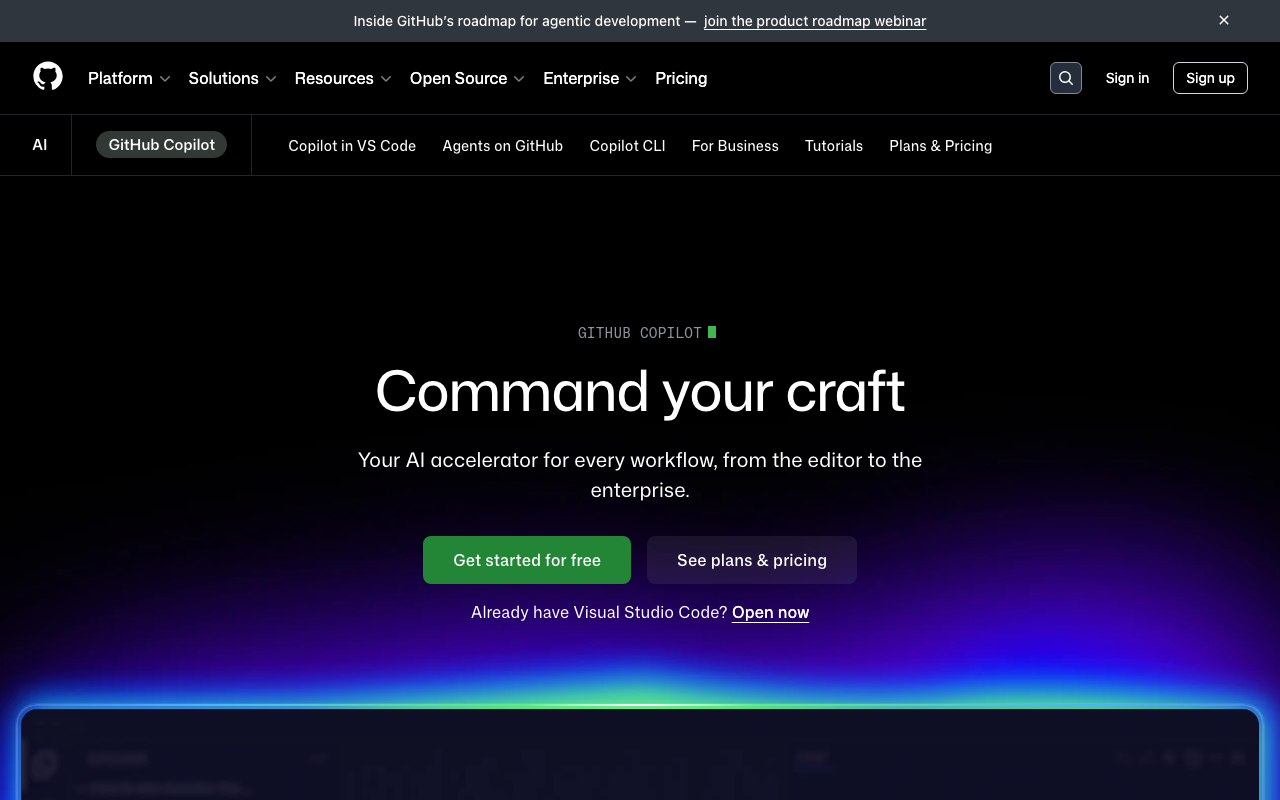
GitHub Copilot is GitHub’s all-in-one AI coding platform that includes code completion, chat, an autonomous coding agent, and code review. The code review capability was significantly improved with the March 2026 agentic architecture, which enables tool-calling and deeper analysis. It works exclusively on GitHub.
Pricing: Free tier with 2,000 completions/month. Pro at $10/month, Business at $19/user/month, Enterprise at $39/user/month.
Best for: Teams already using GitHub that want a single AI subscription for coding assistance, review, and autonomous tasks.
Greptile
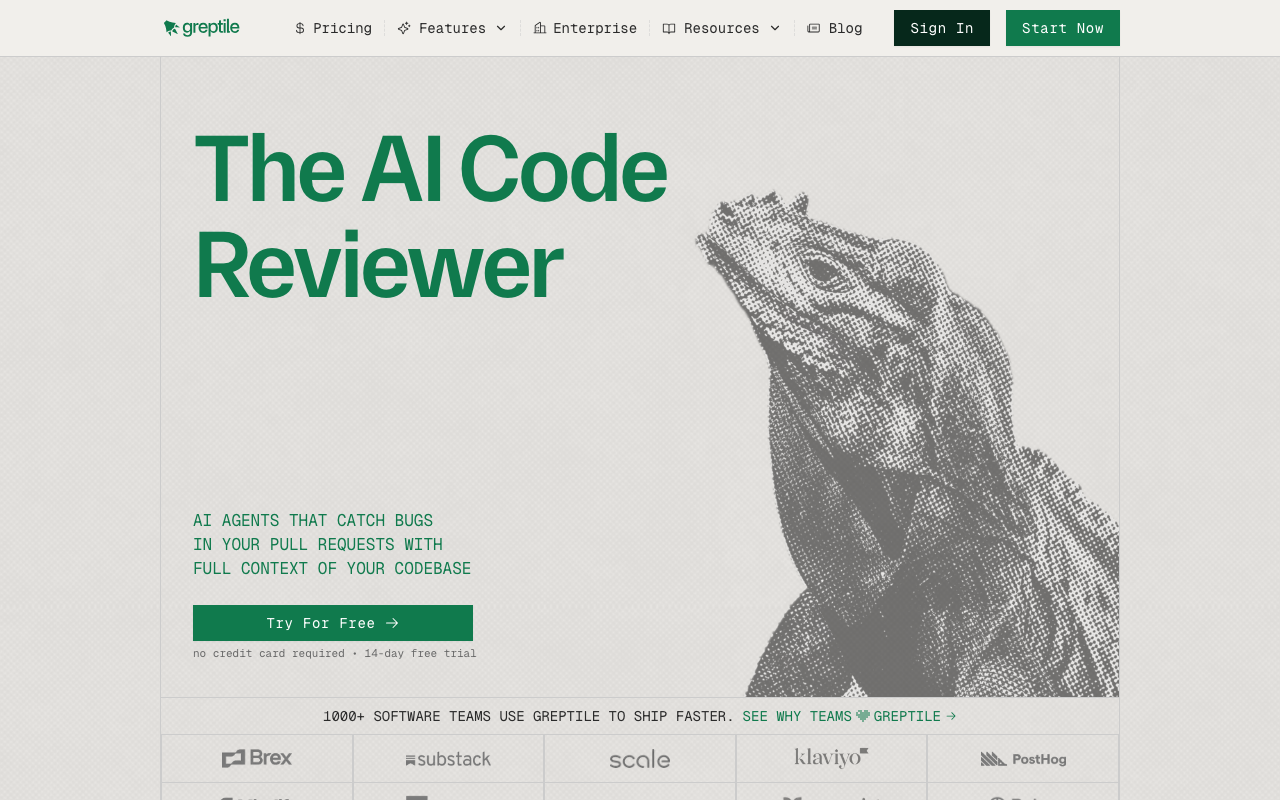
Greptile differentiates itself through full-codebase indexing. When it reviews a PR, it analyzes the changes against an understanding of your entire repository, not just the diff. This enables it to catch issues like changes that break assumptions in other files, unused imports from deleted modules, and inconsistencies with established patterns in the codebase.
Pricing: Starts at $30/user/month. No free tier.
Best for: Teams working on large codebases where cross-file context is critical for review quality.
PR-Agent (Qodo Merge)
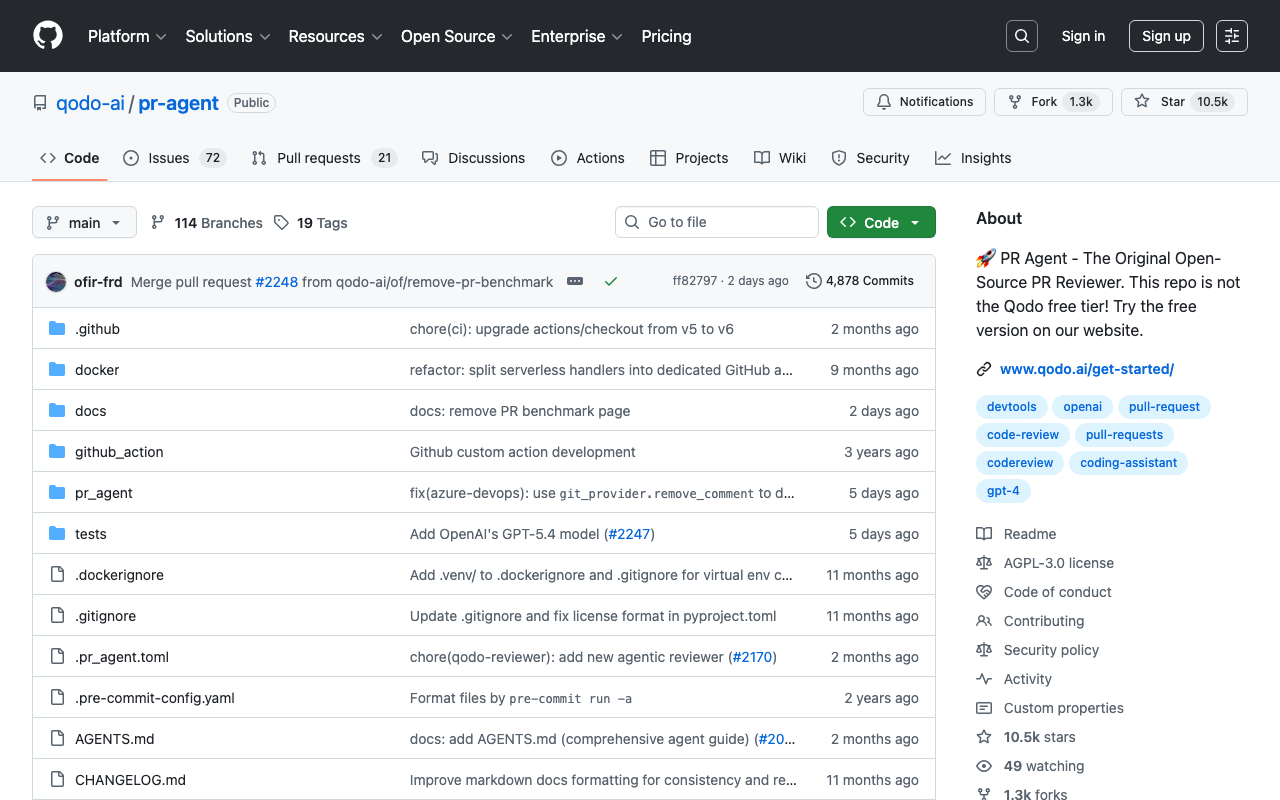
PR-Agent is an open-source AI code review tool created by Qodo (formerly CodiumAI). It can be self-hosted for free or used as a managed service (Qodo Merge). The tool provides PR descriptions, review comments, code suggestions, and can generate tests. Being open source, it gives teams full control over their code review pipeline and the ability to run the tool behind their firewall without sending code to external services.
Pricing: Free (open source, self-hosted). Managed service (Qodo Merge) starts at $30/user/month.
Best for: Teams that need an AI code reviewer they can self-host for security or compliance reasons.
Sourcery
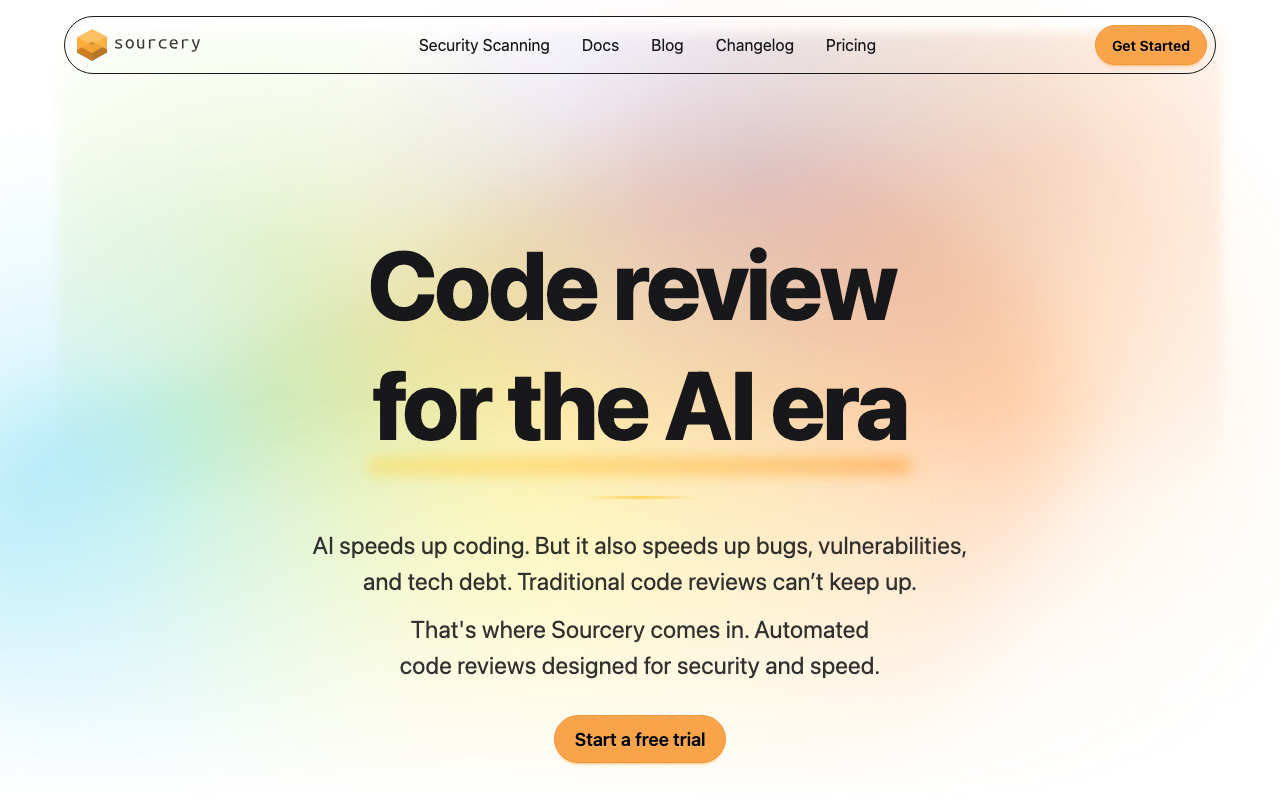
Sourcery focuses on code quality and refactoring, with particular strength in Python. It reviews PRs for code complexity, duplication, and readability issues, and provides one-click refactoring suggestions. It also includes a VS Code extension for real-time feedback while coding.
Pricing: Free for open source. Pro at $10/user/month. Team at $24/user/month.
Best for: Python-heavy teams prioritizing code readability and maintainability.
DeepSource
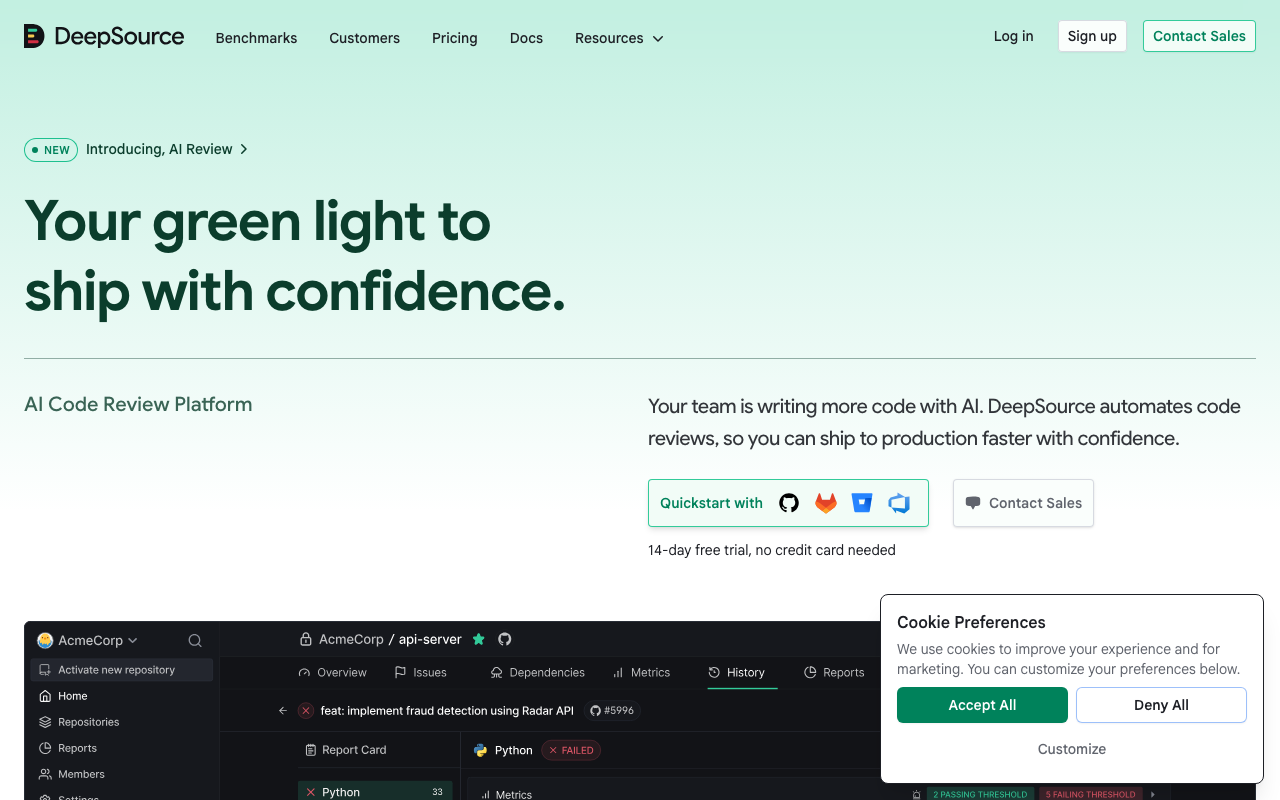
DeepSource combines a proprietary static analysis engine with AI-powered reviews. It is known for its extremely low false positive rate - under 5% in most cases. The tool covers bugs, security, anti-patterns, performance, and documentation across 16 languages. Autofix provides one-click remediation for many detected issues.
Pricing: Free for individuals. Team plan at $30/user/month.
Best for: Teams that prioritize precision (low false positives) and want a reliable signal they can trust.
SonarQube

SonarQube is the industry standard for static analysis and code quality management. With 6,000+ built-in rules across 35+ languages, quality gates, technical debt tracking, and code coverage integration, it provides the most comprehensive out-of-the-box code quality platform available. Recent updates have added AI CodeFix for automated remediation.
Pricing: Free Community Build (self-hosted). Cloud free tier for up to 50K LOC. Developer Edition starts at approximately $2,500/year.
Best for: Enterprise teams that need comprehensive code quality management, compliance reporting, and enforceable quality gates.
Semgrep
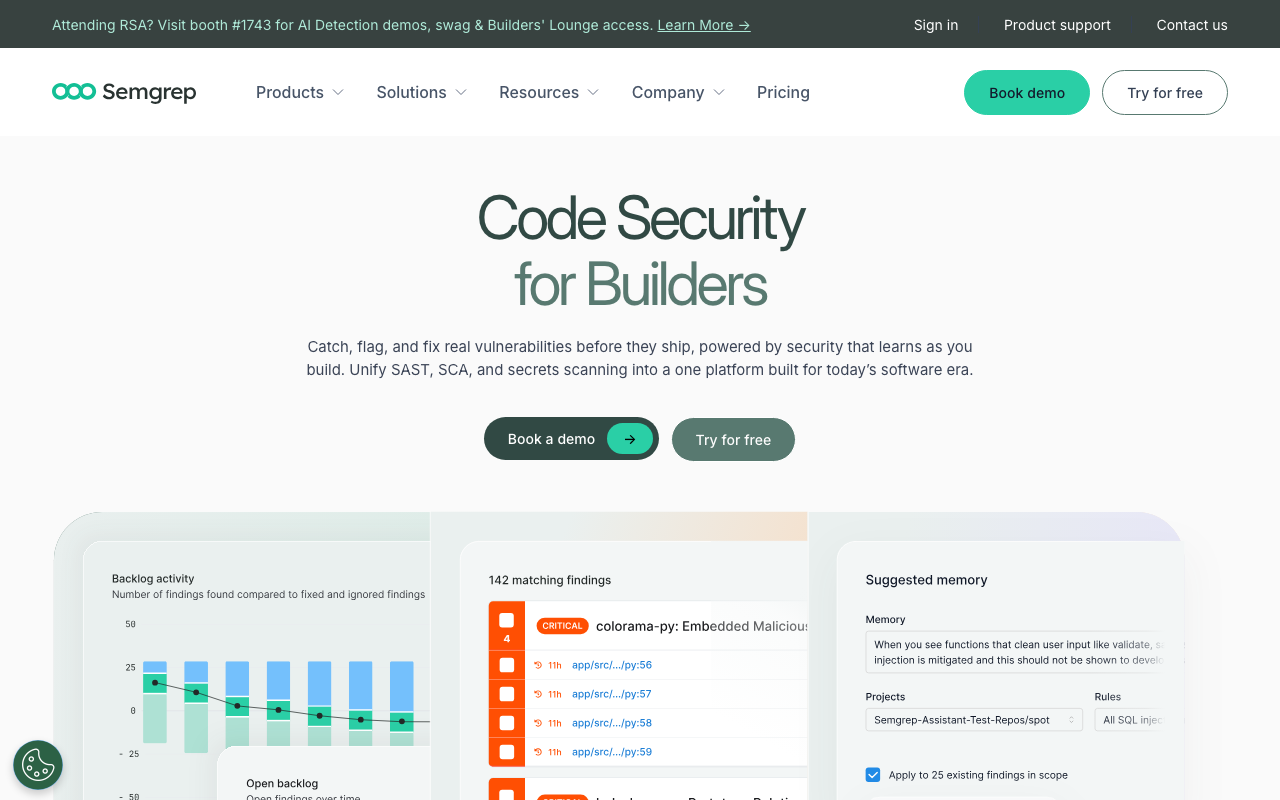
Semgrep is a security-first code scanning tool with 20,000+ rules and the best custom rule authoring system in the industry. Its YAML-based rules are easy to write and understand, scans complete in seconds, and it includes Semgrep Assistant - an AI-powered triage feature that reduces false positive noise by analyzing findings in context.
Pricing: Open-source CLI is free. Full platform free for up to 10 contributors. Team tier at $35/contributor/month.
Best for: Security teams that need custom vulnerability rules, fast CI scans, and comprehensive SAST coverage.
How to implement AI code review on your team
Implementing AI code review is straightforward from a technical standpoint - most tools install in under 10 minutes. The challenge is the human side: configuring the tool to match your team’s standards, building trust in the findings, and establishing a workflow that makes reviewers more effective rather than adding noise.
Step 1: Choose the right tool for your workflow
Start by identifying your primary need:
- If you want AI-powered PR review as a first pass before human review: Look at CodeRabbit, GitHub Copilot, or Greptile
- If you need deterministic code quality enforcement with quality gates: Look at SonarQube or DeepSource
- If security scanning is your priority: Look at Semgrep
- If you need to self-host for compliance: Look at PR-Agent (open source) or SonarQube Community Build
- If budget is the constraint: CodeRabbit (free tier), PR-Agent (open source), or SonarQube Community Build
Most teams benefit from running two tools - one AI-powered PR reviewer for semantic analysis and one static analysis tool for deterministic rule enforcement.
Step 2: Start with a pilot project
Do not roll out to every repository at once. Pick one active repository with a team that is open to trying new tools. Let the tool run for 2-4 weeks and gather feedback from the developers using it.
The pilot phase reveals important things:
- How many of the AI’s findings are genuinely useful vs noise
- Whether the response time fits your team’s PR workflow
- Which categories of findings are most valuable for your codebase
- What configuration changes are needed to reduce false positives
Step 3: Configure and customize
Every AI code review tool performs better after configuration. Out-of-the-box defaults try to be useful for everyone, which means they are rarely ideal for anyone. Here is what to configure:
Review scope: Tell the tool what to focus on and what to ignore. Most teams disable or deprioritize style-only suggestions (which are better handled by formatters like Prettier or Black) and focus the AI on bugs, security, and logic issues.
Language and framework context: If your project uses specific frameworks, configure the tool to understand them. For example, CodeRabbit’s natural language instructions let you say “This is a Next.js 15 project using the App Router. Review for server/client component boundaries.”
Severity thresholds: Configure which severity levels block merging vs which are informational. Critical security findings should block merging. Minor style suggestions should be informational only.
File exclusions: Exclude generated code, vendor directories, migration files, and other areas where AI review adds noise rather than value.
Step 4: Establish team norms
The tool is only useful if the team engages with it. Establish clear norms:
- Authors should review AI comments before requesting human review. Fix the legitimate issues, dismiss the false positives. Do not push the noise onto human reviewers.
- Use the feedback mechanisms. Most tools let you thumbs-up or thumbs-down individual comments. This feedback improves the tool’s future performance, especially for tools with learnable preferences like CodeRabbit.
- Human reviewers should focus on what AI cannot do. If the AI already flagged the null check issue, the human reviewer does not need to repeat it. Focus on architecture, business logic, and maintainability.
- Track false positive rates. If the AI is generating too much noise, it needs reconfiguration, not abandonment. Most teams find that 15-30 minutes of configuration dramatically reduces false positives.
Step 5: Expand gradually
Once the pilot team is satisfied, expand to additional repositories. Use the configuration and norms established during the pilot as templates for new teams. Different repositories may need different configurations - a security-sensitive API service needs different review focus than an internal admin dashboard.
Best practices for AI code review
After working with these tools extensively and talking to engineering teams that use them, several best practices emerge consistently.
Treat AI review as a first pass, not the final word
The single most important mindset shift is understanding that AI code review is a filter, not an oracle. It catches the mechanical issues so humans can focus on the substantive ones. Teams that try to use AI as a replacement for human review end up with merged PRs that pass all the mechanical checks but have fundamental design problems.
The workflow should be: AI reviews first, author addresses findings, then human reviews the refined PR. This makes the human review faster and more focused.
Combine LLM-based and rule-based tools
If your budget allows it, run both an AI PR reviewer (CodeRabbit, Greptile, or GitHub Copilot) and a static analysis tool (SonarQube, Semgrep, or DeepSource). The LLM-based tool catches logic errors and provides natural language context. The rule-based tool provides deterministic, auditable findings with near-zero false positives. Together, they cover more ground than either alone.
Configure aggressively during the first two weeks
The default configuration of any AI code review tool is a starting point, not the finish line. During your first two weeks, track every comment the tool makes and categorize it:
- Useful and actionable: Keep this category enabled
- Correct but not valuable for your team: Disable or deprioritize (e.g., style suggestions when you already use a formatter)
- False positive: Note the pattern and configure the tool to avoid it
- Missed issue: Note what the tool should have caught but did not, and check if custom rules or instructions can address it
Two weeks of active configuration typically reduces false positives by 50-70% and focuses the tool on the findings that matter most to your team.
Do not ignore the AI’s security findings
Even if you dismiss some of the AI’s style or refactoring suggestions, always take security findings seriously. SQL injection, XSS, hardcoded secrets, and insecure cryptography findings from AI code review tools have high true positive rates, and the cost of a security incident in production far exceeds the time spent verifying a few findings.
If a security finding turns out to be a false positive, use the tool’s feedback mechanism to teach it. But default to “investigate this” rather than “dismiss this” for security-related comments.
Use custom instructions to encode team knowledge
Most AI code review tools support custom instructions - configuration that tells the AI about your team’s specific patterns, conventions, and concerns. This is one of the most underused features. Here are examples of effective custom instructions:
# Example CodeRabbit configuration (.coderabbit.yaml)
reviews:
  path_instructions:
    - path: "src/api/**"
      instructions: |
        All API endpoints must validate input using zod schemas.
        Check that error responses follow our standard format:
        { error: string, code: string, details?: object }
        All database queries must use parameterized inputs.
    - path: "src/components/**"
      instructions: |
        React components should use named exports, not default exports.
        Components rendering user-generated content must sanitize output.
        Check for missing key props in list rendering.
    - path: "migrations/**"
      instructions: |
        Database migrations must be reversible.
        Check that down migrations correctly undo the up migration.
        Flag any migration that drops a column or table without
        a data preservation strategy.
These instructions encode team-specific knowledge that the AI cannot infer on its own. They turn general-purpose AI review into project-specific review.
Monitor and iterate
AI code review is not a set-it-and-forget-it tool. Review the tool’s performance monthly:
- Is the false positive rate acceptable (under 15%)?
- Are developers engaging with findings or ignoring them?
- Are there categories of bugs reaching production that the tool should have caught?
- Has the tool’s performance improved with feedback (for tools with learning capabilities)?
Adjust configuration based on these observations. The tools improve over time as they learn from your team’s feedback, but only if the team is actively providing that feedback.
Keep the human in the loop for merging decisions
Never configure AI code review as an auto-merge gate without human oversight. AI can flag issues, suggest fixes, and even apply those fixes, but the decision to merge a pull request should always involve a human who understands the project context, the business requirements, and the risk profile of the change.
Some teams configure quality gates - merge is blocked if the AI finds critical security issues - but even in those cases, a human should review the blocking findings to confirm they are legitimate before either fixing them or overriding the gate.
The future of AI code review
AI code review is evolving rapidly. The tools available today are substantially better than what existed even a year ago, and several trends suggest where the technology is heading.
Deeper repository understanding. Current tools are moving from diff-only analysis to full-repository context. Tools like Greptile already index the entire codebase, and CodeRabbit reads the full repository structure. This trend will continue, enabling AI to understand not just what changed but how that change fits into the broader system architecture.
Multi-model architectures. Rather than relying on a single LLM, tools are beginning to use different models for different tasks - a fast model for initial triage, a more capable model for complex analysis, and specialized models for security-specific patterns. This multi-model approach improves both speed and accuracy.
Learning from team feedback. The most significant long-term trend is tools that learn from how your team responds to their suggestions. CodeRabbit’s learnable preferences are an early version of this, and more tools will follow. Over time, this means the AI becomes a virtual team member that understands your specific coding standards, patterns, and priorities.
Integration with development workflow beyond PRs. AI code review is expanding from the pull request stage to the entire development lifecycle - pre-commit hooks, IDE real-time feedback, post-merge monitoring, and even code generation verification. The PR is just one point in the pipeline, and AI review will eventually be present at every stage.
Agentic capabilities. Tools are moving from “flag and suggest” to “flag, fix, and verify.” GitHub Copilot’s agentic architecture and CodeRabbit’s one-click fixes are early examples. Future tools will be able to fix issues autonomously, run the test suite to verify the fix, and submit the fix as a commit - all without human intervention for straightforward mechanical issues.
Conclusion
AI code review is not a replacement for human code review. It is a force multiplier. The best implementations use AI to handle the tedious, mechanical first pass - catching null pointer dereferences, flagging security vulnerabilities, enforcing style consistency, and identifying common performance anti-patterns - so that human reviewers can focus their limited time and attention on the things that actually require human judgment: architecture decisions, business logic correctness, maintainability, and mentoring.
The technology is mature enough to deliver real value today. Tools like CodeRabbit, GitHub Copilot, Greptile, and DeepSource consistently catch bugs that would otherwise reach production. Static analysis tools like SonarQube and Semgrep provide deterministic, auditable code quality enforcement that has proven its value over decades. The hybrid tools combining both approaches offer the most comprehensive coverage available.
But the value you get depends entirely on how you implement it. Teams that install a tool, leave the defaults, and never configure custom instructions will get mediocre results and high false positive rates. Teams that invest 15-30 minutes configuring the tool, establish clear norms for how AI findings are handled, and actively provide feedback will see dramatic improvements in review speed and code quality.
Start with a free tier - CodeRabbit and PR-Agent both offer generous free options - on a single pilot repository. Spend two weeks actively evaluating and configuring. Then decide whether to expand based on real data from your own codebase, not marketing claims. That is the most reliable path to getting genuine value from AI code review.
Frequently Asked Questions
What is AI code review?
AI code review is the automated analysis of code changes using artificial intelligence - typically large language models (LLMs) or machine learning models - to identify bugs, security vulnerabilities, performance issues, and code quality problems. Unlike traditional static analysis that uses fixed rules, AI code review understands code semantics and context, allowing it to catch logic errors, suggest better approaches, and provide natural language explanations of issues.
How does AI code review work?
AI code review tools analyze pull request diffs using one of three approaches: LLM-based analysis (sending code to models like GPT-4 or Claude for semantic understanding), rule-based static analysis (matching code against predefined patterns), or hybrid approaches combining both. Most tools integrate with GitHub or GitLab, automatically triggering analysis when a PR is opened and posting comments directly on the relevant code lines.
Can AI code review replace human reviewers?
No. AI code review is best used as a complement to human review, not a replacement. AI excels at catching mechanical issues - null pointer dereferences, security vulnerabilities, style violations, and common bug patterns. Humans are still essential for evaluating architecture decisions, business logic correctness, code readability in context, and whether changes meet product requirements.
Is AI code review accurate?
Accuracy varies significantly by tool. The best AI code review tools (CodeRabbit, DeepSource) achieve false positive rates under 10%. Less mature tools can generate 30-50% false positive rates, creating noise that developers learn to ignore. Accuracy depends on the type of issue - AI is highly accurate for security vulnerabilities and null safety but less reliable for business logic and architectural concerns.
How much does AI code review cost?
Prices range from free to $39/user/month. CodeRabbit offers unlimited free reviews for public and private repos. PR-Agent is open source and free to self-host. GitHub Copilot includes code review starting at $19/month. Paid tools like Greptile and Qodo range from $30-35/user/month. Enterprise pricing is typically custom.
What are the benefits of AI code review?
The main benefits are faster review cycles (AI responds in 1-5 minutes vs 24-48 hours for human review), consistent coverage (AI never gets tired or rushes), catching issues humans miss (security vulnerabilities, race conditions), and freeing human reviewers to focus on architecture and design. Teams using AI code review typically report 30-60% reduction in review cycle time.
What is the best free AI code review tool?
CodeRabbit offers the most generous free tier - unlimited AI-powered reviews on both public and private repositories with no usage caps. PR-Agent by Qodo is fully open source and free to self-host with your own LLM API keys. GitHub Copilot's free tier includes limited code review capabilities. For static analysis, SonarQube Community Build and Semgrep's OSS CLI are both free.
Is AI code review safe for sensitive code?
It depends on the tool. Most cloud-based AI review tools send code to external APIs for analysis, which may not comply with strict data governance policies. PR-Agent can be self-hosted to keep all code within your infrastructure. Some enterprise tiers of tools like CodeRabbit and SonarQube offer self-hosted deployment options. Always review a tool's data handling policy before connecting repositories with proprietary or regulated code.
How do I set up AI code review on GitHub?
Most AI code review tools install as GitHub Apps in under 5 minutes. For CodeRabbit, visit the GitHub Marketplace, install the app, and authorize it on your repositories - it starts reviewing PRs immediately with no CI configuration needed. For PR-Agent, add it as a GitHub Action in your workflow file. For SonarQube, configure the SonarQube GitHub App or add a scan step to your CI pipeline.
What types of bugs does AI code review catch?
AI code review catches null pointer dereferences, unhandled exceptions, race conditions, security vulnerabilities (SQL injection, XSS, hardcoded secrets), performance issues (N+1 queries, unnecessary re-renders), missing error handling, API contract violations, and logic errors like incorrect conditional branches. LLM-based tools are particularly strong at catching context-dependent issues that rule-based tools miss.
Does AI code review work with GitLab and Bitbucket?
Yes, most leading AI code review tools support multiple Git platforms. CodeRabbit supports GitHub, GitLab, Azure DevOps, and Bitbucket. PR-Agent works with GitHub, GitLab, and Bitbucket. SonarQube and DeepSource also support all major platforms. GitHub Copilot's code review feature is limited to GitHub only.
How long does AI code review take?
Most AI code review tools complete their analysis within 1 to 5 minutes of a pull request being opened. Rule-based tools like Semgrep can scan in as little as 10 seconds. LLM-based tools like CodeRabbit and Greptile typically take 2 to 5 minutes depending on PR size. This is dramatically faster than the 24-48 hour median wait time for human review.
What is the difference between AI code review and static analysis?
Static analysis tools like SonarQube use predefined rules to match known bug and vulnerability patterns - they are deterministic, fast, and have very low false positive rates. AI code review tools use large language models to understand code semantics, catching logic errors and contextual issues that rules cannot express. The best approach combines both for comprehensive coverage.
Explore More
Tool Reviews
 CodeRabbit Review
 GitHub Copilot Code Review Review
 Greptile Review
 PR-Agent Review
 Sourcery Review
 DeepSource Review
 SonarQube Review
 Semgrep Review
Related Articles
Free Newsletter
Stay ahead with AI dev tools
Weekly insights on AI code review, static analysis, and developer productivity. No spam, unsubscribe anytime.
Join developers getting weekly AI tool insights.
Related Articles
DeepSource Autofix: How Automatic Code Fixes Work in 2026
Learn how DeepSource Autofix detects and fixes code issues automatically - how it works, supported languages, accuracy, limitations, and alternatives.
March 13, 2026
guideDeepSource for Python: Static Analysis and Autofix Setup Guide
Set up DeepSource for Python projects. Covers .deepsource.toml config, Python rules, autofix, type checking, security analysis, and Django/Flask support.
March 13, 2026
guideIs Codacy Free? What You Get on the Open-Source Plan in 2026
Codacy is free for open-source projects and solo developers. See what the free plan includes, its limits, and when you need to upgrade.
March 13, 2026