DeepSource Autofix: How Automatic Code Fixes Work in 2026
Learn how DeepSource Autofix detects and fixes code issues automatically - how it works, supported languages, accuracy, limitations, and alternatives.
Published:
DeepSource Autofix is one of the most practical automated code remediation features available in 2026. Instead of simply flagging code issues and leaving developers to figure out the fix, DeepSource generates concrete code changes that resolve detected problems - from unused imports and formatting inconsistencies to security vulnerabilities and performance anti-patterns. For teams processing dozens of pull requests daily, the ability to fix routine code quality issues with a single click eliminates hours of manual remediation work every week.
This guide explains exactly how DeepSource Autofix works under the hood, what types of issues it can fix, where it falls short, and how it compares to manual fixing and competing tools. Whether you are evaluating DeepSource for the first time or trying to get more value from an existing deployment, this is a complete breakdown of the feature in its current state.
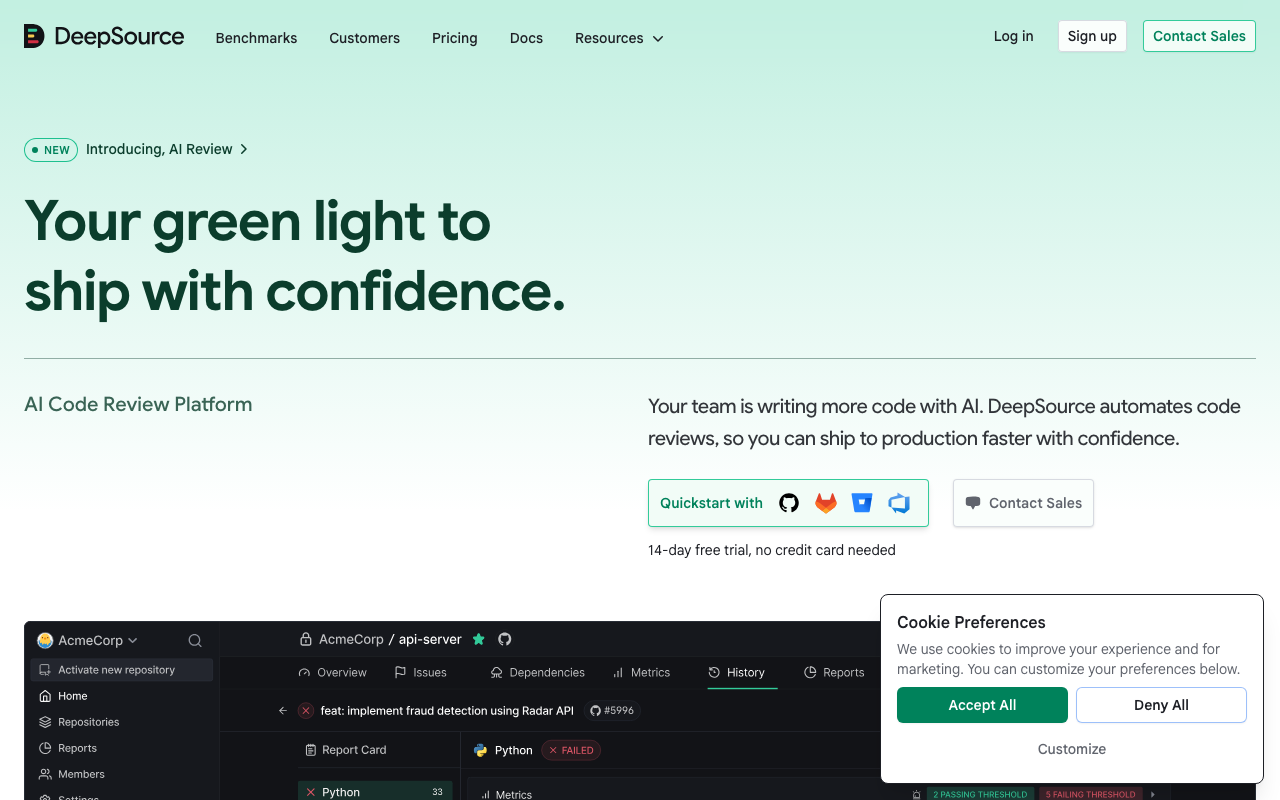
What Is DeepSource Autofix?
DeepSource Autofix is an automated code remediation engine built into the DeepSource platform. When DeepSource’s static analysis detects a code quality issue, security vulnerability, bug pattern, or style violation, Autofix generates a ready-to-apply code change that resolves the problem. The fix appears as a reviewable diff - developers can inspect the proposed change, verify it makes sense in context, and apply it with a single click. For a full overview of the platform beyond just Autofix, see our DeepSource review.
The key distinction between Autofix and a simple linter suggestion is that Autofix produces actual code modifications, not just descriptions of what needs to change. When ESLint tells you “unexpected var, use let or const instead,” you still need to decide which replacement is appropriate and make the edit yourself. When DeepSource Autofix detects the same issue, it generates the specific replacement - changing var count = 0 to const count = 0 or let count = 0 depending on whether the variable is reassigned later in the scope. The fix is context-aware.
Autofix is included with unlimited usage on DeepSource’s Team plan at $24/user/month with annual billing. On the free Open Source plan for public repositories, Autofix is available on a pay-as-you-go basis. For a detailed breakdown of how pricing works across plans, see our DeepSource pricing guide.
It is important not to confuse Autofix with DeepSource’s separate AI Review feature. Autofix is deterministic and rule-based - it generates predictable fixes for known issue patterns detected by static analysis. AI Review uses large language models to provide contextual feedback on pull requests, catching logic errors and design issues that static rules cannot express. They serve complementary purposes, and teams get the most value when both are active.
How DeepSource Autofix Works
Understanding the mechanics behind Autofix helps set realistic expectations about what it can and cannot do. The feature operates through a multi-stage pipeline that transforms raw source code into actionable remediation.
Stage 1: Static Analysis Detection
Everything starts with DeepSource’s static analysis engine. When code is pushed to a connected repository or a pull request is opened, DeepSource runs its analyzers against the changed files. These analyzers parse the source code into an abstract syntax tree (AST), then traverse the tree looking for patterns that match known issues.
DeepSource maintains over 5,000 analysis rules across its supported languages. Each rule defines a specific code pattern to detect - for example, “a Python function that catches a bare Exception instead of a specific exception type” or “a JavaScript comparison using == instead of ===.” When a rule matches, DeepSource records the issue along with metadata about its location, severity, and category.
Stage 2: Fix Transformers
Once an issue is detected, Autofix checks whether a fix transformer exists for that specific rule. Not every rule has an associated transformer - some issues are too context-dependent or too risky to fix automatically. But for rules where a safe, deterministic fix exists, the transformer generates the replacement code.
Fix transformers operate on the AST rather than on raw text. This is a critical design decision. Text-based find-and-replace is fragile - it can break when code formatting varies or when the same text pattern appears in different contexts (inside a string literal versus as actual code, for example). AST-based transformations understand the syntactic structure of the code and can generate fixes that are structurally correct regardless of formatting differences.
For example, when fixing a Python bare except clause, the transformer does not simply search for the text except: and replace it with except Exception:. Instead, it identifies the specific ExceptHandler node in the AST that has no exception type specified, then generates a new ExceptHandler node with Exception as the type. The resulting fix respects the surrounding indentation, comment placement, and coding style.
Stage 3: Diff Generation and Validation
After the transformer produces the fixed code, Autofix generates a unified diff that shows exactly what changed. This diff goes through a validation step to verify that the fix does not introduce syntax errors. DeepSource parses the modified code to confirm it is syntactically valid in the target language before presenting the fix to the developer.
The validation step is conservative. If the transformer output cannot be parsed as valid code - which can happen in edge cases with unusual syntax or macro-heavy codebases - Autofix suppresses the fix rather than presenting a broken suggestion. This contributes to the low false positive rate but also means some fixable issues may not receive Autofix suggestions in certain codebases.
Stage 4: PR Integration and Application
The final stage delivers the fix to developers through their existing workflow. When a pull request triggers analysis, Autofix suggestions appear as comments on the PR with the proposed diff. Developers can review the change in context, apply it with a single click, and the fix is committed directly to the PR branch.
For issues found during repository-wide scans (not tied to a specific PR), DeepSource can generate a separate pull request containing multiple Autofix changes. This bulk-fix capability is particularly useful during initial onboarding - when you first connect a repository to DeepSource, there may be hundreds of existing issues that Autofix can resolve in a single batch PR.
Types of Issues DeepSource Autofix Can Fix
Autofix covers a wide range of issue categories, but the depth and reliability of fixes varies significantly across categories. Understanding these differences helps you set appropriate expectations.
Code Style and Formatting
This is where Autofix is most reliable. Formatting fixes are deterministic and carry virtually zero risk of changing program behavior. Examples include removing unused imports, fixing inconsistent indentation, applying consistent quote styles, removing trailing whitespace, and enforcing naming conventions. These fixes have near-100% accuracy because the transformation rules are simple and the correctness criteria are unambiguous.
Bug Patterns
Autofix handles common bug patterns that have well-established fixes. Examples include replacing mutable default arguments in Python functions (changing def foo(items=[]) to def foo(items=None) with an appropriate if items is None guard), fixing off-by-one errors in range expressions, correcting comparison operators that should use identity checks instead of equality checks (is None instead of == None), and resolving variable shadowing issues.
Bug pattern fixes require more caution than style fixes because they change program behavior - even though the new behavior is almost always what the developer intended. Developers should verify that the fix matches their intent before applying it.
Security Vulnerabilities
Autofix addresses common security issues like hardcoded credentials, SQL injection via string concatenation, cross-site scripting (XSS) through unescaped output, insecure random number generation, and use of deprecated cryptographic algorithms. For straightforward cases - replacing random.random() with secrets.token_hex() for security-sensitive contexts, or switching from MD5 to SHA-256 - the fixes are reliable.
However, security fixes for more complex vulnerability patterns are limited. DeepSource does not perform deep cross-function taint analysis, so it may miss injection vulnerabilities where user input flows through multiple helper functions before reaching a dangerous sink. For teams with serious security requirements, dedicated SAST tools like Semgrep provide deeper analysis. See our DeepSource vs Semgrep comparison for a detailed breakdown.
Performance Optimizations
Autofix suggests performance improvements for common anti-patterns. Examples include replacing list comprehensions with generator expressions where only iteration is needed, using str.join() instead of repeated string concatenation in loops, replacing dict.keys() membership checks with direct in checks on the dictionary, and suggesting more efficient data structures for specific access patterns.
Performance fixes should be reviewed carefully because performance characteristics depend on the specific data sizes and access patterns in your application. A fix that is faster for large datasets might be marginally slower for small ones, and the context around whether that matters is something only the developer knows.
Supported Languages and Coverage Depth
DeepSource Autofix is available for all languages supported by the platform: Python, JavaScript, TypeScript, Go, Ruby, Java, Rust, C#, Kotlin, PHP, Scala, and Swift. However, the number of Autofix-eligible rules varies significantly by language.
Python, JavaScript, TypeScript, and Go have the deepest Autofix coverage. These were the earliest languages added to DeepSource, and their fix transformer libraries are the most mature. Most detected issues in these languages have corresponding Autofix suggestions.
Java, Ruby, and Rust have good Autofix coverage for common patterns but fewer specialized transformers for language-specific idioms.
C#, Kotlin, PHP, Scala, and Swift have the narrowest Autofix coverage. DeepSource detects issues in these languages effectively, but the percentage of issues with available auto-fixes is lower.
For teams working with languages outside DeepSource’s supported list - C, C++, Dart, Elixir, or domain-specific languages - Autofix is not an option. Alternatives like SonarQube (35+ languages) or Codacy (40+ languages) provide broader language support, though their automated fix capabilities are less mature than DeepSource’s. For a comprehensive look at options, see our DeepSource alternatives guide.
Step-by-Step: Using DeepSource Autofix
Setting up Autofix is straightforward because it is enabled by default once you connect a repository to DeepSource. Here is the complete workflow from installation to applying fixes.
Step 1: Connect Your Repository
Sign up for DeepSource and connect your GitHub, GitLab, Bitbucket, or Azure DevOps account. Select the repository you want to analyze. DeepSource will prompt you to choose which analyzers to activate based on the languages detected in your codebase.
Step 2: Configure Analyzers
Each language has its own analyzer with configurable rule sets. DeepSource creates a .deepsource.toml configuration file in your repository root. This file specifies which analyzers are active and any rule customizations. A typical configuration looks like this:
version = 1

[[analyzers]]
name = "python"
enabled = true

  [analyzers.meta]
  runtime_version = "3.x"

[[analyzers]]
name = "javascript"
enabled = true

[[transformers]]
name = "black"
enabled = true

[[transformers]]
name = "prettier"
enabled = true
The [[transformers]] section enables code formatters that run alongside Autofix. These are separate from the analysis-based Autofix suggestions and handle pure formatting normalization.
Step 3: Run Initial Analysis
Once configured, DeepSource runs a full analysis of your repository. This initial scan identifies all existing issues across the codebase. Issues with available Autofix suggestions are marked with a fix icon in the DeepSource dashboard.
Step 4: Apply Fixes
You can apply fixes in two ways:
Individual fixes - Click the Autofix button next to any issue in the dashboard or PR comment. DeepSource generates a commit with the fix applied and pushes it to the relevant branch.
Bulk fixes - Select multiple issues in the dashboard and apply all their fixes at once. DeepSource creates a single pull request containing all the selected fixes. This is especially useful during initial onboarding when cleaning up existing technical debt.
Step 5: Review and Merge
Treat Autofix-generated changes like any other code change. Review the diff to confirm the fix is appropriate, run your test suite to verify nothing breaks, and merge when satisfied. For low-risk fixes like import cleanup and formatting, many teams configure auto-merge rules to apply these without manual review.
Accuracy and Limitations
DeepSource reports a sub-5% false positive rate for its static analysis detections, and Autofix inherits that accuracy baseline. In practice, the accuracy of Autofix suggestions varies by category.
Where Autofix Excels
- Formatting and style fixes - Near-100% accuracy. These are purely syntactic transformations with no behavioral impact.
- Import management - Removing unused imports and organizing import statements is reliable and safe.
- Simple bug patterns - Well-established patterns like mutable default arguments, bare except clauses, and comparison operator corrections are fixed reliably.
- Type annotation additions - For languages with gradual typing (Python, JavaScript/TypeScript), Autofix can add missing type annotations based on usage analysis.
Where Autofix Has Limitations
- Complex refactoring - Autofix does not restructure code architecture, extract functions, or suggest design pattern changes. It operates at the statement level, not the system level.
- Cross-file dependencies - Fixes that require changes in multiple files are not supported. If fixing an issue in one file requires updating import statements or function signatures in other files, the developer must handle those cascading changes manually.
- Framework-specific patterns - DeepSource’s rule set is language-general. It does not have deep knowledge of framework-specific best practices for Django, React, Spring Boot, or other frameworks. Framework-specific linters and AI-powered tools fill this gap.
- Custom organizational standards - DeepSource does not support custom rule authoring, which means Autofix cannot generate fixes for organization-specific coding standards. Teams with internal APIs, naming conventions, or architectural patterns unique to their codebase will not see Autofix suggestions for those patterns.
- Deep security analysis - Autofix catches surface-level security issues but does not fix complex vulnerabilities that require understanding data flow across function boundaries. For thorough security remediation, dedicated tools are necessary.
Autofix vs. Manual Code Fixing
The practical question for most teams is not whether Autofix is perfect but whether it saves time compared to fixing issues manually. Here is how the two approaches compare across key dimensions.
| Dimension | DeepSource Autofix | Manual Fixing |
|---|---|---|
| Speed | Fixes generated in seconds | Minutes to hours per issue |
| Consistency | Same fix pattern every time | Varies by developer |
| Coverage | Limited to known rule patterns | Unlimited scope |
| Context awareness | AST-level, single-file | Full project understanding |
| Risk assessment | Flags severity but cannot judge business impact | Developer understands business context |
| Learning value | Developers see the fix without solving it | Fixing issues builds skill |
| Cost at scale | Included in $24/user/month Team plan | Developer time at $50-150/hour |
For a team of 10 developers processing 20 pull requests per day, even modest time savings per PR add up quickly. If Autofix eliminates 5 minutes of manual fix work per PR, that is over 100 minutes per day - roughly 43 hours per month of developer time redirected from routine fixes to higher-value work.
The most effective approach is hybrid. Let Autofix handle the deterministic, low-risk fixes (formatting, imports, simple patterns) automatically, and have developers focus their attention on the complex issues where human judgment and business context are essential.
Alternatives to DeepSource Autofix
Several other tools offer automated code fixing capabilities, each with different strengths and tradeoffs.
SonarQube
SonarQube is the industry standard for static analysis with 6,500+ rules across 35+ languages. SonarQube’s fix suggestions are delivered primarily through the SonarLint IDE extension rather than as PR-level auto-fix commits. SonarLint provides quick fix actions within VS Code, IntelliJ, and other IDEs. The server-side analysis flags issues comprehensively, but the automated remediation workflow is less streamlined than DeepSource’s one-click PR fixes. SonarQube Community Build is free for self-hosting, while Cloud plans start at EUR 30/month. For teams that prioritize rule depth and language breadth over automated fix convenience, SonarQube is the stronger choice. See our best code quality tools guide for a broader comparison.
Codacy
Codacy supports 40+ languages and provides automated code quality analysis with issue detection and severity classification. Codacy’s approach to fixes focuses more on detection and explanation than on generating ready-to-apply code changes. While Codacy flags issues clearly and provides remediation guidance, developers typically need to implement the fixes themselves. At $15/user/month (annual billing), Codacy is more affordable than DeepSource’s $24/user/month but trades off automated fix depth for broader language coverage. For a detailed comparison, see DeepSource vs Codacy.
CodeAnt AI
CodeAnt AI takes a different approach by bundling AI-powered code review, SAST, secrets detection, infrastructure-as-code security, and DORA metrics into a single platform. Priced at $24-40/user/month depending on the tier, CodeAnt AI uses AI models to generate contextual fix suggestions during pull request reviews. Unlike DeepSource’s deterministic Autofix, CodeAnt AI’s fixes are AI-generated and contextual, meaning they can address a wider range of issues including architectural suggestions and logic errors. The tradeoff is that AI-generated fixes are probabilistic rather than deterministic, so they require more careful review. For teams that want automated fixing as part of a broader code quality and security platform rather than a standalone feature, CodeAnt AI is worth evaluating.
Semgrep
Semgrep offers an autofix feature within its rule definitions. When writing a Semgrep rule, you can include a fix: field that specifies the replacement code when the pattern matches. This makes Semgrep’s auto-fix capability highly customizable - teams can write their own rules with organization-specific fixes. The tradeoff is that writing custom rules requires effort, while DeepSource’s fixes work out of the box. Semgrep is particularly strong for security-focused fixes where teams need to enforce custom remediation patterns. See our DeepSource vs Semgrep analysis for more detail.
Pixee
Pixee is a newer entrant focused specifically on automated code remediation. It generates security-hardening pull requests for Java, Python, and JavaScript codebases. Pixee’s fixes go deeper than most autofix tools for security - it can add input validation, implement output encoding, and apply security headers across multiple files. However, its scope is narrower than DeepSource’s (security only, fewer languages) and it is less mature as a platform.
When DeepSource Autofix Makes Sense
DeepSource Autofix delivers the most value for teams that meet several criteria. First, the team’s primary languages should be well-supported - Python, JavaScript, TypeScript, and Go get the best experience. Second, the team processes enough pull requests that even small per-PR time savings compound into meaningful productivity gains. Third, the team values low false positive rates and is willing to pay $24/user/month for that precision.
Teams that may want to look elsewhere include those working primarily with languages outside DeepSource’s supported set, teams that need custom rule authoring and organization-specific fix patterns, and teams with deep security requirements that demand cross-function taint analysis. For those use cases, combinations like SonarQube plus Semgrep, or Codacy plus a dedicated SAST scanner, often provide better coverage.
For more context on how DeepSource fits into the broader code quality landscape, see our guides on DeepSource alternatives and DeepSource pricing.
Conclusion
DeepSource Autofix represents the practical middle ground between doing nothing about code quality and building a complex, multi-tool remediation pipeline. It works well for what it does - generating fast, reliable, single-click fixes for known code patterns across 12+ languages. The sub-5% false positive rate means developers can trust the suggestions without spending excessive time on triage, and the unlimited Autofix on the Team plan removes any concern about usage limits.
The limitations are real but well-defined. Autofix does not replace human judgment for complex refactoring, cross-file changes, framework-specific patterns, or deep security analysis. It is a productivity multiplier for routine code quality maintenance, not a replacement for thoughtful engineering.
For teams evaluating their options, the decision typically comes down to whether DeepSource’s language coverage and feature set match their needs. If they do, Autofix alone can justify the platform cost through developer time savings. If they do not, the alternatives landscape has strong options at every price point - from free open-source tools to comprehensive enterprise platforms.
Frequently Asked Questions
What is DeepSource Autofix?
DeepSource Autofix is an automated code remediation feature that generates and applies fixes for issues detected by DeepSource's static analysis engine. When DeepSource flags a code quality issue, security vulnerability, or style violation, Autofix produces a concrete code change that resolves the problem. The fix is presented as a diff that developers can review and apply with a single click or through an automated pull request. Autofix is included with unlimited usage on the Team plan at $24/user/month.
How accurate is DeepSource Autofix?
DeepSource reports a sub-5% false positive rate for its static analysis detections, and Autofix inherits that accuracy baseline. For deterministic fixes like removing unused imports, correcting formatting issues, and applying standard code patterns, accuracy is near 100%. For more complex fixes involving logic changes, type corrections, or security patches, accuracy varies by language and issue category. Developers should always review Autofix suggestions before merging, especially for security-related and performance-related fixes.
Is DeepSource Autofix free?
Autofix availability depends on your DeepSource plan. On the Team plan at $24/user/month with annual billing, Autofix is included with unlimited usage. On the free Open Source plan for public repositories, Autofix is available on a pay-as-you-go basis rather than being bundled. The previous Free plan that included limited Autofix runs was deprecated in February 2026. Enterprise plan users get unlimited Autofix along with all other Team plan features plus self-hosted deployment options.
What languages does DeepSource Autofix support?
DeepSource Autofix supports all languages covered by the DeepSource platform, including Python, JavaScript, TypeScript, Go, Ruby, Java, Rust, C#, Kotlin, PHP, Scala, and Swift. However, the depth and breadth of available auto-fixes varies by language. Python, JavaScript, TypeScript, and Go have the most comprehensive Autofix coverage because they were the earliest languages added to the platform. Newer language additions like Swift and Scala may have fewer Autofix-eligible rules.
How does DeepSource Autofix differ from AI Review?
Autofix and AI Review are two separate DeepSource features. Autofix generates deterministic code fixes for issues detected by the static analysis engine - it is rule-based and produces predictable, repeatable fixes. AI Review uses large language models to provide contextual pull request feedback, catching logic errors and design issues that rules cannot express. Autofix is unlimited on the Team plan. AI Review operates on a credit system with $120 in bundled credits per user per year on the Team plan, with pay-as-you-go pricing for overages.
Can DeepSource Autofix introduce bugs?
While rare, Autofix suggestions can occasionally introduce issues. Deterministic fixes for style and formatting are safe. But fixes involving logic changes, type conversions, or API migrations can have unintended side effects if the fix does not account for all call sites or edge cases. DeepSource mitigates this by presenting fixes as reviewable diffs rather than auto-merging them. Teams should run their test suite on Autofix-generated changes before merging, just as they would with any code change.
How do I enable DeepSource Autofix?
Autofix is enabled by default on all DeepSource plans that include it. After connecting your repository to DeepSource and activating the relevant analyzers for your language, Autofix suggestions appear automatically alongside detected issues in the DeepSource dashboard and in pull request comments. You can apply fixes individually by clicking the fix button next to each issue, or apply multiple fixes in bulk. No additional configuration is needed beyond the standard DeepSource repository setup.
Does DeepSource Autofix work in CI/CD pipelines?
Yes. DeepSource integrates with GitHub, GitLab, Bitbucket, and Azure DevOps. When a pull request is opened, DeepSource runs its analysis and posts Autofix suggestions as comments on the PR. Developers can apply fixes directly from the PR interface. For CI/CD workflows, DeepSource can be configured to create follow-up commits or separate PRs with the auto-generated fixes. The analysis runs automatically on every push and pull request event.
What is the difference between DeepSource Autofix and SonarQube quick fixes?
DeepSource Autofix generates complete, ready-to-apply code changes as diffs that can be merged with a single click. SonarQube provides quick fix suggestions primarily through the SonarLint IDE extension, where fixes are applied locally within the IDE. SonarQube's server-side analysis flags issues but does not generate PR-level auto-fix commits the way DeepSource does. DeepSource's approach is more automated and PR-integrated, while SonarQube's fix suggestions are more IDE-centric.
How does DeepSource Autofix compare to GitHub Copilot for fixing code?
DeepSource Autofix is rule-based and focuses on fixing known code quality and security issues detected by static analysis. GitHub Copilot is a general-purpose AI coding assistant that can suggest fixes but is not specifically designed for static analysis remediation. DeepSource Autofix produces deterministic fixes for categorized issues with explanations tied to specific rule violations. Copilot generates probabilistic suggestions based on context. For fixing known code quality patterns, DeepSource Autofix is more reliable and traceable.
Can I customize which Autofix suggestions DeepSource generates?
You can control Autofix indirectly by configuring which analyzers and rules are active in your DeepSource project settings. If you disable a specific rule or analyzer, Autofix will not generate fixes for issues detected by that rule. You can also suppress individual issues using inline comments or the DeepSource dashboard, which prevents Autofix from suggesting fixes for those suppressed findings. However, you cannot modify the fix logic itself - the remediation patterns are maintained by the DeepSource team.
Is DeepSource Autofix better than Codacy's fix suggestions?
DeepSource Autofix is generally more comprehensive than Codacy's approach to automated fixes. DeepSource generates ready-to-apply code diffs with a single-click merge workflow, while Codacy focuses more on issue detection and explanation rather than automated remediation. DeepSource also reports a sub-5% false positive rate, which means fewer irrelevant fix suggestions. However, Codacy supports 40+ languages compared to DeepSource's 12+, so Codacy may be the better choice for polyglot teams even though its fix automation is less mature.
Explore More
Tool Reviews
 DeepSource Review
 CodeAnt AI Review
Related Articles
Free Newsletter
Stay ahead with AI dev tools
Weekly insights on AI code review, static analysis, and developer productivity. No spam, unsubscribe anytime.
Join developers getting weekly AI tool insights.
Related Articles
DeepSource for Python: Static Analysis and Autofix Setup Guide
Set up DeepSource for Python projects. Covers .deepsource.toml config, Python rules, autofix, type checking, security analysis, and Django/Flask support.
March 13, 2026
guideIs Codacy Free? What You Get on the Open-Source Plan in 2026
Codacy is free for open-source projects and solo developers. See what the free plan includes, its limits, and when you need to upgrade.
March 13, 2026
guideIs CodeRabbit Free? What You Get on the Free Plan in 2026
Yes, CodeRabbit is free for open source and private repos. Full breakdown of free plan features, limits, and when to upgrade.
March 13, 2026