SonarQube vs PMD: Java Static Analysis Compared (2026)
SonarQube vs PMD for Java - rule depth, security scanning, CI/CD integration, IDE support, quality gates, and pricing. Which tool fits your team?
Published:
Last Updated:
Quick Verdict

SonarQube and PMD are not direct competitors - they operate at fundamentally different levels of the Java development toolchain. Comparing them as alternatives to each other is like comparing a flight operations center to a single cockpit instrument. Both help you fly the plane, but one provides a single reading and the other provides a complete operations view across an entire fleet.
PMD is a free, open-source static analysis tool. You add it to your Maven or Gradle build, point it at your Java source files, configure a ruleset, and it outputs a list of violations. That is what PMD does and it does it well. PMD 7.x (released in 2024) supports Java 21, runs across 16 languages, and gives teams access to hundreds of battle-tested Java rules covering code style, complexity, naming conventions, unused code, and specific anti-patterns. Configuration is done entirely in XML rulesets that live in your repository. There is no server, no dashboard, no account - just a CLI tool that runs in your build.
SonarQube is a code quality and security platform. It runs its own Java analyzer (not PMD), provides a centralized web dashboard with historical trend tracking, enforces quality gates that can block non-compliant pull requests, integrates security scanning (SAST with taint analysis in paid editions), tracks code coverage, detects duplication, estimates technical debt, and provides IDE integration through SonarLint. The Community Build is free and self-hosted. Paid cloud and server editions add branch analysis, PR decoration, secrets detection, advanced SAST, and enterprise features.
Choose PMD alone if: you are a Java-focused team, you want zero cost and zero infrastructure overhead, you need direct integration with Maven or Gradle build lifecycle, you have specific PMD rules your team depends on, and a command-line violation report is sufficient for your workflow.
Choose SonarQube (which includes its own Java analyzer) if: you need centralized quality dashboards, quality gate enforcement on PRs, security scanning beyond pattern matching, multi-language support, and organizational visibility into code health trends over time. SonarQube’s free Community Build is a reasonable starting point, though its lack of PR decoration limits its usefulness for pull request workflows.
The most pragmatic setup for mature Java teams: Run PMD and SpotBugs in your Maven or Gradle build for fast, build-integrated feedback. Run SonarQube in CI/CD for centralized platform analysis, quality gates, and security scanning. SonarQube’s own Java analyzer covers significant ground independently - many teams find PMD redundant once SonarQube is in place - but some Java shops run both specifically to maximize rule coverage.
At-a-Glance Comparison
| Category | SonarQube | PMD |
|---|---|---|
| Type | Code quality and security platform | Static analysis tool (rule-based linter) |
| Primary language focus | 35+ languages (strongest Java, JS/TS, C#, Python) | 16 languages (strongest Java, Apex) |
| Java rules | 600+ proprietary Java rules | 300+ Java rules across multiple rulesets |
| Analysis approach | Proprietary SonarSource analyzer | AST pattern matching and XPath rules |
| Runs via | CI/CD scanner + centralized server | Maven plugin, Gradle plugin, CLI, Ant |
| Real-time editor feedback | Via SonarLint IDE plugin | Via IDE plugins (IntelliJ, Eclipse, VS Code) |
| Quality gates | Yes - configurable, PR-blocking | No built-in quality gates |
| Web dashboard | Yes - trend tracking, project overview | No - file or console output only |
| Security scanning (SAST) | Yes - taint analysis in Developer Edition+ | Limited - basic pattern rules only |
| SCA (dependency scanning) | Via Advanced Security add-on | No |
| Secrets detection | Yes - 400+ patterns (Developer Edition+) | No |
| Code coverage tracking | Yes - integrates with JaCoCo, etc. | No |
| Duplication detection | Yes | No |
| Technical debt tracking | Yes - remediation time estimates | No |
| Custom rules | Quality Profiles + SonarQube rule writing API | Full rule writing API (Java or XPath) |
| Configuration | Web dashboard (Quality Profiles) | XML rulesets in repository |
| Git platform integration | GitHub, GitLab, Bitbucket, Azure DevOps | None - runs in any CI via Maven/Gradle |
| Pricing | Free Community Build; paid from EUR 30/month | Completely free (Apache 2.0) |
| Infrastructure required | Yes - server + PostgreSQL (or use Cloud) | No - runs as build plugin |
| PMD integration | Uses own analyzer (sonar-pmd plugin deprecated) | Is PMD |
What Is PMD?
PMD is a source code analyzer originally created by Tom Copeland in 2002, now maintained as an open-source project under the Apache License 2.0. Despite its age, PMD is actively developed - the 7.x release in 2024 represented a major architectural rewrite that modernized the entire codebase, improved language support, enhanced performance, and delivered a cleaner public API for rule authoring.
PMD works by parsing source code into an Abstract Syntax Tree (AST) and then applying rules that pattern-match against that tree. Each rule identifies a specific anti-pattern, convention violation, or problematic construct. PMD ships with hundreds of built-in Java rules organized into rulesets - Best Practices, Code Style, Design, Documentation, Error Prone, Multithreading, Performance, Security. Teams configure PMD by pointing it at one or more of these built-in rulesets or writing custom XML ruleset files that enable, disable, or configure specific rules with their own severity levels and parameters.
PMD supports 16 languages in its 7.x series: Java, Kotlin, JavaScript, TypeScript, Python, Apex, PL/SQL, Swift, MATLAB, Scala, Groovy, XML, XSL, Velocity, JSP, and Modelica. Java has by far the most rules and the most active development. Apex (Salesforce’s proprietary language) is PMD’s second-strongest language, and PMD is often the only serious static analysis option for Apex developers.
Key PMD capabilities for Java teams include:
- Code Style rules covering naming conventions (class names, method names, variable names, constant names), brace placement, and whitespace usage
- Best Practices rules covering misuse of common Java APIs, JUnit test anti-patterns, missing overrides, and incorrect equals/hashCode implementations
- Design rules covering coupling metrics, God Class detection, Law of Demeter violations, deeply nested conditionals, and switch statement issues
- Error Prone rules covering null-related bugs, empty catch blocks, suspicious equals calls, and problematic Java idioms
- Multithreading rules covering unsafe locking patterns, double-checked locking, and thread safety violations
- Performance rules covering inefficient string operations, unnecessary object creation, and suboptimal collection usage
- Security rules covering hardcoded credentials, insecure randomness, and some injection-prone patterns
PMD integrates directly with Maven via maven-pmd-plugin, Gradle via the built-in PMD plugin, Ant, and the command-line interface. It can fail builds on violations (configurable per severity), generate HTML and XML reports, and integrate with most CI/CD systems through standard exit code handling. For IDE integration, PMD plugins are available for IntelliJ IDEA (the QAPlug or PMDPlugin), Eclipse, and VS Code.
PMD’s CPD (Copy-Paste Detector) component deserves separate mention. CPD detects code duplication across any language it supports. It is a standalone utility that analyzes all source files and reports blocks of identical or near-identical code above a configurable minimum token count. CPD is often run alongside PMD’s standard analysis to identify duplication that should be extracted into shared methods or utilities.
What Is SonarQube?
SonarQube is the most widely adopted code quality and security platform in the enterprise software industry. Built by SonarSource and used by over 7 million developers across 400,000+ organizations, SonarQube has defined the category of continuous code quality inspection for over a decade. The platform covers 35+ programming languages with 6,500+ built-in analysis rules and provides a complete ecosystem around code quality: automated scanning in CI/CD, a centralized web dashboard with historical trend tracking, quality gate enforcement that can block non-compliant pull requests, security vulnerability detection mapped to OWASP and CWE standards, code coverage integration, duplication detection, and technical debt estimation.
For Java specifically, SonarQube maintains one of the most mature Java analyzers available. The sonar-java analyzer (the open-source component that powers Java analysis) includes 600+ Java-specific rules, supports all modern Java language features through Java 21, performs flow-sensitive analysis, and in paid editions includes taint analysis for detecting injection vulnerabilities that span multiple method calls and class boundaries.
SonarQube’s Java coverage extends beyond what PMD alone provides in several important ways. SonarQube understands the full semantic context of Java code, not just AST patterns - it tracks symbol resolution, type information, and data flow across files. This enables it to detect:
- Null pointer dereferences that span multiple method calls
- SQL injection vulnerabilities where user input from an HTTP request flows through service layers to an unparameterized database query
- Resource management issues like streams and connections that are not closed in all code paths
- Thread safety bugs that require understanding shared state access patterns across classes
- Incorrect Spring or JPA annotations that only make sense in the context of the framework’s semantics
SonarSource’s Java team collaborates directly with the broader Java ecosystem, and the sonar-java rules often reflect the latest Java best practices from the Java language specification, official API documentation, and common framework usage patterns.
SonarQube is available in two deployment models: SonarQube Server (self-hosted with free Community Build and paid Developer, Enterprise, Data Center editions) and SonarQube Cloud (fully managed SaaS). SonarLint provides free IDE integration for JetBrains IDEs, VS Code, Visual Studio, and Eclipse, running analysis as you type and - when connected in “connected mode” to a SonarQube server - synchronizing the team’s Quality Profile so what developers see in their editor matches what the CI pipeline enforces.
Feature-by-Feature Breakdown
Java Rule Depth and Coverage
This is the core of the comparison, and the answer is nuanced: both tools have deep Java rule coverage, but they cover partially different territory and using both increases total coverage compared to either alone.
PMD’s Java rule strengths:
PMD excels at code style, naming conventions, and structural design rules. Its naming convention rules are extremely granular - you can enforce that class names match specific patterns, that constant names are all-caps, that local variable names meet minimum length requirements, that abstract class names follow naming conventions. PMD’s Design ruleset includes distinctive rules like GodClass (detecting classes that are too large and do too much), LawOfDemeter (detecting excessive coupling through chained calls), and TooManyMethods (enforcing class size limits). These structural design rules are not well-represented in SonarQube’s own Java analyzer.
PMD’s Error Prone rules catch specific Java anti-patterns that are common sources of bugs: calling equals() on incompatible types, using String directly as a method parameter where a more specific type is expected, empty initializers, misplaced null comparisons. The Multithreading ruleset includes rules for detecting double-checked locking implementations, calls to Thread.run() instead of Thread.start(), and use of synchronized in places that do not achieve the intended thread safety goal.
SonarQube’s Java rule strengths:
SonarQube’s Java analyzer provides depth in areas that PMD’s AST-based approach cannot reach. Flow-sensitive analysis allows SonarQube to track the state of values across code paths. A rule like “always close streams in a finally block or try-with-resources” requires understanding that the stream was opened in a try block, might be null if the open failed, and that every code path through the method either closes it or does not reach a point where it is open - this is beyond what pattern matching against an AST can express.
SonarQube’s Java security rules are significantly stronger than PMD’s. In the Developer Edition and above, taint analysis traces user input from HTTP request parameters, file reads, and other untrusted sources through the application and flags points where tainted data reaches dangerous sinks like SQL query construction, runtime command execution, or file path manipulation. This type of analysis fundamentally requires data flow tracking across multiple methods and classes, which PMD’s AST pattern matching approach cannot provide.
SonarQube also provides Java-specific rules for common frameworks: Spring, Hibernate, JPA, JUnit, Mockito, and others. These rules understand framework semantics - for example, detecting @Transactional annotations on private methods (which Spring cannot intercept), or detecting Hibernate N+1 query patterns, or flagging JUnit 5 tests missing the @Test annotation.
The overlap is substantial. Both tools detect unused variables, empty catch blocks, unnecessarily complex methods, missing break statements in switch cases, and dozens of other common Java anti-patterns. Teams running both will see many of the same violations flagged by each tool, which creates noise unless you configure one or the other to suppress overlapping rules.
Practical recommendation: If you run SonarQube, focus PMD on the rule categories where it adds genuine value beyond SonarQube’s coverage - specifically the Code Style and Design rulesets. Disable PMD rules in the Error Prone and Performance categories that overlap with SonarQube’s Java analyzer. Use PMD’s CPD for duplication detection only if you are not paying for SonarQube (which includes its own duplication engine).
Quality Gates and PR Integration
This is the dimension where the gap between the two tools is clearest.
PMD has no concept of quality gates. PMD scans code and reports violations. If you want to fail a CI build on PMD violations, you configure failOnViolation=true in the Maven plugin, and the build fails with a non-zero exit code if any violations exceed the configured priority threshold. This binary pass/fail mechanism is useful but limited - there is no dashboard tracking whether your violation count has improved or worsened over time, no ability to configure complex multi-condition gates (must have less than X new violations, must maintain Y% coverage, must not have Z severity security issues), and no inline PR comments pointing developers to specific violations.
SonarQube’s quality gates are one of its most distinctive and impactful features. A quality gate is a set of conditions that must all pass before code can be merged. Typical Java project gate conditions include:
- New code must have at least 80% unit test coverage
- No new blocker or critical bugs in new code
- No new security vulnerabilities in new code
- Code duplication on new code must be below 3%
- New code complexity must remain below a threshold
When a pull request violates any quality gate condition, SonarQube posts a failed status check to GitHub, GitLab, Bitbucket, or Azure DevOps. Teams configure branch protection rules to require the SonarQube gate to pass before PRs can be merged - creating an automated enforcement mechanism that prevents code quality from degrading regardless of who writes or reviews the code. Multiple SonarQube users on G2 describe quality gates as the feature that “fundamentally changed how our team writes code” because the enforcement mechanism creates a feedback loop where developers proactively write cleaner code rather than waiting for PR feedback.
PMD enforcing build failure on violations provides a basic version of this, but without the contextual PR decoration (which specific lines failed and why), the historical tracking (is this better or worse than last month?), or the multi-condition sophistication that SonarQube’s gates provide.
Security Scanning
PMD’s security capabilities are limited. The Security ruleset in PMD includes rules for detecting hardcoded IVs in cryptographic operations, use of insecure random number generators, some SQL injection-prone patterns (when string concatenation is used in obviously unsafe ways), and a handful of other security anti-patterns. PMD can also import and run the OWASP P3C rules, which extend Java security coverage somewhat.
The fundamental limitation is that PMD performs single-file, AST-level analysis. It can detect stmt.executeQuery("SELECT * FROM users WHERE id = " + userId) on a single line, but it cannot detect stmt.executeQuery(userService.buildQuery(request.getParameter("id"))) where the unsafe construction is spread across multiple method calls and classes. Detecting the latter requires data flow analysis - tracing request.getParameter("id") through buildQuery() and into executeQuery() - which is architecturally beyond what AST pattern matching can do.
SonarQube provides multi-layered Java security analysis:
In the Community Build and all paid editions, SonarQube’s Java analyzer includes hundreds of security rules covering OWASP Top 10 categories, detecting obvious patterns for SQL injection, XSS, path traversal, and other vulnerability classes. In the Developer Edition and above, taint analysis extends this capability dramatically by tracking the flow of untrusted data through the application across method and class boundaries. The difference between Community and Developer Edition security scanning for Java is significant - the Developer Edition catches complex vulnerabilities that the Community Build misses.
The Advanced Security add-on (available for Enterprise Edition and SonarQube Cloud Enterprise) extends Java security further with Software Composition Analysis - scanning your pom.xml or build.gradle dependencies against the NVD and other vulnerability databases to identify CVEs in your third-party libraries. It also adds SBOM generation (CycloneDX and SPDX formats), malicious package detection, and advanced SAST with cross-dependency taint analysis. PMD has no equivalent to any of these capabilities.
The practical security gap for Java teams: If you maintain a Java web application that handles user authentication, processes financial transactions, or stores personal data, PMD alone is not a sufficient security analysis tool. Its pattern rules catch some obvious issues, but the vulnerability classes that cause real security incidents - complex injection vulnerabilities, authentication bypass through subtle logic errors, insecure deserialization - require the kind of semantic analysis that SonarQube provides in its paid editions or that dedicated SAST tools provide. Pairing PMD with SonarQube Community Build still has the taint analysis gap unless you move to the paid Developer Edition.
IDE Integration and Developer Experience
PMD IDE integration is available but not seamless. For IntelliJ IDEA, the most popular Java IDE, the PMDPlugin or QAPlug provides integration that shows PMD violations inline in the editor. However, IntelliJ’s own built-in inspections are extremely comprehensive and cover much of the same ground as PMD - many Java developers running IntelliJ never add PMD because the built-in inspections already flag the issues they care about. For Eclipse, the eclips-pmd plugin provides similar integration. VS Code has a Java extension ecosystem that includes PMD integration through the Extension Pack for Java.
The limitation of PMD IDE integration compared to SonarLint is rule synchronization. When your CI pipeline runs PMD with a specific ruleset XML, and you run PMD in your IDE with a different configuration, developers may see different violations in the editor versus what the build reports. Keeping IDE PMD configuration and CI pipeline PMD configuration in sync requires deliberate maintenance effort.
SonarLint’s connected mode solves the synchronization problem. SonarLint is SonarSource’s free IDE plugin for VS Code, JetBrains IDEs (IntelliJ, WebStorm, PyCharm, CLion), Visual Studio, and Eclipse. In standalone mode, SonarLint runs a subset of SonarQube rules locally as you type. In connected mode - connecting to a SonarQube Server or Cloud instance - SonarLint downloads your team’s Quality Profile and applies exactly the same rules locally that the CI pipeline enforces. This means every developer sees identical feedback in their editor and in the CI pipeline, eliminating the jarring experience of discovering CI violations that never appeared in the editor.
SonarLint also provides educational content inline - when it flags an issue, it shows the rule documentation explaining why the issue matters and how to fix it, with code examples. For junior developers learning Java best practices, this educational layer provides value beyond just pointing at violations.
For IntelliJ IDEA specifically: Qodana (by JetBrains) is worth mentioning as an alternative to SonarQube that provides native IntelliJ inspection synchronization. Qodana runs IntelliJ’s inspection engine in CI/CD, ensuring that what developers see in the IDE exactly matches what runs in the pipeline. For Java teams embedded in the JetBrains ecosystem, Qodana’s IDE synchronization is arguably tighter than SonarLint’s connected mode.
CPD vs SonarQube Duplication Detection
PMD’s CPD (Copy-Paste Detector) is excellent and free. CPD tokenizes source files and finds identical or near-identical code blocks above a configurable minimum token count. It supports all PMD-supported languages and can detect duplication across different file structures - even when variable names differ, if the structural pattern is the same. CPD generates XML or text reports showing exactly where duplicated blocks appear and how many tokens they contain. For teams that do not use SonarQube, CPD is the go-to tool for duplication detection.
SonarQube’s duplication detection is built into its analysis pipeline. SonarQube uses a similar token-based approach but integrates the results directly into the dashboard, tracks duplication percentage over time, includes duplication as a configurable quality gate condition, and surfaces duplication inline in the code view. Teams can see which specific files have the highest duplication percentages and drill into the dashboard to find the duplicate blocks.
The practical difference: CPD generates a report you need to read and act on manually. SonarQube’s duplication engine surfaces the same information in a dashboard that tracks trends and can block PRs that introduce new duplication above a threshold. If you use SonarQube, you do not need CPD. If you do not use SonarQube, CPD is the best standalone duplication detection option for Java.
Configuration and Maintenance
PMD is configured through XML rulesets stored in your repository. A PMD ruleset is an XML file that specifies which rules to enable (either by referencing entire built-in rulesets or individual rules), which rules to exclude, and rule-specific parameters. The ruleset lives in your repository as code, is version-controlled, and is reviewed in pull requests like any other configuration file. Developers can read the ruleset, understand exactly which rules are active, and know why a specific rule was enabled or disabled. This transparency is a genuine advantage for teams that want full visibility into their analysis configuration.
PMD’s Maven plugin configuration is equally transparent - the plugin element in your pom.xml explicitly references the ruleset, sets failure thresholds, and controls output formats. There is nothing hidden about how PMD is configured or what it will flag.
SonarQube’s configuration is managed through the web dashboard. Quality Profiles in SonarQube specify which rules are active, at what severity level, and with what parameters. The Sonar Way profile is SonarQube’s default recommended configuration, and most teams start there before customizing. Quality gate conditions are also configured in the dashboard, specifying the thresholds that must be met.
The advantage of SonarQube’s dashboard-based configuration is centralized management across all repositories in an organization. An engineering lead can update the Quality Profile or quality gate once and have it apply to all projects immediately, without requiring pull requests to update config files in dozens of repositories. The disadvantage is that configuration is not visible in the repository - you need to access the SonarQube dashboard to understand what rules are active.
SonarQube does support configuration-as-code through sonar-project.properties files in repositories, which can specify analysis parameters, exclusion patterns, and other settings. But the Quality Profile (the rule set) itself remains dashboard-managed.
Custom rules: PMD supports writing custom Java rules using the PMD rule API (implementing the AbstractJavaRule class and visiting AST nodes) or XPath-based rules that match tree patterns without writing Java code. This gives teams significant flexibility to encode internal coding standards as PMD rules. SonarQube provides a custom rules API for writing SonarQube-native rules, but it is more complex and less commonly used. Most SonarQube customization happens through enabling, disabling, and configuring the built-in rules rather than writing new ones.
Performance and Build Integration
PMD’s build integration is its strongest practical advantage. PMD runs as part of your Maven or Gradle build - it scans in parallel with compilation, does not require a separate server, and adds seconds to your build time rather than minutes. For a mid-size Java project with 200K lines of code, PMD analysis typically completes in 15-45 seconds. Results are immediately available in the build output, failing the build if violations exceed configured thresholds.
This tight build integration makes PMD natural for local development. Developers run mvn verify locally before pushing and see PMD results immediately. No separate tool to install, no account to configure, no dashboard to check - the results are right there in the terminal.
SonarQube requires a separate infrastructure layer. The SonarScanner runs after (or during) your CI build, uploads analysis results to the SonarQube server, and the server processes the results asynchronously. Total time from scanner start to dashboard update is typically 2-5 minutes for mid-size Java projects, longer for larger codebases. This is acceptable for CI/CD pipelines but creates a feedback loop that is slower than PMD’s build-integrated approach.
For local development, you would not run the full SonarQube pipeline - you would rely on SonarLint in your IDE. SonarLint runs a subset of rules locally, but it is a different execution path than the server-side analysis.
The CI/CD distinction matters: PMD can be run on every git push, every commit, every branch build with minimal overhead. SonarQube’s analysis is typically run on main branch commits and PRs, not on every intermediate commit, because the server-side analysis carries more overhead. This means PMD provides more frequent, more granular feedback over the course of a feature branch, while SonarQube provides the authoritative gate analysis at PR time.
Pricing Comparison
PMD Pricing
PMD is completely free. It is open source under the Apache License 2.0 with no paid tier, no enterprise edition, no per-developer or per-repository licensing. The full rule set, all language support, Maven and Gradle plugins, IDE integrations, and the CPD tool are all available at zero cost forever. PMD can be used in commercial projects without restriction.
SonarQube Pricing
| Plan | Price | Key Java Features |
|---|---|---|
| Community Build (self-hosted) | Free | 20+ languages, Java analysis, basic quality gates, no branch or PR analysis |
| SonarQube Cloud Free | Free | Up to 50K LOC, 30 languages including Java, branch and PR analysis |
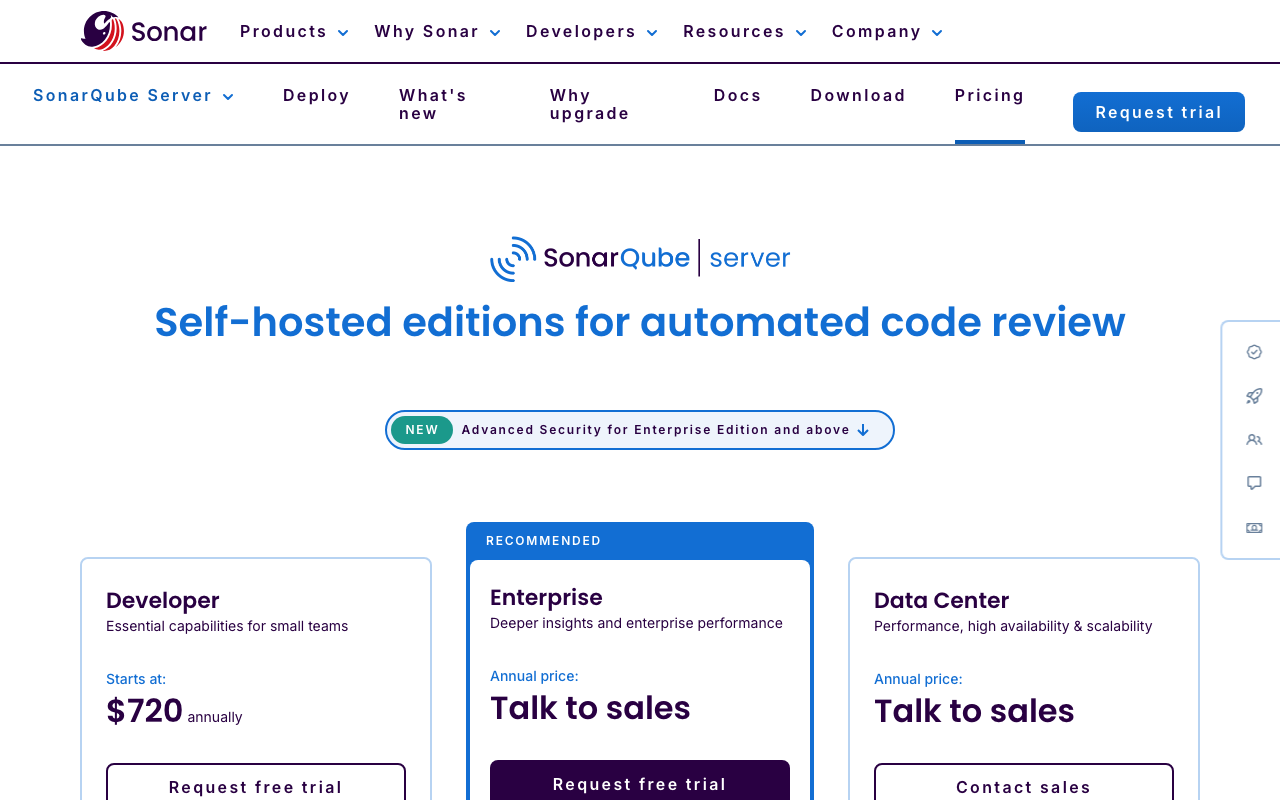
| SonarQube Cloud Team | From EUR 30/month | 100K+ LOC, full branch/PR analysis, PR decoration, quality gates, SonarLint connected |
| Developer Edition (self-hosted) | From ~$2,500/year | 35+ languages, branch/PR analysis, taint analysis SAST, secrets detection |
| Enterprise Edition (self-hosted) | From ~$20,000/year | Everything in Developer + portfolio management, security compliance reports |
| Advanced Security (add-on) | Custom | SCA, SBOM generation, malicious package detection |
Cost at Scale - Java Teams
| Team Size | PMD Cost | SonarQube Cloud Team | SonarQube Dev Edition | What SonarQube Adds |
|---|---|---|---|---|
| 1-3 devs (solo/startup) | $0 | EUR 30/month (~$32) | $2,500/year | Quality gates, dashboards, SonarLint connected mode |
| 5-10 devs | $0 | EUR 30-60/month | $2,500-5,000/year | SAST taint analysis (Dev Edition), PR decoration |
| 20-50 devs | $0 | EUR 30-150/month | $5,000-10,000/year | Security compliance reports (Enterprise) |
| 100+ devs | $0 | Custom | $20,000+/year | Portfolio management, SBOM generation |
Key pricing observations:
PMD’s zero-cost advantage is absolute. Every dollar spent on SonarQube represents a cost above what PMD provides for free. For small Java teams with a simple codebase and no security or compliance requirements, PMD alone provides excellent code quality analysis at zero cost.
SonarQube’s Community Build and Cloud Free tier provide a meaningful middle ground - some SonarQube platform features (dashboards, quality gates) at no cost, with the significant limitation that the Community Build lacks branch analysis and PR decoration. SonarQube Cloud Free supports up to 50K LOC with branch and PR analysis, which is adequate for smaller Java projects.
The jump to SonarQube paid tiers is primarily justified by taint analysis SAST (Developer Edition), organizational-scale dashboards and quality management, and advanced security features (Enterprise). For Java teams that purely need code quality analysis without security scanning or organizational governance, SonarQube Community Build plus PMD provides strong coverage at no cost.
SonarQube’s LOC-based pricing model can become unpredictable as codebases grow. A Java team starting with 100K LOC may find itself in a higher pricing tier within 12 months. Budget planning needs to account for codebase growth. PMD’s pricing remains $0 regardless of codebase size.
When to Use PMD Alone
Small Java teams (1-5 developers) working on a single service or library. When everyone reviews everyone else’s code, the overhead of a SonarQube server is difficult to justify. PMD integrated into Maven provides immediate, build-time feedback on code quality violations. Add SpotBugs for bug detection and you have a solid, zero-cost Java analysis stack.
CI/CD pipelines where server infrastructure is impractical. Some environments - ephemeral build agents, heavily restricted networks, air-gapped build systems - make deploying and maintaining a SonarQube server genuinely difficult. PMD runs as a Maven plugin with no external dependencies, making it ideal for restricted environments.
Salesforce Apex development. PMD is the leading static analysis tool for Apex and the Salesforce ecosystem. If your team writes Apex code, PMD is the primary choice and SonarQube’s Apex support is limited to specific editions. PMD’s Apex ruleset is actively maintained with Salesforce-specific best practices.
Projects with specialized PMD rules. Teams that have invested in custom PMD rules encoding internal coding standards, API usage conventions, or framework-specific best practices get more value from PMD than from SonarQube, which cannot run those custom rules. If your team has a library of custom PMD rules built over years, keeping PMD in the pipeline preserves that investment.
Open-source projects. Most open-source Java projects use free tools in their CI pipelines. PMD is a natural fit - zero cost, runs in any CI system including GitHub Actions, and produces XML reports that many open-source CI dashboards can visualize.
When to Use SonarQube
Java teams that need security scanning. If your Java application handles user data, authentication, financial transactions, or is internet-facing, SonarQube Developer Edition’s taint analysis provides security coverage that PMD cannot approach. The ability to detect SQL injection, path traversal, and other injection vulnerabilities that span multiple method calls is a meaningful capability gap. Teams that need this coverage but cannot afford SonarQube Developer Edition should consider Semgrep (free for up to 10 contributors) as an alternative SAST tool alongside PMD.
Growing teams (10+ developers) where quality consistency matters. As teams scale beyond the point where every developer reviews every PR, code quality standards start to drift. SonarQube’s quality gates create an automated enforcement mechanism that maintains standards without relying on reviewers catching every issue. PMD can fail builds on violations, but it cannot enforce coverage thresholds, complexity limits across the codebase, or multi-condition gates the way SonarQube can.
Multi-language projects. If your stack extends beyond Java - TypeScript on the frontend, Python for data processing, Go microservices, Terraform for infrastructure - SonarQube provides consistent analysis across all languages through a single platform and a unified dashboard. PMD covers 16 languages but its non-Java coverage is much thinner. Running PMD for Java plus ESLint for TypeScript plus Ruff for Python plus separate tools for other languages creates fragmentation that SonarQube eliminates.
Regulated industries. For teams in finance, healthcare, government, or other regulated sectors, SonarQube Enterprise provides security compliance reports aligned to OWASP Top 10, CWE Top 25, and SANS Top 25 standards. These reports are audit-ready and demonstrate systematic security analysis to auditors. PMD cannot produce equivalent compliance evidence.
Organizations that need historical quality trending. Engineering managers who need to answer “is our code quality improving?” or “how much technical debt have we accumulated this quarter?” need a platform with historical tracking. SonarQube’s dashboard maintains trend data over time, enabling data-driven quality conversations with leadership. PMD generates point-in-time violation reports with no trend tracking.
Running PMD and SonarQube Together
Many mature Java engineering organizations run both tools in the same pipeline, and there are good reasons to do so. The key is understanding where they complement each other and where they overlap.
Complementary areas:
- PMD for code style and naming convention enforcement (detailed Java naming rules that SonarQube’s engine does not emphasize as strongly)
- PMD CPD for duplication detection if using SonarQube Community Build (which does have duplication detection but PMD’s CPD provides an additional view)
- SonarQube for quality gate enforcement, security scanning, coverage tracking, and centralized dashboards
- SonarQube for cross-file and semantic analysis (flow analysis, taint tracking, framework-specific rules)
- PMD for build-time fast feedback (runs in the Maven build); SonarQube for CI-level comprehensive analysis
Overlapping areas (requires deduplication):
- Error Prone rules in PMD overlap significantly with SonarQube’s bug-detection rules
- PMD’s Performance rules overlap with SonarQube’s code smell rules for inefficient Java patterns
- PMD’s Multithreading rules overlap with SonarQube’s thread safety rules
- PMD’s Code Style rules partially overlap with SonarQube’s style-related code smell rules
When running both, the practical advice is: do not run both with default configurations and ignore the overlap. Instead, define PMD as the authority on code style, naming conventions, and structural design rules - and suppress those categories in SonarQube’s Quality Profile. Let SonarQube own bug detection, security analysis, coverage enforcement, and quality gates. This division eliminates redundant violations from two sources and gives each tool a clear responsibility.
A typical Java CI pipeline with both tools:
- Maven build with
maven-pmd-pluginandmaven-spotbugs-pluginruns during theverifyphase, failing the build on critical violations - SonarQube scanner runs after a successful build, uploading analysis to the SonarQube server
- SonarQube quality gate check runs, blocking PR merge if gate conditions are not met
- Developers see PMD violations in local builds immediately; SonarQube results appear in the PR within minutes
Alternatives to Consider
If the SonarQube plus PMD combination feels like more tooling than your team needs, or if you want a single platform that consolidates these capabilities, several alternatives are worth evaluating.
Codacy is the most direct platform alternative to SonarQube that explicitly embeds PMD. When you connect a Java repository to Codacy, it runs PMD alongside SpotBugs and its own rules, wraps everything in a unified cloud dashboard, and adds quality gates, SAST, SCA, and secrets detection. At $15/user/month with no infrastructure to manage, Codacy is an attractive option for teams that want the PMD analysis they already rely on plus platform features, without managing a SonarQube server. Codacy’s rule depth per language is shallower than SonarQube’s, but for teams that primarily want code quality analysis without deep SAST, it is a strong choice.
CodeRabbit approaches Java quality from the opposite direction - it reviews each pull request with an AI reviewer, writes a summary of the change, and suggests fixes you can commit, while running 40+ open-source linters behind that review. Where SonarQube and PMD are both deterministic, rule-based tools, CodeRabbit adds a reasoning layer that can flag logic errors and design problems that no rule expresses. There is a free tier for public and private repos, with Lite at $12/user/month and Pro at $24/user/month. It supports GitHub, GitLab, Bitbucket, and Azure DevOps. It will not replace PMD in your build, but it changes what reaches review in the first place.
DeepSource provides 5,000+ Java analysis rules with a sub-5% false positive rate, AI-powered Autofix that generates fixes for detected issues, and cloud-native deployment at $12/user/month. DeepSource’s emphasis on high signal-to-noise ratio addresses one of the common pain points with PMD and SonarQube - both can generate substantial noise when run with default configurations. DeepSource is not a replacement for SonarQube’s enterprise features (compliance reports, portfolio management, SBOM), but for teams in the 10-50 developer range, it provides a modern alternative with less operational overhead.
Semgrep is the best dedicated security-focused complement to PMD. Semgrep’s free tier covers up to 10 contributors with cross-file taint analysis, SCA with reachability analysis, and secrets detection - providing the security depth that PMD lacks without requiring SonarQube paid editions. If your primary gap is security scanning and you are otherwise satisfied with PMD for code quality, Semgrep plus PMD is a strong zero-cost (for small teams) alternative to SonarQube Developer Edition.
Qodana is JetBrains’ code quality platform that runs IntelliJ IDEA’s Java inspection engine in CI/CD. For Java teams using IntelliJ, Qodana provides the tightest possible IDE-to-CI synchronization - the exact same inspections developers see in IntelliJ run in the pipeline, eliminating the “it works on my machine” quality gap. Qodana starts at $6/contributor/month, making it the most affordable paid alternative to SonarQube. See our SonarQube vs Qodana comparison for a detailed breakdown.
For a comprehensive view of the static analysis landscape, see our best SAST tools guide and our SonarQube alternatives guide.
Final Recommendation
The SonarQube vs PMD comparison is ultimately a question of what layer of tooling your Java team needs, not which tool is better at code analysis in isolation.
PMD is the right choice if: you need zero-cost Java static analysis, you want tight build-time integration with Maven or Gradle, you have existing custom PMD rules that encode your team’s standards, you develop Apex for Salesforce, or you work in an environment where managing a SonarQube server is not feasible. PMD plus SpotBugs gives you comprehensive Java analysis (style, anti-patterns, and actual bugs) at no cost. Add Semgrep free tier if you need security scanning beyond what PMD’s limited Security ruleset provides.
SonarQube is the right choice if: you need quality gates that enforce standards automatically on every PR, you need security scanning with data flow analysis (taint tracking) for your Java web applications, you manage a multi-language codebase that extends beyond Java, you need historical trend tracking and organizational quality dashboards, or you are in a regulated industry that needs security compliance reports. Start with SonarQube Community Build or Cloud Free to evaluate before committing to a paid tier.
The most effective Java quality stack for mid-size teams (10-50 developers): PMD in the Maven build for fast, local code style and anti-pattern feedback - combined with SonarQube for quality gate enforcement, security scanning, and centralized quality management. This combination provides feedback at two layers: immediate build-time feedback from PMD, and comprehensive PR-level enforcement from SonarQube. The two tools rarely conflict when configured thoughtfully, and together they provide more coverage than either tool provides alone.
For teams that find two-tool management too complex: Codacy (PMD embedded + platform features at $15/user/month) or Qodana (IntelliJ inspections in CI at $6/contributor/month) consolidate the analysis and platform layers into a single vendor, trading some of SonarQube’s depth and PMD’s build integration for operational simplicity.
The bottom line for Java developers: PMD is free, proven, and should be in every Java project’s build toolchain. SonarQube is the platform you add when your team outgrows what a build-integrated linter can enforce on its own - and that transition usually happens around the point where you need security scanning, quality gates across multiple repositories, or visibility into code health trends at the organizational level.
Further Reading
- Codacy vs Checkmarx: Developer Code Quality vs Enterprise AppSec in 2026
- Codacy vs SonarCloud: Cloud Code Quality Platforms Compared (2026)
- Codacy vs SonarQube: Which Code Quality Tool Is Right?
- CodeRabbit vs SonarQube: AI Review vs Static Analysis (2026)
- DeepSource vs Coverity: Static Analysis Platforms Compared (2026)
 Gitar
GitarComments are not enough
Gitar applies the fix, validates it in CI, and clears the queue.
See it on your repo Read our independent Gitar reviewFrequently Asked Questions
Should I use SonarQube or PMD for Java?
For most Java teams, the answer is both - they are complementary rather than competing. PMD is a free, open-source static analysis tool that runs directly in your Maven or Gradle build, catches code quality issues instantly in CI, and provides deep Java rule coverage for common anti-patterns, naming conventions, unused code, and complexity. SonarQube is a code quality and security platform that wraps PMD (and SpotBugs, Checkstyle, and its own rules) into a centralized dashboard, adds quality gate enforcement, security scanning, code coverage tracking, duplication detection, and technical debt estimation. If you can only choose one, PMD alone is a solid zero-cost option for small teams focused purely on Java code quality. SonarQube is the right choice when you need a platform with dashboards, quality gates, security scanning, and multi-language support across a larger engineering team.
Does SonarQube use PMD internally?
SonarQube does not use PMD as its internal Java analysis engine. SonarSource built its own proprietary Java analyzer with its own rule set independently of PMD. However, SonarQube previously offered a sonar-pmd plugin that could import PMD findings into SonarQube reports. That plugin was deprecated in 2018 because SonarQube's own Java rules had matured to cover most of what PMD provides. Today, SonarQube runs its own Java analysis engine with 600+ Java-specific rules, many of which overlap with PMD but are implemented independently. The fact that Codacy (a SonarQube competitor) embeds PMD as one of its Java analysis engines illustrates the continued relevance of PMD even in modern platform tooling.
Is PMD still worth using in 2026?
Yes, PMD remains highly relevant in 2026 for Java teams. PMD 7.x (released in 2024) brought a major rewrite with a more consistent API, improved performance, full Java 21 support, and a revamped rule configuration system. The project is actively maintained under the Apache License 2.0, supports 16 languages including Java, Kotlin, Apex, Swift, and Groovy, and integrates natively with Maven, Gradle, Ant, and most CI/CD systems. PMD is particularly valuable for teams that need rule-based Java analysis at zero cost, want deep control over rule configuration through rulesets XML, or need specific PMD rules that SonarQube does not cover in its proprietary engine. Many mature Java shops run both PMD and SonarQube in the same pipeline.
What are the main differences between SonarQube and PMD?
PMD is a pure static analysis tool: it scans source code, applies rules, and outputs a list of violations. SonarQube is a code quality platform that provides analysis plus a centralized web dashboard, historical trend tracking, quality gate enforcement, security scanning (SAST and SCA), code coverage integration, duplication detection, technical debt estimation, and IDE integration via SonarLint. PMD is free and open source. SonarQube has a free Community Build and paid commercial editions. PMD focuses primarily on Java (with support for 15 other languages). SonarQube supports 35+ languages in commercial editions. PMD requires no server infrastructure. SonarQube Community Build requires a self-hosted server with a PostgreSQL database, or you can use SonarQube Cloud.
Can PMD detect security vulnerabilities?
PMD has limited security detection capability through rules in its Security category (such as detecting use of System.exit, hardcoded IVs, and some injection-prone patterns) and through its integration with OWASP P3C rules. However, PMD is not a security scanner. It performs single-file, pattern-based analysis and cannot trace data flow across method calls and class boundaries, which is required to detect injection vulnerabilities like SQL injection or XSS. For serious Java security analysis, teams pair PMD with a dedicated SAST tool - either SonarQube Developer Edition (which includes taint analysis), Semgrep (with Java rules), SpotBugs with the FindSecBugs plugin, or a dedicated SAST platform like Checkmarx.
How do I run PMD in Maven?
Add the maven-pmd-plugin to your pom.xml build section: configure the plugin with your chosen ruleset (either one of PMD's built-in rulesets like rulesets/java/quickstart.xml or a custom ruleset XML file), set failOnViolation to true if you want to break the build on violations, and bind the plugin goal to the verify phase. Run mvn pmd:check to execute PMD manually, or mvn verify to run it as part of your full build lifecycle. PMD also integrates with the Maven site plugin via mvn pmd:pmd to generate HTML reports. For Gradle, use the PMD plugin with apply plugin: 'pmd' and configure ruleSetFiles and toolVersion in the pmd block.
What is the difference between PMD and SpotBugs?
PMD and SpotBugs are complementary Java static analysis tools that analyze code at different levels. PMD analyzes Java source code using AST (Abstract Syntax Tree) pattern matching to detect anti-patterns, naming violations, unused code, complexity violations, and code style issues. SpotBugs (the successor to FindBugs) analyzes compiled Java bytecode to detect actual bugs - null pointer dereferences, thread safety issues, incorrect equals/hashCode implementations, resource leaks, and other correctness defects. SpotBugs finds bugs that PMD cannot because bytecode analysis reveals runtime behavior patterns that source analysis misses. The most thorough Java static analysis setup uses both: PMD for code quality and style, SpotBugs for bug detection. SonarQube runs its own engines that cover both categories within a single platform.
Does SonarQube support Java 21?
Yes. SonarQube's Java analyzer fully supports Java 21, including sealed classes, pattern matching for switch, record patterns, virtual threads, and other features introduced across Java 17 through 21. SonarQube's community analyzer (sonar-java) is one of the most actively maintained Java analyzers available. It supports new language features quickly, typically within a minor release after the Java version reaches general availability. PMD 7.x also supports Java 21 as part of the 2024 rewrite.
Is SonarQube free for Java projects?
SonarQube offers two free options for Java projects. The Community Build is free and open source for self-hosted deployment. It includes Java analysis with quality gates and CI/CD integration but lacks branch analysis and PR decoration. SonarQube Cloud Free provides cloud-hosted analysis for up to 50,000 lines of Java code with branch and PR analysis. For Java projects beyond 50K LOC or those requiring PR decoration without managing server infrastructure, paid plans start at EUR 30/month for SonarQube Cloud Team. PMD is completely free with no restrictions regardless of codebase size or usage.
What Java rules does PMD have that SonarQube does not?
PMD's rule coverage is different from SonarQube's but not strictly a superset. PMD includes deep coverage of Java naming conventions (class names, method names, variable names), clone implementation anti-patterns, design rules around finalizer usage, certain coupling metrics, and very specific API misuse patterns. PMD's Design ruleset includes rules like AvoidDeeplyNestedIfStmts, GodClass, and LawOfDemeter that assess structural design quality. PMD also allows teams to write their own Java rules using the PMD rule writing framework or XPath-based rules without writing a full analyzer plugin. SonarQube's Java rules are often broader and catch security-adjacent patterns that PMD misses. In practice, the two tools catch different but overlapping sets of issues, and running both in the same pipeline increases total coverage.
What is the best alternative to both SonarQube and PMD?
If you want a single platform that replaces the SonarQube plus PMD combination, Codacy is the closest option - it embeds PMD as one of its Java analysis engines alongside SpotBugs and its own rules, wraps everything in a unified cloud dashboard, and adds quality gates, SAST, SCA, and secrets detection at $15/user/month. CodeRabbit is an AI-first alternative with a free tier and paid plans from $12/user/month that reviews pull requests line by line and runs 40+ open-source linters behind that review. For teams that need PMD's rule depth with better reporting, DeepSource provides 5,000+ Java analysis rules at $12/user/month with a sub-5% false positive rate. Qodana (by JetBrains) is the most Java-focused alternative at $6/contributor/month, with JVM-specific rules and IntelliJ-synchronized analysis.
Can I configure PMD rules for a specific Java version?
Yes. PMD rulesets can be configured to target specific Java source compatibility levels using the sourceType property. PMD supports analysis targeting Java source compatibility from Java 1.3 through Java 21. In Maven, configure the targetJdk parameter in the maven-pmd-plugin configuration to match your project's Java source level. This ensures PMD does not flag code patterns that are intentional for your target JDK version and understands language features correctly. PMD 7.x improved how it handles newer Java syntax and improved rule accuracy for modern Java idioms.
Explore More
Tool Reviews
 SonarQube Review
Related Articles
Free Newsletter
Stay ahead with AI dev tools
Weekly insights on AI code review, static analysis, and developer productivity. No spam, unsubscribe anytime.
Join developers getting weekly AI tool insights.
Related Articles
CodeRabbit vs Qodo: AI Code Review Tools Compared (2026)
CodeRabbit vs Qodo - we compare pricing, features, test generation, and review quality so you can pick the right AI reviewer for your team.
February 21, 2026
comparisonWhat Happened to CodiumAI? The Rebrand to Qodo Explained
CodiumAI rebranded to Qodo in 2024. Here's what changed, what stayed the same, and what it means for existing users and new buyers.
February 22, 2026
comparisonGitar vs Qodo: Workflow Automation or Test Generation?
Gitar vs Qodo compared on review architecture, test generation, self-hosting, migrations, CI ownership, and pricing. Which AI code quality platform fits your team.
August 12, 2026