CodeRabbit Review 2026: Is It Worth It for Your Team?
In-depth CodeRabbit review covering features, pricing, pros and cons, real-world usage, and whether it is worth it for your dev team in 2026.
Published:
Quick Verdict
CodeRabbit is the most widely adopted AI code review tool in 2026, and for good reason. With over 2 million repositories connected, more than 13 million pull requests reviewed, and a user base exceeding 500,000 developers, it has proven itself at a scale that no competitor matches. The tool installs in under five minutes, begins reviewing every pull request automatically, and delivers contextual, actionable feedback within 2 to 4 minutes of a PR being opened.
For teams evaluating whether CodeRabbit is worth adopting, the short answer is yes for most development teams. The free tier is genuinely useful - not a crippled demo - and covers unlimited public and private repositories. The Pro plan at $24/user/month adds auto-fix suggestions, 40+ built-in linters, and custom review instructions that make the tool significantly more powerful. The ROI math works out clearly: if CodeRabbit saves each developer even 30 minutes per month, the tool pays for itself many times over.
That said, CodeRabbit is not without limitations. Independent benchmarks show a 44% bug catch rate, which trails competitors like Greptile (82%). It can be verbose on large pull requests, and self-hosted deployment is locked behind an Enterprise plan with a 500-seat minimum. This review dives into every aspect of CodeRabbit - features, pricing, real-world performance, and where it falls short - so you can make an informed decision for your team.

What Is CodeRabbit?
CodeRabbit is an AI-powered code review tool that automatically analyzes pull requests and posts inline review comments, suggestions, and summaries directly in your version control workflow. Unlike traditional static analysis tools that rely on pattern-matching rules, CodeRabbit uses large language models to understand the semantic intent behind code changes. It can identify logic errors, flag security vulnerabilities, detect performance anti-patterns, and suggest architectural improvements that rule-based tools would miss entirely.
The platform integrates with GitHub, GitLab, Azure DevOps, and Bitbucket - making it one of the few AI review tools that supports all four major Git platforms. Installation is straightforward: authorize the CodeRabbit app on your Git platform, select your repositories, and the tool begins reviewing every new pull request automatically. There is no CI/CD pipeline configuration, no build system changes, and no YAML files required for basic operation.
CodeRabbit currently serves over 9,000 organizations, more than 100,000 open-source contributors, and has processed over 13 million pull requests. It holds a 4.8 out of 5 rating on G2 and has earned recognition on Gartner Peer Insights. The company has also distributed over $600,000 in sponsorships to open-source maintainers, demonstrating a genuine commitment to the developer community.
How It Works
When a developer opens or updates a pull request, CodeRabbit receives a webhook notification. It fetches the diff, analyzes it against the full repository context using its AI engine, runs any configured linters, and posts its review as inline comments on the PR. The entire process completes in under four minutes. Developers can reply to CodeRabbit’s comments using @coderabbitai to ask follow-up questions, request explanations, or ask it to generate unit tests for the changed code.
Beyond the PR workflow, CodeRabbit also offers a free IDE extension for VS Code, Cursor, and Windsurf that provides real-time inline review comments on staged and unstaged changes before you even open a pull request. This catches issues at the earliest possible point in the development cycle.
Key Features
Context-Aware AI Review Engine
CodeRabbit does not just analyze the diff in isolation. It considers your entire repository structure, the PR description, linked issues from Jira or Linear, and any prior review conversations. This full-context awareness enables it to catch issues like missing error handling in API endpoints, unused imports that break tree-shaking, or logic that contradicts the stated ticket requirements. The context-awareness is what separates CodeRabbit from simpler linting tools and makes its feedback feel closer to a human reviewer.
40+ Built-In Linters
Beyond AI-driven analysis, CodeRabbit runs a suite of over 40 linters covering ESLint, Pylint, Golint, RuboCop, and many more. These linters provide deterministic, zero-false-positive checks for style consistency, naming conventions, and known anti-patterns. The combination of probabilistic AI analysis and deterministic linting creates a layered review system that catches both subtle logic issues and concrete rule violations. This dual approach is a significant differentiator - most AI code review tools provide only AI-generated comments without deterministic linting.
One-Click Auto-Fix Suggestions
When CodeRabbit identifies an issue, it frequently provides a ready-to-apply code fix directly in the PR comment. Developers can accept these fixes with a single click, eliminating the back-and-forth of traditional code review. This feature is especially valuable for straightforward improvements like null-check additions, type narrowing, or import cleanup. Auto-fix is a Pro plan feature and one of the most compelling reasons to upgrade from the free tier.
Natural Language Review Instructions
Teams can customize CodeRabbit’s review behavior by writing plain-English instructions in a .coderabbit.yaml configuration file or through the web dashboard. For example, you can tell it to “always check that database queries use parameterized inputs” or “flag any function exceeding 40 lines.” This removes the need to write complex rule configurations or learn a domain-specific language, lowering the barrier to customization significantly. If you want a deeper dive into configuration, check out our complete setup guide.
Learnable Review Preferences
CodeRabbit adapts over time based on how your team interacts with its suggestions. When developers consistently dismiss a certain type of comment, the system learns to deprioritize it. When they accept suggestions, it reinforces that pattern. This creates a feedback loop that makes the tool more useful the longer you use it. After a few weeks, the noise-to-signal ratio decreases noticeably compared to the initial installation period.
Multi-Platform Support
CodeRabbit works with GitHub, GitLab, Azure DevOps, and Bitbucket. This four-platform support is unmatched among AI code review tools. GitHub Copilot only works on GitHub. Greptile supports GitHub and GitLab. Sourcery covers GitHub and GitLab. For teams that use Azure DevOps or Bitbucket - or that work across multiple platforms - CodeRabbit is one of very few options.
PR Summaries and Release Notes
For every pull request, CodeRabbit generates a structured walkthrough summary that describes what changed and why. This is valuable for reviewers who need to quickly understand the scope of a PR, and the generated summaries can serve as draft release notes. The walkthrough includes a file-by-file breakdown, making it easy to navigate large PRs.
Security and Performance Analysis
CodeRabbit scans for common security vulnerabilities including SQL injection, XSS, insecure deserialization, and hardcoded secrets. It also flags performance concerns like N+1 queries, unnecessary re-renders in React components, and memory leaks in long-running processes. While it is not a replacement for dedicated SAST tools, it catches a meaningful number of security issues during the normal review flow.
Jira, Linear, and Slack Integrations
On the Pro plan, CodeRabbit integrates with Jira, Linear, and Slack. When reviewing a PR, it can pull context from linked tickets to understand the intent behind changes. Slack integration delivers review notifications to your team channels. These integrations help CodeRabbit produce more contextually accurate reviews and keep your team informed without requiring developers to check the PR interface manually.
Pros and Cons
After extensive testing and analysis of user feedback across G2, Gartner, and developer communities, here is an honest breakdown of CodeRabbit’s strengths and weaknesses.
| Category | Details |
|---|---|
| Pros | |
| Fast reviews | Average review time of approximately 206 seconds - feedback arrives before you context-switch |
| Generous free tier | Unlimited public and private repos, no credit card required, no expiration |
| Platform breadth | GitHub, GitLab, Azure DevOps, and Bitbucket - unmatched among AI review tools |
| Natural language customization | Express review rules in plain English instead of complex DSLs |
| 40+ built-in linters | Deterministic checks alongside AI analysis for comprehensive coverage |
| Auto-fix suggestions | One-click fixes eliminate back-and-forth on straightforward issues |
| Learnable preferences | Gets smarter over time based on your team’s feedback patterns |
| Open-source support | Full Pro features free forever on public repositories |
| Cons | |
| Bug detection completeness | Scored 1/5 on completeness in independent benchmarks (44% catch rate) |
| Verbose on large PRs | Can generate excessive comments on PRs with hundreds of changed files |
| Enterprise-only self-hosting | Self-hosted deployment requires 500-seat minimum at roughly $15,000/month |
| Customer support concerns | Multiple G2 users report difficulty reaching human support on non-Enterprise plans |
| Limited IDE integration | IDE extension is newer and less mature than the PR review experience |
| No SAST/SCA bundled | Review-only tool - does not include static analysis, SCA, or secrets detection as standalone features |
Pricing Breakdown
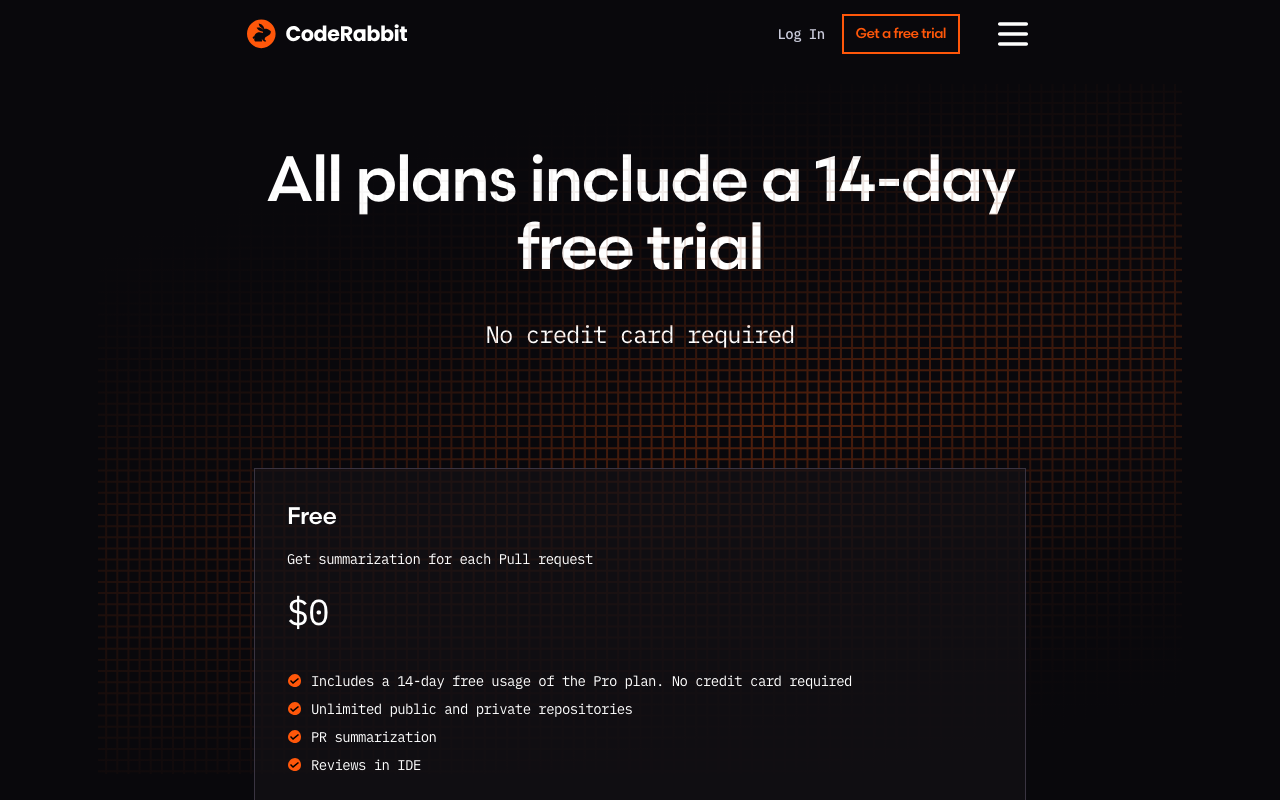
CodeRabbit uses a per-user subscription model where you are only charged for developers who create pull requests. Reviewers, managers, and other team members who do not open PRs are not counted toward your seat total. For a complete analysis, see our CodeRabbit pricing deep-dive.
Free Plan
The free tier covers unlimited public and private repositories with AI-powered PR summaries, review comments, and basic analysis. Free-tier users are subject to rate limits of 200 files per hour and 4 PR reviews per hour, but there is no cap on the number of repositories or team members. For open-source projects with public repositories, CodeRabbit Pro features are available free forever.
This is one of the most generous free offerings in the AI code review space. A team of 3 to 5 developers submitting a few PRs per day will rarely hit the rate limits.
Lite Plan - $12/user/month
The Lite plan increases rate limits and adds basic integrations and analytics on top of the free tier. It is designed as an affordable stepping stone for small teams that occasionally bump against free-tier limits but do not need the full Pro feature set.
Pro Plan - $24/user/month (annual) or $30/user/month (monthly)
Pro removes rate limits entirely and unlocks auto-fix suggestions, all 40+ built-in linters, custom review instructions, learnable preferences, and Jira/Linear/Slack integrations. The 20% discount on annual billing means a 50-developer team saves $3,600 per year by choosing annual over monthly billing. CodeRabbit offers a 14-day free trial of Pro with no credit card required.
Enterprise Plan - Custom Pricing
Enterprise includes everything in Pro plus self-hosted deployment, SSO/SAML authentication, custom AI models, multi-organization support, a dedicated customer success manager, SLA-backed support, compliance and audit logs, and VPN connectivity. Pricing starts at approximately $15,000/month for 500+ users. Contracts are available through AWS and GCP Marketplace.
Cost at Different Team Sizes
| Team Size (PR Creators) | Monthly Cost (Pro, Annual) | Annual Cost |
|---|---|---|
| 5 developers | $120 | $1,440 |
| 10 developers | $240 | $2,880 |
| 25 developers | $600 | $7,200 |
| 50 developers | $1,200 | $14,400 |
| 100 developers | $2,400 | $28,800 |
These numbers reflect only developers who actively create pull requests. If your engineering organization has 50 people total but only 35 actively open PRs, your actual monthly cost is $840, not $1,200.
Real-World Usage
Setup Experience
Getting started with CodeRabbit is genuinely painless. The entire process takes under five minutes: install the CodeRabbit app on your Git platform, authorize access to your repositories, and the tool begins reviewing every new pull request automatically. There is no CI/CD pipeline to configure, no YAML files to write for basic operation, and no build system changes required. Our step-by-step setup guide covers the full process, but most teams will not need a guide - it is that straightforward.
For Pro users who want to configure custom review instructions, you create a .coderabbit.yaml file in your repository root or use the web dashboard. This takes an additional 15 to 30 minutes to write out your team’s specific standards and preferences.
Review Quality
CodeRabbit’s review quality is its primary selling point, and it mostly delivers. The AI engine catches real issues - null pointer risks, missing error handling, race conditions, security vulnerabilities, and style inconsistencies. The feedback is contextual and reads like comments from a knowledgeable team member rather than generic warnings from a lint tool.
That said, review quality has documented limitations. In a 2026 independent evaluation of 309 pull requests, CodeRabbit scored 1 out of 5 on completeness and 2 out of 5 on depth. It reliably catches surface-level and moderate issues - syntax errors, security vulnerabilities, and style violations - but frequently misses deeper concerns like intent mismatches, performance implications, and cross-service dependencies. Competitor Greptile caught 82% of bugs in similar benchmarks versus CodeRabbit’s 44%.
For most teams, the issues CodeRabbit catches are the ones that consume the most review time - the straightforward problems that a human reviewer should not need to spend time on. By handling these, CodeRabbit frees human reviewers to focus on architecture, design, and business logic - the areas where human judgment is irreplaceable.
False Positives
One of CodeRabbit’s genuine strengths is its low false positive rate. In benchmark testing, CodeRabbit produced approximately 2 false positives per run, compared to Greptile’s 11. This means developers can generally trust that when CodeRabbit flags something, it is worth looking at. The low noise level helps prevent the “alert fatigue” problem where developers start ignoring automated review comments entirely.
However, verbosity on large PRs is a recurring complaint. When reviewing pull requests with hundreds of changed files, CodeRabbit can generate an overwhelming number of comments, some of which are low-value. Teams working with large monorepos or frequent refactoring PRs should invest time configuring review instructions to manage this noise. The learnable preferences feature (Pro only) helps reduce noise over time, but the initial period can be noisy.
Developer Experience
Developers interact with CodeRabbit through inline PR comments, which feels natural and fits into existing code review workflows. The @coderabbitai mention system lets developers ask follow-up questions, request explanations, or ask for test generation directly in the PR thread. The PR walkthrough summaries are consistently praised as one of the most useful features, especially for reviewers who need to quickly understand the scope of a large PR.
The VS Code extension provides a complementary pre-PR review experience, catching issues before code is pushed. However, the extension is newer (launched May 2025) and less mature than the PR review experience. Some developers report it feeling less polished compared to the core PR workflow.
Who Should Use CodeRabbit?
Small Teams and Startups (1-10 Developers)
Start with the free tier. It provides genuinely useful AI reviews at zero cost, and the rate limits (4 PRs/hour, 200 files/hour) are well above what a small team produces. If your team submits fewer than 4 PRs per hour - which covers the vast majority of small teams - the free plan is sufficient for day-to-day use. Upgrade to Pro when you start hitting rate limits or when you want auto-fix and custom review instructions.
Mid-Size Engineering Teams (10-100 Developers)
This is the sweet spot for CodeRabbit Pro. At this scale, the $24/user/month cost is easily justified by the reduction in review cycle time. Users report 50% or greater reduction in manual review effort and up to 80% faster review cycles. The natural language review instructions and learnable preferences become increasingly valuable as team conventions solidify. A 25-developer team pays $7,200/year and likely saves tens of thousands in developer time.
Open-Source Maintainers
CodeRabbit is an excellent choice for open-source projects. The free tier’s unlimited repository support means every incoming contribution gets an AI review, which is invaluable for projects with limited reviewer bandwidth. Public repositories get full Pro features for free, including auto-fix, linting, and custom instructions.
Enterprise Organizations (100+ Developers)
Evaluate carefully. CodeRabbit excels at line-level and function-level review quality, but the 44% bug catch rate in independent benchmarks means it should supplement - not replace - human review on mission-critical systems. For organizations that require self-hosted deployment, the Enterprise plan’s 500-seat minimum and $15,000/month starting price is a significant commitment. Consider whether the Pro plan meets your needs before escalating to Enterprise.
Teams NOT Well Served by CodeRabbit
If your primary need is deep security scanning, consider dedicated SAST tools like SonarQube or Snyk Code instead. If you need an all-in-one platform covering review plus SAST, SCA, and secrets detection, tools like Codacy or CodeAnt AI bundle more functionality. If self-hosted deployment is a hard requirement and you do not meet the 500-seat Enterprise threshold, PR-Agent by Qodo is a free open-source alternative. For a full comparison, read our CodeRabbit alternatives guide.
CodeRabbit vs. Key Alternatives
Understanding where CodeRabbit stands relative to competitors helps clarify whether it is the right tool for your situation. We have published detailed head-to-head comparisons for each of these matchups, but here is a summary.
CodeRabbit vs. GitHub Copilot
GitHub Copilot offers zero-setup native GitHub integration and bundles code review with its broader AI platform (code completion, chat, agents). CodeRabbit provides deeper, more configurable reviews with 40+ linters and support for GitLab, Azure DevOps, and Bitbucket - not just GitHub. CodeRabbit Pro costs $24/user/month versus Copilot Business at $19/user/month, but Copilot’s premium request system can push costs higher for heavy review usage. See our full CodeRabbit vs. GitHub Copilot comparison.
CodeRabbit vs. SonarQube
SonarQube is a rule-based static analysis platform with 6,500+ deterministic rules, quality gate enforcement, and compliance reporting. It excels at things CodeRabbit does not - deterministic checks, technical debt tracking, and merge gating. Many teams run both tools together: SonarQube for quality gates and CodeRabbit for contextual AI review. They are complementary rather than competitive. Read our CodeRabbit vs. SonarQube analysis.
CodeRabbit vs. Codacy
Codacy bundles SAST, SCA, DAST, secrets detection, AI review, and code coverage at $15/user/month - more features for less money than CodeRabbit Pro. However, CodeRabbit’s AI review engine is deeper and more mature than Codacy’s. If you need review-only, CodeRabbit wins on quality. If you need an all-in-one platform, Codacy offers better value. See our CodeRabbit vs. Codacy comparison.
CodeRabbit vs. Sourcery
Sourcery at $12/user/month focuses on code readability and refactoring - especially for Python teams. CodeRabbit provides broader contextual review across more languages and platforms. Sourcery is the better choice for Python-centric teams on a budget; CodeRabbit wins for polyglot codebases. Full details in our CodeRabbit vs. Sourcery breakdown.
CodeRabbit vs. Qodo Merge
Qodo Merge (formerly CodiumAI) offers a fully open-source self-hosted option through PR-Agent, which is its biggest advantage for security-conscious teams. The hosted version costs $30/user/month, making it more expensive than CodeRabbit Pro. CodeRabbit has broader platform support and a larger user base. Choose Qodo if self-hosted deployment without Enterprise pricing is a requirement. See our CodeRabbit vs. Qodo comparison.
CodeAnt AI as an Alternative
CodeAnt AI is worth considering if you want AI review bundled with SAST, secret detection, IaC security, and DORA metrics in a single platform. Its Basic plan at $24/user/month provides AI review comparable to CodeRabbit’s core offering, while the Premium plan at $40/user/month adds the full security and metrics suite. CodeRabbit has a more mature review engine and a generous free tier that CodeAnt AI does not match, but CodeAnt AI delivers more functionality per dollar for teams that need review plus security scanning. Both tools support GitHub, GitLab, Bitbucket, and Azure DevOps.
For a comprehensive overview of all options, see our best AI code review tools guide.
Real-World ROI: Is CodeRabbit Worth $24/User/Month?
The ROI calculation for CodeRabbit Pro is straightforward. A senior developer’s fully loaded cost in the US market is roughly $75 to $100 per hour. Developers spend an average of 4 to 8 hours per week on code review activities. If CodeRabbit reduces that time by even 10% - a conservative estimate when users report 50% or greater reductions - the math works out clearly.
At a conservative 10% reduction in review time for a developer spending 6 hours per week on review:
- Time saved per developer per month: 2.4 hours
- Value of time saved (at $87/hour midpoint): $209
- CodeRabbit Pro cost per developer per month: $24
- Net monthly savings per developer: $185
- ROI multiple: approximately 8.7x
For a 25-developer team on annual billing, that translates to approximately $55,000 in annual savings against a $7,200 annual cost. Even if the actual time savings are lower than the conservative estimate, CodeRabbit pays for itself many times over.
Beyond direct time savings, CodeRabbit reduces bug escape rates (bugs caught during review are 10x to 100x cheaper to fix than production bugs), accelerates onboarding for new developers, and provides consistent review quality regardless of reviewer workload or time of day.
Final Verdict
CodeRabbit has earned its position as the default AI code review tool for a reason. The combination of fast, contextual AI reviews, 40+ built-in linters, natural language customization, broad platform support, and a genuinely useful free tier creates a compelling package that works for teams of every size.
Start here if: You want the most battle-tested AI code review tool with the broadest platform support, a strong free tier, and a clear upgrade path as your team grows.
Look elsewhere if: You need the deepest possible bug detection (consider Greptile), an all-in-one platform with SAST and SCA (consider Codacy or CodeAnt AI at $24-40/user/month), self-hosted deployment without Enterprise pricing (consider PR-Agent), or the tightest possible integration with GitHub specifically (consider GitHub Copilot).
For the majority of development teams, CodeRabbit Pro at $24/user/month is a sound investment. The 14-day free trial with no credit card required means there is no risk in evaluating it. Start with the free tier, run it across your repositories for a few weeks, and upgrade to Pro when the rate limits or feature gaps start costing more than the subscription would. That is the rational path, and CodeRabbit’s pricing structure is deliberately designed to support it.
Frequently Asked Questions
Is CodeRabbit worth it in 2026?
For most teams with 5 or more active developers, yes. CodeRabbit Pro at $24/user/month pays for itself if it saves each developer even 30 minutes per month in review time. Teams consistently report 50% or greater reductions in manual review effort and up to 80% faster review cycles. The free tier lets you evaluate the tool without financial commitment before deciding to upgrade.
How accurate is CodeRabbit at catching bugs?
In a 2026 independent benchmark of 309 pull requests, CodeRabbit caught approximately 44% of bugs. It reliably identifies syntax errors, security vulnerabilities, and style violations, but sometimes misses intent mismatches, performance implications, and cross-service dependencies. Its false positive rate is low at roughly 2 per benchmark run, meaning most of its comments are actionable.
What languages does CodeRabbit support?
CodeRabbit supports over 30 programming languages including JavaScript, TypeScript, Python, Java, Go, Rust, C++, Ruby, PHP, C#, Kotlin, and Swift. Its 40+ built-in linters cover ESLint, Pylint, Golint, RuboCop, and many more, providing deterministic checks alongside AI-powered analysis across your full stack.
Does CodeRabbit work with GitLab and Azure DevOps?
Yes. CodeRabbit supports GitHub, GitLab, Azure DevOps, and Bitbucket. This four-platform support is one of its strongest differentiators compared to competitors like GitHub Copilot (GitHub only) or Greptile (GitHub and GitLab only). The free tier works across all four platforms.
Is CodeRabbit free to use?
Yes, CodeRabbit offers a genuinely useful free tier that covers unlimited public and private repositories with AI-powered PR summaries, review comments, and basic analysis. Free-tier users are subject to rate limits of 200 files per hour and 4 PR reviews per hour. For open-source projects with public repositories, CodeRabbit Pro is free forever with all features unlocked.
What is the difference between CodeRabbit Free and Pro?
The free tier provides AI PR summaries, basic review comments, and unlimited repos with rate limits of 200 files per hour and 4 reviews per hour. Pro at $24/user/month removes all rate limits and adds auto-fix suggestions, 40+ built-in linters, custom review instructions in natural language, learnable review preferences, Jira/Linear/Slack integrations, and priority support.
How long does CodeRabbit take to review a pull request?
CodeRabbit typically delivers its review within 2 to 4 minutes of a pull request being opened or updated. The average review time is approximately 206 seconds. This fast turnaround means developers get feedback before they context-switch to another task, maintaining their flow state.
Can I customize what CodeRabbit reviews?
Yes, on the Pro plan. Teams can write plain-English review instructions in a .coderabbit.yaml configuration file or through the web dashboard. For example, you can instruct it to always check that database queries use parameterized inputs or flag any function exceeding 40 lines. CodeRabbit also learns from how your team interacts with its suggestions over time.
How does CodeRabbit compare to GitHub Copilot code review?
CodeRabbit provides deeper, more configurable reviews with 40+ built-in linters and support for four Git platforms. GitHub Copilot offers zero-setup native GitHub integration and bundles code review with its broader AI platform. CodeRabbit Pro costs $24/user/month while Copilot Business costs $19/user/month. CodeRabbit's free tier is more generous than Copilot's 50-premium-request limit.
What are the main drawbacks of CodeRabbit?
The main drawbacks are: bug detection completeness scored 1 out of 5 in independent benchmarks, meaning it misses some deeper issues; it can be verbose on large PRs with hundreds of changed files; self-hosted deployment requires the Enterprise plan with a 500-seat minimum at roughly $15,000/month; and customer support on non-Enterprise plans has drawn criticism from users on G2.
Does CodeRabbit have an IDE extension?
Yes. CodeRabbit launched a free IDE extension in May 2025 that works in VS Code, Cursor, and Windsurf. It provides real-time inline review comments on staged and unstaged changes before you open a pull request, catching issues at the earliest possible point. The extension is free for all users regardless of plan.
How does CodeRabbit compare to CodeAnt AI?
CodeRabbit is a dedicated AI review tool at $24/user/month (Pro). CodeAnt AI bundles AI review with SAST, secret detection, IaC security, and DORA metrics starting at $24/user/month (Basic) and $40/user/month (Premium). CodeRabbit has a more mature AI review engine and a generous free tier. CodeAnt AI offers broader functionality for a similar price but does not have a free plan. Choose CodeRabbit for focused review quality, CodeAnt AI for all-in-one coverage.
Explore More
Tool Reviews
 CodeRabbit Review
 CodeAnt AI Review
Related Articles
- AI Code Review Tool - CodeAnt AI Replaced Me And I Like It
- Best AI Code Review Tools for Pull Requests in 2026
- CodeRabbit Configuration: Complete .coderabbit.yaml Reference (2026)
- CodeRabbit GitHub Integration: Complete Setup Guide for 2026
- CodeRabbit GitLab Integration: Step-by-Step Configuration (2026)
Free Newsletter
Stay ahead with AI dev tools
Weekly insights on AI code review, static analysis, and developer productivity. No spam, unsubscribe anytime.
Join developers getting weekly AI tool insights.
Related Articles
Checkmarx Pricing in 2026: Plans, Per-Developer Costs, and Enterprise Quotes
Checkmarx pricing decoded - per-developer costs ($40-70+/dev/year), SAST/DAST/SCA bundle pricing, total cost of ownership, and enterprise negotiation tips.
March 13, 2026
reviewCodacy Pricing in 2026: Free, Team, and Business Plans Compared
Codacy pricing in 2026 - free Developer plan, Team at $18/dev/month, Business custom pricing, ROI calculation, and competitor comparisons.
March 13, 2026
reviewCodacy Review 2026: Is It Worth It for Your Team?
In-depth Codacy review covering features, pricing, pros and cons, and real-world performance. Find out if Codacy is worth it for your team.
March 13, 2026