Sourcery vs Pylint: Python Code Quality Comparison (2026)
Sourcery vs Pylint - AI-powered code review vs the classic Python linter. Rules, refactoring, IDE integration, CI/CD, pricing, and which tool to choose.
Published:
Last Updated:
Quick Verdict
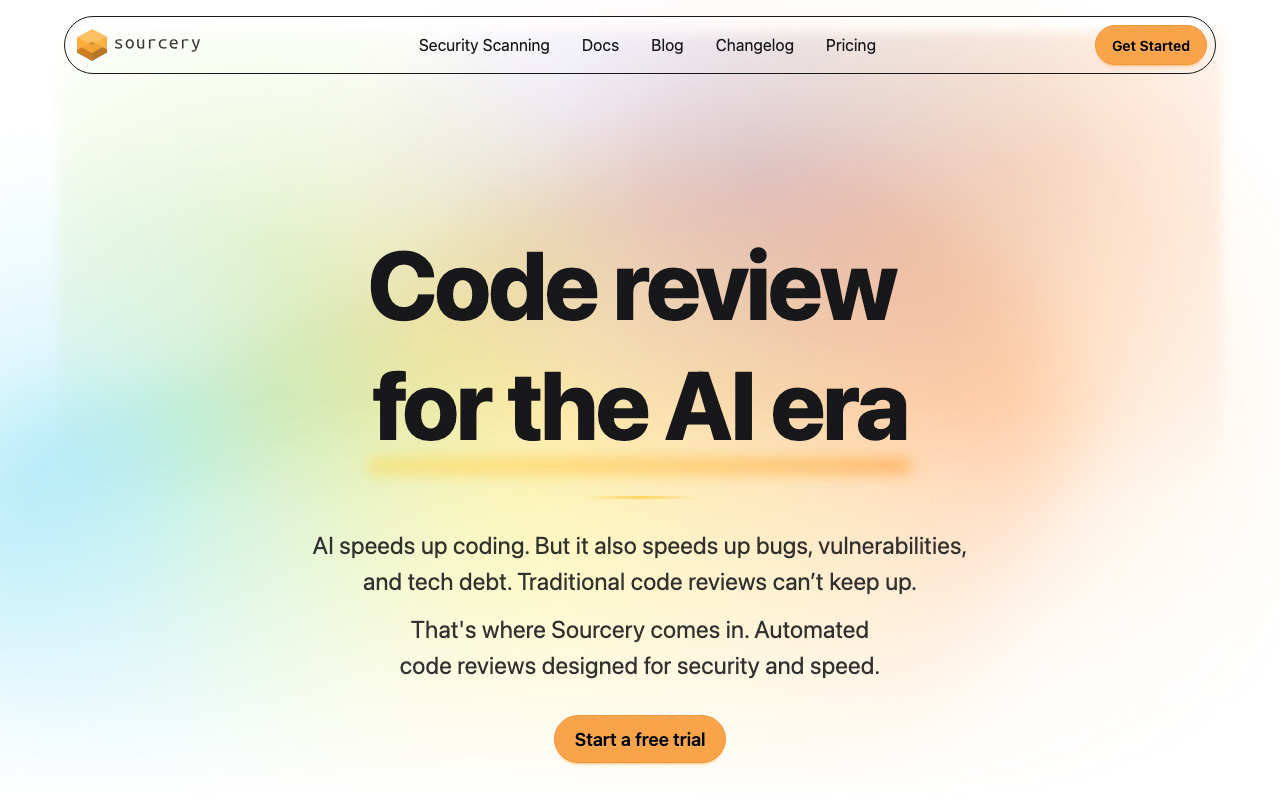
Sourcery and Pylint are not the same kind of tool competing for the same job. Pylint is a free, open-source, rule-based Python linter that runs locally in your editor and CI pipeline, applying over 300 deterministic checks to catch real bugs, enforce coding conventions, and maintain code quality standards. Sourcery is a paid, AI-powered code review and refactoring platform that integrates with GitHub and GitLab to review pull requests, suggest idiomatic Python transformations, and provide contextual feedback that static rule engines cannot generate.
The comparison matters because every Python developer eventually faces the question of whether to stick with Pylint (free, battle-tested, universally understood) or invest in AI-assisted review tools like Sourcery. The answer is not binary. Understanding what each tool does well, where each one falls short, and how they complement each other is more useful than declaring a winner.
Choose Pylint alone if: you are a solo developer or small team, you want zero cost, you primarily need rule-based enforcement in the editor and CI, and your code quality pain point is specific violations like missing docstrings, undefined variables, or naming convention deviations.
Choose Sourcery (alongside Pylint or Ruff) if: you want pull request review that goes beyond rule checking, you value AI-generated refactoring suggestions that make Python code more idiomatic, you need a PR review layer that understands context rather than just matching patterns, and your budget allows $10/user/month for private repositories.
The most effective Python team setup: Run Pylint (or the faster Ruff linter) in your editor and pre-commit hooks for instant, zero-cost rule enforcement. Run Sourcery as your PR review assistant for contextual AI feedback, refactoring suggestions, and PR summaries. The two tools operate at different stages of the workflow and do not conflict.
At-a-Glance Comparison
| Category | Sourcery | Pylint |
|---|---|---|
| Type | AI-powered code review and refactoring platform | Rule-based Python static analysis linter |
| Primary language | Python (plus 30+ others) | Python only |
| How it runs | GitHub/GitLab PR integration, IDE extension | CLI, editor extension, pre-commit hook, CI |
| Analysis approach | LLM reasoning + rules-based refactoring engine | Deterministic AST checks (300+ rules) |
| Real-time editor feedback | VS Code and PyCharm extensions (refactoring) | VS Code, PyCharm, Vim - native linting as you type |
| Pull request integration | Yes - automatic inline comments on every PR | No built-in PR integration (run in CI for pass/fail) |
| Refactoring suggestions | Core feature - idiomatic Python transformations | No - flags issues but does not suggest transformations |
| Custom rules | .sourcery.yaml configuration (YAML-based) | Python plugins (checker class API) |
| Framework support | Django/Flask understood contextually via AI | pylint-django and pylint-flask plugins |
| Security scanning | Team plan ($24/user/month) - 200+ repos | Limited to dangerous pattern checks, no SAST |
| Quality dashboard | Team plan - repository analytics | No built-in dashboard (requires external tooling) |
| Git platform support | GitHub, GitLab (including self-hosted) | Not tied to any platform - runs anywhere |
| Free tier | Full features for open-source (public) repos | Completely free for all projects, always |
| Paid pricing | Pro $10/user/month, Team $24/user/month | Free (no paid tier exists) |
| Open source | No (proprietary SaaS) | Yes (GPL-2.0) |
| False positive rate | Lower - AI skips non-actionable issues | Can be high without configuration (especially on Django) |
| Speed | Async PR analysis (minutes after PR open) | Fast local analysis (seconds) |
| Score/metric output | PR quality score, repository analytics | 0-10 code score, violation counts |
What Is Pylint?
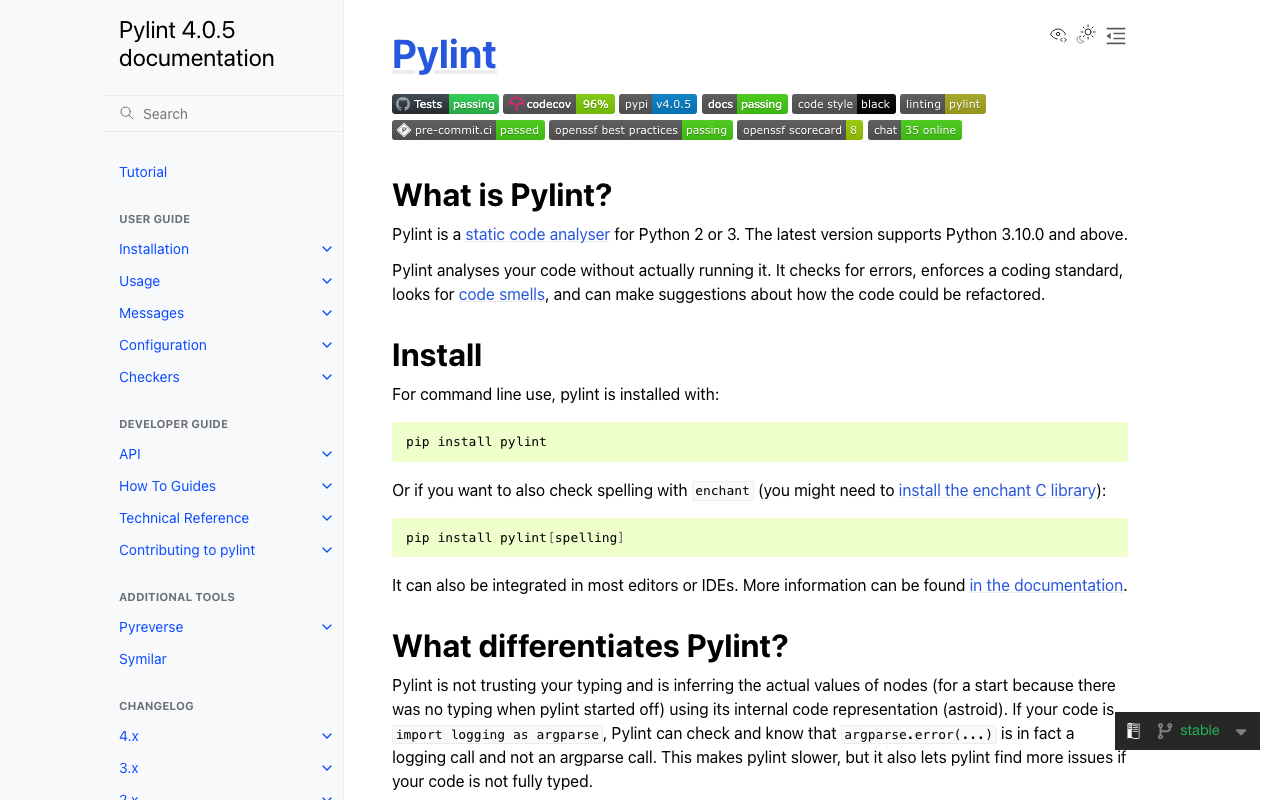
Pylint is the original Python code quality tool - a static analysis linter that has been part of the Python ecosystem since 2003. It performs deep AST (Abstract Syntax Tree) analysis of Python source code to identify errors, enforce coding standards, detect code smells, and refactor suggestions. Unlike simpler style checkers like Flake8 or pycodestyle, Pylint performs inter-procedural analysis, tracking variable types across function calls, detecting unused class attributes, and identifying violations that require understanding code structure beyond a single line.
Pylint organizes its checks into six categories. Error checks (E-codes) catch actual bugs - undefined variables, undefined attributes, wrong number of function arguments, and type errors that Python would raise at runtime. Warning checks (W-codes) flag risky patterns - unused variables, broad exception catches, deprecated module usage, and redefined built-ins. Convention checks (C-codes) enforce PEP 8 and common Python coding conventions - naming patterns, missing docstrings, and line length. Refactoring checks (R-codes) identify code smells - too-few-public-methods, too-many-branches, too-many-arguments, and similar structural issues. Fatal checks (F-codes) flag errors that prevent Pylint from analyzing the file. Information checks (I-codes) provide diagnostic context.
The full set amounts to over 300 checks in the default configuration, with hundreds more available through the plugin ecosystem. Notable plugins include pylint-django for Django-specific analysis, pylint-flask for Flask applications, pylint-celery for async task code, pylint-pydantic for Pydantic model validation, and various type-checking extensions. Teams can also write custom checkers by implementing Pylint’s BaseChecker API in Python.
Pylint produces a code score from 0 to 10 based on the proportion of code that passes its checks. This score is calculated using the formula 10.0 - ((float(5 * error + warning + refactor + convention) / statement) * 10), where a perfect score of 10 means zero violations detected. Teams commonly set a minimum score threshold in CI (using --fail-under=8.0) to prevent code quality from degrading over time.
The tool runs entirely locally. It has no cloud component, no account requirement, and no subscription fee. The VS Code extension (Pylint extension from Microsoft) and PyCharm’s built-in Pylint integration run checks in real time as you type. Pylint is invoked as a CLI tool (pylint my_module.py) in pre-commit hooks via Husky or pre-commit framework, and in CI pipelines on any platform - GitHub Actions, GitLab CI, Jenkins, CircleCI, or any other system that can run Python.
The one significant limitation of Pylint’s power is the false positive rate. Without careful configuration, Pylint flags a significant number of issues on Django codebases (where ORM metaclass magic creates attributes that Pylint cannot detect), large class hierarchies, and codebases that use dynamic attribute assignment. Configuring Pylint well - enabling the right plugins, disabling irrelevant rules, adjusting thresholds for legacy code - takes time but pays off in a low-noise experience.
What Is Sourcery?
Sourcery is an AI-powered code review and refactoring platform that began as a Python-first refactoring engine and has expanded to support over 30 programming languages. The core premise is that static linters catch rule violations, but they cannot make your code better - they can only tell you what is wrong. Sourcery’s goal is to actively improve code by combining rules-based refactoring analysis with LLM-powered contextual understanding.
Sourcery operates primarily through pull request integration. Install the Sourcery GitHub App or connect your GitLab instance, and Sourcery automatically reviews every pull request opened on connected repositories. It posts inline comments with specific, actionable feedback - identifying bugs, code smells, stylistic inconsistencies, and refactoring opportunities - and attaches suggested fixes showing exactly what the improved code would look like.
For Python, Sourcery’s analysis goes significantly deeper than generic AI review tools. Its rules-based refactoring engine has been trained on thousands of Python pattern transformations: converting verbose for-loops into list comprehensions, replacing manual file handling with context managers, simplifying nested conditionals with early returns and guard clauses, using f-strings instead of .format() or concatenation, applying @dataclass instead of boilerplate __init__ methods, and detecting common Django and Flask anti-patterns. These suggestions are not generated by an LLM guessing - they are based on deterministic pattern matching against a library of validated Python transformations.
The LLM layer handles the problems that pattern matching cannot: logic errors, architectural concerns, missing edge case handling, misleading variable names, functions that do too much, and the category of issues that only make sense in the full context of the pull request. Sourcery considers the complete diff when generating feedback, not just individual lines or files in isolation.
Sourcery also generates PR summaries explaining what changed in plain language, creates review guides to help human reviewers understand large diffs, and supports interactive PR commands: @sourcery-ai summary generates a PR summary on demand, @sourcery-ai guide creates a review guide, @sourcery-ai resolve resolves all Sourcery comments, and @sourcery-ai dismiss dismisses all pending reviews.
The VS Code and PyCharm extensions provide real-time refactoring suggestions as you write code, with a chat interface for asking questions and requesting on-demand explanations. Configuration is managed through a .sourcery.yaml file that lives in the repository and is version-controlled alongside the code.
For a detailed breakdown of Sourcery’s capabilities, see our Sourcery review.
Feature-by-Feature Breakdown
Rule-Based vs AI-Assisted Analysis
This is the most fundamental structural difference between the two tools, and it drives every other comparison.
Pylint applies deterministic rules. For every run on the same code, Pylint produces exactly the same output. Each check is a specific test: is the variable name longer than one character? Does the function have more than five arguments? Is there a missing return statement? These checks are transparent, reproducible, and predictable. You can look up exactly what triggered a specific message code in the Pylint documentation. This determinism is a genuine advantage for CI enforcement - a Pylint violation is a fact, not an opinion.
Sourcery applies AI reasoning. It combines deterministic pattern matching for known Python refactorings with LLM-generated analysis for context-dependent issues. LLM-based analysis means results can vary slightly between runs, suggestions can be debatable, and the AI can occasionally miss issues or flag non-issues. The advantage is that Sourcery can produce feedback like “this function has too many responsibilities - consider splitting the user validation logic into a separate helper” or “this conditional logic would be clearer with an early return pattern” - feedback that requires understanding the purpose of the code, not just matching it against rules.
In practice, Pylint is the more reliable tool for consistent enforcement. If you configure a Pylint rule, it will be checked on every file, every run, without variation. Sourcery’s AI produces richer feedback, but the catch rate and consistency are inherently harder to guarantee. Independent evaluations of Sourcery have found that approximately 50% of its comments are genuinely actionable, with the remainder being noise or low-priority bikeshedding. This is common across AI review tools, but it contrasts with Pylint’s near-zero false-positive rate on well-configured codebases.
Python Coverage and Depth
Both tools focus heavily on Python, but they cover it differently.
Pylint’s Python coverage is comprehensive and structured. Its 300+ checks cover the full range of Python anti-patterns: undefined names (undefined-variable, undefined-attribute), incorrect attribute access (no-member), type-related errors (not-callable, unexpected-keyword-arg), import issues (import-error, cyclic-import, unused-import), complexity metrics (too-many-branches, too-many-statements, too-many-public-methods), naming conventions (invalid-name, missing-module-docstring), and many more. For Django projects, pylint-django adds 30+ Django-specific checks. For type-annotated code, Pylint performs basic type-aware checks beyond its standard set.
Pylint’s Python analysis is essentially perfect for what it covers. If a file violates a Pylint rule, Pylint will find it every time. The limitation is what it cannot check: logic errors that do not violate a rule, semantic issues that require understanding intent, and refactoring opportunities that are improvements rather than violations.
Sourcery’s Python coverage is deep but contextual. Sourcery understands idiomatic Python patterns at a level that no rule engine can replicate. It recognizes when a loop is unnecessarily verbose and would be cleaner as a comprehension, when a sequence of if-elif statements would be cleaner as a dictionary dispatch, when a class method is accessing self attributes in a way that suggests it should be a standalone function, and when a Django queryset chain has unnecessary database round-trips. These are the kinds of suggestions that experienced Python engineers give in code review, and they are exactly what Pylint cannot produce.
Sourcery also understands Python’s ecosystem more holistically - it knows about Django’s ORM patterns, Flask’s application factory pattern, asyncio best practices, pandas idiomatic usage, and other framework-specific concerns. This is not rule-based knowledge but learned understanding from training on large amounts of Python code.
The practical coverage comparison: for catching definite violations (bugs, undefined names, import issues, complexity threshold violations), Pylint is more thorough and more reliable. For catching improvement opportunities (refactoring, idiomatic patterns, architectural suggestions), Sourcery provides value that Pylint fundamentally cannot deliver.
IDE Integration and Developer Workflow
Pylint’s IDE integration is the standard for Python development. The Pylint VS Code extension (from Microsoft, installed on millions of instances) runs Pylint in the background as you type and underlines violations in red and yellow. In PyCharm, Pylint is supported through the Pylint plugin, and PyCharm’s own inspections overlap significantly with Pylint checks. Configuration is through the standard pyproject.toml or .pylintrc file in the repository. Developers see issues immediately, before committing, before pushing, before a CI run. This tight local feedback loop is Pylint’s strongest workflow advantage.
For pre-commit integration, Pylint works with the pre-commit framework through the official hook or with Husky via a simple pylint CLI invocation. Commits are blocked if Pylint violations are found, ensuring that issues never reach the repository at all.
Sourcery’s IDE integration provides real-time refactoring. The VS Code and PyCharm extensions run Sourcery’s refactoring analysis as you write code, surfacing suggestions as code actions that can be applied with a click. The integrated chat interface allows on-demand requests: select a function, ask “can you simplify this?”, and get a specific refactoring suggestion. The IDE experience is complementary to Pylint rather than competitive - Pylint flags violations, Sourcery suggests improvements.
The fundamental difference is feedback timing. Pylint provides feedback in real time as you write code, before you even run the file. Sourcery’s PR review feedback arrives after you open a pull request, which may be hours or days after the code was written. For catching issues as early as possible, Pylint’s local integration cannot be beaten. For catching issues that require PR context (the full set of changes, their purpose, their relationship to the codebase), Sourcery’s timing is appropriate.
Pull Request Integration
Pylint has no native pull request integration. To use Pylint in a PR workflow, you run it in CI (GitHub Actions, GitLab CI, or other systems) and fail the build if violations are found. The developer sees a failed status check and must look at the CI logs to understand what failed. There is no inline annotation of the specific failing lines unless you add a third-party action (like reviewdog) that parses Pylint output and posts it as PR comments. The experience is basic - a pass/fail status check - compared to the rich inline comment experience that dedicated PR review tools provide.
Sourcery’s pull request integration is its primary delivery mechanism. When a PR is opened, Sourcery analyzes the diff automatically and posts inline comments on specific lines with violation descriptions, explanations, and suggested fixes. The AI Reviewer considers the full PR context - all changed files together - rather than analyzing files independently. PR summaries and review guides are generated automatically. Interactive commands let developers and reviewers control the review experience from within the PR interface.
This difference matters most for team review workflows. On a 200-line Python PR, Pylint in CI produces a binary pass/fail based on rule violations. Sourcery produces 3-8 inline comments with specific suggestions and explanations, a PR summary in plain language, and a review guide helping human reviewers focus on the important changes. For teams where code review quality matters, Sourcery’s PR integration provides substantially more value than Pylint’s CI pass/fail.
Configuration and Custom Rules
Pylint’s configuration system is powerful and established. The pyproject.toml section [tool.pylint] or the .pylintrc file provides fine-grained control over every aspect of analysis: which checks are enabled or disabled, severity levels for specific messages, naming convention patterns, complexity thresholds, list of known third-party libraries, and dozens of other settings. Configuration is version-controlled as part of the repository, reviewed in pull requests, and automatically applied by everyone who runs Pylint on the codebase.
Writing custom Pylint checkers requires implementing the BaseChecker class in Python, registering it as a plugin, and handling AST visitor methods. This is more complex than ESLint’s custom rule API but provides deep access to Python’s AST. Organizations with complex, project-specific requirements can encode those requirements as Pylint plugins that run alongside built-in checks.
Sourcery’s configuration is simpler but narrower. The .sourcery.yaml file supports custom coding guidelines in a YAML format - defining rules, patterns to avoid, and naming conventions. This is more accessible than writing Pylint plugins but provides less programmatic control. You cannot write arbitrary AST analysis as a Sourcery custom rule. The configuration covers the most common customization needs (naming conventions, forbidden patterns, complexity preferences) but stops short of the deep programmability that Pylint’s plugin API offers.
For teams with standard Python best-practice enforcement, Sourcery’s YAML configuration is sufficient and significantly easier to maintain. For teams with complex, project-specific enforcement requirements - internal API usage rules, legacy codebase-specific patterns, regulatory compliance checks - Pylint’s plugin system provides capabilities that Sourcery cannot match.
Security Analysis
Neither Sourcery nor Pylint is primarily a security scanning tool, but both have some security-related capabilities.
Pylint’s security coverage is limited to dangerous pattern checks. Checks like W1510 (subprocess-popen-preexec-fn), various SQL-related checks, and some dangerous module usage warnings cover the most obvious security anti-patterns. Pylint does not perform taint tracking, does not analyze data flow across function boundaries, and cannot detect injection vulnerabilities where user input reaches a dangerous sink through multiple function calls. For serious security scanning, Pylint must be supplemented with dedicated tools like Bandit (specifically designed for Python security analysis), Semgrep, or Snyk Code.
Sourcery’s security coverage is available on the Team plan ($24/user/month) and above. The security scanning module can analyze up to 200+ repositories, runs daily scans, and provides fix suggestions for identified vulnerabilities. This goes beyond Pylint’s pattern-level checks but is not as deep as dedicated SAST tools like Semgrep or Snyk Code. For teams that want a baseline security layer without adding a dedicated SAST tool, Sourcery’s Team plan provides meaningful coverage. For teams with significant security requirements, pairing either Sourcery or Pylint with a dedicated security scanner is the right approach.
The security gap between both tools and dedicated SAST: Consider a Django application with a SQL injection vulnerability where user input from request.GET flows through a service function to a raw SQL query. Neither Pylint nor Sourcery’s base AI review will reliably detect this. Bandit with the django profile, or Semgrep with the python.django.security ruleset, will catch it. If Python security scanning is a priority, add Bandit to your pre-commit hooks (it runs in under a second) and consider Semgrep for CI. Neither Sourcery nor Pylint fills this gap adequately on their own.
False Positives and Signal Quality
Pylint’s false positive rate varies significantly with configuration. A freshly configured Pylint run on a Django codebase without the pylint-django plugin installed will produce dozens of false positives - no-member errors on every ORM queryset, too-few-public-methods on every Django model, unused-argument on every class-based view method. With proper configuration and plugins, the false positive rate drops to near zero. This configuration overhead is a real cost, especially for teams inheriting legacy codebases where getting a clean Pylint run requires significant tuning.
Sourcery’s false positive rate is lower by design, but noise still exists. Because Sourcery uses AI reasoning rather than blanket rule application, it can skip issues that are technically violations but clearly not worth mentioning in context. Independent benchmarks have found that approximately 50% of Sourcery’s comments are genuinely actionable, with another 25% categorized as bikeshedding (valid but low-priority). This is better than many AI review tools, but it means developers on active repositories may receive several unhelpful comments per PR alongside the useful ones. Sourcery’s learning capability helps - when developers consistently dismiss a type of suggestion, Sourcery adapts to produce fewer similar suggestions in future reviews.
For predictable, low-noise enforcement, a well-configured Pylint produces near-perfect signal. For rich contextual feedback with some noise tolerance, Sourcery delivers insights that Pylint cannot generate.
Pricing Comparison
Pylint Pricing
Pylint is completely free. There is no paid tier, no enterprise edition, no per-user or per-repository licensing. The core package, all community plugins (pylint-django, pylint-flask, etc.), the VS Code extension, and the pre-commit hook integration are free and open source under the GPL-2.0 license. The total cost of Pylint is zero dollars, forever, for any team size and any commercial project.
Sourcery Pricing
| Plan | Price | Key Features |
|---|---|---|
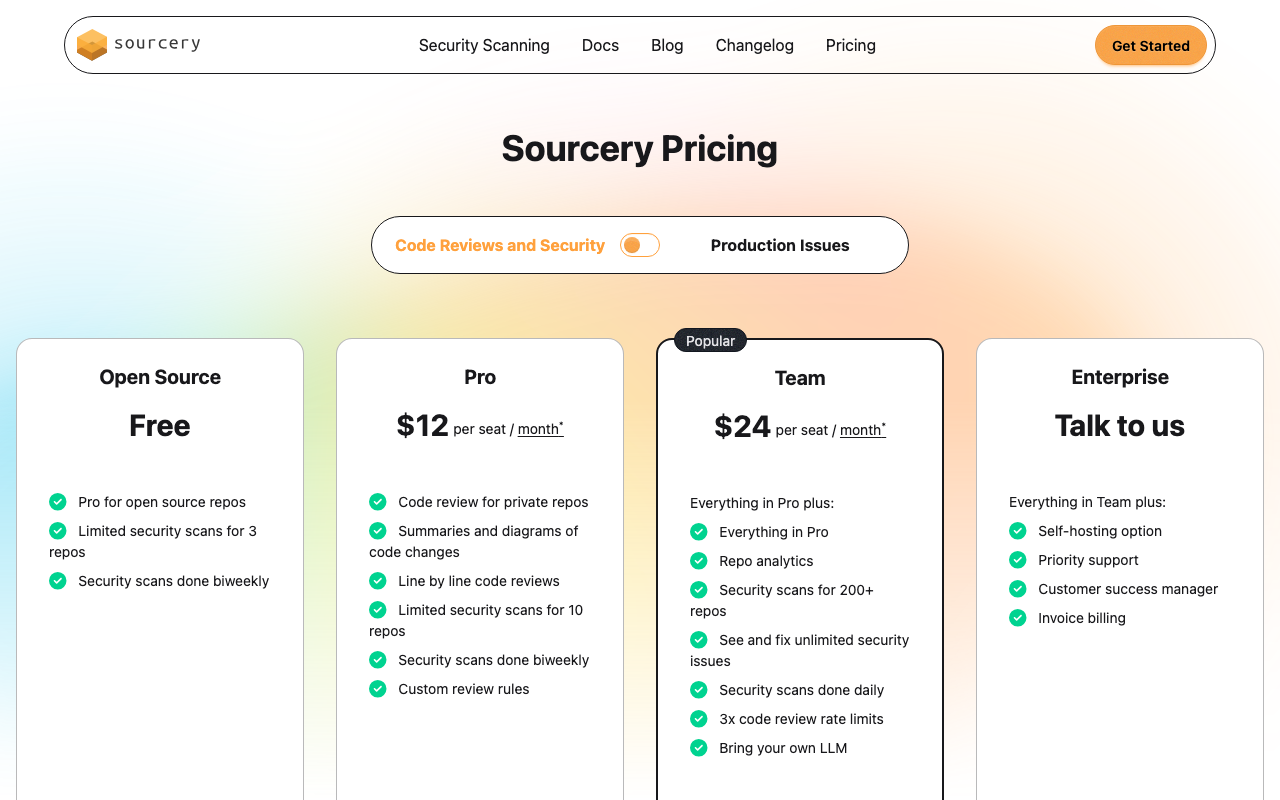
| Free | $0 | Open-source repositories only. AI code reviews, basic refactoring suggestions, GitHub integration, VS Code and PyCharm extensions. |
| Pro | $10/user/month | Private repositories, advanced AI reviews, custom coding guidelines, GitHub and GitLab integration (including self-hosted), IDE chat assistant, priority support. |
| Team | $24/user/month | Everything in Pro plus repository analytics dashboard, security scanning for 200+ repos, unlimited security issue fixes, daily security scans, 3x code review rate limits, bring-your-own-LLM option. |
| Enterprise | Custom | Everything in Team plus SSO/SAML, custom AI model tuning, self-hosted deployment, dedicated account manager, compliance and audit features, SLA guarantees. |
All paid plans offer a 20% discount for annual billing. You pay only for developers assigned seats, not for every contributor.
Side-by-Side Cost at Scale
| Team Size | Pylint Annual Cost | Sourcery Pro Annual Cost | Sourcery Team Annual Cost |
|---|---|---|---|
| 1 dev | $0 | $120 | $288 |
| 5 devs | $0 | $600 | $1,440 |
| 10 devs | $0 | $1,200 | $2,880 |
| 20 devs | $0 | $2,400 | $5,760 |
| 50 devs | $0 | $6,000 | $14,400 |
Pricing Observations
The cost comparison is straightforward for pure linting. If you only need rule-based static analysis, Pylint does it for free. Sourcery’s value proposition is entirely in what it adds beyond rule-based analysis: AI-assisted PR review, refactoring suggestions, PR summaries, and the PR workflow integration. The $10/user/month Pro plan is one of the most affordable AI code review tools on the market - cheaper than CodeRabbit ($24/user/month), DeepSource ($24/user/month), and most other platforms. For teams that want AI PR review at minimal cost, Sourcery Pro is genuinely competitive.
Open-source teams get Sourcery for free. The free tier includes full AI review features for public repositories. Open-source Python projects can benefit from Sourcery’s refactoring suggestions and PR review quality without any cost, which is an unusually generous offer compared to most AI review tools.
The Team plan competes with broader platforms. At $24/user/month, Sourcery Team adds security scanning and repository analytics. For comparison, CodeAnt AI starts at $24/user/month for code review alone and $40/user/month for its full platform with SAST, secrets detection, IaC scanning, and DORA metrics. Sourcery’s Team plan is strong value for Python teams that want both AI review and basic security scanning.
Use Cases - When to Choose Each
When Pylint Alone Is the Right Choice
Solo Python developers and very small teams. When you are the only developer or you work in a team of two or three where everyone reviews everything, Pylint in the editor and pre-commit hooks provides comprehensive local enforcement for free. AI PR review adds the most value when multiple developers are contributing code and a consistent review standard is hard to maintain manually. For a solo developer, Pylint catches the violations that matter and costs nothing.
Teams with existing CI pipelines that just need Python static analysis. If your organization already has a CI/CD platform, adding Pylint as a step takes 10 minutes and zero cost. There is no account to create, no integration to configure, and no vendor relationship to manage. For teams evaluating Python code quality tooling for the first time, Pylint is the sensible starting point.
Codebases with complex, project-specific Python rules. If your organization needs to enforce internal API usage patterns, check for forbidden dependencies, or validate domain-specific naming conventions that no AI tool would understand, Pylint’s plugin system gives you the programmatic control to write precise, deterministic checks. Sourcery’s YAML-based custom guidelines are more limited in what they can express.
Budget-constrained teams. Pylint is free, always. If $10/user/month is not in the budget, Pylint plus a good pyproject.toml configuration delivers solid Python code quality enforcement at zero cost.
Teams already using Ruff. Ruff has become the dominant Python linter in 2025-2026, reimplementing many Pylint and Flake8 rules at 10-100x faster speeds. If your team has adopted Ruff for local linting, adding Pylint as well may be redundant (Ruff covers most of the same ground). Evaluate whether the specific Pylint checks you need are already covered by Ruff’s rule set before adding both.
When Sourcery Makes Sense
Python teams that want pull request review quality beyond pass/fail. If your PR review workflow currently consists of a CI Pylint check that passes or fails without inline annotations, Sourcery’s inline commenting, PR summaries, and contextual suggestions transform that experience. Developers get specific, actionable feedback on the lines that matter rather than digging through CI logs for Pylint output.
Teams focused on code quality improvement rather than just violation detection. Pylint tells you when code violates a rule. Sourcery tells you how to make code better. If your team’s code quality goal is increasing idiomaticity, reducing complexity, and improving readability - not just eliminating violations - Sourcery provides value that Pylint cannot.
Open-source Python projects. The free tier for public repositories makes Sourcery a compelling zero-cost addition for any open-source Python project. Getting AI review, refactoring suggestions, and PR summaries on every contribution at no cost is a straightforward win for maintainers managing community contributions.
Small to mid-size Python teams prioritizing developer experience. Sourcery’s Pro plan at $10/user/month is one of the least expensive AI code review options available. For a team of 5 developers, the annual cost of $600 is minor compared to the engineering time saved on code review cycles. If your team’s primary pain point is time spent in PR review rather than configuration and tooling management, Sourcery’s cost-to-value ratio is strong.
Teams self-hosting GitHub or GitLab. Sourcery supports self-hosted GitHub and GitLab instances as of early 2025. For enterprise teams running their own source control infrastructure, this removes a common blocker for adopting AI review tools. Many competitors require cloud-hosted GitHub or GitLab.
When You Need a Broader Platform
Both Sourcery and Pylint have meaningful gaps for teams with more comprehensive requirements. In these cases, broader platforms are worth evaluating.
When you need quality gates and organizational dashboards: SonarQube and Codacy both provide quality gate enforcement, PR blocking on failing gates, organizational trend dashboards, and technical debt tracking that neither Sourcery nor Pylint offers as a first-class feature. SonarQube’s Community Build is free for self-hosted deployment and covers Python deeply. Codacy Pro at $15/user/month is a cloud platform with quality gates, SCA, SAST, and coverage tracking.
When you need comprehensive security scanning: Bandit (free Python SAST) covers the security gaps in both Pylint and Sourcery for standard vulnerability patterns. Semgrep (free CLI) extends to taint tracking and cross-file data flow analysis. For teams with significant security requirements, neither Sourcery’s Team plan security scanning nor Pylint’s pattern checks are a substitute for a purpose-built SAST tool.
When you need all-git-platform support: Sourcery only supports GitHub and GitLab. If your team uses Bitbucket or Azure DevOps, Sourcery is not an option. CodeRabbit ($24/user/month) and CodeAnt AI ($24-40/user/month) support all four major git platforms. CodeAnt AI in particular is worth noting - at $40/user/month its Premium plan bundles AI PR review, SAST, secret detection, IaC scanning, and DORA metrics. For teams that want consolidated tooling across review and security, CodeAnt AI’s platform approach competes well against assembling Sourcery, Pylint, and separate security tools.
Running Pylint and Sourcery Together
The most effective Python development setup does not require choosing between Pylint and Sourcery. They fit into different stages of the development workflow and complement each other well.
The Recommended Workflow
Step 1 - Editor (real-time): Run Pylint (or Ruff) in your editor via the VS Code Pylint extension or PyCharm’s Pylint plugin. Violations are underlined in real time as you write code. Run Sourcery’s VS Code or PyCharm extension simultaneously for real-time refactoring suggestions. The two tools operate on different signal channels - Pylint highlights violations, Sourcery suggests improvements.
Step 2 - Pre-commit hooks: Configure the pre-commit framework with a Pylint hook. When you run git commit, Pylint runs on staged files and blocks the commit if violations above your threshold are found. This ensures that code quality issues never enter the repository at all. Sourcery does not have a pre-commit hook - it operates at the PR level, not the commit level.
Step 3 - Pull request (Sourcery’s primary stage): When you open a PR on GitHub or GitLab, Sourcery automatically analyzes the diff and posts inline comments. The AI reviewer provides refactoring suggestions, flags logic issues, generates a PR summary, and evaluates the change in full context. This is the stage where Sourcery provides unique value that Pylint cannot replicate.
Step 4 - CI pipeline: Run Pylint in your CI pipeline as a quality gate. pylint src/ --fail-under=8.0 returns a non-zero exit code if the score drops below 8.0, failing the build. This catches any violations that slipped through the pre-commit hook (perhaps due to committing with --no-verify). Some teams also run Pylint in CI only on new/modified files using pylint --from-stdin with a list of changed files from git diff.
Configuration Alignment
When running both tools, a practical consideration is making sure they are not fighting each other. If Pylint enforces a naming convention that Sourcery suggests changing, developers receive conflicting signals. To minimize this, read through your .pylintrc or pyproject.toml Pylint configuration and define corresponding guidelines in .sourcery.yaml to align the two tools on your team’s preferences.
For example, if your Pylint config enforces that function names must be snake_case and at least 3 characters long, your Sourcery guidelines should not suggest renaming functions in ways that would violate those rules. Alignment is not automatic, but a one-time configuration effort eliminates most cross-tool noise.
Replacing Pylint With Ruff Plus Sourcery
For teams starting fresh in 2026, a modern alternative to Pylint is to use Ruff as the local linter (covering most of the same checks as Pylint at significantly higher speed) and Sourcery for PR review. This combination provides:
- Ruff: near-instant linting in the editor and pre-commit hooks, covering Pylint rules, Flake8 rules, isort, and more - all in one tool
- Sourcery: AI-powered PR review with Python refactoring expertise and contextual feedback
The advantage over Pylint plus Sourcery is that Ruff’s speed significantly reduces the friction of local linting. Pylint can take several seconds on a large module; Ruff processes the same module in milliseconds. For teams that have historically disabled Pylint because it slowed their workflow, Ruff removes that objection while Sourcery provides the higher-level AI review layer.
Alternatives to Consider
SonarQube
SonarQube is the most mature code quality platform for teams that need centralized dashboards, quality gate enforcement, and technical debt tracking beyond what Pylint or Sourcery provide. For Python, SonarQube provides over 100 dedicated Python rules covering bugs, code smells, security vulnerabilities, and maintainability issues. The SonarQube Community Build is free for self-hosted deployment and includes Python analysis, quality gates, and branch analysis. SonarQube Cloud Free covers up to 50K lines of code for cloud-hosted repositories. SonarLint provides synchronized IDE feedback. Teams that need an organizational code quality platform rather than a developer-focused linter will find SonarQube a more complete answer than either Pylint or Sourcery alone. See our SonarQube vs ESLint comparison for platform context.
DeepSource
DeepSource is a modern code quality and static analysis platform with 5,000+ analysis rules and a strong emphasis on low false positive rates - the platform claims a sub-5% false positive rate through careful curation. For Python, DeepSource’s analyzer covers anti-patterns, performance issues, security vulnerabilities, style violations, and type-consistency issues. Its Autofix AI automatically generates and applies fixes for detected issues, which is a step beyond Sourcery’s suggestion-and-review workflow. The free tier covers individual developers with public and private repositories. The Team plan costs $24/user/month and includes AI code review, Autofix AI, security scanning, and code health dashboards. DeepSource is a strong alternative for teams that want both static analysis depth (closer to Pylint) and AI-assisted remediation (closer to Sourcery) in one platform. See our DeepSource vs Codacy comparison for platform-level context.
Semgrep
Semgrep is the leading free tool for Python security scanning. While not a general-purpose linter like Pylint, Semgrep’s Python support covers the security gaps that both Pylint and Sourcery leave open. The open-source CLI is free, runs in CI or locally, and provides taint tracking and cross-file data flow analysis that catches injection vulnerabilities, authentication issues, and cryptographic weaknesses that Pylint’s pattern checks cannot detect. For Python teams that prioritize security, adding Semgrep alongside Pylint and Sourcery takes 15 minutes to configure and adds meaningful vulnerability detection at no cost. See our Semgrep vs ESLint comparison for context on how Semgrep fits into a broader quality toolchain.
CodeAnt AI
CodeAnt AI is worth considering for Python teams that want a single platform covering AI code review, SAST, secret detection, IaC security, and DORA metrics. At $24/user/month for code review and $40/user/month for the full platform (Premium plan), CodeAnt AI consolidates what you might otherwise assemble from Pylint (for static analysis), Sourcery (for AI PR review), Bandit or Semgrep (for security), and a separate metrics tool. It supports GitHub, GitLab, Bitbucket, and Azure DevOps - covering all four major platforms compared to Sourcery’s two. For Python teams on Azure DevOps in particular, CodeAnt AI may be the only serious AI code review option. The lack of a free tier and its relative newness (founded 2023) are the main downsides versus the established Pylint and Sourcery combination. See our CodeAnt AI review for a full breakdown.
Codacy
Codacy is a cloud-hosted code quality platform that embeds Pylint as one of its Python analysis engines. When you connect a Python repository to Codacy, it automatically runs Pylint rules alongside Bandit for security analysis, wrapping both tools’ output in a unified dashboard. Codacy Pro at $15/user/month adds quality gate enforcement, SCA (dependency vulnerability scanning), secrets detection, code coverage tracking, and AI-powered PR review on top of the Pylint analysis you would run yourself for free. For teams that want to use Pylint but need a platform layer on top - centralized dashboards, PR blocking, security scanning - Codacy provides that platform without requiring you to replace Pylint. See our Codacy vs SonarQube comparison for platform context.
Ruff
Ruff is not an AI tool, but it deserves mention as the fastest-growing Pylint alternative in the Python ecosystem. Built in Rust, Ruff reimplements most Pylint, Flake8, isort, pyupgrade, and other linter rules at 10-100x faster speeds. Ruff’s rule coverage has grown significantly and now includes many E and W category Pylint rules. For teams whose primary frustration with Pylint is speed (seconds to minutes on large codebases vs milliseconds for Ruff), switching to Ruff for local linting and keeping Sourcery for PR review is a compelling modern setup. Ruff is completely free and open source.
Final Recommendation
The Sourcery vs Pylint comparison is less a choice between competitors and more a question of which layer of Python code quality tooling you are trying to fill.
Pylint is the foundation. Every Python project serious about code quality should have a linter configured. Pylint is the most feature-complete Python linter available, it is free, it integrates with every editor and CI system, and it has a 20-year track record. If you are choosing between Pylint and nothing, choose Pylint. If you are choosing between Pylint and Ruff, choose Ruff for new projects (faster, less configuration friction) but note that Pylint has more checks for legacy codebases and more mature Django support.
Sourcery is the AI review layer on top. For teams that have already addressed local linting and want to improve pull request review quality, Sourcery provides AI-generated refactoring suggestions, contextual PR feedback, and PR summaries that no rule-based linter can produce. The $10/user/month Pro plan is one of the most affordable AI code review options in the market, and the free tier for open-source projects is genuinely useful.
For solo Python developers: Pylint (or Ruff) configured with a solid pyproject.toml, Bandit for security, and the pre-commit framework for enforcement. This costs nothing and provides excellent baseline code quality. Use Sourcery’s free tier if your code is open source.
For small Python teams (3-8 developers): Pylint (or Ruff) locally and in CI for deterministic enforcement. Sourcery Pro at $10/user/month for AI-assisted PR review. The combination gives you fast local feedback and intelligent PR review without redundancy. Annual cost for a 5-person team: $600 for Sourcery Pro.
For mid-size Python teams (10-30 developers): Evaluate whether you want a platform layer (SonarQube, Codacy, or DeepSource) for quality gates, centralized dashboards, and organizational trend tracking - or whether Pylint plus Sourcery is sufficient. For teams with strong security requirements, add Bandit and Semgrep regardless of which review approach you choose.
For Python teams on Bitbucket or Azure DevOps: Sourcery does not support these platforms. Use Pylint in CI and evaluate CodeRabbit ($24/user/month) or CodeAnt AI ($24-40/user/month) for AI PR review - both support all four major git platforms.
For open-source Python projects: Pylint in CI (via GitHub Actions or similar) plus Sourcery’s free tier on GitHub is a strong, zero-cost combination that rivals what many commercial teams pay for. The Sourcery free tier’s full AI review capability on public repositories is one of the most generous offerings in the AI review space.
The bottom line is direct. Pylint is free and essential for Python static analysis - configure it well and it eliminates entire categories of bugs before they reach code review. Sourcery is the AI review layer that makes pull requests better - catching the issues that rule engines miss and explaining code changes in a way that improves developer understanding. They complement each other, they do not compete, and the best Python teams use both.
Frequently Asked Questions
Is Sourcery a replacement for Pylint?
Not a direct replacement, but a complementary upgrade. Sourcery adds AI-powered pull request reviews, refactoring suggestions, and contextual feedback on top of or alongside Pylint's rule-based analysis. Pylint catches rule violations consistently and for free. Sourcery catches the same surface-level issues plus logic problems, code smell patterns, and architectural concerns that require understanding the broader PR context. Many Python teams run Pylint in their pre-commit hooks and CI pipeline for fast, deterministic checks, and use Sourcery for deeper AI-assisted PR review. You do not have to choose one over the other.
Is Pylint free?
Yes, Pylint is completely free and open source under the GPL-2.0 license. There is no paid edition, no premium tier, and no usage limits. The entire tool - Pylint core, its 300+ checks, the pylint-django and pylint-flask plugins, and the VS Code and PyCharm extensions - is free to use in any project, commercial or otherwise. Pylint is maintained by the Python community with contributions from dozens of active maintainers. This zero-cost model is one of Pylint's strongest practical advantages over Sourcery, which charges $10/user/month for private repositories.
How much does Sourcery cost?
Sourcery has four pricing tiers. The Free plan covers all open-source (public) repositories with full AI code reviews, basic refactoring suggestions, and GitHub integration at no cost. The Pro plan costs $10/user/month and adds private repository support, advanced AI reviews, custom coding guidelines, GitHub and GitLab integration including self-hosted instances, and an IDE chat assistant. The Team plan costs $24/user/month and adds repository analytics, security scanning for 200+ repositories, unlimited security issue fixes, daily security scans, 3x code review rate limits, and the option to bring your own LLM. The Enterprise plan has custom pricing and adds SSO/SAML, custom AI model tuning, self-hosted deployment, a dedicated account manager, and compliance features.
Does Pylint work with Django and Flask?
Pylint supports Django and Flask through community plugins. The pylint-django plugin (installable via pip) adds Django-specific checks including model field validation, QuerySet usage, URL pattern analysis, and template tag verification. It also silences false positives that Pylint generates for Django's ORM magic. For Flask, pylint-flask adds route and application context awareness. Without these plugins, Pylint produces a significant number of false positives on Django and Flask codebases because it does not understand the dynamic attribute injection and metaclass magic those frameworks use. With plugins installed, coverage is solid but not as deep as framework-specific tools like Django's own check framework.
Can Sourcery enforce custom Python coding standards?
Yes. Sourcery supports custom coding guidelines through a .sourcery.yaml configuration file that lives in the repository root. Teams can define their own rules covering naming conventions, architectural patterns, forbidden anti-patterns, complexity thresholds, and project-specific practices. These guidelines are version-controlled alongside the code and enforced automatically during PR reviews. The custom guidelines feature is available on the Pro plan ($10/user/month) and above. Pylint also supports custom rules through plugins, but writing Pylint plugins requires implementing checker classes in Python, which has a steeper learning curve than Sourcery's YAML-based configuration.
Is Sourcery better than Pylint for Python?
They solve different problems, so 'better' depends on what you need. Pylint is better for fast, deterministic, zero-cost rule enforcement in the editor and CI pipeline. It catches hundreds of specific violations - undefined variables, unused imports, missing return type annotations, incorrect argument counts - instantly and consistently. Sourcery is better for pull request review quality: it understands the full context of a change, suggests Pythonic refactoring patterns, identifies logic issues, and provides AI-generated explanations. For a Python team that wants the best outcome, running Pylint locally in pre-commit hooks and Sourcery as a PR reviewer gives you both fast local feedback and deep AI-assisted review.
What is the difference between Sourcery and Ruff?
Ruff is a fast Python linter and formatter built in Rust that reimplements many Pylint, Flake8, isort, and other linter rules at extreme speed (10-100x faster than Pylint). Ruff is not an AI tool - it applies deterministic rules just like Pylint, but much faster. Sourcery is an AI-powered PR review platform that reviews pull requests through GitHub and GitLab, providing contextual, generative feedback. They operate at completely different levels. Ruff replaces Pylint as a local linter and formatter. Sourcery adds a layer that neither Ruff nor Pylint can provide: AI-assisted PR review with contextual understanding, refactoring suggestions, and PR summaries. For a modern Python team in 2026, the recommended setup is Ruff for local linting plus Sourcery for AI PR review.
Does Pylint support type checking like mypy?
Pylint has limited type-aware checks that go beyond pure syntax analysis. It understands Python type annotations and can flag some type mismatches, but it does not perform full type inference the way mypy or Pyright does. Pylint's type-related checks (in the typecheck checker category) catch obvious issues like calling a non-callable, accessing an attribute that does not exist on a type, and passing the wrong number of arguments to a function. For rigorous type checking that catches subtle type errors, teams should run mypy or Pyright alongside Pylint rather than relying on Pylint's type checks alone. Sourcery does not perform static type checking either - it focuses on refactoring and code quality rather than type correctness.
How does Sourcery handle Python refactoring suggestions?
Sourcery's refactoring engine is its strongest differentiator for Python code. It recognizes opportunities to transform verbose code into idiomatic Python patterns: converting for-loops to list comprehensions, replacing manual try/finally resource management with context managers, simplifying nested conditionals with early returns, using f-strings instead of string concatenation, applying dataclasses instead of verbose __init__ methods, and dozens of other patterns. Each suggestion includes a before/after code diff and an explanation of why the pattern is more idiomatic. The suggestions are based on both a rules-based static analysis engine trained on Pythonic patterns and LLM-powered contextual reasoning. Sourcery's Python refactoring capability is widely regarded as the best among AI code review tools.
Can I use Sourcery with GitLab or only GitHub?
Sourcery supports both GitHub and GitLab, including self-hosted instances of both platforms. The Pro plan ($10/user/month) and above include GitLab integration. Sourcery does not support Bitbucket or Azure DevOps - if your team uses either of those platforms, Sourcery is not an option and you should consider CodeRabbit (which supports all four major git platforms) or CodeAnt AI ($24-40/user/month, also supporting all four platforms). Pylint, by contrast, is not tied to any git platform - it runs locally and in any CI/CD system regardless of where your code is hosted.
What pylint score should I aim for?
Pylint scores code on a 0-10 scale based on the ratio of code that passes its checks. A score of 10/10 means no violations were found. In practice, scores between 8.0 and 9.5 are realistic targets for most production codebases. A score below 7.0 generally indicates significant code quality issues worth addressing. However, the absolute score matters less than the trend - whether your score is improving or declining over time as you add new code. Many teams configure Pylint with a minimum acceptable score (using the --fail-under flag) and fail CI if the score drops below a threshold like 8.0. Pylint's scoring formula can be customized through configuration, and some teams disable the score entirely and focus purely on the number of violations.
What is a good alternative to both Sourcery and Pylint for Python teams?
The best alternative depends on what gap you are trying to fill. For a free, faster Pylint replacement, Ruff (built in Rust, also covers Flake8 and isort rules) is the most popular 2026 choice. For a full code quality platform with dashboards and quality gates, SonarQube (free self-hosted Community Build, or SonarQube Cloud) and Codacy (Pro at $15/user/month) both support Python deeply. For AI-powered PR review comparable to Sourcery but with broader platform support, CodeRabbit ($24/user/month) has strong Python coverage and supports GitHub, GitLab, Bitbucket, and Azure DevOps. For teams that want security scanning alongside code quality, CodeAnt AI ($24-40/user/month) bundles PR review, SAST, secret detection, and DORA metrics in one platform.
Explore More
Tool Reviews
 Sourcery Review
Related Articles
- Best Python Code Quality Tools: Sourcery vs Black vs Flake8 vs Ruff
- Qodo vs Sourcery: AI Code Review Approaches Compared (2026)
- Sourcery vs Black: Code Refactoring vs Code Formatting (2026)
- Sourcery vs Codacy: AI Code Review Tools Compared (2026)
- Sourcery vs DeepSource: AI Code Review Tools Compared (2026)
Free Newsletter
Stay ahead with AI dev tools
Weekly insights on AI code review, static analysis, and developer productivity. No spam, unsubscribe anytime.
Join developers getting weekly AI tool insights.
Related Articles
Checkmarx vs Veracode: Enterprise SAST Platforms Compared in 2026
Checkmarx vs Veracode - enterprise SAST, DAST, SCA, Gartner positioning, pricing ($40K-250K+), compliance, and when to choose each AppSec platform.
March 13, 2026
comparisonCodacy Free vs Pro: Which Plan Do You Need in 2026?
Codacy Free vs Pro compared - features, limits, pricing, and when to upgrade. Find the right Codacy plan for your team size and workflow.
March 13, 2026
comparisonCodacy vs Checkmarx: Developer Code Quality vs Enterprise AppSec in 2026
Codacy vs Checkmarx - developer code quality vs enterprise AppSec, pricing ($15/user vs $40K+), SAST, DAST, SCA, compliance, and when to choose each.
March 13, 2026