Semgrep vs CodeQL: Lightweight Patterns vs Semantic Analysis for SAST (2026)
Semgrep vs CodeQL for static analysis - rule syntax, performance, language support, GitHub integration, custom rules, and when to use each SAST tool.
Published:
Last Updated:
Quick verdict
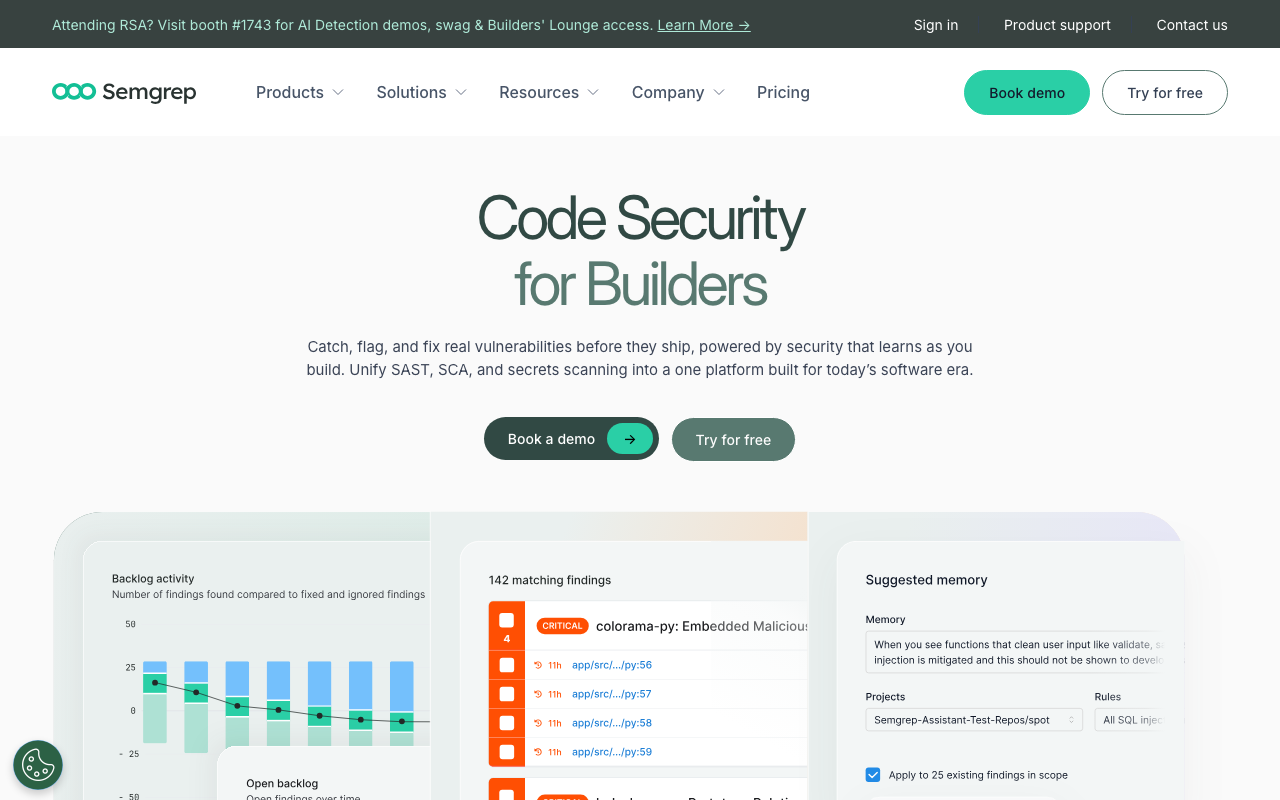
Semgrep and CodeQL represent two fundamentally different philosophies for static application security testing. Semgrep is a lightweight, pattern-based scanner that matches YAML rules against source code in seconds, prioritizing speed, simplicity, and developer accessibility. CodeQL is a semantic analysis engine that builds a queryable database of your entire codebase, enabling deep data flow analysis and complex vulnerability research at the cost of significantly longer scan times and a steeper learning curve.
If you need fast, practical security scanning in CI/CD, choose Semgrep. Its YAML-based rules are writable by any developer, scans complete in 10-30 seconds, and the open-source CLI runs anywhere with zero dependencies. The full platform is free for up to 10 contributors. Semgrep is the tool you run on every pull request.
If you need deep semantic analysis and vulnerability research, choose CodeQL. Its QL query language and database-backed architecture enable whole-program data flow analysis, complex taint tracking across call chains, and the kind of deep vulnerability discovery that pattern matching cannot achieve. CodeQL is the tool you run for thorough security audits - nightly, weekly, or as part of dedicated research.
If you want the strongest security posture, run both. Semgrep on every PR for fast pattern matching and standards enforcement. CodeQL on a schedule for deep semantic analysis. This layered approach is what many security-mature organizations deploy, and both tools are free for open-source projects.
At-a-glance comparison
| Dimension | Semgrep | CodeQL |
|---|---|---|
| Primary approach | Pattern matching against source code | Semantic queries against code database |
| Rule/query language | YAML (mirrors target language) | QL (dedicated query language) |
| Learning curve | Hours | Weeks to months |
| Scan speed (typical) | 10-30 seconds | 10-60+ minutes (database build + queries) |
| Taint tracking | Yes (Pro engine - cross-file) | Yes (deep, whole-program) |
| Data flow analysis | Cross-file (Pro engine) | Whole-program, inter-procedural |
| Languages supported | 30+ | ~17 |
| IaC scanning | Yes (Terraform, K8s, Docker, CloudFormation) | No |
| Open source | Yes (LGPL-2.1) | Partially (queries are open, engine is proprietary) |
| Free for open source | Yes | Yes |
| Free for private repos | Yes (OSS CLI, full platform for 10 contributors) | No - requires GitHub Advanced Security ($49/committer/month) |
| GitHub integration | Good (Actions, PR comments, SARIF) | Native (built into GitHub Security tab) |
| Non-GitHub CI | Full support everywhere | Possible but licensing requires GHAS |
| Custom rule authoring | Excellent - minutes to write | Powerful but slow - hours to days |
| AI features | Semgrep Assistant (AI triage) | Copilot Autofix (AI-generated fixes) |
| SCA / dependency scanning | Yes (Semgrep Supply Chain with reachability) | Limited (dependency analysis in some queries) |
| Secrets detection | Yes (Semgrep Secrets with validation) | No dedicated module |
| Community rules/queries | 20,000+ Pro / 2,800+ community | 400+ community queries |
| IDE integration | VS Code (LSP-based) | VS Code (CodeQL extension) |
Understanding the comparison: pattern matching vs semantic analysis
Before diving into features, it is important to understand the architectural distinction between these tools. This distinction drives every practical difference - from scan speed to detection depth to the learning curve for writing rules.
Semgrep uses pattern matching. When you run Semgrep, it parses source code into an abstract syntax tree and matches your YAML rules directly against that tree. Rules describe the code patterns you want to find using syntax that mirrors the target language. This approach is fast because it does not require building an intermediate representation of the entire program’s semantics. It is also intuitive because rules look like the code they detect. The trade-off is that pattern matching is inherently local - it excels at finding specific code constructs but struggles with analysis that requires understanding the full program’s behavior across many files and call chains.
CodeQL uses semantic analysis. When you run CodeQL, it first builds a relational database (called a “CodeQL database”) that represents your entire codebase’s structure - every function, variable, type, call site, control flow path, and data flow relationship. Then it executes queries written in QL (a purpose-built declarative query language similar to Datalog) against that database. This approach is slower because building the database requires compiling or parsing the entire codebase and extracting all semantic relationships. But it enables queries that are impossible with pattern matching alone - for example, “find every path through which user input can reach a SQL query, across any number of intermediate functions and files.”
The practical implication: Semgrep is the tool you run on every pull request because it is fast enough to never block developers. CodeQL is the tool you run on a schedule because its depth justifies the longer analysis time. Semgrep catches the patterns you know to look for. CodeQL discovers vulnerabilities you did not know existed. Both are valuable, and they serve different roles in a security program.
What is Semgrep?
Semgrep is a lightweight, programmable static analysis engine built for application security. Created by Semgrep, Inc. (formerly Return To Corp), it scans source code for patterns that match rules you define or pull from a community registry. The core engine is open source under the LGPL-2.1 license, runs as a single binary with no external dependencies, and completes scans in seconds rather than minutes.
How Semgrep works
Semgrep takes a fundamentally different approach from traditional SAST tools. Rather than building a full program representation and running complex dataflow analyses, Semgrep uses a pattern-matching approach where rules describe the code you want to find using syntax that mirrors the target language. This design makes rules readable by any developer - not just security specialists - and keeps scan times extremely fast.
The Semgrep engine operates in three tiers:
-
Community Edition (OSS): Single-file, single-function analysis. The core pattern-matching engine with 2,800+ community rules. Free forever, runs anywhere.
-
Pro Engine: Cross-file and cross-function dataflow analysis. Traces tainted data from sources to sinks across entire codebases. Available with the Team tier. Independent testing found that the Pro engine detected 72-75% of vulnerabilities in test suites compared to just 44-48% for the Community Edition.
-
Semgrep AppSec Platform: The commercial product that wraps the engine with AI triage (Semgrep Assistant), a managed dashboard, policy management, and integrations. Includes three product modules - Semgrep Code (SAST), Semgrep Supply Chain (SCA with reachability), and Semgrep Secrets (credential detection with validation).
Key strengths of Semgrep
Custom rule authoring. Semgrep’s rule syntax is the gold standard for static analysis. Rules are written in YAML and use patterns that mirror the target language:
rules:
  - id: sql-injection-concat
    patterns:
      - pattern: |
          $QUERY = "..." + $INPUT + "..."
      - metavariable-regex:
          metavariable: $QUERY
          regex: (?i)(select|insert|update|delete)
    message: >
      Possible SQL injection: query built with string concatenation.
      Use parameterized queries instead.
    severity: ERROR
    languages: [python]
Any developer who reads Python can read this rule. The learning curve is measured in hours, not weeks. For a deeper look at Semgrep’s pricing tiers and what each includes, see our Semgrep pricing breakdown.
Scan speed. Semgrep scans a typical repository in 10-30 seconds. The median CI scan time reported by Semgrep is 10 seconds. This speed makes it practical to run on every commit and every pull request without becoming a bottleneck.
AI-powered triage. Semgrep Assistant uses AI to analyze findings, assess exploitability, and prioritize fixes. Semgrep reports that Assistant reduces false positive noise by 20-40% out of the box.
Broad language and IaC support. Semgrep supports 30+ programming languages plus infrastructure-as-code formats including Terraform, CloudFormation, Kubernetes manifests, and Dockerfiles. This breadth makes it valuable for both application developers and platform engineering teams.
What is CodeQL?
CodeQL is a semantic code analysis engine developed by GitHub (originally Semmle, acquired by GitHub in 2019). It treats code as data by building a relational database of your codebase’s structure, then lets you query that database using QL - a purpose-built logic programming language. CodeQL powers GitHub’s code scanning feature and is the analytical foundation of GitHub Advanced Security (GHAS).
How CodeQL works
CodeQL’s analysis process has two distinct phases:
-
Database creation: CodeQL extracts information from your source code by observing the build process (for compiled languages like Java, C++, C#, Go) or by directly parsing source files (for interpreted languages like Python, JavaScript, Ruby). The result is a CodeQL database - a relational representation of your code’s abstract syntax tree, control flow graph, data flow graph, type hierarchy, and call graph. For compiled languages, this step requires that your code successfully compiles, which means the build environment must be correctly configured. Database creation time varies from a few minutes for small projects to over an hour for large C++ codebases.
-
Query execution: Once the database exists, you execute QL queries against it. Each query describes a pattern or property you want to find, expressed as a logical predicate over the code’s structure. GitHub ships a default set of queries for each supported language, covering common vulnerability classes (SQL injection, XSS, path traversal, buffer overflow, etc.). You can also write custom queries using the QL language and CodeQL’s language-specific libraries.
Key strengths of CodeQL
Deep semantic analysis. CodeQL’s database representation captures the complete semantic structure of your code - every type, every function call, every data flow path, every control flow branch. This enables analysis that pattern-matching tools cannot perform. For example, CodeQL can answer: “Does any user-controlled input reach this SQL query through any possible execution path, including through virtual method dispatch, callbacks, and framework-specific routing?” This question requires understanding the entire program’s call graph and data flow, which is exactly what CodeQL’s database provides.
Sophisticated taint tracking. CodeQL’s taint tracking is among the most sophisticated in any static analysis tool. The DataFlow::Configuration class lets you define sources (where untrusted data enters), sinks (where dangerous operations occur), and sanitizers (where data is validated). CodeQL then exhaustively searches the entire call graph for paths from sources to sinks, accounting for:
- Inter-procedural calls across file boundaries
- Virtual dispatch and dynamic binding
- Framework-specific routing (Spring MVC controllers, Express handlers)
- Container operations (adding tainted data to a collection, then reading it later)
- Field sensitivity (tracking taint through object fields)
Here is a simplified CodeQL query that finds SQL injection in Java:
import java
import semmle.code.java.dataflow.TaintTracking
import semmle.code.java.security.SqlInjectionQuery

class SqlInjectionConfig extends TaintTracking::Configuration {
  SqlInjectionConfig() { this = "SqlInjectionConfig" }

  override predicate isSource(DataFlow::Node source) {
    source instanceof RemoteFlowSource
  }

  override predicate isSink(DataFlow::Node sink) {
    sink instanceof SqlInjectionSink
  }
}

from SqlInjectionConfig config, DataFlow::PathNode source, DataFlow::PathNode sink
where config.hasFlowPath(source, sink)
select sink, source, sink, "SQL injection from $@.", source, "user input"
This query leverages CodeQL’s built-in libraries for Java data flow analysis, remote flow sources, and SQL injection sinks. The engine traces data from any HTTP request parameter through every possible code path to any SQL query execution. The precision is remarkable, but the QL language requires significant learning investment.
GitHub-native integration. CodeQL is deeply integrated into GitHub’s security ecosystem. When CodeQL runs via GitHub Actions, findings appear as code scanning alerts in the repository’s Security tab. Alerts are automatically annotated on pull requests, dismissed alerts persist across scans, and the alert management workflow is built into GitHub’s native UI. For teams that live in GitHub, this integration is seamless - there is no separate dashboard to manage.
Copilot Autofix. GitHub has integrated Copilot with CodeQL to provide AI-generated fix suggestions for code scanning alerts. When CodeQL identifies a vulnerability, Copilot Autofix generates a proposed code change that addresses the issue. This feature is available to GHAS customers and represents an interesting convergence of AI-assisted development and static analysis.
Open query repository. While the CodeQL engine itself is proprietary, the query libraries are open source and maintained on GitHub. The community contributes queries, and GitHub’s security research team publishes new queries regularly. This creates a collaborative ecosystem where security researchers share detection logic. However, the total number of community queries (approximately 400+) is significantly smaller than Semgrep’s registry (20,000+ Pro / 2,800+ community).
Feature-by-feature deep dive
Rule syntax and authoring
This is the most important practical differentiator between the two tools, and it deserves detailed examination.
Semgrep rules are YAML-based and mirror the target language. A taint-tracking rule that detects command injection through a Flask endpoint takes minutes to write:
rules:
  - id: flask-command-injection
    mode: taint
    pattern-sources:
      - patterns:
          - pattern: flask.request.$ANYTHING
    pattern-sinks:
      - patterns:
          - pattern: subprocess.call(...)
    message: >
      User input from flask.request flows to subprocess.call(),
      creating a command injection vulnerability.
    severity: ERROR
    languages: [python]
Any Python developer can read this rule and understand exactly what it detects. The Semgrep playground at semgrep.dev/playground lets you test rules interactively against sample code. Writing, testing, and deploying a new Semgrep rule to CI takes under an hour.
CodeQL queries are written in QL, a dedicated logic programming language. The equivalent command injection detection in CodeQL for Python would involve:
import python
import semmle.python.dataflow.new.TaintTracking
import semmle.python.Concepts
import semmle.python.dataflow.new.RemoteFlowSources

class CommandInjectionConfig extends TaintTracking::Configuration {
  CommandInjectionConfig() { this = "CommandInjectionConfig" }

  override predicate isSource(DataFlow::Node source) {
    source instanceof RemoteFlowSource
  }

  override predicate isSink(DataFlow::Node sink) {
    exists(SystemCommandExecution cmd | sink = cmd.getCommand())
  }
}

from CommandInjectionConfig config, DataFlow::PathNode source, DataFlow::PathNode sink
where config.hasFlowPath(source, sink)
select sink.getNode(), source, sink,
  "Command injection from $@.", source.getNode(), "user input"
This query is more powerful - it will find command injection through any code path, not just direct flows - but it requires understanding QL’s type system, predicate logic, CodeQL’s class hierarchy, and the language-specific library for Python. The learning curve is measured in weeks for basic competency and months for proficiency with complex taint-tracking queries.
The practical impact: When a security team discovers a new vulnerability pattern - say, an internal API that must always validate authentication tokens - a Semgrep rule can be written, tested, and deployed within an hour. The equivalent CodeQL query might take a day or more for someone proficient in QL, and significantly longer for someone still learning the language. For organizations that need to rapidly encode new detection patterns into automated scanning, Semgrep’s rule authoring speed is a decisive advantage.
| Rule authoring dimension | Semgrep | CodeQL |
|---|---|---|
| Language | YAML (declarative, code-like patterns) | QL (logic programming language) |
| Learning curve | Hours | Weeks to months |
| Time to write a basic rule | 15-30 minutes | 1-4 hours (for proficient users) |
| Time to write a taint rule | 30-60 minutes | 2-8 hours (for proficient users) |
| Playground/testing | semgrep.dev/playground | VS Code CodeQL extension + database |
| Documentation | Concise, developer-oriented | Extensive but dense |
| Community contributions | Easy (submit YAML to registry) | Moderate (submit QL to GitHub repo) |
Performance and speed
The performance difference between Semgrep and CodeQL is not a minor distinction - it fundamentally shapes how each tool fits into development workflows.
Semgrep is designed for real-time CI/CD integration. A typical scan completes in 10-30 seconds. Semgrep achieves this speed by matching patterns directly against the parsed abstract syntax tree of source files without building an intermediate database representation. Diff-aware scanning in CI means only changed files are analyzed, keeping incremental scan times constant regardless of total codebase size. This speed makes Semgrep practical to run on every commit, every pull request, and even as a pre-commit hook.
CodeQL is designed for thorough analysis, not speed. A CodeQL analysis involves two phases, each with significant time cost:
-
Database creation - for compiled languages, CodeQL observes the build process, which means the code must compile fully. For a medium-sized Java project, database creation might take 5-15 minutes. For a large C++ codebase, it can take 30-90+ minutes. For interpreted languages (Python, JavaScript), database creation is faster (2-10 minutes) since CodeQL only needs to parse source files.
-
Query execution - running the default query suite against a database takes additional minutes. Complex taint-tracking queries that explore the entire call graph are computationally expensive. A full security scan with all default queries might add 5-20 minutes on top of database creation.
Total analysis time comparison:
| Codebase size | Semgrep | CodeQL |
|---|---|---|
| Small (10K LOC) | 5-10 seconds | 3-8 minutes |
| Medium (100K LOC) | 10-30 seconds | 10-30 minutes |
| Large (1M LOC) | 30-90 seconds | 30-90+ minutes |
| Very large (10M+ LOC) | 2-5 minutes | 1-3+ hours |
The workflow implication: Semgrep fits into the “run on every PR” workflow without friction. CodeQL fits into the “run on schedule” or “run on merge to main” workflow. Attempting to run CodeQL on every PR in a fast-moving repository with frequent merges will create significant pipeline bottlenecks. Many teams address this by running Semgrep on PRs for fast feedback and CodeQL nightly or weekly for deeper analysis.
Language support
Semgrep supports 30+ languages including Python, Java, JavaScript, TypeScript, Go, Ruby, Rust, C, C++, C#, Kotlin, Swift, PHP, Scala, Lua, OCaml, Elixir, R, Solidity, and infrastructure-as-code languages (Terraform/HCL, CloudFormation, Kubernetes YAML, Dockerfiles). The breadth of language support is one of Semgrep’s strongest selling points, especially the IaC coverage that CodeQL lacks entirely.
CodeQL supports approximately 17 languages including C, C++, C#, Go, Java, Kotlin, JavaScript, TypeScript, Python, Ruby, Swift, and Rust (in preview). CodeQL’s analysis depth for its supported languages is typically deeper than Semgrep’s, with language-specific libraries that model framework behaviors, standard library APIs, and common coding patterns with high precision. However, the narrower language roster means teams with polyglot stacks or infrastructure-as-code needs may find gaps.
Key language support differences:
| Language / Format | Semgrep | CodeQL |
|---|---|---|
| Python | Strong | Strong |
| Java / Kotlin | Strong | Very strong |
| JavaScript / TypeScript | Strong | Strong |
| Go | Strong | Strong |
| C / C++ | Good | Very strong |
| C# | Good | Strong |
| Ruby | Good | Good |
| Rust | Good (stable) | Preview / experimental |
| Swift | Good | Good |
| PHP | Good | Not supported |
| Elixir | Supported | Not supported |
| Terraform / HCL | Strong | Not supported |
| Kubernetes YAML | Strong | Not supported |
| Dockerfiles | Strong | Not supported |
| CloudFormation | Strong | Not supported |
The absence of IaC support in CodeQL is significant for platform engineering and DevOps teams. If scanning Terraform configurations, Kubernetes manifests, or Dockerfiles for security misconfigurations is part of your requirements, Semgrep covers this natively while CodeQL does not.
Taint tracking and data flow analysis
This is where CodeQL’s architectural advantage is most apparent.
CodeQL’s taint tracking is whole-program and exhaustive. Because CodeQL operates on a database that represents the entire codebase’s semantic structure, its taint tracking can:
- Trace data through arbitrary numbers of function calls and file boundaries
- Handle virtual dispatch - tracking tainted data through interface implementations and method overrides
- Model framework-specific routing - understanding that a Spring
@RequestMappingmethod receives HTTP parameters - Track data through container operations - adding tainted data to a
List, passing the list to another function, then extracting the data - Handle field sensitivity - tracking which specific object fields are tainted versus clean
- Account for sanitizers - recognizing when data passes through a validation or escaping function
This depth makes CodeQL exceptionally powerful for vulnerability research. Security researchers use CodeQL to discover zero-day vulnerabilities by querying for complex data flow patterns across large open-source projects. GitHub’s own security team has used CodeQL to discover CVEs in widely used projects.
Semgrep’s taint tracking is practical and fast. The Pro engine (available on the Team tier) supports cross-file and cross-function taint tracking, tracing data from user-defined sources to sinks across file boundaries. Independent testing showed the Pro engine detected 72-75% of vulnerabilities compared to 44-48% for the single-file Community Edition. Semgrep’s taint mode is defined directly in the YAML rule syntax, making it accessible to developers who are not taint-tracking specialists.
However, Semgrep’s taint tracking has limitations compared to CodeQL:
- It does not build a complete call graph of the program, so some inter-procedural paths may be missed
- Virtual dispatch and dynamic binding resolution is less complete
- Container and field sensitivity is limited
- The analysis is faster but less exhaustive
The practical distinction: For catching common vulnerability patterns (OWASP Top 10 categories), Semgrep’s taint tracking is more than sufficient and delivers results in seconds. For discovering complex, novel vulnerabilities that require tracing data through multiple layers of abstraction, CodeQL’s exhaustive analysis is necessary but takes much longer. The choice depends on whether you are defending against known attack patterns (Semgrep) or researching unknown ones (CodeQL).
CI/CD integration
Semgrep is the easiest security scanner to add to CI/CD. The CLI runs as a single binary with zero external dependencies. Adding it to a GitHub Actions workflow takes one step:
- uses: semgrep/semgrep-action@v1
  with:
    config: p/default
Semgrep supports GitHub Actions, GitLab CI, Jenkins, CircleCI, Bitbucket Pipelines, Azure Pipelines, and any CI system that can run a command-line tool. There is no database to configure, no server to maintain, and no build process to replicate. Diff-aware scanning means only changed files are analyzed, keeping incremental scans fast. For a step-by-step guide, see our Semgrep setup tutorial.
CodeQL’s CI/CD integration is more involved. The standard deployment path is through GitHub Actions:
- uses: github/codeql-action/init@v3
  with:
    languages: javascript
- uses: github/codeql-action/autobuild@v3
- uses: github/codeql-action/analyze@v3
For compiled languages (Java, C++, C#, Go), CodeQL requires a successful build to create its database. The autobuild step attempts to detect and run the correct build command, but complex projects with custom build systems may need manual configuration. This build dependency adds friction that Semgrep avoids entirely.
CodeQL can run outside of GitHub Actions, but licensing requires GHAS for private repositories. Some teams run CodeQL in Jenkins or GitLab CI by downloading the CLI bundle, though this is a less-supported deployment path.
Integration comparison:
| CI/CD dimension | Semgrep | CodeQL |
|---|---|---|
| Setup complexity | Very low - single binary | Moderate - requires build environment |
| Build dependency | None | Yes (for compiled languages) |
| Scan speed | 10-30 seconds | 10-60+ minutes |
| Diff-aware scanning | Yes | Limited (full database rebuild required) |
| PR comments | Yes | Yes (native GitHub annotations) |
| GitHub Actions | Official action | Official action |
| GitLab CI | Full support | Possible (requires GHAS license) |
| Jenkins | Full support | Possible (requires GHAS license) |
| Bitbucket Pipelines | Full support | Not officially supported |
| Non-GitHub platforms | Full support everywhere | Limited by licensing |
| SARIF output | Yes | Yes |
GitHub integration
CodeQL has a significant advantage in GitHub integration because it is a GitHub product.
CodeQL findings are native GitHub code scanning alerts. When CodeQL runs via GitHub Actions, findings appear directly in the repository’s Security tab under “Code scanning alerts.” Each alert includes the vulnerability description, the affected code, the data flow path, and a severity rating. Alerts are automatically annotated on pull requests, and developers can dismiss alerts with reasons that persist across future scans. The code scanning API lets teams programmatically query and manage alerts across their organization’s repositories.
Copilot Autofix generates AI-powered fix suggestions for CodeQL alerts. When a vulnerability is detected, Copilot analyzes the finding and proposes a code change that addresses the issue. This feature reduces the time between detection and remediation, especially for developers who may not be security experts.
Semgrep integrates well with GitHub but through external mechanisms. Semgrep posts PR comments with findings, uploads SARIF to GitHub’s code scanning API (so findings can appear in the Security tab), and supports GitHub Actions as a CI platform. The integration is functional and well-maintained, but it is not as deeply embedded in GitHub’s native security features as CodeQL. Semgrep’s dashboard, alert management, and triage workflows live in the Semgrep Cloud platform rather than in GitHub’s UI.
For non-GitHub teams, Semgrep has the clear advantage. Semgrep works equally well with GitLab, Bitbucket, Azure DevOps, and any CI system. CodeQL’s licensing model ties it to GitHub, making it impractical for teams that use other source code management platforms.
Pricing and licensing
The pricing models for Semgrep and CodeQL are fundamentally different, and understanding the structure is important for budgeting.
Semgrep pricing:
| Tier | Price | What you get |
|---|---|---|
| Community Edition (OSS) | Free | Open-source engine, 2,800+ community rules, single-file analysis, CLI and CI/CD |
| Team | $35/contributor/month (free for first 10 contributors) | Cross-file analysis, 20,000+ Pro rules, Semgrep Assistant (AI triage), Semgrep Supply Chain (SCA), Semgrep Secrets, dashboard |
| Enterprise | Custom pricing | Everything in Team plus SSO/SAML, custom deployment, advanced reporting, dedicated support |
CodeQL / GitHub Advanced Security pricing:
| Tier | Price | What you get |
|---|---|---|
| Open source | Free | Full CodeQL analysis on public GitHub repositories |
| GitHub Advanced Security (GHAS) | $49/active committer/month | CodeQL for private repos, secret scanning, dependency review, Copilot Autofix |
| GitHub Enterprise | Custom pricing | GHAS + enterprise platform features, GHES support |
Cost comparison for different team sizes:
| Team size | Semgrep Team (annual) | GHAS (annual) | Notes |
|---|---|---|---|
| 5 developers | $0 (free for 10 contributors) | $2,940/year | Semgrep is free |
| 10 developers | $0 (free for 10 contributors) | $5,880/year | Semgrep is free |
| 25 developers | $6,300/year (15 paid contributors) | $14,700/year | Semgrep is cheaper |
| 50 developers | $16,800/year (40 paid contributors) | $29,400/year | Semgrep is cheaper |
| 100 developers | $37,800/year (90 paid contributors) | $58,800/year | Semgrep is cheaper |
Important pricing notes:
- GHAS pricing is per “active committer” - GitHub counts unique committers who trigger code scanning in a billing period. This can be lower than total team headcount if not all developers commit to repositories with GHAS enabled.
- GHAS includes more than just CodeQL - it also includes secret scanning with push protection, dependency review, and Copilot Autofix. If you would pay for those features separately, the effective cost of CodeQL is lower.
- Semgrep’s free tier for 10 contributors includes the full platform with cross-file analysis, AI triage, and the Pro rule library. This makes Semgrep essentially free for small teams.
- Semgrep’s OSS CLI is free for unlimited contributors with no licensing restrictions. Teams can use the open-source engine in production indefinitely, only paying if they need the platform features.
- CodeQL has no equivalent to Semgrep’s OSS CLI for private repositories. Scanning private code with CodeQL requires GHAS.
For a complete breakdown of Semgrep’s tiers, see our Semgrep pricing guide.
Use cases and recommendations
When to choose Semgrep
Choose Semgrep when:
Fast CI/CD scanning is non-negotiable. If your team practices continuous deployment with frequent merges and cannot tolerate multi-minute scan times blocking pull requests, Semgrep’s 10-30 second scans fit into any workflow without creating bottlenecks. This is especially critical for teams with dozens of daily PRs.
Custom rules need to be written quickly. If your organization discovers new vulnerability patterns - internal API misuse, custom authentication requirements, organization-specific coding standards - and needs to scan for them within hours rather than days, Semgrep’s YAML-based rule authoring delivers that velocity. No other tool matches Semgrep’s rule-to-production speed.
You use multiple CI/CD platforms or non-GitHub hosting. Semgrep runs identically on GitHub, GitLab, Bitbucket, Azure DevOps, Jenkins, CircleCI, and any system that can execute a command-line tool. CodeQL’s licensing ties it to GitHub, making Semgrep the only practical choice for multi-platform or non-GitHub teams.
Infrastructure-as-code scanning is required. Semgrep natively scans Terraform, Kubernetes manifests, CloudFormation templates, and Dockerfiles with security-focused rules. CodeQL does not support IaC scanning at all.
You have 10 or fewer contributors. The full Semgrep platform - including cross-file analysis, AI triage, SCA with reachability, and secrets detection - is free for 10 contributors. This is an extraordinary value for startups and small teams.
Enforcing coding standards is a priority. Banning deprecated APIs, requiring specific error handling patterns, mandating authentication on endpoints - these are code standard enforcement tasks where Semgrep’s speed and simple rule syntax excel. CodeQL is overkill for this use case.
For more options in this space, see our Semgrep alternatives guide.
When to choose CodeQL
Choose CodeQL when:
Deep vulnerability research is the goal. If you have a dedicated security research team that needs to discover novel vulnerabilities - not just detect known patterns - CodeQL’s semantic analysis and whole-program data flow tracking provide analytical power that pattern-matching tools cannot match. CodeQL is how security researchers find zero-days.
Your team is fully committed to GitHub. If you already pay for GitHub Enterprise with GHAS, CodeQL is included at no additional cost. The native integration with GitHub’s Security tab, code scanning alerts, PR annotations, and Copilot Autofix creates a seamless experience. Adding Semgrep would be an additional tool and cost.
Maximum taint tracking depth is required. If your codebase has complex data flow patterns - data passing through multiple abstraction layers, virtual dispatch, framework-specific routing, container operations - CodeQL’s exhaustive taint tracking will find flows that Semgrep’s pattern-based approach might miss.
Compliance requires thorough analysis evidence. Some compliance frameworks and security audits require evidence of thorough static analysis. CodeQL’s detailed data flow paths and exhaustive query execution provide stronger evidence of analytical completeness than pattern-based scanning.
You work primarily in Java, C++, or C# and need the deepest analysis. CodeQL’s language-specific libraries for Java, C++, and C# are exceptionally mature, with detailed modeling of standard libraries, framework APIs, and language-specific vulnerability patterns.
When to use both
Running Semgrep and CodeQL together is the strongest SAST strategy for many organizations. The tools serve different roles with minimal operational overlap:
Pattern 1 - Semgrep for speed, CodeQL for depth:
- Semgrep runs on every pull request (10-30 seconds) to catch common vulnerability patterns, enforce coding standards, and provide fast developer feedback
- CodeQL runs nightly or weekly (scheduled) to perform deep semantic analysis, discover complex data flow vulnerabilities, and provide thorough security coverage
- Both upload SARIF to GitHub’s code scanning API, creating a unified view of findings
Pattern 2 - Semgrep for breadth, CodeQL for core languages:
- Semgrep scans all languages in the stack including IaC (Terraform, K8s, Docker) with custom rules for organization-specific patterns
- CodeQL provides deep analysis for the primary application languages (Java, Python, JavaScript) where its semantic understanding delivers the most value
- The combination covers more languages and more analysis depth than either tool alone
Pattern 3 - Free tiers of both:
- Semgrep OSS CLI (free) for fast pattern matching in CI
- CodeQL via GitHub Actions (free for public repos, included in GHAS for private)
- Cost depends on whether GHAS is already part of your GitHub subscription
This layered approach gives you Semgrep’s speed and rule authoring flexibility for daily development work, paired with CodeQL’s analytical depth for thorough security coverage. Both tools output SARIF, making finding consolidation straightforward.
Alternatives to consider
If neither Semgrep nor CodeQL fits your requirements, several alternatives are worth evaluating:
Snyk Code provides developer-first SAST with ML-based detection, strong IDE integration across VS Code, JetBrains, Eclipse, and Visual Studio, and a unified platform that includes SCA with auto-fix pull requests. It is a strong choice for teams that want comprehensive application security without writing custom rules. See our Snyk vs Semgrep comparison for details.
SonarQube is a code quality platform that covers both security vulnerabilities and code quality concerns (bugs, code smells, duplication, complexity, coverage). If you need quality gate enforcement and technical debt tracking alongside security scanning, SonarQube covers both dimensions. See our Semgrep vs SonarQube comparison for a detailed breakdown.
Checkmarx is an enterprise SAST and SCA platform with deep dataflow analysis, compliance reporting, and professional services. It targets large enterprises with dedicated AppSec teams and regulatory requirements. Pricing is significantly higher than both Semgrep and CodeQL.
For a broader overview, see our guide to the best SAST tools in 2026.
Final recommendation
Semgrep and CodeQL are complementary tools that serve different roles in a security program. Semgrep is the lightweight, fast, accessible scanner you run on every pull request to catch known patterns, enforce standards, and provide immediate developer feedback. CodeQL is the deep, semantic analyzer you run on a schedule to discover complex vulnerabilities, trace data flows exhaustively, and provide thorough security coverage.
If you must choose one, choose Semgrep for practical, day-to-day security scanning. Its speed (10-30 seconds), accessible rule authoring (YAML that any developer can read and write), broad language support (30+ languages plus IaC), platform independence (runs anywhere), and generous free tier (full platform for 10 contributors) make it the more practical choice for most engineering teams. Semgrep is the tool that actually gets deployed, used consistently, and maintained - because it is fast enough to never get turned off.
Choose CodeQL as your primary tool only if you are a GitHub-native organization that already has GHAS, your team includes dedicated security researchers who will invest in learning QL, and deep semantic analysis is more important to your security program than scan speed and rule authoring velocity.
The strongest posture is both. Semgrep for every PR, CodeQL on a schedule. Pattern matching for speed and coverage, semantic analysis for depth. This is the approach used by security-mature organizations, and both tools offer free tiers (Semgrep OSS CLI plus CodeQL on public repos, or Semgrep free for 10 contributors plus CodeQL via GHAS) that make dual deployment financially accessible.
For teams currently using neither tool, start with Semgrep. Add it to your CI pipeline today - it takes five minutes and scans in seconds. Once that baseline is established, evaluate adding CodeQL for deeper analysis on a schedule. Building security scanning incrementally is always more effective than planning the perfect tool stack and never deploying it.
Frequently Asked Questions
Is Semgrep or CodeQL better for finding security vulnerabilities?
It depends on the type of analysis you need. CodeQL is better for deep vulnerability research that requires semantic understanding of code - tracing complex data flows across multiple files, identifying subtle logic flaws, and finding vulnerabilities that require full program analysis. Semgrep is better for enforcing known security patterns quickly and at scale - catching OWASP Top 10 issues, enforcing coding standards, and running fast CI scans. For most engineering teams, Semgrep provides more practical value because its speed and ease of use mean it actually gets deployed and used consistently. For dedicated security research teams, CodeQL's depth is unmatched.
Can I use Semgrep and CodeQL together?
Yes, and this is a strong strategy for security-mature organizations. The most effective pattern is running Semgrep on every pull request for fast, lightweight scanning (10-30 seconds) to catch common vulnerability patterns and enforce coding standards, while running CodeQL on a scheduled basis (nightly or weekly) for deeper semantic analysis that catches complex data flow vulnerabilities. Both tools output SARIF format, so findings from both can feed into GitHub's code scanning alerts or any SARIF-compatible dashboard. The tools have complementary strengths with minimal operational overlap.
Is CodeQL free to use?
CodeQL is free for open-source projects hosted on GitHub. For private repositories, CodeQL is included as part of GitHub Advanced Security (GHAS), which costs $49 per active committer per month. The CodeQL CLI can be downloaded and used for research purposes on open-source code without cost, but scanning proprietary code outside of GitHub requires a GHAS license. There is no standalone CodeQL product - it is exclusively distributed through GitHub.
Is Semgrep free for commercial use?
Yes. Semgrep's open-source CLI (Community Edition) is free for commercial use under the LGPL-2.1 license. You can run it in CI/CD pipelines on proprietary codebases, write custom rules, and use the 2,800+ community rules at no cost. The full Semgrep AppSec Platform (Team tier) is also free for up to 10 contributors, which includes cross-file analysis, AI triage, and the 20,000+ Pro rule library. Beyond 10 contributors, the Team tier costs $35/contributor/month.
How long does a CodeQL scan take compared to Semgrep?
Semgrep scans a typical repository in 10-30 seconds. CodeQL takes significantly longer because it must first build a database representation of your code (which can take minutes to tens of minutes depending on language and codebase size), then execute queries against that database. A full CodeQL scan on a medium-sized Java project might take 10-30 minutes, and large C++ codebases can take an hour or more. This speed difference is fundamental to the tools' architectures - Semgrep matches patterns directly against source code, while CodeQL builds and queries a relational database of code semantics.
Which has better custom rule authoring, Semgrep or CodeQL?
Semgrep has far easier custom rule authoring. Its rules are written in YAML using patterns that mirror the target language, making them readable and writable by any developer in hours. CodeQL rules are written in QL, a purpose-built declarative query language with its own type system, predicates, and recursion. QL is powerful but has a steep learning curve measured in weeks or months. Semgrep is the better choice for teams that need to rapidly deploy new detection rules. CodeQL is the better choice for security researchers who need maximum analytical power and are willing to invest in learning the language.
Does CodeQL work outside of GitHub?
The CodeQL CLI can be run outside of GitHub Actions, but the licensing restricts its use. CodeQL is free for analyzing open-source code regardless of where you run it. For proprietary code, you need a GitHub Advanced Security license, and the typical deployment path is through GitHub Actions or GitHub Enterprise Server. Some organizations run the CodeQL CLI in other CI systems (Jenkins, GitLab CI) by downloading the CLI bundle, but this still requires a GHAS license for private repositories. Semgrep, by contrast, runs anywhere with no licensing restrictions on the open-source CLI.
What languages does CodeQL support?
CodeQL supports approximately 17 languages: C, C++, C#, Go, Java, Kotlin, JavaScript, TypeScript, Python, Ruby, Swift, Rust (preview), and several configuration/markup languages. Semgrep supports 30+ languages including all of CodeQL's supported languages plus Rust (stable), Elixir, Lua, OCaml, Terraform/HCL, CloudFormation, Kubernetes YAML, Dockerfiles, and others. Semgrep has significantly broader language coverage, especially for infrastructure-as-code and newer languages.
Which tool has better taint tracking and data flow analysis?
CodeQL has more mature and deeper taint tracking and data flow analysis. Its database-backed approach allows it to perform whole-program analysis, tracking data through complex call chains, callbacks, virtual dispatch, and framework-specific patterns with high precision. Semgrep added taint mode with the Pro engine, which supports cross-file and cross-function taint tracking, but it is not as deep as CodeQL's analysis. CodeQL can answer questions like 'does any user input reach this SQL query through any possible execution path?' with greater precision than Semgrep, especially in large codebases with complex control flow.
Can CodeQL replace Semgrep?
CodeQL cannot fully replace Semgrep for most teams. CodeQL's scan times (minutes to hours) make it impractical to run on every pull request in fast-moving development workflows. Its language support is narrower (no IaC scanning, fewer languages). Its QL query language has a steep learning curve that limits adoption to specialized security engineers. And it requires GitHub for licensing. Semgrep's speed, broader language support, easier rule authoring, and platform independence make it more practical as a primary CI/CD security scanner. However, CodeQL provides deeper analysis that Semgrep cannot match, making it a valuable complement rather than a replacement.
Is CodeQL or Semgrep better for GitHub-centric teams?
For teams fully committed to the GitHub ecosystem, CodeQL has a tighter integration. CodeQL findings appear natively in GitHub's Security tab as code scanning alerts, with automatic PR annotations, alert management, and dismissal workflows built into GitHub's UI. Semgrep also integrates with GitHub through Actions and SARIF uploads, and its PR comments work well, but the experience is not as deeply embedded in GitHub's native security features. If your team already pays for GitHub Advanced Security, CodeQL is included at no additional cost, making it the obvious choice for deep analysis alongside Semgrep for fast scanning.
What is the learning curve for CodeQL's QL language?
The QL language has a significant learning curve. QL is a declarative, logic-programming language with its own type system, class hierarchy, predicates, and recursive query patterns. Security engineers with backgrounds in SQL or Datalog will find some concepts familiar, but writing effective CodeQL queries requires understanding the language-specific CodeQL libraries (for example, the Java library has different abstractions than the Python library). Plan for 2-4 weeks of dedicated learning to write basic queries and several months to become proficient at writing complex taint-tracking queries. Semgrep's YAML-based rules, by comparison, can be learned in hours.
Which tool is better for enforcing coding standards?
Semgrep is significantly better for enforcing coding standards. Its YAML-based rules can express any code pattern you want to ban or require, and scans complete in seconds so they can run on every commit without slowing development. Common use cases include banning deprecated API calls, enforcing authentication patterns, requiring specific error handling approaches, and mandating secure defaults. CodeQL can theoretically enforce coding standards, but the effort required to write QL queries for simple pattern matching is disproportionate, and the slow scan times make it impractical for real-time enforcement in CI/CD.
Explore More
Tool Reviews
 Semgrep Review
Related Articles
- Checkmarx vs Veracode: Enterprise SAST Platforms Compared in 2026
- Codacy vs Checkmarx: Developer Code Quality vs Enterprise AppSec in 2026
- Codacy vs Semgrep: Unified Platform vs Composable Security Engine (2026)
- DeepSource vs Coverity: Static Analysis Platforms Compared (2026)
- DeepSource vs Semgrep: Static Analysis Tools Compared (2026)
Free Newsletter
Stay ahead with AI dev tools
Weekly insights on AI code review, static analysis, and developer productivity. No spam, unsubscribe anytime.
Join developers getting weekly AI tool insights.
Related Articles
Checkmarx vs Veracode: Enterprise SAST Platforms Compared in 2026
Checkmarx vs Veracode - enterprise SAST, DAST, SCA, Gartner positioning, pricing ($40K-250K+), compliance, and when to choose each AppSec platform.
March 13, 2026
comparisonCodacy Free vs Pro: Which Plan Do You Need in 2026?
Codacy Free vs Pro compared - features, limits, pricing, and when to upgrade. Find the right Codacy plan for your team size and workflow.
March 13, 2026
comparisonCodacy vs Checkmarx: Developer Code Quality vs Enterprise AppSec in 2026
Codacy vs Checkmarx - developer code quality vs enterprise AppSec, pricing ($15/user vs $40K+), SAST, DAST, SCA, compliance, and when to choose each.
March 13, 2026