DeepSource Review 2026: Features, Pricing, and Performance
Honest DeepSource review for 2026 covering features, pricing, autofix AI, code coverage, pros and cons, and how it compares to alternatives.
Published:
Quick Verdict
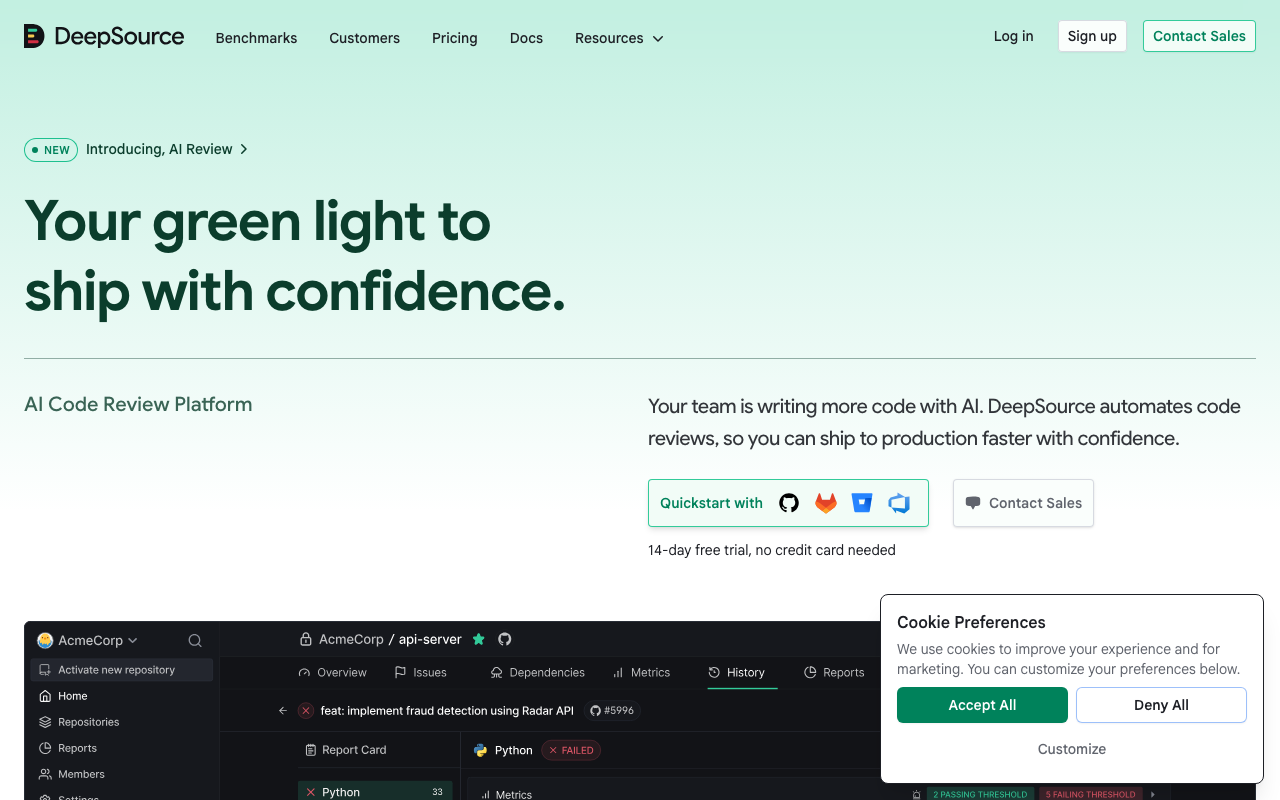
DeepSource is one of the strongest code quality platforms available in 2026 - particularly for teams that are tired of drowning in false positives from their current static analysis tool. Its sub-5% false positive rate is not just a marketing claim; it is consistently the most praised feature across review platforms, and it fundamentally changes the developer experience. When a tool flags something, developers actually read it and act on it rather than reflexively dismissing it.
The bottom line: DeepSource earns a strong recommendation for mid-size development teams (10-100 developers) that want comprehensive static analysis, AI-powered code review, and automated remediation in a single platform without the operational overhead of self-hosted tools. At $24/user/month on the Team plan, it is not the cheapest option, but the time saved from fewer false positives and automated fixes delivers measurable ROI for teams processing multiple pull requests daily.
Who should look elsewhere: Teams that need the broadest possible language coverage should evaluate SonarQube. Teams needing deep security-first SAST with taint tracking should consider Semgrep. And very small teams or solo developers who primarily need a free tool may find the Open Source plan’s public-repo limitation too restrictive after the recent deprecation of the free plan for private repositories.
What Is DeepSource?
DeepSource is a cloud-hosted code quality and security platform that combines traditional static analysis with AI-powered code review and automated remediation. Founded as a static analysis startup focused on minimizing false positives, it has evolved into a comprehensive code review platform that competes with both traditional tools like SonarQube and Codacy and AI-native tools like CodeRabbit.
The platform serves over 2,000 teams and analyzes code across 16 supported languages at GA level. It integrates with GitHub, GitLab, and Bitbucket for automatic pull request analysis, and offers IDE extensions for VS Code, IntelliJ IDEA, and PyCharm for real-time feedback during development. Configuration is handled through a .deepsource.toml file in your repository root, and the cloud-hosted approach means you can go from signup to first analysis in under ten minutes - a stark contrast to the server provisioning and CI pipeline integration required by self-hosted alternatives.
In February 2026, DeepSource underwent a significant pricing restructuring, deprecating the old Free and Starter plans in favor of a three-tier structure: a free Open Source plan for public repositories, a Team plan at $24/user/month, and a custom-priced Enterprise plan. This shift signals DeepSource’s positioning as a premium AI code review platform rather than a freemium static analysis tool.
Key Features
Autofix AI

Autofix AI is arguably DeepSource’s most impactful feature for daily developer workflow. Unlike simple rule-based auto-fixes that apply templated corrections, Autofix AI uses large language models to analyze the problematic code along with surrounding context - including imports, related functions, and project-specific coding patterns - to generate idiomatic, ready-to-merge fixes for nearly all detected issues.
The upgrade from DeepSource’s earlier rule-based autofix system is substantial. Where the legacy system could address roughly 30% of detected issues, Autofix AI covers the vast majority. Developers can apply fixes with a single click directly from PR comments, eliminating the manual effort of reading a finding, understanding the issue, writing a fix, and testing it. The platform also supports Iterative Fix Refinement, allowing developers to provide feedback at the diff level and regenerate improved fixes on the spot.
On the Team plan, Autofix usage is unlimited - there are no caps or credit consumption for automated fixes. This is a meaningful advantage over platforms that meter AI fix capabilities, since you want developers using autofix freely rather than rationing it.
Multi-Language Static Analysis
DeepSource’s 5,000+ static analysis rules cover 16 languages at GA level: Python, JavaScript, TypeScript, Go, Java, Ruby, Rust, C#, PHP, Scala, Dart, Shell, SQL, Docker, Terraform, and Ansible. Beta support is available for C/C++, Swift, and Kotlin. The inclusion of infrastructure-as-code languages like Terraform, Docker, and Ansible is a differentiator that many competitors miss - teams using IaC alongside application code can run quality checks across their entire stack from a single platform.
The sub-5% false positive rate applies across all supported languages and is the feature that drives the strongest user loyalty. DeepSource uses a sophisticated post-processing framework that applies both explicit and implicit signals to filter irrelevant results before they reach developers. On Capterra, DeepSource holds a 4.8/5 overall rating, with reviewers consistently noting that findings are almost always actionable. This high signal-to-noise ratio drives higher adoption rates within development teams - developers actually engage with the tool instead of learning to ignore it.
AI Code Review and PR Report Cards
DeepSource’s AI code review engine runs alongside static analysis on every pull request, detecting issues that go beyond what rule-based analyzers can find. While static analysis catches known patterns and antipatterns, the AI review detects novel issues, provides architectural feedback, and evaluates code against higher-level quality criteria.
Each PR receives a structured report card with second-order feedback across five dimensions:
- Security - vulnerability patterns, injection risks, authentication issues
- Reliability - potential bugs, error handling gaps, race conditions
- Complexity - cyclomatic complexity, deeply nested logic, overly long functions
- Hygiene - naming conventions, dead code, unused imports, code style
- Coverage - test coverage gaps, untested edge cases
This structured approach helps developers and reviewers quickly understand the overall health of a change rather than scrolling through a flat list of individual findings. The five-dimension format is particularly useful in code review workflows where reviewers need to prioritize their attention.
Security Analysis
DeepSource provides security vulnerability detection aligned with OWASP Top 10 and SANS Top 25 standards. The platform catches common vulnerability patterns including SQL injection, cross-site scripting (XSS), insecure deserialization, hardcoded credentials, and authentication weaknesses. Secrets detection covers over 30 services, catching accidentally committed API keys, tokens, and credentials before they reach production.
Security reporting includes Issue Distribution, Issues Prevented, and Maintainability Index metrics, giving security teams the compliance data they need. However, it is important to note that DeepSource’s security analysis does not perform deep cross-function taint tracking - it will flag a raw SQL query using string concatenation, but may miss a SQL injection where user input flows through multiple helper functions before reaching the query builder. Teams with strict security requirements should supplement DeepSource with a dedicated SAST tool like Semgrep for deeper taint analysis.
Code Coverage and Health Dashboards
DeepSource maintains longitudinal code health tracking that shows quality metrics over time. The dashboards include metrics on issues prevented, code coverage trends, maintainability scores, and security vulnerability counts. This data helps engineering leadership make informed decisions about code quality investment and track the ROI of their quality initiatives.
Code coverage integration works with popular coverage reporting tools, providing a unified view of both static analysis findings and test coverage gaps in a single dashboard. Teams can set quality thresholds and track whether their codebase is trending toward or away from their goals across sprint cycles and releases.
The code formatter feature - formerly known as Transformers - enforces consistent code formatting across the codebase automatically. This eliminates style-related review comments entirely, letting human reviewers focus on logic, architecture, and design decisions.
Pros and Cons
What DeepSource Does Well
Industry-leading false positive rate. The sub-5% false positive rate is not just a number - it fundamentally changes how developers interact with the tool. When every finding is worth investigating, developers build trust in the platform and integrate it into their workflow rather than treating it as noise to be dismissed. This drives higher adoption rates and more consistent usage within teams.
Autofix AI eliminates manual remediation. The ability to generate context-aware fixes for nearly all detected issues and apply them with a single click saves significant developer time. Teams report that automated remediation reduces manual refactoring workload by 30-40%, which directly translates to faster PR cycle times.
Setup speed and zero operational overhead. Going from signup to first analysis in under ten minutes, with no server provisioning or CI pipeline configuration, removes a major adoption barrier. For teams that have struggled with SonarQube deployments that took weeks to configure properly, DeepSource’s cloud-hosted approach is a breath of fresh air.
Structured AI code review. The five-dimension PR report card provides a level of organized feedback that is rare in the code quality space. Rather than a flat list of findings, developers get a structured assessment that makes it easy to prioritize attention and understand the overall quality of a change.
Multi-platform support. Supporting GitHub, GitLab, and Bitbucket means DeepSource works regardless of your code hosting platform - unlike tools that are locked to a single ecosystem.
Committer-based billing. You only pay for users who actually push code to analyzed repositories. Read-only users, managers, and non-committing team members are not billed, which can make the effective cost significantly lower than the headline per-user price.
Where DeepSource Falls Short
Narrower language coverage than competitors. At 16 GA languages, DeepSource covers mainstream development well but trails SonarQube (35+ languages) and Codacy (40+ languages). Teams working with C/C++, Swift, or Kotlin are limited to beta support, and languages like COBOL, ABAP, Elixir, and R have no coverage at all.
No custom rule authoring. DeepSource’s rule set is curated by their team and is not extensible by users. Teams with organization-specific coding standards, internal API patterns, or framework-specific best practices cannot encode these as analyzable rules. For custom rule support, Semgrep and SonarQube are better options.
Free plan deprecation limits accessibility. The February 2026 deprecation of the free plan for private repositories, replaced by the Open Source plan limited to public repos, removes an accessible entry point for small commercial teams. Solo developers still get a free plan, but small teams must pay $24/user/month to analyze private code.
Autofix limited to single-file changes. While Autofix AI handles most issues effectively, it currently cannot generate fixes that span multiple files. Issues requiring coordinated changes across files - like renaming a function used in multiple modules - still require manual intervention.
Smaller ecosystem and community. Compared to SonarQube, which has been around since 2007, DeepSource has fewer community-contributed resources, less third-party documentation, and a smaller pool of users for community support. The platform is maturing rapidly, but this gap matters for teams that rely heavily on community knowledge.
Enterprise features require the top tier. Self-hosted deployment, SSO/SCIM, and IP restrictions are all gated behind the custom-priced Enterprise plan. Teams that need these features for compliance but have smaller budgets may find the pricing conversation challenging.
Pricing Breakdown
DeepSource offers three pricing tiers following its February 2026 restructuring. For a comprehensive breakdown, see our DeepSource pricing guide.
Open Source Plan - Free
Designed exclusively for open-source organizations with public repositories. Includes unlimited public repos, unlimited team members, 1,000 pull request reviews per month, and 1,000 automated code formatting runs per month. AI Review and Autofix are available on a pay-as-you-go basis by adding a credit card.
Team Plan - $24/user/month
The primary commercial plan, billed per active contributor with annual billing. Includes all features: AI code review, unlimited Autofix AI, security scanning (OWASP, SANS), secrets detection, code health dashboards, monorepo support, audit logs, API/webhooks, and priority support. Each contributor receives $120 in bundled AI Review credits per year ($10/month equivalent). If credits are exceeded, overage pricing is $8 per 100,000 input tokens and $4 per 1,000 fixed lines.
Enterprise Plan - Custom Pricing
Everything in the Team plan plus self-hosted deployment (Enterprise Server), Enterprise Cloud with advanced security, SSO/SCIM authentication, airgapped deployment, IP restrictions, a dedicated account manager, migration assistance, manual invoicing, custom terms, and SLA-backed priority support.
Cost at Scale
For a 25-developer team on the Team plan with annual billing, DeepSource costs approximately $7,200 per year. For comparison, Codacy’s Pro plan at $15/user/month would cost $4,500 per year for the same team, while SonarQube Cloud’s pricing varies based on lines of code rather than users. The cost difference is significant, but DeepSource’s lower false positive rate and superior autofix capabilities can offset the premium through time savings.
Real-World Usage and Performance
In daily usage, DeepSource’s value becomes most apparent during the pull request workflow. When a developer opens a PR, DeepSource runs both static analysis and AI code review in parallel. Results typically appear within 1-3 minutes for standard-sized PRs, which is fast enough to not block the review process.
The PR comments are well-structured and actionable. Each finding includes a clear explanation of what the issue is, why it matters, the severity level, and - in most cases - an Autofix button that generates a ready-to-merge correction. The five-dimension report card appears as a summary comment, giving reviewers an instant snapshot of code quality across the change.
Where DeepSource genuinely saves time is in the remediation phase. Instead of the typical workflow of reading a finding, understanding the issue, writing a fix, and verifying it works, developers click “Apply Fix” and review the generated correction. For routine issues like unused imports, missing error handling, or suboptimal patterns, this workflow reduces fix time from minutes to seconds per issue. Across a team processing 20-30 PRs per day, the cumulative time savings are substantial.
The dashboard experience is clean and useful for engineering leadership. Code health trends over time, issues prevented metrics, and coverage tracking provide the data needed for sprint retrospectives and technical debt prioritization without requiring manual reporting.
One area where real-world usage reveals limitations is monorepo support. While DeepSource handles monorepos, configuring different rule sets and severity thresholds for different services within a single repository requires careful .deepsource.toml management. Teams with complex monorepo structures may need to invest time in configuration that is not required with simpler multi-repo setups.
Who Should Use DeepSource
Teams frustrated with noisy static analysis tools. If your developers have started ignoring your current code quality tool because it generates too many false positives, DeepSource is the most compelling alternative. The sub-5% false positive rate is not just marketing - it is consistently cited in user reviews as the primary reason teams switch from SonarQube, Codacy, or Code Climate.
Mid-size development teams wanting a modern SonarQube alternative. SonarQube is powerful but operationally heavy. DeepSource delivers comparable analysis depth with zero infrastructure overhead. Teams with 10-100 developers consistently report that DeepSource provides 80-90% of SonarQube’s analysis capability with 20% of the operational burden.
Organizations that value automated remediation. If your team spends significant time manually fixing code quality issues flagged during review, Autofix AI transforms DeepSource from a tool that identifies problems into one that solves them. Teams report 30-40% reduction in manual refactoring workload.
Open-source projects. The free Open Source plan provides meaningful static analysis for public repositories at no cost.
Teams that should consider alternatives: Organizations needing the broadest language coverage should evaluate SonarQube. Teams needing deep security-first SAST with custom rules should look at Semgrep. Very small teams on tight budgets may find $24/user/month hard to justify when Codacy starts at $15/user/month with broader security coverage.
Alternatives to DeepSource
For a comprehensive comparison, see our DeepSource alternatives guide.
SonarQube
SonarQube is the industry standard for enterprise code quality with 6,500+ rules across 35+ languages. It offers a free self-hosted Community Build, custom quality gates, and the largest ecosystem. SonarQube’s main weakness is a higher false positive rate and significant operational overhead for self-hosted deployments. SonarQube Cloud uses lines-of-code pricing that can become expensive as codebases grow. Choose SonarQube for maximum language coverage and enterprise maturity. See our DeepSource vs SonarCloud comparison for details.
Codacy
Codacy supports 40+ languages and bundles SAST, SCA, DAST, and secrets detection in a single platform at $15/user/month. It offers broader coverage per dollar than DeepSource, though with a higher false positive rate and less sophisticated autofix capabilities. Choose Codacy for all-in-one security coverage at a lower per-seat price. See our DeepSource vs Codacy comparison.
Semgrep
Semgrep is a developer-first security tool with cross-file taint analysis, custom rule authoring, and 20,000+ rules in its Pro tier. It excels at security analysis with deep taint tracking that DeepSource cannot match. The open-source engine is free for CI scanning. Choose Semgrep for security-first teams that need custom rule enforcement. See our DeepSource vs Semgrep comparison.
CodeAnt AI
CodeAnt AI is a Y Combinator-backed platform that bundles AI-powered PR reviews, SAST, secrets detection, IaC security, and DORA metrics in one tool. Pricing starts at $24/user/month for the Basic plan and $40/user/month for Premium with full security scanning and engineering dashboards. CodeAnt AI supports 30+ languages and offers one-click auto-fix suggestions, quality gates, and SOC 2/HIPAA audit reports. It is a strong option for teams that want a single platform covering code review, security, and engineering metrics without needing to stitch together multiple tools.
Coverity
Coverity by Synopsys is an enterprise-grade SAST tool with deep path-sensitive analysis and formal verification techniques. It catches complex defects like concurrency issues and memory corruption that lighter tools miss entirely. Coverity is significantly more expensive and operationally heavy than DeepSource, but it is the standard for teams with strict compliance requirements in industries like automotive, aerospace, and medical devices. See our DeepSource vs Coverity comparison.
Final Verdict
DeepSource has successfully transformed from a static analysis tool into a full AI code review platform, and the result is one of the most compelling code quality tools available in 2026. The sub-5% false positive rate remains its strongest selling point - it is the feature that drives developer trust and daily adoption, and no major competitor has matched it. Autofix AI adds genuine time savings to the equation, turning DeepSource from a tool that points out problems into one that fixes them.
The Team plan at $24/user/month is not cheap, but it includes AI code review, unlimited Autofix, and security scanning that would otherwise require multiple separate tools. For teams processing multiple PRs daily, the math works out - the time saved from fewer false positives and one-click fixes more than covers the cost.
The platform’s weaknesses are real but bounded. Language coverage at 16 GA languages is narrower than SonarQube or Codacy. The lack of custom rule authoring limits teams with specialized coding standards. And the deprecation of the free plan for private repositories hurts accessibility for small commercial teams evaluating the tool.
For teams that fall within DeepSource’s sweet spot - mid-size teams using mainstream languages who want high-signal analysis with automated remediation - it is hard to find a better option. The 14-day free trial with no credit card required makes evaluation risk-free.
Rating: 4.3/5 - Excellent for teams prioritizing signal quality and automated remediation. Loses points for narrower language coverage, no custom rules, and premium pricing compared to some competitors.
For more on DeepSource, explore our guides on DeepSource pricing, DeepSource alternatives, and how it stacks up in our best code quality tools roundup.
Frequently Asked Questions
Is DeepSource worth it in 2026?
Yes, DeepSource is worth it for teams that want a low-noise static analysis platform with AI-powered code review and automated remediation. Its sub-5% false positive rate means developers trust and act on findings rather than ignoring them, and Autofix AI eliminates manual fix effort for most detected issues. At $24/user/month on the Team plan, DeepSource needs to save each developer roughly 20 minutes per month to break even against a $75/hour loaded cost. Teams processing multiple PRs daily will see clear ROI. The 14-day free trial lets you evaluate before committing.
What are DeepSource's best features?
DeepSource's standout features include its sub-5% false positive rate, Autofix AI that generates context-aware fixes for nearly all detected issues, AI code review with five-dimension PR report cards covering Security, Reliability, Complexity, Hygiene, and Coverage, 5,000+ static analysis rules across 16 GA languages, secrets detection for 30+ services, and code health dashboards for tracking quality trends over time. The combination of traditional static analysis with AI-powered review and automated remediation in a single platform is its strongest value proposition.
What languages does DeepSource support?
DeepSource supports 16 languages at GA level: Python, JavaScript, TypeScript, Go, Java, Ruby, Rust, C#, PHP, Scala, Dart, Shell, SQL, Docker, Terraform, and Ansible. C/C++, Swift, and Kotlin are available in beta. The inclusion of infrastructure-as-code languages like Terraform, Docker, and Ansible is a differentiator, but overall language coverage is narrower than SonarQube (35+ languages) or Codacy (40+ languages).
How much does DeepSource cost?
DeepSource offers three pricing tiers as of March 2026. The Open Source plan is free for public repositories with unlimited team members and 1,000 PR reviews per month. The Team plan costs $24/user/month with annual billing and includes all features, unlimited Autofix, and $120 in bundled AI Review credits per user per year. The Enterprise plan has custom pricing and adds self-hosted deployment, SSO/SCIM, IP restrictions, and dedicated account management. DeepSource uses committer-based billing, so you only pay for users who push code.
Is DeepSource free for open source?
Yes. DeepSource provides a free Open Source plan for organizations with public repositories. This includes unlimited public repos, unlimited team members, 1,000 pull request reviews per month, and 1,000 automated code formatting runs per month. AI Review and Autofix are available on a pay-as-you-go basis. The free plan is limited to public repositories only - private repository analysis requires the paid Team plan at $24/user/month.
How does DeepSource compare to SonarQube?
DeepSource and SonarQube are the two most commonly compared code quality platforms. SonarQube offers broader language support (35+ vs 16), a larger rule database (6,500+ vs 5,000+), and a free self-hosted Community Build. DeepSource offers a significantly lower false positive rate (sub-5% vs frequently noisy results), AI-powered code review and Autofix AI, faster cloud-based setup, and a cleaner developer experience. SonarQube is better for maximum language coverage and enterprise maturity. DeepSource is better for signal quality, developer experience, and AI-powered remediation.
Does DeepSource support GitHub, GitLab, and Bitbucket?
Yes. DeepSource integrates with GitHub, GitLab, and Bitbucket for automatic pull request analysis. Setup involves installing the DeepSource integration on your organization, selecting repositories, and adding a .deepsource.toml configuration file. The platform also offers IDE extensions for VS Code, IntelliJ IDEA, and PyCharm, providing real-time feedback during development before code reaches the PR stage.
What is DeepSource Autofix AI?
Autofix AI is DeepSource's automated remediation feature that generates context-aware code fixes for detected issues. Unlike simple rule-based auto-fixes, Autofix AI uses large language models to analyze the problematic code along with surrounding context - imports, related functions, and project-specific patterns - to produce idiomatic, ready-to-merge fixes. On the Team plan, Autofix usage is unlimited. Developers can apply fixes with a single click directly from PR comments, and the platform also supports Iterative Fix Refinement where developers provide feedback to regenerate improved fixes.
What are DeepSource's biggest weaknesses?
DeepSource's main weaknesses include narrower language coverage compared to SonarQube and Codacy, some languages still in beta (C/C++, Swift, Kotlin), no custom rule authoring for organization-specific coding standards, Autofix currently limited to single-file changes, the deprecation of the free plan for private repositories, a smaller ecosystem and community compared to SonarQube, and the Team plan at $24/user/month being pricier than some competitors. Teams needing deep DAST or SCA scanning will also need supplementary tools.
Can DeepSource replace SonarQube?
DeepSource can replace SonarQube for many teams, particularly those using mainstream languages within DeepSource's 16 GA-supported languages. DeepSource delivers comparable analysis depth with dramatically less operational overhead since it is cloud-hosted with no server infrastructure required. However, DeepSource cannot fully replace SonarQube for teams that need custom quality gates with blocking rules, broader language support, extensive plugin ecosystems, or a free self-hosted option. Teams with 10-100 developers consistently report that DeepSource provides 80-90% of SonarQube's analysis capability with 20% of the operational burden.
How accurate is DeepSource's analysis?
DeepSource maintains a sub-5% false positive rate, which is the lowest among mainstream code quality platforms. This means that more than 95% of flagged issues are genuine problems worth investigating. The platform achieves this through a sophisticated post-processing framework that applies both explicit and implicit signals to filter irrelevant results. On review platforms like Capterra, DeepSource holds a 4.8/5 overall rating, with users consistently confirming that findings are almost always actionable. This accuracy drives higher developer adoption compared to noisier tools.
Does DeepSource offer a free trial?
Yes. DeepSource offers a 14-day free trial of the Team plan with no credit card required. The trial includes up to $50 in AI Review credits so you can evaluate the full feature set including AI-powered pull request analysis, unlimited Autofix, monorepo support, audit logs, and priority support. After the trial, you can continue on the free Open Source plan for public repositories or subscribe to the Team plan.
Explore More
Tool Reviews
 DeepSource Review
 CodeAnt AI Review
Related Articles
Free Newsletter
Stay ahead with AI dev tools
Weekly insights on AI code review, static analysis, and developer productivity. No spam, unsubscribe anytime.
Join developers getting weekly AI tool insights.
Related Articles
Checkmarx Pricing in 2026: Plans, Per-Developer Costs, and Enterprise Quotes
Checkmarx pricing decoded - per-developer costs ($40-70+/dev/year), SAST/DAST/SCA bundle pricing, total cost of ownership, and enterprise negotiation tips.
March 13, 2026
reviewCodacy Pricing in 2026: Free, Team, and Business Plans Compared
Codacy pricing in 2026 - free Developer plan, Team at $18/dev/month, Business custom pricing, ROI calculation, and competitor comparisons.
March 13, 2026
reviewCodacy Review 2026: Is It Worth It for Your Team?
In-depth Codacy review covering features, pricing, pros and cons, and real-world performance. Find out if Codacy is worth it for your team.
March 13, 2026