DeepSource vs CodeFactor: Code Quality Compared
DeepSource vs CodeFactor - AI autofix, false positive rates, security scanning, pricing, and language support compared for teams in 2026.
Published:
Last Updated:
Ownership and pricing update, verified 2026-10-18: DeepSource was acquired by Harness, announced 9 September 2026, and is now a Harness product folding into the Harness Autonomous SDLC Platform over time (announcement); existing workspaces, integrations and workflows continue unchanged and DeepSource Cloud remains self-serve. Two pricing facts also changed: DeepSource’s free tier now covers public repositories only (the individual Free plan that supported private repos has been retired), and AI Review is billed separately from the $24/user/month Team seat at $8 per 10K processed LOC (Standard) or $15 per 10K (Advanced), against a $100 annual AI Review credit per user.
Quick Verdict
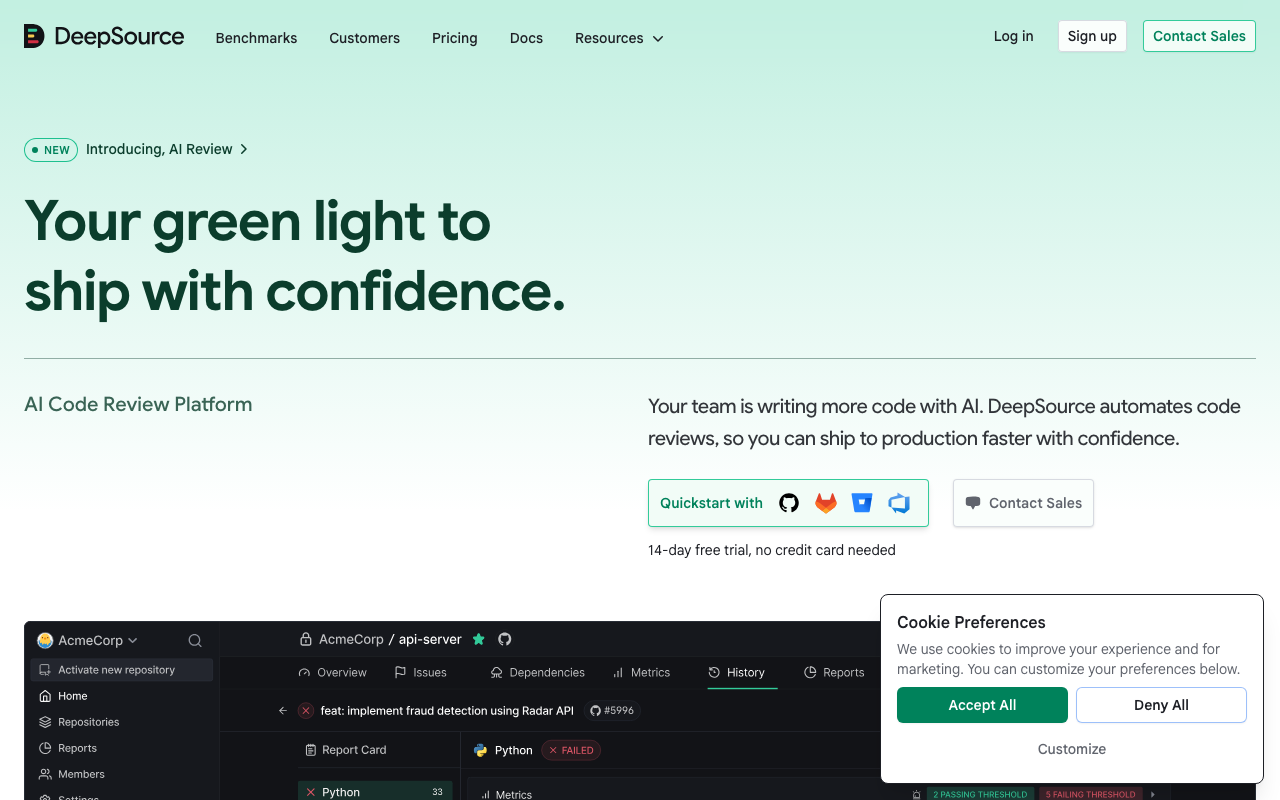
DeepSource and CodeFactor are both cloud-based code quality tools that analyze pull requests and give teams feedback on code health. The comparison ends there. DeepSource is a comprehensive AI code review platform with 5,000+ analysis rules, a sub-5% false positive rate, Autofix AI, security scanning, and five-dimension PR report cards. CodeFactor is a lean code quality grader that connects to your repository and assigns letter grades to files and pull requests.
If you want the lowest false positive rate and the best AI-powered autofix, choose DeepSource. Its sub-5% false positive rate is the best in the market, and Autofix AI generates context-aware, LLM-powered fixes for nearly all detected issues. The five-dimension PR report cards (Security, Reliability, Complexity, Hygiene, Coverage) give developers and reviewers a structured view of code health without parsing through individual findings.
If you want a zero-configuration quality badge at no cost, CodeFactor serves open-source projects and solo developers well. Its free tier covers unlimited public repositories with no feature restrictions and no credit card required. The letter-grade system is immediately understandable, and setup takes less than five minutes.
If your team has grown beyond a handful of developers or has any security requirements, CodeFactor’s limitations become blockers. No security scanning, no AI features, no quality gate enforcement, and no organizational dashboards mean CodeFactor cannot scale to the governance needs of professional engineering teams. DeepSource fills all of those gaps.
At-a-Glance Comparison
| Dimension | DeepSource | CodeFactor |
|---|---|---|
| Type | AI code review platform | Code quality grading tool |
| Languages (GA) | 16 | ~15 |
| IaC support | Terraform, Docker, Ansible (GA) | None |
| Analysis rules | 5,000+ | Moderate (quality focus only) |
| False positive rate | Sub-5% (industry-leading) | Low (narrow rule set) |
| SAST security scanning | Yes - OWASP Top 10, SANS Top 25 | No |
| SCA dependency scanning | No | No |
| Secrets detection | 30+ services | No |
| AI code review | Five-dimension PR report cards | No |
| Autofix AI | Yes - LLM-powered, context-aware | No |
| Autonomous agents | DeepSource Agents | No |
| Quality gates | Supported | No |
| Code coverage tracking | Yes (code health dashboards) | No |
| Duplication detection | No | Yes |
| Complexity analysis | Yes | Yes |
| IDE integration | VS Code, IntelliJ, PyCharm | No |
| PR inline comments | Yes - severity-rated with AI | Yes - grade change + new issues |
| Git platforms | GitHub, GitLab, Bitbucket | GitHub, Bitbucket (GitLab limited) |
| Azure DevOps | No | No |
| Self-hosted | Enterprise plan only | No |
| Free tier | Free for individuals (public + private) | Unlimited public repos, 1 private |
| Paid starting price | $24/user/month (Team) | ~$19/month flat (Starter) |
| Pricing model | Per active contributor | Flat-rate by plan tier |
| Setup time | Under 10 minutes | Under 5 minutes |
Understanding the Comparison: Depth vs Simplicity
Before diving into specific features, it is worth framing the core philosophical difference. DeepSource and CodeFactor are not trying to solve the same problem in different ways - they are solving different problems entirely.
CodeFactor’s value proposition is radical simplicity. Connect your repository, wait for the next pull request, and see a letter grade. The grading system (A through F per file and per repository) is immediately understandable by engineers and non-engineers alike. The setup requires no configuration files, no CI/CD changes, no rule decisions. For developers who want a quick, honest assessment of whether their code is getting better or worse without any friction, CodeFactor delivers exactly that.
DeepSource’s value proposition is precision at scale. The platform is built around the observation that most static analysis tools generate so much noise that developers learn to ignore them. Its entire architecture - from the 5,000+ rule database to the post-processing framework that filters findings before surfacing them - is designed to ensure that when DeepSource flags an issue, it is almost certainly worth fixing. The sub-5% false positive rate is not a feature; it is the organizing principle of the entire product.
These different philosophies produce different tools. CodeFactor is lighter, faster to start with, and free for public repos. DeepSource is deeper, more accurate on the findings it does surface, and equipped with capabilities - AI review, autofix, security scanning, code health dashboards - that CodeFactor was never designed to provide.
The practical question for any team is not which tool is better in the abstract, but which problem needs solving. For teams frustrated by noisy static analysis, DeepSource is the answer. For open-source maintainers who want a free quality indicator with zero overhead, CodeFactor is the answer.
What is DeepSource?
DeepSource is an AI-native code analysis platform that combines traditional static analysis with LLM-powered code review, automated remediation, and autonomous security agents. Founded in 2019, DeepSource has transformed from a static analysis startup into a comprehensive AI code review platform that competes not just with traditional quality tools but also with dedicated AI review platforms like CodeRabbit and Qodo.
How DeepSource Works
DeepSource connects directly to GitHub, GitLab, or Bitbucket. After adding a .deepsource.toml configuration file that specifies which analyzers to enable, the platform automatically analyzes every commit and pull request. Results appear as PR comments with clear explanations and, where possible, Autofix AI corrections that developers can apply with a single click.
The analysis engine applies relevant rules from its 5,000+ rule database, then runs a post-processing framework that filters findings through both explicit and implicit signals. This filtering is what delivers the sub-5% false positive rate - the engine may detect more potential issues internally, but only surfaces the ones it has high confidence are genuine problems.
In parallel with static analysis, DeepSource’s AI code review engine examines each PR through five structured dimensions: Security, Reliability, Complexity, Hygiene, and Coverage. This report card approach organizes feedback so reviewers can quickly assess overall PR quality without parsing every individual finding.
Key Strengths of DeepSource
Sub-5% false positive rate. Users on G2, Capterra, and Reddit consistently confirm that DeepSource findings are almost always actionable. On Capterra, DeepSource holds a 4.8/5 overall rating, with the accuracy of findings cited as the primary reason teams chose it over alternatives. When developers trust flagged issues are real, they engage with the tool rather than dismissing findings as noise. This behavioral impact - the difference between a tool that gets used and one that gets disabled - is DeepSource’s most important differentiator.
Autofix AI. When DeepSource identifies an issue, it generates a context-aware fix by analyzing imports, related functions, coding patterns used elsewhere in the project, and language idioms. The platform reports Autofix AI can generate fixes for nearly all detected issues - a dramatic improvement over rule-based autofix systems that typically cover 30% of issues. The platform is also introducing Iterative Fix Refinement, where developers can provide feedback at the diff level and regenerate improved fixes on the spot.
Five-dimension AI PR report cards. Rather than presenting a flat list of findings, DeepSource organizes AI feedback across five structured dimensions. Each PR gets a report card covering Security, Reliability, Complexity, Hygiene, and Coverage. This structure helps reviewers quickly assess whether a PR is ready to merge without reading through dozens of individual findings.
DeepSource Agents. Launched in 2025, DeepSource Agents observe every line written in the codebase, reason about changes with all available context, and take autonomous action to secure code. Agents can create pull requests, manage CVEs, and identify issues requiring cross-file understanding - like tracing data flows and understanding API contracts. This agentic capability moves DeepSource from passive analysis toward proactive code security.
Infrastructure-as-Code support. DeepSource provides GA support for Terraform, Docker, and Ansible alongside its application language support. Teams managing cloud infrastructure can scan IaC configurations with the same accuracy-first approach as their application code - a capability CodeFactor does not offer at all.
Zero-infrastructure cloud deployment. Connect your repository, add a configuration file, and analysis starts within minutes. No servers to provision, no databases to manage, no JVM parameters to tune. For teams without dedicated DevOps resources, this operational simplicity eliminates a major adoption barrier.
What is CodeFactor?
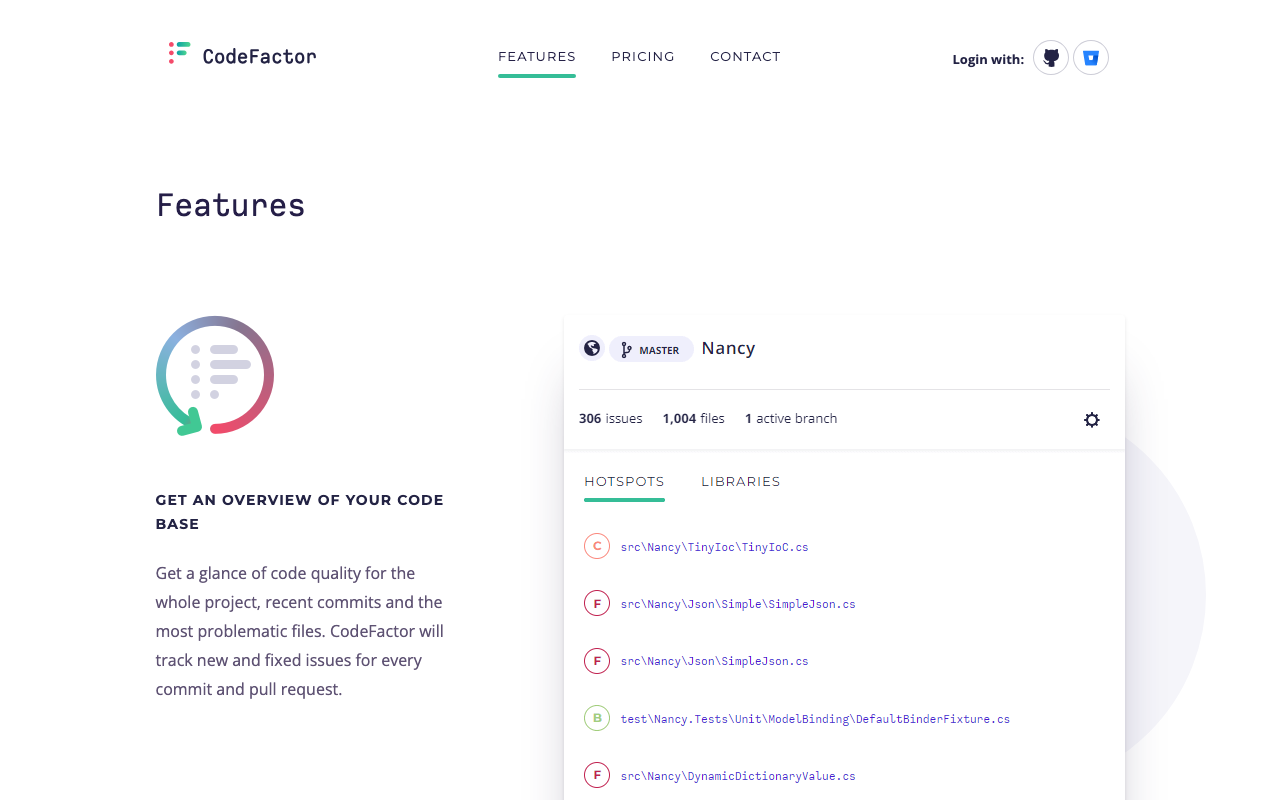
CodeFactor is a lightweight, cloud-based code quality service that connects to GitHub and Bitbucket repositories and provides automated code analysis without any configuration. Founded in 2016, CodeFactor targets developers who want a code quality grade attached to their repository with minimal setup friction.
How CodeFactor Works
CodeFactor’s analysis is straightforward. Connect your repository, authorize access, and the platform begins analyzing code on the next pull request. No configuration files, no CI/CD changes, no rule decisions. The analysis engine checks for cyclomatic complexity, cognitive complexity, code duplication, style violations, and common anti-patterns for each supported language.
Results are summarized as a letter grade - A through F - for individual files, directories, and the overall repository. The dashboard shows grade history so teams can see whether quality is trending up or down over time. Pull requests receive before-and-after grade decorations showing whether the changes improved or degraded the codebase.
Key Strengths of CodeFactor
Zero-configuration setup. CodeFactor’s biggest strength is that there is genuinely nothing to set up. Connect the repository and analysis begins. For developers who want a quality indicator without any friction, this is compelling. Setup takes under five minutes with no technical knowledge required beyond authorizing the GitHub or Bitbucket integration.
Generous free tier for open source. Unlimited public repositories, full feature access, no credit card required. For open-source maintainers who want a quality badge in their README, a free PR decoration system, and historical grade tracking at zero cost, CodeFactor’s free tier is one of the most accessible in the market.
Readable letter-grade system. The A-through-F grading system communicates code quality status to technical and non-technical stakeholders without translation. “Our codebase is at a B and trending toward A” requires no explanation. The per-file breakdown also gives developers a clear list of the worst offenders in the codebase without reading through detailed findings.
Low noise by design. CodeFactor’s conservative, narrower rule set keeps false positives low. Because it checks fewer things, it generates fewer distracting alerts. For teams that want basic quality feedback without tuning rules or managing a backlog of low-priority findings, CodeFactor’s narrower scope produces a usable signal from day one.
What CodeFactor Does Not Do
It is worth stating explicitly what CodeFactor lacks, because these are not features available at higher plan tiers - they are simply outside CodeFactor’s scope as a product:
- No SAST security scanning (no injection detection, no authentication issue detection, no cryptographic weakness detection)
- No SCA dependency vulnerability scanning
- No secrets detection
- No AI code review or AI-powered fix suggestions
- No quality gate enforcement (nothing blocks a degraded PR from merging)
- No code coverage tracking
- No IDE integration
- No organizational dashboards aggregating metrics across repositories
- No support for infrastructure-as-code formats (Terraform, Docker, Ansible)
- Limited GitLab support
Feature-by-Feature Deep Dive
Code Quality Analysis
Both tools analyze code quality, but at very different depths and with very different approaches to the signal-to-noise problem.
DeepSource applies 5,000+ rules with aggressive false positive filtering. The platform’s post-processing framework is what distinguishes it from every other static analysis tool. After the analysis engine detects potential issues, a secondary filtering step applies explicit signals (rule confidence levels, code context, language-specific heuristics) and implicit signals (patterns learned from millions of analyses) to suppress findings unlikely to be genuine problems. The result is a sub-5% false positive rate that is consistently confirmed by user reviews.
The practical impact of this accuracy is behavioral. When developers trust that 95%+ of flagged findings are real, they engage with the tool - they read the explanations, apply the fixes, and build habits around addressing findings before requesting review. Tools that produce noisy results create the opposite dynamic: developers learn to ignore findings, and the tool becomes overhead rather than value. DeepSource’s false positive rate is not just a technical metric - it determines whether the tool gets used.
CodeFactor applies a narrower rule set with a conservative approach. Its low false positive rate is achieved not through sophisticated filtering but through scope limitation - it checks fewer things, so it surfaces fewer false alarms alongside fewer real issues. For the patterns it does check (complexity, duplication, style), findings are generally accurate and actionable.
The trade-off is coverage. CodeFactor will miss bug patterns, security vulnerabilities, and code quality issues that DeepSource’s 5,000+ rule database catches. A team relying on CodeFactor gets honest grades on complexity and duplication, but no visibility into security vulnerabilities in their code, no detection of common framework-specific antipatterns, and no analysis of infrastructure configurations.
DeepSource’s code health dashboards provide longitudinal tracking of quality metrics over time - issues prevented, code coverage trends, maintainability scores. These dashboards give engineering leadership visibility into whether quality is improving or degrading across the organization, and provide data for technical debt prioritization.
CodeFactor’s dashboard is repository-focused, showing grade history per repository. There is no organizational aggregation showing trends across multiple repositories simultaneously. For engineering managers responsible for multiple teams, the lack of cross-repository visibility is a noticeable limitation.
Security Scanning
This is the most significant functional gap between the two tools. DeepSource provides meaningful security scanning. CodeFactor provides none.
DeepSource’s security capabilities include:
- SAST aligned with OWASP Top 10 and SANS Top 25 standards, detecting injection vulnerabilities, authentication issues, cryptographic weaknesses, and insecure data handling
- Secrets detection for 30+ services - catching committed API keys, database passwords, authentication tokens, and private certificates before they cause incidents
- Security findings benefit from the same sub-5% false positive rate as code quality findings - when a security issue is flagged, it is almost certainly real
- DeepSource Agents provide autonomous security monitoring, reasoning about changes and taking proactive action to remediate security issues
CodeFactor has no security scanning whatsoever. No injection detection. No dependency vulnerability scanning. No secrets detection. No dynamic testing. A team relying solely on CodeFactor for code analysis would have zero automated security coverage. No alerts when a critical CVE hits their npm packages. No detection of a committed AWS access key. No SAST findings on their API routes.
For any application that handles user authentication, processes payments, stores personal data, accesses external APIs, or is publicly accessible, this gap is not acceptable. Security scanning is not an optional upgrade - it is a basic requirement for production code quality tooling.
Teams that want security capabilities beyond what DeepSource provides (particularly SCA dependency scanning, which DeepSource does not offer) should evaluate Semgrep for custom SAST rules and supply chain analysis, or Snyk Code for the deepest dependency vulnerability detection available. See our best SAST tools guide for a full market overview.
| Security Dimension | DeepSource | CodeFactor |
|---|---|---|
| SAST | Yes - OWASP Top 10, SANS Top 25 | No |
| SCA | Not available | Not available |
| Secrets detection | 30+ services | No |
| DAST | Not available | Not available |
| False positive rate (security) | Sub-5% | N/A |
| Autonomous security agents | Yes - DeepSource Agents | No |
AI and Autofix Capabilities
The AI feature comparison is one-sided. DeepSource has invested heavily in AI capabilities across the entire analysis pipeline. CodeFactor has none.
DeepSource’s AI capabilities:
AI code review with five-dimension report cards. DeepSource’s AI engine runs alongside static analysis on every PR, providing structured feedback across Security, Reliability, Complexity, Hygiene, and Coverage. Each PR receives a report card that communicates overall quality at a glance. This is particularly valuable for code reviewers who need to quickly assess whether a PR is ready for merge without reading through dozens of individual findings.
Autofix AI. This is DeepSource’s strongest AI feature. When the platform identifies an issue, it generates a context-aware fix by analyzing imports, related functions, project-specific coding patterns, and language idioms. The fix looks like it was written by a team member, not generated by a template engine. The Iterative Fix Refinement feature lets developers provide feedback at the diff level and regenerate improved fixes, creating a collaborative loop between developer and AI.
DeepSource Agents. These move beyond reactive analysis into proactive code security. Agents observe changes, reason with full codebase context including dependency graphs and historical patterns, and take autonomous action - creating pull requests, managing CVEs, surfacing security issues that require cross-file reasoning.
IDE integration. DeepSource integrates with VS Code, IntelliJ IDEA, and PyCharm, surfacing real-time feedback as developers write code. This shift-left approach catches issues before they reach the PR stage, reducing the volume of PR-level findings and speeding up the overall review cycle.
CodeFactor has no AI features. Its analysis is entirely rule-based and deterministic. For teams generating 20-50% of their code through AI assistants like GitHub Copilot or Cursor, CodeFactor has no mechanism to govern or review AI-generated code. For teams that want automated remediation of detected issues, CodeFactor cannot generate fix suggestions at all.
Language and Framework Support
Both tools support approximately 15-16 languages, but there are meaningful differences in which languages are covered and how deeply.
DeepSource’s 16 GA languages: Python, JavaScript, TypeScript, Go, Java, Ruby, Rust, C#, PHP, Scala, Dart, Shell, SQL, Docker, Terraform, and Ansible. Beta support exists for C/C++, Swift, and Kotlin.
CodeFactor’s ~15 languages: C, C++, C#, Java, JavaScript, TypeScript, Python, Go, PHP, Ruby, Kotlin, R, Dart, Groovy, and a handful of others.
The raw language count is similar, but the composition differs significantly. DeepSource’s GA list includes infrastructure-as-code languages (Terraform, Docker, Ansible) that CodeFactor does not support at all. CodeFactor’s list includes C, C++, R, and Groovy that are outside DeepSource’s GA set.
DeepSource’s analyzers are deeper within supported languages. The Python analyzer understands Django and Flask patterns. The JavaScript analyzer understands React and Node.js conventions. The Go analyzer understands goroutine safety. This framework-level awareness produces more relevant findings than generic language-level analysis, which tends to focus on surface-level patterns without understanding application context.
For infrastructure-heavy teams, DeepSource’s native Terraform, Docker, and Ansible support means scanning IaC configurations with the same accuracy-first approach as application code. Teams using infrastructure-as-code at scale will find this natively integrated rather than requiring a separate tool.
Pull Request Integration
Both tools integrate with pull requests, but the depth of that integration differs substantially.
DeepSource’s PR integration provides:
- Inline comments on specific lines of code with severity ratings, issue explanations, and remediation guidance
- Autofix AI suggestions that can be applied with a single click directly from the PR interface
- Five-dimension AI report cards as a structured PR summary showing Security, Reliability, Complexity, Hygiene, and Coverage assessments
- Status checks that can be configured to enforce quality gates - blocking merges when thresholds are not met
- PR comments that reference related findings and provide context from the surrounding codebase
CodeFactor’s PR integration provides:
- A grade badge showing the grade before and after the change (for example, “Grade improved from B to A” or “Grade degraded from A to C”)
- A list of new issues introduced by the PR, organized by file
- A clean, easy-to-read summary that tells developers whether their changes helped or hurt overall quality
CodeFactor’s PR integration is honest and readable. What it cannot do is block a degraded PR from merging, provide severity-ranked security findings, surface AI-powered contextual feedback, or let developers apply fixes from within the PR interface.
Quality gates deserve specific attention. The ability to define merge conditions and enforce them automatically is one of the most practically important capabilities in code quality tooling. Teams that experience gradual quality degradation despite having analysis tools in place typically attribute it to lack of enforcement - tools report issues, but reviewers approve PRs anyway because they are busy or because no one has defined a clear policy. Quality gate enforcement eliminates this gap by making the quality standard part of the merge process rather than an optional suggestion.
CodeFactor has no equivalent to quality gates. Nothing stops a degraded PR from being merged. For small teams with strong code review discipline, this may be acceptable. For larger teams or teams that have experienced quality drift, the absence of enforcement is a real limitation.
Developer Experience
Setup speed. CodeFactor is faster to get started - true zero-configuration onboarding in under five minutes. DeepSource requires a .deepsource.toml configuration file in the repository root, adding five to ten minutes of setup. Both are dramatically faster than self-hosted alternatives like SonarQube that require server infrastructure.
Interface design. DeepSource’s interface is consistently rated highly on G2 and Capterra for its clean, modern design. Dashboards are well-organized, findings include clear context and remediation guidance, and the five-dimension report cards provide structured overviews. CodeFactor’s interface is simpler and narrower in scope - a grade, a grade history, and a list of problematic files. Both are easy to navigate, but DeepSource’s interface carries more information.
Feedback quality. DeepSource findings are fewer but almost always actionable, with structured categories and AI-powered context. CodeFactor findings are fewer still (due to the narrower rule set) but easy to act on for the patterns covered. Teams that want “show me only what matters” get that from DeepSource’s filtered, high-signal findings. Teams that want “show me a simple grade” get that from CodeFactor.
Noise. Neither tool is excessively noisy. DeepSource’s post-processing filter keeps false positives below 5%. CodeFactor’s narrow scope keeps results focused on the dimensions it analyzes. Both represent better day-to-day experiences than tools like SonarQube that can generate hundreds of findings when applied to legacy codebases. See our DeepSource vs Codacy comparison for a detailed look at how DeepSource performs against another comprehensive platform.
Pricing Comparison
The two tools use fundamentally different pricing models, which complicates direct comparison.
DeepSource pricing (as of February 2026 restructuring):
| Plan | Price | Key Inclusions |
|---|---|---|
| Free | $0 | Individual developers, public + private repos, basic static analysis |
| Open Source | $0 | Public repos only, 1,000 analysis runs/month, metered AI features |
| Team | $24/user/month | All features: AI code review, Autofix AI, security scanning, code health dashboards, bundled AI credits per contributor, priority support |
| Enterprise | Custom | Self-hosted deployment, SSO/SCIM, IP restrictions, dedicated account manager, SLA |
Note: DeepSource uses committer-based billing, meaning you are charged only for users who actually push code to analyzed repositories - not for every seat in the organization.
CodeFactor pricing:
| Plan | Price | Private Repos | Team Members |
|---|---|---|---|
| Free | $0 | 1 | Any |
| Starter | ~$19/month | 10 | 5 |
| Team | ~$49/month | 30 | 15 |
| Pro | ~$99/month | 100 | 50 |
| Enterprise | Custom | Unlimited | Unlimited |
All public repositories are free and unlimited on all CodeFactor plans.
Cost comparison by team size:
| Team Size | DeepSource Team | CodeFactor | Notes |
|---|---|---|---|
| 1-3 devs, 1-2 private repos | $24-72/month | $19/month | CodeFactor cheaper at micro-team scale |
| 5 devs, 5 repos | $120/month | $49/month | CodeFactor cheaper, but DeepSource includes AI + security |
| 10 devs, 10 repos | $240/month | $99/month | DeepSource more expensive; consider combined feature value |
| 20 devs, 20 repos | $480/month | Custom/Enterprise | Comparable range; DeepSource includes AI review and security scanning |
| 50 devs, any repos | $1,200/month | Custom/Enterprise | Both at enterprise pricing; total cost of ownership favors unified platforms |
The pricing comparison requires context. CodeFactor is cheaper in absolute terms for most team sizes. But it does not include security scanning, AI review, autofix, quality gate enforcement, or code health dashboards. If a team using CodeFactor needs those capabilities - and most teams with production applications do - they must purchase additional tools. Adding Semgrep for SAST, a coverage tracker, and an AI review tool alongside CodeFactor would quickly exceed DeepSource’s Team plan pricing while requiring more operational overhead.
The free tier comparison serves different use cases. DeepSource’s free plan lets individual developers analyze both public and private repositories with basic static analysis - useful for solo developers evaluating the platform. CodeFactor’s free tier provides unlimited public repository analysis with full functionality - ideal for open-source maintainers who want a quality badge and PR decoration at zero cost.
For more information on DeepSource’s pricing structure, see our DeepSource pricing guide.
When to Choose DeepSource
Choose DeepSource when:
Developer trust in findings is your top priority. If your team has experienced alert fatigue from a noisy static analysis tool - where developers stop reading findings because too many are false positives - DeepSource’s sub-5% false positive rate directly solves this problem. The behavioral impact of high-accuracy findings is the difference between a deployment that changes how developers write code and one that gets ignored.
Automated remediation matters. DeepSource’s Autofix AI is the most comprehensive automated fix generation available in this comparison category. If your team wants a tool that not only identifies problems but generates working, context-aware fixes for nearly all of them, DeepSource delivers that capability. Teams report automated remediation reduces manual refactoring workload by 30-40%.
Security scanning is required. Any production application that handles user data, processes payments, authenticates users, or is publicly accessible needs security analysis. CodeFactor provides none. DeepSource’s SAST coverage aligned with OWASP Top 10 and SANS Top 25, plus secrets detection for 30+ services, provides the security baseline that professional engineering teams require.
AI code review quality matters. DeepSource’s five-dimension PR report cards give reviewers a structured, organized view of each PR’s quality across Security, Reliability, Complexity, Hygiene, and Coverage. If your team wants AI-powered review that organizes feedback into actionable categories rather than a flat list of issues, DeepSource’s approach is purpose-built for this.
Your stack includes infrastructure-as-code. DeepSource’s GA support for Terraform, Docker, and Ansible means IaC configurations are analyzed with the same accuracy-first approach as application code. Teams managing cloud infrastructure find this natively integrated rather than requiring a separate IaC scanning tool.
You need organizational visibility. DeepSource’s code health dashboards aggregate metrics across all analyzed repositories, tracking trends in issue density, coverage, security vulnerabilities, and overall maintainability. Engineering leaders can see which repositories and teams need attention without manually aggregating per-repository reports.
You are on GitLab. DeepSource’s GitLab integration is fully supported. CodeFactor’s GitLab support is limited and has been described as less polished than its GitHub integration in user reviews.
When to Choose CodeFactor
You are an open-source maintainer. CodeFactor’s unlimited free tier for public repositories with no feature restrictions makes it the most accessible choice for open-source projects that want a quality badge, PR decoration, and historical grade tracking at zero cost. No credit card, no sign-up friction, no rate limits on public analysis.
Your team is 1-3 people and needs only basic quality feedback. When the entire team communicates in a single Slack channel and everyone reviews every PR carefully, complex quality gates and organizational dashboards solve problems that do not yet exist. CodeFactor provides honest automated quality feedback at minimal cost with zero setup overhead.
You want the absolute minimum friction to get started. If the priority is seeing a quality grade on the next PR within five minutes of signing up with zero configuration, CodeFactor delivers this better than almost any other tool. There is genuinely nothing to configure.
Your codebase is a simple, non-sensitive project. If you are building a marketing site, personal project, or internal prototype that handles no user data and has no meaningful security requirements, CodeFactor’s quality analysis may be entirely sufficient for your current needs.
Budget is extremely constrained and you have no security requirements. At $19-99/month flat-rate versus $24/user/month, CodeFactor can be cheaper for very small teams. If the team’s sole need is complexity and duplication tracking with no security, AI, or coverage requirements, CodeFactor is viable.
Alternatives to Consider
If neither DeepSource nor CodeFactor is the right fit, several alternatives address similar needs from different angles.
Codacy sits between these two tools in terms of capability and price. At $15/user/month for the Pro plan, Codacy provides 49-language support, a four-pillar security suite (SAST, SCA, DAST, secrets detection), AI-powered PR review, quality gates, code coverage tracking, and the free AI Guardrails IDE extension for scanning AI-generated code. Codacy is broader than DeepSource (more languages, more security dimensions) but less precise (higher false positive rates, no Autofix AI). For teams where budget and language coverage are primary concerns, Codacy’s $15/user/month is compelling. See our Codacy vs CodeFactor comparison for a detailed breakdown of those two options.
SonarQube is the industry standard for enterprise static analysis with 6,500+ rules across 35+ languages. The Community Build is free and self-hosted with no contributor limits - the most accessible enterprise-grade option for teams with strict data residency or compliance requirements. The trade-off is operational complexity: SonarQube requires server infrastructure and more configuration than any cloud-hosted alternative. See our SonarQube vs DeepSource comparison for a full breakdown.
CodeRabbit is the best dedicated AI code review tool available. If your primary need is contextual, conversational PR review rather than static analysis or security scanning, CodeRabbit provides deeper AI feedback than either DeepSource or CodeFactor. It includes 40+ built-in linters, supports learnable team preferences, and offers a generous free tier. CodeRabbit is complementary to - not a replacement for - code quality platforms. See our CodeRabbit vs DeepSource comparison for more context.
Semgrep is the best choice for security-focused teams that need custom rule authoring. Its YAML-based rule syntax is readable by any developer, scans complete in seconds, and the platform is free for up to 10 contributors. If security scanning is your primary concern and you want the ability to write custom vulnerability detection rules, Semgrep is purpose-built for this. See our Semgrep vs SonarQube comparison for more context.
Qlty takes a different approach by orchestrating open-source linters and formatters (ESLint, Pylint, RuboCop, and 40+ others) with unified configuration and reporting. Free for commercial use with a generous open-source tier, Qlty is worth evaluating for teams that want to leverage the open-source linting ecosystem without building and maintaining their own linter orchestration.
For a comprehensive view of the code quality market, see our best code quality tools roundup and the best free code review tools guide for zero-cost options.
Head-to-Head Use-Case Comparison
| Scenario | Better Choice | Reason |
|---|---|---|
| Open-source project, zero cost | CodeFactor | Unlimited free public repos |
| Solo developer, quick grade | CodeFactor | Zero-configuration free tier |
| Team frustrated by false positives | DeepSource | Sub-5% false positive rate by design |
| Production app with security needs | DeepSource | OWASP/SANS SAST + secrets detection |
| Best automated fix generation | DeepSource | Autofix AI with LLM-powered context-aware fixes |
| AI code review with structure | DeepSource | Five-dimension PR report cards |
| IaC scanning (Terraform, Docker) | DeepSource | GA support for IaC formats |
| Autonomous security remediation | DeepSource | DeepSource Agents |
| 49-language coverage | Neither | Consider Codacy |
| SCA dependency scanning | Neither | Consider Semgrep or Snyk |
| Free self-hosted deployment | Neither | Consider SonarQube Community Build |
| Small team (1-3), simple project | CodeFactor | Low cost, zero friction |
| Teams of 5+ with quality gates needed | DeepSource | Enforcement + accuracy |
| GitLab users | DeepSource | Full GitLab support |
| Budget under $20/month flat | CodeFactor | Flat-rate pricing |
Verdict
DeepSource and CodeFactor serve fundamentally different markets, and the comparison is not as close as it might appear from a feature list.
CodeFactor is the right choice for a narrow but real use case: open-source projects and individual developers who want a zero-cost, zero-configuration quality grade. Its free tier for unlimited public repositories is genuinely one of the best in the market. For that specific use case - where simplicity, cost, and immediate setup matter more than depth, security, or AI capabilities - CodeFactor delivers honest value.
DeepSource is the right choice for professional engineering teams. Its sub-5% false positive rate solves the single biggest complaint about code quality tools - too much noise. Its Autofix AI turns findings into fixes rather than todos. Its AI code review with five-dimension report cards gives teams a structured view of code health rather than an unorganized list of issues. Its security scanning, code health dashboards, and infrastructure-as-code support cover the dimensions that production software requires.
The gap between them grows with team size. A solo developer might reasonably choose CodeFactor’s free tier for a side project. A team of five building a production SaaS application has needs that CodeFactor cannot address - quality gate enforcement, security scanning, coverage tracking, organizational dashboards. At that threshold, DeepSource is not just better - it covers requirements that CodeFactor was never designed to meet.
If you are currently using CodeFactor and outgrowing it, the migration to DeepSource is straightforward: add a .deepsource.toml file to your repository and connect your Git platform. Expect a richer set of findings, a security layer you did not have before, and Autofix AI suggestions that replace manual remediation for most common issues.
If you are evaluating from scratch, the decision framework is simple: if you need more than a letter grade, choose DeepSource. If a letter grade at zero cost is exactly what you need right now, CodeFactor earns it.
For a broader comparison of how DeepSource competes against other platforms in its class, see our DeepSource vs Codacy analysis, the DeepSource alternatives guide, and our CodeRabbit vs DeepSource comparison for teams evaluating AI-first review tools.
Further Reading
- DeepSource Free vs Paid: Plan Differences Explained
- DeepSource vs Code Climate: Automated Code Quality Platforms Compared (2026)
- DeepSource vs Coverity: Static Analysis Platforms Compared (2026)
- DeepSource vs ESLint: Platform vs Linter Compared (2026)
- DeepSource vs Qodana: Code Quality Platforms Compared (2026)
 Gitar
GitarComments are not enough
Gitar applies the fix, validates it in CI, and clears the queue.
See it on your repo Read our independent Gitar reviewFrequently Asked Questions
Is DeepSource better than CodeFactor?
For most professional teams, yes. DeepSource offers 5,000+ analysis rules, a sub-5% false positive rate, Autofix AI that generates context-aware fixes, AI code review with five-dimension PR report cards, security scanning aligned with OWASP Top 10 and SANS Top 25, and support for 16 GA languages including IaC formats. CodeFactor covers roughly 15 languages, has no security scanning, no AI features, and no quality gate enforcement. For open-source projects and very small teams wanting a zero-configuration quality grade at no cost, CodeFactor's free tier is genuinely useful. But for teams with production applications, security requirements, or more than a handful of developers, DeepSource provides substantially more value.
Is CodeFactor free?
CodeFactor has a free tier that includes unlimited public repositories and one private repository. This makes it genuinely useful for open-source maintainers and individual developers. Paid plans start at approximately $19/month for small teams with more private repos, scaling up to $99/month for the Pro tier and custom Enterprise pricing. CodeFactor uses flat-rate plan pricing rather than per-user pricing. By contrast, DeepSource offers a free plan for individual developers covering both public and private repositories with basic static analysis, plus a free Open Source plan for public repositories with 1,000 analysis runs per month.
Does CodeFactor do security scanning?
No. CodeFactor has no security scanning capabilities. It does not detect SAST vulnerabilities like SQL injection or authentication flaws, does not perform SCA to find CVEs in dependencies, does not scan for committed secrets or API keys, and has no DAST capabilities. Its analysis is focused exclusively on code quality - complexity, duplication, style violations, and common anti-patterns. For teams with any security requirements, CodeFactor is not sufficient on its own. DeepSource covers SAST aligned with OWASP Top 10 and SANS Top 25 standards, plus secrets detection for 30+ services.
What languages does CodeFactor support?
CodeFactor supports approximately 15 programming languages including C, C++, C#, Java, JavaScript, TypeScript, Python, Go, PHP, Ruby, Kotlin, R, Dart, Groovy, and a handful of others. Analysis depth varies by language. DeepSource supports 16 languages at GA level - Python, JavaScript, TypeScript, Go, Java, Ruby, Rust, C#, PHP, Scala, Dart, Shell, SQL, Docker, Terraform, and Ansible - with beta support for C/C++, Swift, and Kotlin. DeepSource's inclusion of infrastructure-as-code languages like Terraform, Docker, and Ansible is a significant advantage for teams managing cloud infrastructure alongside application code.
How does CodeFactor pricing compare to DeepSource?
The two tools use different pricing models. CodeFactor charges by plan tier - roughly $19/month for 5 users and 10 private repos, $49/month for 15 users and 30 repos, $99/month for 50 users and 100 repos. DeepSource charges $24/user/month for the Team plan (recently updated from $12/user/month) with unlimited repositories and all features including AI code review and Autofix AI. For very small teams with limited private repositories, CodeFactor's flat-rate pricing may be cheaper. For teams of 5+ developers, DeepSource's pricing is often competitive once you factor in the capabilities it includes. Open source organizations can use DeepSource's free Open Source plan or CodeFactor's free tier for public repos.
Can CodeFactor replace DeepSource?
CodeFactor cannot replace DeepSource's full capability set. It cannot replicate DeepSource's 5,000+ analysis rules, sub-5% false positive rate, Autofix AI, AI code review with five-dimension PR report cards, security scanning, secrets detection, code health dashboards, DeepSource Agents, or infrastructure-as-code analysis. CodeFactor can replace DeepSource for teams whose sole need is a simple code quality grade and PR decoration with no security, AI, or coverage requirements. For any team using DeepSource's quality or security depth, switching to CodeFactor would leave significant functional gaps.
Which tool has fewer false positives?
DeepSource has a measurably lower false positive rate. The platform maintains a sub-5% false positive rate through a sophisticated post-processing framework that filters findings before surfacing them to developers. CodeFactor's conservative, narrower rule set also keeps false positives low, but for a different reason - it checks fewer things, so it catches fewer real issues alongside fewer false alarms. DeepSource's approach is preferable because it achieves low noise while still applying 5,000+ rules. Teams that have experienced alert fatigue from noisy tools like SonarQube consistently report that DeepSource findings are almost always actionable.
Does DeepSource work with GitHub, GitLab, and Bitbucket?
Yes. DeepSource integrates with GitHub, GitLab, and Bitbucket for automatic pull request analysis. Configuration is done through a .deepsource.toml file in your repository root. CodeFactor integrates with GitHub and Bitbucket, with limited GitLab support. Neither tool supports Azure DevOps. For teams on Azure DevOps, alternatives like SonarQube or CodeRabbit offer better platform coverage.
Does CodeFactor have AI features?
No. CodeFactor has no AI-powered features. Its analysis is entirely rule-based and deterministic. There is no AI code review, no Autofix AI, no IDE extension with real-time AI scanning, and no AI-generated fix suggestions. DeepSource, by contrast, includes AI code review with five-dimension PR report cards, Autofix AI powered by large language models that generates context-aware fixes for nearly all detected issues, DeepSource Agents for autonomous code security, and IDE integration for VS Code, IntelliJ IDEA, and PyCharm.
Which tool is better for open-source projects?
For zero-cost open-source project analysis, both tools offer free tiers. CodeFactor provides unlimited public repository analysis at no cost with full functionality and no credit card required - making it one of the most accessible free options for open-source maintainers who want a quality badge in their README. DeepSource's Open Source plan also covers public repositories with 1,000 analysis runs per month and metered AI features. DeepSource's Open Source plan provides more analytical depth (5,000+ rules, security scanning, code health dashboards), while CodeFactor's free public repo support is simpler to access with no rate limits on analysis runs.
How long does it take to set up DeepSource vs CodeFactor?
Both tools are fast to set up. CodeFactor is arguably the faster of the two - connect your GitHub or Bitbucket repository, authorize access, and analysis begins on the next pull request with zero configuration required. DeepSource requires adding a .deepsource.toml configuration file to your repository root that specifies which analyzers to enable. This takes around 5-10 minutes but is a one-time step. For teams that want true zero-configuration onboarding, CodeFactor is marginally simpler. For teams that want control over which analyzers and rules to apply, DeepSource's configuration file approach is worth the extra few minutes.
What are the best alternatives to DeepSource and CodeFactor?
The main alternatives include Codacy ($15/user/month) for broad language coverage (49 languages) and a four-pillar security suite at a lower price than DeepSource. SonarQube for enterprise-grade rule depth and free self-hosted deployment via the Community Build. CodeRabbit for AI-powered pull request reviews with conversational feedback. Semgrep for security-focused teams that want custom rule authoring and fast CI scanning. Qlty for teams that want to orchestrate open-source linters with unified configuration and reporting. For teams that need only code quality grading at minimal cost, CodeFactor's free tier is a reasonable starting point before graduating to a more capable platform.
Explore More
Tool Reviews
 DeepSource Review
Free Newsletter
Stay ahead with AI dev tools
Weekly insights on AI code review, static analysis, and developer productivity. No spam, unsubscribe anytime.
Join developers getting weekly AI tool insights.
Related Articles
CodeRabbit vs Qodo: AI Code Review Tools Compared (2026)
CodeRabbit vs Qodo - we compare pricing, features, test generation, and review quality so you can pick the right AI reviewer for your team.
February 21, 2026
comparisonWhat Happened to CodiumAI? The Rebrand to Qodo Explained
CodiumAI rebranded to Qodo in 2024. Here's what changed, what stayed the same, and what it means for existing users and new buyers.
February 22, 2026
comparisonGitar vs Qodo: Workflow Automation or Test Generation?
Gitar vs Qodo compared on review architecture, test generation, self-hosting, migrations, CI ownership, and pricing. Which AI code quality platform fits your team.
August 12, 2026