DeepSource vs SonarCloud: Code Quality Platform Comparison (2026)
DeepSource vs SonarCloud - false positive rates, AI features, security scanning, pricing, language support, and which code quality tool fits your team.
Published:
Last Updated:
Quick Verdict
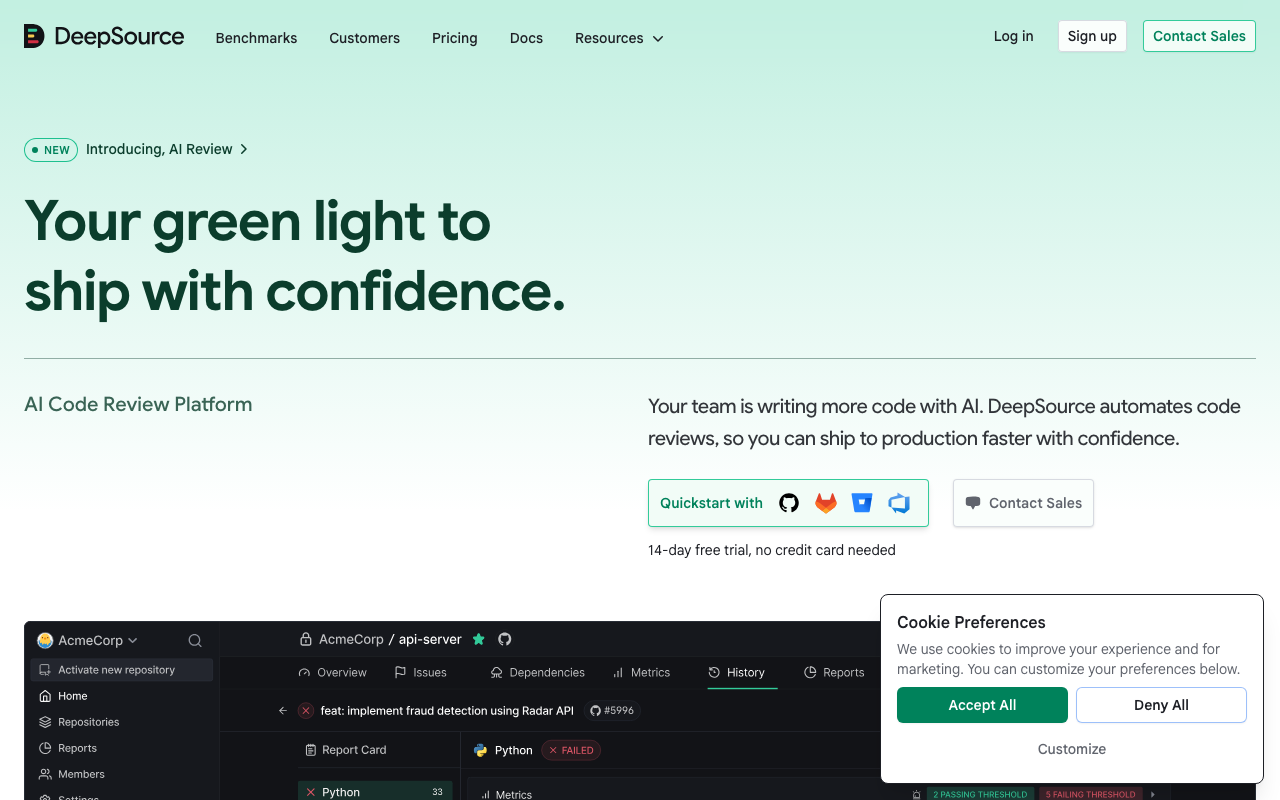
DeepSource and SonarCloud (officially SonarQube Cloud) are both cloud-hosted static code analysis platforms that scan pull requests, enforce quality standards, and surface code health metrics. They share a fundamental goal but take different paths to get there. SonarCloud is the cloud-native version of SonarQube - the industry standard that 7 million developers and 400,000 organizations have trusted for over a decade, now delivered as a SaaS platform with zero infrastructure management. DeepSource is a modern, AI-first challenger that has evolved from a static analysis startup into a full code review platform, distinguishing itself with a sub-5% false positive rate, LLM-powered autofix, and structured AI PR report cards.
Choosing between them is not as obvious as it might appear. SonarCloud brings 6,500+ deterministic rules, a genuinely useful free tier (up to 50K lines of code), and quality gates that are widely regarded as best-in-class for preventing code quality degradation over time. DeepSource brings significantly lower noise, AI-powered remediation that actually generates working code fixes, and a more modern developer experience that teams consistently describe as requiring less tuning and generating more trust among developers.
Choose SonarCloud if: you need the broadest possible rule coverage across 30+ languages, you want a free plan for projects under 50,000 lines of code, quality gate enforcement is your primary mechanism for maintaining standards, your team already uses SonarLint and wants connected-mode IDE synchronization, or you are an open-source project that qualifies for unlimited free analysis.
Choose DeepSource if: your developers have stopped trusting your current static analysis tool because of false positive noise, you want AI-powered autofix that generates real, context-aware code fixes rather than template suggestions, you need structured five-dimension PR report cards, you want autonomous agents that proactively secure your codebase, or you are building primarily in Python, JavaScript, TypeScript, Go, Java, Ruby, or Rust.
The most common setup at scale: Start with SonarCloud’s free tier to get baseline quality gate enforcement. Add DeepSource for AI-powered code review and high-signal findings on critical repositories. The two tools are not redundant - SonarCloud’s depth and gate enforcement complement DeepSource’s precision and AI remediation.
At-a-Glance Comparison
| Category | DeepSource | SonarCloud |
|---|---|---|
| Type | AI-first code quality and review platform | Cloud-hosted static analysis (SonarQube engine) |
| Analysis approach | Static analysis + LLM-powered AI review | Deterministic rule-based static analysis |
| Total rules | 5,000+ | 6,500+ |
| Languages (GA) | 16 (Python, JS, TS, Go, Java, Ruby, Rust, C#, PHP, Scala, Dart, Shell, SQL, Docker, Terraform, Ansible) | 30 (Java, JS, TS, Python, C#, C, C++, Go, PHP, Ruby, Kotlin, Swift, Dart, Rust, and more) |
| False positive rate | Sub-5% (industry-leading) | Moderate - requires initial tuning |
| AI code review | Yes - five-dimension PR report cards | Limited - AI Code Assurance for AI-generated code |
| AI autofix | Yes - Autofix AI (LLM-powered, context-aware) | AI CodeFix (newer, more template-like) |
| Autonomous agents | Yes - DeepSource Agents | No |
| Quality gates | No configurable gate enforcement | Yes - best-in-class, PR-blocking |
| SCA (dependency scanning) | No | No (available in SonarQube Advanced Security add-on) |
| Secrets detection | Yes - 30+ services | Yes (Developer Edition feature, in SonarCloud Team+) |
| IDE integration | VS Code, IntelliJ, PyCharm | SonarLint (VS Code, JetBrains, Visual Studio, Eclipse) |
| SonarLint connected mode | No | Yes - syncs quality profile to IDE |
| Git platforms | GitHub, GitLab, Bitbucket | GitHub, GitLab, Bitbucket, Azure DevOps |
| Free tier | Individual dev only; Open Source plan for public repos | Up to 50K LOC for private repos; unlimited for public repos |
| Paid pricing | $24/user/month (Team) | From EUR 30/month by LOC (Team) |
| Pricing model | Per active contributor | Per lines of code |
| Self-hosted | Enterprise plan only | No (use SonarQube Server instead) |
| Setup time | Under 10 minutes | Under 10 minutes |
What Is DeepSource?
DeepSource is an AI-powered code review and static analysis platform that has undergone a significant transformation since its founding. What began as a static analysis startup focused on catching code quality issues with minimal noise has evolved into a comprehensive AI code review platform. The platform now combines 5,000+ static analysis rules with LLM-powered code review, automated remediation through Autofix AI, and autonomous security agents called DeepSource Agents.
The platform’s signature differentiator is its sub-5% false positive rate - a number that sounds like marketing but is consistently validated by independent user reviews on G2 and Capterra. Where competing tools generate noisy findings that developers learn to ignore, DeepSource’s post-processing framework applies both explicit and implicit signals to filter irrelevant results before they surface. The practical effect is that when DeepSource flags an issue, it is almost always worth investigating. This drives the developer trust and adoption that ultimately determines whether a code quality tool actually changes behavior or becomes noise that everyone clicks past.
The AI code review engine runs alongside static analysis on every pull request, evaluating code across five dimensions: Security, Reliability, Complexity, Hygiene, and Coverage. Each PR receives a structured report card providing a snapshot of code quality across these dimensions - a more actionable format than a raw list of individual findings. Autofix AI takes this further by generating context-aware fixes for nearly all detected issues, analyzing surrounding code context including imports, related functions, and project-specific patterns. Developers can apply fixes with a single click.
DeepSource supports 16 languages at general availability level - Python, JavaScript, TypeScript, Go, Java, Ruby, Rust, C#, PHP, Scala, Dart, Shell, SQL, Docker, Terraform, and Ansible - with C/C++, Swift, and Kotlin in beta. The platform integrates with GitHub, GitLab, and Bitbucket, and provides IDE plugins for VS Code, IntelliJ IDEA, and PyCharm.
In February 2026, DeepSource restructured its pricing, replacing older Free and Starter plans with Free (individual), Open Source (public repos), Team ($24/user/month), and Enterprise (custom) tiers. The Team plan now bundles AI code review, Autofix AI, security scanning, and code health dashboards - features that previously required separate pricing. Committer-based billing means teams pay only for active contributors, not every seat in the organization.
For a detailed breakdown of DeepSource’s capabilities, see our DeepSource review. For pricing details, see our DeepSource pricing guide.
What Is SonarCloud?
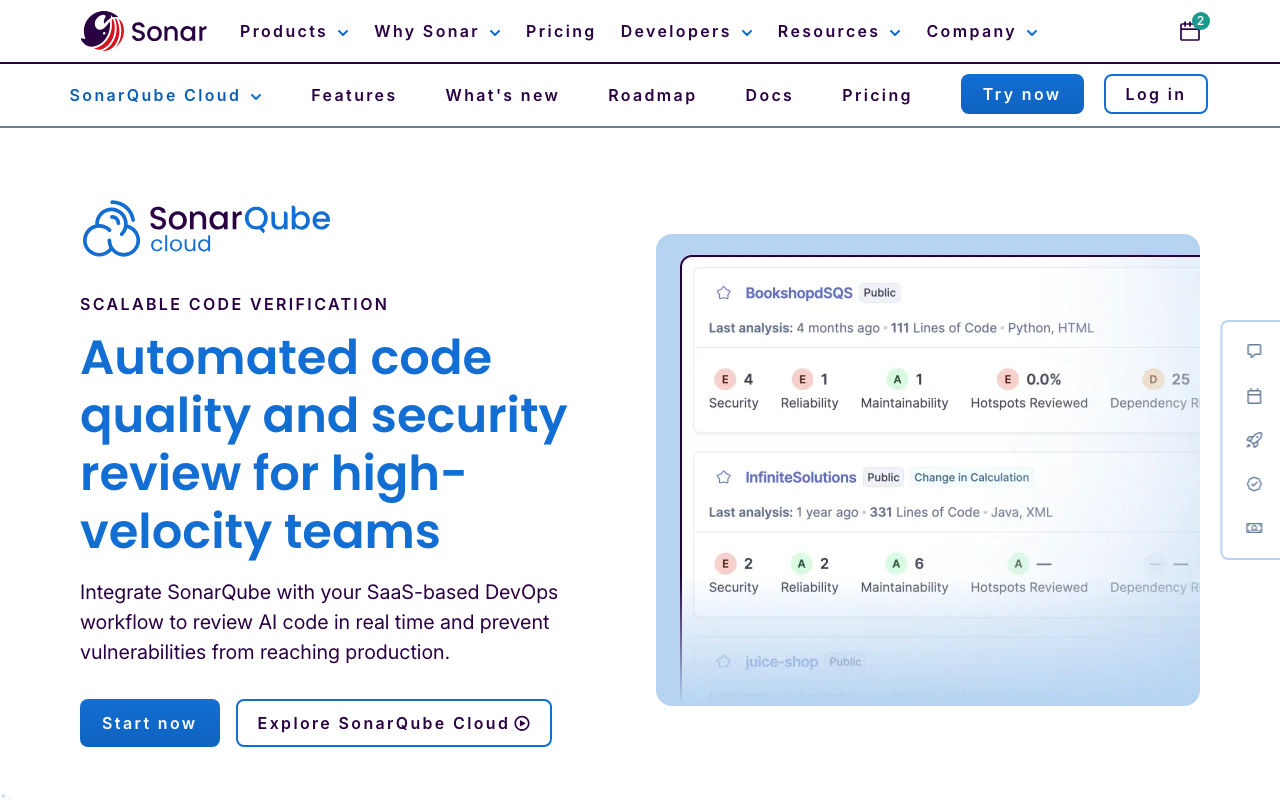
SonarCloud is the cloud-hosted version of SonarQube, the industry-standard static code analysis platform built and maintained by SonarSource. SonarSource recently rebranded SonarCloud to “SonarQube Cloud” to unify its product naming, but the tool remains the same fully managed SaaS offering. It shares the same core analysis engine and 6,500+ deterministic rules as its self-hosted sibling, SonarQube Server, without requiring any infrastructure management.
The core value proposition is the SonarQube analysis engine delivered as a zero-maintenance cloud service. You connect your GitHub, GitLab, Bitbucket, or Azure DevOps account, select repositories, configure the SonarScanner in your CI pipeline, and analysis begins on every push and pull request. SonarSource handles all infrastructure, database management, scaling, and updates. New features typically reach SonarCloud before self-hosted SonarQube Server editions because continuous cloud deployment does not require customers to upgrade.
SonarCloud’s 6,500+ rules cover bugs, code smells, security vulnerabilities, and security hotspots across 30 languages. The security analysis maps to OWASP Top 10, CWE Top 25, and SANS Top 25 standards. Secrets detection with 400+ secret patterns is available. Taint analysis - which tracks data flow through the application to identify injection vulnerabilities spanning multiple methods - is available on the Enterprise Cloud plan.
Quality gates are SonarCloud’s most distinctive feature and the primary reason many teams choose it over alternatives. A quality gate is a configurable set of conditions that code must meet before merging - minimum coverage on new code, zero new critical vulnerabilities, maximum complexity thresholds. When a PR fails the quality gate, SonarCloud posts a failing status check and teams can configure branch protection to block the merge. This enforcement mechanism is what makes SonarCloud genuinely change team behavior over time rather than becoming background noise.
SonarLint, SonarSource’s free IDE plugin for VS Code, JetBrains IDEs, Visual Studio, and Eclipse, integrates with SonarCloud in connected mode. When connected, SonarLint synchronizes the team’s quality profile so that the rules developers see in their IDE exactly match what the CI pipeline enforces. This closed loop - same rules in the editor and in CI - is considered one of the best shift-left developer experiences in the industry.
SonarCloud’s free tier is genuinely valuable: up to 50,000 lines of code for private projects with branch analysis, PR decoration, and quality gates included. Public open-source repositories receive unlimited free analysis. The paid Team plan starts at EUR 30/month for up to 100,000 lines of code, scaling as codebases grow.
For a complete breakdown, see our SonarQube review. For context on SonarCloud versus the self-hosted SonarQube Server, see our SonarQube vs SonarCloud comparison.
Feature-by-Feature Breakdown
Static Analysis Rule Depth
The rule count gap between DeepSource (5,000+) and SonarCloud (6,500+) is real but not the most important dimension of comparison. More important is rule quality, coverage of specific issues relevant to your stack, and the signal-to-noise ratio of the findings produced.
SonarCloud’s 6,500+ rules are the product of 15+ years of refinement by SonarSource engineers and the broader static analysis community. They cover a comprehensive range of issue types: potential bugs (null dereferences, resource leaks, empty exception handling), code smells (dead code, overly complex methods, duplicated code blocks), security vulnerabilities (injection patterns, authentication issues, cryptographic weaknesses), and security hotspots (code patterns that require manual review to determine exploitability). Each rule includes detailed documentation explaining the issue, why it matters, the related standard (OWASP, CWE), and compliant vs non-compliant code examples. Teams can customize Quality Profiles to select exactly which rules apply, adjust severity levels, and create rule exclusions for test files or generated code.
The depth of SonarCloud’s rules is most apparent in edge cases - thread safety issues, resource leak patterns across multiple code paths, subtle null pointer conditions, and taint analysis for injection vulnerabilities. These categories require the kind of deep, language-specific rule engineering that SonarSource has invested in for over a decade.
DeepSource’s 5,000+ rules achieve their impact differently - through precision rather than volume. The post-processing framework that delivers the sub-5% false positive rate means a smaller percentage of rules fire on any given codebase, but those that do fire are nearly always worth acting on. For teams that have been overwhelmed by thousands of SonarCloud findings on a legacy codebase, DeepSource’s tighter signal can be transformative. The initial scan of a new repository produces a manageable set of actionable issues rather than an avalanche that takes weeks to triage.
Practical guidance: If your team is systematic about managing quality gate conditions and has the patience to tune quality profiles on initial setup, SonarCloud’s depth provides comprehensive coverage that DeepSource cannot match. If your team has experienced tool fatigue from noisy static analysis and developer trust in findings has eroded, DeepSource’s precision delivers faster value regardless of the absolute rule count gap.
AI Code Review and Autofix
This is the dimension where the gap between the two tools is most significant, and where DeepSource has built its clearest competitive advantage.
DeepSource’s AI code review runs on every pull request alongside static analysis. The AI engine evaluates changes across five dimensions - Security, Reliability, Complexity, Hygiene, and Coverage - and produces a structured report card rather than a raw list of individual findings. This structured format is more actionable than a flat list: reviewers see at a glance whether a PR introduces security concerns, increases complexity beyond acceptable thresholds, or lacks coverage for changed code paths. The AI component detects issues that static analysis cannot catch - novel patterns, contextual problems, and higher-level architectural concerns.
Autofix AI is where DeepSource genuinely differentiates itself from every traditional static analysis tool. Using large language models, Autofix AI analyzes not just the flagged code but the surrounding context - imports, related functions, project-specific naming patterns, and coding conventions - to generate fixes that are idiomatic for the specific codebase. These are not template fixes; they are generated specifically for the context. The platform claims Autofix AI can address nearly all detected issues, and users report that generated fixes are accepted without modification in the majority of cases. The Iterative Fix Refinement feature allows developers to provide feedback at the diff level and regenerate improved fixes, creating a collaborative back-and-forth rather than a one-shot suggestion.
DeepSource Agents, launched in 2025, take this further into autonomous operation. Agents observe every line written in the codebase, reason about changes with full context, and take actions proactively - creating pull requests to fix detected issues, managing CVE remediation, and applying security fixes across the codebase without waiting for developers to manually trigger them. This represents a shift from reactive analysis (flagging issues when code is pushed) to proactive security (finding and fixing issues autonomously).
SonarCloud’s AI capabilities are newer and more limited. AI CodeFix generates suggested fixes for detected issues, but the suggestions are more template-like compared to DeepSource’s contextual LLM approach. AI Code Assurance is SonarCloud’s dedicated response to AI-generated code risk - it detects code generated by tools like GitHub Copilot, applies enhanced verification rules to AI-generated code, and provides a quality status label for projects with AI-assisted development. SonarSource’s research shows SonarQube users are 24% more likely to report lower vulnerability rates in AI-generated code when using this feature.
The practical gap: If automated remediation and AI-powered code review are primary requirements, DeepSource’s implementation is substantially more mature and useful. SonarCloud’s AI features are best understood as a complement to its deterministic analysis engine rather than a primary value driver.
Quality Gates and Enforcement
SonarCloud’s quality gates are best-in-class and arguably the tool’s most important feature for teams that want to systematically improve code quality over time rather than just seeing a dashboard of current issues.
A SonarCloud quality gate works as follows: you define conditions that new code must meet - for example, minimum 80% coverage on new code, zero new critical security vulnerabilities, maximum 3% code duplication on changed lines, and complexity below a threshold. When a pull request is analyzed, SonarCloud evaluates these conditions against the new code introduced in the PR (using the “Clean as You Code” methodology, which focuses gates on new code rather than legacy issues). If any condition fails, the quality gate fails and SonarCloud posts a failing status check on the PR in GitHub, GitLab, Bitbucket, or Azure DevOps. Teams configure branch protection to require this check to pass before merging.
The behavioral impact of quality gates is consistently cited by SonarCloud users as the feature that delivers long-term value. Developers write code differently when they know a gate will block the merge if coverage drops or a critical vulnerability is introduced. Engineering managers can enforce organization-wide standards without relying on manual code review - the gate enforces the standard automatically on every PR regardless of reviewer attention level.
DeepSource does not have an equivalent quality gate mechanism. It provides code health dashboards, issue severity tracking, and PR annotations that indicate when code introduces new issues. Teams can configure status checks that block merges if DeepSource finds issues above a severity threshold. But the flexible, multi-condition gate system that SonarCloud provides - with separate thresholds for coverage, complexity, duplication, and specific issue categories - is not replicated in DeepSource. Teams that specifically need quality gate enforcement as their primary mechanism for maintaining standards should weight this heavily in favor of SonarCloud.
Language Coverage
SonarCloud supports 30 languages for cloud-hosted analysis, including Java, JavaScript, TypeScript, Python, C#, C, C++, Go, PHP, Ruby, Kotlin, Swift, Objective-C, Dart, Rust, Scala, HTML, CSS, XML, and others. Azure DevOps integration is included. This coverage handles virtually every mainstream application development and infrastructure language, with the only notable gaps being enterprise legacy languages (COBOL, ABAP) that are only available in SonarQube Enterprise Edition.
DeepSource supports 16 languages at GA level - Python, JavaScript, TypeScript, Go, Java, Ruby, Rust, C#, PHP, Scala, Dart, Shell, SQL, Docker, Terraform, and Ansible. C/C++, Swift, and Kotlin are currently in beta. The infrastructure-as-code coverage (Docker, Terraform, Ansible) sets DeepSource apart from competitors focused only on application code, but the absence of mature C/C++, Swift, and Kotlin support is a meaningful gap for mobile, embedded, and systems programming teams.
Practical guidance: If your stack includes any of the languages where DeepSource is in beta or unsupported - particularly C/C++, Swift, Kotlin, Scala (supported in DeepSource but not at the same depth as SonarCloud), or languages outside DeepSource’s current catalog - SonarCloud covers you. For mainstream web and backend stacks (JavaScript/TypeScript, Python, Go, Java, Ruby, Rust), both tools provide solid coverage and the language gap is not a decision factor.
Security Scanning
Both tools provide security analysis but with different scopes, methodologies, and detection depths.
DeepSource’s security scanning covers OWASP Top 10 and SANS Top 25 vulnerability categories using its static analysis engine, plus secrets detection for over 30 services. The security scanning is integrated into the broader analysis workflow - security findings appear alongside code quality findings with the same low false positive discipline applied. The five-dimension AI review includes a Security dimension that surfaces security concerns beyond what the deterministic rules catch. DeepSource Agents can autonomously manage CVE remediation, creating PRs to fix vulnerabilities without waiting for human action.
However, DeepSource does not provide SCA (Software Composition Analysis) for dependency vulnerability scanning. If a critical CVE is disclosed in a package your application uses - a Log4Shell-style event - DeepSource will not alert you through dependency scanning. You need a separate tool like Snyk or Semgrep for that coverage.
SonarCloud’s security analysis maps to OWASP Top 10, CWE Top 25, and SANS Top 25 through its deterministic rule engine. Secrets detection with 400+ patterns is included. Taint analysis - tracking data flow from user-controlled inputs through the application to dangerous sinks - is available on the Enterprise Cloud plan and provides deeper injection vulnerability detection than surface-level pattern matching.
SonarCloud also does not include SCA out of the box. SonarQube Advanced Security, announced in 2025, adds SCA, SBOM generation, and advanced SAST, but this is an add-on for Enterprise Cloud plans, not included in standard SonarCloud pricing. For teams that need SCA alongside code quality analysis, both DeepSource and SonarCloud require supplementing with a dedicated SCA tool.
The security dimension for both tools: Neither DeepSource nor SonarCloud replaces a dedicated SAST and SCA platform for security-first teams. Semgrep provides deeper taint analysis with customizable rules. Snyk Code provides SAST with cross-file data flow plus SCA with reachability analysis. The security capabilities of both DeepSource and SonarCloud are best understood as code-quality-adjacent security coverage rather than a replacement for dedicated application security testing. See our best SAST tools guide for the full landscape.
IDE Integration
SonarCloud’s SonarLint is one of the best IDE integrations available in the code quality space. Available for VS Code, all JetBrains IDEs (IntelliJ, WebStorm, PyCharm, GoLand, Rider, and others), Visual Studio, and Eclipse, SonarLint runs analysis rules in the editor as developers write code. Issues appear as underlines with quick-fix suggestions. The killer feature is connected mode: when connected to a SonarCloud project, SonarLint synchronizes the team’s Quality Profile configuration. The exact same rules that the CI pipeline enforces are the rules the developer sees in their IDE - no more pushing code that passes local checks but fails in CI because the rules are different. This synchronized feedback loop is consistently cited as one of SonarCloud’s most practically valuable features.
DeepSource’s IDE plugins for VS Code, IntelliJ IDEA, and PyCharm provide real-time feedback as developers write code. Issues found in DeepSource’s analysis appear in the editor, allowing developers to fix problems before committing. The experience is functional and useful, but does not have the connected-mode synchronization that makes SonarLint particularly powerful for teams.
Git Platform Support
SonarCloud supports all four major git platforms: GitHub, GitLab, Bitbucket, and Azure DevOps. Azure DevOps support is rare among code quality tools and is a meaningful differentiator for organizations using Microsoft’s DevOps ecosystem. For teams on Azure DevOps, SonarCloud is one of the very few cloud-hosted quality platforms available.
DeepSource supports GitHub, GitLab, and Bitbucket - the three most common platforms but not Azure DevOps. Teams on Azure DevOps should evaluate SonarCloud, Codacy, or CodeAnt AI as alternatives.
Setup and Operational Complexity
Both tools are designed for fast setup compared to self-hosted alternatives like SonarQube Server.
DeepSource setup involves adding a .deepsource.toml configuration file to your repository root that specifies which analyzers and code formatters to enable, then connecting your Git platform. The file-based configuration is version-controlled alongside your code. Most teams complete setup in under 10 minutes. The committer-based billing model means you do not need to manually manage user licenses as team members join or leave - billing adjusts automatically based on who is actively pushing code.
SonarCloud setup requires connecting your Git platform account, selecting repositories, and adding the SonarScanner to your CI pipeline. No configuration file in the repository is technically required for basic analysis, though teams typically configure sonar-project.properties for fine-grained settings. Quality profiles and quality gates are configured through the web UI. The CI integration requirement means SonarCloud does need pipeline access, which is a slightly higher setup bar than DeepSource’s .deepsource.toml approach. For Azure DevOps teams, SonarSource provides dedicated pipeline task integrations.
Pricing Comparison
DeepSource Pricing
| Plan | Price | What You Get |
|---|---|---|
| Free | $0 | Individual developer - public and private repos, basic static analysis, limited features |
| Open Source | $0 | Organizations with public repos only - 1,000 analysis runs/month, code formatters, metered AI features |
| Team | $24/user/month | All features - AI code review, Autofix AI, security scanning, code health dashboards, priority support. Billed per active contributor |
| Enterprise | Custom | Everything in Team + self-hosted deployment, SSO/SCIM, IP restrictions, SLA, dedicated support |
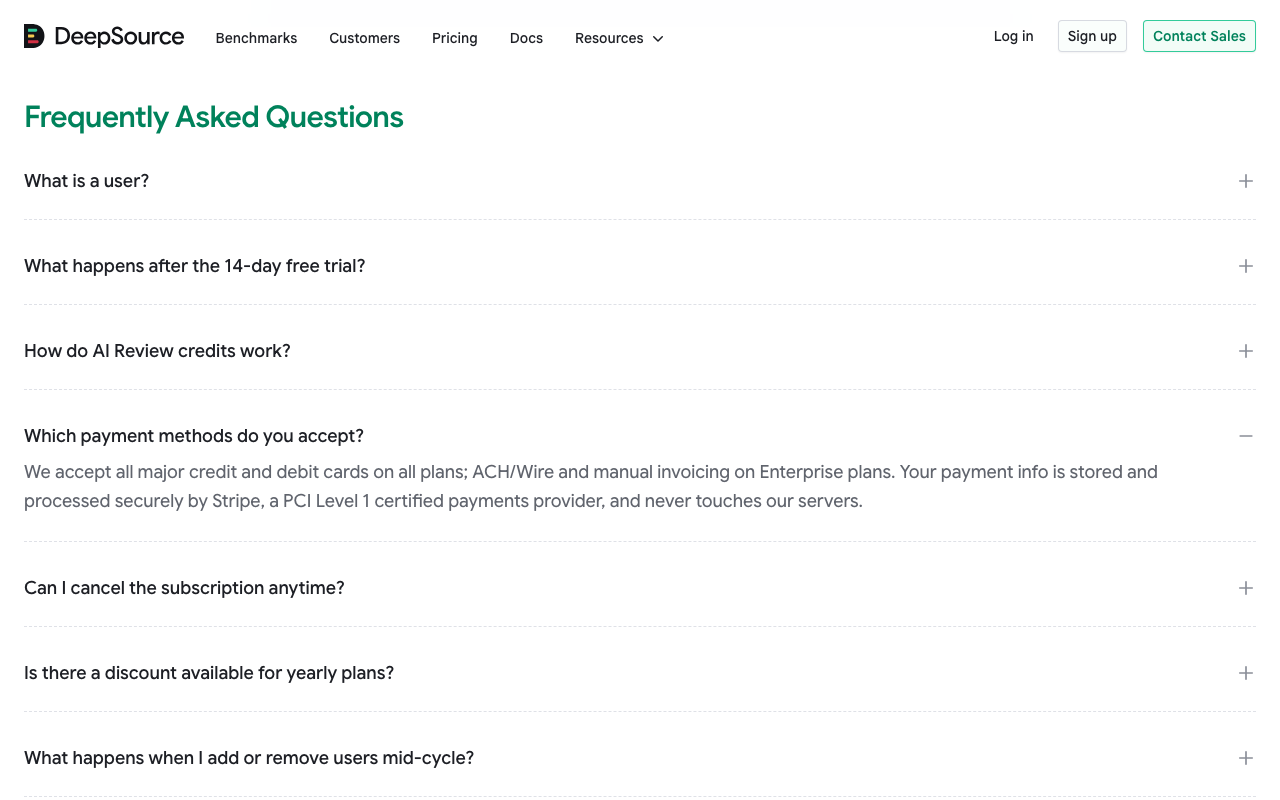
DeepSource uses committer-based billing on the Team plan: you pay only for contributors who actively push code to analyzed repositories, not for every person with repository access. For teams with a mix of active contributors and occasional contributors (QA engineers, product managers, stakeholders with read access), this can reduce the effective per-seat cost significantly.
SonarCloud Pricing
| Plan | Price | What You Get |
|---|---|---|
| Free | $0 | Up to 50K LOC (private) or unlimited (public/open source) - branch analysis, PR decoration, quality gates, 30 languages |
| Team | From EUR 30/month | Up to 100K LOC base, scales by LOC - full branch/PR analysis, quality gates, SonarLint connected mode, PR decoration |
| Enterprise Cloud | Custom annual | No LOC cap, portfolio management, security compliance reports, advanced security add-on available |
SonarCloud’s LOC-based pricing creates unpredictable scaling costs. A team at 400K LOC pays roughly EUR 150/month. At 1M LOC the cost increases further. For teams with rapidly growing codebases or monorepos, SonarCloud’s price can increase substantially without any change in team size. The LOC count includes all analyzed languages in all analyzed repositories.
Side-by-Side Cost Comparison
| Scenario | DeepSource | SonarCloud |
|---|---|---|
| Individual developer | Free | Free (up to 50K LOC) |
| Open source project | Free (public repos) | Free (unlimited for public repos) |
| 5 devs, 100K LOC codebase | $120/month | ~EUR 60/month |
| 10 devs, 300K LOC codebase | $240/month | ~EUR 90/month |
| 20 devs, 500K LOC codebase | $480/month | ~EUR 130/month |
| 50 devs, 2M LOC codebase | $1,200/month | EUR 500+/month |
| 100 devs, 500K LOC codebase | $2,400/month | ~EUR 130/month |
The crossover point depends heavily on the ratio of developers to lines of code. SonarCloud is cheaper for large teams with smaller codebases. DeepSource is cheaper for smaller teams with larger codebases. The 10-developer, 300K-LOC scenario sits close to pricing parity, which is a common setup for mid-size engineering teams.
Key pricing observations:
SonarCloud’s free tier for projects under 50K LOC is a genuine advantage for startups, small teams, and anyone evaluating the tool. There is no equivalent team-level free offering from DeepSource for private commercial repositories. If budget is constrained and your codebase is under 50K lines, SonarCloud provides meaningful value at zero cost.
DeepSource’s committer-based billing is more predictable than LOC-based billing. Teams know their cost per active contributor and can plan accordingly. SonarCloud’s LOC pricing can surprise teams when codebases grow, particularly when adding languages to analysis scope (adding infrastructure-as-code analysis to a primarily application-focused setup can jump LOC counts significantly).
For a comprehensive look at DeepSource’s pricing tiers, see our DeepSource pricing guide. For SonarCloud pricing details, see our SonarQube pricing guide.
Use Cases - When to Choose Each
When SonarCloud Is the Better Choice
Teams that need quality gate enforcement as a first principle. If your primary goal is preventing code quality degradation over time - specifically, ensuring that coverage does not drop, critical vulnerabilities do not accumulate, and complexity does not spiral - SonarCloud’s quality gate mechanism is the most proven and configurable option in the market. The combination of multi-condition gates and branch protection enforcement creates behavioral change that is difficult to replicate with other tools.
Open-source projects. SonarCloud’s free unlimited analysis for public repositories, combined with PR decoration and quality gates, makes it the default choice for open-source projects that want automated quality enforcement without cost. Many major open-source projects already use SonarCloud. DeepSource’s Open Source plan is an alternative but the 1,000 analysis run cap makes it less suitable for active projects.
Teams on Azure DevOps. SonarCloud is one of the few cloud-hosted code quality platforms that fully supports Azure DevOps. DeepSource does not support Azure DevOps. If your organization uses Azure Pipelines, Azure Repos, and the broader Microsoft DevOps ecosystem, SonarCloud is the practical choice in this comparison.
Organizations starting from zero with limited budget. The SonarCloud free tier (up to 50K LOC) provides genuine value - branch analysis, PR decoration, and quality gate enforcement at no cost. Teams can evaluate the full feature set before committing budget. DeepSource requires the Team plan ($24/user/month) for commercial team use.
Teams already invested in the SonarQube ecosystem. If your organization uses SonarQube Server for some projects and wants to add cloud-hosted analysis for others, SonarCloud uses the same analysis engine, the same quality profile concepts, and the same SonarLint IDE plugin. The transition is smooth and the team’s existing knowledge carries over. Moving to DeepSource would require learning a different tool paradigm.
Polyglot teams with diverse language stacks. SonarCloud’s 30-language coverage handles more edge cases than DeepSource’s 16 GA languages. Teams working in Swift, Kotlin (both beta in DeepSource), or less common languages should verify coverage before assuming DeepSource handles their full stack.
When DeepSource Is the Better Choice
Teams frustrated with static analysis noise. If developers have started dismissing findings without reading them because the tool generates too many false positives, DeepSource’s sub-5% false positive rate is the most direct solution. The behavioral fix - making developers trust and act on findings - is the most important outcome in code quality tooling, and no other tool in this category has as consistent a reputation for high-signal results.
Teams that want automated remediation at scale. Autofix AI changes the workflow from “find issue, read documentation, write fix, commit” to “find issue, review generated fix, apply with one click.” For teams with significant technical debt backlog or high-volume codebases with recurring issue patterns, the velocity improvement from automated remediation is material. SonarCloud’s AI CodeFix is less mature and generates more template-like suggestions.
Python, Go, JavaScript, TypeScript, and Rust teams. These are DeepSource’s strongest languages with the deepest rule coverage and best AI review quality. Teams working primarily in these languages see the highest value from DeepSource’s differentiated capabilities.
Teams that want autonomous code security agents. DeepSource Agents proactively identify, create PRs for, and manage CVEs without waiting for human intervention. This shifts code security from reactive to proactive. SonarCloud has no equivalent autonomous agent capability.
Infrastructure-as-code heavy teams. DeepSource’s native support for Terraform, Docker, and Ansible at GA level - combined with its application language support - provides a unified analysis experience for teams managing both application code and infrastructure. SonarCloud covers IaC to a degree but DeepSource’s depth in Ansible and Terraform is typically cited as stronger.
Teams that have outgrown SonarCloud’s LOC pricing. As codebases grow past 500K lines, SonarCloud’s pricing scales significantly. DeepSource’s per-contributor model remains predictable. For large monorepos or organizations with extensive codebases, the total cost of ownership comparison may favor DeepSource.
Alternatives to Consider
If neither DeepSource nor SonarCloud perfectly fits your requirements, several alternatives are worth evaluating.
Codacy sits between DeepSource and SonarCloud in the market, offering cloud-hosted code quality and security analysis at $15/user/month. Codacy supports 49 languages (more than either DeepSource or SonarCloud cloud), includes SAST, SCA, DAST, and secrets detection in a single platform, and offers AI Guardrails as a free IDE extension for scanning AI-generated code. Its $15/user/month pricing is below DeepSource ($24/user/month) while its quality gate enforcement is competitive with SonarCloud. See our DeepSource vs Codacy comparison and Codacy vs SonarCloud comparison for detailed breakdowns.
SonarQube Server (Community Build or Developer Edition) is the self-hosted version of the same analysis engine that powers SonarCloud. If data sovereignty or self-hosted deployment is a requirement, SonarQube Community Build is free and covers 20+ languages with basic quality gates. The Developer Edition at approximately $2,500/year adds branch analysis, PR decoration, taint analysis, and secrets detection. For teams with compliance requirements that prevent cloud-based code analysis, SonarQube Server is the path to SonarSource’s analysis quality without cloud dependency.
CodeAnt AI is a Y Combinator-backed platform that bundles AI code review, SAST, secrets detection, IaC security, and DORA metrics in a single platform at $24-40/user/month. Its Basic plan at $24/user/month is competitive with DeepSource’s Team plan, and the Premium plan at $40/user/month adds security scanning, IaC security, and engineering dashboards. Azure DevOps support and four-platform git integration make it one of the broadest options in the space. For teams that want DORA metrics and engineering productivity dashboards alongside code quality analysis, CodeAnt AI provides that combination that neither DeepSource nor SonarCloud offers natively.
Semgrep is the specialist choice for teams where security scanning is the primary requirement rather than general code quality. Semgrep’s open-source CLI provides SAST with taint tracking and cross-file analysis at zero cost. The Semgrep AppSec Platform adds SCA with reachability analysis and secrets detection with validation. If your primary gap is security vulnerability detection rather than code quality dashboards or PR annotation, Semgrep provides deeper and more customizable security analysis than either DeepSource or SonarCloud’s built-in security features. See our Semgrep vs SonarQube comparison for the full breakdown.
CodeRabbit is the leading dedicated AI code review tool. Where DeepSource uses AI as an additional layer on top of static analysis, CodeRabbit is AI-first with context-aware, conversational code review that considers the entire PR context. A free tier with unlimited public and private repos makes it accessible for teams that want AI-powered review without budget commitment. However, CodeRabbit does not provide static analysis rules, quality gates, or code health dashboards - it is exclusively a PR review tool. Many teams use CodeRabbit alongside DeepSource or SonarCloud: CodeRabbit for conversational AI review, the quality platform for deterministic analysis and gate enforcement.
For the full landscape of code quality platforms, see our best code quality tools roundup, DeepSource alternatives, and SonarQube alternatives guides.
Head-to-Head: Specific Decision Scenarios
Scenario 1: Startup with a 30-person engineering team, TypeScript/Python stack, using GitHub. SonarCloud’s free tier covers you if your codebase is under 50K lines. Past that threshold, DeepSource at $24/user/month with committer-based billing becomes competitive with SonarCloud’s LOC pricing. The decisive factor is whether quality gate enforcement matters more than AI-powered autofix. If your biggest pain is code quality degradation over time, SonarCloud. If your biggest pain is developer time spent manually fixing findings, DeepSource.
Scenario 2: Enterprise organization on Azure DevOps, Java and C# stack, compliance requirements. SonarCloud wins clearly. Azure DevOps support is a hard requirement DeepSource cannot meet. The Java and C# coverage is strong in SonarCloud. For compliance-grade security analysis, SonarCloud’s OWASP/CWE/SANS-aligned reporting with optional Advanced Security is the more appropriate choice.
Scenario 3: Open-source Python library with 25K LOC, active contributor community. SonarCloud free tier covers this completely - unlimited analysis for public repos with full PR decoration and quality gates. DeepSource’s Open Source plan with 1,000 analysis runs per month may be sufficient but could become constraining for active projects with high commit frequency.
Scenario 4: Agency with 8 developers, multiple client projects in varied languages. DeepSource’s per-contributor pricing is more predictable across multiple codebases of varying sizes. SonarCloud’s LOC pricing could be unpredictable across many client projects. Check that all client project languages fall within DeepSource’s 16 GA languages. If clients use Swift, Kotlin, or C/C++ extensively, SonarCloud’s language coverage may be necessary.
Scenario 5: Team migrating away from SonarQube Server because of infrastructure overhead. SonarCloud is the natural migration path - same analysis engine, same quality profiles, same SonarLint integration, zero infrastructure. The analysis results should be nearly identical. DeepSource is a legitimate alternative if the team also wants to reduce false positive noise and gain AI-powered autofix, but the migration involves learning a new paradigm and potentially adjusting workflows.
Final Recommendation
DeepSource and SonarCloud solve the same core problem - providing automated code quality analysis with PR integration - but they optimize for different outcomes and different team situations.
SonarCloud is the default recommendation for teams that:
- Need a free starting point (SonarCloud’s free tier is genuinely useful)
- Use Azure DevOps
- Prioritize quality gate enforcement as the primary mechanism for maintaining standards
- Are open-source projects that qualify for free unlimited analysis
- Have already invested in the SonarQube ecosystem and SonarLint
- Need 30+ language coverage for a diverse stack
DeepSource is the better recommendation for teams that:
- Have experienced analysis tool fatigue from false positives and want to rebuild developer trust in findings
- Want mature AI-powered autofix that generates real, working code fixes
- Work primarily in Python, JavaScript, TypeScript, Go, Java, Ruby, or Rust
- Want autonomous agents that proactively create PRs to fix security issues
- Have growing teams where per-contributor billing is more predictable than per-LOC billing
The nuanced reality: For teams with any budget, running both in complementary roles is not unreasonable. Use SonarCloud for quality gate enforcement and its free tier for initial adoption. Add DeepSource on critical repositories where signal quality and automated remediation matter most. The tools operate at different points of the development workflow with different strengths, and the overhead of running both is lower than it might appear since both require only a small CI integration and a repository connection.
For teams that find both tools expensive or feature-incomplete for their specific needs, Codacy at $15/user/month provides a strong middle ground with broader language coverage than either and a comprehensive security suite. CodeAnt AI at $24-40/user/month is worth evaluating for teams that want DORA metrics and engineering analytics alongside code quality analysis in a single platform.
The quality of your code review toolchain ultimately determines whether code quality improves over time or slowly degrades under delivery pressure. Both DeepSource and SonarCloud are legitimate answers to that challenge - pick the one that matches your team’s specific pain points, validate with a trial, and commit to using the gate enforcement mechanisms that turn tools into genuine behavioral change.
Frequently Asked Questions
Is DeepSource better than SonarCloud?
It depends on what you prioritize. DeepSource is better for teams that want a low false positive rate (sub-5%), mature AI-powered autofix that generates working code fixes, and structured five-dimension PR report cards. SonarCloud (SonarQube Cloud) is better for teams that need 6,500+ deterministic rules across 30+ languages, a genuinely free tier for projects under 50K lines of code, deep quality gate enforcement, SonarLint IDE synchronization, and the broadest language support available in a cloud-hosted tool. For raw rule depth and free entry, SonarCloud wins. For signal quality and AI-powered remediation, DeepSource wins.
Is SonarCloud free?
Yes, SonarCloud has a meaningful free tier. Public open-source repositories receive unlimited free analysis regardless of codebase size. Private projects get a free plan covering up to 50,000 lines of code with branch analysis, PR decoration, quality gates, and 30-language support included. The paid Team plan starts at EUR 30/month for up to 100,000 lines and scales by lines of code. This free tier is one of SonarCloud's strongest advantages over DeepSource, which does not offer a team-level free plan for commercial projects.
Is DeepSource free?
DeepSource offers a free plan for individual developers supporting both public and private repositories with basic static analysis. There is also a free Open Source plan for organizations working on public repositories, including 1,000 analysis runs per month and code formatter runs. However, there is no free plan for commercial teams using private repositories - those teams need the Team plan at $24/user/month. The elimination of the team free tier in DeepSource's February 2026 pricing restructuring means teams that need AI code review and full feature access must pay from day one.
How does DeepSource pricing compare to SonarCloud?
DeepSource Team plan costs $24/user/month with a per-contributor billing model (you only pay for active code committers). SonarCloud uses lines-of-code pricing: free up to 50K LOC, EUR 30/month for up to 100K LOC, scaling up from there. For small teams with large codebases, SonarCloud's LOC pricing can be more expensive than DeepSource's per-user model. For large teams with small codebases, SonarCloud can be cheaper. At roughly 10 developers working on a 300K-line codebase, both tools land in the $200-300/month range. The key structural difference is that SonarCloud pricing is unpredictable as codebases grow, while DeepSource pricing scales predictably with headcount.
Does SonarCloud support all the same languages as SonarQube?
SonarCloud supports 30 languages, while SonarQube Server (self-hosted) supports 35+ languages in commercial editions. The gap comes from enterprise languages like COBOL, ABAP, PL/I, RPG, and VB6 that are only available on SonarQube Enterprise Edition. For typical web and application development stacks - Java, JavaScript, TypeScript, Python, C#, Go, PHP, Ruby, Kotlin, Swift, C, C++, Dart, Rust, and others - SonarCloud covers everything most teams need. DeepSource supports 16 languages at general availability level, with C/C++, Swift, and Kotlin still in beta.
Which has a lower false positive rate?
DeepSource consistently delivers a lower false positive rate. The platform markets a sub-5% false positive rate and this is regularly validated by user reviews on G2 and Capterra. SonarCloud can generate meaningful false positives, particularly in the security hotspot category, and most teams need to spend time in the first week tuning quality profiles and suppressing noisy rules. DeepSource requires significantly less initial tuning. If your team has been burned by noisy static analysis before and developer trust in findings is paramount, DeepSource's signal quality is a genuine differentiator.
Does DeepSource have quality gates like SonarCloud?
DeepSource does not offer quality gates in the same form as SonarCloud. SonarCloud's quality gates are a defining feature - you set pass/fail conditions like minimum coverage on new code, zero new critical security issues, or maximum complexity thresholds, and those conditions are enforced as PR status checks that can block merges. DeepSource provides code health dashboards, issue tracking, and PR annotations, but it does not have the same configurable quality gate mechanism that SonarCloud (and SonarQube) are specifically known for. Teams that need automated quality gate enforcement as a blocker should weight this heavily toward SonarCloud.
Which tool is better for open-source projects?
SonarCloud is generally the better choice for open-source projects. Public repositories receive free unlimited analysis including branch analysis, PR decoration, and quality gate enforcement. This is more generous than DeepSource's Open Source plan, which covers public repos with 1,000 analysis runs per month and metered AI features. Many major open-source projects use SonarCloud for exactly this reason - the combination of free unlimited analysis and broad language support makes it the default choice for open-source code quality. DeepSource's Open Source plan is a reasonable free option but the analysis run cap makes it less suitable for active projects with frequent commits.
Does DeepSource have SonarLint-style IDE integration?
Yes, DeepSource provides IDE plugins for VS Code, IntelliJ IDEA, and PyCharm. These plugins show DeepSource findings in the editor in real time, allowing developers to see issues before they commit code. SonarCloud's SonarLint integration is particularly powerful in connected mode, where the IDE plugin synchronizes with your team's SonarCloud quality profile configuration so that what you see in your editor exactly matches what the CI pipeline will enforce. DeepSource's IDE integration is functional but SonarLint's connected mode synchronization is considered best-in-class for this workflow.
Can DeepSource replace SonarCloud?
DeepSource can replace SonarCloud for many code quality use cases, but there are specific gaps. DeepSource supports 16 GA languages versus SonarCloud's 30, so teams with less common languages may find gaps. DeepSource lacks SonarCloud's configurable quality gate enforcement mechanism and the SonarLint connected mode IDE synchronization. DeepSource also has no free team-level plan while SonarCloud is free for projects under 50K LOC. However, DeepSource provides better AI-powered autofix, lower false positive rates, and structured AI code review that SonarCloud does not offer. The replacement is viable for JavaScript, TypeScript, Python, Go, Java, and other mainstream languages, but teams should verify their specific language stack is covered.
Which tool has better AI features?
DeepSource has significantly more mature and comprehensive AI features. Autofix AI generates context-aware, idiomatic fixes for nearly all detected issues using large language models - it analyzes surrounding context including imports, related functions, and project patterns. The AI code review with five-dimension PR report cards (Security, Reliability, Complexity, Hygiene, Coverage) provides structured feedback on every PR. DeepSource Agents operate autonomously to secure code and manage CVEs. SonarCloud has AI CodeFix for remediation suggestions and AI Code Assurance for detecting AI-generated code risks, but these features are newer and produce more template-like suggestions compared to DeepSource's contextual LLM-powered approach.
What is the best alternative to both DeepSource and SonarCloud?
CodeAnt AI is worth evaluating as an alternative that bundles AI code review, SAST, secret detection, IaC security, and DORA metrics in one platform at $24-40/user/month. Codacy at $15/user/month provides a similar cloud-hosted code quality and security platform with 49 language support and a combined SAST, SCA, DAST, and secrets detection security suite. For teams that want the best AI-powered PR review, CodeRabbit offers a free tier with unlimited repos. For the most comprehensive static analysis with self-hosted deployment, SonarQube Community Build is free and SonarQube Developer Edition provides branch analysis at $2,500/year.
Explore More
Tool Reviews
 DeepSource Review
Related Articles
- DeepSource Free vs Paid: Plan Differences Explained
- DeepSource vs Code Climate: Automated Code Quality Platforms Compared (2026)
- DeepSource vs CodeFactor: Code Quality Platforms Compared (2026)
- DeepSource vs Coverity: Static Analysis Platforms Compared (2026)
- DeepSource vs ESLint: Platform vs Linter Compared (2026)
Free Newsletter
Stay ahead with AI dev tools
Weekly insights on AI code review, static analysis, and developer productivity. No spam, unsubscribe anytime.
Join developers getting weekly AI tool insights.
Related Articles
Checkmarx vs Veracode: Enterprise SAST Platforms Compared in 2026
Checkmarx vs Veracode - enterprise SAST, DAST, SCA, Gartner positioning, pricing ($40K-250K+), compliance, and when to choose each AppSec platform.
March 13, 2026
comparisonCodacy Free vs Pro: Which Plan Do You Need in 2026?
Codacy Free vs Pro compared - features, limits, pricing, and when to upgrade. Find the right Codacy plan for your team size and workflow.
March 13, 2026
comparisonCodacy vs Checkmarx: Developer Code Quality vs Enterprise AppSec in 2026
Codacy vs Checkmarx - developer code quality vs enterprise AppSec, pricing ($15/user vs $40K+), SAST, DAST, SCA, compliance, and when to choose each.
March 13, 2026