Sourcery AI Alternatives: 10 Best Code Quality Tools in 2026
Compare 10 Sourcery alternatives for AI code review, Python linting, and code quality. Features, pricing, and honest recommendations.
Published:
Last Updated:
Why look for Sourcery alternatives
Sourcery has built a strong reputation as an AI code review and refactoring tool, particularly for Python-heavy teams. Its ability to suggest idiomatic Python patterns, learn from developer feedback, and deliver clean PR-level comments at a competitive price point ($10/user/month for Pro) makes it a solid choice for small to mid-size teams. The free tier for open-source projects is one of the most generous in the AI review space. But as teams scale and their requirements evolve, several limitations push developers toward alternatives.
Platform coverage is the most frequent trigger for switching. Sourcery supports only GitHub and GitLab, including self-hosted instances. Teams on Bitbucket or Azure DevOps have no option to use Sourcery at all. For organizations with repositories spread across multiple platforms - common after acquisitions or in enterprise environments with mixed tooling - this is a non-starter. Competitors like CodeRabbit and Qodo support all four major git platforms, including Bitbucket and Azure DevOps.
Single-file review limits catch quality. Sourcery reviews files individually rather than analyzing the full pull request context. This means it can miss cross-file dependency issues, broken interfaces, inconsistent error handling across related modules, and architectural problems that only become visible when multiple changed files are considered together. Independent benchmarks have shown that tools with cross-file analysis capabilities - like CodeRabbit and Greptile - produce higher catch rates on complex PRs that touch multiple modules. For teams working on large codebases where PRs routinely span 5-10 files, this is a meaningful gap.
Review noise is a documented concern. One independent evaluation found that approximately 50% of Sourcery’s comments were noise, with an additional 25% categorized as bikeshedding - technically valid suggestions that are not worth the developer’s time to address. While Sourcery’s learning capability reduces noise over time, the initial period can erode developer trust in the tool. Teams that need immediate, high-signal feedback may find the calibration period frustrating.
Security analysis is secondary, not primary. Sourcery’s Team plan includes security scanning for up to 200 repositories with daily scans and unlimited fixes. However, this security coverage is a secondary feature rather than a dedicated SAST implementation. Teams with growing security requirements - compliance obligations, penetration testing programs, or regulatory mandates - will find Sourcery’s security depth insufficient compared to dedicated tools like SonarQube, Semgrep, or Snyk Code.
Python depth does not extend equally to other languages. Sourcery’s strongest capabilities - the rules-based refactoring engine, idiomatic pattern recognition, and deep static analysis - are concentrated on Python. For JavaScript, TypeScript, Java, Go, and other supported languages, Sourcery relies primarily on its LLM-powered analysis layer. This means teams working predominantly in non-Python languages get a less differentiated experience compared to what Python teams receive.
No engineering metrics or quality dashboards beyond basic analytics. Sourcery’s Team plan includes a repository analytics dashboard, but it does not provide the depth of engineering metrics that tools like CodeScene (behavioral analysis), LinearB (delivery metrics), or SonarQube (technical debt tracking) offer. Teams that need to quantify code quality trends, track developer productivity, or report on engineering health to leadership will find Sourcery’s analytics insufficient.
This guide covers 10 alternatives that address these gaps - from free open-source Python tools to comprehensive AI-powered platforms. Each tool is evaluated on what it does better than Sourcery, where it falls short, and who should consider switching.
Feature comparison table
| Tool | Type | Best For | Languages | Free Tier | Starting Price |
|---|---|---|---|---|---|
| Ruff | Python linter and formatter | Fast Python linting | Python | Yes (fully free) | Free |
| Black | Python formatter | Opinionated formatting | Python | Yes (fully free) | Free |
| Pylint | Python static analysis | Deep Python analysis | Python | Yes (fully free) | Free |
| Flake8 | Python linter | PEP 8 enforcement | Python | Yes (fully free) | Free |
| DeepSource | Code quality platform | Low-noise quality | 12+ | Yes | $12/user/mo |
| Codacy | Code quality platform | Polyglot teams | 40+ | Yes | $15/user/mo |
| SonarQube | Static analysis | Enterprise quality gates | 35+ | Yes | Free / $2,500/yr |
| CodeRabbit | AI code review | AI-powered PR review | 20+ | Yes | $24/user/mo |
| GitHub Copilot | AI assistant | Code generation and review | 20+ | Yes | $19/user/mo |
| Qodo | AI code review | Review plus test generation | 11+ | Yes | $30/month flat for up to 30 users |
Detailed reviews
1. Ruff - Best for fast Python linting and formatting
Free and open-source | Written in Rust | Replaces Flake8, isort, Black, pycodestyle, and more
Ruff has rapidly become the default Python linter for modern development teams. Written in Rust, it executes 10-100x faster than traditional Python linters like Flake8, Pylint, and isort. But speed is only part of the story - Ruff reimplements over 800 lint rules from dozens of Flake8 plugins, pycodestyle, pyflakes, isort, and more, consolidating what used to require five or six separate tools into a single binary with a single configuration file.
Ruff’s speed changes developer workflows. When linting takes milliseconds instead of seconds, it becomes practical to run on every keystroke in the editor, on every file save, and as a pre-commit hook - all without slowing down the developer. This means style violations and common bugs are caught before code ever reaches a pull request, reducing the noise that Sourcery has to deal with during PR review. Teams that adopt Ruff often find that the issues Sourcery catches on PRs decrease significantly because Ruff already caught the deterministic ones locally.
The built-in formatter replaces Black. Ruff includes a Python formatter that is designed to produce output compatible with Black, so teams migrating from Black can switch without reformatting their entire codebase. Having linting and formatting in a single tool with a single configuration simplifies the development setup and eliminates version conflicts between separate tools.
Where Ruff falls short of Sourcery: Ruff is a deterministic linter and formatter - it applies rules, not intelligence. It cannot suggest refactoring opportunities, identify suboptimal algorithms, or provide contextual feedback about code design. Ruff catches the “wrong” code. Sourcery catches the “not wrong but could be better” code. For teams that value AI-powered refactoring suggestions, Ruff is a complement to Sourcery rather than a replacement.
For a detailed comparison, see our Sourcery vs Ruff analysis.
Best for: Python teams that want the fastest possible linting and formatting with a single tool, replacing their Flake8/Black/isort/pycodestyle stack.
2. Black - Best for opinionated Python formatting
Free and open-source | The uncompromising code formatter
Black takes a deliberately opinionated approach to Python formatting: there is one way to format code, and Black enforces it. By removing style debates from code review entirely, Black saves teams hours of bikeshedding over formatting preferences. It formats code deterministically - the same input always produces the same output regardless of who runs it.
Black eliminates an entire category of Sourcery feedback. A significant portion of Sourcery’s review comments relate to code style and formatting. Teams that adopt Black find that these comments disappear because the formatter already enforces consistent style. This raises the signal-to-noise ratio of Sourcery’s remaining comments, focusing them on the higher-value refactoring and design suggestions.
Where Black falls short of Sourcery: Black only handles formatting - line length, whitespace, quote style, parentheses, and similar visual concerns. It does not catch bugs, suggest refactoring, detect security issues, or provide any analysis of code logic. Black is not an alternative to Sourcery’s core value proposition - it is a complementary tool that handles one narrow concern extremely well.
For a deeper comparison, see our Sourcery vs Black guide.
Best for: Python teams that want to eliminate formatting debates permanently. Often used alongside Ruff (which now includes a Black-compatible formatter) or Sourcery.
3. Pylint - Best for deep Python static analysis
Free and open-source | 400+ checks | Highly configurable
Pylint is the most comprehensive traditional static analysis tool for Python. With over 400 built-in checks covering errors, warnings, refactoring suggestions, conventions, and code smells, Pylint catches a wider range of Python issues than any other free tool. It has been a core part of the Python ecosystem for over 20 years, and its analysis depth reflects that maturity.
Pylint’s refactoring suggestions overlap significantly with Sourcery’s. Both tools suggest simplifying complex conditionals, replacing verbose patterns with Pythonic idioms, and reducing unnecessary code complexity. The key difference is delivery: Pylint runs locally or in CI and produces a text report. Sourcery integrates into GitHub and GitLab as inline PR comments with suggested fixes. For teams that prefer local analysis over cloud-based PR review, Pylint provides similar refactoring guidance at no cost.
Pylint’s configurability is both a strength and a weakness. Every rule can be enabled, disabled, or tuned with parameters. Custom checker plugins can be written in Python. This makes Pylint adaptable to any team’s coding standards, but it also means initial configuration can be time-consuming. Sourcery’s learning capability is a simpler approach to the same problem - rather than configuring hundreds of rules, you let the tool adapt based on which suggestions you accept or dismiss.
Where Pylint falls short of Sourcery: Pylint has no AI capabilities - it applies deterministic rules without understanding code context or intent. It cannot explain why a pattern is problematic in the specific context of your PR. It does not integrate natively with GitHub or GitLab as a PR reviewer. And it can be slow on large codebases, especially compared to Ruff which implements many of the same rules 10-100x faster. Teams that want AI-powered contextual review will find Pylint insufficient on its own.
For more detail, see our Sourcery vs Pylint comparison.
Best for: Python teams that want comprehensive, free static analysis with deep configurability and do not need AI-powered review.
4. Flake8 - Best for lightweight PEP 8 enforcement
Free and open-source | Plugin ecosystem | Fast and simple
Flake8 is a lightweight Python linting tool that wraps pycodestyle (PEP 8 checking), pyflakes (logical error detection), and McCabe (complexity checking) into a single interface. Its plugin ecosystem extends its capabilities into type checking, security scanning, import ordering, and dozens of other concerns.
Flake8’s simplicity is its value proposition. It runs fast, produces clean output, and has minimal configuration requirements. For teams that need basic PEP 8 enforcement and logical error detection without the complexity of Pylint or the AI overhead of Sourcery, Flake8 delivers exactly what is needed with no excess. The plugin architecture means teams can add precisely the checks they want without adopting a monolithic tool.
Ruff has largely superseded Flake8 for new projects. Ruff reimplements nearly all of Flake8’s rules and plugins at 10-100x the speed. Teams starting new Python projects today should evaluate Ruff first. However, Flake8 remains a solid choice for existing projects where the tool chain is already established and migration effort is not justified.
Where Flake8 falls short of Sourcery: Like Pylint and Black, Flake8 is a deterministic tool with no AI capabilities. It checks code against rules but cannot suggest refactoring improvements, understand code intent, or provide contextual review feedback. It does not integrate as a PR reviewer. Its scope is narrower than Pylint’s, covering style and basic logic but not the deeper refactoring analysis that both Pylint and Sourcery provide.
See our Sourcery vs Flake8 post for a thorough comparison.
Best for: Python teams that want minimal, fast PEP 8 enforcement without the weight of larger tools. Best for projects where Ruff adoption is not yet practical.
5. DeepSource - Best for low-noise code quality
Rating: 4.5 | Free tier available | $12/user/month
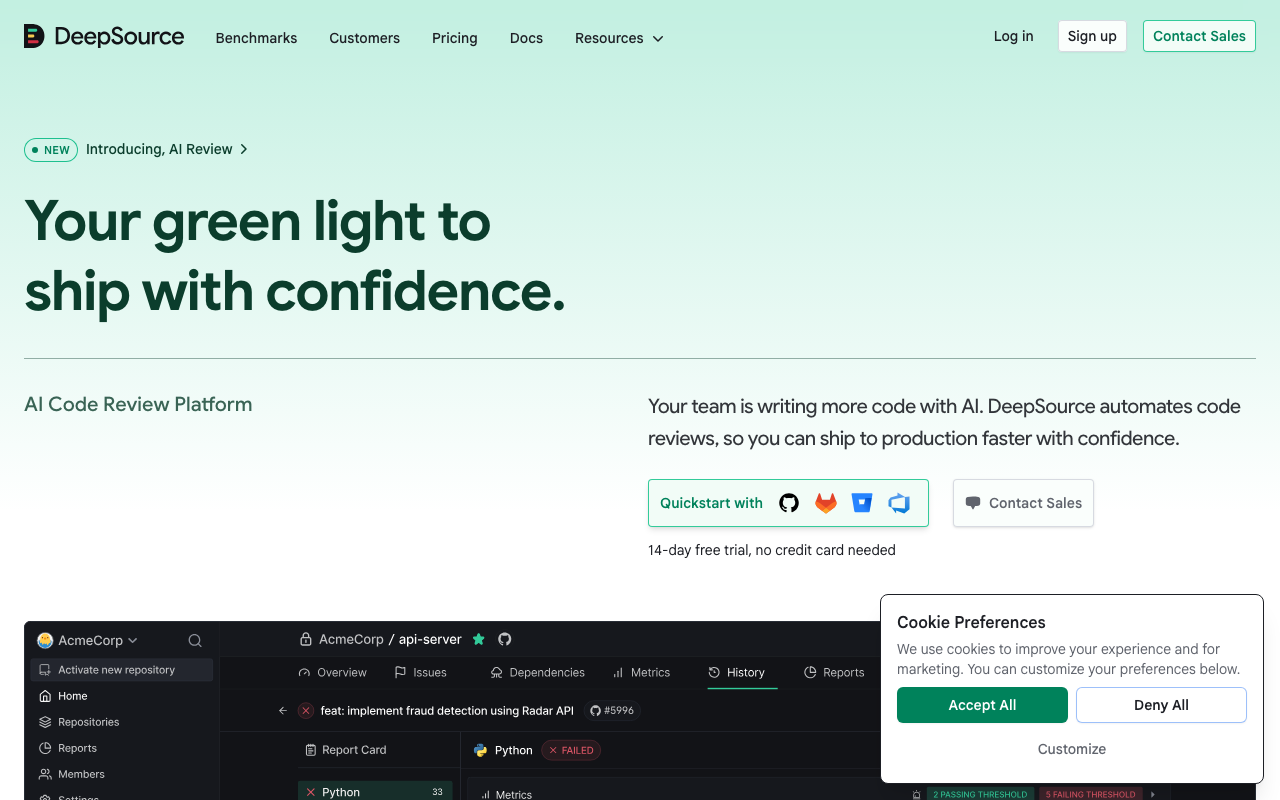
DeepSource is a code quality platform that prioritizes signal quality over finding volume. Its analysis engine is tuned for low false positive rates, which means developers see fewer but more actionable findings compared to noisier tools. The auto-fix capability generates one-click remediations that save time on routine code quality improvements, and the clean interface makes it easy for teams to track quality metrics without drowning in dashboards.
DeepSource’s five-dimension PR report card provides structured feedback. Every PR is scored across Security, Reliability, Complexity, Hygiene, and Coverage - giving developers a clear, at-a-glance view of how their changes affect code quality. This structured approach contrasts with Sourcery’s inline comment model, which provides useful suggestions but lacks an aggregate quality view of the overall PR.
Auto-fix is more comprehensive than Sourcery’s. DeepSource generates fix PRs that remediate multiple issues at once, with each fix based on deterministic transformations that produce predictable results. While Sourcery provides suggested code changes in its review comments, DeepSource’s auto-fix workflow is more automated - developers review and merge a fix PR rather than manually applying suggestions one by one.
Where DeepSource falls short of Sourcery: DeepSource does not have Sourcery’s depth of Python refactoring expertise. Its suggestions tend to focus on common code quality patterns rather than language-specific idiomatic improvements. DeepSource supports around 12 languages versus Sourcery’s 30+, though Sourcery’s non-Python analysis is LLM-based rather than rules-based. At $12/user/month versus Sourcery’s $10/user/month Pro plan, the pricing is comparable, but DeepSource includes a free tier only for individual use.
Read our Sourcery vs DeepSource comparison for a more detailed analysis.
Best for: Teams that want clean, low-noise code quality analysis with auto-fix capabilities and structured PR feedback across multiple quality dimensions.
6. Codacy - Best for polyglot teams
Rating: 4.3 | Free for open-source | $15/user/month
Codacy supports over 40 programming languages by orchestrating multiple best-of-breed analysis engines into a unified dashboard. Python code is analyzed by Pylint and Bandit, JavaScript by ESLint, Java by PMD and SpotBugs, and so on. This multi-engine approach means each language gets specialized analysis rather than generic LLM-based review.
Codacy’s breadth addresses Sourcery’s non-Python weakness directly. While Sourcery provides LLM-powered analysis for non-Python languages that is useful but not specialized, Codacy applies proven language-specific tools to each supported language. For polyglot teams working across Python, JavaScript, Java, Go, and others, Codacy provides consistently deep analysis across all languages rather than deep Python analysis with shallower coverage elsewhere.
The portfolio-level quality dashboard serves engineering leaders. Codacy tracks code quality metrics across all repositories in the organization with trend lines and comparative views. This gives engineering managers visibility that Sourcery’s repository analytics cannot match - particularly for organizations with dozens of repositories spanning multiple technology stacks.
Where Codacy falls short of Sourcery: Codacy does not provide AI-powered refactoring suggestions. Its analysis is rule-based, surfacing findings from established linters rather than using AI to suggest design improvements. There is no learning capability - Codacy applies the same rules regardless of team preferences. The multi-engine approach can introduce inconsistency in findings from different tools, and the noise level on legacy codebases is a documented concern. At $15/user/month, it costs more than Sourcery’s Pro plan.
For more on this comparison, see our Sourcery vs Codacy analysis.
Best for: Teams working across 4+ programming languages that need unified quality analysis without maintaining separate tools per language.
7. SonarQube - Best for enterprise quality gates

Rating: 4.5 | Free Community Build | $2,500/year (Developer Edition)
SonarQube is the industry standard for code quality governance. With 6,500+ rules across 35+ languages, quality gates that block merges failing defined criteria, and comprehensive technical debt tracking, SonarQube provides the depth of quality enforcement that enterprise teams require. The free Community Build makes it accessible to teams of any size willing to self-host.
SonarQube’s quality gate concept is fundamentally different from Sourcery’s approach. Sourcery provides suggestions that developers can accept or dismiss. SonarQube defines pass/fail criteria - “no new critical bugs, coverage above 80%, maintainability rating A” - and blocks merges that do not meet the bar. This enforcement model is essential for teams that need to guarantee quality standards rather than suggest them. In regulated industries, this distinction often determines which tool satisfies compliance requirements.
The rule depth far exceeds what Sourcery covers. SonarQube’s 6,500+ rules include language-specific bug detection, security vulnerability patterns (mapped to CWE and OWASP), code smell identification, and maintainability metrics. Sourcery’s rules-based engine covers a fraction of these patterns for Python and relies on LLM analysis for other languages. For teams that need comprehensive, deterministic coverage across many languages, SonarQube provides depth that Sourcery does not attempt.
Where SonarQube falls short of Sourcery: SonarQube does not provide AI-powered refactoring suggestions. Its feedback is based on rules, not intelligence - it tells you what is wrong but does not suggest how to make correct code better. Setup complexity is significantly higher, especially for self-hosted deployments that require a database and compute infrastructure. The Community Build lacks branch analysis and PR decoration, meaning you need the paid Developer Edition for PR-level feedback - a feature Sourcery includes for free on open-source projects. The interface is functional but dated compared to Sourcery’s modern UI.
Best for: Enterprise teams that need enforceable quality gates, comprehensive rule coverage, and technical debt tracking across large codebases. See our best code review tools for Python guide for more context on how SonarQube fits into Python workflows.
8. CodeRabbit - Best for AI-powered PR review

Rating: 4.5 | Free for open-source | $24/user/month (Pro)
CodeRabbit is the most direct AI-powered alternative to Sourcery. It provides AI-powered pull request reviews with cross-file context awareness, natural language configuration, and support for GitHub, GitLab, Bitbucket, and Azure DevOps - addressing Sourcery’s platform coverage gap directly.
CodeRabbit’s cross-file analysis is its key advantage over Sourcery. Where Sourcery reviews files individually, CodeRabbit analyzes the entire PR context, understanding how changes in one file affect other files in the same pull request. This catches broken interfaces, inconsistent error handling across related modules, and architectural issues that single-file review misses. Independent benchmarks have shown CodeRabbit producing more actionable catches per review than Sourcery, with 52 actionable comments across a 30-PR test set compared to Sourcery’s lower volume.
Natural language configuration removes the barrier to customization. Instead of writing YAML rules, teams tell CodeRabbit in plain English what they care about: “Flag any caught error that is silently ignored,” “Ensure all API endpoints validate authentication,” or “Check that database transactions include rollback handling.” This makes it accessible to team leads who want to encode standards without learning a configuration language. Sourcery’s custom coding guidelines require YAML configuration, which is more precise but less accessible.
CodeRabbit learns from your codebase over time. As it reviews more PRs, CodeRabbit builds understanding of your team’s patterns, conventions, and architectural decisions. Sourcery has a similar learning capability through its feedback loop where dismissed suggestions reduce future noise. Both approaches improve over time, but CodeRabbit’s codebase-level learning provides broader context.
Where CodeRabbit falls short of Sourcery: CodeRabbit is a pure review tool - it does not include security scanning, repository analytics, or the structured quality dashboards that Sourcery’s Team plan provides. At $24/user/month for Pro, it costs more than Sourcery’s $10/user/month Pro plan but matches Sourcery’s Team plan pricing. CodeRabbit does not have Sourcery’s depth of Python-specific refactoring expertise - its AI is more general-purpose, which means Python teams lose the idiomatic pattern recognition that makes Sourcery special for Python.
Best for: Teams that need the deepest AI-powered PR review available, especially those on Bitbucket or Azure DevOps where Sourcery is not available. See our Sourcery vs GitHub Copilot analysis for how CodeRabbit compares in the broader AI review landscape.
9. GitHub Copilot - Best for integrated AI development
Rating: 4.7 | Free tier available | $19/user/month (Pro)
GitHub Copilot has expanded well beyond code completion into a comprehensive AI development platform that includes code review through Copilot for Pull Requests. For teams already using GitHub as their primary development platform, Copilot provides AI code review alongside code generation, chat assistance, and agent-based coding - all within a single subscription.
Copilot’s native GitHub integration is unmatched. Because Copilot is built into GitHub, its PR review experience is seamless - no separate app installation, no additional authentication, no third-party integration to maintain. Review comments appear natively in the GitHub interface, and developers can interact with Copilot through the same interface they use for everything else. Sourcery requires installing a separate GitHub App and creates a distinct review experience.
The bundled value proposition changes the comparison. At $19/user/month for Pro or $39/user/month for Business, Copilot includes code generation, code review, chat, CLI integration, and agent-based coding. Comparing Copilot’s review feature alone against Sourcery is misleading - teams adopting Copilot get an entire AI development platform. For organizations already paying for Copilot, the review functionality is essentially free, making it hard to justify Sourcery’s additional $10-24/user/month.
Where Copilot falls short of Sourcery: Copilot’s code review quality lags behind dedicated review tools on complex PRs. It reviews PR diffs without comparing against existing codebase patterns, limiting its ability to enforce project-specific standards. Sourcery’s Python refactoring expertise, custom coding guidelines, and learning capability produce more targeted review quality for teams focused on code improvement. Copilot is a generalist; Sourcery is a specialist. Teams that prioritize review depth over platform breadth will find Sourcery delivers more value per review comment.
See our Sourcery vs GitHub Copilot comparison for a full breakdown.
Best for: Teams already invested in the GitHub ecosystem that want AI code review as part of a broader AI development platform rather than as a standalone tool.
10. Qodo - Best for AI review plus test generation
Rating: 4.5 | Free tier available | $30/user/month (Teams)
Qodo (formerly CodiumAI) pairs AI pull request review with automated test generation, a combination no other tool on this list offers. Alongside the Git plugin that reviews PRs, Qodo ships an IDE plugin for local review and test creation and a CLI for terminal and CI workflows. It was named a Visionary in the 2025 Gartner Magic Quadrant for AI Code Assistants.
Test generation is the differentiator. Sourcery tells you how to restructure a function; Qodo will also write tests for it. For teams where thin test coverage is the real quality problem rather than code style, that is a more direct fix than better refactoring suggestions.
Platform coverage is broader than Sourcery’s. Qodo supports GitHub, GitLab, Bitbucket, and Azure DevOps - the four major git platforms. Sourcery only supports GitHub and GitLab. For teams with repositories spread across platforms, Qodo removes the coverage gap that forces Sourcery users to keep a second tool for Bitbucket and Azure DevOps.
Deployment options reach further. Qodo’s review engine is built on the open-source PR-Agent project, so teams can self-host it with Docker, and Enterprise customers can run the full platform on-premises or air-gapped. Sourcery is SaaS only apart from its self-hosted GitHub and GitLab connections.
Where Qodo falls short of Sourcery: Qodo does not have Sourcery’s depth of Python-specific refactoring expertise. Sourcery’s Python engine understands idiomatic patterns like comprehensions, context managers, and generator expressions at a level that Qodo’s general AI approach does not match. Qodo is also a wider surface area to learn - Git plugin, IDE plugin, CLI, and context engine - where Sourcery is one thing that does one job. And at $30/month flat for up to 30 users for Teams, it costs more than Sourcery Pro at $10.
Best for: Teams that want AI code review and automated test generation from one vendor - especially those on Bitbucket or Azure DevOps where Sourcery is not available.
Pricing comparison
Cost structure varies significantly across these tools. Here is how they compare for a typical team.
| Tool | 5 Developers | 15 Developers | 30 Developers | 50 Developers |
|---|---|---|---|---|
| Ruff / Black / Pylint / Flake8 | Free | Free | Free | Free |
| Sourcery Pro | $50/mo | $150/mo | $300/mo | $500/mo |
| Sourcery Team | $120/mo | $360/mo | $720/mo | $1,200/mo |
| DeepSource | $60/mo | $180/mo | $360/mo | $600/mo |
| Codacy | $75/mo | $225/mo | $450/mo | $750/mo |
| SonarQube Developer (self-hosted) | $208/mo | $208/mo | $208/mo | $208/mo |
| CodeRabbit Essentials | $120/mo | $360/mo | $720/mo | $1,200/mo |
| GitHub Copilot Pro | $95/mo | $285/mo | $570/mo | $950/mo |
| Qodo Teams | $150/mo | $450/mo | $900/mo | $1,500/mo |
Note: Pricing is approximate based on publicly available information. SonarQube Developer Edition is priced by lines of code at $2,500/year for up to 500K LOC, not per user. GitHub Copilot Pro pricing is $19/user/month. Ruff, Black, Pylint, and Flake8 are completely free and open-source. All prices exclude annual discount savings.
How to choose the right Sourcery alternative
Selecting the right replacement depends on which limitation is driving the switch.
If your primary language is Python and you want free tools: Start with Ruff for linting and formatting - it replaces Flake8, Black, isort, and pycodestyle in a single tool that runs in milliseconds. Add Pylint if you need deeper analysis with custom checker plugins. This combination provides comprehensive Python code quality at zero cost, though you lose AI-powered refactoring suggestions.
If you need AI-powered review with broader platform support: CodeRabbit at $24/user/month supports GitHub, GitLab, Bitbucket, and Azure DevOps with cross-file analysis that produces higher catch rates than Sourcery. Qodo at $30/month flat for up to 30 users adds automated test generation to its AI review and covers all four major platforms.
If you need enterprise quality governance: SonarQube provides enforceable quality gates, 6,500+ rules across 35+ languages, technical debt tracking, and compliance reporting. The free Community Build covers self-hosted deployments. The Developer Edition at $2,500/year adds branch analysis and PR decoration.
If you need an all-in-one platform covering security and quality: Codacy at $15/user/month covers 40+ languages with multi-engine analysis including SAST and SCA.
If you want the cheapest paid alternative: DeepSource at $12/user/month provides clean code quality analysis with auto-fix. Codacy at $15/user/month adds broader language support. Both are within $5/month of Sourcery’s Pro plan pricing.
If you want AI code review as part of a larger AI platform: GitHub Copilot at $19/user/month includes code review alongside code generation, chat, and agent-based coding. For teams already paying for Copilot, the review feature is included at no additional cost.
Final recommendations
Sourcery is a good tool that fills a specific niche well - AI-powered code review with deep Python refactoring expertise at an affordable price point. Teams that are primarily Python-focused, work on GitHub or GitLab, and want AI-powered refactoring suggestions at $10/user/month may not need to switch at all. The free tier for open-source is genuinely best-in-class.
For Python teams that want to maximize quality at zero cost, the Ruff + Pylint combination covers deterministic linting, formatting, and deep static analysis without any subscription. Add Sourcery’s free tier on open-source projects for AI-powered review on top.
For teams that need AI review beyond Sourcery’s capabilities, CodeRabbit provides cross-file analysis and broader platform support at $24/user/month. Its higher catch rate and natural language configuration make it the strongest AI review alternative, though it lacks Sourcery’s Python-specific depth.
For teams that need security and quality in one platform, Codacy at $15/user/month covers code quality, SAST, SCA, secrets detection, and quality gates across 40+ languages in a single product. This consolidation is especially valuable for teams currently paying for multiple tools to cover these concerns.
For enterprise teams that need enforceable quality standards, SonarQube remains the industry standard. Its quality gates, technical debt tracking, and compliance reporting satisfy requirements that no AI review tool can match. The free Community Build makes it accessible at any budget level for teams willing to self-host.
For the optimal Python setup, most teams benefit from layering tools: Ruff for fast deterministic linting and formatting, SonarQube or DeepSource for baseline quality metrics, and either Sourcery or CodeRabbit for AI-powered PR review. This gives you speed (Ruff), enforcement (SonarQube), and intelligence (AI review) - each tool doing what it does best.
The Python code quality landscape has matured significantly, with tools at every price point from free to enterprise. The best approach is to combine specialized tools that complement each other rather than expecting one tool to cover every need. See our best code review tools for Python guide for a comprehensive view of the full landscape.
Further Reading
 Gitar
GitarComments are not enough
Gitar applies the fix, validates it in CI, and clears the queue.
See it on your repo Read our independent Gitar reviewFrequently Asked Questions
What are the best Sourcery alternatives?
The best Sourcery alternatives depend on your primary need. Ruff is the fastest Python linter and formatter, replacing Flake8, isort, and Black in one tool. CodeRabbit provides deeper AI-powered PR reviews with cross-file analysis at $24/user/month. SonarQube offers enterprise-grade quality gates with 6,500+ rules. DeepSource delivers low-noise code quality analysis at $12/user/month. Qodo combines AI PR review with automated test generation and has a free tier plus Teams plans at $30/month flat for up to 30 users.
Is Sourcery free?
Yes, Sourcery offers a free tier for all public and open-source repositories with no feature restrictions. The free plan includes AI code reviews on PRs, basic refactoring suggestions, GitHub integration, and VS Code and PyCharm extensions. For private repositories, the Pro plan starts at $10/user/month, and the Team plan with security scanning and analytics costs $24/user/month.
What is the difference between Sourcery and Ruff?
Sourcery is an AI-powered code review and refactoring tool that analyzes pull requests and provides contextual suggestions across 30+ languages, with a focus on Python. Ruff is a blazing-fast Python linter and formatter written in Rust that replaces Flake8, isort, Black, and pycodestyle. Sourcery catches higher-level design and readability issues through AI analysis. Ruff catches style violations and common bugs through deterministic rules at speeds 10-100x faster than traditional Python linters.
Can I use Ruff and Sourcery together?
Yes, Ruff and Sourcery complement each other well. Ruff handles fast, deterministic linting and formatting in your editor and CI pipeline - catching style violations, import sorting, and common Python anti-patterns in milliseconds. Sourcery adds AI-powered review on top, catching higher-level issues like suboptimal algorithms, unclear abstractions, and refactoring opportunities that rule-based tools cannot detect. Many Python teams run Ruff locally and in CI for instant feedback, then use Sourcery for PR-level AI review.
What is the difference between Sourcery and Pylint?
Pylint is a traditional Python static analysis tool that checks for errors, enforces coding standards, and detects code smells using a configurable rule engine. Sourcery is an AI-powered tool that goes beyond rule-based checking to suggest refactoring improvements and provide contextual code review. Pylint is free, runs locally, and is highly configurable but can be noisy. Sourcery costs $10-24/user/month, integrates with GitHub and GitLab, and provides more actionable suggestions but with less granular configuration.
What is the cheapest Sourcery alternative?
Ruff, Black, Pylint, and Flake8 are all completely free and open-source Python tools. For AI-powered alternatives, CodeRabbit offers a free tier with unlimited open-source repositories. SonarQube Community Build is free for self-hosted deployment. Among paid tools, Sourcery's Pro plan at $10/user/month is already one of the cheapest. Qodo's free Developer plan includes 30 PR reviews per month plus IDE and CLI credits, which is enough for solo developers and small teams to work with before paying anything.
Does Sourcery support languages other than Python?
Yes, Sourcery supports over 30 programming languages including JavaScript, TypeScript, Java, Go, C++, C#, Ruby, PHP, Kotlin, Rust, and Swift. However, Python remains its strongest language with the deepest refactoring engine and rules-based analysis. For other languages, Sourcery relies primarily on its LLM-powered analysis layer, which provides useful but less specialized feedback compared to its Python capabilities.
What is the best AI code review tool for Python?
For Python-specific code review, Sourcery has the deepest understanding of idiomatic Python patterns. For broader AI review quality, CodeRabbit leads with higher catch rates and cross-file analysis at $24/user/month. For deterministic Python linting, Ruff is the fastest tool available with 800+ rules. For code quality metrics, DeepSource provides a clean dashboard with auto-fix at $12/user/month. The optimal Python setup for most teams combines Ruff for linting and formatting with either Sourcery or CodeRabbit for AI-powered PR review.
How does Qodo compare to Sourcery?
Qodo is a broader platform than Sourcery, combining AI PR review, automated test generation, an IDE plugin, and a CLI in one product. Sourcery ($10-24/user/month) focuses specifically on AI code review and refactoring with deeper Python expertise. Qodo supports all four major git platforms including Azure DevOps and Bitbucket, while Sourcery only supports GitHub and GitLab. Choose Sourcery for Python-focused refactoring at a lower price. Choose Qodo when you need test generation, platform breadth, or self-hosted and air-gapped deployment.
What is the difference between Flake8 and Sourcery?
Flake8 is a free, open-source Python linting tool that checks for PEP 8 style violations, logical errors, and code complexity. It runs locally or in CI and is highly extensible through plugins. Sourcery is an AI-powered code review tool that provides contextual suggestions beyond what rule-based linters can detect - including refactoring opportunities, design improvements, and readability enhancements. Flake8 is deterministic and fast. Sourcery is AI-powered and contextual. Many teams run Flake8 (or Ruff, which replaces Flake8) alongside Sourcery for comprehensive Python code quality.
Can Sourcery replace SonarQube?
No, Sourcery and SonarQube serve different purposes and are not direct replacements. SonarQube is a comprehensive code quality platform with 6,500+ rules across 35+ languages, quality gates, technical debt tracking, and enterprise governance features. Sourcery is an AI-powered PR review tool focused on refactoring suggestions and code readability. SonarQube provides baseline quality metrics and pipeline enforcement. Sourcery provides developer-facing review feedback. Many teams run both together - SonarQube as a CI/CD quality gate and Sourcery as a PR review assistant.
What is the best Sourcery alternative for enterprise teams?
SonarQube is the strongest Sourcery alternative for enterprise teams, offering 6,500+ rules, quality gates, compliance reporting, audit trails, and self-hosted deployment across 35+ languages. Qodo provides enterprise features like SSO, an admin portal, a multi-repo context engine, and on-premises or air-gapped deployment. For teams that need AI review depth at enterprise scale, CodeRabbit offers SSO, RBAC, and compliance features at $24/user/month. Codacy at $15/user/month provides enterprise-grade multi-engine analysis with self-hosted options on the Business plan.
Explore More
Tool Reviews
 Sourcery Review
 Qodo Review
Free Newsletter
Stay ahead with AI dev tools
Weekly insights on AI code review, static analysis, and developer productivity. No spam, unsubscribe anytime.
Join developers getting weekly AI tool insights.
Related Articles
8 Best CodeRabbit Alternatives for AI Code Review in 2026
Looking beyond CodeRabbit? Compare 8 top AI code review alternatives with real features, pricing, honest pros/cons, and team recommendations.
February 17, 2026
alternatives10 Best GitHub Copilot Alternatives for Code Review (2026)
GitHub Copilot lacks deep code review. Compare 10 alternatives with better PR analysis, security scanning, and review automation. Includes pricing tips.
February 26, 2026
alternativesQodo AI Alternatives: 11 Best AI Test Gen Tools
Compare 11 Qodo alternatives for AI test generation and code review. Real pricing, feature comparisons, and honest trade-offs for each tool.
March 3, 2026